-
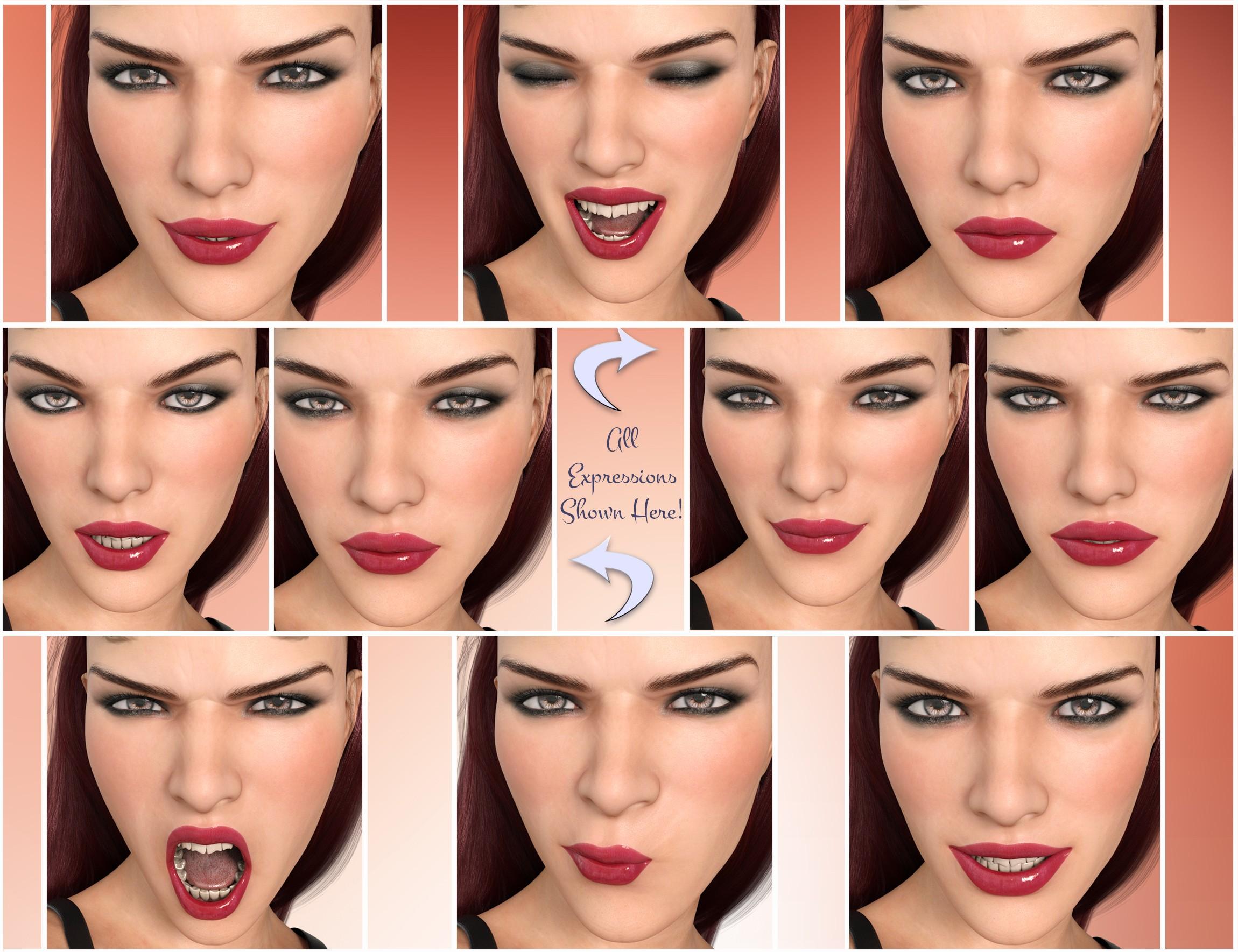
Godin's GDN Kelly for G3F
I saw an update appear today, so I downloaded it, installed, and... the problem's still there. Just to be sure, I closed DAZ Studio, uninstalled the package, deleted the package, and downloaded and installed it again. Kelly's still sporting that weird outie when she closes her eyes.
Looking in the content directories, none of the morph files appear to have changed at all; the eye close morph .dsf files still have Dec. 3 timestamps.
I guess I'll wait some more. :)
Star Trek Builders Unite 7: The Continuing MissionTo get stuff out of V4 that I liked I did the following: I applied all the morphs I wanted to V4, I also used morph loader to load morphs from external OBJs. Then I exported (not save, export) as a CR2 in a location that's easy to find (like in the same directory V4 base is saved). Now in GenX 2 you can Load Figure and pick that CR2 that you saved, it will load in V4 with all the morphs you need. You can now transfer whichever you want to any figures you have the proper plugins for. You'll need the GenX2 add on for Genesis 3 to get it onto G3F or G3M and maybe the add on for Genesis 2 too. The "required products" says you need both, I have both but I can't be sure if you really need the genesis 2 add-on to transfer morphs to G3F from V4 as opposed to from G2F (or male equivalents). Hope that helps.
Thank you Grinch! I am gonna try that tonight :)
Collada to Daz?It opens fine in Carrara, so I posed the question there. (Mainly, is there any way to transfer a rigged figure from Carrara -> Daz Studio). Here's hoping!
Good luck and I'll check in the carrara forum to see if there is hope. I have tried various ways to export rigged figures out of carrara and not had any luck. Too bad the import/export features in carrara couldn't be implemented into DS. I have re-rigged a few figures in DS that lost their rigging when imported and have had limited results, good enough for background figures, but to many issues to be main characaters
Anneka 7Based on how different this character is (the materials are under the Character folder instead of Materials like all the other 7, no normal maps, HD morph is included and not separate, etc.) it was probably a late decision to rebrand this as an official 7 figure.
This got me thinking, does anyone know what the additive property presets do? Since I can't buy this for a while, I can't check it out for myself. I've noticed over the years that some figures will have an additive morph that isn't meant to be used on its own, like the V5 supermodel morph, or the Freak 5 super morph. One thing I like about this new figure is that it's basically two different characters (or the same character at different stage of her infernalness). It seems that the further back I look through the iconic characters, the older ones had more face and body options than newer generations. This is refreshing.
Imperfection morphs for G3 F/MWell, I was playing around with an asymmetric shoulder morph tonight since it's something I'm wanting to do with a character I'm creating. And several of the other options are doable, including the lazy eye. Skin imperfections can be done too, nut not every vendor wants to provide the option for those sort of things. Scars; those probably should actually be mesh and texture maps to look right, but I will see if I can find out from a vendor acquaintance how they did one of their older skim texture sets that had this.
Collada to Daz?It opens fine in Carrara, so I posed the question there. (Mainly, is there any way to transfer a rigged figure from Carrara -> Daz Studio). Here's hoping!
Anneka 7Based on how different this character is (the materials are under the Character folder instead of Materials like all the other 7, no normal maps, HD morph is included and not separate, etc.) it was probably a late decision to rebrand this as an official 7 figure.
Modeling Objects in Carrara - Q&A - Come One and AllI have a rigged Collada file that opens fine in Carrara but I can't figure out how to transfer it to Daz without it ending up all exploded.
Any tips?
Although it might be a loss, because the rigging is distorting the figure in Carrara, just not as bad -- it's all deformed until I remove the rigging and then it looks like it should. I might have to just suck it up and rig it myself, if I want to use it.
I really should have started with inorganic stuff before jumping straight to critters. Heh.
Anneka 7I'm curious about how much of the full demon, i.e., crone morph can be brought in for the add-on characters without the Anneka base.
No. Didn't need a zombie. Don't need a demon. Can always use crones.
Do like one of the hairs and a couple of the outfits, though.
There are separate HD head and body morphs. Unfortunately the pointed teeth and ears are baked into the demon head morphs rather than separate. The she-devil head morph hardly changes the base G3F head at all. Also Jezebeth's skin seems much less pale than the promos suggest. So a bit disappointing for me in those regards.
Anneka 7The human morph version of her looks quite lovely - like a 'normal' woman. Chuck a different skin on her, and she's totally normal. Plus mixing her in with other characters would be good too.
I'm curious to know if the lines and wrinkles that show up in the 'human morph' are present in the mesh, or are created by the material. Judging by promos for other characters based on Anneka -- who all have the usual eerily smooth skin -- I think they probably derive from the material.
Which is a pity, because they're remarkably realistic. If they offered a 'normal' skin tone (rather than demonic red) paired with those lines, I'd probably be all over it. As it is, I may need to wait for a special offer during some sale month in a year or two's time.
If they are in a normal map, which would seem likely, then you may be able to use the normal map with other characters.
Yes, I assumed that that was probably the case. I don't see any sign from the description of there being a preset that would allow you to apply just the normal map, which means that it would be a bit more work to do, but it sounds like it should be feasible.
She has bump maps rather than normal maps, and there isn't a separate preset. But you could apply them to another character manually.
Or save a materials preset with just the bump settings.
Novica & Forum Members Tips & Product Reviews Pt 8This is the References post that is added to frequently. I always identify the new ones for you. These are primarily from Thread 7 and posts on the other forum threads made during my Thread 5, 6, 7 that I thought would help you.
The most used other thread I started is Free Backgrounds. Head over and grab a few, contribute a few, and enjoy!
**********References / Of Interest**********
Books, Digital: RScotJohns (Author) helped us with ebook (did a chat one evening)
Characters: I also showcased Odelle, a wonderful older character from another site (that Daz rejected!) and thanks to jakiblue telling the vendor about this thread, they posted a sneak preview of the next character for us.
Expressions: Here's some with sliders that are really fluid and usable. And Poses (be sure to scroll for both of these, numerous posts)
Hair: One of the funniest things showcased- vendor's names in hair!
HDRIs: Fishtales showing you some HRDI's
Free Infinity Cove 3 sets
Mountain Valley: Take a tour of this product as we drive around town!
See Nath's Elegant Swan- the ACTUAL PHOTOS from the museum, and the render. This car spewed steam and pooped yogurt, and was banned from the streets due to being a nuisance. (Ya think?) This is no longer available here, it's at HiveWire.
Special Honor: Rabbicus fun with RGcincy. It all started with a cactus on a shelf and I said it looked like a rabbit.
********** Programs **********
Infinito: Infinito Experiments: If you have questions about Infinito, ask them here
iClone: iClone6 (I'll have to get back to it) Here's a nice video by Bigh and Bigh's thread on Iclone and Reallusions Thread The Path To iClone
Mixamo How To Use (by Firewarden) New April 2017
Motion Capture in general: Motion Capture products/ discussion linked from the Octane FaceShift question
Senosoft: Convert .rsr file types to pngs (P3DO Explorer) New April 2017
ShapeMagic 2 ShapeMagic 2 By our very own RGcincy
Silo: Silo Modeling
Zbrush For Beginners: Zbrush for Beginners
Livebrush Pro (FREE) Livebrush Pro- link, it's now free
********** TIPS **********
Tip: Bloom Filter- Settings
Tip: Characters- Where To Load From Loading Characters- does it matter if you load it from icons, the Genesis figure + Character List, or the Figure (Aiko 7, Girl 7, etc) + the Character List? YES IT DOES.
Tip: Charlotte Hair Tweaks- Turn fluffy into sleek and modern! New May 2017
Tip: Custom Categories for Sets Here's some suggestions and additions
Tip: Delete Items in Scene: Grouped items giving you fits? How to delete those polygons!
Tip: DIM download problems? Try this.
Tip: DIM downloading product to use with products from other sites
Tip: Dreamland Models in DS Learn how to work with Dreamland Models (Poser) in DS
Tip: Doors and windows that open, flat roof to add, pane of glass, good kit bashing items
Tip: Dome Orientation Results My experiments/settings for rotating the dome by changing the XYZ Dome Orientation. All settings given/ shown.
Tip: Fern Lake Instances and Water Instances in Fern Lake and Through The Woods And clearer water tip for it. My example.
Tip: Finding products in these threads, using Google NEW April 2017
Tip: Focal Length
Tip: Furries: How To Find Files and Pose (Llynara) And Capsces posted this for a few tips.
Tip: Gemology Shaders for Iray: Settings for best results, by vendor
Tip: Generation Tools: List of products which help you cross generations
Tip: Greek Houses: Fixing the water, landscape, and stone edge materials. All settings provided!
Tip: Growing Up: Making Chest look good
Tip: Hair: Different Settings To Increase Shine Also here
Tip: Harpsburg Night Lights Best way to apply them
Tip: Iray Organized References This thread links to the threads, but also categorized some of the topics within the thread so you can look things up quicker.
Tip: Iray Section Plane TabascoJack shows you how to use the Iray Section Plane
Tip: Madelyn Ears- How to remove those elf ears.
Tip: Manual Downloads in Product Library How to find them ultra-quick
Tip:/Info: Materials and Shaders: Difference in Materials and Shaders (from Commons)
Tip: Mermaid Top Family friendly suggestion.
Tip: Millenium Cat- Free Persian Head
Tip: Free Mocap Animations Here (Mixamo)
Tip: OOT Hair Steps New April 2017
Tip: Photoshop Postwork Postwork Photoshop Tips (Laticis) and my example
Tip: Photoshop Plugins From Thread 6: Examples
Tip: Pose Converter (Genesis 2 to Genesis 3) Where to find files (Scroll for discussion)
Tip: Combining Poses by locking body parts
Tip: Postwork The Postwork thread has a lot of good information!
Tip: Rigging How to import OBJ and rig in Daz Studio
Tip: Rigging Basic Rigging Preparation then Adding Bones for Rigging
Tip: Section Planes How To Use (by TabascoJack)
Tip: So Wet Bundle Examples
Tip: Skies of iRadiance Which are for high / low altitudes? Answer
Tip: Spectural Rendering tests for the studio
Tip: SubD: How To Add It (Darwins Mishap)
Tip: The Briefing Room Lighting with Iray (V3Digitimes)
Tip: Ultragenesis: Faces of G has a variety of older faces.
Tip: Weight Maps: How To Remove or Change (Thomas Windar)
Tip: White Point Changing it- Examples
Tip: Walls- Sets Which Are Easier To Use- or Not. Sets that don't have separate walls and handy notes on a few sets
********** TUTORIALS**********
Tutorial: Bus, Noggins- Converting from Bryce to Daz Studio (RGcincy) Here
Tutorial: Breast Gone- In Hexagon (Smoothing Zev0s Grow Up product even more)
Tutorial: Clothing, Making in Blender SickleYield's tutorial on Deviant Art.
Tutorial: Create Categories Using Gen2F, I showed how to Create Categories and Export to save your custom categories. (Here's WHY you may want to do that with your characters.)
Tutorial: Custom Actions In Toolbar How to Create Custom Actions In Toolbar
Tutorial: D Former D Former Tutorial D Former tutorial and links
Tutorial: Depth of Field Flipmode provides a good depth of field tutorial for you.
Tutorial: Fisty's Shaders & Getting Rid of Gooey Lips This one shows you Fisty's shaders. One of my favorites is how to get rid of the overly gooey lips.
Tutorial: Fur Brushes Download and Video (Kathryn Loch)
Tutorial: Garibaldi Hair Doing a cat with Garibaldi Hair- Tutorial
Tutorial: GenX links on "how to use."
Tutorial: Generation 4 Materials on Genesis 2 This one put Generation 4 materials on Genesis 2 using Victoria 4 for Genesis 2 Female.
Tutorial: Geometry Shells How to do Geometry Shells (video tutorial the3dwizard) and doing makeup for different characters
Tutorial: Hair Shaders (Slosh, his product) If you use Slosh's hair shaders, you can always come back here to find his post explaining how to use them.
Tutorial: Iclone Iclone videos
Tutorial: Images- How To Put Them In Forum Posts Here's Putting Images in Posts
Tutorial: Instances: Using Ultrascatter (by RGcincy)
Iray Canvases- How To Do Lighting
Iray Ghost Lights 2: Portrait Setup in 13 Steps, All Settings Given
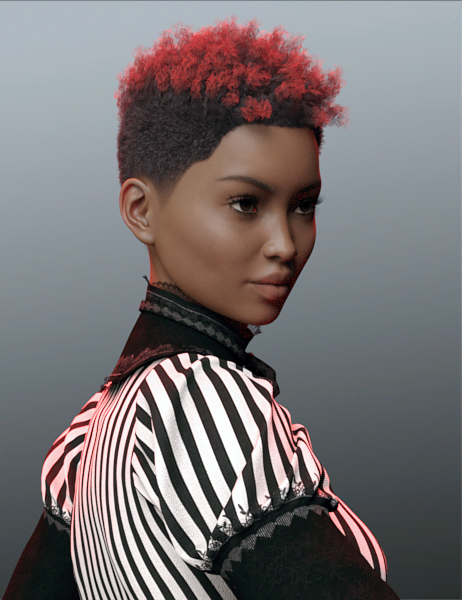
Tutorial: Iray Light Manager Pro Step by step screenshots
Tutorial: Iray For Beginners- Do A Scene Step By Step The Wanna Render? Iray tutorial walks you through Iray lighting for total newbies- including Crush Blacks, Burn Highlights, how the sliders work together and why in Tone Mapping, and Environment Intensity.
Tutorial: Iray Lighting- A Night Lantern Doing a night time lantern with Emissive Lighting.
Tutorial: Iray- Portrait Light Setup With Point Lights Portrait Lights: 3 Point Lights and a Spotlight- Settings Provided

Tutorial: Iray Skydome Super Pak The Explanation on how to use it.
Tutorial: Maps for Iray and 3DL / Albedo Explanation Texture Maps: (Saba Taru) ALBEDO explanation, and where to put the maps for Iray and 3DL
Tutorial: Metadata- How To Make It Video Here (Slosh) and Here (3D Almanc)
Tutorial: Rigging Static Doors So They Open (RGcincy) How To Rig A Prop
Tutorial: Shaders- Mec4D's PBR Shaders Mec4D's PBR shaders: How to use
Tutorial: Teeth, Getting Realistic Shapes Getting realistic teeth shapes was here and slight tweaks here.
Tutorial: Texturing Texturing With DestinysGarden is a good thread- let a pro show you how!
Tutorial: UltraScatter Advanced Instancing UltraScatter Advanced Instancing: RGcincy's handy notes, how-to.
Victoria 4 for Genesis 2 Female: How to use the product.
Tutorial: Weight Mapping: How To Smooth All Face Groups At Once (By SickleYield)
Tutorial: Windows, Making Them From Planes And Cubes Realistically Making Windows using planes and cubes, with glass panes and images!

Fun / Interesting Threads
Photoshop Playtime! Where we showed you some really neat plug-ins to get cartoon, oil, watercolor effects.
Scripts: A one click solution to put things on your ground plane, under things, etc
Anneka 7The human morph version of her looks quite lovely - like a 'normal' woman. Chuck a different skin on her, and she's totally normal. Plus mixing her in with other characters would be good too.
I'm curious to know if the lines and wrinkles that show up in the 'human morph' are present in the mesh, or are created by the material. Judging by promos for other characters based on Anneka -- who all have the usual eerily smooth skin -- I think they probably derive from the material.
Which is a pity, because they're remarkably realistic. If they offered a 'normal' skin tone (rather than demonic red) paired with those lines, I'd probably be all over it. As it is, I may need to wait for a special offer during some sale month in a year or two's time.
If they are in a normal map, which would seem likely, then you may be able to use the normal map with other characters.
Yes, I assumed that that was probably the case. I don't see any sign from the description of there being a preset that would allow you to apply just the normal map, which means that it would be a bit more work to do, but it sounds like it should be feasible.
She has bump maps rather than normal maps, and there isn't a separate preset. But you could apply them to another character manually.
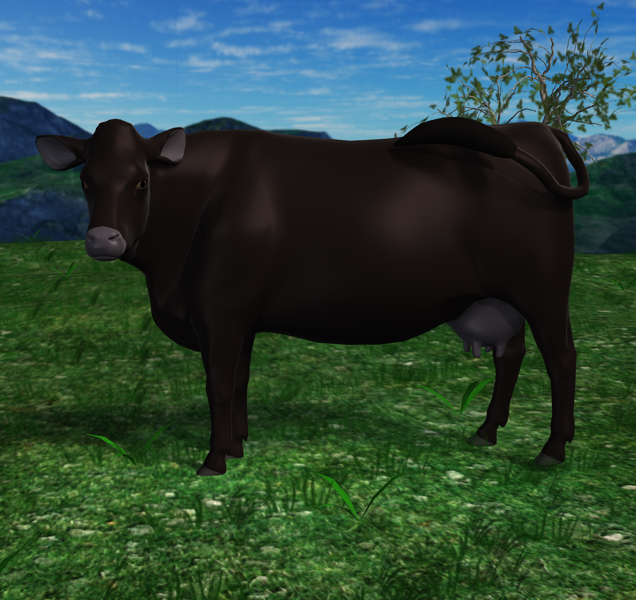
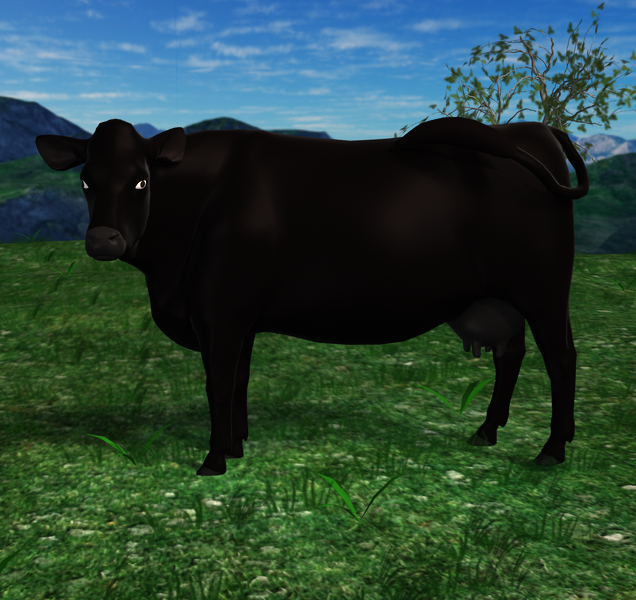
Daz Cow Share and Learn ThreadOk, so I am just diddling with the existing daz cow no changes perse except, I am not using the horrible pose that loads with the cow character. I am working from the zero pose. I made this pose called "switching flies" and just recolored her in the surfaces tab. By doing this I learned a bit about specular lighting and how the changing the glossiness can make certain effects.. In the mean time, FeralFey has been playing with the uvmap, bones, etc also and has something for me to work with. She has been trying to figure out what road blocks I have been running into with my work. I learned a bit more about material maps and that they are my friend. LOL This info greatly helps my thinking process when working on the cow. I know how things should be in real life and to try to transfer it here is the tricky part. :)
I know people might ask me a few questions about the cow and coloring in general. So, a little black angus cattle info. Black is a dominent gene coloring in the angus and most cattle with black hair coloring, but there is also what is called a recessive red hair coloring gene that they can carry. Why we get red angus cattle, red holstiens, etc. When breeding two red critters or two black critters that carry the red gene can result in red baby. The black cattle when their hair gets long (winter coat) or later in the year with sun bleaching it shows a bit of red coloring. Why my cow has a hint of red in her hair coat. This does not carry in the skin part of the black cattle why all the other parts are more black or greyish. A little cattle trivia. I hope no one fell asleep. :)
Add: I just played with surface settings some more. will look better painted and with a normal amp showing hair better.
 Anneka 7
If anyone has her, can you please tell me if that wrinkle above the nose is in the mesh? It seems like even when using a normal skin and morph, it's there...
 Modeling Objects in Carrara - Q&A - Come One and All
I don't know that you have to, but I would recommend that you get your model the way you want it before bothering to rig it. During uvmapping and texturing, you may discover that you might want to make a few changes to the mesh, including adding or eleting polygons. If so, you don't want to lose any rigging information that you had worked on.
I agree wholeheartedly.
I ran across this when doing my shipping container in blender. I finished rigging in Daz and realized I had missed something in the UV mapping. Had to go back, remap, re-export, and re-rig. Not the end of the world, but still a pain.
You can use the Transfer Utility (Edit->Object) in Studio to update the geometry without losing the rigging. Doesn't always work, but 7 times out of 10 . . . Saved me an awful lot of re-rigging! No matter how much you think your mesh is finished, there's always SOMETHING you need to fix at the last minute!
Anneka 7The human morph version of her looks quite lovely - like a 'normal' woman. Chuck a different skin on her, and she's totally normal. Plus mixing her in with other characters would be good too.
I'm curious to know if the lines and wrinkles that show up in the 'human morph' are present in the mesh, or are created by the material. Judging by promos for other characters based on Anneka -- who all have the usual eerily smooth skin -- I think they probably derive from the material.
Which is a pity, because they're remarkably realistic. If they offered a 'normal' skin tone (rather than demonic red) paired with those lines, I'd probably be all over it. As it is, I may need to wait for a special offer during some sale month in a year or two's time.
If they are in a normal map, which would seem likely, then you may be able to use the normal map with other characters.
Yes, I assumed that that was probably the case. I don't see any sign from the description of there being a preset that would allow you to apply just the normal map, which means that it would be a bit more work to do, but it sounds like it should be feasible.
Anneka 7The human morph version of her looks quite lovely - like a 'normal' woman. Chuck a different skin on her, and she's totally normal. Plus mixing her in with other characters would be good too.
I'm curious to know if the lines and wrinkles that show up in the 'human morph' are present in the mesh, or are created by the material. Judging by promos for other characters based on Anneka -- who all have the usual eerily smooth skin -- I think they probably derive from the material.
Which is a pity, because they're remarkably realistic. If they offered a 'normal' skin tone (rather than demonic red) paired with those lines, I'd probably be all over it. As it is, I may need to wait for a special offer during some sale month in a year or two's time.
If they are in a normal map, which would seem likely, then you may be able to use the normal map with other characters.
Is it just me , or ...Well, angels, wise-personages etc don't need a new G3F/M-7 character - they can be done with any of the regular characters plus wings and robes. There are enough wings in the store - it's the robes that are less easy for G3F/M - but a retexture of sorceress might work for an angel... The monsters need a special morph/skin, the good-guys tend to look like idealised versions of us.Hmmm...This is certainly true for the standard depiction of angels. But, how about an angel "creature" that is a different being that not only has wings on its back but other non human features that make it of the Angel Race? - might be worth exploring. I can think of several talented PAs that might come up with something new and cool. :)
List of Gen 3 CharactersGreat work. Thanks for sharing.
After seing this LONG, LONG list I'm wondering if the gen 3 is about to finish it's cycle too. Great generation IMHO but let's face it: not much figures left that we know. Maybe we'll see a Ninive 7 or a Scott 7. Anyway not much left now. The question is, is generation 4 closer than we think? Are we going to see Victoria 8 in a few months and maybe a Daz Studio 5 realease? If so, then what real improvements will the new generation have to have to justify starting the whole cycle again and the whole expense that that would be?
I'm sure the new improvements HAVE to be awesome. I just hope they release the multi-resolution morph plugin to begin with. It's kind of lame having such great figures and not being able to create our own HD morphs and just have the ability to create low resolution morphs. Hair and clothes systems also need a big improvement. A proper body and face rigging with real IK is also a most that has been long overdue. Looking forward for what the future will bring.
Generation 4 is coming out this year sometime
Interval between 2 versions of Genesis has been 2 years so far, and G3 is now almost 2 years old.
http://www.daz3d.com/forums/discussion/135056/genesis-4-female-body#latest
http://www.daz3d.com/forums/discussion/130706/genesis-4-wishlist#latest
Anneka 7I'm curious about how much of the full demon, i.e., crone morph can be brought in for the add-on characters without the Anneka base.
No. Didn't need a zombie. Don't need a demon. Can always use crones.
Do like one of the hairs and a couple of the outfits, though.
Daz 3D is part of

Connect
DAZ Productions, Inc.
7533 S Center View Ct #4664
West Jordan, UT 84084Licensing Agreement | Terms of Service | Privacy Policy | EULA
© 2026 Daz Productions Inc. All Rights Reserved.