
Daz 3D is part of 
Connect
DAZ Productions, Inc.
7533 S Center View Ct #4664
West Jordan, UT 84084
Licensing Agreement | Terms of Service | Privacy Policy | EULA
© 2026 Daz Productions Inc. All Rights Reserved.
Comments
did you do the 'fit to' option? some things load without automatically fitting the figure and you have to conform/fit to first. I have the cool coils hair so I'll install and check it.
The pdf that came with this latest release of wear them all had some guidance for hair.
Shows how to determine if it's a prop or not. Also shows how to convert it if it is a prop.
^ This, thank you :) Yes if it loads as a static prop/object (happens with hr2 files, it will be just an object under scene tab, no bones under it), you can convert it temporarily from prop to figure and then use autofit using a clone :) It's explained in the Read Me, I'm here if anyone needs assistence or send me a message here in the forum.
I just tried this dress on my Genesis 3 girl, if breast area looks a little rough after conversion, try tips included in the PDF, convert to SubD (so it goes form Base to High resolution) and add smoothing modifier. You can also use breast morphs included in the dress (they work) to readjust shaping directly on the dress, I attached the screenshot of how I achieved this result in my scene :) Hope it helps.
Another one from Threed Recluse (3DRecluse). This one is the Men of Action for David 3.
Okay, so I'm back home now... this is what I get with the Emo Girl dress compared to the Ravyn dress. I wonder if the initial fit changes the way the dress will fit? Or perhaps it's a bone or weight-map issue?
I'm curious because, like I mentioned earlier, I've occasionally experienced this autofitting Genesis 1 products... or autofitting V4 to Genesis 1 products too.
edit: Smoothing doesn't fix the issue either...
A gorgeous pic from the lovely artist Sandra Bauser - Esbee Art using the Scorpio Rising for V3 outfit by Aeon Soul
Did you see my settings in the screenshot, where I highlighted smoothing/collision and mesh resoultion? Try adding smoothing and change smoothing type to generic, than up the value, also SubD the dress. Yes some older items are a bit rough to refit due to the difference between, in this case, Aiko 3 and Gendesis 3 female, that's where those distortions may appear.
The dress has breast morphs, try using them as well to pull the breast area a little "out".
Yeah, I juuuuust saw it :) I think my thread didn't refresh properly or something. Let me try another render and see what's up... I'm trying another method at the moment from one of my previous work flows.
Haha, ok, you had me for a moment there wondering if we're using the same dress. I would like to hear of the progress you make with it, good luck! :)
V.
I retried it with subD and increasing smoothing and there's a slight difference... Hm.
Coincidentally enough, the wrinkles correspond almost 1 to 1 with the Chest Lower weight map, but changing out the weight doesn't do anything at all.
After some more poking, I believe it has to do with the original fit of the item as I see a pretty large gap between G3F (or Aiko 3) and the dress itself when I inspect it under Lt Wireframe. There's a portion of the dress that doesn't follow the undercurve of the breast, as compared to other dresses and other pieces of clothing. I'd post a screenshot, but I'm not sure if showing a figure's nude wireframe is considered NSFW
Hmmm. Now I wonder if the dress V-tearing fix posted earlier could help with this.
My girl had bigger breast so it didn't show as much probably... You can also try dFormers for these stubborn areas, here's a usefull link to how to use them on clothes: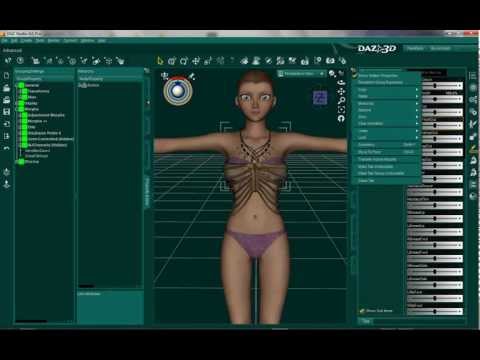
The Dress for V3. This was a hard one. I went through so many poses to find one that had the least distortion of the dress. The sleeves were impossible, they must be dynamic. The bottom train was a hot mess but was able to use the bones to straighten it out some but I hid it from the render anyway. I forgot to put the slippers on before the dress and couldn't stop the poke through so I took them off because I didn't want to start all over with the dress. But still, a lovely little number. Just got this today and all the textures each for $1.99, not bad.
Oh, OK will have to re read the .pdf. I do remember reading something like that , thanks
I ended up exporting it to Blender and doing a manual smooth on the dress :) Relatively straightforward, as I can directly paint use the smooth/flatten tool and re-import as a morph.
Sorry for the spam: I tried smoothing the underbreast of the clone with great success! Less artifacts than before, but the dress is still quite form-fitting as opposed to loose. Oh well :) This smoothing obviously is specific for this dress and would not be applicable to other pieces of clothing...
Looks great @mtl1 ! Yes I didn't see this problem on other Aiko 3 clothes, might be that dress specific, but I'm glad you found the solution :)
I picked up some M3 clothes during the sale. Here is the first thing I've tried. Forgot to say what the outfit is: 3 Piece Suit for M3. The materials needed some work on the settings after converting to Iray, but overall they didn't too badly. This is on Saiyaness' new guy, Dale for Genesis 3. There are more pictures on my Lab thread with the material issues and the fixes I made. I have a distortion issue with the crotch area and a problem with the tie that I need to see if I can find a fix for, but I haven't read the pdf, yet, so I might find an answer in there. :) Overall, I didn't have to think too much to get things working.
Thanks! I tied up my computer all day trying to get the version with TD3 Atmos fog and snow rendered. Wow, is that ever slow. Will post that version soon.
I The Dress! The Blue Moods texture for it is that one that caught my eye and made me fall in love with V3 and her amazing wardrobe. It's fitted "the old way", to Genesis with Gen 3 Iconic Shapes for Genesis and then to G3F with the original Wear Them All. I'll try again with the new expansion and see how that works.
This looks great on Dale! I picked up that outfit too, along with the 60s men's suit. That one should be fun too.
Thanks for the latest addition. I have tested teen Josie 7 together with the Aiko 3 Idol Outfit from Digitalbabes. Apart from the stockings everything was converted nearly perfect.
did you try adding smoothing to the stockings? that often fixes the poke thru.
iI know, I picked up the whole collection yesterday for $21. Have you figured out a way to make the sleeves work?
The sleeves aren't dynamic, but anything that hangs down like that is very awkward to autofit. Dangling sleeves tend to have extra bones these don't usually transfer when autofitting.
Pitty, I really love the sleeves
I had the same problem with the arm ribbons when I tried fitting Aiko 3's Nymph dress. They just crunched up in ugly bunches.
Laurie
Had to give the old ISOP Casablanca suit set for m3 a try on Dale. Also trying one of DT's new light probe expansion & tone mapping.
@greymouse69 Nice! The Casablanca Suit looks pretty snazzy!
It might be better to put the figure into a T pose, then parent the sleeves to the arms instead of autofitting. Sometimes that works, sometimes it doesn't. That trick works GREAT with older hair that won't autofit.
I've also fit new hair to old figures that way- parenting to the head instead of fitting. Here's an example with two Gen 3s wearing newer hairs (V3 has Fantasy Warrior Hair for G3F and M3 is wearing SAV's Alpha Moikana hair)
It would be fun to redo this pic with G3F and G3M and see how they look.
On The Dress, I will try the sleeves a few different ways and see if I can get any to work. I love The Dress and want to have those sleeves working too. Gotta go out to family stuff at the moment. More later!
Wow! That is a lovely picture!
Personally I never autofit hair, its always seemed simpler to me to scale etc it to fit, but then I've been doing it before autofit came along.
Yes parenting the sleeves might work - it might be easier to use 2 sets one for the right arm and one for the left hiding what you don't need.