-
Ava 9 Joins DAZ Studio...
nannerfkm said:
Skinny figures trigger some folks.
Yeah. As a whole I'm not a fan of the premier-only forms because they can be easily achieved through morphing tools I already have. Its usually a body/height morph plus a different percentage in the head. It's not why I have Premier, but it definitely wouldn't help push someone over the fence to get it.
Any way to transfer the auto-rigging results onto the actual bone properties?Hi,
I am working on some custom facial expression morphs and I've been using the Adjust Rigging to Shape feature to position the bones to match the morphs.
This works however what I really need is to be able to apply the new bone position values onto the actual bone properties because this is the only way they can be exported as an FBX animation using things like the DazToMaya bridge.
Does anyone know of a amethod for achieving this?

Thanks
[Released] Character Converter from Genesis 3 Female to Genesis 8 Female(Now Conv JCMs) [Commercial]On page 22 of this discussion, AnotherUserName reported that a conversion of Jenn HD for Victoria 7 featured "strange, wavy biceps". The comments on this issue ended on the same page without a resolution. I have had the same or a very similar issue with the conversion of Victoria 7 herself and characters based on Victoria 7. When I originally converted Victoria 7 and some other V7-based characters, the arms on the Genesis 8 conversions showed no distortions. After a break I converted a V7-based character early this year and found the wavy arms, which look a bit like the Body Builder morph arms. I then discovered the same arm distortion when converting Victoria 7 again and all the other V7-based characters I tried. Deleting the conversion morphs, renaming the Body Builder morph file, re-starting Daz Studio and running the conversion again made no difference. To cut a long story short, I backed up all files to external hard drives (and inaccessible to Daz Studio), did a clean re-install of Windows on my computer, downloaded DIM and installed just the basics along with Genesis 3, Genesis 8, Victoria 7 and the G3F to G8F converter and made no changes to any settings in DS. I fully expected the conversion of Victoria 7 to have straight arms this time, but no. The conversion still has distorted arms.
There is currently little else besides Daz Studio on my computer. Just to make sure, I uninstalled each of the other applications, deleted the morphs and ran the conversion, but the arm distortion remained. Has anyone had this issue and found the cause?
Screenshot and log file from before the re-installation of Windows attached.
Freebie Challenge June 2025 - "Summer and Piracy!" - Entries ThreadTitle: "Booty Show and Tell"
Caption: The other pirates were unsure whether their compatriot had caught a merperson or a merperson had caught him. Either way, he clearly had the best booty.
Used throughout:
--G3F, G8.1F, and their head/body morphs
--Morphalynn G3F face and head morphs by ModernWizard https://www.renderosity.com/freestuff/items/76026/morphalynn-127-g3f-head-amp-face-morphs
--SY 200 Free Morphs G8 by SickleYield https://www.deviantart.com/sickleyield/art/SY-200-Free-Morphs-Genesis-8-756465264
--On Fleek Morphing Eyebrows Prop G3F G8F https://shop.aprilsvanity.com/onfleek-for-genesis-3-8-female-s.html
--Ultimate Shader Pack for Daz Studio by georgehaze https://www.renderosity.com/freestuff/items/66943/ultimate-shader-pack-for-daz-studioPirate waving:
--BDO Corsair Dobart Armor Set G8F top by xenaith https://www.renderhub.com/xenaith/bdo-corsair-dobart-armor-set
--Dark Storm G3F pants from Genesis 3 Starter Essentials https://www.daz3d.com/genesis-3-starter-essentialsPirate scratching head:
--Eddie G3M texture from Genesis 3 Starter Essentials https://www.daz3d.com/genesis-3-starter-essentials
--Gothic Hair G3F by goldtassel [June Daz biweekly freebie] https://www.daz3d.com/gothic-hair-for-genesis-3-females
--Ferrier Outfit G8M by paspu https://www.renderosity.com/freestuff/items/91974/freebie-ferrieroutfitPirate with merperson:
--Philip G3M texture from Genesis 3 Starter Essentials https://www.daz3d.com/genesis-3-starter-essentials
--Corsair Hair V3 by AprilYSH https://shop.aprilsvanity.com/corsair-hair.html
--Mr Gibbs outfit G8M by paspu https://www.renderosity.com/freestuff/items/91448/freebie-mr-gibbs
--Some BangleStacks LF2 by jancory https://www.renderosity.com/freestuff/items/97468/some-banglestacks-for-lf2
--Knits with Normals by Nanette Tredoux https://www.renderosity.com/freestuff/items/69930/knits-with-normals-merchant-resourceMerperson:
--SeaFolk V4 KelpHair and Crown by Arki https://www.daz3d.com/seafolk-kelphair-for-v4-a4-m4-and-h4
--Octopus Statue OBJ File by ModernWizard https://www.renderosity.com/freestuff/items/98785/octopus-statue-obj-file-cc-by-40-license
--Springy Hoop Earrings V3 by Stegy https://www.renderosity.com/freestuff/items/63553/v4-springy-hoop-earrings
--Knockers Parented Pasties by ModernWizard https://www.renderhub.com/modernwizard/knockers-prop-pasties
--Five Tints for G8.1F Fulcia Mertail by ModernWizard https://www.renderhub.com/modernwizard/five-tints-for-g8-1f-fulcia-mertailSet and props:
--Skull Cave and Expansion for Daz by Shredder for rocks https://www.renderhub.com/shredder/skull-cave-and-expansion-for-daz
--Coral Reef Great Barrier Reef by Shredder for sand https://www.renderhub.com/shredder/coral-reef-great-barrier-reef1
--Moose Head by printable_models https://free3d.com/3d-model/moose-v2--791552.html
--Gramophone by Simone83 https://www.renderosity.com/freestuff/items/72459/gramophone
--A Few Books (Hardbacks) for Daz Studio 4 by 3dcheapskate https://www.renderosity.com/freestuff/items/82979/a-few-books-hardbacks-for-daz-studio-4
--Old Coffer by 3djoji https://3djoji.be/Free-items/#OldCoffer
--Lemon in sun by Erasers45-Studios https://www.cgtrader.com/free-3d-models/food/fruit/lemon-cc9bbd87-55f4-49d0-be18-e14d4fb87478
--Linear Array 3D Script by richardandtracy to arrange lemons and limes https://www.renderosity.com/freestuff/items/98929/linear-array-3d-script
–Commodore 64 by Elite Vertex https://www.cgtrader.com/free-3d-models/electronics/computer/commodore-64-c289a91d-a77f-4f06-8fde-fd5b855b636ePaid:
--Binah G8F by Dark-Elf head morph and texture for lime pirate https://www.daz3d.com/de-binah-for-genesis-8-female
--People Carrying People Pose Pairs G8 by ATrillionGames https://www.daz3d.com/people-carrying-people-25-pose-pairs-genesis-8
--Fulcia Mertail G8.1F by Arki for merperson https://www.daz3d.com/fulcia-mertail-for-genesis-81-female
--Draupadi G3F texture by chevybaby25 for merperson https://www.daz3d.com/draupadi-for-genesis-3-female-s
--Ryanno Hair and Beard Set G8M for merperson by Neftis3D https://www.daz3d.com/ryanno-hair-and-beard-set-for-genesis-8-maleFreebie Challenge June 2025 - "Summer and Piracy!" - Entries ThreadPredator and Prey
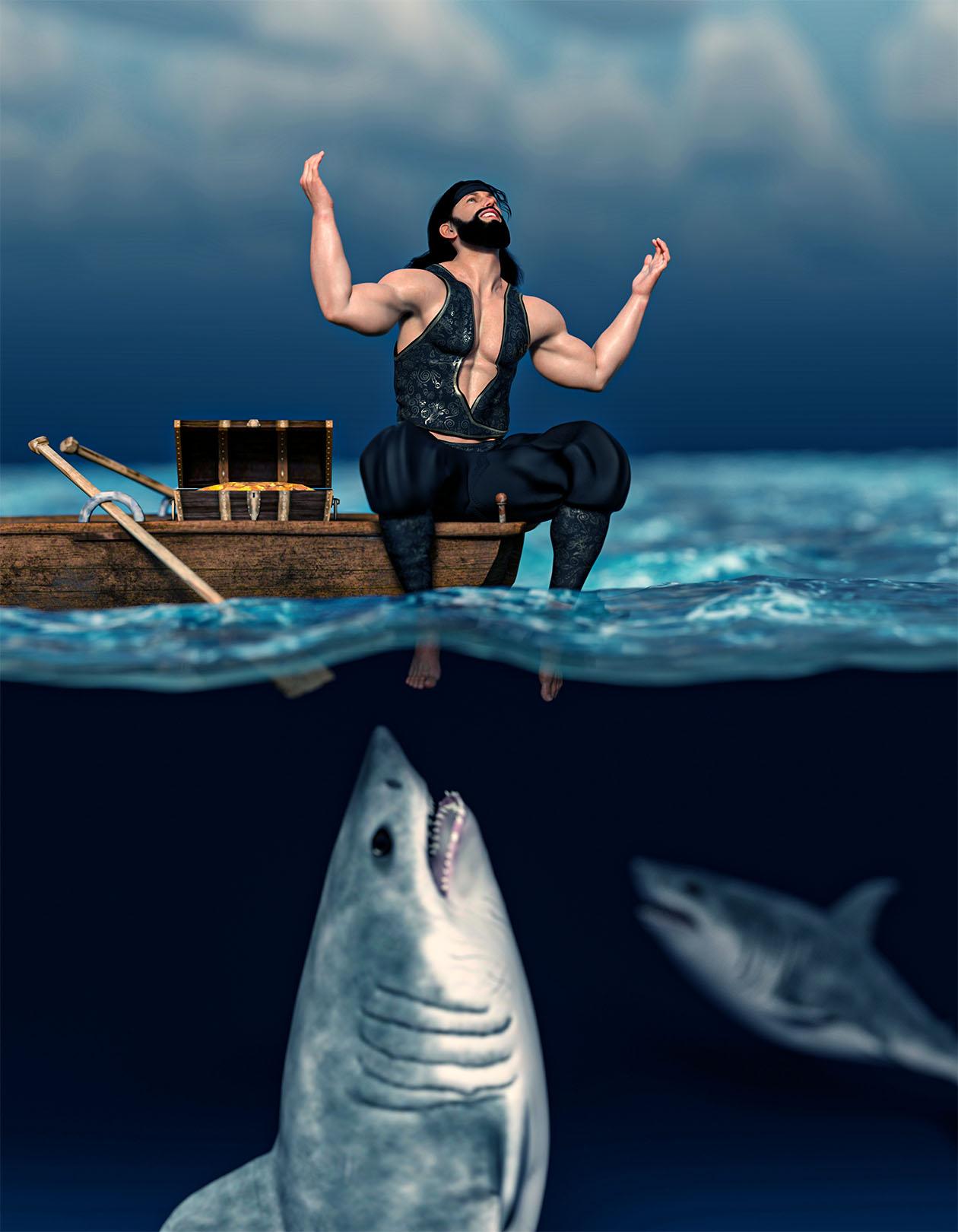
Jack is so happy of the treasure he found unaware of what is lurking underneath.
Post Work: a little touch of PS Camera Raw Filter
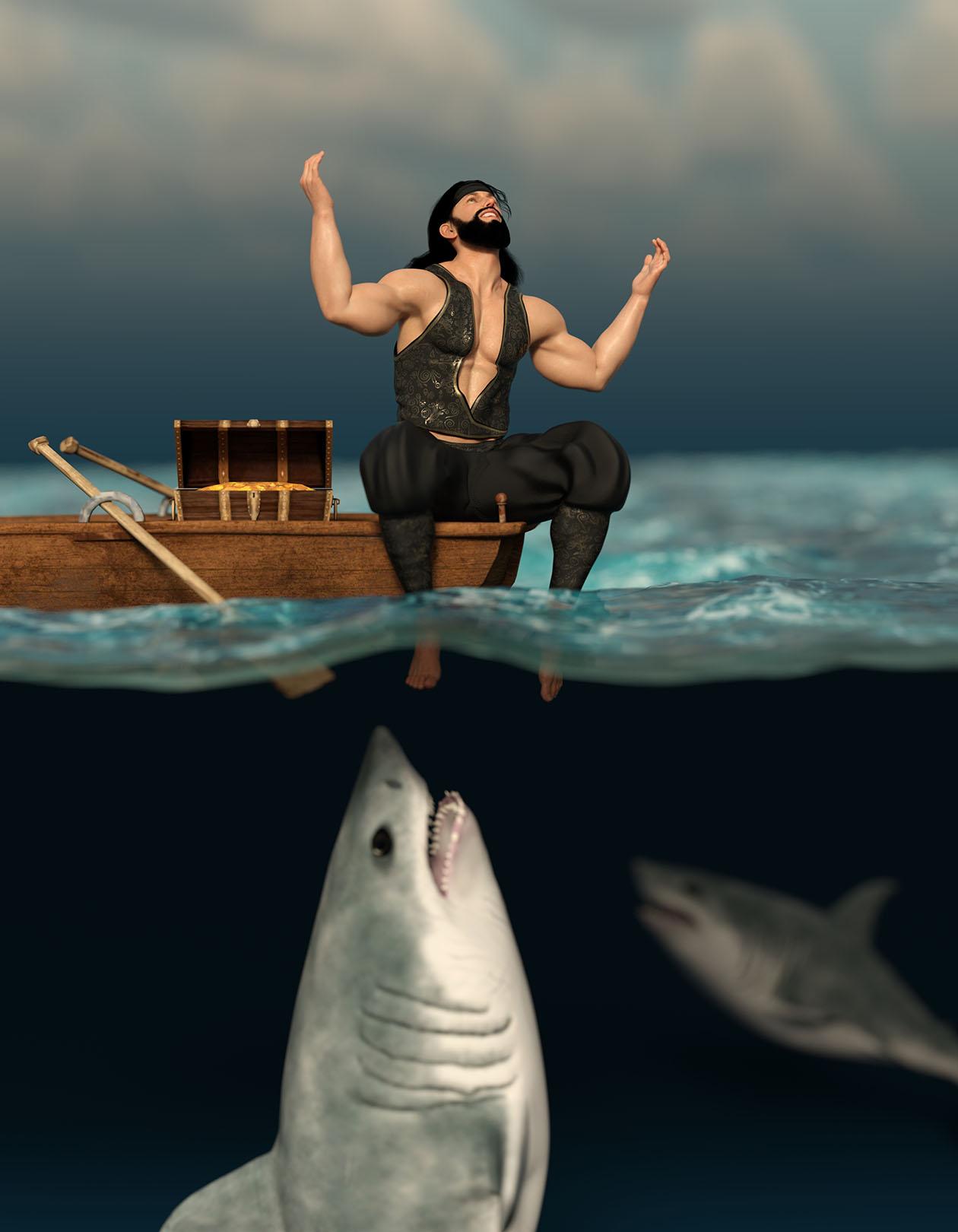
Original Raw Render:
Freebies:
Ocean: https://www.renderosity.com/freestuff/items/96105/free-deep-ocean-for-daz
Treasure Chest: https://www.renderosity.com/freestuff/items/68381/3d-treasure-chest-model
Background (Sky): https://pixabay.com/photos/field-land-clouds-sky-horizon-533541/
Pose: https://www.renderosity.com/freestuff/items/86848/m4h4f4-pose-transfer-to-g8m
Paid
G8M Character: https://www.daz3d.com/edward-8
G8M Outfit: https://www.daz3d.com/dforce-brahim-for-genesis-8-males
Hair and Beard: https://www.daz3d.com/volta-hair-and-beard-for-genesis-8
How to keep metal attached to clothesThat is an issue with conforming clothing, on very morphed figures (especially around the breasts).
Two ways I can think of:
1) Create a rigid group on the metal.
2) Create a corrective morph in an external application.
Neither of these are rather beginner friendly, though the rigid group can be done inside Daz Studio.
Which clothing item is it?
Edit to add.
If you have mesh grabber (geometry sculptur for premier) you might select a face i the middle, and expand the area of influence, to cover the rest of the connection, and draw slightly to adjust it.
Dragon Folk 9I second this so much. I love RawArts designs but I wish so badly that the morphs were more compartmentalized. Like, if I wanted to show a transformation, have only the feet, only the hands, or only the head, as well as an all in one morph.
DAZ Horse 3 - will there actually be any support this time?Matt_Castle said:
One thing I noted when I was shaping Horse 3 to have a Horse 2 shape (as part of making a clone that could get assets between Centaur 8 and Centaur 8) was that Horse 3 feels really rather cartoony in comparion.
Horse 2:
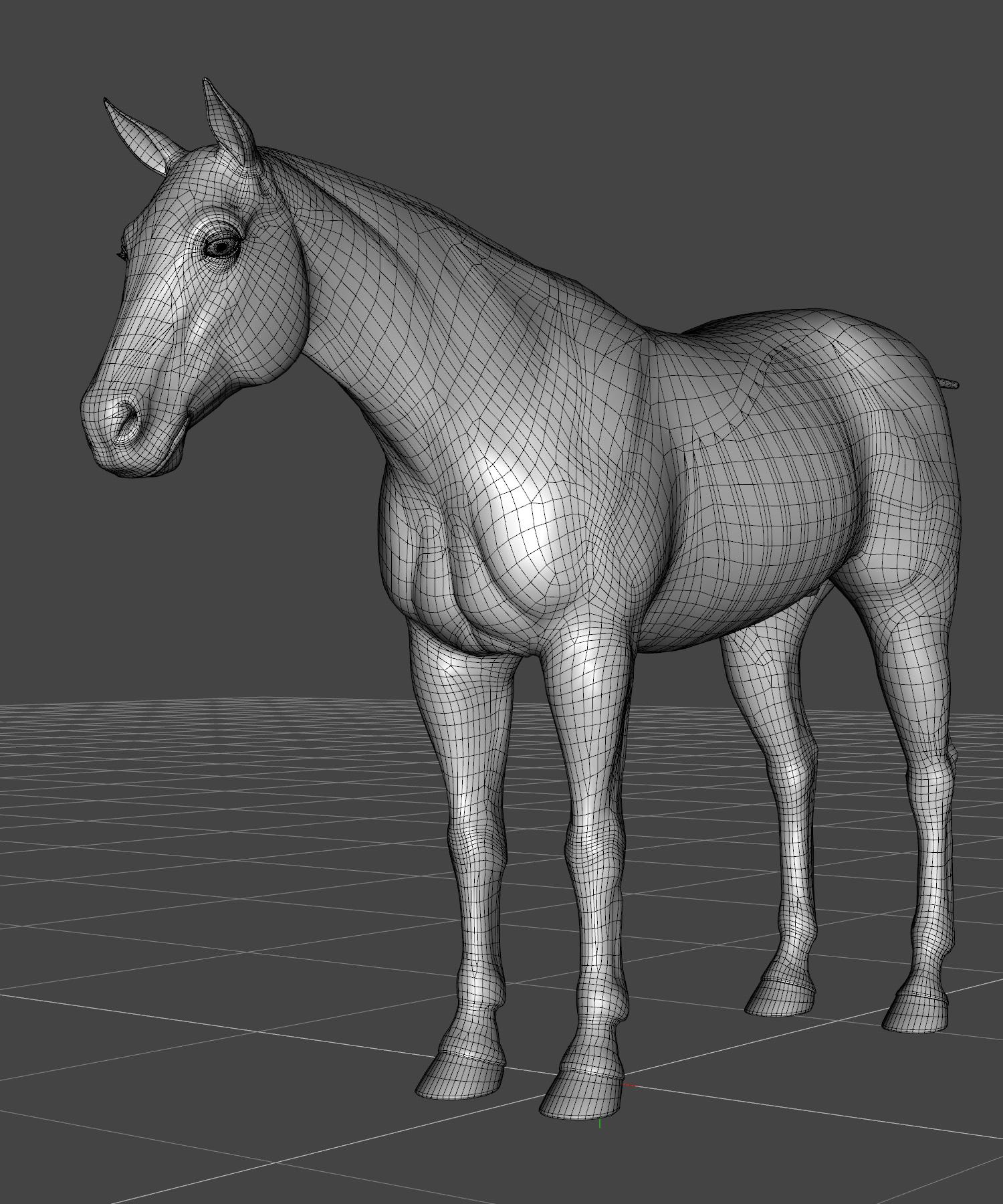
Horse 3:

Horse 3 shaped to look like Horse 2:

I will be the first to admit that the Horse 2 geometry is a nightmare. Very few clean edge loops, very uneven topology, just a pig to work with. There's even places where the UV seams aren't the same on either side.
However, I definitely prefer the shape. Possibly H3 has been approached like G9, in terms of creating an "average" shape that's not really supposed to be used itself but makes for a better starting point in general, but that's the kind of thing that relies quite a bit on getting the support to make it into actual breeds.
Nice work with this Horse 2 to Horse 3 morph shape it's looking great!
I agree about Horse 2 Geometry, it always made sculpting with Horse 2 pretty tough...DAZ Horse 3 - will there actually be any support this time?Matt_Castle said:
One thing I noted when I was shaping Horse 3 to have a Horse 2 shape (as part of making a clone that could get assets between Centaur 8 and Centaur 8) was that Horse 3 feels really rather cartoony in comparion.
Horse 2:
Horse 3:
Horse 3 shaped to look like Horse 2:
I will be the first to admit that the Horse 2 geometry is a nightmare. Very few clean edge loops, very uneven topology, just a pig to work with. There's even places where the UV seams aren't the same on either side.
However, I definitely prefer the shape. Possibly H3 has been approached like G9, in terms of creating an "average" shape that's not really supposed to be used itself but makes for a better starting point in general, but that's the kind of thing that relies quite a bit on getting the support to make it into actual breeds.
I really like the look of that morph. DH3 shaped as DH2 is exactly the sort of thing I've been hoping for (I like the offerings for DH3 better, but not the shape). Do you have any plans to sell the morph? I would be extremely interested!
get D-Former from MorphRichard Haseltine said:
I'm afraid the dForm doesn't leave any history, not even that the morph was created from a dForm (instead of another tool in DS, or a bridge to another application, or a simple OBJ import/export) so theer isn't any way to reverse the process if you don't have a saved scene or dForm preset.
thank you! Is there any workaround I could try, like selecting the vertices of the Morph and creating a D-Former with those?
EDIT
also, I did something wrong that now D-Formers don't show Unused Maps to be added when I select Weight instead of Sphere. DAZ crashed. What could I be doing wrong? Should I reinstall?
EDIT_2
I restarted the program multiple times and it fixed the problem in the EDIT. Also, I selected all the vertices the Morph affects and filled the Weight Map and started painting and smoothing them so I create a new morph and I won't delete the D-Formers this time. But I have another problem: I forgot how to add the same D-Form to multiple objects, like moving the eyelashes when moving the eyes.
get D-Former from MorphI'm afraid the dForm doesn't leave any history, not even that the morph was created from a dForm (instead of another tool in DS, or a bridge to another application, or a simple OBJ import/export) so theer isn't any way to reverse the process if you don't have a saved scene or dForm preset.
get D-Former from MorphI've spawned my morphs from D-Formers created in DAZ... But I deleted the D-Formers while spawning, is there a way to get the D-Forms again? Or do I need to create everything from scratch?
Corrective Morphs for Pose Control ItemsAs I search for the solution, I notice a big difference between the "Body & Breast shapes" morphs versus these Facial Morphs.
When I use the Transfer Utility, Body & Breast Morphs are added to my clothing. When I save the clothing, these morphs are then saved to my Data/Morph folder. Facial Morphs are not.
Could this be why I'm not able to save my new Facial corrective morph? These files already need to exist in my item's Morph folder in order to save my changes?
Should I just make a Parameter Tab > Corrective Control slider for the user to manually make the shape correction? If so and nothing else is possible, I'll do this.
However, I'd much rather the correction activate automatically when the user selects the facial morph in the Pose Control section.
Corrective Morphs for Pose Control ItemsAn alias is a link to another property, so I would not expect to be able to load a morph for that rather than the original property.
Corrective Morphs for Pose Control ItemsHi Richard. Thanks for the suggestion. I tried this last night. It wouldn't save properly. Had some other issues too... So I decided to sleep on it and try again today. Still no success.
This is weird. I'm able to this with other generated morphs into my clothing like bodyshapes and breastmorphs. I'm able to save those to my item's morph folder. But when it comes to these facial controls... no dice. I'll keep trying.
When working on Bodyshapes and Breastshapes, I can save my corrected morphs in files like this "BaseMasculine_body_bs_Body.obj"...
So I thought it'd work the same way with facial morphs. I'm trying to save them like this "facs_bs_BrowDownLeft.obj". These corrective morphs work while the Studio is open during this load. Even when I try to save these morphs, they don't save to item's Data/Morph folder... once I close and reopen Studio, the cache is cleared and so is the morph.
I tried to use other files like "alias_head_facs_bs_BrowDownLeft.dsf". These don't even read while using the morph loader...
If this better method doesn't start working soon, I'm going to try to use "ERC Freeze" to lock these morphs into the control... See if that saves to my Data/Morph folder.... I'd rather not but I'll try anything at this point.
Do you have a link to some documentation about these generated morphs or corrective morphs for these generated morphs?
Thank you for your reply.
Torso UVs for Genesis 9 Anatomical ElementsI won't be surprised if someone else has already done the same, but some time ago I created UV sets for the Genesis 9 Anatomical Elements that allow them to use texture/surface settings from the torso, and it seems other people have a need for the same reasonably often, so I'm sharing them here.
Obviously, there are limitations, particularly regarding stretched textures on the male anatomy (no geoshell overlays such as those used by 3rd party anatomies are provided), but it will at least provide something that matches without seaming issues if a character does not come with their own textures for the elements.
If you wish to take it further, you can use these UVs to go through Map Transfer to put the textures on the elements' own UVs, and then use an image editing tool to mask in/colour match the textures from another character to provide the missing details.
https://www.mediafire.com/file/8bg0k5kkuao3vd1/G9F_Genitals_Torso_UVs_20230722.zip
https://www.mediafire.com/file/f0jsj3th9sogvl5/G9M_Genitals_Torso_UVs_20230927.zipIn any case, please don't post renders of you using these, I'm probably on shaky enough ground posting these as they are.
Freebie Challenge June 2025 - "Summer and Piracy!" - Entries ThreadShiny!
Rendered in Daz with some slight retouching in Photoshop. Raw render is attached.
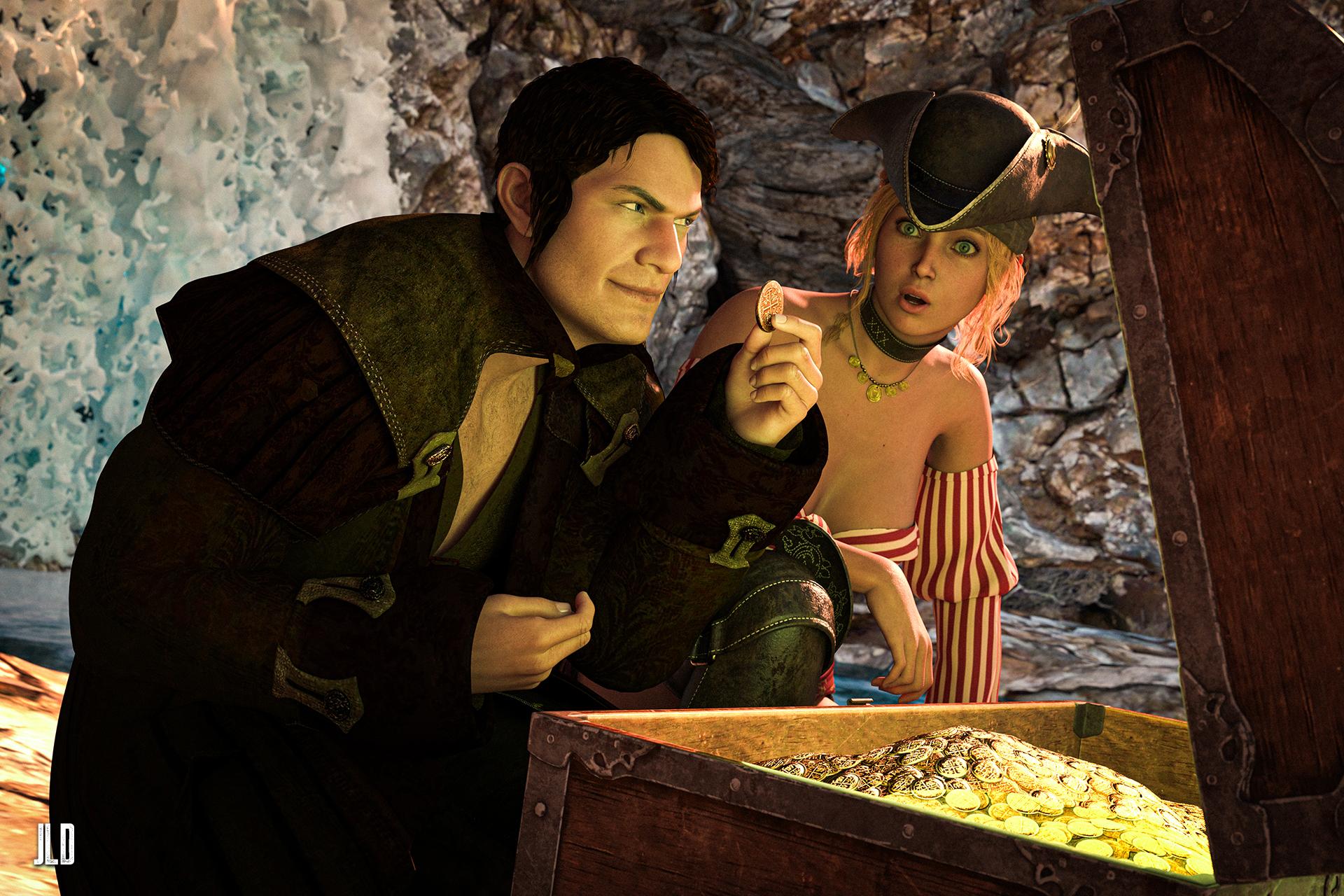
Freebies:
-
AGD Erik Character Morph for G8M & G8.1M: https://www.renderhub.com/aglassdarkly/agd-erik-8-morph-only
-
S3D Briana Morph for Genesis 9: https://www.renderhub.com/soft3d/s3d-briana-morph-for-genesis-9
-
Crystal Falls For DAZ: https://www.renderhub.com/shredder/crystal-falls-for-daz
-
Testing Hair for Genesis 8 Male: https://www.renderosity.com/freestuff/items/85638/testing-hair-for-genesis-8-male
-
Pirate Outfit for Genesis 8/8.1 Female: https://www.renderosity.com/freestuff/items/96578/pirate-outfit-for-genesis-881-female
-
Treasure Chest: https://polyhaven.com/a/treasure_chest
Paid items:
-
Crimson Seas for Genesis 3 Male(s): https://www.daz3d.com/crimson-seas-for-genesis-3-male-s
-
HS Mirage Strands Hair For Genesis 9, 8, and 8.1 Females: https://www.daz3d.com/hs-mirage-strands-hair-for-genesis-9-8-and-81-females
-
Treasures: https://www.daz3d.com/ancient-treasure
-
Paper Tiger's Fantastic HDRI Lighting: https://www.renderosity.com/marketplace/products/135115/paper-tigers-fantastic-hdri-lighting
3D Universe DAZ Studio Utilities [Commercial]Hi all,
We've had many questions and requests regarding the utilities that we've brought out for DAZ Studio, so we figured we'd start this post to break down what each of the utilities do and how they can help your DAZ Studio artistic workflow.
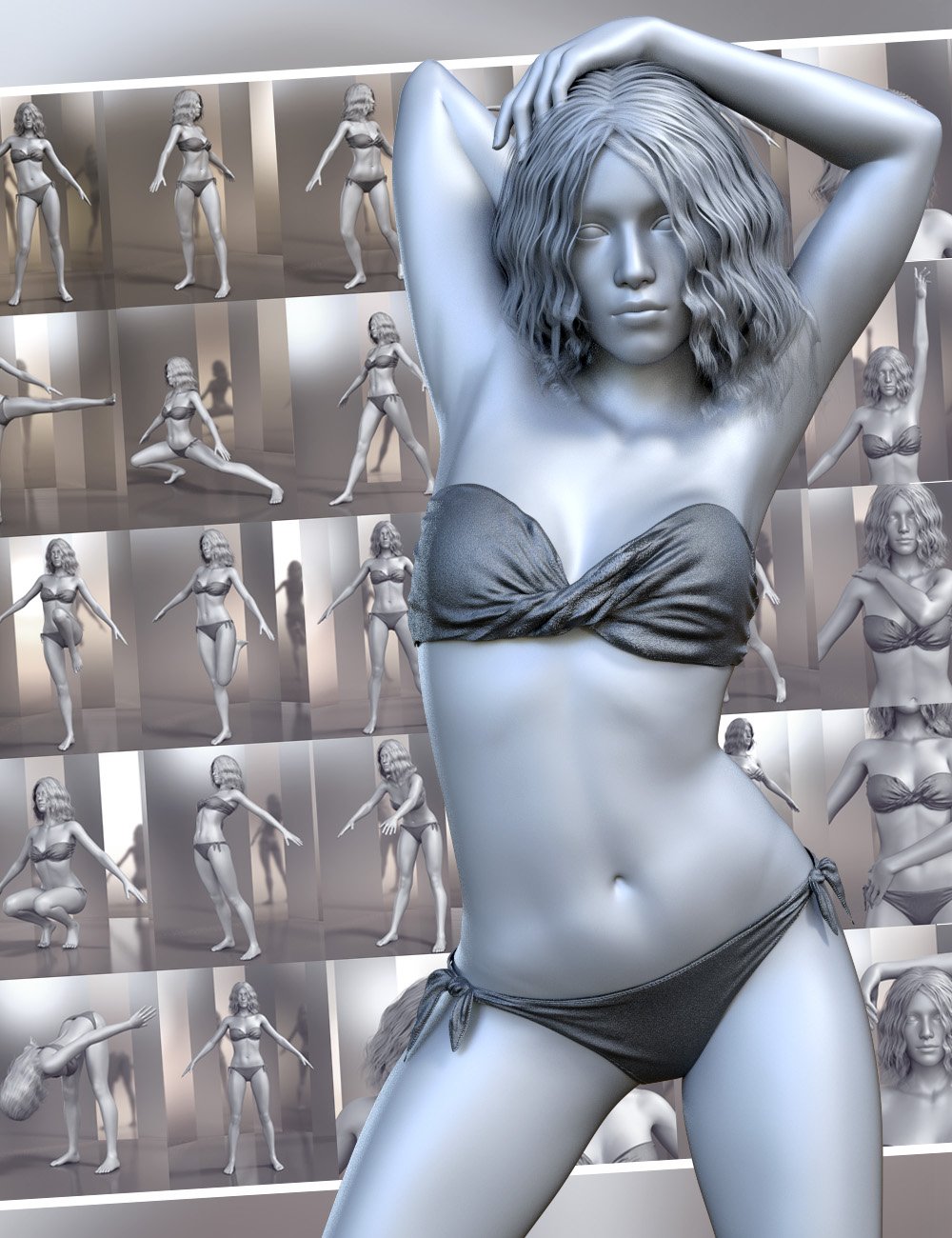
Pose Architect
Pose Architect makes creating realistic body poses as easy as 1-2-3. The included animated pose-control dials take the figure's body center-of-balance into account to keep the figure well-balanced. These pose-dials use natural animated movement instead of stiff joint rotation.- For Genesis 8 Female(s) - https://www.daz3d.com/pose-architect-for-genesis-8-females
- For Genesis 8 Males (s) - https://www.daz3d.com/pose-architect-for-genesis-8-males
- For Genesis 3 Female(s) - https://www.daz3d.com/pose-architect-for-genesis-3-females
- For Genesis 3 Males (s) - https://www.daz3d.com/pose-architect-for-genesis-3-males
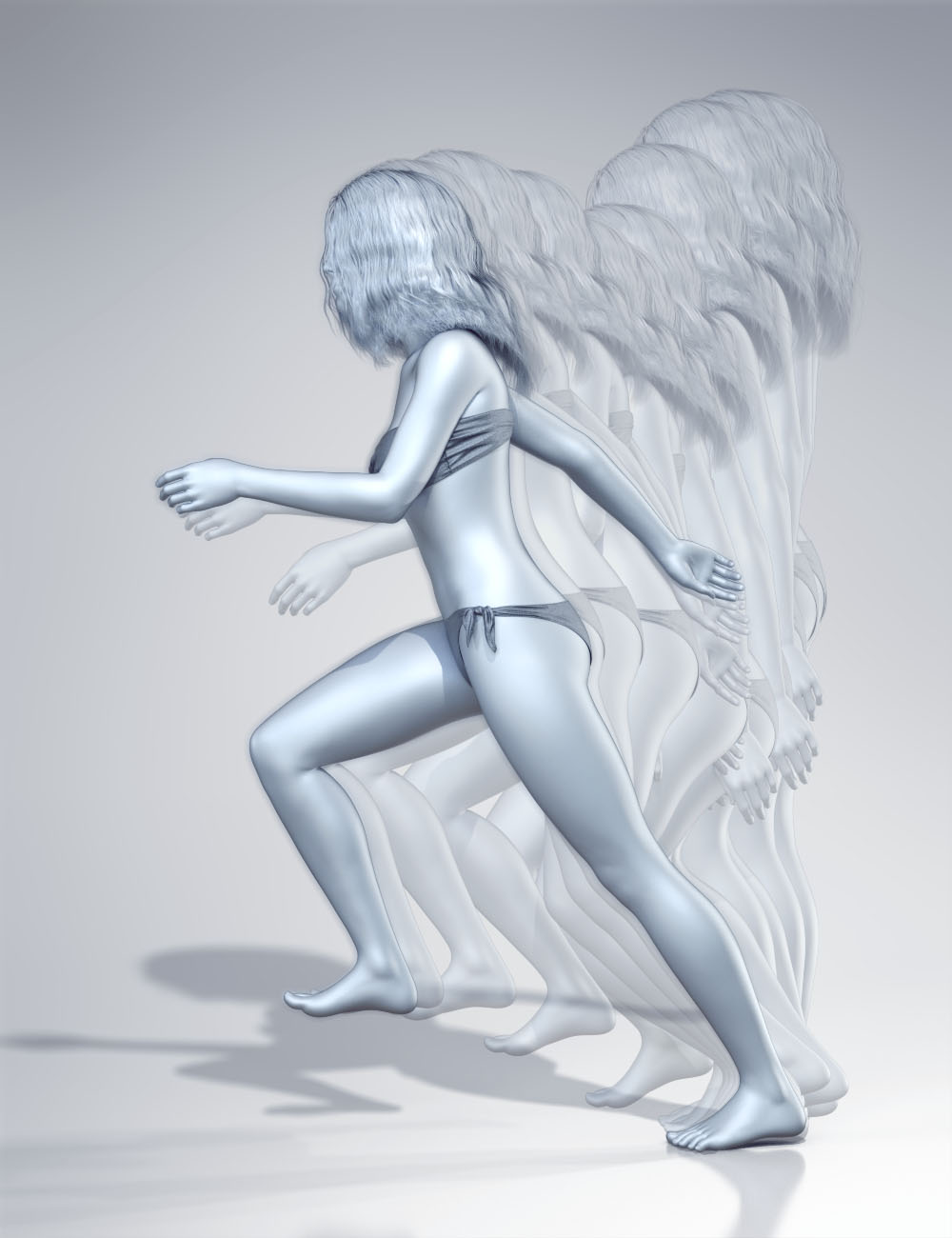 Glue to Floor Utility for Genesis 8 Female(s)
This powerful utility can quickly fix the issue of sliding feet by moving the position of the hip element of your Genesis 8 Female figure to ensure that the selected foot remains in place through-out the animation. Glue to Floor can be run on an entire animation, selected frame range or even a single frame. Simply choose which foot you would like to keep in place and run the utility for a perfect animation.
https://www.daz3d.com/glue-to-floor-utility-for-genesis-8-females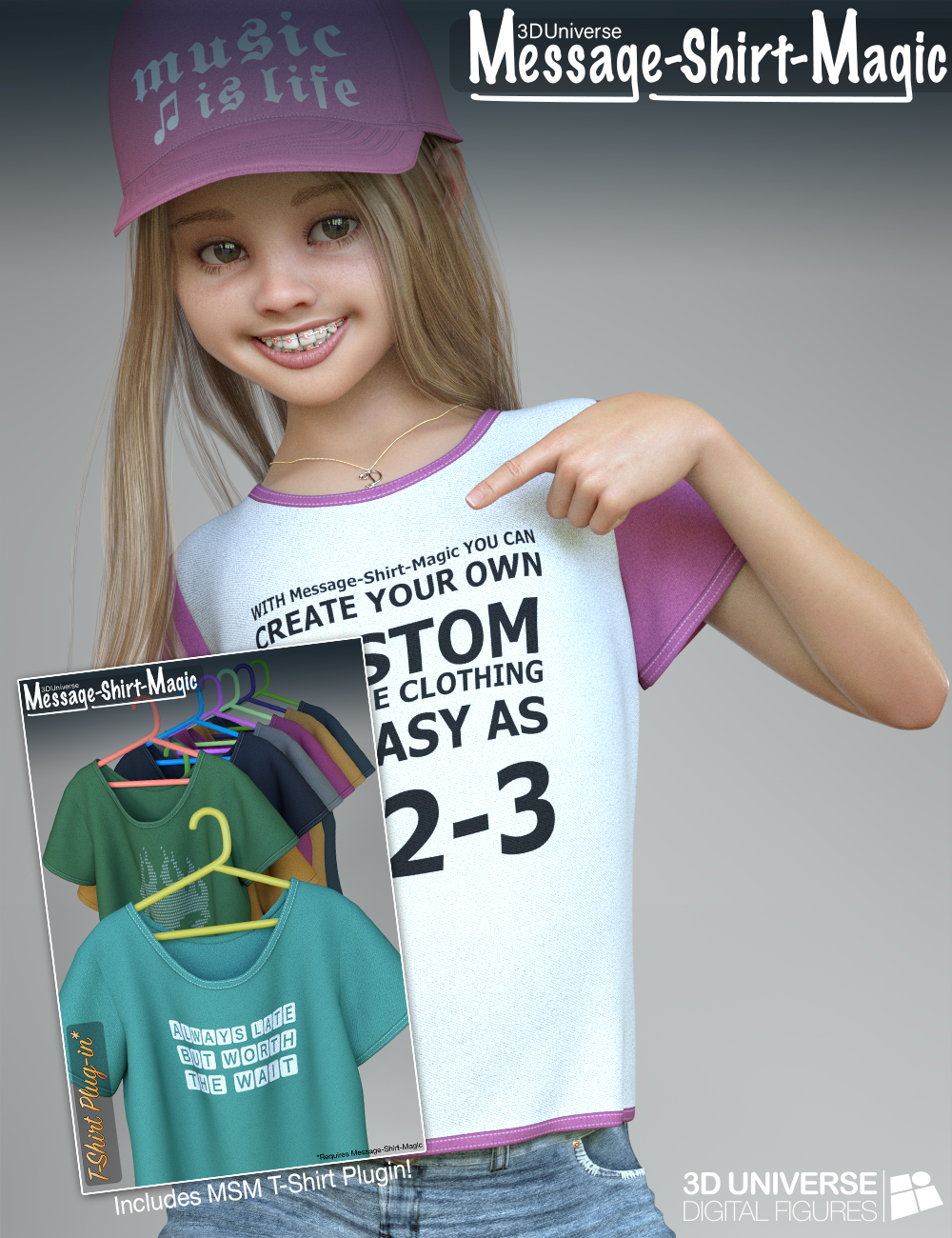 Message-Shirt-Magic for Genesis 8 Female(s)
Message-Shirt-Magic is a revolutionary product that allows you to create your own custom message textures on the included dForce clothing. Message-Shirt-Magic uses plugins which each include a different styled dForce clothing item. Additional plugins purchased will appear automatically in the interface. The interface is intelligent enough to automatically find Message-Shirt-Magic compatible items in your scene to make it easy to customize different clothing items.Using the simple interface, you can change text, font, colors, size, formatting, etc. all while seeing a real-time preview of the final texture result. Presets that you like can be saved for later use right in the interface.- Plugins: Camisole Plugin - https://www.daz3d.com/message-shirt-magic-camisole-plugin-for-genesis-8-females
- Tank-Top Plugin - https://www.daz3d.com/message-shirt-magic-tank-top-plugin-for-genesis-8-females
- One-Piece Plugin - https://www.daz3d.com/message-shirt-magic-one-piece-plugin-for-genesis-8-females
- Baseball Cap Plugin - https://www.daz3d.com/message-shirt-magic-baseball-cap-plugin-for-genesis-8-females
- Vest Plugin - https://www.daz3d.com/message-shirt-magic-vest-plugin-for-genesis-8-females
- Message-Shirt-Magic Bundle - https://www.daz3d.com/message-shirt-magic-bundle-for-genesis-8-females
https://www.daz3d.com/message-shirt-magic-for-genesis-8-females
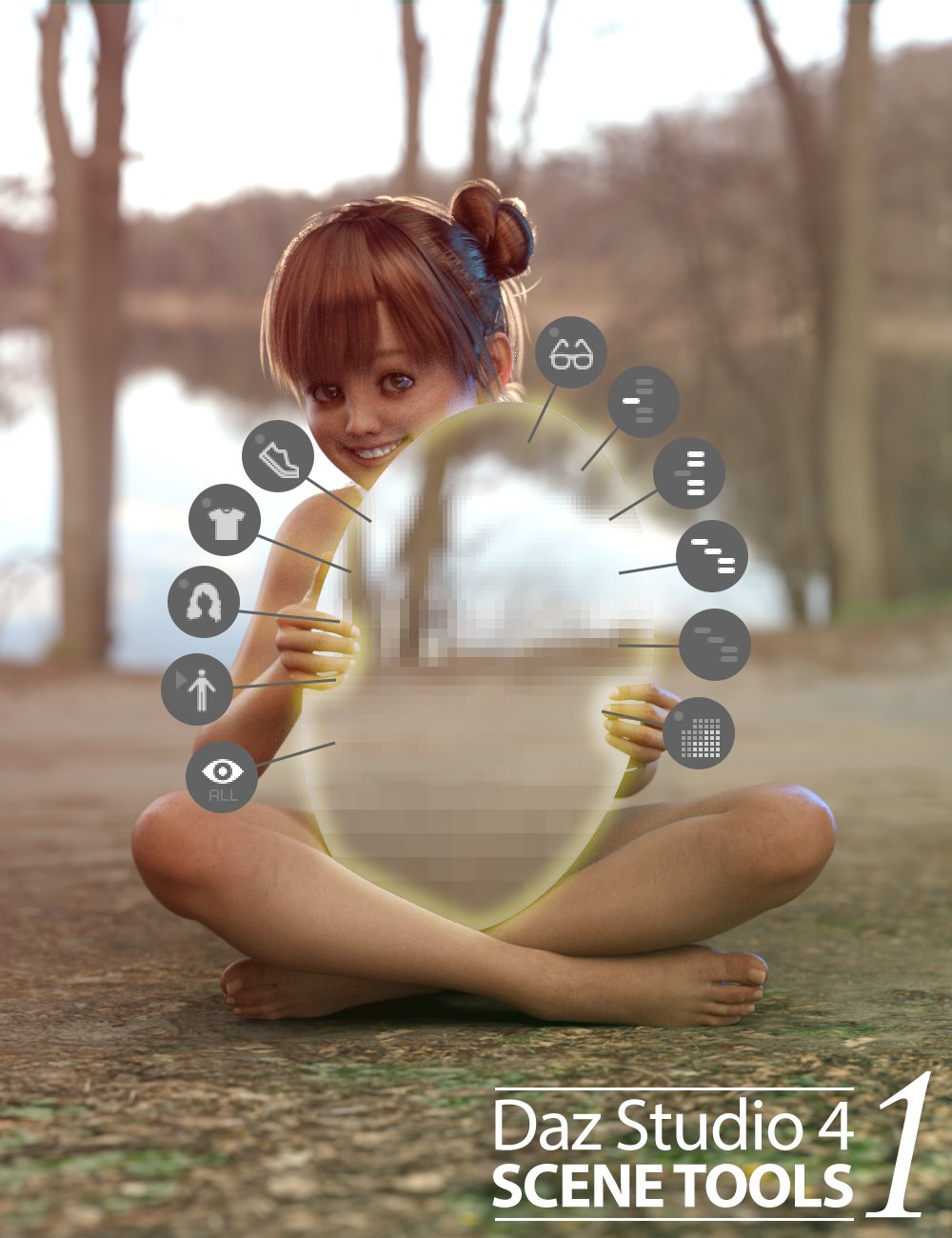 Daz Studio 4 Scene Tools Set 1
When working on complex scenes with several figures, hair, clothing, and props - the Daz Studio interface can slow down making it fairly difficult to pose items smoothly. To speed the interface up, you can hide items that aren't needed, but it can be annoying to locate the items you wish to hide in the scene tree view.
This product is a custom toolbar we use ourselves that adds several quick-access buttons to your Daz Studio 4 interface. These buttons can be used to quickly hide and show various content types in your scene to speed up the interface. It also includes buttons to set the mesh resolution of all the items in the scene to their lowest or highest subdivision setting.
https://www.daz3d.com/daz-studio-4-scene-tools-set-1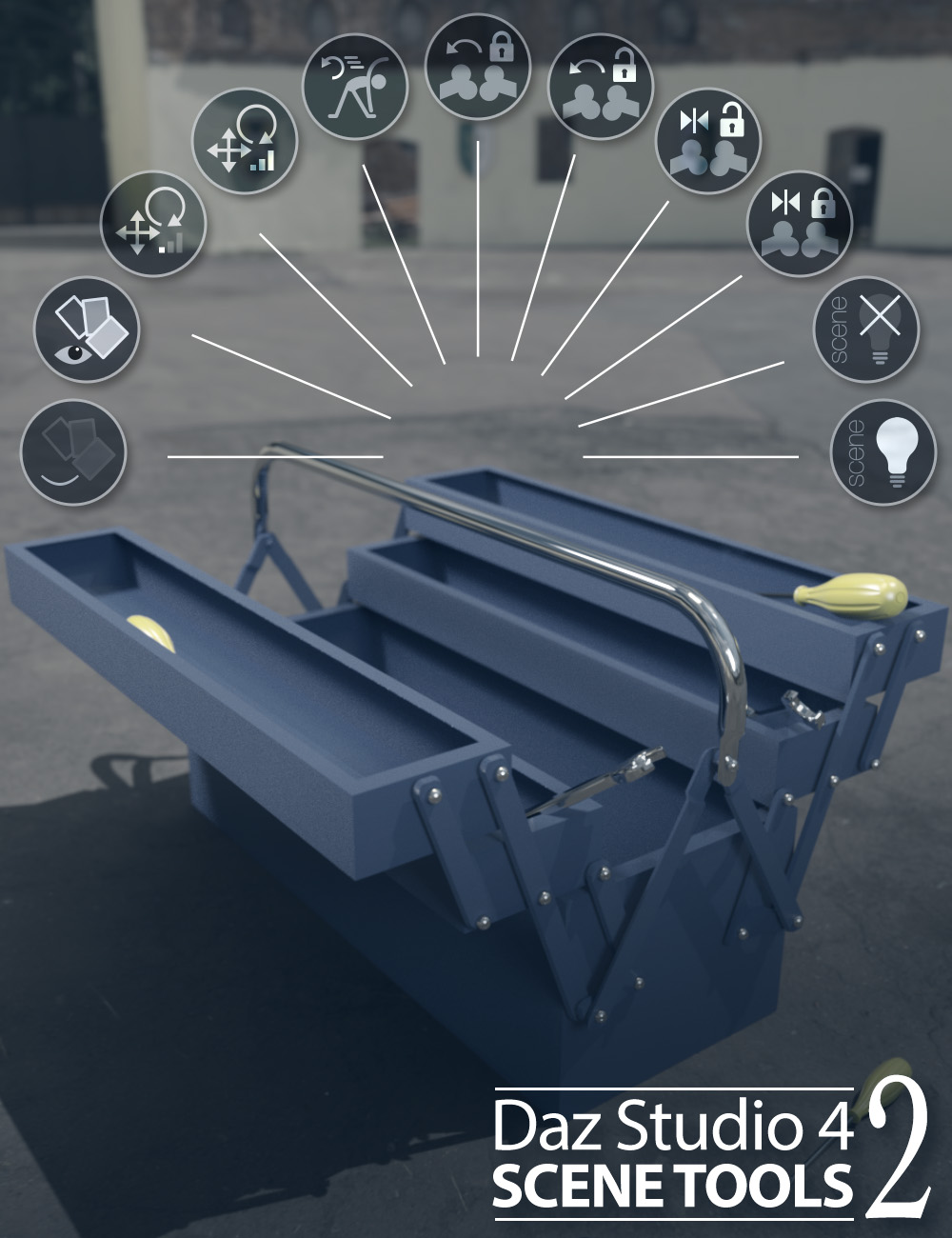 Daz Studio 4 Scene Tools 2
Single-click buttons include:- Quickly hiding or showing the geometry assigned to selected surfaces.
- Adjust the sensitivity of the translate and rotate dials for more accurate adjustments, and then set them back in a simple click.
- Reset, Lock or Unlock the selected node and it's descendants pose to default.
- Hide/Show any scene lights (including mesh-lights)
https://www.daz3d.com/daz-studio-4-scene-tools-set-2
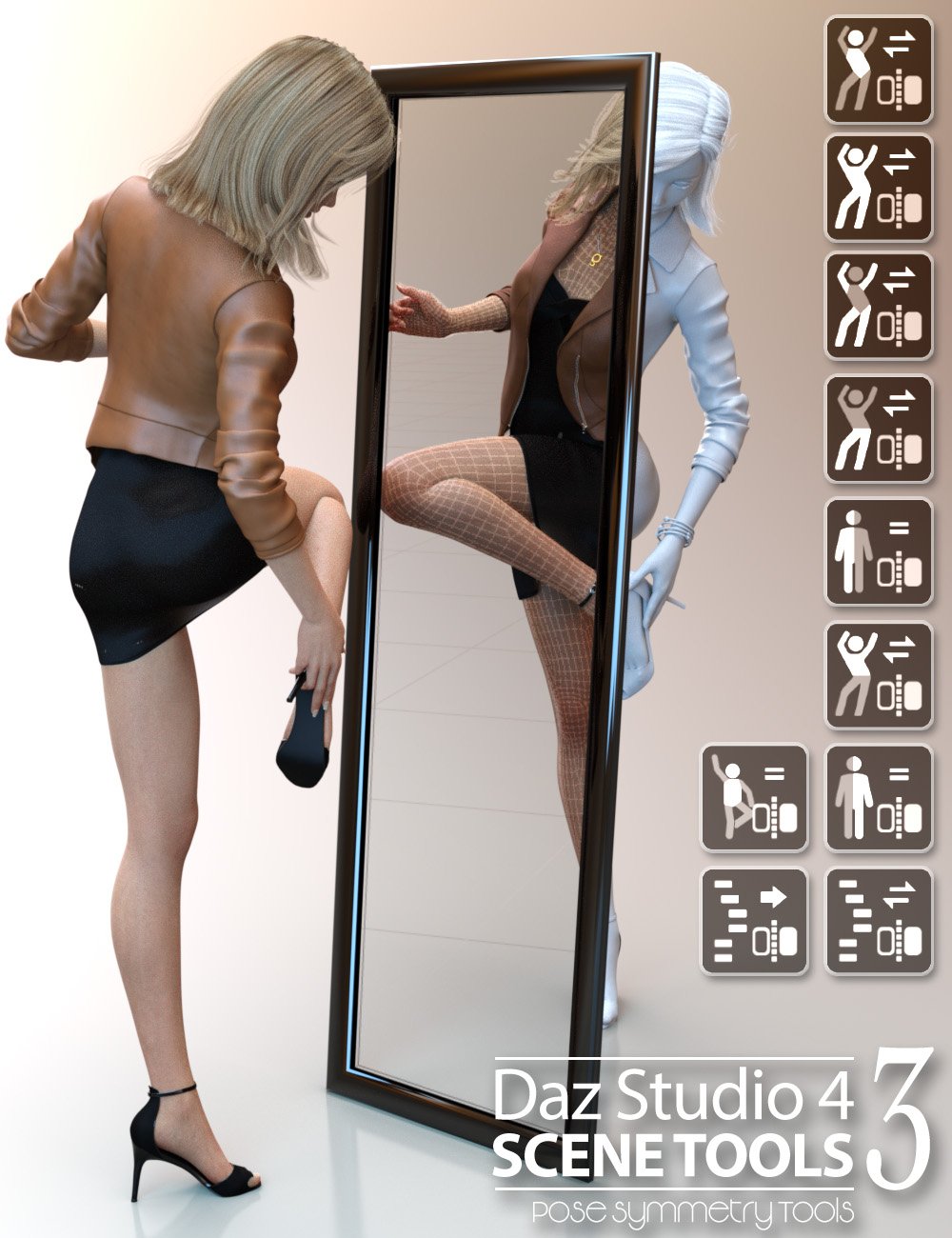 Daz Studio 4 Scene Tools Set 3 - Pose Symmetry
Make it easier with Pose Symmetry! This is 3D Universe's third Scene Tools pack containing DAZ Studio scripts accessed quickly from a custom toolbar.
Single-click buttons include options to flip/mirror the full figure pose, flip/mirror only certain regions of the figure pose or flip/mirror selected items and their children.
These tools also take into account pose controlling dials and will bake the controller dials into the pose as part of the mirror or flip action.
From simply flipping the figure's pose from left to right, to customizing poses by flipping the arms, legs or upper body - this set of tools is a real time-saver!
https://www.daz3d.com/daz-studio-4-scene-tools-set-3--pose-symmetry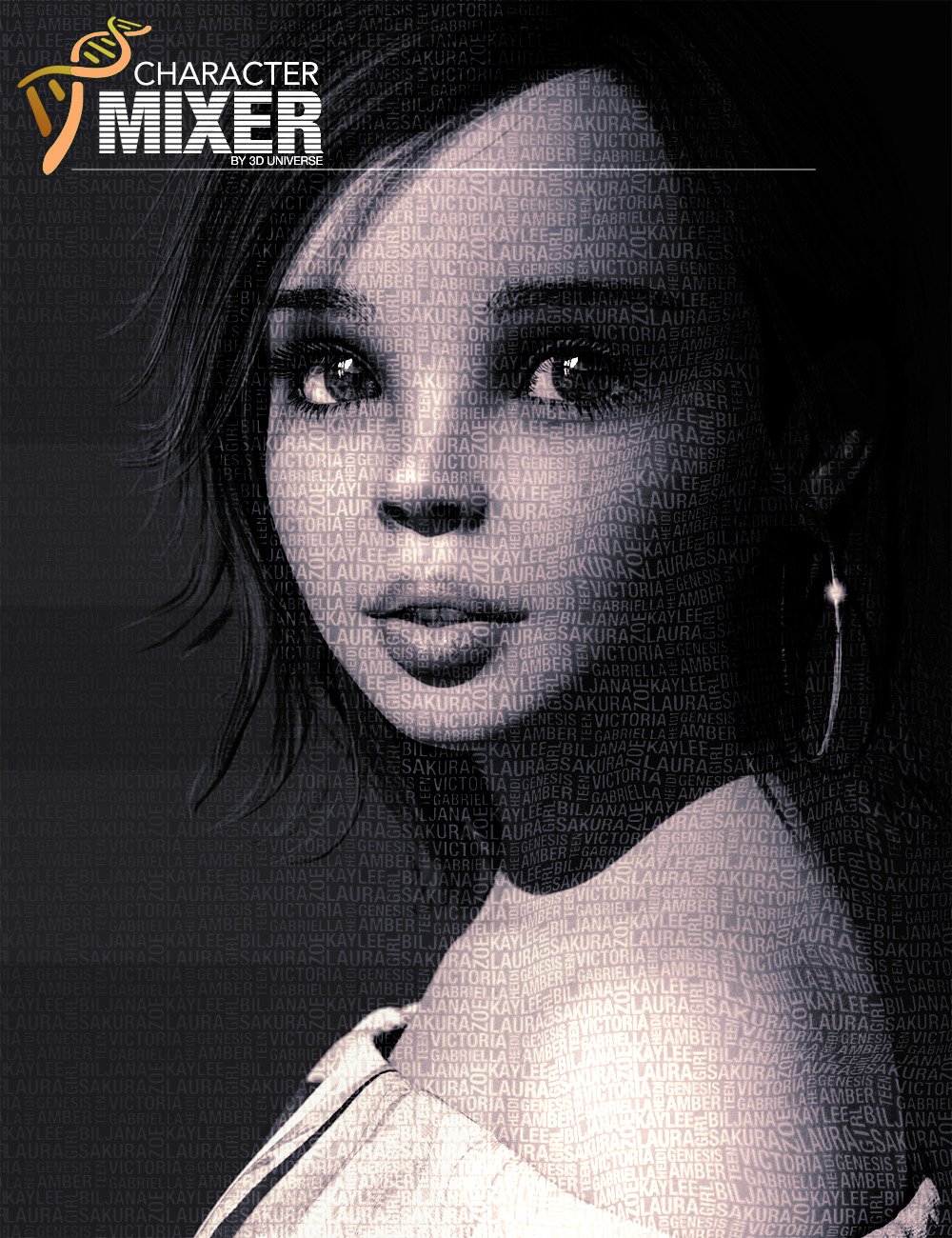 Character Mixer for Genesis Figures
Character Mixer makes the most out of the Daz characters that you own, allowing you to quickly create unique characters by randomly, yet intelligently mixing-and-matching morphs from multiple Artists.
Using a powerful yet simple interface, you select which morphs you'd like to include in the randomization process. You can even save favorite selections to presets for easy loading at a later time.
Control the style of random character, which artist morphs to include or exclude, how many morphs to randomize and many other options to create the most unique characters possible with the characters that you have in your library.
This application will automatically include all the relevant morphs in your libraries, so if you add a new character - it will be included automatically!
Best of all - the script works on most Daz Studio figures Genesis through Genesis 8!
https://www.daz3d.com/character-mixer-for-all-genesis-figures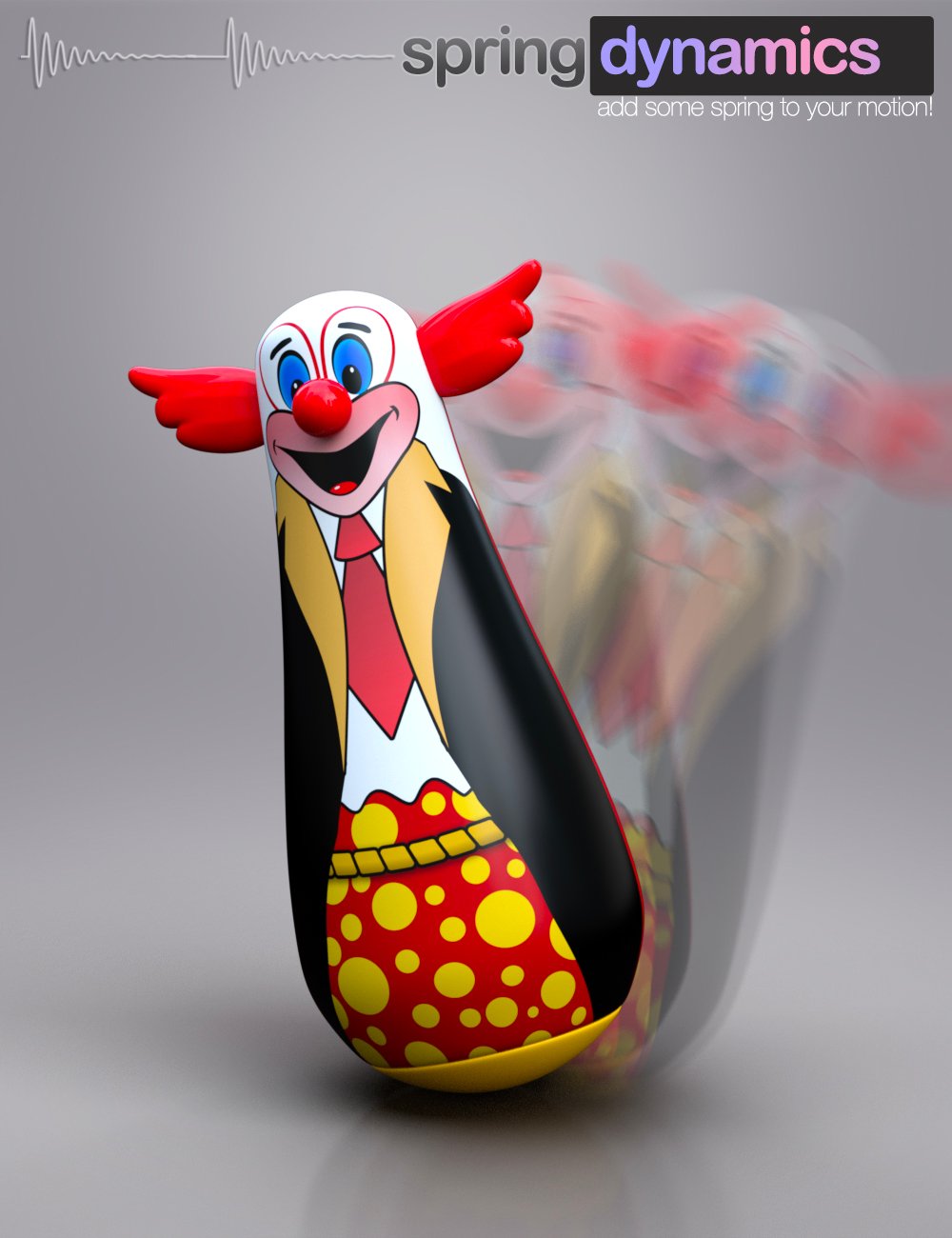 Spring Dynamics for DAZ Studio
In short, simply selecting a bone that you wish to add movement to and running Spring Dynamics will result in automated animation of the bone (and potentially it's children).
https://www.daz3d.com/spring-dynamics-for-daz-studio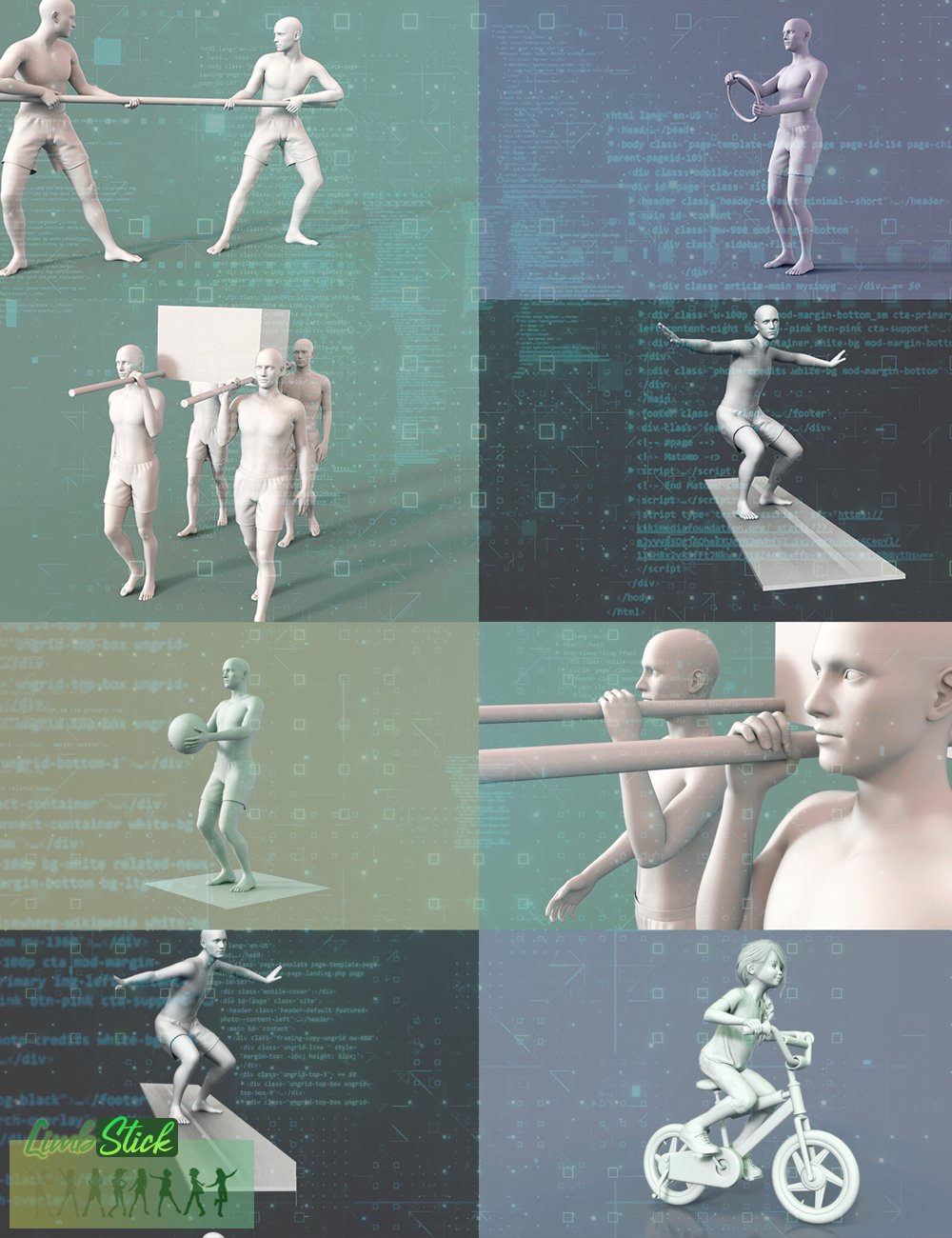 LimbStick for Genesis 3 + 8
Similar to inverse kinematics, LimbStick is a utility that uses a mathematical process of calculating the joint parameters needed to place an appendage (hand or foot), in a given position and orientation relative to the node selected to follow. The calculations are made across a partial or full animation to ensure that the selected appendage perfectly follows the selected target node.
The short version: Click on a hand or foot followed by a target, and run the utility to magically have it stay attached to the target.
https://www.daz3d.com/limbstick-for-genesis-3-+-8Daz Studio Animation Tools - Set 1
Daz Studio Animation Tools - Set 1 is a set of four tools that can help in the process of creating animations in Daz Studio.
This set contains the following tools:- Animation Stripper - This utility will “freeze” the selected objects at the timeline frame the script was run on.
- BODY2Hip - will transfer the position and rotation that has been applied to the [Body] of a figure to the [hip] node of the same figure for a single frame, custom range, or an entire animation.
- Camera Follow Focus - This utility allows you to easily set a camera to keep its focus perfectly on a specific object throughout the animation timeline. This can include depth-of-field settings as well as camera aiming.
- Path Plotter - This utility will draw the path of a specified object in 3D space across the specified animation range. The path can include frame dots which will indicate where a specified object is at a particular frame in the animation.
https://www.daz3d.com/daz-studio-animation-tools--set-1
 fSpy Project Importer for Daz Studio
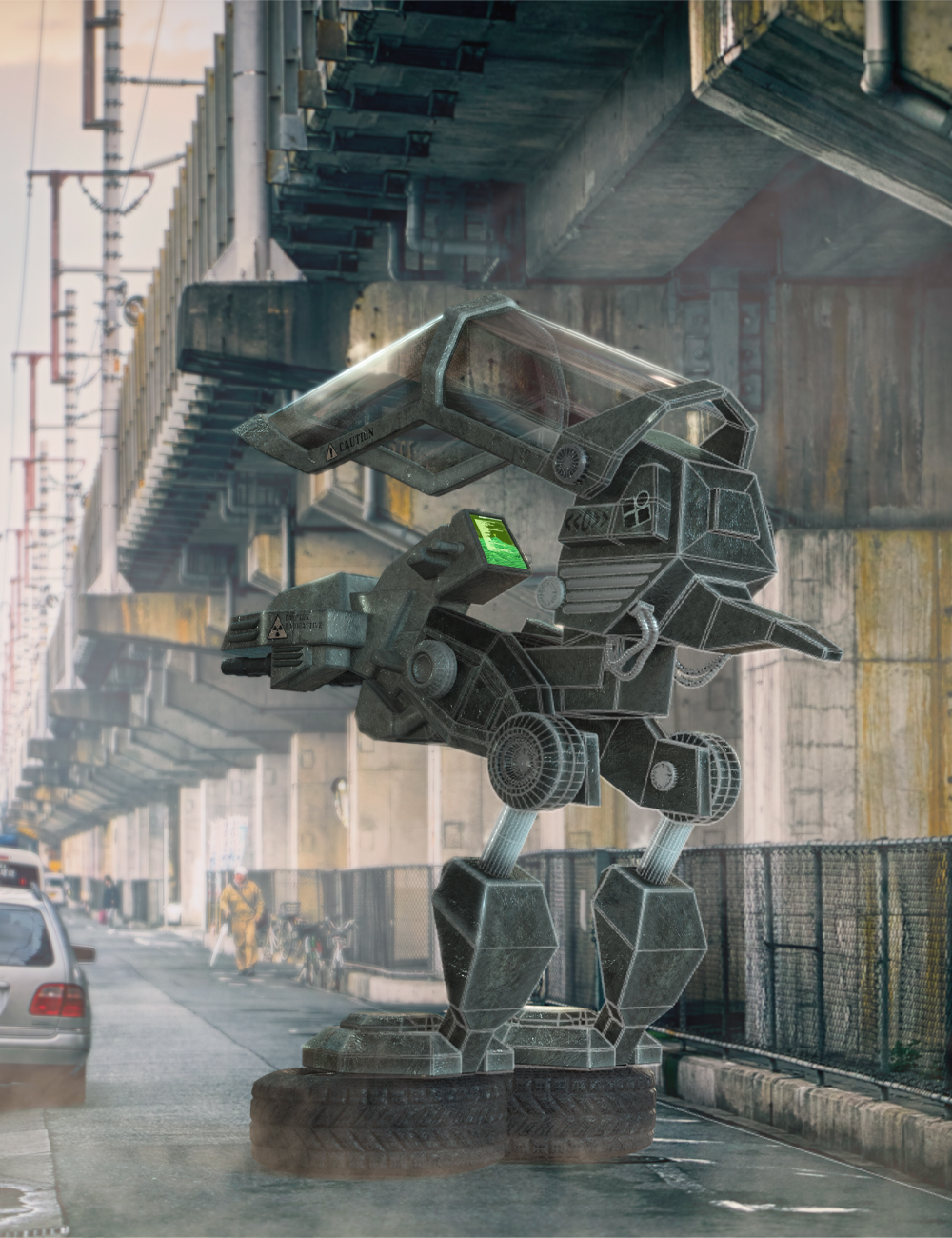
The Open source fSpy application by Stuffmatic is a utility that uses vanishing points on an image to calculate a 3D camera's approximate focal length, orientation, and position in 3D space required to produce the image. This technique is called Camera matching. fSpy is made specifically to simulate a 3D camera in Blender.
With "fSpy Project Importer" for DAZ Studio, you can directly open an fSpy project file and recreate not only the camera view, but also floor planes and a lot more. Our utility automatically sets up your 3D viewport to the correct aspect ratio, loads the image data into the background, creates the 3D camera, and for the Iray render engine, even creates shadow/reflection catching planes in your scene at the click of a mouse.
https://www.daz3d.com/fspy-project-importer-for-daz-studio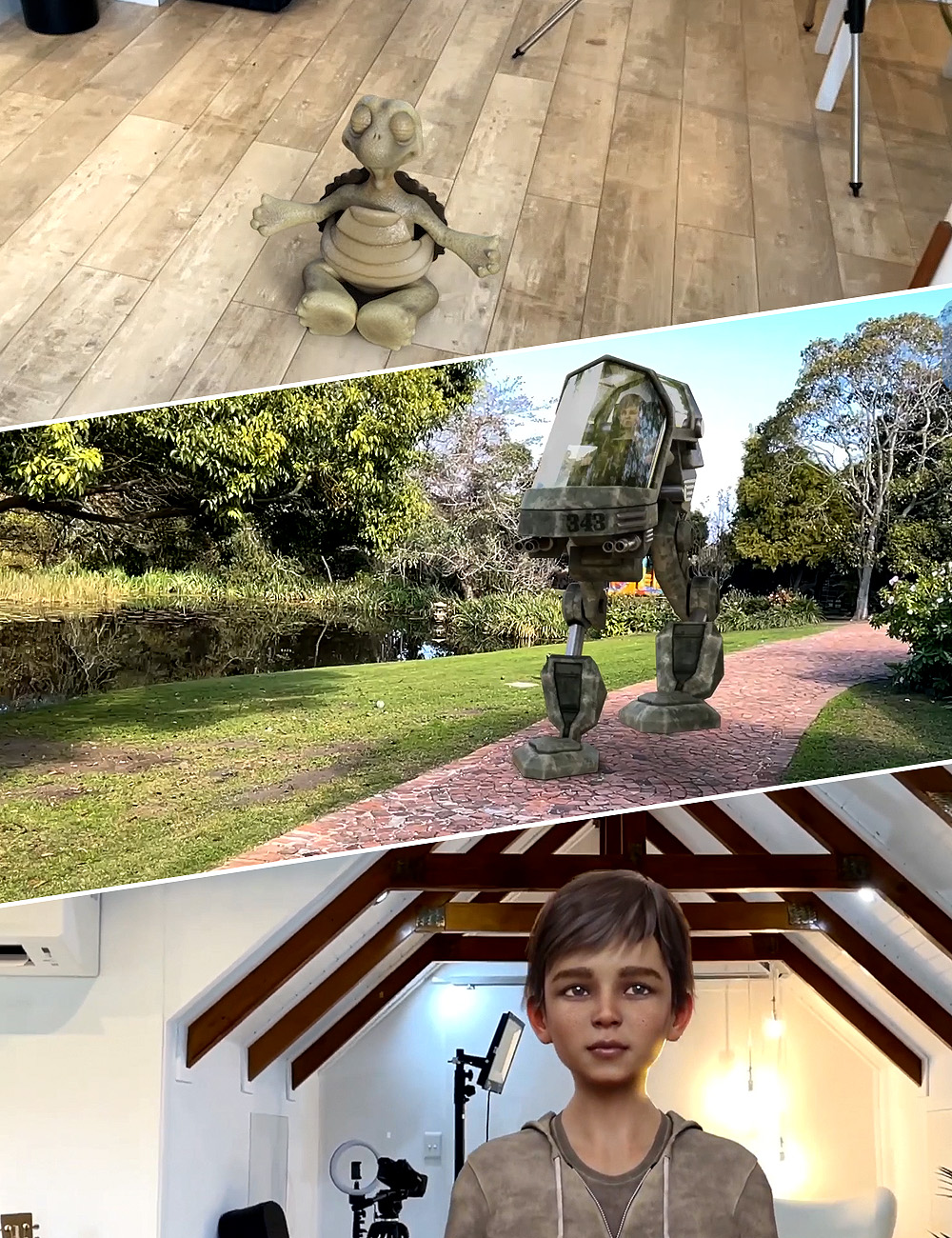 Camera Tracking Importer for DAZ Studio - HitFilm Composite Shot
Using the free CamTrack AR app for iOS, video is recorded along with the real-time camera motions.
Our utility will take all this information and recreate the exact camera with animated motion in DAZ Studio. Additionally, this amazing utility can also:- Create 3D anchor points from the points created in Camtrack AR in your scene that don't appear in your final render. These are perfect for placing the 3D objects exactly where you want them.
- Translate and rotate the scene to match your lighting direction and DAZ Studio scene center.
- Create a shadow/reflection-catching surface that will help your 3D objects cast shadows in the final video and make the integration more realistic.
- Set up all the relevant render settings to enable you to easily render out a sequence of images with transparent backgrounds for easy integration with your video.
https://www.daz3d.com/camera-tracking-importer-for-daz-studio--hitfilm-composite-shot
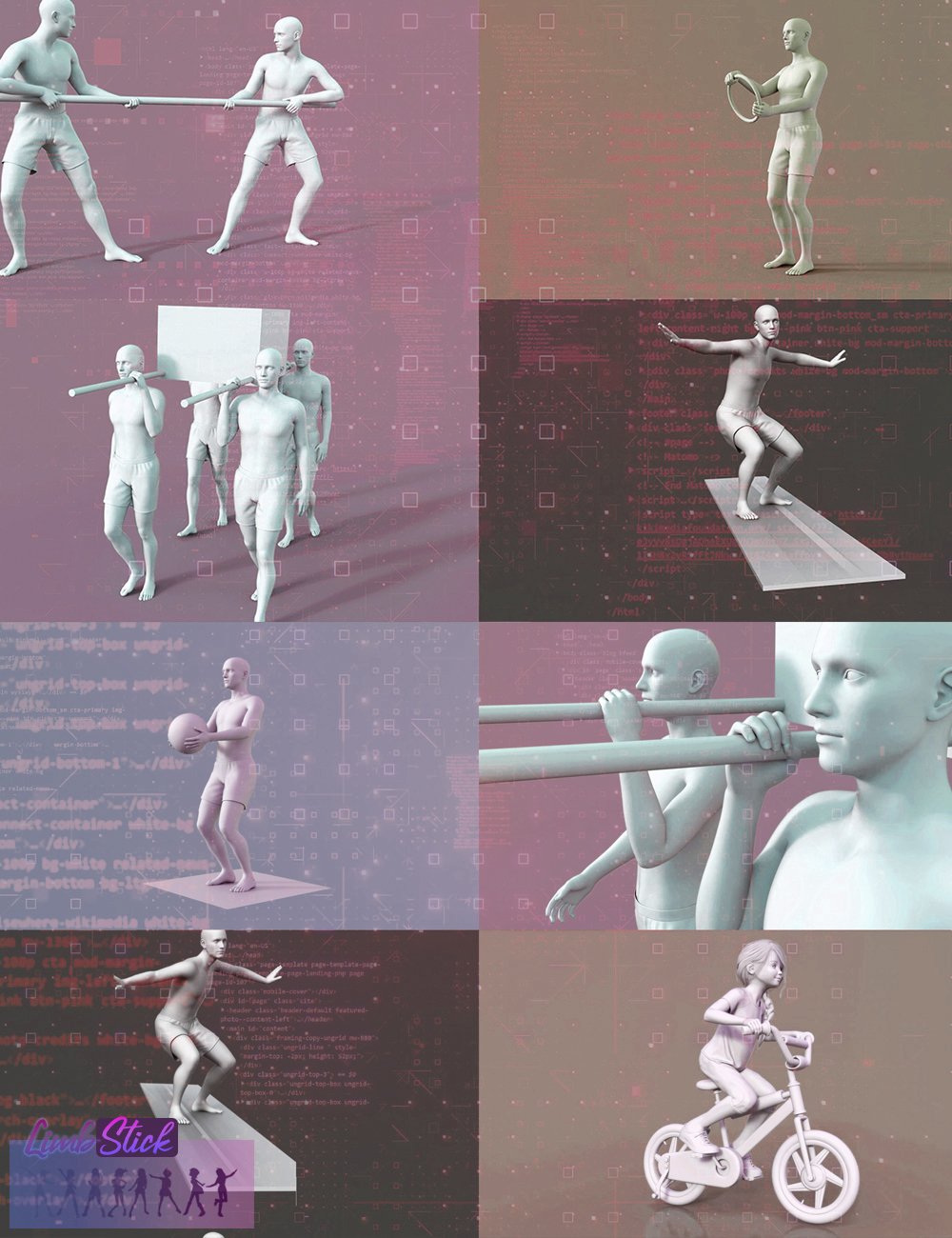 LimbStick for Genesis 9
The short version: Click on a hand or foot followed by a target, and run the utility to magically have it stay attached to the target.
The long version: Similar to inverse kinematics, LimbStick is a utility that uses a mathematical process of calculating the joint parameters needed to place an appendage (hand or foot), in a given position and orientation relative to the node selected to follow.
https://www.daz3d.com/limbstick-for-genesis-9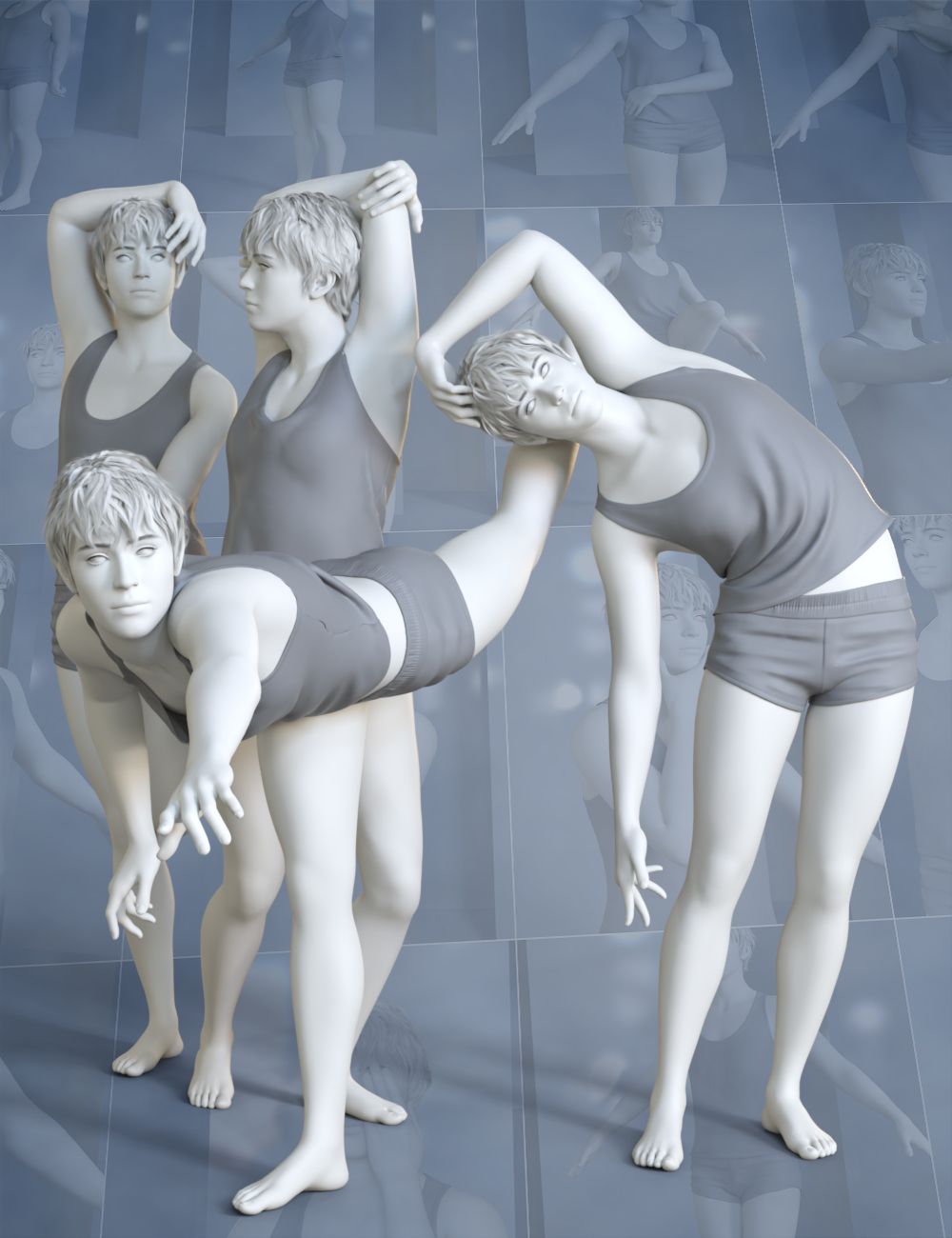 Pose Architect for Genesis 9
Similar to inverse kinematics, LimbStick is a utility that uses a mathematical process of calculating the joint parameters needed to place an appendage (hand or foot), in a given position and orientation relative to the node selected to follow.
The calculations are made across a partial or full animation to ensure that the selected appendage perfectly follows the selected target node.
The short version: Click on a hand or foot followed by a target, and run the utility to magically have it stay attached to the target.
https://www.daz3d.com/pose-architect-for-genesis-9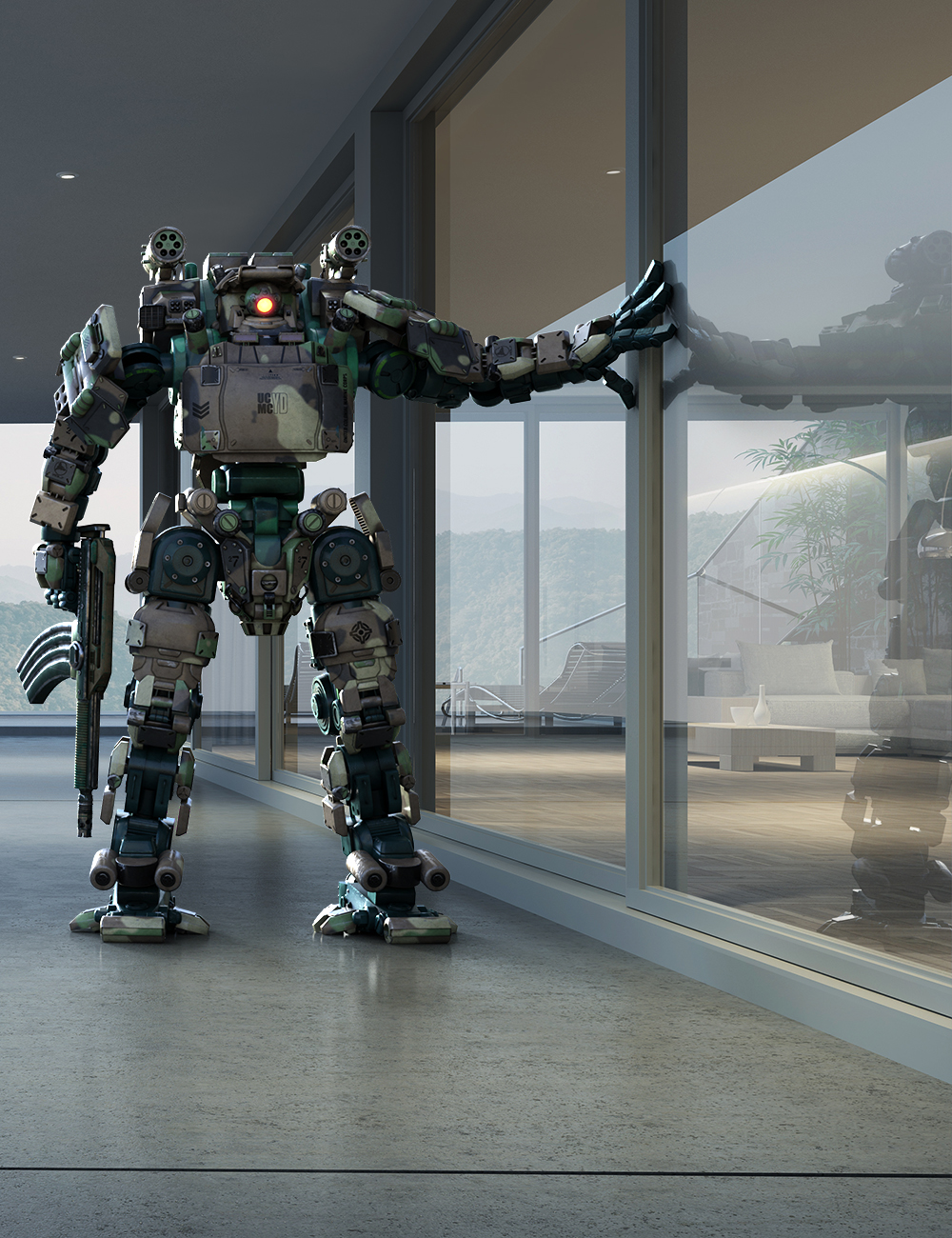 Catcher Plus - Shadows and Reflections for Iray
Being able to recreate shadows and reflections in your 3D scenes enables you to insert 3D content into photographs and make it look like it belongs there.
Catcher Plus is a utility that makes it very easy to catch shadows and reflections leveraging the powerful Iray render engine. Floor and Wall planes can be easily created, and even existing geometry in your scene can be converted to catch shadows, reflections, or both.
The utility allows you to adjust the reflection amount, as well as the reflection blur to match up with the existing reflections in your background photograph. Simply selecting any catch you've created and running the script again allows you to make changes to the settings.
Catcher Plus is an excellent utility to add to your toolbox if you enjoy merging 3D items into existing still photographs.
https://www.daz3d.com/catcher-plus--shadows-and-reflections-for-iray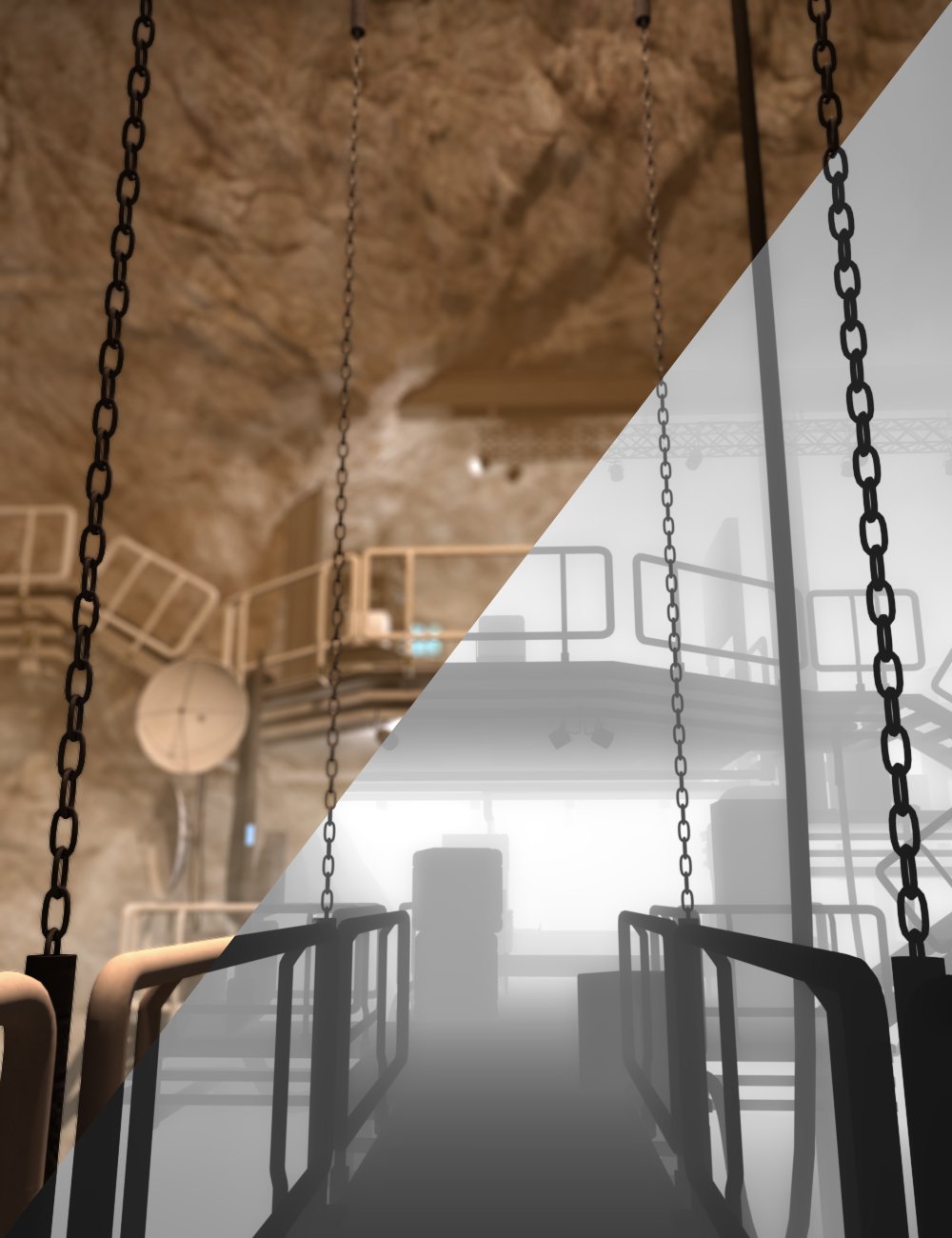 Basic Depth Map Maker for Daz Studio
A depth map is typically presented as a two-dimensional grayscale image, where each pixel corresponds to a point in the observed scene. The intensity or color of each pixel in the depth map encodes the depth or distance information of the corresponding point in the real-world space.
Depth maps can be used to adjust the focus or depth-of-field of a rendered image, simulating realistic lighting and shadows, and adding details like fog and smoke that integrate with your scene.
Basic Depth Map Maker for Daz Studio makes it very easy to create depth maps from DAZ Studio scenes. Whether you need a depth map of the full scene or a custom range, Basic Depth Map Maker has you covered.
https://www.daz3d.com/basic-depth-map-maker-for-daz-studio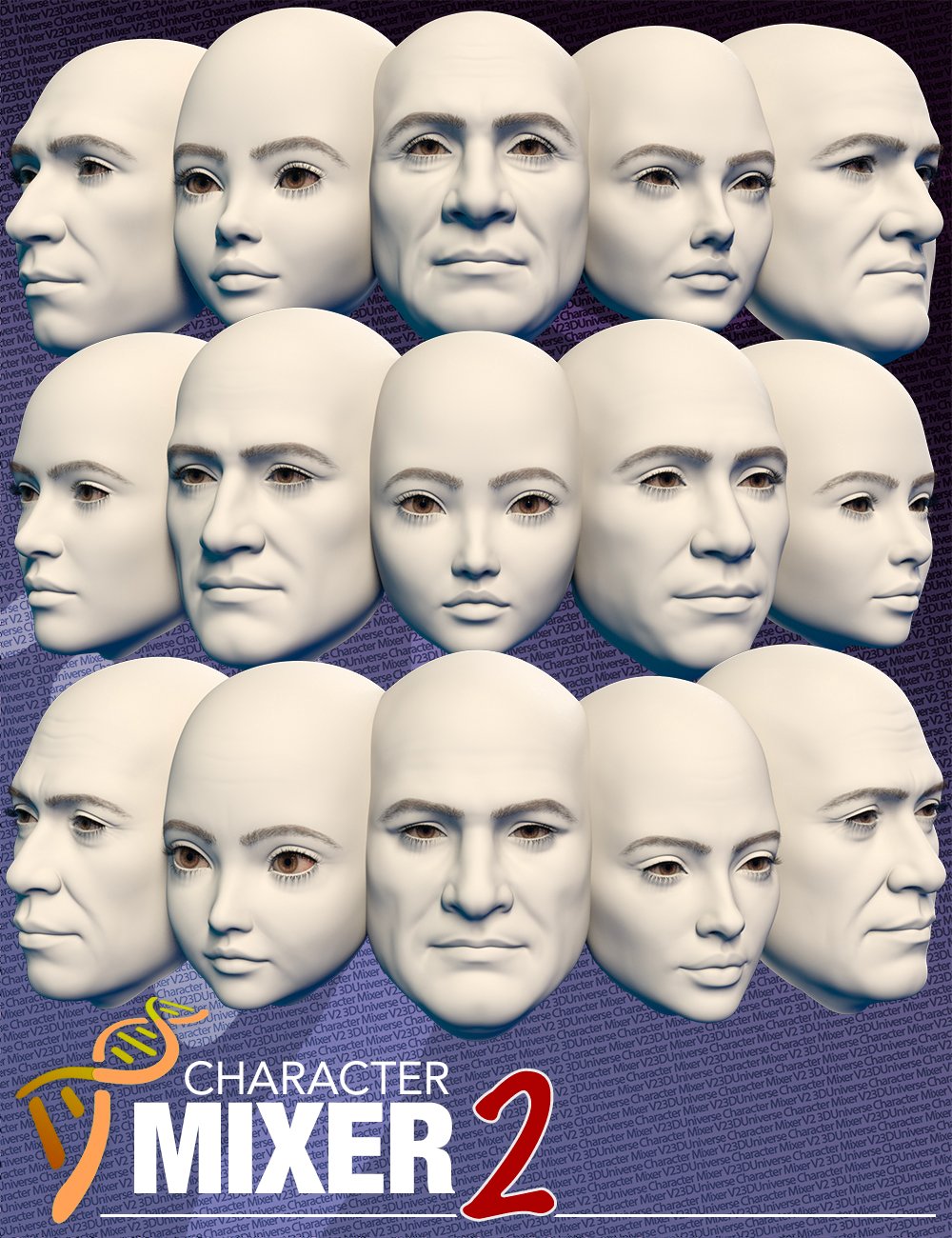 Character Mixer Version 2 for Genesis 8 and 9
Character Mixer Version 2 has been updated to make better use of Genesis 9's non-gender-specific body.
By simply running the utility, Character Mixer V2 will extract all the head and body shapes you have installed in DAZ Studio and allow you to randomly mix and match any number of them to create a totally unique character. You can make the most out of the Daz characters that you own, allowing you to quickly create unique characters by randomly quickly, yet intelligently mixing and matching morphs from multiple Artists.
https://www.daz3d.com/character-mixer-version-2-for-genesis-8-and-9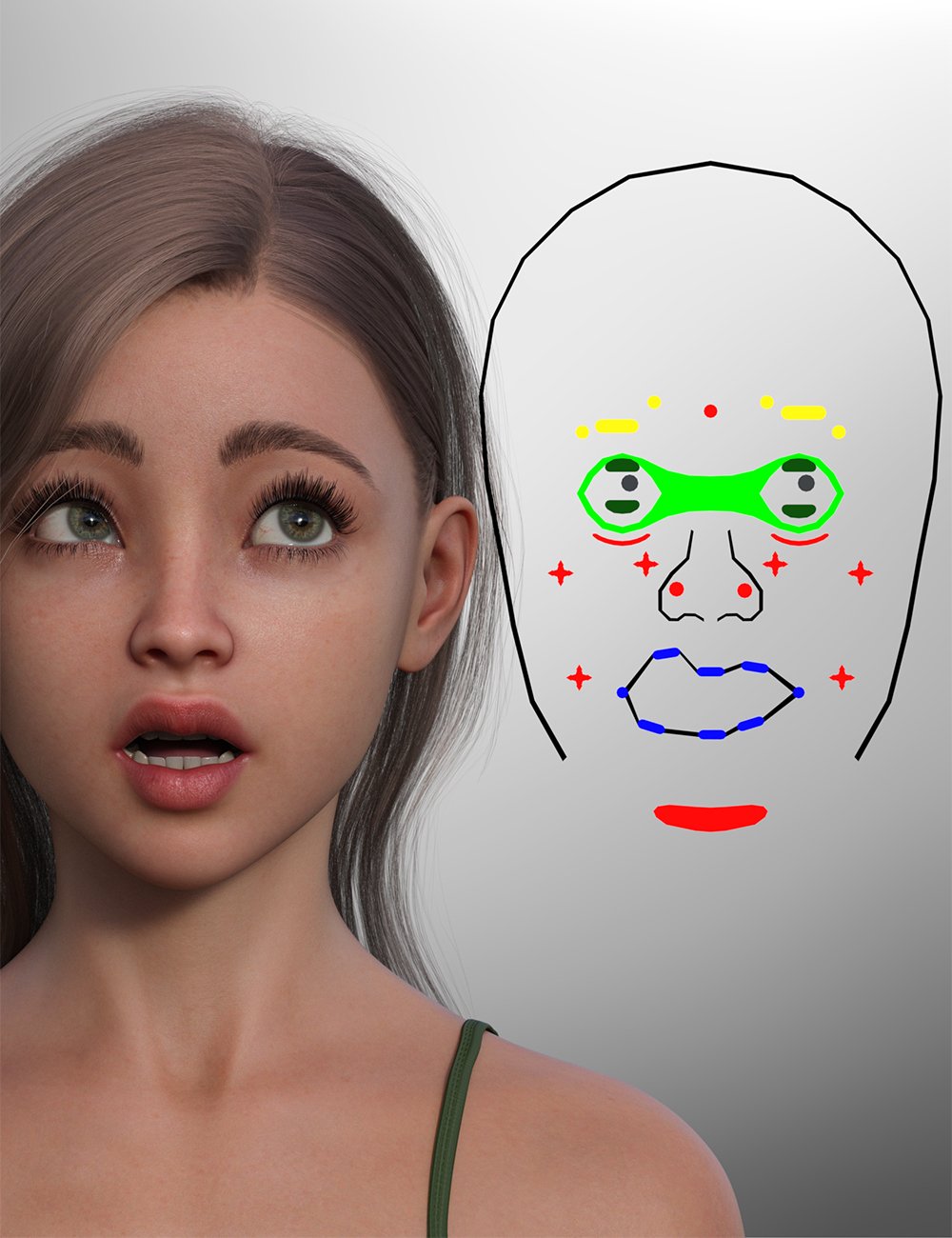 Face Control for Genesis 9
Face Control for Genesis 9 is a handy tool to make quick changes to Genesis 9's expression in an intuitive way with immediate feedback.
The utility creates a controller that sits next to the head giving quick access to all of Genesis 9's facial bones as well as creating a cameo view that frames the head and controller perfectly for the best view.
Simply use the "Translate" tool to quickly adjust the facial bones to customize the expression perfectly.
The utility also includes a controller to adjust both eyes at once making it easy to change where the character is looking in a realistic way.
https://www.daz3d.com/face-control-for-genesis-9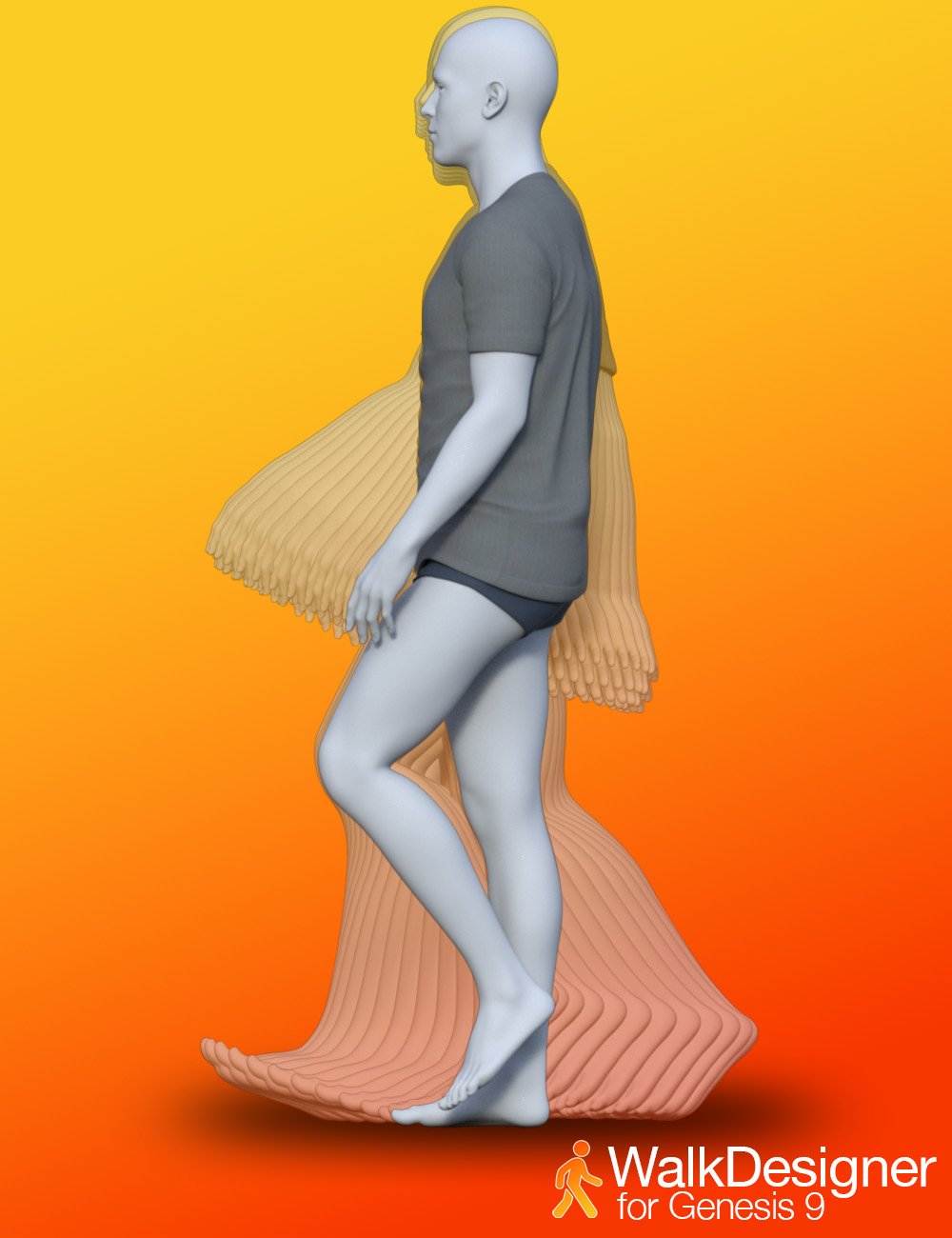 Walk Designer for Genesis 9
Craft & preview a the walk loop in real time. Simply hit - to see every tweak in motion before you commit.
The included presets give you a quick start with styles like Walk Default, Confident, Angry, Sexy, Zombie and more.
Fine-Tune everything with 15 ergonomic sliders - hips swing, stride length, shoulder height, head bob, torso twist - you can dial in personality with surgical precision.
The included Hand presets let you add relaxed hands, clenched fists, and claw shapes with one click.
Floor-Smart The optional floor-offset allow you to adjust the height above the ground plane. The figure position is automatically adjusted to ensure that the feet remain in contact with the floor. One-Click Clear Animation wipes the slate so you can iterate fearlessly.
https://www.daz3d.com/walk-designer-for-genesis-9genesis 9 anatomical elementsnatwilaniwartri_5e27fce9e1 said:
well not sure if this right place but question me strange one .. but hear we go is there way to like outmatic fit textures of main gen 9 so like maile we are matching skins that would be match origginal skin for male gen 9 genitials or skin match for like non umman skins like lizard or other human creature as trying like change the grey morph standered then edit just that to fit takes long time to make skin match but as its just using original and making large but then you doint realy get corect look.. so be very nice for quick and easy skin match for any human and no human skins. like make tool or utility to say make this skin match it as if was real looking
Short answer - that's not a feature of the DAZ made gens, BUT several of the second party created gens sets (mostly sold at Renderotica) come with built-in workarounds that let one create matching textures for the male gens from the existing figure's torso texture, and/or come with a library of starter textures to make acheiving a match much easier. In fact, the latest product from 3Feetwolf can actually create new male gen textures from the original character textures automatically with fairly seamless results, and those new textures can then be even further alterered and refined using included overlays on geoshells. And then there are also a couple of vendors at Rotica who specialize in making alternate gen textures that are sold either in sets or individually.
That said, if you want to stick with the DAZ product, the most reliable alternate that I've found is to find an existing gen texture set that's fairly close, then alter that texture in photoshop (or gimp or whatever you use) to match the skin tones of the figure that you're using, and then swap out the altered texture in DS using the surfaces tab. Realistically, the only part that has to be a dead-on match is the section of torso skin that covers the blend area. as in real life it's typical for the gens themselves to be somewhat darker than that of the belly and pubis.
Do you use characters as they come or do you modify?I fight with textures in scenes with various people. They take the iRay light so differently. Person A's skin gives hard edges to shadows, like plaster. Light shines through person B like candle wax. Person C has teeth and eyewhites that are radioactive. Person D needs the translucency channel tinted to avoid looking like a gray corpse next to the others. Different PA's, different shading approaches. Mixing and modification are necessities.
If one of my cast stands alone, an unmodified character can do just fine. If more than one are related (family, age progression, disfigurement) then I can't modify them enough. I'm always wishing for one more morph. In the image are designs for the family members in my concept. The parents in their younger years are on the left, their offspring on the right. Only Feng Adelia in the middle is unmodified... in the face, at least.
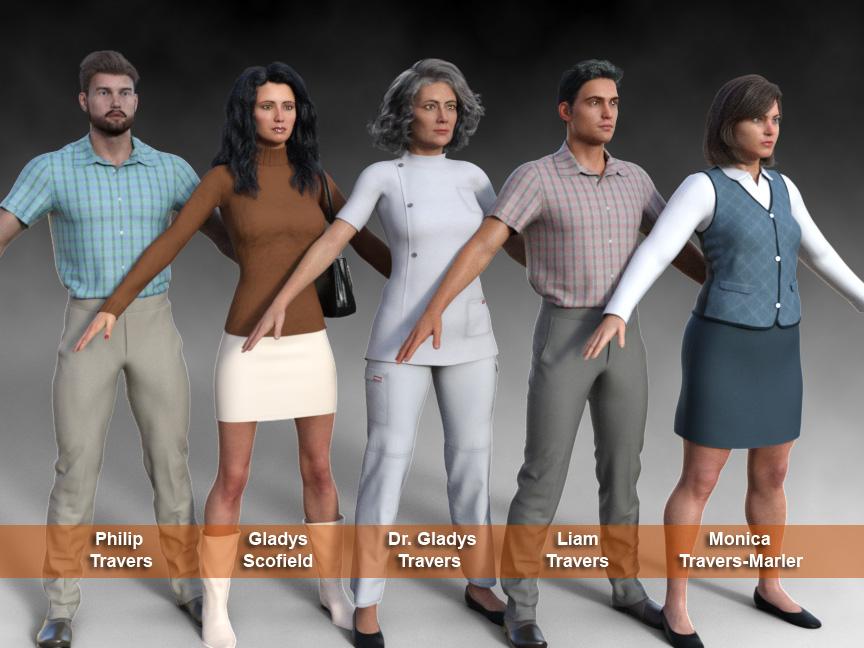
[Edited for image.]
Hallelujah!
DiscipleDaz 3D is part of

Connect
DAZ Productions, Inc.
7533 S Center View Ct #4664
West Jordan, UT 84084Licensing Agreement | Terms of Service | Privacy Policy | EULA
© 2026 Daz Productions Inc. All Rights Reserved.