
Daz 3D is part of 
Connect
DAZ Productions, Inc.
7533 S Center View Ct #4664
West Jordan, UT 84084
Licensing Agreement | Terms of Service | Privacy Policy | EULA
© 2026 Daz Productions Inc. All Rights Reserved.
Comments
Under controllers, theres this
And those are controlling these:
I DO have sub-components!
I don't know why yours still works and thats great! But mine don't, I looked up the one you have pictured Z EB 02 Coquettish and I do have that set but it does nothing on my end. There are no sub controllers or components listed when I look at parameters.
Nose scrunch no longer exists on my G8.1F, along with others.
Tonights render:
Did you try uninstalling then reinstalling G8 Daz expressions in DIM?
Not if the textures are painted on the new shape; if merchant resources are used then they will stretch.
Fantastic work! That lighting is magnificent! Mind if I ask what you used?
I have things missing as well notably the Upper and Lower eyelid controls, and I'm not buying something like AFE just to get things I've already purchased working, how can this be seen as a advance if it removes things you have already paid for. Even the new face rig doesn't seem to be much different to the face rig already availble just more complicated, unstable and difficult to control.
No I didn't but I just looked at the pages for the expressions and the head morphs and those moprhs are not included with either package. Honestly everything (except missing expressions of course) is working and I hate to go uninstalling things and causing other problems. Those same morphs work fine for G8F.
It’s worth it if you want to use expressions for G8.1. There are a lot of new ones too like Mouth Funnel, Mouth Press ( R/L,) Mouth Shrug (R/L), Mouth Strech (R&L) I think Mouth Dimple is also new, and a bunch more for eyes, cheeks and jaw has new stuff, nose added nasal flare in addition to Nostrils Flex... I’m not sure why others can’t access this. I uninstalled and reinstalled both Starter Essentials and the expressions because G 8.1 wasn’t showing up at all, but after I did, G8.1 was there with all expressions working.
Because, if correctly installed, G8.1F has two folders (installed by the new Starter Essentials and the updated standard G8F expression pack) at...
data\DAZ 3D\Genesis 8\Female 8_1\Morphs\Daz 3D\Base Pose Head\
data\DAZ 3D\Genesis 8\Female 8_1\Morphs\Daz 3D\Expressions\
... that are full of dummy placeholder morphs that G8.1F is seemingly supposed to pick up in lieu of the standard G8F expression controls, hiding those controls on G8.1F.
Note that I'm not recommending removing these folders, as I'm not certain why this choice was made* - it could well be for valid technical reasons that they break something in someway, or it may simply be to avoid the confusion of two very similar sets of controls on the figure's face. (I'm personally currently using my G8.1F as a guinea pig to see what - if anything - breaks if the old controls are accessible, but as I'm not official Daz staff, this is not a suggestion to screw with your library installs)
However, this is the "why" of why most people cannot access the G8.0F controls on G8.1F - they are seemingly deliberately blocked, assuming your DS and library packages are all up-to-date and working correctly.
* I am avoiding cynical answers for why this was done - when G8.1F is a deliberate attempt at compatibility and continuity, I can't see Daz deliberately wanting to invalidate old expressions for commercial reasons. I can't imagine expression packs are one of their mega-profitable sellers.
what do you think all Daz figures are then - cartoons?
I tried both and it did not work.
I knew those files had something to do with it! Although to me they look like they point to the right files in the G8 folders but maybe im looking at them wrong. Please keep us updated! I have to go to bed because I work tonight so ill be mostly offline over the next 3 days but I will check back into this thread!
I looked over Victoria 8.1 and the bundle that was offered.... The bundle does not interest me.
Well, if they're supposed to point to the G8.0F files and link them in, they're not working properly. I can report that removing the folders (or, in my case, moving them to a back-up location I can restore them from if necessary) does seem to allow G8.1F to pick up all the old G8.0F expression controls instead.
Still, assuming the files were working as they should, the question does remain as to why the choice was made to disable these controls. I've yet to see any obvious problems, (beyond a slightly longer load time), but I haven't done nearly as much testing on G8.1F as Daz has, and I don't have any insight into the behind the scenes stuff, so right now, it's very much an at-your-own-risk fix if anyone wants to try it.
I can confirm that removing the files from the "Base Pose Head" folder does indeed allow G8 Expressions to work (even the Visemes ones show up & work)
Thanks! This worked perfectly! I've been wrestling with this for some days, including renaming the 'MouthOpen' morph as '.old' , but I guess it loads them anyway - I have a lot still to learn about Daz Studio. But removing the above two folders completely to a backup has now magically restored all my expression libraries. Just FYI for others, running macos Catalina and Daz Studio 4.15 beta. Nothing appears to be messed up by removing these folders, so far as I can see, but I have them backed up just in case. The 8.1 new expressions and morphs still seem to work just fine.
Some posts have been removed. Please keep the discussion civil. Thank you.
I used this one https://www.daz3d.com/pro-studio-hdr-lighting-system. Thank you for your kind words.
Ok, updated my W7, installed Nvidia 456.38 Game Ready drivers and installed DS 4.15.0.2
G8.1F loads fine, G8F morphs work, some of the G8F expressions work and some don't. Didn't find a logical explanation yet, why some work and some don't, but the ones that don't are giving warnings in the log and the dials have no Sub-Components for them => DS doesn't know what to do with the dial.
it must be the lighting, but I bought just V8.1 for the textures, but not that happy with them...they look waxy /chalky or something.
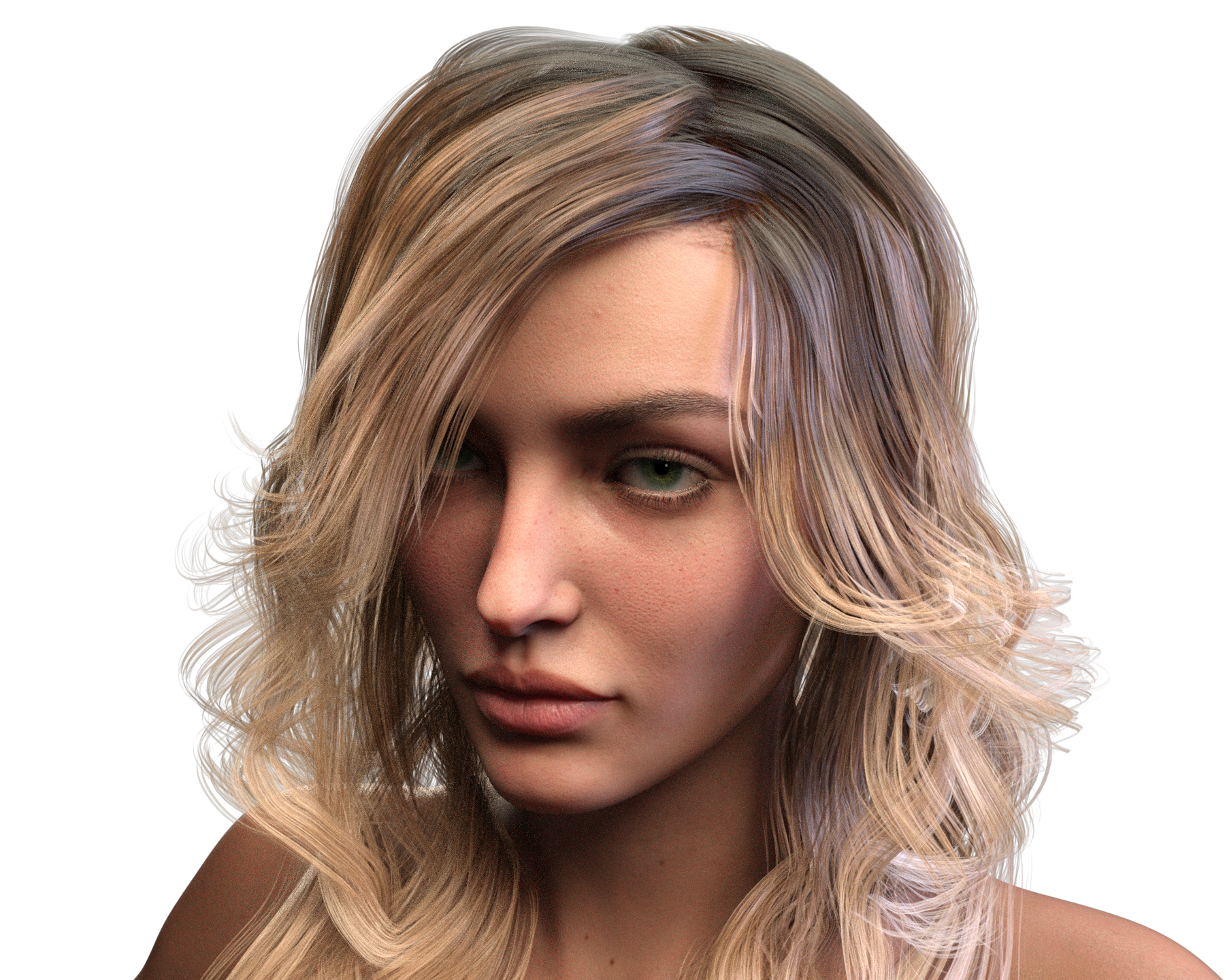
my first attempt with Genesis 8.1 and Victoria 8.1 skin
I'm not trying to be a smarty pants or anything like that, but scroll up a few posts.
https://www.daz3d.com/forums/discussion/comment/6427116/#Comment_6427116
@Wonderland Since you had to reinstall your starter essentials and expressions have you checked to see if these 2 folders just didn't install for you and that is possibly why your expressions worked right from the start?
That didn't explain either, since there are only placeholders for some DAZ expressions, not every possible PA made expression in every package.
I'll track down the morph files and check what they are not finding
Less 2 pennies more like 2 $100 bills!
I for one welcome Daz stepping away from 2005 and going forward well past 2021, but they won't do that by only catering to auto-artist dollars, but by allowing both the semi-pro/advanced hobbyist to create while still having the vital entry-level/auto artist dollars that help dominate and partially fuel the Daz store and our genre within the 3D art industry...
My issue is that while providing an accurate real-world lighting mode (Spectral render mode) and advanced human shaders (The PBR skin shader) we cannot use both in conjunction with each other, which entirely defeats the purpose of having them within the same program! What I mean is, that you get pronounced texture seams when using the new PBR shader in conjunction with the spectral rendering mode, sure I found a work-around but that workaround takes away from the PBR's overall effect!
(And no, just turning off the spectral render mode is not an option if you're striving for realism with your renders!)
It's pretty maddening to work so hard at producing realistic results for some of the most inexpensive and highly viable/realistic characters within the 3D hobbyist realm, to just throw an angry cat into a dog park as it were... I mean what is the point of having spectral rendering and PBR skin shaders when you cannot use them in conjunction with each other?
That said, I still champion Daz as the most unique and vital resource for the 3D art community, as no other exists as the most realistic (Save for the issues I brought up) solution for both professional artists and hobbyists alike while providing extreme ease-of-use for the auto artist to be able to create, just do not fall under the allure of only providing for auto-artist dollars or else you risk going the very route as other less successful programs!
That is so beautiful. What light did you use. The skin looks amazing, did you apply the PBR shader over it?
Thank you Petra, nonesuch00 and dawnblade! I definitely need to keep playing with the lights until I find the right one for this new shader.
I removed those 2 data folders and now all my expressions are working on V8.1. I am thinking that Daz will submit a fix for this soon? I did file a support ticket on Friday with screen shots .