-
reset the x,y,z location on an object to 0,0,0
Richard Haseltine said:
If it's a prop, just export as OBJ with it at the origin, then import that OBJ and reapply materials.
I did find an older veriosn that displays the movement arrows at its location.
And while the object in question s a prop its a window with a set of morphs to raise and lower it's sash, its shade, and open a close a set of curtains.
but it's loaded via a duf file.
certainly there is data the tells the program where to load it and it's loading at x-10, Y+23, z-38 there must be somewhere to say set x, y, z to zero?
===
In this particular case the drag transfer gadget is miles away from the object which if i"m replaceint a 100 windows gets time consuming.
I removed all the windows from thise stonemason bldgs and dragging windows into place from 8 inches away from where the window was loacated was a "real drag"
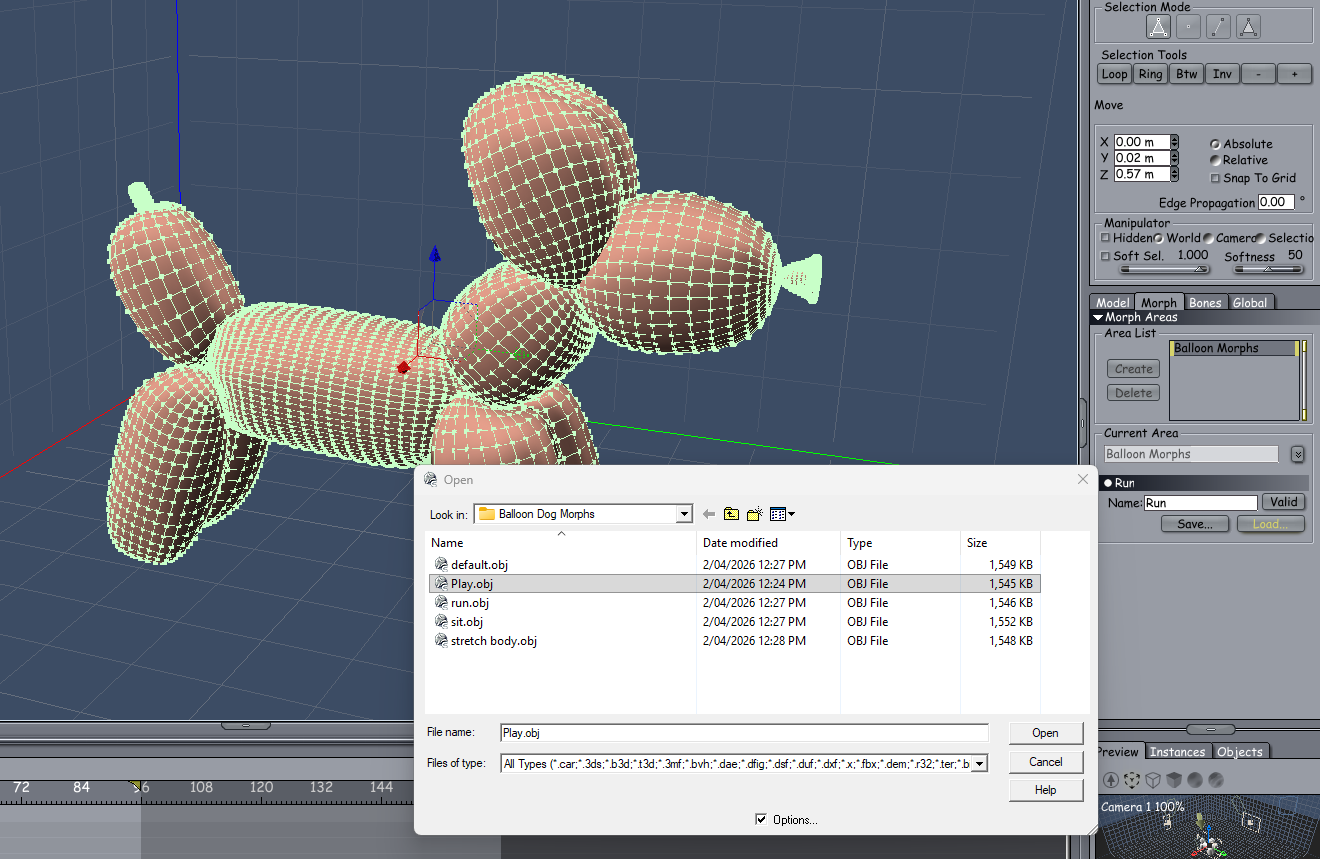
Buy Something That Doesn't Work in Carrara? Post your Questions and Workarounds here. (please)this balloon dog for $10499.30 doesn't quite work right in Carrara but it is an easy excersise in getting it to work
first you will need the Carrara Plugin called Daz Studio
Open you expensive balloon dog in DS and then export in OBJ format and set for Carrara to your fav folder for doing stuff like this
then one at a time in DS apply the pose and export each time the same as before and name it the pose you have applied
when all that is done open Carrara
import the OBJ default balloon dog ... it will be a bit over size when imported so adjust it back to 100%
then into the modelling room... select all of the object and create morph
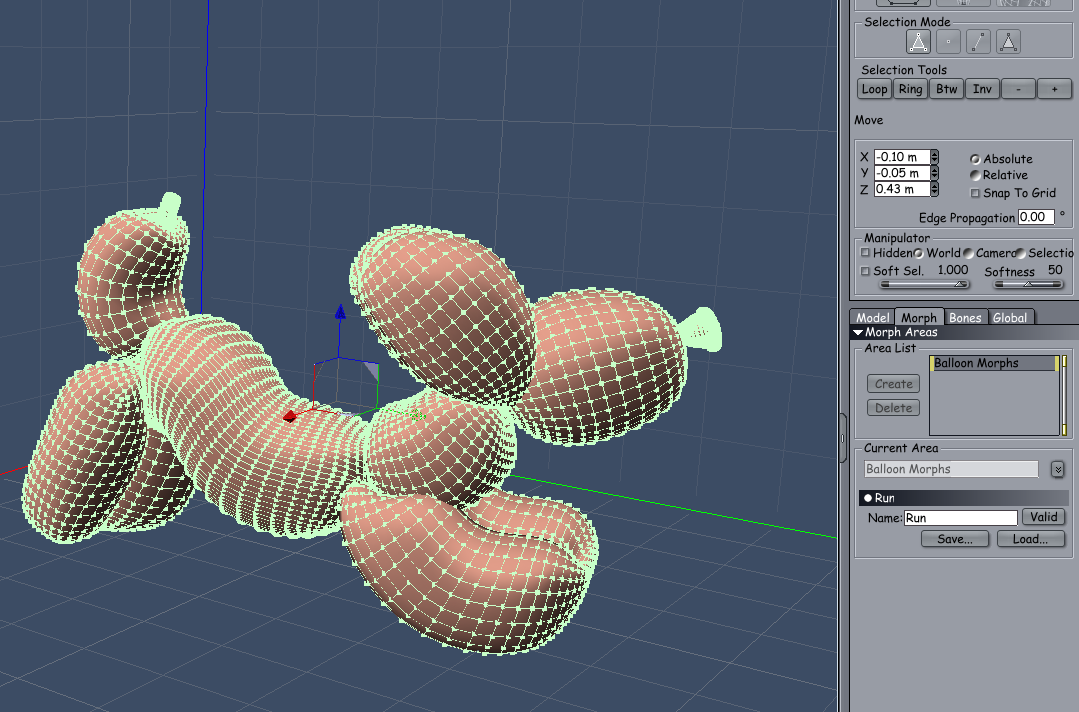
in the morph you created create a morph and call it one of the poses you saved, then import the balloon posed OBJ file and appy
do same for all the poses and then you will have a working balloon dog worth $10,499.30 working in Carrara

then all that you need to do is create a balloon texture for the balloon dog
 DAZ to Blender rig and morph issues
So I have questions:
1. I have a model with clothes, and ofc, when I add a random morph to the body, the clothes "follow" the morph in DAZ.
But how can I add the morph into Blender? I can add morph to the model - body -, but I can't add morph to the clothes.
2. And the rig: "Convert to MHX" Okay, I've made a rig, but make 2 different rig, and I have some issue: Can't make some rig parts, I saw at other models, like elbow and knee bone, or eyelid close etc...
What's the problem, and how can I fix it?
I use the "Diffeomorphic Add-ons Version 5.1.0 Released" addons (https://diffeomorphic.blogspot.com/2026/03/diffeomorphic-add-ons-version-510.html), not that bridge stuff from DIM
Poses for Cat Zeus by VyusurI'm also very interested in the script for Daz House cat pose transfer, thanks!
 Add morphs missing from menu
If you're looking for Morph Loader Pro, open Shape and it should be there.
Poses for Cat Zeus by VyusurMust admit I searched for 'Cat Zeus' and 'Vyusur' on Google, and it was the top link. I am very tempted by Vyusur's Maine Coon morph for Zeus. Not really like our fleabags, but better than anything else to date. Regards, Richard.Fane by AprilYSHIt's possible that the morphs were not made or saved correctly and on top of moving the geometry around the breasts of your characters, they were also saved with information related to the teeth.
The 'good' new is that since you bought it elsewhere, it should be a standard morph, so one we, as end users, can fix ourself.
The first step is to check which vertices are moved by the morphs you identified as the source of your problem, then if either of these morphs were indeed saved with information related to the teeth, to remove the teeth from these morphs before saving them.
The whole process is explained in these two videos:
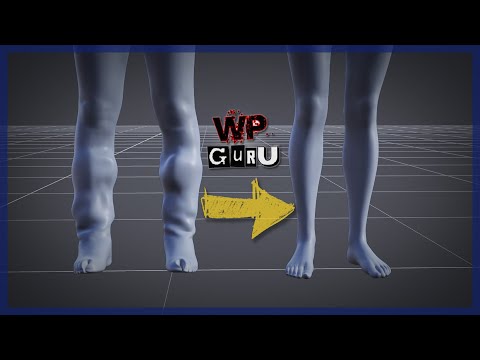
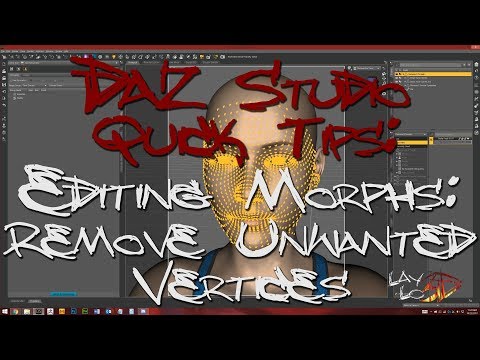
If you don't feel confident about fixing the problem yourself (I would at least try to see if the morphs are moving vertices around the teeth), another solution is to ask the creator of that product to fix it.
Generation 3 Aiko and Hiro Appreciation Threadrichardandtracy said:
These are the things I think would be useful:
- Weight mapping. This works.
- Autofit. This works.
- Creating morphs from existing character shapes is a pain with a weight mapped character if you're going to make it work like a standard character morph, but it's possible. A script might make this easier. I will have to learn how to script this.
- Apply Poser Material Poses: Will probably have to make a script as really will only want to apply the textures to Iray materials now 3DLight is on the extinct list. I will have to learn how to script this.
- Autofit clothing templates would be very useful for new clothing to get things like dress rigging close to right on loading. Need knowledge.
- Improving the character weight maps. Need knowledge.
- Do controls for the hands and other body parts (like 'L Hand Spread', 'L Hand Grip' etc) These work, but take time - done a few on my TriAx GV3.
- Create additional bones for rigging the face and eyelids. Need knowledge.
Actually, it's pretty much everything that goes into creating a figure from scratch except creating the mesh. I have bought Blondie999's Rigging tutorial , Advanced Rigging Tutorial and Rigidity Grouping and Mapping in DS4.5+ and read them a couple of times but haven't got as far doing much of what is in there - however, it's one of the things that made me think about trying to TriAx GV3 myself. I do know the tutorials are based around an early version of DS4, so may not be 100% applicable now (or there may be easier ways of doing it), however I think most of it works the same.
Regards,
Richard

The things that I'd like to add to that are:
UV set swapping. That way you can still use the old textures, but you could also switch to a new UV set that's laid out more like the Genesis figures. That would make creating textures in general and making higher resolution textures easier. I know how to UV map, but I've never done anything as complex as the generation 3 figure, though.
Geograft. I understand the basic concept of how it works, but don't know how to actually do it. Plus, I don't know if there's something about how the Generation 3 figures were created that might prevent them from working.
Like I previously stated, I was thinking about also adding HD Morphs, but there are a couple issues with that, so I don't know that it's necessary. I know this technology is proprietary and only PAs have access to it, so that's not something that the general public could do. Also, it is meant to be used with Sub-D on a lower-poly mesh.
One of the things that has confused me is the fact that over the years, on certain technologies when they came out, they would state, "this technology only works on single mesh figures". But what does single mesh even mean? Because if you take it literally, even Genesis isn't a single mesh figure, because the eyeballs, eyelashes, and teeth are all separate meshes, they're not actually connected to the main mesh of the figure.
Simulation help needed for dForce VYK Romantic Boho G3,8,81Fcrosswind, you made it possible!! I was at a total loss.
Thank you all for your help and supportive words!
I probably already said it, but I had no idea about Morph Loader Pro and Weight Maps.
These are genious!!!
Help with Bump and NormalsHi, relatively new at this, but I'm trying to figure out how to save a preset for ONLY Bump and Normal texture maps that doesn't override all other surface settings? I save as a materials preset and check the box under General for just those two items but when importing that save on a figure that has surfaces applied, the surface of the applied saved file becomes lighter than the rest, seemingly adjusting other surface settings even though I only checked the two items in save process (screenshot attached). Any help is greatly appreciated!
For context, I'm trying to create veins via bump and normal maps exported from a Blender sculpt I did and due to not having the ability to create HD morphs, fine detials like veins seemingly have to be done via bump and normal maps... Would be really cool if DAZ would just allow subdivided mesh geometry imports via Morph Loader "Pro."
Generation 3 Aiko and Hiro Appreciation ThreadThese are the things I think would be useful:
- Weight mapping. This works.
- Autofit. This works.
- Creating morphs from existing character shapes is a pain with a weight mapped character if you're going to make it work like a standard character morph, but it's possible. A script might make this easier. I will have to learn how to script this.
- Apply Poser Material Poses: Will probably have to make a script as really will only want to apply the textures to Iray materials now 3DLight is on the extinct list. I will have to learn how to script this.
- Autofit clothing templates would be very useful for new clothing to get things like dress rigging close to right on loading. Need knowledge.
- Improving the character weight maps. Need knowledge.
- Do controls for the hands and other body parts (like 'L Hand Spread', 'L Hand Grip' etc) These work, but take time - done a few on my TriAx GV3.
- Create additional bones for rigging the face and eyelids. Need knowledge.
Actually, it's pretty much everything that goes into creating a figure from scratch except creating the mesh. I have bought Blondie999's Rigging tutorial , Advanced Rigging Tutorial and Rigidity Grouping and Mapping in DS4.5+ and read them a couple of times but haven't got as far doing much of what is in there - however, it's one of the things that made me think about trying to TriAx GV3 myself. I do know the tutorials are based around an early version of DS4, so may not be 100% applicable now (or there may be easier ways of doing it), however I think most of it works the same.
Regards,
Richard
Poses for Cat Zeus by Vyusurrichardandtracy said:
Would anyone find a DAZ House Cat pose transfer script any use?
It may be sensible to try to get both cats to use all the available poses as there are so few for each.
Regards,
Richard
Definitely
Poses for Cat Zeus by Vyusurrichardandtracy said:
Would anyone find a DAZ House Cat pose transfer script any use?
It may be sensible to try to get both cats to use all the available poses as there are so few for each.
Regards,
Richard
yes
 Poses for Cat Zeus by Vyusur
Would anyone find a DAZ House Cat pose transfer script any use?
It may be sensible to try to get both cats to use all the available poses as there are so few for each.
Regards,
Richard
Growing Up for Genesis 9 (Commercial)So I found the pdf and read it. I adjusted the youth base morph and the other morphs become active. Of course the morphs are all for adjusting the youthful body and that's the opposite of what I want. When I click on the adult icon after I had set the youth base morph to some value other than zero, it immediately resets it to zero. I did look at the product images careully for clues and I saw that the base masculine morphs were all dialed to 100% so I dialed them in and that seemed to help.I don't believe the help file mentioned them. Also, I don't have a clue what the neutralize morphs are suppose to do. I did read through this entire thread before I posted again just incase my question were revealed before I asked them.
Who is this character in this promo done by Matty Manx?Who is this character in this promo done by Matty Manx?
Lashes Utilities Merchant Resource for Genesis 9 | Daz 3D
I know that Matty Manx uses Sage for G3F in a lot of her work. Do you think she transferred the Sage's morph to G9?
I LOVE this character so much!!
Thank you so much for your help!
Growing Up for Genesis 9 (Commercial)Kev914 said:
So can characters be locked so this doesn't work on them?
First of all, I had a devil of a time finding the morph dials. But now that I've found them, sometimes they don't work. I mean nothing happens when I move the slikders,
For the characters I've tried, the presets will make the characters smaller, younger. But when I click on the adult, nothing changes. And the figure's head does not look like he is older like an older teen or an adult. I've tried unlocking some of the sliders, but the sliders still don't seem to do amything. So am I missing something, or just doing things wrong? I would like to know how to use this to meke the character look like an older teen or an adult.
Thanks.
Please look at the three messages above yours (and the product's user guide). There is a main slider that must be dialed in first to activate the others. Also, the product has presets that automatically dial a bunch of the morphs to make Older Teen or Adult, for example.
Growing Up for Genesis 9 (Commercial)So can characters be locked so this doesn't work on them?
First of all, I had a devil of a time finding the morph dials. But now that I've found them, sometimes they don't work. I mean nothing happens when I move the slikders,
For the characters I've tried, the presets will make the characters smaller, younger. But when I click on the adult, nothing changes. And the figure's head does not look like he is older like an older teen or an adult. I've tried unlocking some of the sliders, but the sliders still don't seem to do amything. So am I missing something, or just doing things wrong? I would like to know how to use this to meke the character look like an older teen or an adult.
Thanks.
Rigging Character with Multiple OutfitsManual rigging means you have to convert to rigify or MHX as a separate step, not that you have to rig it yourself by hand using the blender rigging tools. Then personally I don't follow the procedure you referenced, but just load one separate figure for each outfit. Eventually, if you do some modifications in blender over the figure, you can store it as a shapekey and transfer to the other figures. Same for materials which can be copied across figures.
Generally in an animation project a single character may have a few different outfits, not many.
p.s. And keeping a non-rigged version of the figure as a starting point is good anyway, should you change your idea about the rig to use, or do later modifications which are of course better done on the non-rigged version.
D*cktator morph issueFor DAZ 3D products, the foreskin is just a "material preset" in the Content Library or Smart Content folder is all. For your offsite product they will have a text or PDF file explaining technical usage, go back to the sales site & redownload it or contact the artist directly.
If you want something that works close to the "DAZ 3D" way of handling that try the 1st one of these in the list below.
I don't know about that product but JP Sandor HD with Body Hair for Genesis 9 | Daz 3D has a bunch of morphs, and several of Jepe's other products have morphs too.
JP Sandor HD with Body Hair for Genesis 9 | Daz 3D -
- Genesis 9 Anatomical Elements Male Options:
- 43 HD Adjustment Morphs
- 20 HD Full Morphs
- 23 Easy Pose Dials
JP Tadeo HD with dForce Body Hair for Genesis 9 | Daz 3D
- JP Tadeo HD dForce Hair+Gens Persona Preset (Note: I am taking "Gens Persona" to mean bespoke gens morph)
JP Udo HD with dForce Body Hair for Genesis 9 | Daz 3D
- JP Udo HD dForce Hair+Gens Persona Preset (Note: I am taking "Gens Persona" to mean bespoke gens morph)
JP Verrel HD with dForce Body Hair for Genesis 9 | Daz 3D
- no extra morphs
JP Waki HD with dForce Body Hair for Genesis 9 | Daz 3D
- JP Waki HD dForce Hair + Gens Persona Preset (Note: I am taking "Gens Persona" to mean bespoke gens morph)
JP Xander HD with dForce Body Hair for Genesis 9 | Daz 3D
- JP Xander HD dForce Hair+Gens Persona Preset (Note: I am taking "Gens Persona" to mean bespoke gens morph)
Daz 3D is part of

Connect
DAZ Productions, Inc.
7533 S Center View Ct #4664
West Jordan, UT 84084Licensing Agreement | Terms of Service | Privacy Policy | EULA
© 2026 Daz Productions Inc. All Rights Reserved.