Help with Bump and Normals
 SirensGlade67
Posts: 3
SirensGlade67
Posts: 3
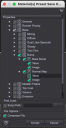
Hi, relatively new at this, but I'm trying to figure out how to save a preset for ONLY Bump and Normal texture maps that doesn't override all other surface settings? I save as a materials preset and check the box under General for just those two items but when importing that save on a figure that has surfaces applied, the surface of the applied saved file becomes lighter than the rest, seemingly adjusting other surface settings even though I only checked the two items in save process (screenshot attached). Any help is greatly appreciated!
For context, I'm trying to create veins via bump and normal maps exported from a Blender sculpt I did and due to not having the ability to create HD morphs, fine detials like veins seemingly have to be done via bump and normal maps... Would be really cool if DAZ would just allow subdivided mesh geometry imports via Morph Loader "Pro."

Daz 3D is part of 
Connect
DAZ Productions, Inc.
7533 S Center View Ct #4664
West Jordan, UT 84084
Licensing Agreement | Terms of Service | Privacy Policy | EULA
© 2026 Daz Productions Inc. All Rights Reserved.
Comments
Presumably it is removing the original bump and normal maps, and since you include the value also adjusting the other values. That could well have an effect. Another aproach that might work would to use the layered image Editor to aply a version of your maps on top of the existing maps, then save a Layered Image preset.