-
Daz Studio 6 + Diffeomorphic 5.1 + Bforartists Blender fork 5.1.2 works
Valiska said:
Daz Studio version: 6.25.2026.14722
Diffeomorphic version: 5.1.0
Bforartists Blender fork version: 5.1.2
I'm on Windows 11 Professional.
I have successfully installed Diffeomorphic in Daz Studio v6. The extra file menu items installed successfully. I have exported a landscape successfully (ShaaraMuse3D Rusty Blue Rockscape).
Bforartists is a Blender fork that closely tracks Blender but alters the interface. I've just started checking it out. Diffeomorphic installation is as normal and the import worked fine.
I've been exporting my Daz library as a long-term project, but I've been doing the non-figure parts first. I haven't done more than simple test exports in earlier Daz-Diffeomorphic-Blender versions either. So I'm not commenting on the figure exports, particularly. Just noting that the export workflow is working for me, with the new Daz & Diffeo versions and the Bforartists fork.
Is there a specific workflow that you are using to export your Daz library? I've been looking for more use cases for my Script Server project and this sounds like something that is open to automation.
What went wrong?Padone said:
Here is a simple scene I used for comparison, similar in theme as a gunned fighter in a sci-fi room. I met two difficulties, first the DOF in blender is off, this is a bug now reported to Thomas. The f-stop in daz studio seems off compared to a real camera, while blender does it right. As a result we have to divide by ten, blender f-stop = daz f-stop / 10. The second issue is the default iray tone mapping is very different from the khronos blender view, so I used a standard view with mid-low contrast instead. Other than that the scene compares quite fine.
Test scene provided.
https://github.com/Diffeomorphic/import_daz/issues/43
steps:
- import the test scene in blender, using bsdf materials
- change the camera f-stop to 2.2
- render
- change the color management to standard mid-low contrast to better match the iray default tone mapping
https://www.daz3d.com/sci-fi-corridor-b
https://www.daz3d.com/monique-8
https://www.daz3d.com/pony-knots-for-genesis-8-females
https://www.daz3d.com/shadow-thief-outfit-for-genesis-8-female-s
I appreciate all your input and your work. The problem here is me not knowing how to render it properly so my finished product is presentable. You've given me much to think about and explore, thank you for that.
What went wrong?Here is a simple scene I used for comparison, similar in theme as a gunned fighter in a sci-fi room. I met two difficulties, first the DOF in blender is off, this is a bug now reported to Thomas. The f-stop in daz studio seems off compared to a real camera, while blender does it right. As a result we have to divide by ten, blender f-stop = daz f-stop / 10. The second issue is the default iray tone mapping is very different from the khronos blender view, so I used a standard view with mid-low contrast instead. Other than that the scene compares quite fine.
Test scene provided.
https://github.com/Diffeomorphic/import_daz/issues/43
steps:
- import the test scene in blender, using bsdf materials
- change the camera f-stop to 2.2
- render
- change the color management to standard mid-low contrast to better match the iray default tone mapping
https://www.daz3d.com/sci-fi-corridor-b
https://www.daz3d.com/monique-8
https://www.daz3d.com/pony-knots-for-genesis-8-females
https://www.daz3d.com/shadow-thief-outfit-for-genesis-8-female-s
What went wrong?Yes you're right the rifle gets much more specularity in iray. As for the skin if we look at the ear there's much more sss in iray. Again if you're using principled this is expected as principled is approximated compared to iray, you have to use bsdf for a quality conversion.
Of course the lights must be the same, I'm assuming that. If you use different lights in daz and blender then we're talking of nothing. Diffeomorphic should import fine both the HDRI and standard iray lights and emissives. You may have problems with custom lights and ghost lights. Make sure world is "dome" in the global settings to import the HDRI.
- in the addon global settings set world as "dome" and skin method as "iray"
- in easy import set "bsdf" as material method
- in the blender render tab set "full global illumination" as light paths
- render and see how it goes
- eventually try "filmic" as color management in the render tab, that's more similar to the default iray tone mapping, if you didn't change it
edit. important. If the scene is using custom shaders or 3delight shaders then they are approximated in cycles, and will not look the same as iray. For 3delight shaders you can convert to uber before exporting, this sometime works with custom shaders too. You will receive a warning on import if there's custom shaders. The standard iray shaders as uber and pbrskin are converted fine.
https://github.com/Diffeomorphic/import_daz/wiki/Material_Methods
Setting up OLD assets for smart contentI don't use the method explained by Richard Haseltine (didn't know it was possible) but if you want to use the Metadata editor to add metadata, while this video by Sloshwerk is old the principle is still the same with the current version of Daz Studio:
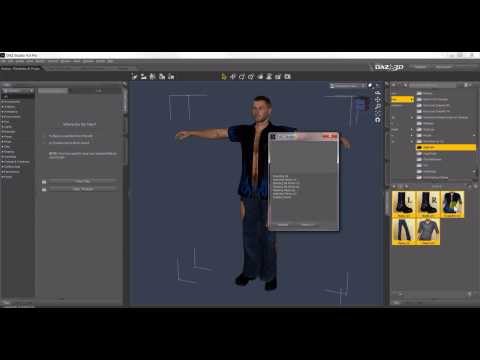 Setting up OLD assets for smart content
Richard Haseltine said:
You can add the metadata yourself, by drag-and drop the files from Content Library into Smart Content and then when asked telling it what type of file it is. If you have an already processed item loaded into the scene and seelcted wgen you do that the draged files will be made compatible with the selected item. So start with a base figure, then load and select it, then move characters, materials, hair and clothes, then load and select a piece of clothing or hair and drag its materials across and so on. I wouldn't suggest doing all in one go, but if you do it as you need an item from a set then you should at least get your most-used stuff added fairly quickly.
Thanks, I'll give it a try.
Setting up OLD assets for smart contentYou can add the metadata yourself, by drag-and drop the files from Content Library into Smart Content and then when asked telling it what type of file it is. If you have an already processed item loaded into the scene and seelcted wgen you do that the draged files will be made compatible with the selected item. So start with a base figure, then load and select it, then move characters, materials, hair and clothes, then load and select a piece of clothing or hair and drag its materials across and so on. I wouldn't suggest doing all in one go, but if you do it as you need an item from a set then you should at least get your most-used stuff added fairly quickly.
Sonny for Sydney 9 SmartContentElor said:
I don't know if it'll work (never did it with a Premier bonus shape), but did you try to right click on its icon in Smart Content, then to click on Show Product in Content Library?
Maybe right clicking on its icon before selecting Delete will remove the product and its metadata?
The issue is that its not installed. Daz Central is an alternative way of procuring content to DIM. It show you available content and you can install it if you want.
Free Software that Makes Life EasierWendyLuvsCatz said:
Tugpsx shared this awesome AI BVH generation workflow
need a Nvidia card though
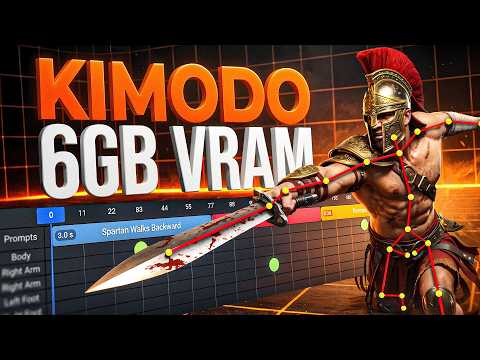
we can just import the BVH, repose and attach skeleton
to whacky cube morphations too

see https://www.daz3d.com/forums/discussion/comment/9512801/#Comment_9512801
Tried it. Pretty useless... I asked it for a drunk man's walkycle, gave me a runner three times and a tripping man once. It took more than half hour to have all those wrong results.
Way better do it myself...Sonny for Sydney 9 SmartContentI don't know if it'll work (never did it with a Premier bonus shape), but did you try to right click on its icon in Smart Content, then to click on Show Product in Content Library?
Maybe right clicking on its icon before selecting Delete will remove the product and its metadata?
Sonny for Sydney 9 SmartContentWell ticket openned and lets see. I imagine i can also edit my db to correct it as metadata must be present there for it to show in my Smart content.
Same Content Install issue in Daz 6 PremierThat is not an issue but just a "status of a Product" which is updated by Daz Connect if you log in to Connect with the option of "Update Metadata" checked in Account Login dialogue.
The icon means the product "has_cloud_meta_data" (screenshot 1)
You can simply ignore it if you've already installed the product via DIM. Then be noted, better always stick to installing products via DIM ~~
If you want to remove the icons, log out from Connect, uninstall the Products via DIM, delete the Products in Content Library > Product. Reinstall the Products via DIM. And never Log In to Connect with the option of "Update Metadata".
Or, modify the "has_cloud_meta_data" from true to false in product table by using a postgreSQL DBA tool, like Navicat ~~
Custom GamblingA playing card is just a rectangle. Create a plain and squish the x-scale to 2.5/3.5 ratio. In an image editor, create a similar rectangle in white and use black to round out the corners sve as a jpg and use as the opacity image to make the cards look like cards. (or do this in the geometry editor, but then the card has to have a decent level of mesh.)
Duplicate the opacity image and import scans of real playing cards. And apply the images to individual cards.
Sure, it would be more efficient to do this with one big image and UVs. But how many cards do you really need in focus in a render at a time?
What the ! is this icon? Where did it come from and how do I make it go away?The icon at top-left means it is user rather than vendor/store data. Delete it and you will remove the metadata for the product, not the files (if you have any) and DS will get the proper store metedata next time you update metadata (through the log-in dialogue or the Connect menu while online).
Sonny for Sydney 9 SmartContentSonny for Sydney 9 apears to be a Premium special character that I have no intention of ever using. Despite that it has been forced into my Smart Content metadata as in intall option and causes a split from the "Default" path, forcing me to traverse additional layer every time for Genesis 9.
Is there a way to get rid of this product from my smart content?
What the ! is this icon? Where did it come from and how do I make it go away?This is a relatively new occurrence. I'm used to seeing the infamous and ubiquitous "orphaned reference" triangles everywhere, but this just happened within a couple of weeks. I installed all my content through DIM on Studio 4.24.0.6, Windows 10.
I first noticed a ton of orphaned references in Smart Content. When I right click them and select "Show Asset in Content Library > Products," I can see this one offering me the option to install the product through Studio even though DIM supposedly handled it. I can't install it, though. Left- or right-clicking doesn't trigger the installation. The only options I get are to rename, delete, or pretty much everything else except to install it. Re-importing the metadata re-imports everything, which undoes all my work in chasing down and deleting orphaned references. None of my content database maintenance options make this go away.
So what the hey? I have no access to several products and no obvious way to get around this. Any ideas?
Question about Zev0's "Skin folds and creases HD" productAnd you can import figures with HD mesh from DS into Blender with Diffeomorphic add-on: https://www.daz3d.com/forums/discussion/689606/diffeomorphic-add-ons-version-5-1-0-released#latest
[Released] Turbo Loader for Genesis 9 [Commercial]RiverSoft Art said:
PoshTentacle said:
RiverSoft Art said:
PoshTentacle said:
RiverSoft Art said:
PoshTentacle said:
RiverSoft Art said:
PoshTentacle said:
RiverSoft Art said:
PoshTentacle said:
RiverSoft Art said:
PoshTentacle said:
So I tried using Turbo Loader recently to improve my figure loading speed, and unfortunately, it broke my most-used character preset. Basically, in any scene that I have created that contains that character, one of its most important morphs defaults to 0%. According to the logs, the morph itself is loading, but the morph value is not.
Unfortunately, due to the fact that when loading a scene, morphs are loaded and then poses, I can't just load the broken scene and move the morph sliders back to 100% because it will distort the pose. The only way I have found to keep the exact pose is for me to re-create the broken character preset, load a fresh copy into the scene with the broken figure, and then copy the pose from the broken figure to the one with the correct morph. This will take a huge amount of time by reloading the character into every one of my broken scenes.
I tried resetting all the changes made by Turbo Loader using the "Reset Morph Directory" and "Reset Content Directories" buttons, but this did not resolve the issue.
Edit: Also, I haven't re-saved any of the scenes since the issue appeared in hopes that if I didn't save it, the scenes would still be fixable
Have you searched your HDD for *.tlOff files? That is what TL changes the extension to in order to turn off the morph. Reset Content Directories renames all morphs back to their .dsf extension. If you cannot find any .tlOff files, then the scenes should work as far as what TL did.
I did not find any .tlOff files. Is there maybe a cache or something that I need to refresh/empty after I reset all the morphs to their original state? Also, here are the error lines in the log that may help shine a light on things.
2026-05-11 11:01:50.533 [WARNING] :: \src\sdksource\fileinput\dzassetdaz.cpp(595): Formula output property not found:
File: /data/Daz 3D/Genesis 9/Base/Morphs/Jepe/JP Sandor HD/JP Sandor HD.dsf
URI: Genesis9:/data/Daz%203D/Genesis%209/Base/Morphs/Jepe/JP%20Sandor%20HD/JP%20Sandor%20Head.dsf#JP%20Sandor%20Head-0xa95d2ce?value

2026-05-11 11:01:50.533 [WARNING] :: \src\sdksource\fileinput\dzassetdaz.cpp(595): Formula output property not found:
File: /data/Daz 3D/Genesis 9/Base/Morphs/Jepe/JP Sandor HD/JP Sandor HD.dsf
URI: Genesis9:/data/Daz%203D/Genesis%209/Base/Morphs/Jepe/JP%20Sandor%20HD/JP%20Sandor%20Body.dsf#JP%20Sandor%20Body-0xa95d473?value
Just to repeat for clarity, the morph itself is loading, but the value of the morph is now missing.
Edit: Idk why that quote block is so hard to read, so here is the same message in regular text form:
2026-05-11 11:01:50.533 [WARNING] :: \src\sdksource\fileinput\dzassetdaz.cpp(595): Formula output property not found:
File: /data/Daz 3D/Genesis 9/Base/Morphs/Jepe/JP Sandor HD/JP Sandor HD.dsf
URI: Genesis9:/data/Daz%203D/Genesis%209/Base/Morphs/Jepe/JP%20Sandor%20HD/JP%20Sandor%20Head.dsf#JP%20Sandor%20Head-0xa95d2ce?value

2026-05-11 11:01:50.533 [WARNING] :: \src\sdksource\fileinput\dzassetdaz.cpp(595): Formula output property not found:
File: /data/Daz 3D/Genesis 9/Base/Morphs/Jepe/JP Sandor HD/JP Sandor HD.dsf
URI: Genesis9:/data/Daz%203D/Genesis%209/Base/Morphs/Jepe/JP%20Sandor%20HD/JP%20Sandor%20Body.dsf#JP%20Sandor%20Body-0xa95d473?value
Once the .tlOff files are gone, TL effects are gone. Did you install products lately?
Yes, I have installed products lately. I even reinstalled the JP Sandor character in hopes of fixing the issue, but unfortunately, it didn't solve anything.
You need to look at those products then for the problem. The TL shouldn't be the problem once you reverted everything - I don't see how it could. All it does is rename files and you renamed them back. It's possible that re-installing JP Sandor (perhaps it was updated?) between the original TL rename to tlOff could have hurt its installation, e.g., Sandor Original Morph -> TL Sandor Original Morph.tlOff -> Sandor Updated Morph -> overwritten by Sandor Original Morph? Or maybe you tried to do something with the metadata while Sandor was off and the metadata has locked in the idea that those morphs are missing files, which have now been restored? I am reaching here, but the original TL is not in the equation anymore.
Using Turbo Loader's reset function was something I did before reinstalling JP Sandor, so that shouldn't be a factor either. All I know is that before I used Turbo Loader to optimize my morph collection, everything was working fine, and afterward, the character was broken - even in scenes that I saved months before ever installing Turbo Loader. I've been communicating with support, and I'm trying to find out if I can edit the morph values in the DSON files directly to avoid having to reload the character into every single broken scene. *Sigh* Turbo Loader was a promising product, too. It's a shame that fixing the errors that started with it is going to cost me days of work.
I am sorry you are having difficulty. I wish I could help you.
One last question! After messing around with the Victoria chatbot on the Daz3d website, I found out that what is broken is the controller for the morph. Is that a problem you ever see with Turbo Loader? For example, in this case, JP Sandor HD controls two other morphs: JP Sandor Body and JP Sandor Head. JP Sandor HD being set at 100% should influence those other two morphs to be the same value, but it is leaving them at 0%.
With this product, no. (With my character converters, yes, DS has (or maybe had) a bug where it wouldn't find the dependent morph when I saved the controller property, but that is a different thing). Have you tried editing that controller yourself? If it looks like garbage characters in a text editor, that is just the compression. Use 7-zip to open the file (it is just a zip file) and inside that is the actual file to edit.
You mentioned not finding the dependent morph when the controller property is saved - I think that is exactly what is happening to me. When I save a figure with the JP Sandor HD morph then reload the scene, the sub components of the JP Sandor HD controller change from JP Sandor Head and JP Sandor Body to BaseMasculine_head_bs_Head, BaseMasculine_body_bs_Body, and BaseMasculine_figure_ctrl_Character. Does that issue sound familiar?
No, that doesn't. That is strange. Are you saying that the JPSandor Head and Body sliders are missing? or that the controller is moving the base head/body controllers?
The controller is moving the base head/body controllers. The JP Sandor Head and Body sliders are still present, but they are no longer being controlled by the JP Sandor HD slider like they should be.
Edit: I just manually downloaded all the files for the JP Sandor character and compared them to the ones already in my content library. There are a bunch of extra files that are in my already existing folder that aren't in the one I just downloaded. Could it be that those files are older ones that were not in use, but after Turbo Loader changed the name, a conflict was created?
[Released] Turbo Loader for Genesis 9 [Commercial]PoshTentacle said:
RiverSoft Art said:
PoshTentacle said:
RiverSoft Art said:
PoshTentacle said:
RiverSoft Art said:
PoshTentacle said:
RiverSoft Art said:
PoshTentacle said:
RiverSoft Art said:
PoshTentacle said:
So I tried using Turbo Loader recently to improve my figure loading speed, and unfortunately, it broke my most-used character preset. Basically, in any scene that I have created that contains that character, one of its most important morphs defaults to 0%. According to the logs, the morph itself is loading, but the morph value is not.
Unfortunately, due to the fact that when loading a scene, morphs are loaded and then poses, I can't just load the broken scene and move the morph sliders back to 100% because it will distort the pose. The only way I have found to keep the exact pose is for me to re-create the broken character preset, load a fresh copy into the scene with the broken figure, and then copy the pose from the broken figure to the one with the correct morph. This will take a huge amount of time by reloading the character into every one of my broken scenes.
I tried resetting all the changes made by Turbo Loader using the "Reset Morph Directory" and "Reset Content Directories" buttons, but this did not resolve the issue.
Edit: Also, I haven't re-saved any of the scenes since the issue appeared in hopes that if I didn't save it, the scenes would still be fixable
Have you searched your HDD for *.tlOff files? That is what TL changes the extension to in order to turn off the morph. Reset Content Directories renames all morphs back to their .dsf extension. If you cannot find any .tlOff files, then the scenes should work as far as what TL did.
I did not find any .tlOff files. Is there maybe a cache or something that I need to refresh/empty after I reset all the morphs to their original state? Also, here are the error lines in the log that may help shine a light on things.
2026-05-11 11:01:50.533 [WARNING] :: \src\sdksource\fileinput\dzassetdaz.cpp(595): Formula output property not found:
File: /data/Daz 3D/Genesis 9/Base/Morphs/Jepe/JP Sandor HD/JP Sandor HD.dsf
URI: Genesis9:/data/Daz%203D/Genesis%209/Base/Morphs/Jepe/JP%20Sandor%20HD/JP%20Sandor%20Head.dsf#JP%20Sandor%20Head-0xa95d2ce?value

2026-05-11 11:01:50.533 [WARNING] :: \src\sdksource\fileinput\dzassetdaz.cpp(595): Formula output property not found:
File: /data/Daz 3D/Genesis 9/Base/Morphs/Jepe/JP Sandor HD/JP Sandor HD.dsf
URI: Genesis9:/data/Daz%203D/Genesis%209/Base/Morphs/Jepe/JP%20Sandor%20HD/JP%20Sandor%20Body.dsf#JP%20Sandor%20Body-0xa95d473?value
Just to repeat for clarity, the morph itself is loading, but the value of the morph is now missing.
Edit: Idk why that quote block is so hard to read, so here is the same message in regular text form:
2026-05-11 11:01:50.533 [WARNING] :: \src\sdksource\fileinput\dzassetdaz.cpp(595): Formula output property not found:
File: /data/Daz 3D/Genesis 9/Base/Morphs/Jepe/JP Sandor HD/JP Sandor HD.dsf
URI: Genesis9:/data/Daz%203D/Genesis%209/Base/Morphs/Jepe/JP%20Sandor%20HD/JP%20Sandor%20Head.dsf#JP%20Sandor%20Head-0xa95d2ce?value
2026-05-11 11:01:50.533 [WARNING] :: \src\sdksource\fileinput\dzassetdaz.cpp(595): Formula output property not found:
File: /data/Daz 3D/Genesis 9/Base/Morphs/Jepe/JP Sandor HD/JP Sandor HD.dsf
URI: Genesis9:/data/Daz%203D/Genesis%209/Base/Morphs/Jepe/JP%20Sandor%20HD/JP%20Sandor%20Body.dsf#JP%20Sandor%20Body-0xa95d473?value
Once the .tlOff files are gone, TL effects are gone. Did you install products lately?
Yes, I have installed products lately. I even reinstalled the JP Sandor character in hopes of fixing the issue, but unfortunately, it didn't solve anything.
You need to look at those products then for the problem. The TL shouldn't be the problem once you reverted everything - I don't see how it could. All it does is rename files and you renamed them back. It's possible that re-installing JP Sandor (perhaps it was updated?) between the original TL rename to tlOff could have hurt its installation, e.g., Sandor Original Morph -> TL Sandor Original Morph.tlOff -> Sandor Updated Morph -> overwritten by Sandor Original Morph? Or maybe you tried to do something with the metadata while Sandor was off and the metadata has locked in the idea that those morphs are missing files, which have now been restored? I am reaching here, but the original TL is not in the equation anymore.
Using Turbo Loader's reset function was something I did before reinstalling JP Sandor, so that shouldn't be a factor either. All I know is that before I used Turbo Loader to optimize my morph collection, everything was working fine, and afterward, the character was broken - even in scenes that I saved months before ever installing Turbo Loader. I've been communicating with support, and I'm trying to find out if I can edit the morph values in the DSON files directly to avoid having to reload the character into every single broken scene. *Sigh* Turbo Loader was a promising product, too. It's a shame that fixing the errors that started with it is going to cost me days of work.
I am sorry you are having difficulty. I wish I could help you.
One last question! After messing around with the Victoria chatbot on the Daz3d website, I found out that what is broken is the controller for the morph. Is that a problem you ever see with Turbo Loader? For example, in this case, JP Sandor HD controls two other morphs: JP Sandor Body and JP Sandor Head. JP Sandor HD being set at 100% should influence those other two morphs to be the same value, but it is leaving them at 0%.
With this product, no. (With my character converters, yes, DS has (or maybe had) a bug where it wouldn't find the dependent morph when I saved the controller property, but that is a different thing). Have you tried editing that controller yourself? If it looks like garbage characters in a text editor, that is just the compression. Use 7-zip to open the file (it is just a zip file) and inside that is the actual file to edit.
You mentioned not finding the dependent morph when the controller property is saved - I think that is exactly what is happening to me. When I save a figure with the JP Sandor HD morph then reload the scene, the sub components of the JP Sandor HD controller change from JP Sandor Head and JP Sandor Body to BaseMasculine_head_bs_Head, BaseMasculine_body_bs_Body, and BaseMasculine_figure_ctrl_Character. Does that issue sound familiar?
No, that doesn't. That is strange. Are you saying that the JPSandor Head and Body sliders are missing? or that the controller is moving the base head/body controllers?
[Released] Turbo Loader for Genesis 9 [Commercial]RiverSoft Art said:
PoshTentacle said:
RiverSoft Art said:
PoshTentacle said:
RiverSoft Art said:
PoshTentacle said:
RiverSoft Art said:
PoshTentacle said:
RiverSoft Art said:
PoshTentacle said:
So I tried using Turbo Loader recently to improve my figure loading speed, and unfortunately, it broke my most-used character preset. Basically, in any scene that I have created that contains that character, one of its most important morphs defaults to 0%. According to the logs, the morph itself is loading, but the morph value is not.
Unfortunately, due to the fact that when loading a scene, morphs are loaded and then poses, I can't just load the broken scene and move the morph sliders back to 100% because it will distort the pose. The only way I have found to keep the exact pose is for me to re-create the broken character preset, load a fresh copy into the scene with the broken figure, and then copy the pose from the broken figure to the one with the correct morph. This will take a huge amount of time by reloading the character into every one of my broken scenes.
I tried resetting all the changes made by Turbo Loader using the "Reset Morph Directory" and "Reset Content Directories" buttons, but this did not resolve the issue.
Edit: Also, I haven't re-saved any of the scenes since the issue appeared in hopes that if I didn't save it, the scenes would still be fixable
Have you searched your HDD for *.tlOff files? That is what TL changes the extension to in order to turn off the morph. Reset Content Directories renames all morphs back to their .dsf extension. If you cannot find any .tlOff files, then the scenes should work as far as what TL did.
I did not find any .tlOff files. Is there maybe a cache or something that I need to refresh/empty after I reset all the morphs to their original state? Also, here are the error lines in the log that may help shine a light on things.
2026-05-11 11:01:50.533 [WARNING] :: \src\sdksource\fileinput\dzassetdaz.cpp(595): Formula output property not found: File: /data/Daz 3D/Genesis 9/Base/Morphs/Jepe/JP Sandor HD/JP Sandor HD.dsf URI: Genesis9:/data/Daz%203D/Genesis%209/Base/Morphs/Jepe/JP%20Sandor%20HD/JP%20Sandor%20Head.dsf#JP%20Sandor%20Head-0xa95d2ce?value 2026-05-11 11:01:50.533 [WARNING] :: \src\sdksource\fileinput\dzassetdaz.cpp(595): Formula output property not found: File: /data/Daz 3D/Genesis 9/Base/Morphs/Jepe/JP Sandor HD/JP Sandor HD.dsf URI: Genesis9:/data/Daz%203D/Genesis%209/Base/Morphs/Jepe/JP%20Sandor%20HD/JP%20Sandor%20Body.dsf#JP%20Sandor%20Body-0xa95d473?valueJust to repeat for clarity, the morph itself is loading, but the value of the morph is now missing.
Edit: Idk why that quote block is so hard to read, so here is the same message in regular text form:
2026-05-11 11:01:50.533 [WARNING] :: \src\sdksource\fileinput\dzassetdaz.cpp(595): Formula output property not found:
File: /data/Daz 3D/Genesis 9/Base/Morphs/Jepe/JP Sandor HD/JP Sandor HD.dsf
URI: Genesis9:/data/Daz%203D/Genesis%209/Base/Morphs/Jepe/JP%20Sandor%20HD/JP%20Sandor%20Head.dsf#JP%20Sandor%20Head-0xa95d2ce?value
2026-05-11 11:01:50.533 [WARNING] :: \src\sdksource\fileinput\dzassetdaz.cpp(595): Formula output property not found:
File: /data/Daz 3D/Genesis 9/Base/Morphs/Jepe/JP Sandor HD/JP Sandor HD.dsf
URI: Genesis9:/data/Daz%203D/Genesis%209/Base/Morphs/Jepe/JP%20Sandor%20HD/JP%20Sandor%20Body.dsf#JP%20Sandor%20Body-0xa95d473?value
Once the .tlOff files are gone, TL effects are gone. Did you install products lately?
Yes, I have installed products lately. I even reinstalled the JP Sandor character in hopes of fixing the issue, but unfortunately, it didn't solve anything.
You need to look at those products then for the problem. The TL shouldn't be the problem once you reverted everything - I don't see how it could. All it does is rename files and you renamed them back. It's possible that re-installing JP Sandor (perhaps it was updated?) between the original TL rename to tlOff could have hurt its installation, e.g., Sandor Original Morph -> TL Sandor Original Morph.tlOff -> Sandor Updated Morph -> overwritten by Sandor Original Morph? Or maybe you tried to do something with the metadata while Sandor was off and the metadata has locked in the idea that those morphs are missing files, which have now been restored? I am reaching here, but the original TL is not in the equation anymore.
Using Turbo Loader's reset function was something I did before reinstalling JP Sandor, so that shouldn't be a factor either. All I know is that before I used Turbo Loader to optimize my morph collection, everything was working fine, and afterward, the character was broken - even in scenes that I saved months before ever installing Turbo Loader. I've been communicating with support, and I'm trying to find out if I can edit the morph values in the DSON files directly to avoid having to reload the character into every single broken scene. *Sigh* Turbo Loader was a promising product, too. It's a shame that fixing the errors that started with it is going to cost me days of work.
I am sorry you are having difficulty. I wish I could help you.
One last question! After messing around with the Victoria chatbot on the Daz3d website, I found out that what is broken is the controller for the morph. Is that a problem you ever see with Turbo Loader? For example, in this case, JP Sandor HD controls two other morphs: JP Sandor Body and JP Sandor Head. JP Sandor HD being set at 100% should influence those other two morphs to be the same value, but it is leaving them at 0%.
With this product, no. (With my character converters, yes, DS has (or maybe had) a bug where it wouldn't find the dependent morph when I saved the controller property, but that is a different thing). Have you tried editing that controller yourself? If it looks like garbage characters in a text editor, that is just the compression. Use 7-zip to open the file (it is just a zip file) and inside that is the actual file to edit.
You mentioned not finding the dependent morph when the controller property is saved - I think that is exactly what is happening to me. When I save a figure with the JP Sandor HD morph then reload the scene, the sub components of the JP Sandor HD controller change from JP Sandor Head and JP Sandor Body to BaseMasculine_head_bs_Head, BaseMasculine_body_bs_Body, and BaseMasculine_figure_ctrl_Character. Does that issue sound familiar?
Daz 3D is part of

Connect
DAZ Productions, Inc.
7533 S Center View Ct #4664
West Jordan, UT 84084Licensing Agreement | Terms of Service | Privacy Policy | EULA
© 2026 Daz Productions Inc. All Rights Reserved.