-
Daz Studio Pro BETA - version 4.15.0.30! (*UPDATED*)
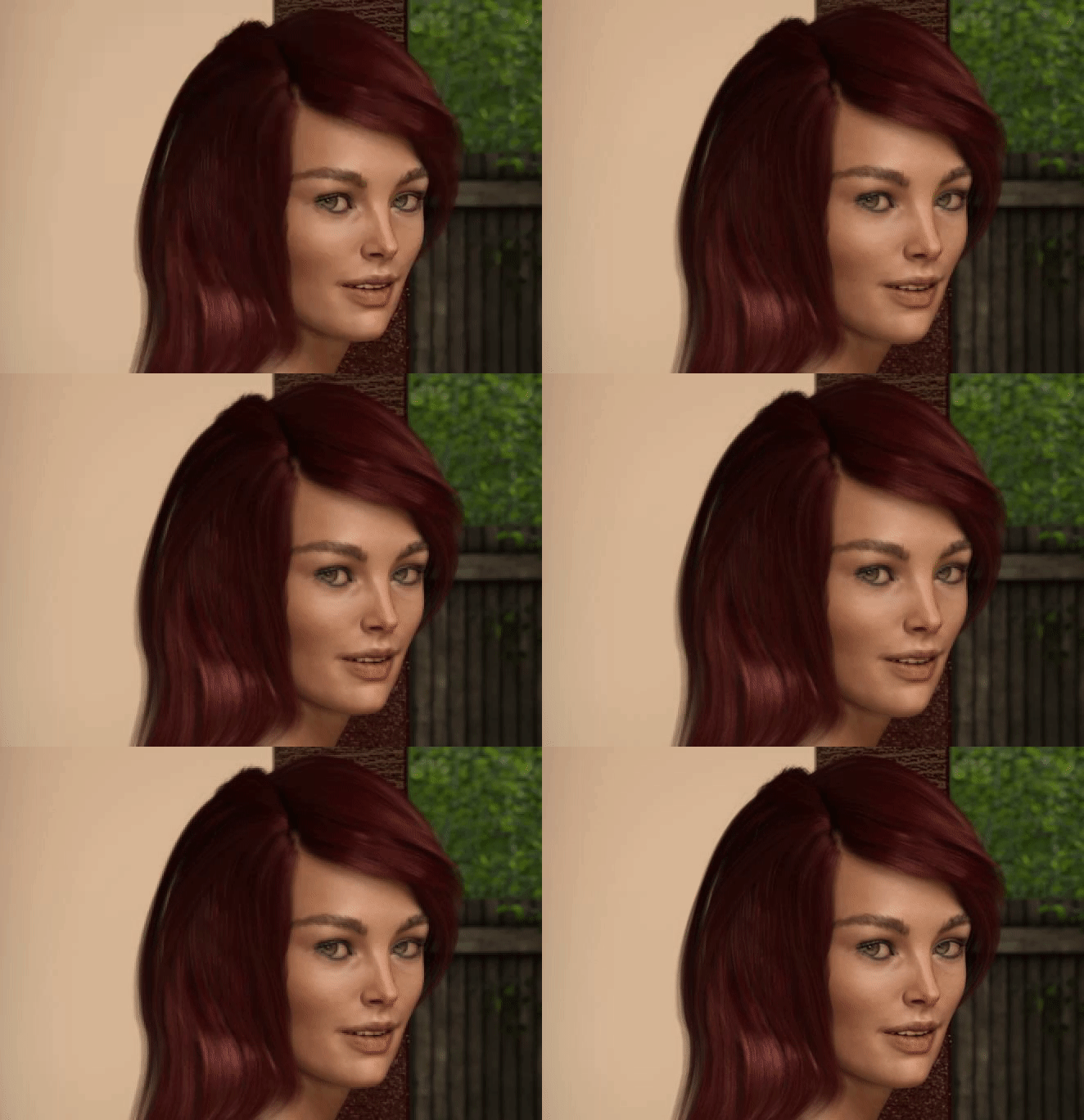
There's definitely something weird going on with this beta, some of my characters look slightly different. At first I thought it's a bad morph, but I didn't install anything in a while and when I load the same character in the non-beta it looks normal.
This might be related to Wendy's problem as well.
 G8.1 and Zeddicuss expressions
PerttiA said:
blaz said:
Damn it, I knew they were older products but I thought they got updated to work with 8.1.
I know about the folder workaround but I was hoping to avoid it since my expression library is not that big.
The textures aren't really a problem since DAZ did a great job. And we have Map Transfer...
Thanks for all the answers.
I don't understand why the size of your expression library makes you want to avoid the workaround/fix...
Making the G8 base expressions (and any expressions that are using them) work on G8.1 requires removing dummy/placeholder expressions that are installed to G8.1 morph folders - These dummy/placeholder expression files have no other function than to prevent the base G8 expressions from loading.
The dummy/placeholder files are located in;
...\Data\DAZ 3D\Genesis 8\Female 8_1\Morphs\Daz 3D\Base Pose Head\ (255 files)
...\Data\DAZ 3D\Genesis 8\Female 8_1\Morphs\Daz 3D\Expressions\ (24 files)
...\Data\DAZ 3D\Genesis 8\Male 8_1\Morphs\Daz 3D\Base Pose Head\ (255 files)
...\Data\DAZ 3D\Genesis 8\Male 8_1\Morphs\Daz 3D\Expressions\ (24 files)Please make sure you are removing the files from G8.1 morph folders and not G8 morph folders.
@PerttiA That's the most concise explanation I've seen yet. I will resist saying something snarky about Daz' failing to provide this information. Now, would you happen to know why Daz might have felt it was useful or necessary to prevent the loading of these files?
@certaintree38 Thanks for your explanation. I waded through several pages of the Victoria 8.1 thread looking for this info.
Torment is with which Genesis 8/8.1 FemaleGordig said:
Those are definitely Tara's horns, but Tara's horn morphs are available separately from the character (and also for G3, And G3M/G8M). I think it looks a little more like Angharad.
@Gordig I can't be sure about the morph, but that Kayleysss skin is so distinctive that I immediately recognized it and went straight to her Vendor page to look for candidates. I found the horns by accident; so, that's when I thought I had a winner. But Kayleysss also did Freja, who has a squarehead like Angharad.
What exactly are Headshop, Face Gen and Face Transfer?Unless I have misunderstood the nature of these programs, all they do is make a texture of a face, correct? They do not actually sculpt the face? I am asking because it does not seem particular useful if you want to blend the features of two people via something like the "Lovechild" but apply a new texture to create a new figure (As in a vastly different skin tone to the originals). I use Daz Studio to create characters for my writing and gaming needs, and the resources available as packaged individuals are ultimately limited compared to how many characters can be in a book. I am a intermediate user of Daz and like to experiment, but do not want to spend long periods of time trying to sculp new figures. Is there some program that actually can sculpt the underlying features of an image?
Genesis 8.1 / Victoria 8.1inquire said:
Hmmm, interesting. I went back to a file or scene in which two characters were posed while the
.SAV was in place, allowing me to use the G8 Expressions. Yesterday, I deleted the .SAV on the folders. However, the G8 Expressions continue to be in the Parameters Tab and are, surprisingly (to me), still usable.
Yes. The dummy files are hiding the UI. Once you have used the UI and saved a scene file the file knows where the actual morph is apparently because the ID in the dummy files is actually the ID of the original G8 expression. E.g. the Afraid HD dummy contains this ID:
/data/DAZ%203D/Genesis%208/Female/Morphs/DAZ%203D/Expressions/eCTRLAfraid_HD.dsfSo that is "Genesis 8", not "Genesis 8_1" despite the fact that the dummy is actually located here:
...\data\DAZ 3D\Genesis 8\Female 8_1\Morphs\Daz 3D\ExpressionsAnd that ID is identical to the one in the original eCTRLAfrid_HD.dsf. When the scene file is saved I believe it saves the ID, not the path to the morph, so it goes looking for the real expression eCTRL file.
What I found, however, was the expression doesn't appear in the "currently used" parameter list of the Head node, presumably because that is just an alias and it doesn't get stored in the scene file.
The main effect of all this is that it effectively prevents PAs from using the old eCTRL files on Genesis 8.1 figures; sure it can be made to work by hiding the dummy files but no one is going to try to sell a product that relies on that... Maybe that is the intention; change from 8.0 expressions based on the Base Pose Head to expressions based on the equivalent but different FACS morphs avail with 8.1. Indeed the FACS expressions do use IDs which refer to the new 8_1 directories. E.g. here is the ID of "Afraid" from the "FACS expressions" directory:
/data/Daz%203D/Genesis%208/Female%208_1/Morphs/Daz%203D/FACSExpressions/facs_ctrl_Afraid.dsfI see the main issue with the work-round as being plain confusion; the work round seems to be safe but potentially very confusing because the Starter packages will certainly be updated.
There is, however, the still unexplain behavior reported earlier of a previously saved scene file changing after updates; i.e. the expression on an 8.1 character changing radically when the scene is reloaded. I have not been able to reproduce this; I thought I could by undoing the work-round (restoring the directories) but as I said before and above this doesn't mess up previously saved scenes.
Another character I'm returning 8.1 it's not.WendyLuvsCatz said:
not interested in this one but any character claiming to be 8.1 would probably lose a sale to me due to compatibility issues with other software I use.
 so certainly not a selling point for my circumstances.
Would be a shame if it did work perfectly well on 8
They transfer to Blender, which is all i'm bothered about at this stage.
I have no issue with them being G3/8 textures on G8.1, but they should clearly say.
I'd like to know about https://www.daz3d.com/mr-rhoanita-for-genesis-81-female too.
Is it possible to have one adjustment effect multiple things at once?In the picture I use as an example. Lets say i want to add a +10 to the X translate axis for every child in this string (is that the correct term in daz?), can I do that? Assume there isnt a morph or parameter that does what i am looking for.
If i select them all and adj +10 only the first one will get the modifier and id have to go to each one individually and add 10. As you know that gets tedious.
Thanks for any answers!
DELETEAllenArt said:
Jellybean is nice, if she was a little girl. I do not understand the appeal of an adult female body with the head of a 10 year old child. But I am I guess among the minority ;). Not to knock the PA - it's a very popular kind of thing.
Laurie
You know, I thought the exact same thing, that it's a child's head (not just the face either) on an adult's body. Then I saw that head and body morph were separate, and so I got her to use as a child character, with the Growing Up morphs. For this she's really perfect I think. As an adult, she looked rather creepy to me!
Moving a figure with a face transfer to a new pc.Could you not update the version of DS on the PC in order to get Face Transfer? In any event, File -> Save As -> Support Asset -> Morph Asset to save the morph, File -> Save As -> Material Preset if you need to save the texture.
Moving a figure with a face transfer to a new pc.Hello, I have created a figure on genesis 8.1 with a face transfer of my husband. I am using the free version. I have to move this figure to a new pc becausse the laptop he was created on does not have a strong enough graphics card to properly render him. How do I get him off the laptop and onto the pc?
The Daz software that is on the pc did not come with the free face transfer plugin so I can't just re-create him. Where can I get the plugin?
This is a special project as my husband passed away 12 years ago and i am hoping to create a storybook for our grandchildren with this figure.
Any and all helpful tips and tricks are needed.
Thank you for your time!
Lisa
"Elder Protection" Bodysuit G8/8.1FA model of an unearthly bodysuit, rigged in DAZ Studio for Genesis 8/8.1 Female. 6876 polys. A good assortment of Iray materials are included, as well as some optional material files that hide or show various parts of the model.
NB: The materials make extensive use of REFLECTION, REFRACTION, TRANSPARENCY, and EMISSION. Depending on graphics hardware and settings some of these materials may not show accurately or at all in preview. Use the NVIDIA Iray preview engine for a more accurate idea of what the final render will look like.
NB: the morphs, weights and JCMs are in a "good enough" state and work fine in a big variety of poses. If you find a position or shape that makes the mesh break, try dialing up the "FBMExpandAll" morph, or the other usual methods of dealing with pokethrough etc.
https://sharecg.com/v/97277/view/21/DAZ-Studio/Elder-Protection-Bodywear-G8-8.1F
XTransfer Module 1- Genesis 3 to Genesis 8 Morph Converter (Commercial)Zev0 said:
Hmmm..It shouldn't crash apon loading a character. Can you try again and send me a log file?
Here is the log file buried in there somewhere is the error, thank you for your help as your addon is a must have..
 Hopefully you can find what is wrong, as transferring the base characters are no problem.. But transferring some custom characters like Jade is, the issue is that while Jade refuses to transfer over, some other custom characters will transfer, not sure why..
Update: Finally got Jade to port over to Genesis 8 Female, using Daz Studio's transfer utlility option.. Found a short tutorial on youtube for porting G8 to G3, interestingly I found it worked going in the other direction.. Eitherway it still has me flumoxed as to why while other custom characters would work Jade would not..
Genesis 8.1 / Victoria 8.1alienarea said:
Not sure if this has been discussed here before, or should be in a new thread.
It seems that Victoria 8.1 is quite disjunct from Genesis 8.1 Female.
Genesis 8 Female and Genesis 8.1 Female seem to be identical in shape.
In Genesis 3 and 8, when you loaded Victoria (7 for 3 and 8 for 8) and dialed out the Victoria morphs, you had the base genesis female.
With Victoria 8.1, this is not the case.
As a result, I can apply a shape preset saved from G8 to G8.1 and it looks like my G8 character, nut when I apply it to V8.1 with Victoria dialed-out, I get a freak.
V8.1 is just a character morph for G8.1F, in that respect nothing has changed.
After dialing out V8.1, what does your "Currently used" list look like (choose 'Show hidden properties' first)?
selfmade Skirt and Shirt problemThe skirt seems to have been weight mapped with transfer utility using the default projection template, which means it follows the legs. Skirts and dresses which are not skin-tight are typically rigged by adding custom bones used to manually pose the front, back, left and right parts of the skirt rather than follow the legs, as rigging them to follow the legs can lead to mesh stretching and unnatural poses.
Utilities like SY Ultra templates provide alternate templates specifically made to rig dresses.
As for the armpit problem, as Gordig said you will most probably need to create a correction morph meant to reduce distortion when the arm is raised.
G8.1 and Zeddicuss expressionsblaz said:
Damn it, I knew they were older products but I thought they got updated to work with 8.1.
I know about the folder workaround but I was hoping to avoid it since my expression library is not that big.
The textures aren't really a problem since DAZ did a great job. And we have Map Transfer...
Thanks for all the answers.
I don't understand why the size of your expression library makes you want to avoid the workaround/fix...
Making the G8 base expressions (and any expressions that are using them) work on G8.1 requires removing dummy/placeholder expressions that are installed to G8.1 morph folders - These dummy/placeholder expression files have no other function than to prevent the base G8 expressions from loading.
The dummy/placeholder files are located in;
...\Data\DAZ 3D\Genesis 8\Female 8_1\Morphs\Daz 3D\Base Pose Head\ (255 files)
...\Data\DAZ 3D\Genesis 8\Female 8_1\Morphs\Daz 3D\Expressions\ (24 files)
...\Data\DAZ 3D\Genesis 8\Male 8_1\Morphs\Daz 3D\Base Pose Head\ (255 files)
...\Data\DAZ 3D\Genesis 8\Male 8_1\Morphs\Daz 3D\Expressions\ (24 files)Please make sure you are removing the files from G8.1 morph folders and not G8 morph folders.
Morph Dial Suddenly Defaults to 100%To fix any ill-behaving (non-zero default value) morphs, do as follows;
1. Open DS and load "Genesis 8 Basic Female" (to an empty scene)
2. Help->Troubleshooting->View Log File (clear the log, close it and select "Save" when asked)
3. Left Click at "Active Pane Options" tab->Preferences->Choose "Show Hidden Properties" (part 4 zeroes only 'visible' dials)
4. Right Click at Parameters Tab->Zero->Zero Figure (Zeroes the value of all the 'visible' dials)
5. Right Click at Parameters Tab->Memorize->Memorize Figure (Sets the current value of all the dials as their default value)
6. Edit->Save As->Support Asset->Save Modified Assets (Writes the changed default value to the morph files that were changed)When saving "Modified Assets" DS shows a dialog and asks for confirmation;
"The following file(s) will be permanently modified:" - "Accept/Cancel" - Choose "Accept"Close DS and wait -> Open DS again and load "Genesis 8 Basic Female"
Help->Troubleshooting->View Log File (Save the logfile somewhere you can easily find it)
If the above procedure didn't fix the problem, attach the saved logfile to your post.
XTransfer Module 1- Genesis 3 to Genesis 8 Morph Converter (Commercial)I have found X-Transfer very picky on what it will and will not transfer.. I have been trying to transfer https://www.daz3d.com/fwsa-jade-hd-for-teen-josie-7 but eveytime I try it crashes at 71% when it is loading in the required files.. In the end I have given up and trying and just using Genesis 3 version of Jade..
Morph Dial Suddenly Defaults to 100%I seem to be having the same problem as in this thread:
https://www.daz3d.com/forums/discussion/comment/4260591/
I have the Omari for G8 character on my system, and I've had the product for months & months.
But I must have done something wrong recently because now every character I load appears with the Omari Head morph dialed up to 100%. This even happens with the default G8.0 character.
I can always just slide it back down, but ideally I'd like to fix it. In the other thread, Richard Haseltine said:
if you click on the Controllers tab at the bottom of the (parameter settings) dialogue one of those is likely to be the culprit.
So there is one controller there, but I have no idea what to do with the "culprit" now that I've caught it.
Thanks!
EDIT: I went back and looked, and it turns out the whole character morph is being dialed in at 100%. I didn't notice at first because the full character morph dial and the body morph dial, while reading 100%, are grayed out as if this was the default value. Only the head morph dial is "lit up" at 100% as if that's the one not at its default setting. However, doing a parameters reset on it doesn't change its value or its lit-up state.
G8.1 and Zeddicuss expressionsDamn it, I knew they were older products but I thought they got updated to work with 8.1.
I know about the folder workaround but I was hoping to avoid it since my expression library is not that big.
The textures aren't really a problem since DAZ did a great job. And we have Map Transfer...
Thanks for all the answers.
New! Novica & Forum Members Tips & Product Reviews Pt 14********** TUTORIALS**********
Tutorial: Bus, Noggins- Converting from Bryce to Daz Studio (RGcincy) Here
Tutorial: Breast Gone- In Hexagon (Smoothing Zev0s Grow Up product even more)
Tutorial: Clothing, Making in Blender SickleYield's tutorial on Deviant Art.
Tutorial: Content Package Assist
Tutorial: Converting G3 and G8 Clothing by SickleYield on Deviant Art
Tutorial: Create Categories Using Gen2F, I showed how to Create Categories and Export to save your custom categories. (Here's WHY you may want to do that with your characters.)
Tutorial: Custom Actions In Toolbar How to Create Custom Actions In Toolbar
Tutorial: Customizing Morphs Using Morph Loader Pro
Tutorial: D Former D Former Tutorial D Former tutorial and links
Tutorial: Depth of Field Flipmode provides a good depth of field tutorial for you.
Tutorial: Expressions: How To Make Them As A Dial
Tutorial: Face Control (Knittingmommy) Use on cartoon characters
Tutorial: Fisty's Shaders & Getting Rid of Gooey Lips This one shows you Fisty's shaders. Get rid of the overly gooey lips.
Tutorial: Fur Brushes Download and Video (Kathryn Loch)
Tutorial: Garibaldi Hair Doing a cat with Garibaldi Hair- Tutorial
Tutorial: GenX links on "how to use."
Tutorial: Generation 4 Materials on Genesis 2 This one put Generation 4 materials on Genesis 2 using Victoria 4 for Genesis 2 Female.
Tutorial: Geometry Shells How to do Geometry Shells (video tutorial the3dwizard) and doing makeup for different characters
Tutorial: Hair Shaders (Slosh, his product) explaining how to use them.
Tutorial: Hay Bales Take a freebie and make the hay straws thicker. Here's what you get.

Tutorial: Iclone Iclone videos
Tutorial: Images- How To Put Them In Forum Posts Here's Putting Images in Posts
Tutorial: Instances: Using Ultrascatter
Daz 3D is part of

Connect
DAZ Productions, Inc.
7533 S Center View Ct #4664
West Jordan, UT 84084Licensing Agreement | Terms of Service | Privacy Policy | EULA
© 2026 Daz Productions Inc. All Rights Reserved.