Show Us Your Iray Renders. Part VII

15354565859100

Comments

  • Matt_CastleMatt_Castle Posts: 3,017

    "I Can Explain":

    Gallery Link

    I can't take credit for the idea, as it's me making a render of a sketch by Stjepan Sejic, but quite fun to work on nonetheless.

    The costume is a modified G8F mesh (with a dash of Dforce elasticity applied); I found a Spiderman model on DeviantArt and baked the textures across via Blender. The original normal maps had to be discarded, but the original specularity map could be turned into a surprisingly good displacement map.

  • "I Can Explain":

    Gallery Link

    I can't take credit for the idea, as it's me making a render of a sketch by Stjepan Sejic, but quite fun to work on nonetheless.

    The costume is a modified G8F mesh (with a dash of Dforce elasticity applied); I found a Spiderman model on DeviantArt and baked the textures across via Blender. The original normal maps had to be discarded, but the original specularity map could be turned into a surprisingly good displacement map.

    Bravo!  That looks great!

  • Sisyphus1977Sisyphus1977 Posts: 306
    edited January 2020

    "Responding to the Alarm"

    Scene v 3 1920.jpg
    1920 x 1920 - 5M
    Post edited by Sisyphus1977 on
  • FishtalesFishtales Posts: 6,212

    An update to the last video. A new layer rendered and added in Vegas Pro 16.

    image


  • Oso3DOso3D Posts: 15,087

  • Olo_OrdinaireOlo_Ordinaire Posts: 742
    edited January 2020

    This is a render of a work in progress on a character I'm trying to create.  I'm just doing some morph-dialing to try to get this character to look like one of my favorite actresses:

    Character_WIP_Jan -2020-0001_resized.png
    1600 x 2080 - 4M
    Post edited by Olo_Ordinaire on
  • dougjdougj Posts: 92

    This is a render of a work in progress on a character I'm trying to create.  I'm just doing some morph-dialing to try to get this character to look like one of my favorite actresses:


    Great lighting and DOF. Nice looking character also.

  • WonderlandWonderland Posts: 7,137

    This one is an experiment with Iray Grungeworks. I created the foxhole by morphing  a plane primitive with 256 divisions using Mesh Grabber, then texturing with dirt shaders.

    Title:   One Lonely Foxhole

    Very cool! 

  • WonderlandWonderland Posts: 7,137
    Daventaki said:

    Great images everyone!  This one is the Red Crow Inn!  Wonderful set!! Full size image im my gallery.

    Great render! Love the light coming in through the windows! 

  • WonderlandWonderland Posts: 7,137

    "Responding to the Alarm"

    Love the scene and colors! 

  • WonderlandWonderland Posts: 7,137

    Here is Dain at 50% with a bunch of different morphs and some skin setting changes. To me he looks like his name should be Sven lol.

  • Oso3D said:

    Like that one William !

  • MelissaGTMelissaGT Posts: 2,611

    Just a quick portrait of a new personal character...

    Questions/Comments welcome!

  • RafmerRafmer Posts: 564

    Just a quick portrait of a new personal character...

    Questions/Comments welcome!

    She looks great, good work!

  • Oso3DOso3D Posts: 15,087

    A Boy and his Saur!


  • Oso3D said:


    A Boy and his Saur!

    That's absolutely the tops !   What a great-looking environment and soft, believable lighting...


  • Oso3DOso3D Posts: 15,087

    The environment is https://www.daz3d.com/the-harpwood-trail-for-daz-studio , the lighting is one of Orestes many HDRIs; huge fan of those for creating a nice, believable sky.

    One thing I like about a solid HDRI and environment is trusting softer lighting; portrait lighting tends to go for dramatic contrasts but believable environments are frequently MUCH more diffuse. And then there's a trick, because you still want definition from the lighting...

    I'm also trying to learn to have better camera settings, and starting to look to real world camera lenses for direction. I think here I went 35 mm for focus and the adjusted the width a bit. I did several different focal distances before I was happy (focus on the boy? In between? The tail? )


  • MelissaGTMelissaGT Posts: 2,611
    Rafmer said:

    Just a quick portrait of a new personal character...

    Questions/Comments welcome!

    She looks great, good work!

    Thank you!

  • Oso3D said:

    The environment is https://www.daz3d.com/the-harpwood-trail-for-daz-studio , the lighting is one of Orestes many HDRIs; huge fan of those for creating a nice, believable sky.

    One thing I like about a solid HDRI and environment is trusting softer lighting; portrait lighting tends to go for dramatic contrasts but believable environments are frequently MUCH more diffuse. And then there's a trick, because you still want definition from the lighting...

    I'm also trying to learn to have better camera settings, and starting to look to real world camera lenses for direction. I think here I went 35 mm for focus and the adjusted the width a bit. I did several different focal distances before I was happy (focus on the boy? In between? The tail? )

    The Harpwood Trail's now on my list.  I agree about the HDRI environment lighting.  I've got several of the Orestes sets and they're great.  

  • Olo_OrdinaireOlo_Ordinaire Posts: 742
    edited January 2020

    Title:  Dying Embers

    Dying_Embers - 0001.png
    2000 x 1625 - 4M
    Post edited by Olo_Ordinaire on
  • TaozTaoz Posts: 10,268
    edited February 2020
    Oso3D said:

    The environment is https://www.daz3d.com/the-harpwood-trail-for-daz-studio , the lighting is one of Orestes many HDRIs; huge fan of those for creating a nice, believable sky.

    One thing I like about a solid HDRI and environment is trusting softer lighting; portrait lighting tends to go for dramatic contrasts but believable environments are frequently MUCH more diffuse. And then there's a trick, because you still want definition from the lighting...

    I'm also trying to learn to have better camera settings, and starting to look to real world camera lenses for direction. I think here I went 35 mm for focus and the adjusted the width a bit. I did several different focal distances before I was happy (focus on the boy? In between? The tail? )

    The Harpwood Trail's now on my list.  I agree about the HDRI environment lighting.  I've got several of the Orestes sets and they're great.  

    The lighting may be great but the skies themselves usually suffer from compression artifacts unfortunately.  Seems to be a common problem with HDRIs sold or included with products at DAZ, probably because of people not using top quality cameras.  I always return them with "poor quality" as reason, if they have this problem.  Here's an example of a bad one from Dreamlight, and a high quality one made by DimensionTheory (all those I have of his look great). 

    https://www.daz3d.com/forums/discussion/comment/4858311/#Comment_4858311

    Post edited by Taoz on
  • "Responding to the Alarm"

    Love the scene and colors! 

    Thank you, much appreciated, glad you liked the scene.

  • Sisyphus1977Sisyphus1977 Posts: 306
    edited January 2020

    I put Vicki on the red carpet for her Dragons & Dinosaurs 6 premier, of course, her manager Michael accompanied her to the event.

    Scene 1B - The Red Carpet.jpg
    2560 x 1920 - 3M
    Post edited by Sisyphus1977 on
  • Taoz said:
    Oso3D said:
    The lighting may be great but the skies themselves usually suffer from compression artifacts unfortunately.  Seems to be a common problem with HDRIs sold or included with products at DAZ, probably because of people not using top quality cameras.  I always return them with "poor quality" as reason, if they have this problem.  Here's an example of a bad one from Dreamlight, and a high quality one made by Dimension3D (all those I have of his look great). 

    https://www.daz3d.com/forums/discussion/comment/4858311/#Comment_4858311

    Ok, that's interesting.  The link you provided sent me down a rabbit hole of learning about HDRI creation.  It's much more involved than I knew.

    This link at HdriHaven really goes into detail and discusses a number of tools the author uses to create "real"  HDRIs.

    From my own experience, I haven't encountered the JPEG artifacts you mention, but most of the time my skies/backgrounds are out of focus in the render or barely visible past scene elements.  It's possible I'd never notice them.


  • Olo_OrdinaireOlo_Ordinaire Posts: 742
    edited February 2020

    Title:  The Tourist

    For this one, I used Stonemason's The Streets of Tuscany lit by an HDRI dome by DimensionTheory: City A.  Fill on the left from an HDR image on a plane primitive.  The character is a slightly tweaked Katya HD from Emrys.


    The Tourist - resized.png
    1600 x 1925 - 5M
    Post edited by Olo_Ordinaire on
  • IvyIvy Posts: 7,165
    edited February 2020

    Dorian

    Dorian.jpg
    2300 x 2000 - 200K
    Post edited by Ivy on
  • tkdroberttkdrobert Posts: 3,611

    Attack on Mars:  Fight to the Death II

    Attack on Mars: Fight to the Death II by tkdrobert

  • xmasrosexmasrose Posts: 1,409

    Nice portrait @Ivy, very natural.


    Ivy said:

    Dorian


  • IvyIvy Posts: 7,165

    Thank you @xmasrose (aka tulipe)

    I really like how versatile he is i will get lots of use from him

  • grhellboundgrhellbound Posts: 12
    edited February 2020

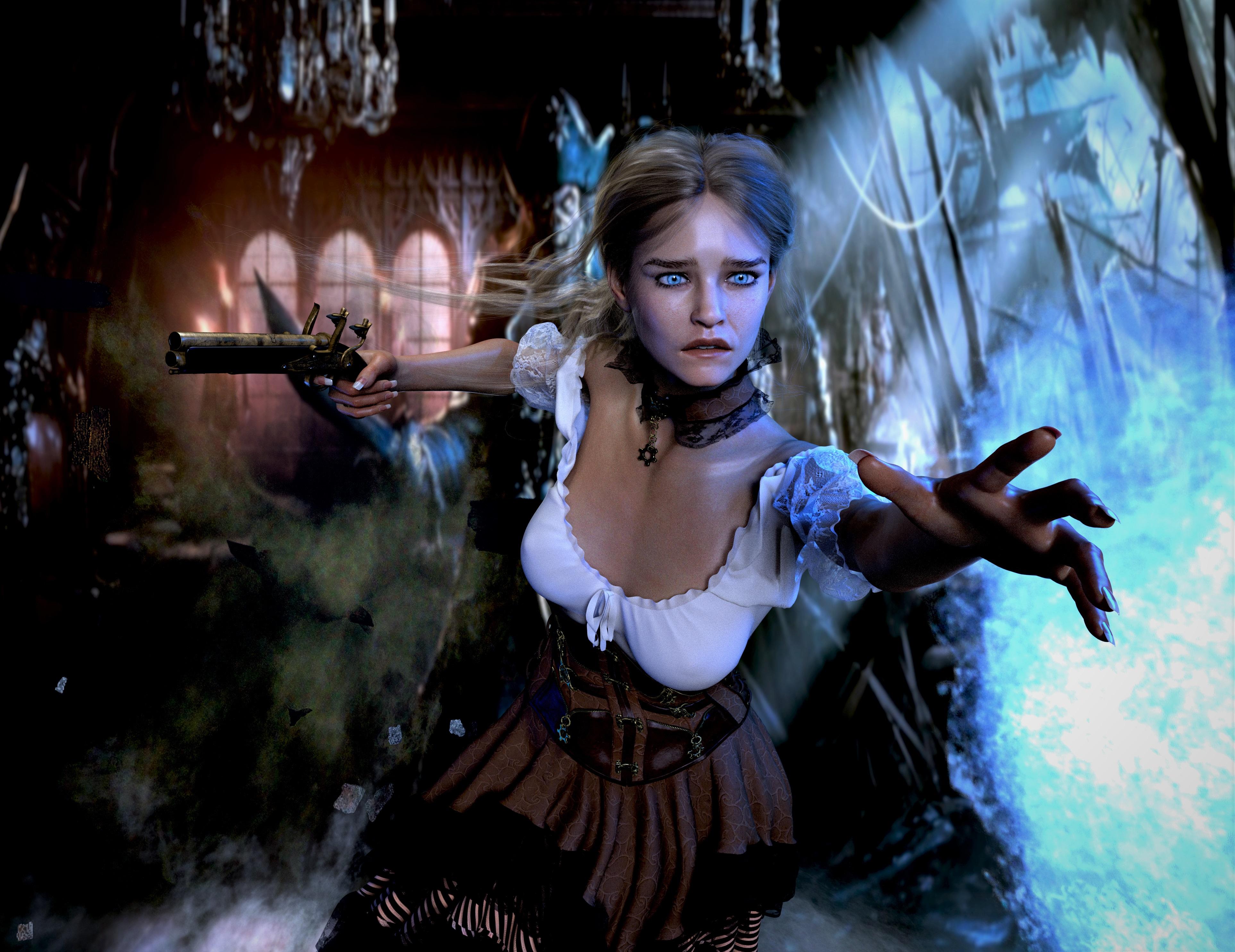
    Pirate Pia got Overwhelmed 


    https://www.daz3d.com/gallery/#images/931481/

    Overwhelmed Pirate.jpg
    3851 x 2969 - 6M
    Post edited by grhellbound on
This discussion has been closed.