Facegen now on sale...get it!
 cdpro_2831bbd990
Posts: 1,430
cdpro_2831bbd990
Posts: 1,430
If you are like me and love creating characters, but aren't schooled in more traditional 3D modeling programs, Facegen is the face maker to get. Even if you've already bought other face makers, you'll be glad you bought Facegen. I bought the Home version about a year ago (Genesis 1 and 2 only). After using it for a couple of months, I bought the Pro Upgrade as soon as I could afford it. I paid $150 total between Home and Pro Upgrade. So right now, FGPro for $99 is an awesome deal.
It still takes some tweaking to make a good looking character. But, it is way easier in FGPro than any of the other face makers, with the added bonus that FG rarely crashes.
There are some really great features. 1. FG creates a matching body texture to go with the approximate color of the face. 2. A lot of your shape tweaking can be done using the dials inside FG. 3. Once you've created a Face file, you can export it to any (G1, G2, G3) male or female you like. 3. There is no obj import necessary to create the morph. FG automatically places it in Daz Studio for you. You just have to reassign the surfaces. 4. This is a big one. FG let's you do whatever you like with your creations...both shape and texture.
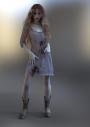
With just FGPro and Measure Metrics / Figure Metrics, you can make a complete character. I've attached an example.
I have no connection with the Facegen folks. This is just my personal thumbs up.

Daz 3D is part of 
Connect
DAZ Productions, Inc.
7533 S Center View Ct #4664
West Jordan, UT 84084
Licensing Agreement | Terms of Service | Privacy Policy | EULA
© 2026 Daz Productions Inc. All Rights Reserved.
Comments
+1 I bought the pro version last year and have no regrets.
I didn't see any version info on the product page. Is this the latest version. Sometimes the version of 3rd party software sold on DAZ is not the latest...ie Vue and Filter Forge.
I tried the demo version from the website a few months ago and its been on my must have list since then. So nice to see it finally came to DAZ as now I can use my gift certificate towards it. Do you know it there's been any improvements to it since moving to DAZ or is it just repackaged?
Have they got a demo somewhere I'd like to have a look ?
https://facegen.com/downloads.htm
Thanks there will give it a go !!!
THIS WAS A NEW THREAD I WAS GOING TO START
http://www.daz3d.com/facegen-artist-pro
Anyone heard of this and know what it's about?
Hate to be that guy again, but I notice with MANY of the products on Daz, there is little information on what it actually does, how it works and other bits of info like limitations, requirements other than additional purchases.
AFTER BUYING, you get a ReadMe that tells you where to put files.
At this price tier I'd like a full manual or video tutorial to explain what and how it works. Before I buy it.lol
Several products, in Daz, only lead back to the prouduct page and the manuals that they link to are the Daz software Wiki-thing.
So the description says:
Import your own photo or multiple for even more accuracy to FaceGen. Then watch as FaceGen generates a shape and texture that you can easily apply right onto a Genesis, Genesis 2, or Genesis 3 figure.
FaceGen even analyzes your pictures to create an overall skin texture that can be applied to your entire figure to avoid transitions.
If you want to make your figure look like your pictures, that's all you need.
FaceGen lets you take things even further. You can adjust skin tone and feature shape gradually as you dial up and down various ethnicity adjustments to your photo's face. Adjust its level of masculinity or femininity. Adjust age, color, shape, and even tween between multiple photos to combine more than one person's structure and skin tones.
The ultimate in control, FaceGen even lets you modify the face with a pinch and pull style experience so you can mold and fine-tune features to meet your needs.
Faces can be applied to Daz Genesis, Genesis 2 Male and Female, and Genesis 3 Male and Female meshes.
----------------------------
That sounds too good to be true.
When I have seen this type of feature offered before there were Many Limitations to the range of what it could do and what files it could work with...like....
1) LARGE photo size
2) No facial hair (less on top worked better)
3) Profile and perfectly symmetrical headshot
4) White (White as in photography white-balanced white backdrop)
5) And it still looked a little goofy.
The example looks pretty cool, but again this sounds like a boon for artists to create a massive trove of new characters- if this works as promised.
I don't see a link to a website or resource for particulats and how this works.
So I am left with many questions- but also excited that this might deliver the goods.
Mac Version?
https://facegen.com/artist.htm
I have a question. I bought the HeadShop One Click Plugin a while ago, and that was only working properly if your program directory and the temp render directory were in the default location. If they were on other drives, it created problems with the functionality. In the end, I returned the product.
Is FaceGen suffering from the same problem?
As usual there is no read me; so I'll pass.
Maybe I'll reconsider what I find out what resolution it outputs textures at.
Interesting, what improvements are you hoping for? Or do you think it needs?
Is the difference between the Home and the Pro version only the ability to export to Genesis 3?
their youtube channel
https://www.youtube.com/channel/UCJBanVfzC0_Qg2owlXtEiDA
this is the resolutions at least for older previous version this one does g3 too this one would be the pro version of facegen artist listed on their site and yeah there are demo versions there
2048x2048 (32-bit) or 4096x4096 (64-bit version).
https://facegen.com/faq.htm
oh yeah like others I've used the demo in past too pretty good too was pretty easy to use now I've got this full version to install
Han Solo Genesis 1 Demo version
I have DAZ3D installed on my E-drive, was able to find and load the Genesis figure for the morph to work.
FaceGen also saved the morph and texture files to my E-drive DAZ3D install.
Where's your TEMP folder, also in E-drive?
C-drive
Tried the demo and it's quite easy to use. Just played around with the program. There is a manual at the https://facegen.com/artist.htm but I didn't look at it. Loaded an image, place markers as prompted and exported to Gen2 Male. Didn't tweak the morph within FaceGen and very minor morph adjustments in DS.
I have artist and use it now and again to do people I know inc myself
I bought it at full price and feel like its one of the best purchases I've ever used. Line up photos once and spin off a character for each of the Genesis generations! Brilliant program!
Hmmm... hate to be asking for TECH SUPPORT so soon, but um.....
Not so bad so far. As complicated as I thought with the adding of textures. The video tutorial made it better to follow.
The pop up help text was confusing.
Any idea why I get discoloration and these weird black patches all over the body?
Image removed
Have you checked the UV for the body part? What are they using?
Looks like the wrong UV layout used on the firgure or the wrong texture maps used on the arms and legs, probably the wrong textures on the arms and legs as usually the wrong UV layout leaves seams from the face to the head and head to neck as well.
Will look into it. You guys=best.
Now, if only I had $100 to spend LOL
Looks great, wish there was more info on the DAZ store page about it. Will definitely check out the websites. I do a lot of character creation, so this will probably be a must have.
Oh, the agony!
Do I spend $125 to take a performance test so I can be certified in my future career before graduating, or spend $97 computer art that will further distract me from homework?
I'm glad there was a thread already here giving lots of information. I think I'll look at the home version on the 3rd party website and come back during March madness and blow my next pay check then.
Is this only for private use or we can make commercial characters too?
I downloaded the trial version to see how it works. However, I cannot find the folder where the Daz Genesis 2 Mesh is. Could someone tell me the file extension and file name for the Daz Gensis 2 Mesh. I use the install manager for everything so if there is a standard folder where it could be found, that would be helpful also.
Thank you
Three Areas I'm Questioning:
(1) I too am wondering if there is going to be a Macintosh version? If not, does it work with Wine? I've never tried Wine, but supposedly it lets you use Windows apps on a Macintosh.
(2) Also, how well does this work? I've tried the Faceshop app. (Maybe I should not even mention the name.) But, does this Face Gen really work?
(3) The promo info mentions generating a full body texture. Is it possible to generate the facial features without a texture, and then apply the face to a genesis (1, 2, or3) figure and use whatever textures the user desires?
I'm not trying to be a cynic. But I would like to see what other people who have bought this have been able to do. Please post more results. And, if there is a Mac user out there who has bought this and is running it with Wine, or some other app that allows Windows products to be used on the Mac, please speak up.