-
Raw Deals: Nyxii for Genesis 9 [commercial]
She's a real cutie pie
And I love the emoticon eyes, very fun. Kind of similar to Boo the Friendly Spirit. That actually makes me wonder if Boo's eye textures would transfer, or if you could use Write Anywhere to expand the possibilities
Isabella 9Gone back to Daz 4.24. I can't deal with how slow Daz 6 is. Many days later, here are a few test pics to add to the thread...
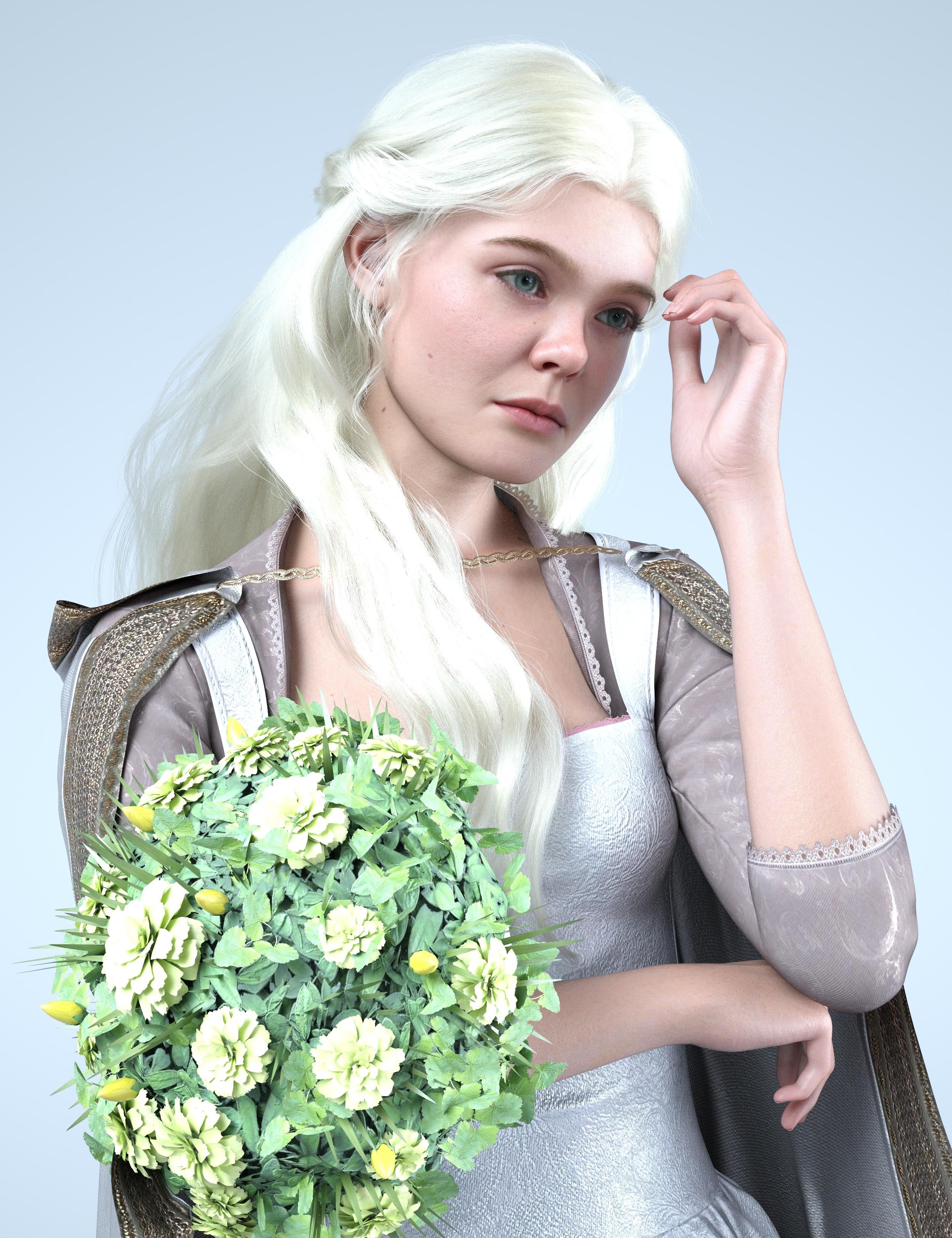
The hair is nice but very hard to pose, I think I just ended up sticking some flowers in front of where it was intersecting with her chest:
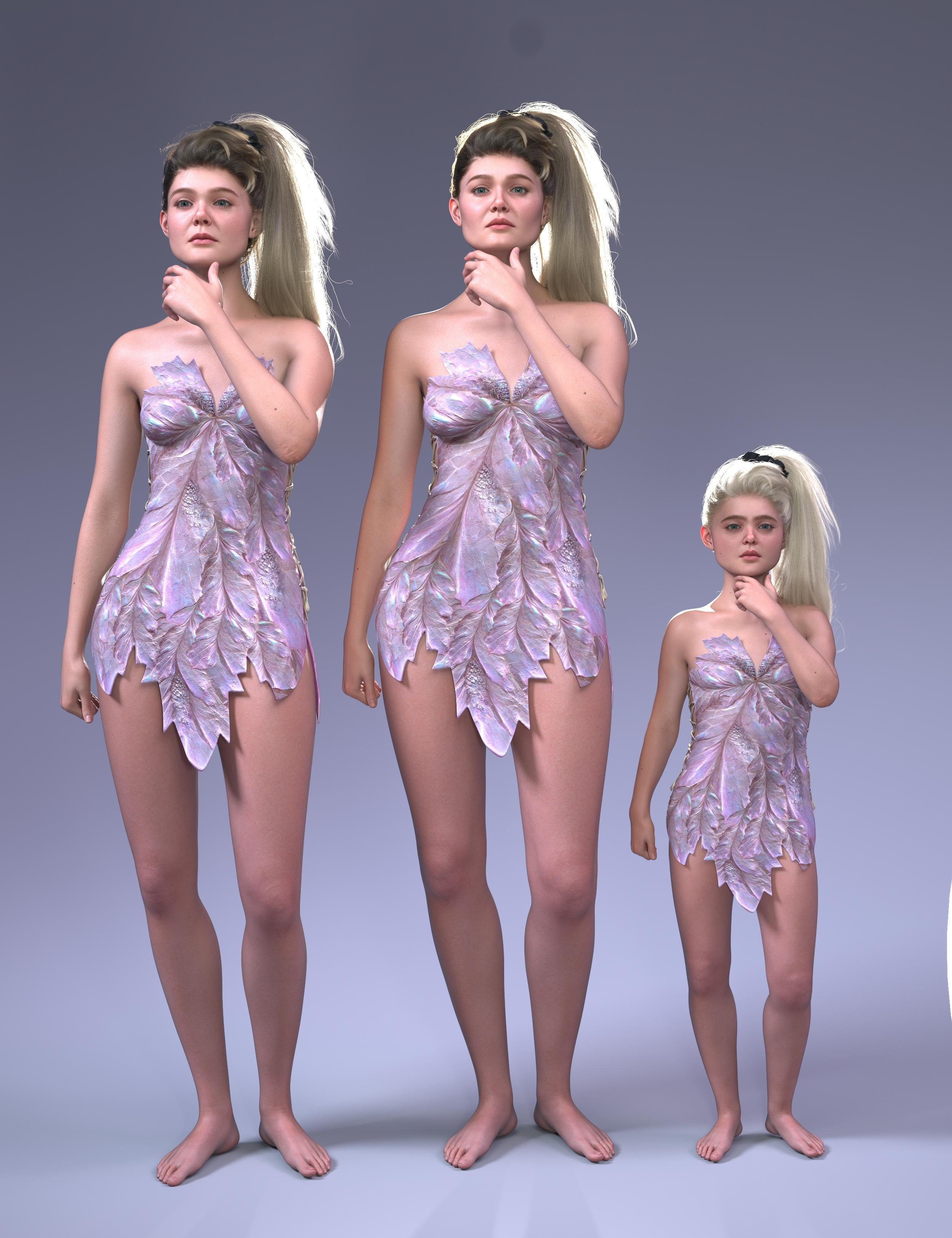
Compared to her older and child version:
Compared to the Ice Queen:
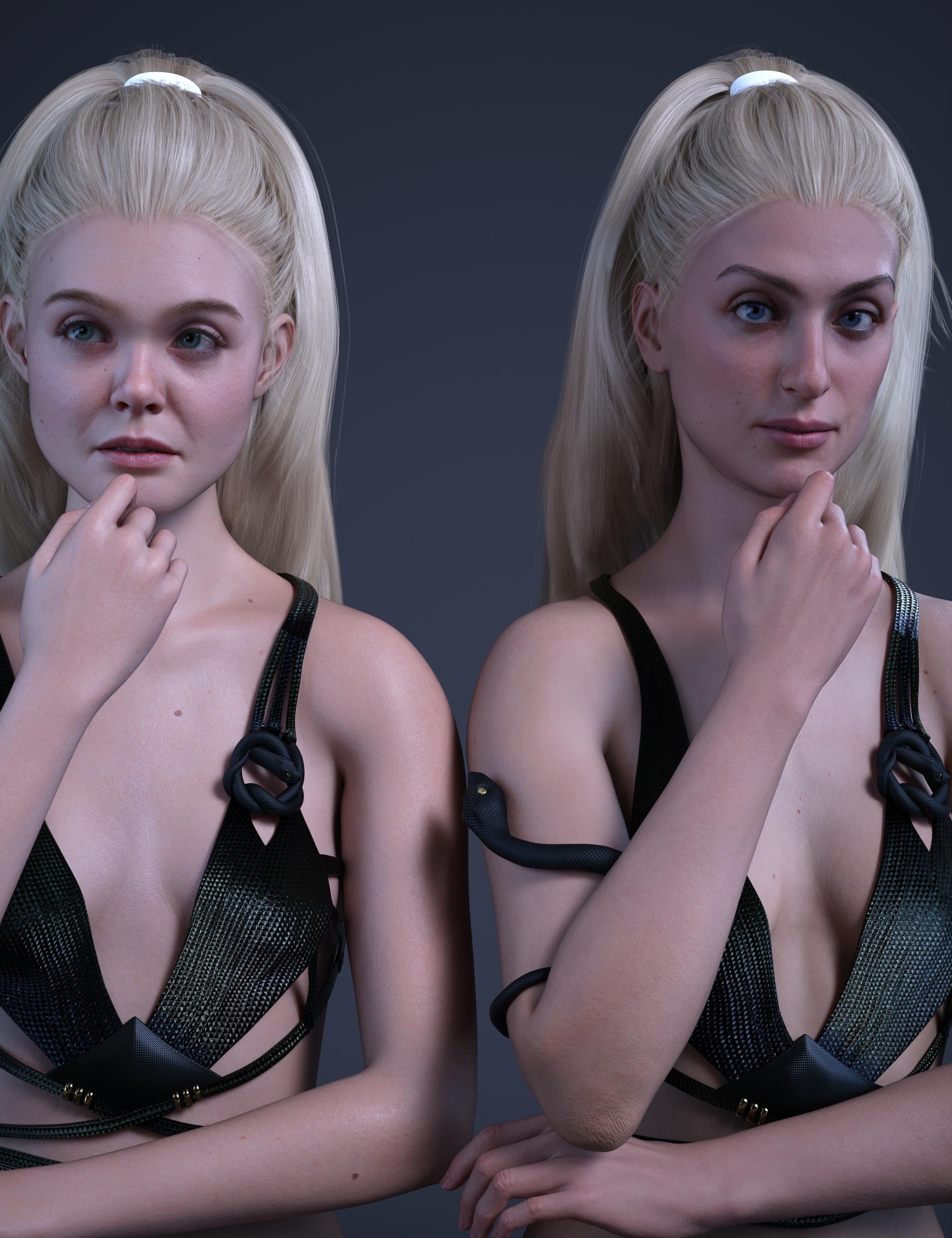
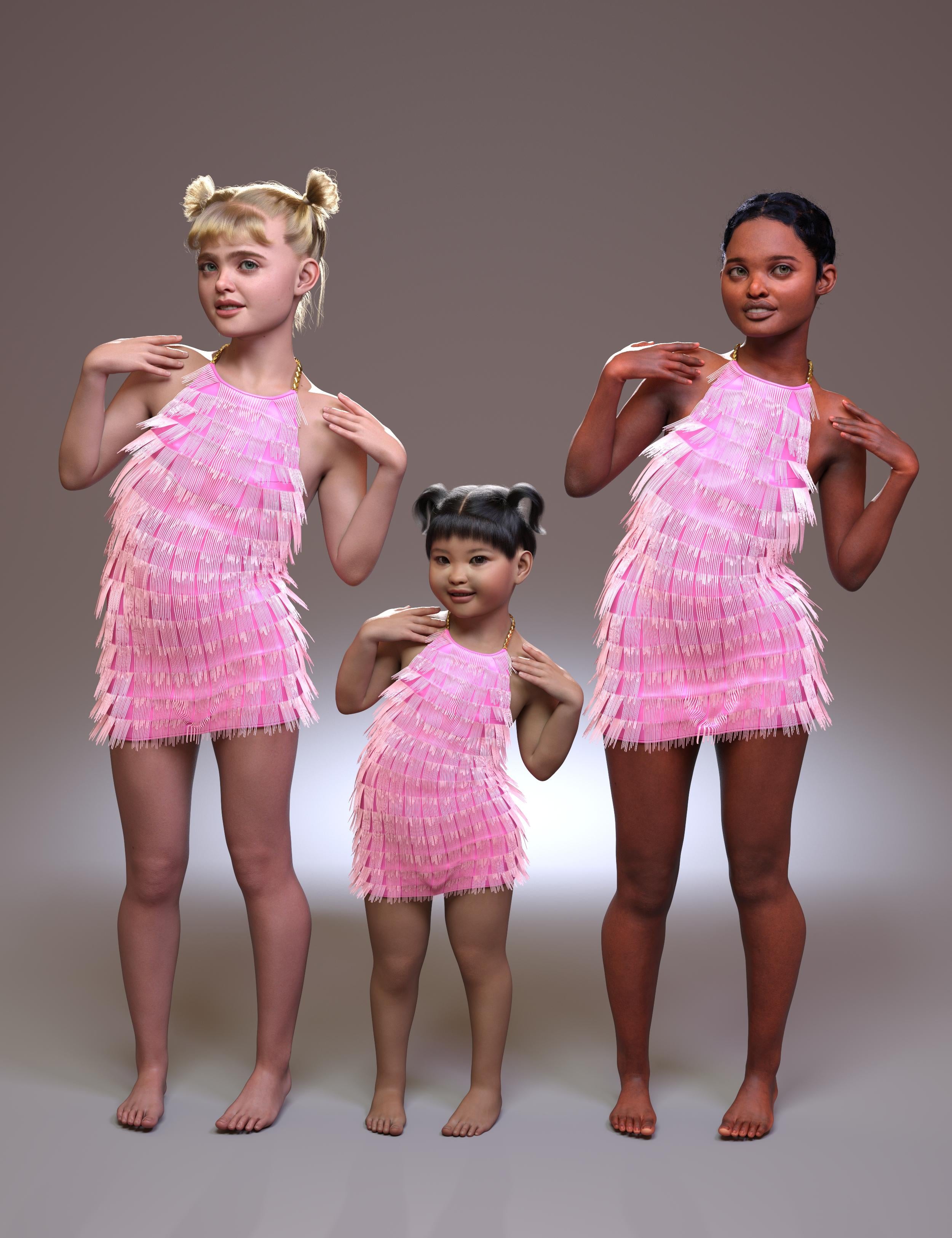
Using her child morph on another character (Angela 9), simalar to the ice queen kiddo, this one lets you make a whole slate of creepy kids. The child in the middle is Yuxi.
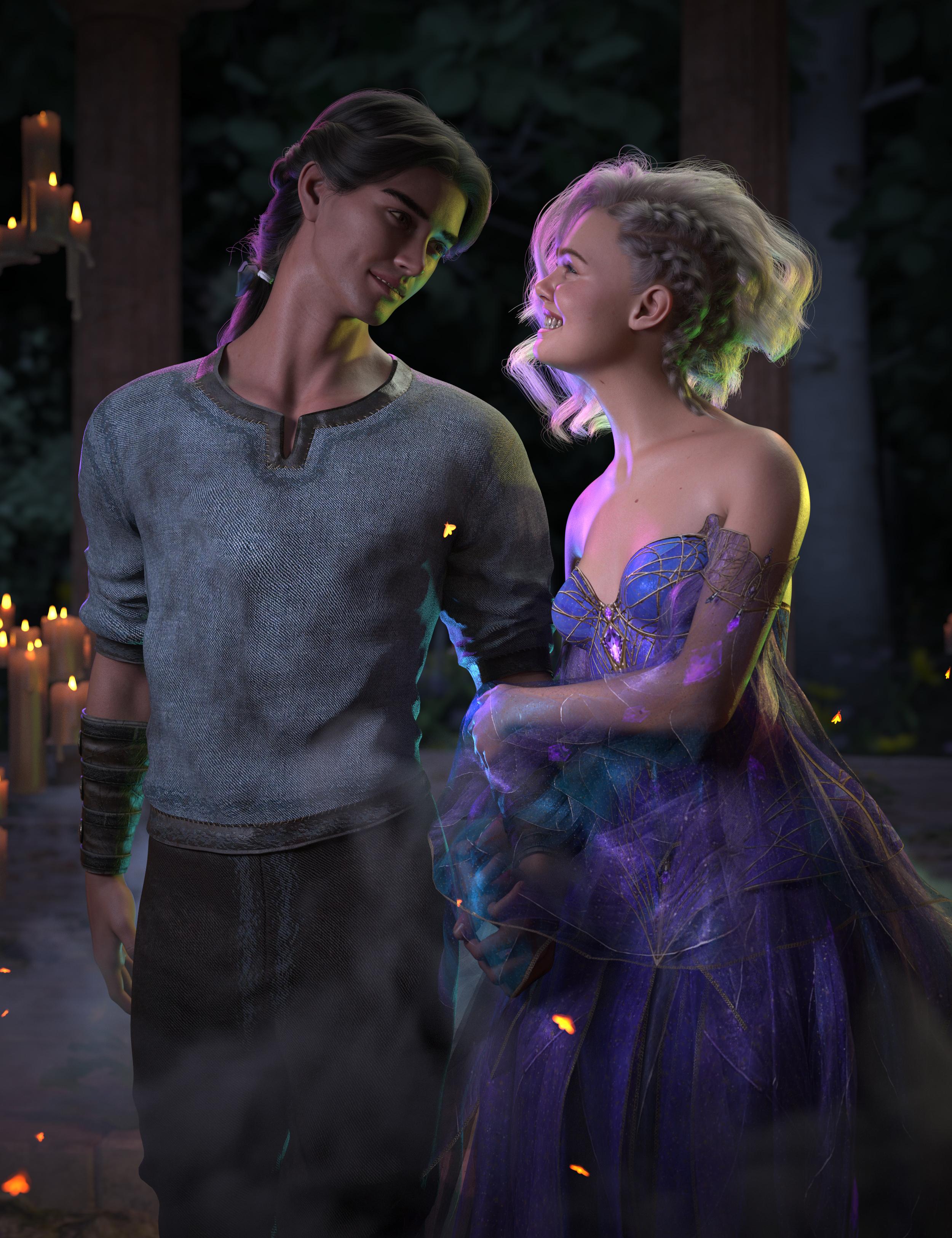
Pretty dress:
Big versions attached
Monster head grafts/shapes G8F/8.1 G9F?gwalla_2536c3a4a6 said:
DefaultName said:
gwalla_2536c3a4a6 said:
Demon Israfel Character & Universal Kit for Genesis 8 Female by Disciple3d and Sixus1 on Renderosity does come with a double row of nasty pointy teeth. The head shape is otherwise pretty normal so it's not a complete solution AIUI but maybe a good start for some kitbashing
Also on Rendo, the vendor Biala has some morph packs with fairly extreme distortion that might be useful
Thanks these are okay, high priced though. I picked up Madam Wicked for G8.1F and it's pretty good, hoping for something a bit more like that + the double teeth and a morph or graft to adapt the mouth.
You probably already know but there is an add-on to Madam Wickd that makes her more monstrous, in the Mechasar Add-Ons Pack
I'd also forgotten about Mutation Morphs for G8F which features an eyeless face and an Alien-like protruding jaw
For weird proportions, there is a freebie called Tall One Character Morph by AshenPortfolio on RenderHub. I'm using it as part of the basis for a version of Hasshaku-sama
Those are cool. For Madam I'm happy with the mouth I wanted, the expansion appears to just be a body morph for her. I do have my eye on Mutations for a sale. For mouth I'm thinking closer to Ferocious Beast or Venom, but I don't want to buy the SheVenom G8F for $10 (DeviantArt) from some game ripper. But that would be closest to what I'm after.
Monster head grafts/shapes G8F/8.1 G9F?DefaultName said:
gwalla_2536c3a4a6 said:
Demon Israfel Character & Universal Kit for Genesis 8 Female by Disciple3d and Sixus1 on Renderosity does come with a double row of nasty pointy teeth. The head shape is otherwise pretty normal so it's not a complete solution AIUI but maybe a good start for some kitbashing
Also on Rendo, the vendor Biala has some morph packs with fairly extreme distortion that might be useful
Thanks these are okay, high priced though. I picked up Madam Wicked for G8.1F and it's pretty good, hoping for something a bit more like that + the double teeth and a morph or graft to adapt the mouth.
You probably already know but there is an add-on to Madam Wickd that makes her more monstrous, in the Mechasar Add-Ons Pack
I'd also forgotten about Mutation Morphs for G8F which features an eyeless face and an Alien-like protruding jaw
For weird proportions, there is a freebie called Tall One Character Morph by AshenPortfolio on RenderHub. I'm using it as part of the basis for a version of Hasshaku-sama
Freebie Challenge September 2026 - The Tarot Challenge - Main Thread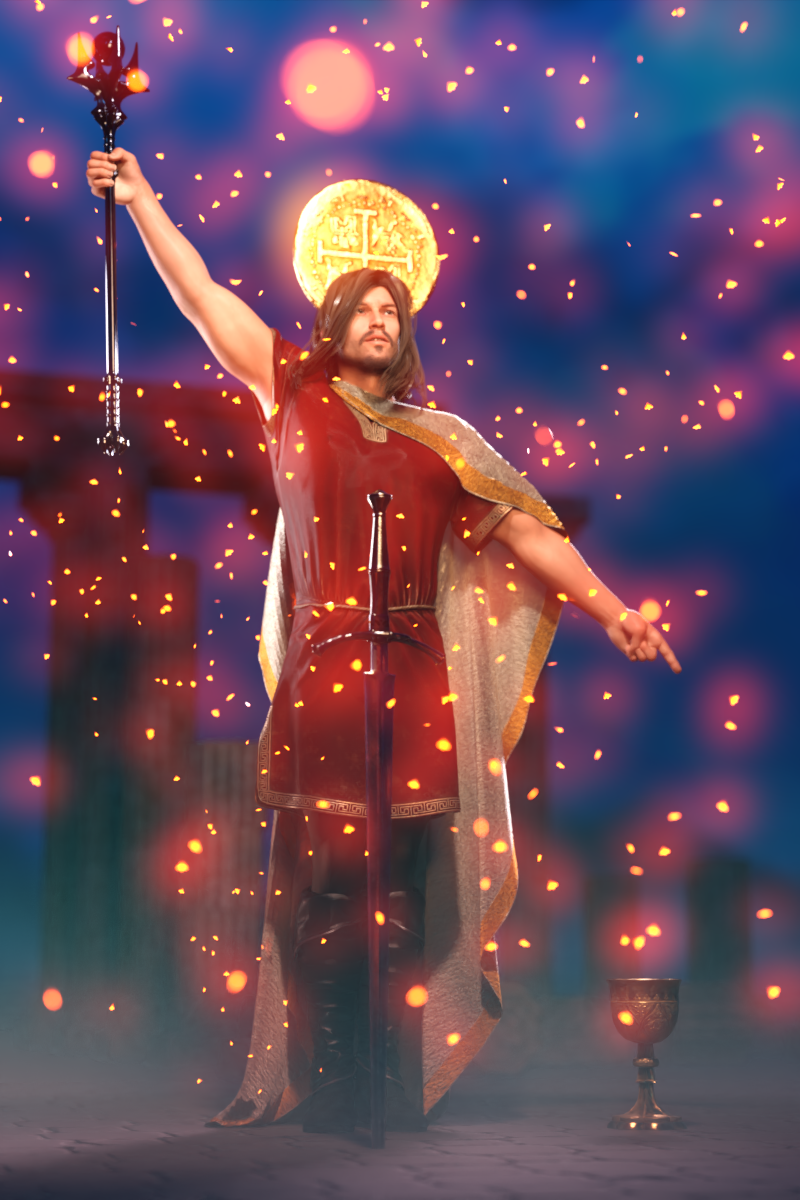
Tarot cards are an ancient deck of cards that can be used for divination. They are beautifully illustrated and have intriguing titles full of meaning. The Magician, Death, The Lovers, The Hanged Man, and The Fool are only some of the most iconic Tarot cards.
The most well known Tarot deck is the Rider-Waite deck, first published in 1909 and illustrated by Pamela Colman Smith. Click here to see all the cards of this Tarot deck: https://en.wikipedia.org/wiki/Rider–Waite_Tarot
But beyond the Rider-Waite deck there are so many more Tarot decks, both ancient and brand new. There's no reason why we in the DAZ community can't render up our own Tarot deck!
For the September 2026 Freebie Challenge, pick a Tarot card that you feel drawn to, then render your own interpretation of that card. Your version can hew close to the original, or it can be a completely different interpretation of the same theme.
I think it would be neat if the format of your render is vertical, like a real Tarot card! But I won't be a stickler about it.
I foresee great riches (bestowed, as always, by Kindred Arts) for those who render the most beautiful entries! I can't wait to see what everybody comes up with!
Some useful links for the Contest
The KindredArts Free Resource Repo Here are the KindredsArt freebies and a rich list of sites that host freebies
Free 3D Models Link to DAZ's bi-weekly freebies
Limited Time Freebies Discussion Thread A thread under the Commons section of the forum, where DAZ's biweekly freebies are announced and, recently, even listed. It's useful for remembering which freebies were added and when.
The rules of the contest are:
-
Your entry must be a new render, especially made for this challenge.
-
Your entry must follow the DAZ TOS.
-
You may enter a maximum of 4 entries.
-
A minimum of five (5) Freebies must be included in your image
-
All Daz Bi-Weekly Freebies are allowed throughout the entire month in which they are free, as well as the following month (for a total of 2 months).
-
You may use a maximum of 5 paid items.
-
Base figures (Genesis 9, Genesis 8, etc.) as well as their basic morph packs may be used as needed. They do not count as either paid items or freebies.
-
DAZ Studio, Poser, Bryce, Carrara, Hexagon, and Blender are allowed.
-
DAZ AI Studio is not allowed. The use of image generating AI technology (midjourney, stable diffusion, etc.) is not allowed in any form.
-
Postwork is allowed. You must also include the raw render (before postwork) of your entry.
-
For a more detailed version of the rules see the PDF attached to this post; or ask your question in this thread, we're always happy to clarify!
-
Let's have fun and be creative with all the amazing resources that are available for free!
This contest ends on September 30st 2026.
Post your images and freebie links in this thread for link verification.
Once the links are verified, you can post your image and links in Entries Thread for judging.First Place: $15 store credit from KindredArts
Second Place: $10 store credit from KindredArts
Third Place: $5 store credit from KindredArtsPast Freebie Contests:
January 2022 - Around and around and around...
February 2022 - Mysteries of the heart
March 2022- Luck Of The Draw
April 2022 - New Beginnings
May 2022 - Cozy Corner
June/July 2022 - The Secret Life Of...
August 2022- Sniff, sniff... what's that smell?
September 2022-Cars Cars and More Cars
October 2022 - Horror Movies
November 2022 - Thieves, Robbers, and Fraudsters all around!
December 2022 - The Night is Darkest...
January 2023 Speed Demons and Slowpokes
February 2023- I See Red
March / April 2023 Magical
May 2023 - Sweet Music
June/July 2023 Holes, Gaps, Caves, Tunnels
August 2023 Fabulous Pink
September 2023 Gardening
October 2023 Hallowed Night
November 2023 Wobble, jiggle, sway, and shake
December 2023 / January 2024 Driving Home For...
February 2024 The Glow Up
March 2024 Power Source
April/Mai 2024 Soft as Plush, Smooth as Silk
June 2024 An Octopus' Garden
July/August 2024 Take A Break
September 2024 Fake Smiles and Real Joy
October 2024 "Monster Mash '24!"
November 2024 - Dreams
December 2024 - A Curious Christmas
January 2025 - Thank you, Saphirewild!
February 2025 - My Hallowed Valentine
March 2025 - Pride, Prejudice and other Shenanigans
April 2025 - The Little Ball of Calm
May 2025 - To Be Beautiful
June 2025 - Summer and Piracy
July 2025 - Design a Book Cover
August 2025 - Pure Cinema
September 2025 - Holiday Memories
October 2025 - Monster Mash!
November 2025 - The Winter Witch
December 2025 - Christmas!
January 2026 - When One Door Closes, Another Opens
February 2026 - Stronger Than You Think
March 2026 - The big blue
April 2026 - Free for All
May 2026 - Lies and Truth
June 2026 - Invasion
July 2026 - Summer Holidays
August 2026 - Plastique Fantastique
Monster head grafts/shapes G8F/8.1 G9F?gwalla_2536c3a4a6 said:
Demon Israfel Character & Universal Kit for Genesis 8 Female by Disciple3d and Sixus1 on Renderosity does come with a double row of nasty pointy teeth. The head shape is otherwise pretty normal so it's not a complete solution AIUI but maybe a good start for some kitbashing
Also on Rendo, the vendor Biala has some morph packs with fairly extreme distortion that might be useful
Thanks these are okay, high priced though. I picked up Madam Wicked for G8.1F and it's pretty good, hoping for something a bit more like that + the double teeth and a morph or graft to adapt the mouth.
DAZ Studio: Best Bender (for figures)?Again and again:
One fits all morph corrections do NOT exist.
Every character will need its own specific set of morph corrections.
That's in the nature of things.Monster head grafts/shapes G8F/8.1 G9F?Demon Israfel Character & Universal Kit for Genesis 8 Female by Disciple3d and Sixus1 on Renderosity does come with a double row of nasty pointy teeth. The head shape is otherwise pretty normal so it's not a complete solution AIUI but maybe a good start for some kitbashing
Also on Rendo, the vendor Biala has some morph packs with fairly extreme distortion that might be useful
Morph MasterHere is another older test of MorphMaster
 Morph Master
Having too much fun with MorphMaster. This is the default slide animation that comes with Studio.
This one was done in DS6. Some of the scripts work, but important scripts like delete morphs do not. therefore the removal process is manual by putting properties in "Edit mode". [Diffeomorphic] Workflow?
First select the cloth mesh and then control select the genesis mesh, then in the morphs tab select Transfer shapekeys option. Pick the option body or custom in the body parts tab.
G8F Distortedcrosswind said:
Then those corrective morphs are not true culprits ~ so I still don't think your G8F has any issue in terms of its initial shape...
The issue of "missing files" seems coming from wrong ERC formulas defined in certain DSF file(s). If removing X-Transfer folder fixes the issue, that'll be great. But if it doens't fix it, I'm afraid you have to go thru the DSF files by using the exclusive method.
Ya. The correctives seem innicent to me as well.
But I will have to further investigate the real extent of my problem. I may actually have no problem with distortions, but have fooled myself into thinking I do.
Consider: my example screenshot showing distortion is not really a G8F contamination problem like I thought it was. What that really is, is what happens when you apply an EP3A Amorette Body for Genesis 3 Arabella 7 without having Arabella 7 installed. The picture I uploaded to this post is simply the X-Transfer-to-G8 version of the EP3A Amorette body applied without a corresponding X-transfer-to-G8 version of Arabella 7.
But there were a few other morphs that also had bizarre-looking effects on my G8 base figure, or even suspiciously having very little effect at all. I need more time to find those again and investigate them.
[Diffeomorphic] Workflow?
Can you clarify how you transfer the JCM and custom morphs?bilyatboring said:
In my workflow I just save the base figure in blender with just jcms and facs. Then every charcter I create in daz I save as dbz file. Import the dbz morph in morph panel, make sure to switch the ERC method to translation custon (this makes sure the rig scales with the mesh) in global setttings.
For clothes I just import them using File>Import>Daz(1st option) and locate them in my daz library and the set the mesh fitting to Unmorphed shared or unique. Then parent the cloth rig to genesis figure and then merge the two rigs in the corrections tab(I use the option tie rig instead). After that selecting the cloth and genesis mesh, transfer the jcms and custom morphs to cloth mesh. If there are any clothing morphs you can import them using import custom morphs.
Xin's HD Morph Add-on 2.0.0 ErrorPadone said:
I don't think Xin updated for blender 5 yet, but you should be able to use the addon in blender 3 and 4. Support for the Xin addon can be reached on Gumroad.
I really don't want to revert to an older version of Blender. I just spent a lot of time setting up my other add-ons and workspace for 5.2...
What is the latest Blender version that is compatible with Daz HD Morph 1.0.6?
Xin's HD Morph Add-on 2.0.0 ErrorBlender 5.2.0
Diffeomorphic 5.2.0.3018
Xin's HD Morph 2.0.0
Steps:
- Import a G8F via Diffeomorphic's manual import
- Merge Rigs
- Import standard morphs, including Head, Expression, FACS, Body, JCMs, Flexions
- Import Daz Favorites, including Zev's Breast Control, Bend Control, Tongue Control, Expression Smoother
- Specify the working directory for Xin's add-on
- Specify the base mesh as the G8F mesh
- Switch to HD mesh generation tab, specify Generate Rigged HD, set HD subdivision to 3, check Import base morphs and Copy other meshes, press Generate HD mesh, and the errors shown in the screenshot occur.
[Diffeomorphic] Workflow?The only drawback with ERC is that it's not compatible with IK rigs, so that way you work with the daz rig.
My workflow is simply to prepare the characters and scenes I need in daz studio, then export to blender each one separately, in rest pose for the characters. If there's multiple outfits I need for a character then I export multiple versions of the character, one for each outfit.
As for the modifications I make in blender, I can copy those from a base character to the others, if needed. If it's scuplting then I can transfer the shapekey, if it's materials then I can copy the material palette.
https://github.com/Diffeomorphic/import_daz/wiki/Material_Tools_Edit_Material_Make_Palette
The typical workflow in blender is to keep one file for each character, or environment, then link them in the current scene, as needed. In a short story I typically have a few environments and a few characters, eventually with multiple outfits for the main characters, so this is manageable well enough.
Personally I also use a small library in daz studio with only the assets I need for the current project. When I switch the project I switch the library. This avoids all the notorious problems that daz studio has with large libraries.
[Diffeomorphic] Workflow?In my workflow I just save the base figure in blender with just jcms and facs. Then every charcter I create in daz I save as dbz file. Import the dbz morph in morph panel, make sure to switch the ERC method to translation custon (this makes sure the rig scales with the mesh) in global setttings.
For clothes I just import them using File>Import>Daz(1st option) and locate them in my daz library and the set the mesh fitting to Unmorphed shared or unique. Then parent the cloth rig to genesis figure and then merge the two rigs in the corrections tab(I use the option tie rig instead). After that selecting the cloth and genesis mesh, transfer the jcms and custom morphs to cloth mesh. If there are any clothing morphs you can import them using import custom morphs.
Leg deformation occurs during the loading action(G9)lilweep said:
I assume "loading action" means "loading pose".
What happens when you manually pose the figure in that position (instead of using the pose preset)? Do you see the same effect?
If so, it is likely to be a morph in your Currently used. Perhaps view "Currently Used" in Paramaters tab (enabling the Preferences>Show Hidden Properties option) and see if there is any blendshape that is being triggered and causing this deformation.
That’s exactly right; I resolved the conflict by following your method. Thanks.
Leg deformation occurs during the loading action(G9)I assume "loading action" means "loading pose".
What happens when you manually pose the figure in that position (instead of using the pose preset)? Do you see the same effect?
If so, it is likely to be a morph in your Currently used. Perhaps view "Currently Used" in Paramaters tab (enabling the Preferences>Show Hidden Properties option) and see if there is any blendshape that is being triggered and causing this deformation.
Can you guess the Character Morph??Face shape looks like typical P3Design, e.g. this one which I think looks close: https://www.daz3d.com/p3d-stephanie-for-genesis-9
This one might also be helpful, for modification: https://www.daz3d.com/p3d-face-builder-for-genesis-9-feminine
But if a character face shape is modded, and the texture has been replaced, it can be almost impossible to figure out which character has been used and how it has been modded, in that case the easiest may be to try experimenting yourself with some morph packages.
Daz 3D is part of

Connect
DAZ Productions, Inc.
7533 S Center View Ct #4664
West Jordan, UT 84084Licensing Agreement | Terms of Service | Privacy Policy | EULA
© 2026 Daz Productions Inc. All Rights Reserved.