-
The older generation: Victoria 2/3, Michael 2/3 and their children renders
I have recently bought the 'V3 Generation 2' Character. Been trying to get it to work as a TriAx character, and have been struggling a bit to get the other V3 obj files in and work the morphs properly. Not sure why. Think I may have to write a little program to transfer the shaping morphs I want from a GV3 base obj file to a V3 base obj file. That way I'll be able to get the GV3 specific morphs to act as deltas on the V3 base without messing up other features. At the moment mixing two GV3 based morphs doubles up on the GV3 body morph, and it doesn't look good!
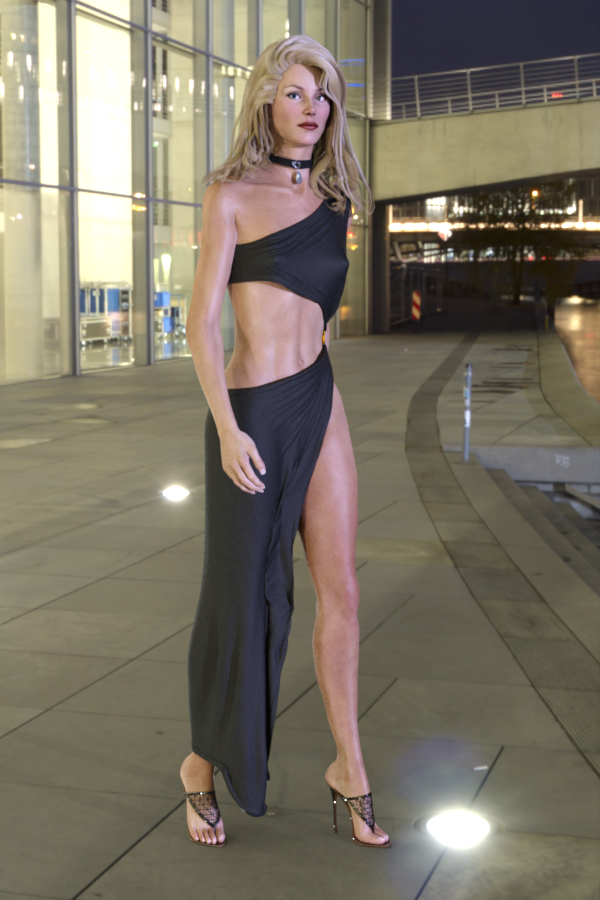
Anyway, for fun just got a TriAx GV3 image with a G8F cocktail dress. I bought SickelYield's G8F V3 clothing autofit clone and used Catherine's tutorial on G9-G8F clone creation to go create a G8F->V3 one that's a bit better than my V3 pose clone. That helps fit the dress more easily.
Regards,
Richard.
FaceTransferUnlimited makes characters body skin too dark, can you do anything about that?I use face transfer unlimited from 2019 i think it is. I'm not using the newest Face Transfer 2 or 3.
While it is great and put the face of the picture on the character, one thing i notice is The body skin become really dark. What if your character is not dark skinned? Can anything be done? I tried applying a regular daz character body mat of a lighter skinned character but that also changed the head/face mat and it erased the photo applied to the head.
Anybody know how to make your characters skin lighter if your characters skin are not supposed to be dark?
FaceTransferUnlimited: Can'tSendParticular Character Only!Hello everybody I'm using Face transfer unlimited from 2019 i believe it is. Using Daz 4.21. Using Unity 2022
In Daz i create characters with Face transfer than use DTU(Daz to Unity Bridge) to send them to my Unity project and most send fine Except this one using a photo of Bruce lee. I decided to see if it was the body morph or any morphs i was applying extra but i removed them all and still when i send it
I takes a long time just saying Updating or something in unity like nonending and then it crashes my Windows 10 system.
And it's funny cause the pictures i use for the ones that work are the same about the same. about the same size and everything. So why is the Bruce Lee one specifically, not working? and making my system crash?
Anybody have a clue?
PS. When sending from Daz to Unity via the bridge I include the same morphs on the ones that work and in the one that is not working: Phoeneme morphs for Speech lipsynch and then facial expressions.
Updates In DIM For Freya 9, Minerva 9, and Van Helsing 9- What's New?The Breasts Gone morph support was added to them
 Does Heat Animation Plugin work with Genesis 2?
Well I suppose you could try using the plugin on G8F to create an animation, save a G8F animated pose from your scene, then use a converter to transfer that animated pose to G2F.
But the plugin won't work directly with G2F.
Mavka questionThe fact that the clothes poser figures is not the problem, V4 clothes are poser figures too. The problem is that there's no autofit clones to convert them to Genesis.
You could try creating a Mavka clone for Genesis. The Genesis shape could probably be used as a starting point for the clone morph (I don't know how different it is from the original Mavka shape).
Another option could be to convert Mavka's clothes to V4 using Evilinnocense's Crossdresser application, then autofit the V4 version to Genesis.
Freebie Challenge February 2024 - "The Glow Up" - Entries ThreadGlow up
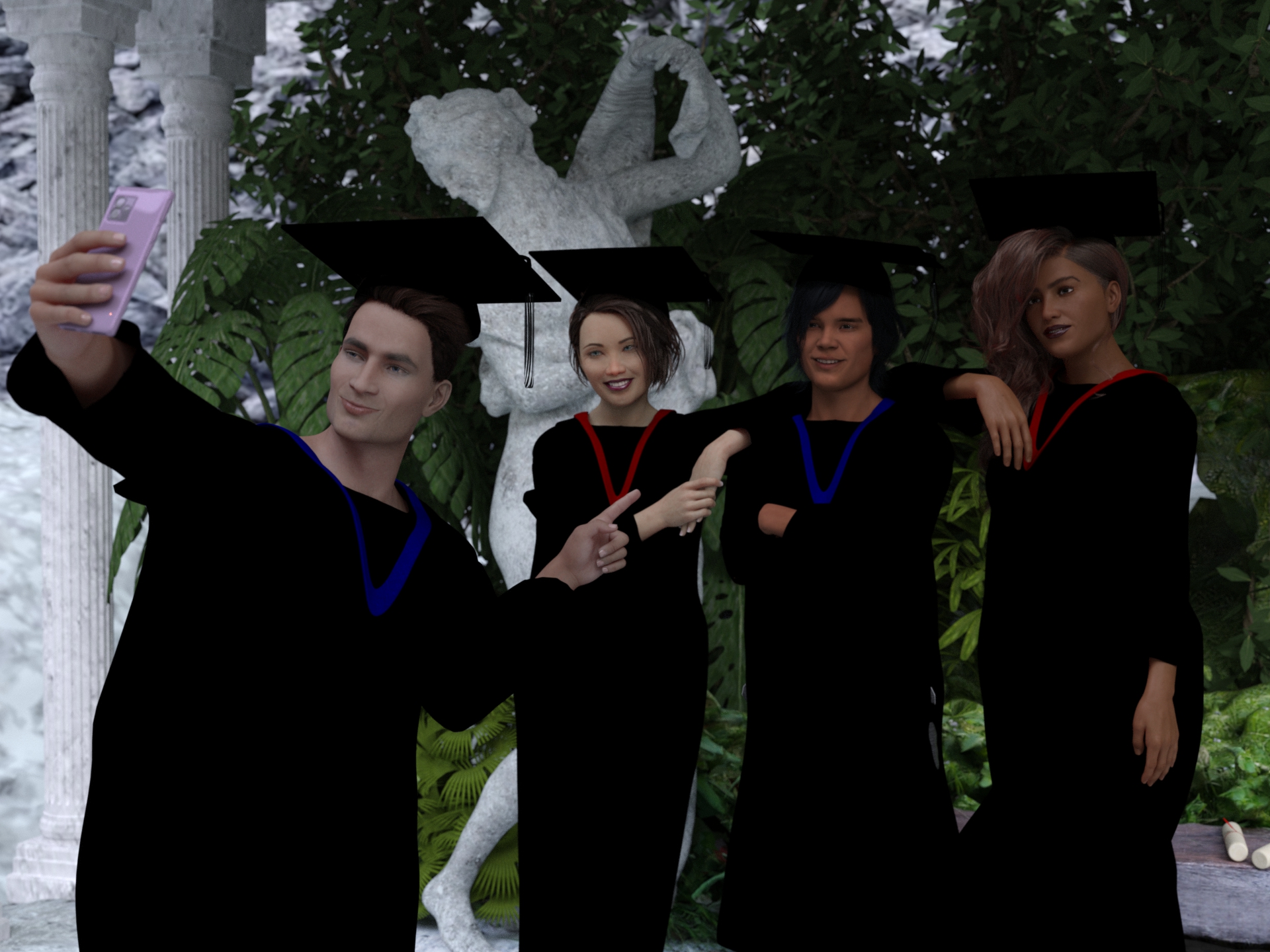
Graduation is the end of a tough journey and the the beginning of a new beautiful one. A fresh start! Ready to glow!
 Glow up
Freebies
Quiet Sanctuary for DAZ by Shreddder
https://www.renderosity.com/freestuff/items/96094/quiet-sanctuary-for-dazHDRI Bethnal Green Entrance By Andreas Mischok
https://polyhaven.com/a/bethnal_green_entranceSmartphone Prop by Foxclaw
https://www.renderosity.com/freestuff/items/87343/smartphone-propGenesis Graduation Gown
https://www.wilmapsdigitalcreations.co.uk/view_product.php?id=98Genesis Graduation Gown Lengthen Morph
https://www.wilmapsdigitalcreations.co.uk/view_product.php?id=100"STRONG" for G8M Character Morph & Pose by Mar3D
https://www.renderosity.com/freestuff/items/82833/strong-for-g8m-character-morph-amp-poseAmy AiMei for Genesis 8 Female (morphs only)by amyaimei
https://www.deviantart.com/amyaimei/art/Amy-AiMei-for-Genesis-8-Female-morphs-only-687709757Sokka For G8M
https://www.renderhub.com/khoshekh/sokka-for-g8mMukta for Genesis 8 Female
https://www.renderhub.com/zaap/mukta-for-genesis-8-femaleEveryday Hair Style for Genesis 8 Male(s) by zoro_d
https://www.renderosity.com/freestuff/items/80194/everyday-hair-style-for-genesis-8-malesJill For G8F DL by CheckerToo (Hair)
https://www.deviantart.com/checkertoo/art/Jill-For-G8F-DL-852699253UPDATE - V Devil May Cry 5 Hair Prop for G8M
https://sharecg.com/v/93558/browse/21/DAZ-Studio/UPDATE-V-Devil-May-Cry-5-Hair-Prop-for-G8MSide Swept ROse Hair (G3F , G8F) by zoro_d
https://www.renderosity.com/freestuff/items/79533/side-swept-rose-hair-g3f-g8f-part-1
https://www.renderosity.com/freestuff/items/79534/side-swept-rose-hair-g3f-g8f-part-2
https://www.renderosity.com/freestuff/items/85860/free-update-for-biker-outfit-g8f-and-sideswept-hairKara 9 'a bunch of polygons with a haircut'
Yes, but it only fixes the problem for newer bundles. It's been ages since the last "complete the bundle" sale - and the catalog is cluttered with bundles for which I've already purchased all parts. Navigating the store pages for various sales is becoming cumbersome again. :|PerttiA said:Rod Wise Driggo said:
Don't get the recent Pro Bundle strategy. If you go to the product page you see 15 products included. But the 3 additional shapes are listed as well as the shapes bundle. So one could very well say that 12 products are included if the shapes bundle counts as one. Also why are we back in the "HD Add-On" ages. Wasn't G9 supposed to have HD included in general? Also the new HD seems to be crippled without dedicated navel or nipple morphs as those are not included with the body morph as far as I can see.
I like the new strategy very much, as it now removes all the included smaller bundles from the store when one has bought the Pro/Mega bundle.
Kara 9 'a bunch of polygons with a haircut'Rod Wise Driggo said:
Don't get the recent Pro Bundle strategy. If you go to the product page you see 15 products included. But the 3 additional shapes are listed as well as the shapes bundle. So one could very well say that 12 products are included if the shapes bundle counts as one. Also why are we back in the "HD Add-On" ages. Wasn't G9 supposed to have HD included in general? Also the new HD seems to be crippled without dedicated navel or nipple morphs as those are not included with the body morph as far as I can see.
I like the new strategy very much, as it now removes all the included smaller bundles from the store when one has bought the Pro/Mega bundle.
Kara 9 'a bunch of polygons with a haircut'Rod Wise Driggo said:
Don't get the recent Pro Bundle strategy. If you go to the product page you see 15 products included. But the 3 additional shapes are listed as well as the shapes bundle.
The main hypothesis is the shape bundle and the Starter Bundle are included to automatically hide them for people who bought the Pro Bundle.
Rod Wise Driggo said:
Also the new HD seems to be crippled without dedicated navel or nipple morphs as those are not included with the body morph as far as I can see.
They seems to be included in the base product, maybe it's a mistake, maybe it's how they wanted to do it:
-
/data/Daz 3D/Genesis 9/Base/Morphs/Daz 3D/Kara 9/Kara9_body_cbs_Navel_HD4.dhdm
-
/data/Daz 3D/Genesis 9/Base/Morphs/Daz 3D/Kara 9/Kara9_body_cbs_Navel_HD4.dsf
-
/data/Daz 3D/Genesis 9/Base/Morphs/Daz 3D/Kara 9/Kara9_body_cbs_NipplesFeminine_HD4.dhdm
-
/data/Daz 3D/Genesis 9/Base/Morphs/Daz 3D/Kara 9/Kara9_body_cbs_NipplesFeminine_HD4.dsf
Kara 9 'a bunch of polygons with a haircut'Don't get the recent Pro Bundle strategy. If you go to the product page you see 15 products included. But the 3 additional shapes are listed as well as the shapes bundle. So one could very well say that 12 products are included if the shapes bundle counts as one. Also why are we back in the "HD Add-On" ages. Wasn't G9 supposed to have HD included in general? Also the new HD seems to be crippled without dedicated navel or nipple morphs as those are not included with the body morph as far as I can see.
Will nevertheless probably get the bundle. But not today as I want to keep my 8 tokens for March Madness which will potentially start tomorrow.
There is one question I have. The makeup seems to be included in the Pro Bundle. But where to get that tattoo used in one of the promos?
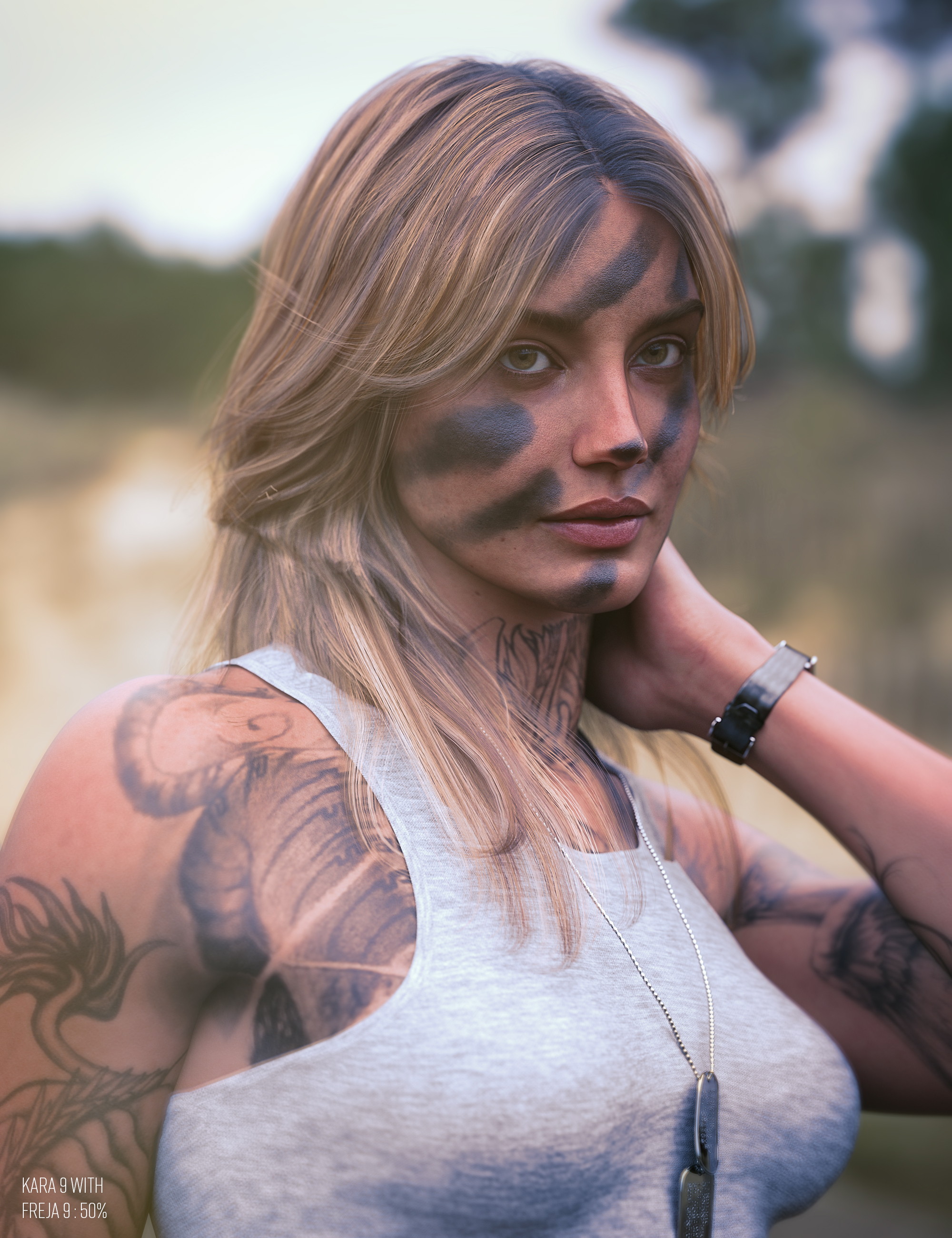
Nevermind, seems to be from Irezumi Black and Grey LIE Tattoos for Genesis 9 which is included with the Wang 9 bundle.
Eyelashes clipping through meshEyelashes are a separate figure in G8, so they need to conform. In diffeomorphic you can use the trasfer tool which also allows a selection, to mask out unwanted areas. Be aware that actor morphs as FBM FHM will require morphing aramatures. In general though the best and easy workflow is to import a baked shape via dbz.
https://bitbucket.org/Diffeomorphic/import_daz/wiki/Setup/Morphs/Transfer Shapekeys
https://diffeomorphic.blogspot.com/2023/12/new-way-to-do-morphing-armatures.html
Freebie Challenge February 2024 - "The Glow Up" - Entries ThreadNatural Glow
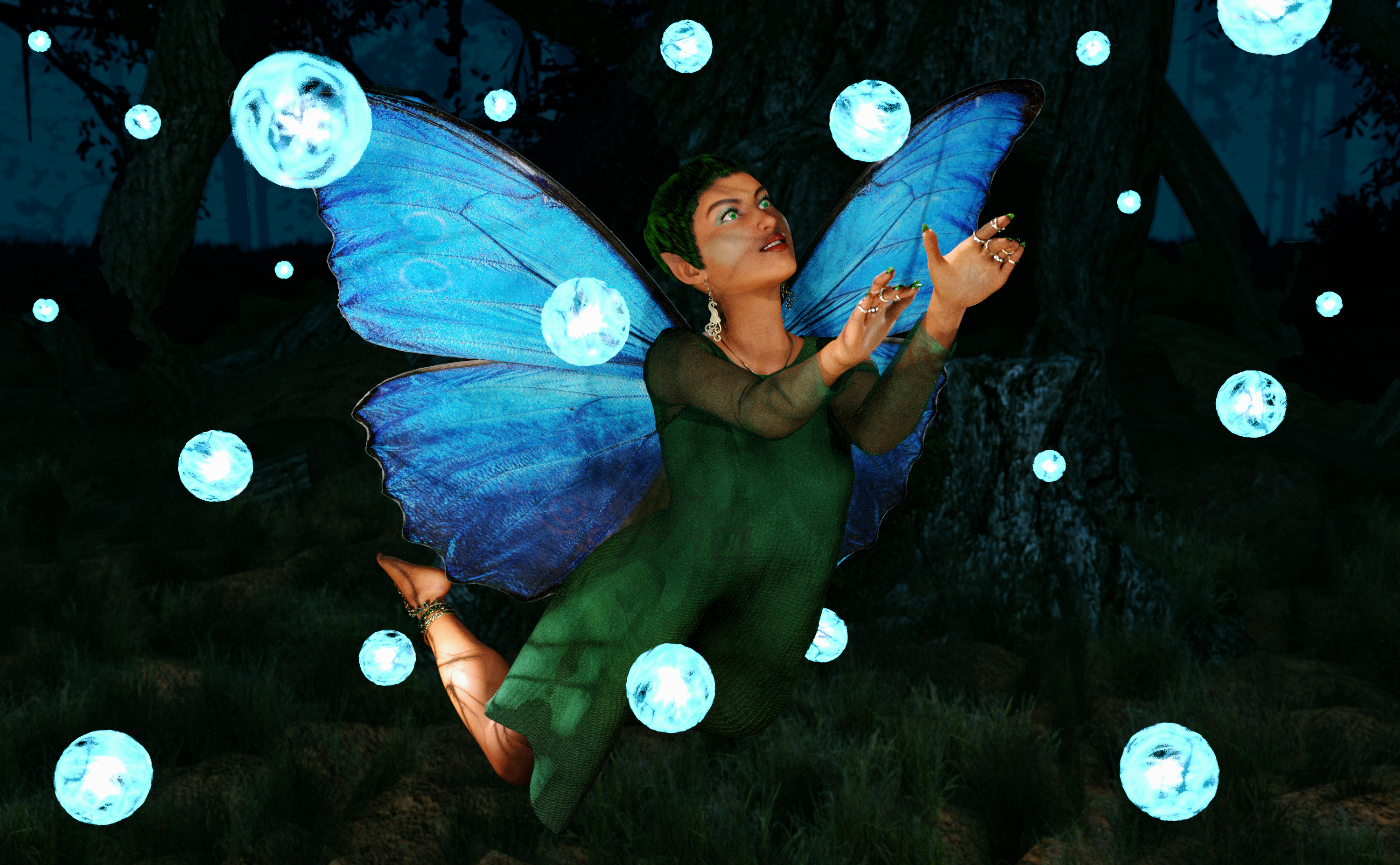
This playful faerie loves to stay up late to explore after dark. Tonight, she has found a strange group of glowing magical spheres, and is absolutely fascinated by them. Can she discover their secrets before the sun rises and they melt away?
Freebies:
Chameleon ROse 2 for Genesis 8 Female (nail and lashes morphs, eye materials, nails and makeup) - https://www.renderosity.com/mod/freestuff/chameleon-rose2-for-genesis-8-female/85859
SY 200 Morphs Genesis 8 (morph tweaks) - https://sharecg.com/v/91888/favorite/21/DAZ-Studio/SY-200-Morphs-for-Genesis-8-Head-and-Body
Nail Art for Genesis 8 and 8.1 Females (Rings) - https://www.renderosity.com/freestuff/items/92918/nail-art-for-genesis-8-and-81-females
Celtic Jewelry for Genesis 8 and 9 (Necklace) - https://3dshards.com/product/celtic-jewelry-for-genesis-8-and-9/
Peacock Jewelry Set for G8F and G9 (Earrings) - https://3dshards.com/product/peacock-jewelry-set-for-g8f-and-g9/
Xmas Bundle (tunic) - https://www.renderosity.com/freestuff/items/84013/xmas-bundle
Barefoot Sandals for Genesis 8 Female (Foot decorations) - https://www.renderosity.com/freestuff/items/90436/barefoot-sandals-for-genesis-8-female
Sickleyield Hair Pack 01 Genesis 8 (Hair) - https://sharecg.com/v/97201/favorite/21/DAZ-Studio/SY-Hair-Pack-01-Genesis-8
Butterfly for Daz Studio Iray (wings) - https://www.sharecg.com/v/95763/browse/21/DAZ-Studio/Butterfly-for-dazstudio-iray
Fairy Poses (pose base) - https://fantasiesrealm.com/market/Designers/AngellsGraphics/Fairy-Poses-for-G3F-G8F-Exclusive
Shimmery Sheer Shaders 2 (on overdress) - https://sharecg.com/v/95898/browse/21/DAZ-Studio/Shimmery-Sheer-Fabrics-II
Iray Jewelry Shaders (on jewelry) - https://sharecg.com/v/95893/favorite/21/DAZ-Studio/Iray-Jewelry-Shaders
Gradient Silk Shaders for DS (on underdress) - https://www.renderosity.com/freestuff/items/73388/gradient-silk-shaders-for-ds
Misty Pines HDRI - https://polyhaven.com/a/misty_pines
AAL Plasmaball (Glow Lights) - https://sharecg.com/v/74972/favorite/21/DAZ-Studio/AAL-Plasmaball
Fairy Tree for Daz (Environment) - https://sharecg.com/v/99565/favorite/21/DAZ-Studio/Fairy-Tree-for-DAZ
No Count:
Tayanna (base character and skin) - Was free, cannot find now
Funky Madness Hair Shaders (on hair) - Was free, cannot find now
Paid:
None
I tweaked the materials, the lights and the pose. Set up and rendered within Daz Studio Iray. Postwork in Pixelmator.
I’ve attached the before post render (the one that says Raw Render) and the finished image file.
Anime styleI'm going to suggest things that are stylized (so it ranges from anime to a videogame aesthetic) come to mind under the different generations. Rather than link every product, I will be linking bundles that contain several products that may be of interest. The following list is in no particular order, btw.
Stores of PAs with a lot of stylized content:
- https://www.daz3d.com/lady-littlefox
- https://www.daz3d.com/crocodile-liu
- https://www.daz3d.com/joequick
- https://www.daz3d.com/thorne
- https://www.daz3d.com/3d-universe
Genesis 9:
- Bundles:
- https://www.daz3d.com/kiri-9-hd-anime-bundle & https://www.daz3d.com/kiri-9-hd-anime-dark-bundle
- https://www.daz3d.com/em3d-kikii-and-kash-cute-mega-bundle-for-genesis-9
- https://www.daz3d.com/pixie-9-fairy-bundle & https://www.daz3d.com/vyk-betty-grave-l-for-pixie-9 (add-on)
- https://www.daz3d.com/calypso-9
- https://www.daz3d.com/chiara-bundle-for-genesis-9
- https://www.daz3d.com/cartoon-adult-male-character-hair-and-outfit-for-genesis-9 & https://www.daz3d.com/cartoon-adult-female-character-hair-and-outfit-for-genesis-9
- Characters:
- https://www.daz3d.com/young-anime-heroes-for-genesis-9 & https://www.daz3d.com/fpe-toon-alternate-textures-for-young-anime-heroes (add-on)
- https://www.daz3d.com/toon-heroes-for-genesis-9
- https://www.daz3d.com/toon-kids-for-genesis-9
- https://www.daz3d.com/tma-brady-genesis-9
- https://www.daz3d.com/m3d-jamal-bundle-for-genesis-9
- https://www.daz3d.com/ng-stylized-skinny-girl-for-genesis-9
- Clothing:
- https://www.daz3d.com/dforce-belladonnas-broomstick-brigade-novice-witch-outfit-for-genesis-9
- Resources/Misc:
- https://www.daz3d.com/cartoonized-for-genesis-9
- https://www.daz3d.com/toon-horse-for-daz-horse-3
- https://www.daz3d.com/fpe-toon-textures-for-genesis-9
- https://www.daz3d.com/fpe-faceless-for-genesis-9 & https://www.daz3d.com/fpe-faceless-add-on-for-genesis-9 (addOn)
- https://www.daz3d.com/fpe-blush-effect-geoshell-for-genesis-9
Genesis 8/.1:
- Bundles:
- https://www.daz3d.com/sakura-8-pro-bundle & https://www.daz3d.com/sasuke-for-sakura-8 & https://www.daz3d.com/hotaru-for-sakura-8 & https://www.daz3d.com/becket-for-sakura-8
- https://www.daz3d.com/aiko-8-pro-bundle
- https://www.daz3d.com/kanade-8-pro-bundle & https://www.daz3d.com/yuzuru-8-pro-bundle
- https://www.daz3d.com/esra-hd-character-hair-and-outfit-for-genesis-8-and-81-male
- https://www.daz3d.com/kiko-81-rising-star-bundle & https://www.daz3d.com/kota-81-pop-idol-bundle
- https://www.daz3d.com/kiko-81-battle-warrior-bundle
- https://www.daz3d.com/posey-and-petunia-bundle-for-genesis-8-females & https://www.daz3d.com/thistle-for-posey-and-petunia (add-on) & https://www.daz3d.com/dark-anime-eyes--lashes-for-genesis-8-females (add-on)
- https://www.daz3d.com/catgirl-megapack-for-genesis-8-female-s & https://www.daz3d.com/foxy-lady-with-dforce-hair-for-genesis-8-female (add-On)
- https://www.daz3d.com/stylized-21-bundle-for-genesis-8-and-81
- https://www.daz3d.com/toon-generations-4-mega-bundle-for-genesis-8 & https://www.daz3d.com/toon-generations-mega-bundle-for-genesis-8-males-and-females
- https://www.daz3d.com/toon-dwayne-8-pro-bundle
- https://www.daz3d.com/the-girl-8-pro-bundle & https://www.daz3d.com/face-morph-collection-for-the-girl-8 (add-On)
- Characters:
- https://www.daz3d.com/hal-for-genesis-8-male & https://www.daz3d.com/bette-for-genesis-8-female
- https://www.daz3d.com/lincoln-and-london-bundle-for-genesis-8-males-and-genesis-8-females
- https://www.daz3d.com/toon-princess-for-genesis-8-female & https://www.daz3d.com/toon-hero-for-genesis-8-male
- https://www.daz3d.com/anime-faces-for-genesis-8-female
- https://www.daz3d.com/luca-for-genesis-8-male
- https://www.daz3d.com/aiko-7-for-aiko-8
- https://www.daz3d.com/ab-toontaur-for-genesis-81-female & https://www.daz3d.com/ab-toontaur-for-genesis-81-male
- https://www.daz3d.com/cartoonized-for-genesis-8-female & https://www.daz3d.com/cartoonized-for-genesis-8-male
- https://www.daz3d.com/the-strange-man-characters-and-hair-set-for-genesis-8-male
- https://www.daz3d.com/dolly-for-genesis-8-female
- https://www.daz3d.com/kayma-for-genesis-8-female, https://www.daz3d.com/tanany-for-genesis-8-females, https://www.daz3d.com/tallian-for-genesis-8-female
- Clothing:
- https://www.daz3d.com/outfit-for-arm-of-the-demon-king-for-genesis-8-males
- https://www.daz3d.com/regal-star-lance-outfit-for-genesis-8-males
- https://www.daz3d.com/h-suit-for-genesis-8-males
- Hair:
- https://www.daz3d.com/kenji-hair-for-genesis-8
- Resources/Misc:
- https://www.daz3d.com/arm-of-the-demon-king-for-genesis-81-males & https://www.daz3d.com/arm-of-the-demon-king-alternate-textures (addon)
- https://www.daz3d.com/fpe-faceless-for-genesis-8-and-81
- https://www.daz3d.com/artisan-festival-masks-for-genesis-8 & https://www.daz3d.com/artisan-festival-masks-add-on (add-on)
- https://www.daz3d.com/fpe-blush-effect-geoshell-for-genesis-8-and-81
- https://www.daz3d.com/geoshell-anime-eye-builder-for-victoria-81
- https://www.daz3d.com/anime-animations-for-genesis-8
- https://www.daz3d.com/kawaii-mood-poses-and-expressions-for-kiko-81-and-kota-81
Genesis 3:
- Bundles:
- https://www.daz3d.com/kenji-7-pro-bundle & https://www.daz3d.com/aiko-7-pro-bundle
- https://www.daz3d.com/the-girl-7-pro-bundle & https://www.daz3d.com/the-guy-7-pro-bundle
- https://www.daz3d.com/star-2-0-starter-bundle
- https://www.daz3d.com/multi-man-bundle
- https://www.daz3d.com/toon-generations-2-mega-bundle-for-genesis-3-female-s-and-male-s
- Clothing:
- https://www.daz3d.com/zero-my-hero-for-genesis-3-female-s
Stand-Alone or older generations:
- Older Gen:
- https://www.daz3d.com/hiro-5-pro-bundle & https://www.daz3d.com/aiko-5-premier-add-on-bundle
- https://www.daz3d.com/hiro-4-pro-bundle
- https://www.daz3d.com/the-girl-6-starter-bundle
- https://www.daz3d.com/anime-manga-enthusiast-bundle
- https://www.daz3d.com/keiko-6-mega-manga-bundle
- https://www.daz3d.com/aiko-6-pro-bundle & https://www.daz3d.com/awesome-anime-eyes
- https://www.daz3d.com/llfcookie & https://www.daz3d.com/chip
- Stand-Alone /Misc:
- https://www.daz3d.com/noodle-the-toon-cat
- https://www.daz3d.com/3d-universe-s-bacon-the-toon-dog
- https://www.daz3d.com/cartoon-chameleon
- https://www.daz3d.com/kawaii-alien-slime
- https://www.daz3d.com/boo-the-friendly-spirit
- https://www.daz3d.com/manga-style-shaders & https://www.daz3d.com/visual-style-shaders
- https://www.daz3d.com/comic-kit-2
- https://www.daz3d.com/3d-toon-clouds-for-iray-and-3delight
Anyone willing to part with Zygote Extras CD?wolf359 said:
Strange Voyager said:
Does anyone have the Zygote Extras CD they would be willing to part with? I am on a project where we are working with Poser 3, and there is not much in my library that still works with 3 (even the stuff from that era has been updated).Thanks either way.
Are the assstes on the Zygote CD legally Transferable?
Depends on where he and the seller or donator live. Here in Europe, it is definitely legal to transfer software, provided the seller/donator doesn't keep any installations, copies or backups for him- or herself. They're considered goods bought and owned by the customer. Even if it's stated to be "licensed", the license simply transfers with the copy. I know that in some places these things are a lot more complicated though, which is also why second hand gamestores simply never existed in some countries, or had to investigate whether they could resell some games or not.
Omni Shader Hair Threadbohemian3 said:
Fantastic Product !!! Just a quick test - I've found lighting will be more important than ever with these accurate shaders - Had to adjust my hair spotlight - still running a little 'hot' here as you can see. Also this hair (Dannie Hair for Genesis 9) has a 'messy' morph - look for these if the product has it to separate the strands to take full advantage of the strand technology.
I can't wait to play more. Thanks so much for your hard work on this.
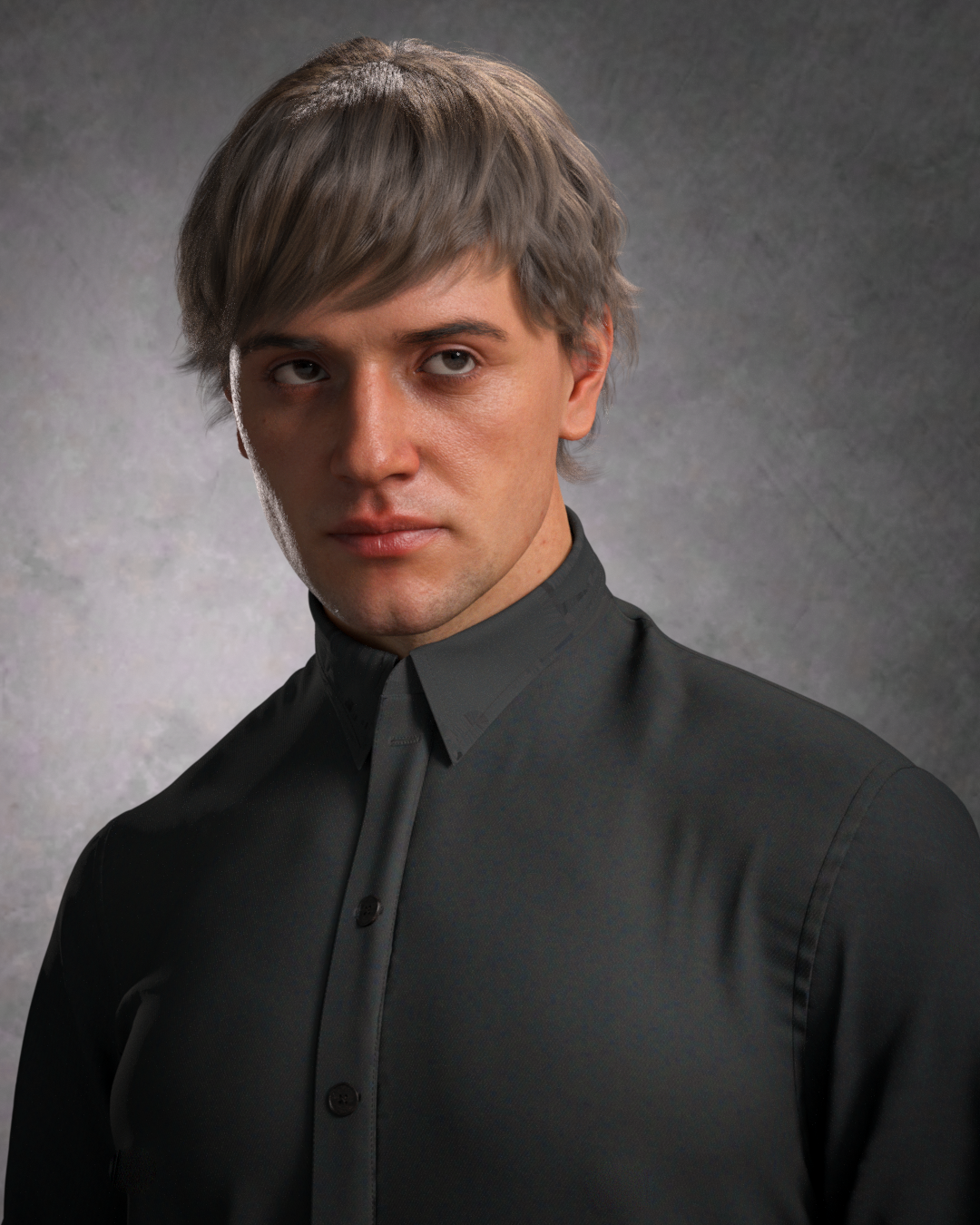
Much of the core hard work was doen by nVidia https://docs.omniverse.nvidia.com/materials-and-rendering/latest/materials.html#omnihairbase - Daz devs then had to inetgrate it with DS.
Omni Shader Hair Threadbohemian3 said:
Fantastic Product !!! Just a quick test - I've found lighting will be more important than ever with these accurate shaders - Had to adjust my hair spotlight - still running a little 'hot' here as you can see. Also this hair (Dannie Hair for Genesis 9) has a 'messy' morph - look for these if the product has it to separate the strands to take full advantage of the strand technology.
I can't wait to play more. Thanks so much for your hard work on this.
♥
UPDATE; (new log attached 01 March 2024) Problems applying expressions to G8 femalesNever logged into DAZ on that machine. It is used without an Internet connection, except for about a year ago when I set up Windows and used DIM to download all my content from here onto it. I use USB flash drives to transfer scene files and render images back and forth between that PC and the one I use for everything but rendering. I was just trying to streamline my workflow by being able to change things in the scene without having to go back to the other computer.
I have backed up some things, like textures I used Scene Optimizer on, converted props and poses, scene files, scene subsets, 3rd party content.
Tomorrow I think I will just have DIM mass uninstall all 3500+ products, uninstall the DAZ program, make sure the database is wiped, and then just start over on that machine. At least I should still have all the install packages saved.
Omni Shader Hair ThreadFantastic Product !!! Just a quick test - I've found lighting will be more important than ever with these accurate shaders - Had to adjust my hair spotlight - still running a little 'hot' here as you can see. Also this hair (Dannie Hair for Genesis 9) has a 'messy' morph - look for these if the product has it to separate the strands to take full advantage of the strand technology.
I can't wait to play more. Thanks so much for your hard work on this.
Freebie Challenge February 2024 - "The Glow Up" - Main ThreadFae3D said:
Natural Glow
This playful faerie loves to stay up late to explore after dark. Tonight, she has found a strange group of glowing magical spheres, and is absolutely fascinated by them. Can she discover their secrets before the sun rises and they melt away?
Freebies:
Chameleon ROse 2 for Genesis 8 Female (nail and lashes morphs, eye materials, nails and makeup) - https://www.renderosity.com/mod/freestuff/chameleon-rose2-for-genesis-8-female/85859
SY 200 Morphs Genesis 8 (morph tweaks) - https://sharecg.com/v/91888/favorite/21/DAZ-Studio/SY-200-Morphs-for-Genesis-8-Head-and-Body
Nail Art for Genesis 8 and 8.1 Females (Rings) - https://www.renderosity.com/freestuff/items/92918/nail-art-for-genesis-8-and-81-females
Celtic Jewelry for Genesis 8 and 9 (Necklace) - https://3dshards.com/product/celtic-jewelry-for-genesis-8-and-9/
Peacock Jewelry Set for G8F and G9 (Earrings) - https://3dshards.com/product/peacock-jewelry-set-for-g8f-and-g9/
Xmas Bundle (tunic) - https://www.renderosity.com/freestuff/items/84013/xmas-bundle
Barefoot Sandals for Genesis 8 Female (Foot decorations) - https://www.renderosity.com/freestuff/items/90436/barefoot-sandals-for-genesis-8-female
Sickleyield Hair Pack 01 Genesis 8 (Hair) - https://sharecg.com/v/97201/favorite/21/DAZ-Studio/SY-Hair-Pack-01-Genesis-8
Butterfly for Daz Studio Iray (wings) - https://www.sharecg.com/v/95763/browse/21/DAZ-Studio/Butterfly-for-dazstudio-iray
Fairy Poses (pose base) - https://fantasiesrealm.com/market/Designers/AngellsGraphics/Fairy-Poses-for-G3F-G8F-Exclusive
Shimmery Sheer Shaders 2 (on overdress) - https://sharecg.com/v/95898/browse/21/DAZ-Studio/Shimmery-Sheer-Fabrics-II
Iray Jewelry Shaders (on jewelry) - https://sharecg.com/v/95893/favorite/21/DAZ-Studio/Iray-Jewelry-Shaders
Gradient Silk Shaders for DS (on underdress) - https://www.renderosity.com/freestuff/items/73388/gradient-silk-shaders-for-ds
Misty Pines HDRI - https://polyhaven.com/a/misty_pines
AAL Plasmaball (Glow Lights) - https://sharecg.com/v/74972/favorite/21/DAZ-Studio/AAL-Plasmaball
Fairy Tree for Daz (Environment) - https://sharecg.com/v/99565/favorite/21/DAZ-Studio/Fairy-Tree-for-DAZ
No Count:
Tayanna (base character and skin) - Was free, cannot find now
Funky Madness Hair Shaders (on hair) - Was free, cannot find now
Paid:
None
I tweaked the materials, the lights and the pose. Set up and rendered within Daz Studio Iray. Postwork in Pixelmator.
I’ve attached the before post render (the one that says Raw Render) and the finished image file.
Entry approved, please move to entries thread!
Daz 3D is part of

Connect
DAZ Productions, Inc.
7533 S Center View Ct #4664
West Jordan, UT 84084Licensing Agreement | Terms of Service | Privacy Policy | EULA
© 2026 Daz Productions Inc. All Rights Reserved.