-
Need help in reinstalling pwToon
Do you mean reinstall DAZ Studio, or reinstall pwToon?
PWToon
Need help in reinstalling pwToonDo you mean reinstall DAZ Studio, or reinstall pwToon?
DazStudio incredibly slowCould the problem be nothing more of too many files in a drive, or possibly due to Thanksgiving weekend in the U.S.?
Also, I tried to log in to DAZ Studio just now. Server connection failed.
Also, off-topic, but what happened to my thread about uninstalling/reinstalling pwToon that I posted last night? I could have sworn I posted it last night, or at least I intended to post it but didn't due to getting ready for bed?
It appears you have found it https://www.daz3d.com/forums/discussion/368126/need-help-in-reinstalling-pwtoon
Need help in reinstalling pwToonThanks for clarifying. Should I have no trouble uninstalling pwToon through DiM if it exists in the Installed tab, then appear in the "Ready to Install" tab for me to install when need be?
I realize there are other items that need to uninstalled and reinstalled too.
Another possible problem could be that, when I downloaded the 64-bit version through DiM, it installed, but i cannot access pwToon, but can access the add-ons. I also may not be able to access pwGhost either. When I check the surfaces tab, I discover it is "Custom" shaders instead of the "pwToon" kind. What can I do to fix this?
Need help in reinstalling pwToonSo, to clarify, should I still be able to uninstall the pwToon through DiM and reinstall it?
Would the pwToon have to be in my C drive in order for me to uninstall it?
I mean, when I reinstalled DAZ Studio yesterday evening, the pwToon and other items did show in the Installed tab in DiM, but I am afraid that if I try to download it, it may not be able to locate the file in the manifest folder.
Need help in reinstalling pwToonDIM shows products as installed if there's a file for them in the Manifests folder, even if the files are not in fact in the stated location or if the stated location is no longer a content directory. As scorpio said, uninstall and it will show in ready to Install or ready To Download (dpending on whether the zip is in the current Downloads folder or not). Edit to add - I just checked and pwToon still has downloads in my product Library, so it should be redownloadable in DIM if need be.
Need help in reinstalling pwToonI do know I set the content library to come from the E drive (external drive), but I didn't set my installation path in DIM to the E drive. Maybe pwToon is something that can only be installed on the C drive (PC's hard drive) in order for it to work properly.
The problem at hand is, I am trying to figure out how to get pwToon working, and the fact that I may need to reinstall the product.
I feel as if I may have messed up with changing the file path for the libraries, and that I have moved my entire DAZ 3D Library to my external hard drive earlier this year. Maybe I might need to move the library back to my C drive.
I may have experienced the same problem when I did a fresh installation of DAZ Studio only one other time - that may have been when I reset my PC and couldn't render with the pwToon shaders - it ended up rendering with the "Custom" shaders, without black outlines. Same problem exists right now.
Need help in reinstalling pwToonIf I were to uninstall pwToon through Install Manager, will it be gone from Install Manager for good, and I may have to buy it again? That's what I am afraid of. I want to know before I attempt it.
DazStudio incredibly slowCould the problem be nothing more of too many files in a drive, or possibly due to Thanksgiving weekend in the U.S.?
Also, I tried to log in to DAZ Studio just now. Server connection failed.
Also, off-topic, but what happened to my thread about uninstalling/reinstalling pwToon that I posted last night? I could have sworn I posted it last night, or at least I intended to post it but didn't due to getting ready for bed?
Need help in reinstalling pwToonI am trying to reinstall pwToon, but when i open Install Manager, it only has an uninstall optionfor that priduct. Is it possible for a product to uninstall and be available for reinstall?
I am asking this because I managed to get DAZ Studio working again after doing a fresh reset of my PC, and at this point I cannot get pwToon working.
And by the way, I changed the directories for my library so that it would be retrieved from an external drive. I didn't change every path to the E drive, though.
Medusa Madness!! [commercial]Hope this isn't too bad of a thread necro, but are there any more pose presets available for the medusa's snakes? I count one with Medusa Maker and two more with Medusa Gorgon. And while the snakes respond to IK well enough, I'm not 100% sure I want to always be using IK to pose them.
Also, here's a legged gorgon boy sneaking around. Rendered with pwToon, because that's what's been sparking my imagination lately.
Best shader sets for 3Delight?A bunch I own for 3DL (some have both 3DL and iray presets):
https://www.daz3d.com/subsurface-toolbox
https://www.daz3d.com/advanced-wood-shaders
https://www.daz3d.com/advanced-metal-shaders
https://www.daz3d.com/daz-studio-dirt-shaders
https://www.daz3d.com/let-it-snow-ds-shader
https://www.daz3d.com/tiler-shader-for-daz-studio
https://www.daz3d.com/grass-shader-for-daz-studio
https://www.daz3d.com/magical-granite-shader
https://www.daz3d.com/hand-knits-shader-presets-and-merchant-resource
https://www.daz3d.com/metalized-glass-shaders-for-daz-studio
https://www.daz3d.com/ingenious-rock-shaders
https://www.daz3d.com/phoebe-s-fancy-shaders-for-ds-and-poser
https://www.daz3d.com/nature-s-variance-shaders-and-props-for-daz-studio
https://www.daz3d.com/leather-factory-shaders-for-daz-studio
https://www.daz3d.com/underwater-relics-shaders
https://www.daz3d.com/subsurface-gummy-plastic-shaders
https://www.daz3d.com/dld-stone-shaders-for-daz-studio
https://www.daz3d.com/sculptural-genesis-ultra-fun-kit
https://www.daz3d.com/pwtoon
https://www.daz3d.com/pwcatch
https://www.daz3d.com/pwghostThere is also https://www.daz3d.com/aweshading-kit-10-for-daz-studio but it's not exactly click-and-render.
And while not strictly shaders, I've copied materials from this set: https://www.daz3d.com/wonderous-wares
From Renderosity, these are quite useful:
https://www.renderosity.com/mod/bcs/pd-metals-daz-studio-shaders/106810/
https://www.renderosity.com/mod/bcs/pd-dirtypretty-daz-studio-shaders/103910/I have a bunch more in my DAZ wishlist, and I really should get around to buying them one of these days:
https://www.daz3d.com/rock-grass-bundle
https://www.daz3d.com/sparkles-for-studio
https://www.daz3d.com/ubersurface2-layered-shader-for-daz-studio
https://www.daz3d.com/gathering-moss-ds-shader
https://www.daz3d.com/visual-style-shaders
https://www.daz3d.com/gemologica
https://www.daz3d.com/shades-of-life-nature
https://www.daz3d.com/dg-shader-essentials-2
https://www.daz3d.com/fabulous-fabrics-silks-and-sheer
https://www.daz3d.com/hss-fabric-shaders-1-glamour
https://www.daz3d.com/dg-dual-layer-shader-architectural
https://www.daz3d.com/ground-shaders-for-daz-studioMore Non-photorealisitic Renders (NPR II)UltraTree converted to PWToon with my Wyrm.
Questions for those making Non-photorealistic renderings (NPR)I sometimes use post work with Iray, somewhat more often use LineRender9000 or the scripted 3dl outlines.
But for speed I usually fall back onto PWToon in 3DL, with a fairly stable AoA Distant and ambient light I've worked out to my satisfaction.
Which approach I take depends on patience.
If you check out my DA gallery, there's a lot of examples: https://www.deviantart.com/willbear/gallery/
Introduce Yourself, Hello, my name is.....Ok, so I haven't been able to make any posts because I don't really know why? I've tried to make two- one gave something about needing to be approved by a mod, and the other didn't post at all for some reason. Maybe posting here will fix that?
I'm Seronita, and I've been using Daz Studio off and on since 2003 or so (I know it says 2004, but I'm pretty sure it was '03). Currently messing around doing pwToon renders. Currently in coastal Texas.
More Non-photorealisitic Renders (NPR II)I'm supposed to be trying to write a D&D setting, but I keep just doing random pwToon renders instead. This one should be easily recognizable to D&D fans. "You all meet at an inn..."
I keep forgetting to turn on shadows, though.
Edit: Here's the pic I meant to attach earlier, but the internet was too spotty last night.
[Released] The Roman ColosseumQuick test with PWToon. Hee.
I'll have to experiment with the billboards and see if I can do a decent toon version...
Yuzuru 8I've had Manga Style Shaders for quite a while but not done anything with them because I started with Visual Style Shaders and PwToon and love working with those products. Manga Style Shaders got forgotten about. So I sat down yesterday with the pdf tutorial and applied the instructions to Yuzuru to get the line and shadows drawing. I coloured the image in with Corel Painter (still learning how to use this) and Photoshop.
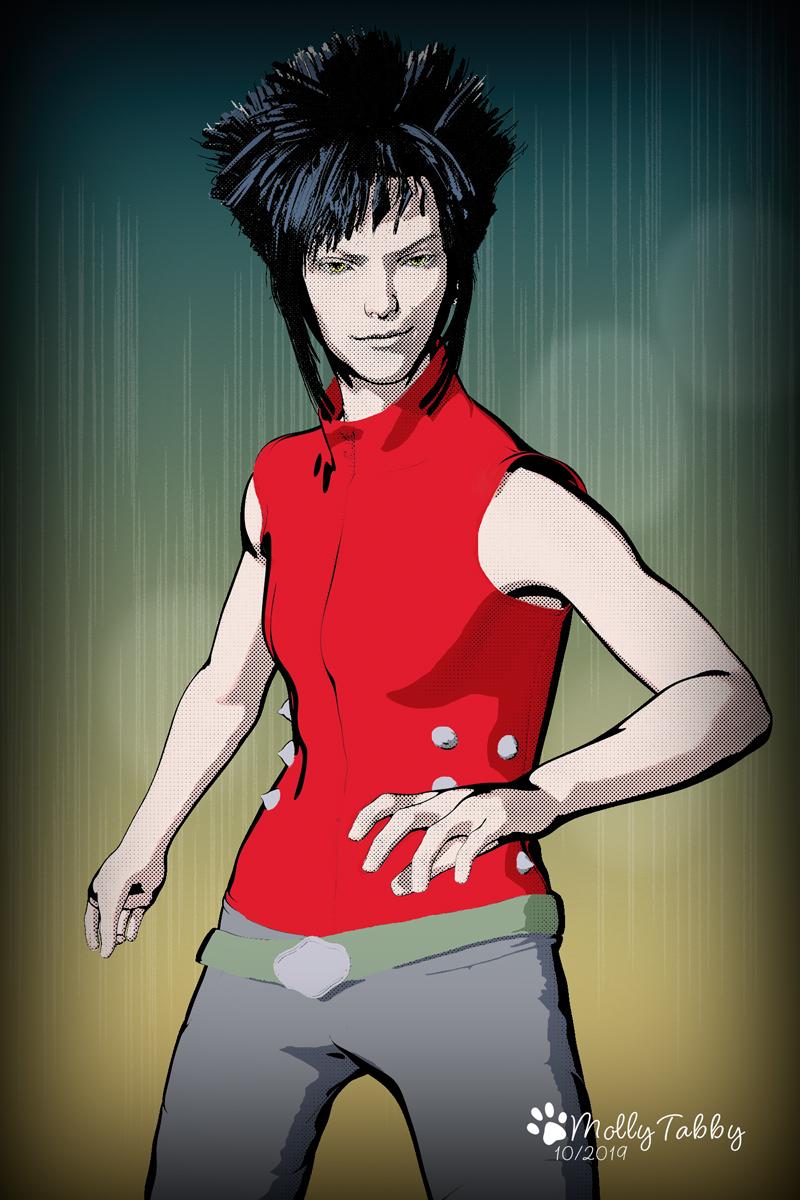
I know very little about how to draw Manga style art but I do have one of Mark Crilley's books (Manga Art) which I was given as a gift. I love looking at the illustrations and keep it on my desk.
I only bought the figure, the two hair products and the expressions as my budget is a bit tight a the moment. But I snapped up Keita as I have both Hana and Rue for Kanade 8 and they are brilliant.
That looks amazing! Also, Mark Crilley's YouTube channel is soothing to watch. More guache!
Yes, looks amazing - well done.
Yuzuru 8I've had Manga Style Shaders for quite a while but not done anything with them because I started with Visual Style Shaders and PwToon and love working with those products. Manga Style Shaders got forgotten about. So I sat down yesterday with the pdf tutorial and applied the instructions to Yuzuru to get the line and shadows drawing. I coloured the image in with Corel Painter (still learning how to use this) and Photoshop.
I know very little about how to draw Manga style art but I do have one of Mark Crilley's books (Manga Art) which I was given as a gift. I love looking at the illustrations and keep it on my desk.
I only bought the figure, the two hair products and the expressions as my budget is a bit tight a the moment. But I snapped up Keita as I have both Hana and Rue for Kanade 8 and they are brilliant.
That looks amazing! Also, Mark Crilley's YouTube channel is soothing to watch. More guache!
Being bitten by the black eye bug. Need reminder of fixTry applying a 3DL shader preset on all the eye and head surfaces like PWToon preset and then rebuild your 3DL surfaces for the eyes & head.
Daz 3D is part of

Connect
DAZ Productions, Inc.
7533 S Center View Ct #4664
West Jordan, UT 84084Licensing Agreement | Terms of Service | Privacy Policy | EULA
© 2026 Daz Productions Inc. All Rights Reserved.