-
Carrara Community Art Gallery - Show us your Renders!!!
Khoe said:
new tree planting campaign. Lots of grass and flowers installed. Designed new trees. I think it was worth it though. Carrara is just fun.
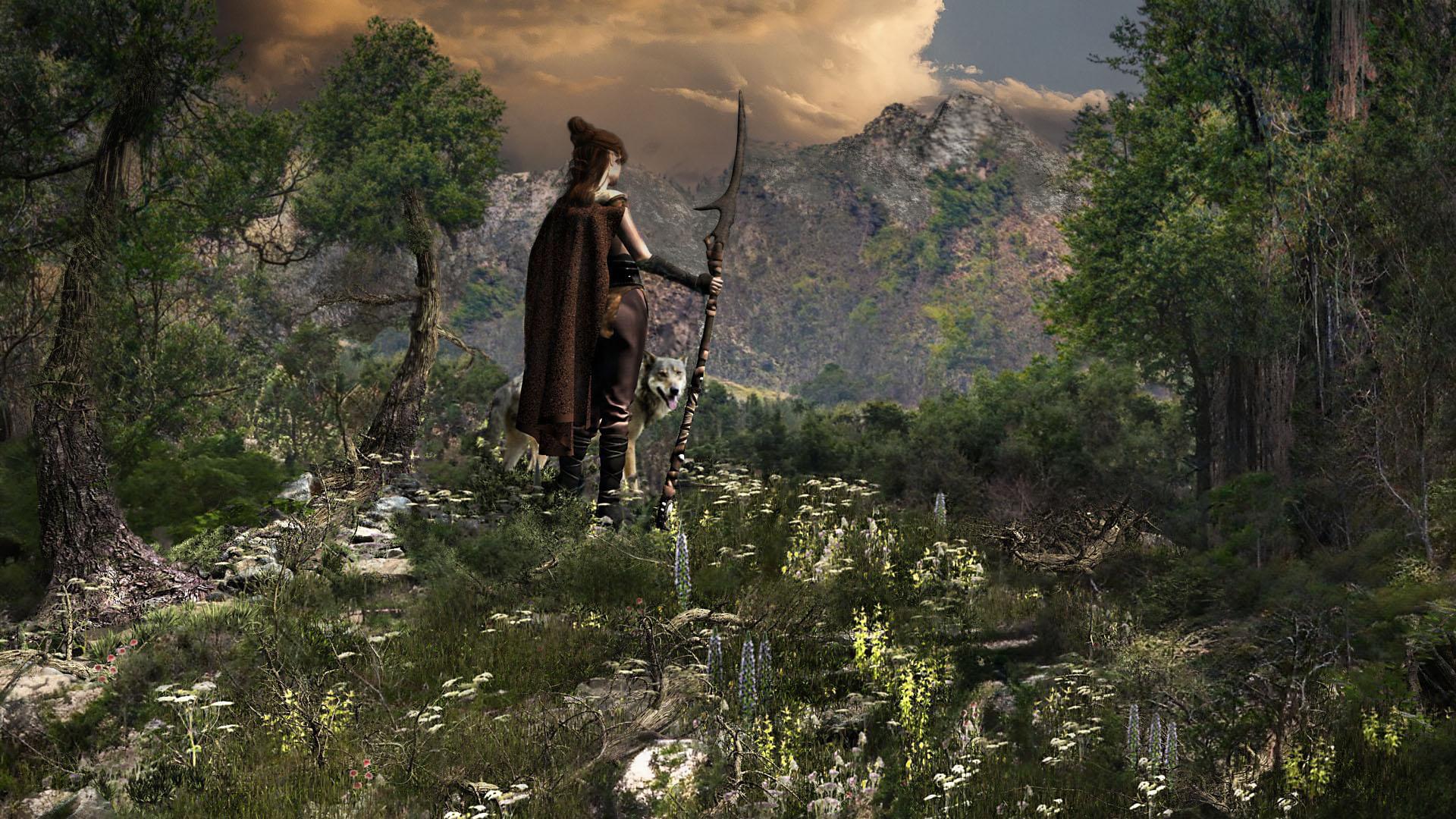
yes I agree it's awesome :)
Wombo Arts!Richard Haseltine said:
There is quite a bit on this topic here https://www.daz3d.com/forums/discussion/571401/the-future-and-artists-redundancy/p1
I think a lot of people hide the Carrara forum

we are sort of used to others thinking we are redundant
 No one asked me - Diomede screenshots on whatever - Warning AI Discussion OK
Diomede said:
For the walk cycle reference, I did a simple mapping of a reference image to a plane and inserted that in the Carrara scene next to the rigged character. I slide the reference plane to line up the next image.
That is incredibly clever!
Carrara Challenge #62 "Clowns and Other Circus Stuff" - WINNERS ANNOUNCED!!Congratulations to all!
Congrats to Bunyip02 for a well deserved win!@Headwax - thanks, and sorry to hear about your family member. I hope she has a speedy recovery.
@Diomede - thanks, everything is fine just plagued this past year by total creative malaise. I did pick at Carrara here and there and discovered a few technical tricks I will be sharing shortly once I double check that my 'T's' are properly crossed and my 'I's' dotted.
Looking forward to again being more participatory here.
Animated ... Sculptures?Thanks for pointing out that artist @Steve K, it's one of those things I plan on doing once I get better with my 3d printing.
If you start doing things like this in 3d printing I imagine Tinkercad is fairly fairly simple but good.
and Windows 3d Build is neat for cleaning up models (making them water tight) before you print them.
I've also had a small look at making things with Arduino Arduino - Home - electronics have come a long way since the last time I fiddled.
Domestika aalso has afew courses for making moving objects.
There's also stuff like this you could do in Carrara - see next post
OT a little -- NEW FREE program over at Pilgwayvoxels are solids
the iray OpenVDB is a good exaple of a voxel
as are Carrara and Bryce metaballs
they export as hollow objects like chocolate easter bunnies and how faceted they are depends on export settings
in their native programs smooth AF
a vertex model on the other hand is made of polygons
Animated ... Sculptures?I have yet to get into Carrara's physics, but Jean Tinguely's kinetic art makes me want to try.
For some reason this Forum won't let me post a Vimeo link to his work. If you're interested, try searching "Making Modern | The Art of Jean Tinguely Comes Alive"
Its a short Vimeo video about the works displayed at the Museum of Fine Arts Houston (MFAH)
Trying to align leaves with pre-existing UV mapI know how to do this in Carrara, make the UV image the diffuse colour ( or use the diffuse map if it matches) and work in textured view selecting and moving your islands around but don't know if that works in Hexagon
just posting in case it does
Carrara Challenge #62 "Clowns and Other Circus Stuff" - WINNERS ANNOUNCED!!I hope it's not too late to vote, I have been way out on the outer rim of the solar system this past year.

Entry# 2
Artist: Bunyip02
Title: Bobo the Clown at the CircusENTRY# 15
Artist: Diomede
TITLE: Horse ExpertiseENTRY# 27
Artist: UnifiedBrain
TITLE: Finding BozoENTRY# 32
Artist: ed3D
TITLE: the Jester's VacationAnimations -
ENTRY# 24
Artist: Headwax
TITLE: Bozo Finds His Nose ANIMATIONENTRY# 30
Artist: Diomede
TITLE: Clown Duo Dancing (animation)Always amazed at what everyone creates with Carrara - lots of intense work presented here.
Question Regarding Blender "Manifold?" lines [Solved]I'm not sure what the proper term for this is in Blender, but in the old Ray Dream Studio & Carrara apps, I've heard them referred to as "Manifold Lines"--
But in whatever app is used to make/edit a model, they're edges that frequently show up in a different color/highlight than the ordinary face edges will, often found on the openings into the interior, or where something wierd is going on in the mesh, like really, really sharp bends in the mesh. Please see attached picture at the bottom of the post for a better view:
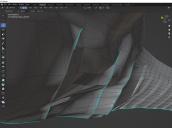
I've never figured out the significance as to why they exist or what their purpose is for. The only thing I know, is I have little control as to where they'll show up, and they will often cause morphs to not work exactly as planned when used in Poser or DAZ. Since Carrara is kaput for me, I'm permanantly forced to use Blender as the app for making/modifying meshes--now please don't get me wrong, I DO greatly appreciate how versitle and powerful Blender is--it's just that the learning curve is still quite steep for me in comparison to what Carrara, & RDS before that, were. And, sorry to say, but all documentation for using Blender leave much to be desired--searching for specific phrases in the DAZ forums is easier. (And yes, I did search for "maniforld lines/edges", "highlighted lines/edges", and other terms in multiple combinations to think of--nothing found here, either.
So, like the apps I was using before, I learned how to convert these highlighted edges back to normal edges, but the task is an extremely tedious one.
My questions are:
- Is there an easier way to convert them to normal edges without having to go to each one, delete it, relink the verticies, refill all the faces that get blown away when I delete the highlighted edge, and THEN sometimes have to flip normals--ALL DAY LONG??
- Is there some valid purpose to keep them or to purposefully put them into the mesh (such as for the seams of mesh segments)? If so, how can that be done?
Thanks in advance for any info and advice.
Wacky Modelling ~ In Carrara ~Wacky Little Willy Gruen 3d modelling in Carrara whilst waiting for the next RainBomb ECL
 July, 2022 - Daz 3D New User Challenge - Portrait Rendering and L.I.E.
Beginner Challenge - July, 2022
"Portrait Rendering (Expressions and Lighting)"
This month's focus will be Portrait Rendering, with an emphasis on the character's expression and lighting. Portraits are the way we show off the unique aspects of each individual. Expressions should convey their personality. Good lighting will enhance your portrait and set the mood. Portraits don't have to look like yearbook headshots. Get creative, hone your skills, and have some fun in this months contest.
A portrait is a representation of a person, group of people, or even a pet, that displays the expression, personality, and mood of the subject. The focus of a portrait is usually the subject's face, although the entire body and the background or context may be included. Depth of Field is often used to blur the surrounding environment to draw the eye to the subject.
Inspiration:
Portrait Tips and Examples:
Google Search - Portrait Expressions
Beginner's Guide to Portrait Composition
Foundations of Portrait Composition Part I: Framing Your Model
Lighting:
Mastering Lighting in Blender (The first 25 minutes of the video are basic lighting theory and insights.)
Other Helpful Links:
When following tutorials, be cognizant of the different applications (Bryce, Daz Studio, Poser, Carrara, Blender, etc.) and different render engines (3Delight, Iray, Reality, etc). Techniques for one may not apply directly to another. If you have some favorite portrait lighting and composition tips, please share them in this thread.
Composition Golden Ratio helpers:
Bryce
DAZ Studio (Also, DS has a built in Rule of Thirds guide; just select Show Thirds Guide in the Viewport context menu)Rule of Thirds Guide in Daz Studion
Lighting Tutorials:
Tutorials by Szark (Credit is given to Szark for this wonderful thread with links to many tutorials.)
6 Tips for Better Lighting - Blender Guru (Most is general lighting tips, not Blender specific)
Creating And Lighting A Scene With Iray In DAZ Studio
Great Lighting for Dark Backgrounds
High Key Portraits: Take and Make Great Photography with Gavin Hoey
Low Key Portraits: Take and Make Great Photography with Gavin Hoey
Laws of Light: 5 Portrait Lighting Setups
How to Set-Up Camera, Lights, & Displacement in Daz Studio Octane
How to Create the Perfect 3D Scene Lighting with Daz3D
Portrait Tutorials:
Let's Make a Character Portrait - In the Studio with Daz 3D (live streamed in February, 2022 – tutorial starts approximately 14:45)
Daz3D Portrait Tutorial ( magazine article )
Create a realistic portrait in Daz Studio 03: setting up the scene
Some good information on useful portrait cropping
https://digital-photography-school.com/good-crop-bad-crop-how-to-crop-portraits/
The Rule of Thirds in 5 minutes | Creating More Dynamic Framing
And of course its always a good idea to check the portraits contests from the last years:
Brycers request your help with votes (52nd challenge)Denizens of Carrara. It is my great pleasure to let you know, the folks over at bryce has completed another contest successfully! and no one got hurt! In order to celebrate, we want to invite you over to vote on our contest. Snacks not required.
https://www.daz3d.com/forums/discussion/576501/52nd-render-challenge-voting-poll#latest
System Upgrades - Motherboard, Cooler, Power Supply and Case.VitalBodies said:
Kyoto Kid, you should definitely pick one for me too!
And I am guessing you are not talking about the smart phone.
You should grab us both one these also.
https://www.cpubenchmark.net/cpu.php?cpu=AMD+Ryzen+Threadripper+PRO+5995WX&id=4764Did I mention craft beer? I could send you some if you buy us some of these fine components...
...most definitely not the 7 year old Lenovo smartphone of the same name.
As to the Threadripper, a CPU that draws more power tha my Titan X, I'd need liquid nitrogen cooling for that.
Ah you are talking to someone living in the "Cradle of Craft Brewing" (Oregon) Here you can't swing a dead (or living) capybara around your head without hitting a brewpub.
However to even get an A6000 means hitting at least 5 numbers out of 6 on the Megabucks Lotto with the pari-mutuel amount up around 1,200$ and the 4x kicker.
BTW, my 12 year old P-193 has room to support and E-ATX MB. Before the new hardware requirements for W11 were posted, I was looking at going the route of dual 12 core Xeon CPUs and 128 GB of memory, (expandable to 256). Carrara rendering would have been entertaining to watch.
how hard can it be?john_antkowiak said:
McGyver said:
mding said:
Wow, @McGyver, awesome! You know how the saying goes: a man should in his life plant a tree, build a house and sell a prop at DAZ Shop? Come on, create one product for the shop, we will celebrate you :-)
Thank you very much for the compliment, but the thing I made isn't a very complicated thing... it's just a profile section lathed around a path traced along a cross section of the figure's head... I don't even know if it's remotely useable for the OP... it actually took more time to look up how to attach the file (which I never found, I just realized that the last time I did that, I used a zip, not an obj, which the forum won't except) than it did to make, so it's actually not a very big deal.
While it would be cool to sell something at the DAZ store, I don't think my models are up to DAZ standards and probably never will be.
Its really more fun to just make freebies than to invest in all the sophisticated tools and techniques needed to make sellable content.
But thank you once again for the compliment.
I'm totally on that wavelength myself right now. I started out a few months ago with the same basic question about some props I couldn't find. Just for the fun of it, I'm recreating some much-loved action figures from the 60s-70s: Best of the West by Marx. In some ways they were better than GI Joe; in other ways not but they were fantastic toys. Each figure had a ton of accessories, and some of those are available in various stores and free sites. But not everything. I thought, "How hard could it be to make a frying pan of the right shape?" I was pretty good with D-formers etc. So I made one (but it's based on a Renderosity freebie so not sure if I could share it even if somebody wanted it). And then I thought, "How hard could it be to make a rifle bag for the 1873 rifle (https://www.daz3d.com/old-west-firearms-vol-2) that goes onto the Horse 2 Western Saddle?" I'm almost done with that one, but I discovered it's kinda hard lol... especially because I designed this one and a pair of spurs thinking maybe I can offer as freebies when they're done - so I want them to be as easy as possible for someone to use who didn't create them from scratch themselves. So I have to figure out how to package a .duf, get the poly count down, work out the best rigging, figure out how to let people know it's available, etc. So far I'm just seeing what's possible for me on my own system. After that I can think about sharing it.
At this point, one day soon I'm gonna bite the bullet and learn a modeling platform. Until now they're all just Daz primitives. I know, I know. Daz isn't designed for this. But since I have nothing else to compare it to and I'm not ready to face yet another few months at the bottom of a software learning curve (...or cliff), I don't care if it's harder than some other thing. Hard work builds character and makes you appreciate the work you'll save when you eventually upgrade. I'm just as intrigued now to see whether Daz CAN do it at all. I think it can and I'm going to prove it lolbite the bullet and go totally wacky with Carrara .... we have biscuits
 Changing trees possible?
I was interested in Carrara trees a few years ago. Some of my experiments with Carrara's plant editor can be found around this link.
https://www.daz3d.com/forums/discussion/comment/2413721/#Comment_2413721
Another of my experiments with creating a tomato plant can be found here.
https://www.daz3d.com/forums/discussion/comment/2449631/#Comment_2449631
Where can I find some good Carrara Tutorials?I think people often forget these older titles still exist:-
Carrara Studio 2 by Doug Sahlin
Carrara Studio 3 by Doug Sahlin
Carrara 4 by Doug Sahlin
Carrara 5 by Mark Bremmer
Carrara 6 Pro by Mark Bremmer
Carrara 7 Pro by Mark BremmerI'm not sure exactly how they would scale to version 8.5, but there are courses for Carrara 6 Pro and Carrara 7 Pro so I think you're good.
Do watch the free opening videos for each title to get a feel for them.
Carrara Community Art Gallery - Show us your Renders!!!UnifiedBrain said:
WendyLuvsCatz said:
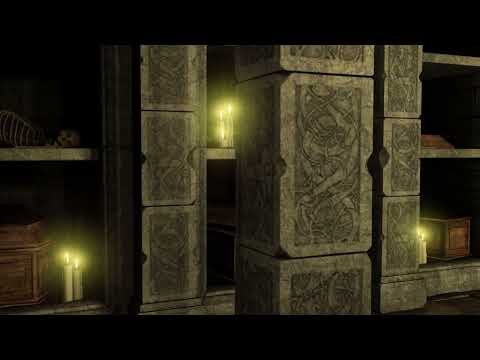
Video
Immortal Crypt
Good work on an old product!
I'm impressed with the lighting. What was your process? Was this all done in Carrara?
it's Carrara native engine and light flares on the 60 bulbs zero ambient
but I did interpolate the image series with the Rife AI using Flowframes and edit in Hitfilm is that counts as postwork, the second longer part is interpolated and reversed, you can see some warping from that.
Carrara Community Art Gallery - Show us your Renders!!!WendyLuvsCatz said:
Video
Immortal Crypt
Good work on an old product!
I'm impressed with the lighting. What was your process? Was this all done in Carrara?
SapphireBlue's Art, Music, Stories and ThingsWendyLuvsCatz said:
you have a lovely voice

and talent
Oh, thank you so much Wendy!
I've always enjoyed seeing how "seemingly quickly" you put together your Carrara animations and felt curious about Carrara, but my to-do list feels never-ending as it is. I was very impressed seeing you getting into mocap (?) - definitely something that seems fun to get into and try. It's crazy that we get access to all this technology these days - it's like a box of chocolates!
Daz 3D is part of

Connect
DAZ Productions, Inc.
7533 S Center View Ct #4664
West Jordan, UT 84084Licensing Agreement | Terms of Service | Privacy Policy | EULA
© 2026 Daz Productions Inc. All Rights Reserved.