-
Removing Lost and Found Keyword Tag from Products
jjoyner said:
crosswind said:
That seems to be one of the vendor keywords for this item. Users are not able to remove a vendor keyword other than user keyword in DS.
Did you install this product in DIM ? If you can locate its DSX file in runtime\support folder, open DSX file with Notepad++, search if you can find a category of "Lost and Found". If you can find it, correct it and re-import metadata.
Edit: In Smart Content, you have no way to only filter out the items with Lost and Found in vendor keywords... I attach a Daz Script down below. It can query the records with Lost and Found in vendor_words, and export a CSV file into your 1st Daz Libary folder which is defined under Content Directory Manager > Daz Studio Formats. Then you can check the data in CSV accordingly.
If you want to correct the data by using a Daz Script, just let me know ~~
Thanks for your thoughtful and complete response. I install all of my DAZ3D store content via DIM. When I bought a new desktop in the August 2025, I installed all of my Product Library using DIM. There were a lot of old products and Poser specific products there but I install everything from my Product Library to my DAZ Library. The install of my Product Library resulted in slightly more than 1,300 products with one or more files categorized as Lost and Found. Slowly over the past 10 months or so, I have whittled the number down to just under 900 as of yesterday by manually adding minimal metadata via Daz Studio 4.24 and also recategorizing Lost and Found items to descriptive categories.
Thanks for pointing me to the DSX files in Runtime/Support as a way to clear the Lost and Found keyword, but I don’t relish having to do that one product at a time for 1,300+ products. The Lost and Found keyword doesn’t harm the functionality of a product but it’s basically not elegant that it should be there after items have been recategorized as other than Lost and Found. I’ll take a look later at the query script that you attached.
Using a script to clear the Lost and Found keywords sounds like a more efficient approach, but I don’t want to burden you or anyone else with creating one. DAZ3D/Daz Studio should solve this “bug.” I'm a retired hobbyist who does this for fun.
Again, thanks.
No problem ! Take your time and check how many items that have this issue with the query script. If there're hundreds or thousands of problematic items, fixing them by using a script would be neat.
I've been learning Daz Script and it can be an easy job~~ Thanks to your thread, I also check my cms and found the same issue as well ( just a few, 85 records from 2.7 mil content items). I've had them fixed~~ lol.
I attached the script. Pls back up your cms cluster folder (%appdata%\DAZ 3D\cms) beforehand...if you have any worry ~ :)
When did DAZ move to Norway?
Of course, I am using a VPN! :) But I am not in Teheran.hjake said:
Unseen said:
I use a VPN most of the time and Google often thinks I am in Iran when I search for something. But I am NOT in Iran and thus NOT in Teheran!
You say that but I find you hard to see!
Removing Lost and Found Keyword Tag from Productscrosswind said:
That seems to be one of the vendor keywords for this item. Users are not able to remove a vendor keyword other than user keyword in DS.
Did you install this product in DIM ? If you can locate its DSX file in runtime\support folder, open DSX file with Notepad++, search if you can find a category of "Lost and Found". If you can find it, correct it and re-import metadata.
Edit: In Smart Content, you have no way to only filter out the items with Lost and Found in vendor keywords... I attach a Daz Script down below. It can query the records with Lost and Found in vendor_words, and export a CSV file into your 1st Daz Libary folder which is defined under Content Directory Manager > Daz Studio Formats. Then you can check the data in CSV accordingly.
If you want to correct the data by using a Daz Script, just let me know ~~
Thanks for your thoughtful and complete response. I install all of my DAZ3D store content via DIM. When I bought a new desktop in the August 2025, I installed all of my Product Library using DIM. There were a lot of old products and Poser specific products there but I install everything from my Product Library to my DAZ Library. The install of my Product Library resulted in slightly more than 1,300 products with one or more files categorized as Lost and Found. Slowly over the past 10 months or so, I have whittled the number down to just under 900 as of yesterday by manually adding minimal metadata via Daz Studio 4.24 and also recategorizing Lost and Found items to descriptive categories.
Thanks for pointing me to the DSX files in Runtime/Support as a way to clear the Lost and Found keyword, but I don’t relish having to do that one product at a time for 1,300+ products. The Lost and Found keyword doesn’t harm the functionality of a product but it’s basically not elegant that it should be there after items have been recategorized as other than Lost and Found. I’ll take a look later at the query script that you attached.
Using a script to clear the Lost and Found keywords sounds like a more efficient approach, but I don’t want to burden you or anyone else with creating one. DAZ3D/Daz Studio should solve this “bug.” I'm a retired hobbyist who does this for fun.
Again, thanks.
When did DAZ move to Norway?Unseen said:
I use a VPN most of the time and Google often thinks I am in Iran when I search for something. But I am NOT in Iran and thus NOT in Teheran!
You say that but I find you hard to see!
When did DAZ move to Norway?I use a VPN most of the time and Google often thinks I am in Iran when I search for something. But I am NOT in Iran and thus NOT in Teheran!
Let's appreciate/discuss today's new releases - ongoinger still further threadArtini said:
DoctorJellybean said:
Artini said:
Just wonder if this new plugin:
https://www.daz3d.com/bj-content-history-plugin
can save the recorded content history in some file
or the history is gone after closing up Daz Studio.According to the product PDF:
Content History items and tabs are saved automatically and will persist across Daz Studio sessions.
It seems that one can Export/Import Content History Data as well.
That is great. I need something simple for DS6 to make conversions with
https://www.daz3d.com/c66-figure-splitter
and do not search myself for the contents place in DS6.
Unfortunately C66 Figure Splitter does not work
in my DS 4.24.0.3, so I need DS6 just for the conversions.
I mostly use DS4 for my needs.It does work in DS 4.24, must be a coillison with an installed plugin or something else.
Let's appreciate/discuss today's new releases - ongoinger still further threadDoctorJellybean said:
Artini said:
Just wonder if this new plugin:
https://www.daz3d.com/bj-content-history-plugin
can save the recorded content history in some file
or the history is gone after closing up Daz Studio.According to the product PDF:
Content History items and tabs are saved automatically and will persist across Daz Studio sessions.
It seems that one can Export/Import Content History Data as well.
That is great. I need something simple for DS6 to make conversions with
https://www.daz3d.com/c66-figure-splitter
and do not search myself for the contents place in DS6.
Unfortunately C66 Figure Splitter does not work
in my DS 4.24.0.3, so I need DS6 just for the conversions.
I mostly use DS4 for my needs.3DClassics?He is on DA. Apparently if he knows/likes you, you can ask him to send models. If he wants to, he'll post an email address on the message (even in the comments on his work) and you can email him with requests for his models. At least that's how it was the last time I looked.
There's a thread about this in the Break Room area on rendo forum and I looked through his DA .stuff His store was open for years. I didn't get around to buying from him. So now that his store is closed, I'm not asking him to send me stuff for free. I doubt I would ever actually use it, anyway.
Daz Studio 6 Beta - version 6.26.2026.26903! (Updated September 29, 2026)bilyatboring said:
Are the devs even present here on the forum, I never hear anything from daz other than mods. At blender you could interact with developer and have a section for reported bugs you could track.
And if they are having such trouble with developing daz then atleast make a better blender bridge.
My thoery is daz probably bought into the ai hype and kicked out the actual devs.The devs are still here, even though they don't interact on the forums. Bugs are being fixed all the time, you only have to look at the change log.
Daz Studio 6 Beta - version 6.26.2026.26903! (Updated September 29, 2026)Are the devs even present here on the forum, I never hear anything from daz other than mods. At blender you could interact with developer and have a section for reported bugs you could track.
And if they are having such trouble with developing daz then atleast make a better blender bridge.
My thoery is daz probably bought into the ai hype and kicked out the actual devs.Contest SuggestionThere are only two other repeting contests that I'm aware of
- The Monthly Freebies contest in the freebies subforum.
- The RRRR contests in Art Studio. (The entries thread usually ends up in the main Daz Studio forum)
Having said that, having all past contests in one spot might have some utility beyond making the current contests more visibility.
Removing Lost and Found Keyword Tag from ProductsThat seems to be one of the vendor keywords for this item. Users are not able to remove a vendor keyword other than user keyword in DS.
Did you install this product in DIM ? If you can locate its DSX file in runtime\support folder, open DSX file with Notepad++, search if you can find a category of "Lost and Found". If you can find it, correct it and re-import metadata.
Edit: In Smart Content, you have no way to only filter out the items with Lost and Found in vendor keywords... I attach a Daz Script down below. It can query the records with Lost and Found in vendor_words, and export a CSV file into your 1st Daz Libary folder which is defined under Content Directory Manager > Daz Studio Formats. Then you can check the data in CSV accordingly.
If you want to correct the data by using a Daz Script, just let me know ~~
Outlet and Quick Grab DiscussionLorraine said:
Some new things in there, one i grabbed immediately.
How did you search, out of curiosity? Because I'm still not seeing anything (and would like to!)...
Removing Lost and Found Keyword Tag from ProductsRichard Haseltine said:
If it is appearing in the Categorise dialogue can you not uncheck it?
Richard,
I have already recategorized the item from Lost and Found to Props. Oddly, my screen capture did not make it to the forum with my first post; I’ve posted it again below along with the Categorize menu for the item.
V3D Scene Tools (Commercial)CES3D said:
V3Digitimes said:
CES3D said:
These are incredibly useful tools. Thank you for releasing them!
One of my friends also purchased these tools, but he is getting an error and cannot launch "V3DGT 03 Smart Lock Cameras" in his environment. His Daz Studio version is 4.24.0.3. The script runs perfectly fine on my 4.24.0.4, but when I tested it on my 4.24.0.3, I encountered the exact same error as he did.
Could you please look into this?
I just checked, and the issue is actually on my side.
All the other scripts were encrypted to go down to Daz Studio 4.9/4.10, but Smart Lock Cameras and Smart Unlock Cameras somehow slipped through my usual checks and were encrypted compatible with a newer version (4.24.0.4).
I can re-encrypt them targeting Daz Studio 4.9 as the compatiblity.
If your friend is willing to test the corrected version before I submit the update, he can send me a PM and I'll send it to him. That way we can confirm that everything works properly on Daz Studio 4.24.0.3 before I submit the fix to Daz.
Thanks for reporting this!
Thanks for checking and for the kind offer!
I let my friend know, but since he is completely new to the forum and PMs, he feels a bit anxious about using them. He said he’s more than happy to just wait for the official fix to be released.
We really appreciate your quick response!
No problem at all. My main concern is that people are happy with what they purchased and, most importantly, can actually use it!
And I completely understand your friend not feeling comfortable with PMs yet. I wasn't especially familiar with forums either when I started. After a thousand messages or so, it becomes routine. XD
Just one thing to keep in mind: official updates can take a while.
I usually wait a couple of weeks before submitting an update, simply to avoid submitting one fix and then discovering another issue immediately afterward. Once submitted, the testing/release process itself can also take quite some time, sometimes around 1.5 to 2 months.
So if at some point that feels too long for your friend, I can also send the two corrected files, Smart Lock Cameras and Smart Unlock Cameras, to you instead, and you can pass them along to him.
He would only need to replace the two existing files with the corrected ones, and that should be it.
So either way is perfectly fine with me.
V3D Scene Tools (Commercial)V3Digitimes said:
CES3D said:
These are incredibly useful tools. Thank you for releasing them!
One of my friends also purchased these tools, but he is getting an error and cannot launch "V3DGT 03 Smart Lock Cameras" in his environment. His Daz Studio version is 4.24.0.3. The script runs perfectly fine on my 4.24.0.4, but when I tested it on my 4.24.0.3, I encountered the exact same error as he did.
Could you please look into this?
I just checked, and the issue is actually on my side.
All the other scripts were encrypted to go down to Daz Studio 4.9/4.10, but Smart Lock Cameras and Smart Unlock Cameras somehow slipped through my usual checks and were encrypted compatible with a newer version (4.24.0.4).
I can re-encrypt them targeting Daz Studio 4.9 as the compatiblity.
If your friend is willing to test the corrected version before I submit the update, he can send me a PM and I'll send it to him. That way we can confirm that everything works properly on Daz Studio 4.24.0.3 before I submit the fix to Daz.
Thanks for reporting this!
Thanks for checking and for the kind offer!
I let my friend know, but since he is completely new to the forum and PMs, he feels a bit anxious about using them. He said he’s more than happy to just wait for the official fix to be released.
We really appreciate your quick response!
Off Topic Thread #2oh no,

at least your zips for some are on the forum
but that is beyond tragic, maybe someone can retrieve it off the drive
I lost a huge amount a couple years ago 4TB of stuff, most Unreal projects, 3rd party 3D content and iClone projects and content
but your stuff is irreplaceable
 Oso Worms for G9 no longer available?
Its that time of year again (in a couple of days ^_^), and I was thinking about a particular product I remember seeing, but never picked up, called "Oso Worms for Genesis 9"
I went to Oso's store, however, and the product seems to be no longer available.
Does anyone know what happened to it? Was it pulled to sale elsewhere, or simply didn't 'work' as advertised?
I would like to pick it up (availability and funds allowing ^_^), if it is still for sale.
Attached is a image I found with a google search of what the product looked like.
G8F Walking & Everyday Doorway Poses SetsRichard Haseltine said:
jmucchiello said:
richardandtracy said:
First post in the thread. What's wrong with them? Regards, Richard.
Must have been a forum glitch. A few hours ago there were no attachments to the first post. Weird.
Attachemnts to a first post seems to vanish and reappear at will.
It's almost October. Must be spooks or gremlins.
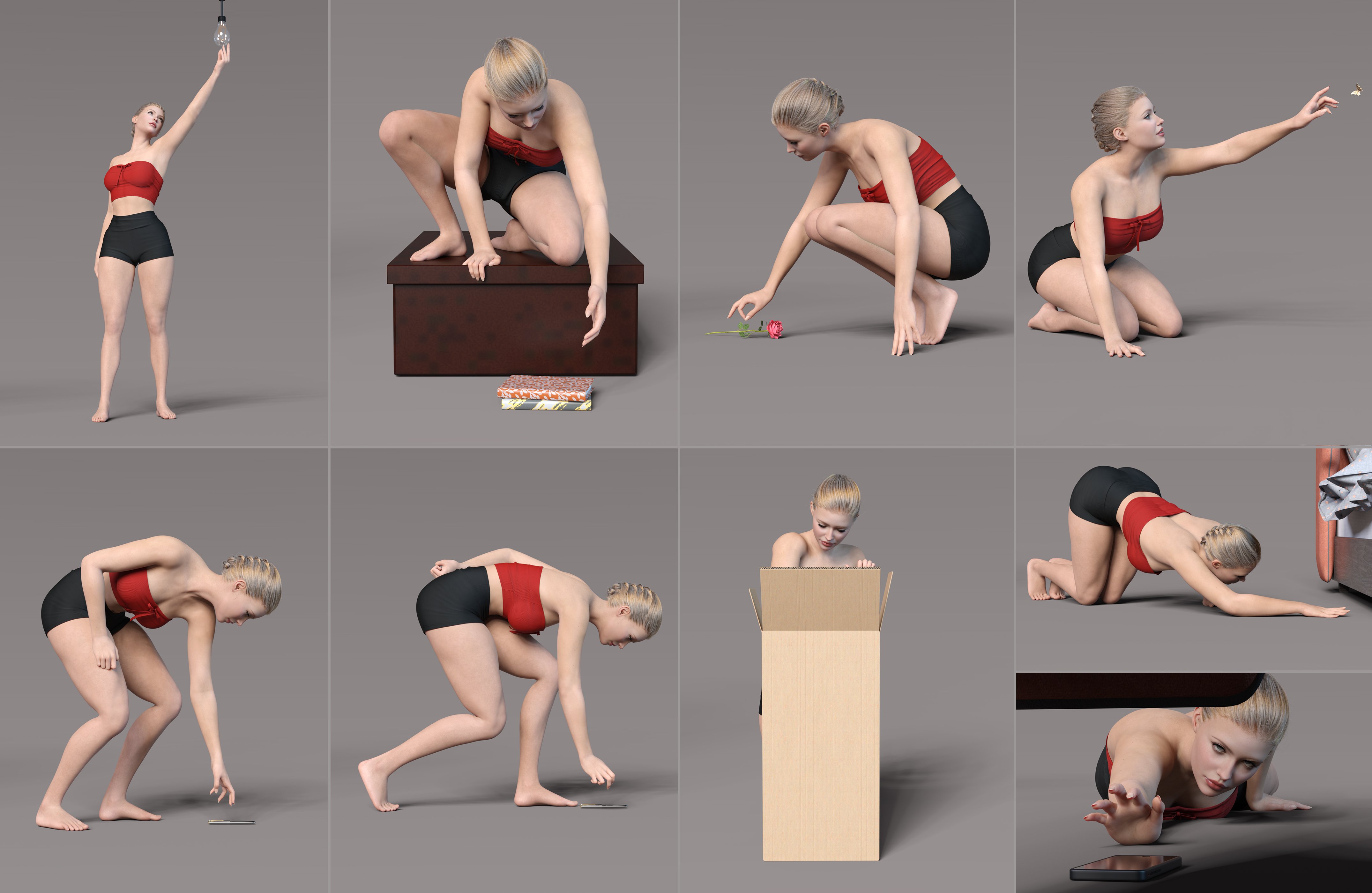
To all pose and expression creatorsLooking/searching. Looking/reaching on a top shelf, looking/reaching under a sofa, looking through papers on a cluttered desk (with prop, of course)
Stepping on Lego brick. (or just after doing so...)
EDIT: Oh wait, I have the under sofa one. Thanks, Zed. My initial search didn't find it.
Daz 3D is part of

Connect
DAZ Productions, Inc.
7533 S Center View Ct #4664
West Jordan, UT 84084Licensing Agreement | Terms of Service | Privacy Policy | EULA
© 2026 Daz Productions Inc. All Rights Reserved.