
Daz 3D is part of 
Connect
DAZ Productions, Inc.
7533 S Center View Ct #4664
West Jordan, UT 84084
Licensing Agreement | Terms of Service | Privacy Policy | EULA
© 2026 Daz Productions Inc. All Rights Reserved.
Comments
All three are incredible gloam3d! I know Mousso would be floored by what you have done.
For the images to be shown (I'll try to show you but am using a Windows 11 computer and Chrome browser). Your setup may be different but should be very similar:
1) You've done the hard part by uploading them to the gallery.
2) Now just right on the first image you uploaded and select "Copy link address"
3) Click the icon called "image" on your "Leave a comment" section. Mine says "image" when I hover my mouse over the icon.
4) A pop-up menu is displayed in step #3, in the "URL" section paste in what was copied in step #2. You should see some long complicated string that ends in ".jpg"
5) In that pop-up menu, you can change other options or simply just click "OK" at the bottom.
This should display your image now in the browser directly. You could follow this step for the other two images now to get all three working.
Hope I explained that correctly and easy to follow.
Came here to post the final image in the story of Monica and the Black-Tie Charity Gala
NO AI | Black-Tie Charity Gala (Finale)
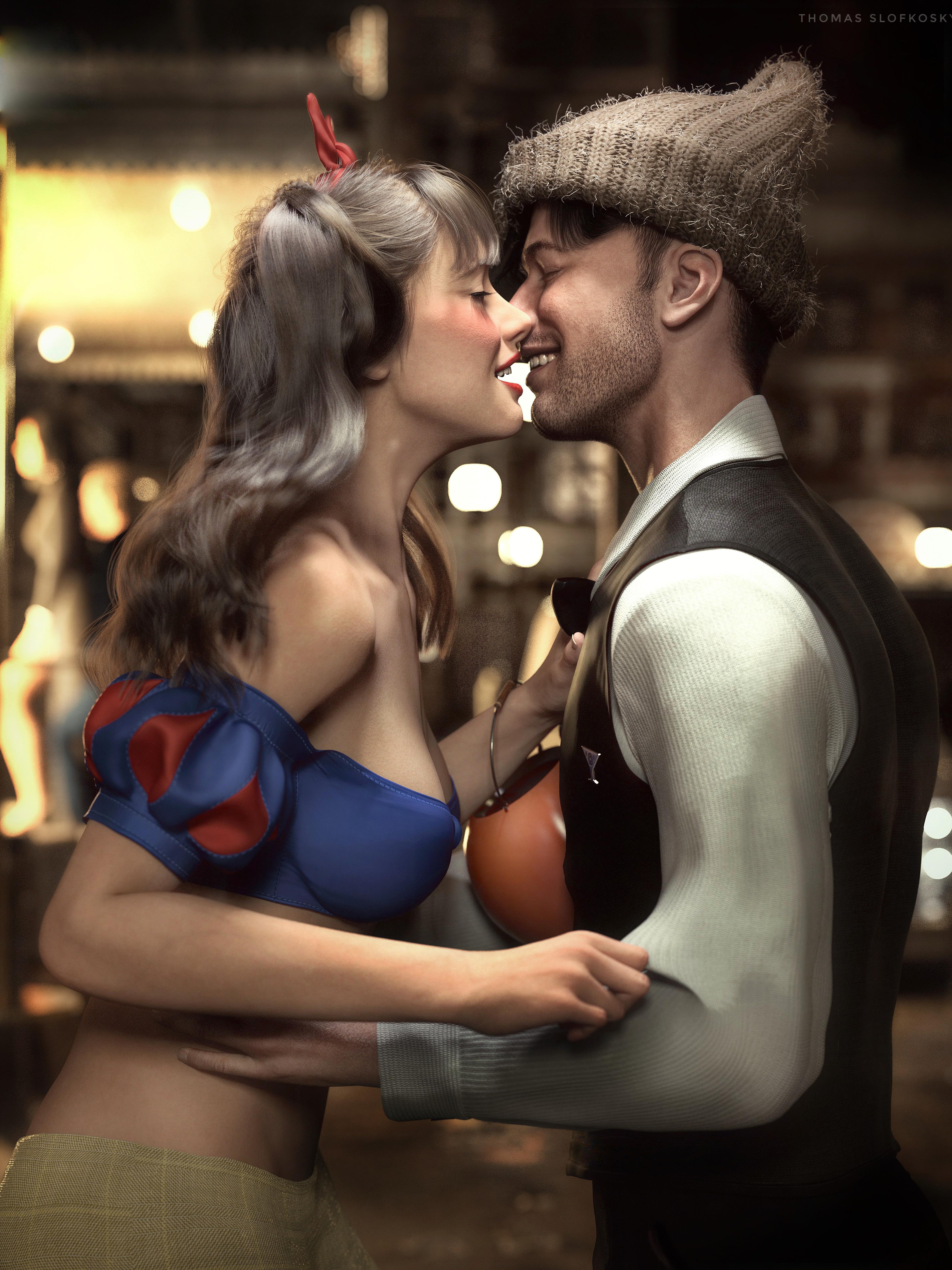
Yay! The story is complete and hopefully it brings a smile to someone's face.
Thanks Mousso for creating Monica!
Story, raw render and all assets used in the link.
Superb.
The technical bits, lighting and depth of field are excellent.
The poses. Masterclass. Intimate without being yuk (can't think of a better way of describing it). Really accurately placed poses. They must have taken you ages to get so right. And the fact Monica has only tweaked his shirt instead of the simpler to imagine arm grip is so expressive of a new relationship where neither is entirely sure, but is willing to try. Brilliant. The smiles, again, are beyond compare.
The only bit that is not totally realistic is the way his shirt moves under her right hand tugging. And I get the feeling that it was not 100% under your control to get perfect anyway (mesh grabber, maybe). Looks as if the fabric stretched rather than was simulated, one might expect some wrinkles to be created instead of a fabric stretch. I really have no idea how I'd simulate that movement and whether any wrinkles would appear anyway. Just a tiny point when the rest is so good.
Regards,
Richard
I don't know if the tips can be used without dForce Magnet or if they would work on a shirt, but @esha shared videos on how to use it to pinch clothes:
https://www.youtube.com/@esha9936/videos
Thank you very much for taking the time to help. I'll try this next time!
Beautiful renders and great story! Thanks for sharing :)
Thank you so kindly Gloam3d! It took forever as my usual speed is about one image a week now.
The Old Ruins
Utilized the incredible MSO Merida HD for Genesis 9 Feminine by Mousso of course.
Full story, RAW render, larger image, alternative image and all assets used listed in the link.
I love this! The lighting is wonderful too.
I appreciate you saying Rain! What an awesome name to pick too "Rain".
Ivory the Powerful
Originally I was using Merida by Mousso, but I already had Ivory as a witch in older stories. Wanted to bring her back eventually and this was an opportunity to do so.
So now... we're back to using MSO Ivory HD for Genesis 9 Feminine playing the part of Ivory in the short story.
Where Men Went | NO AI
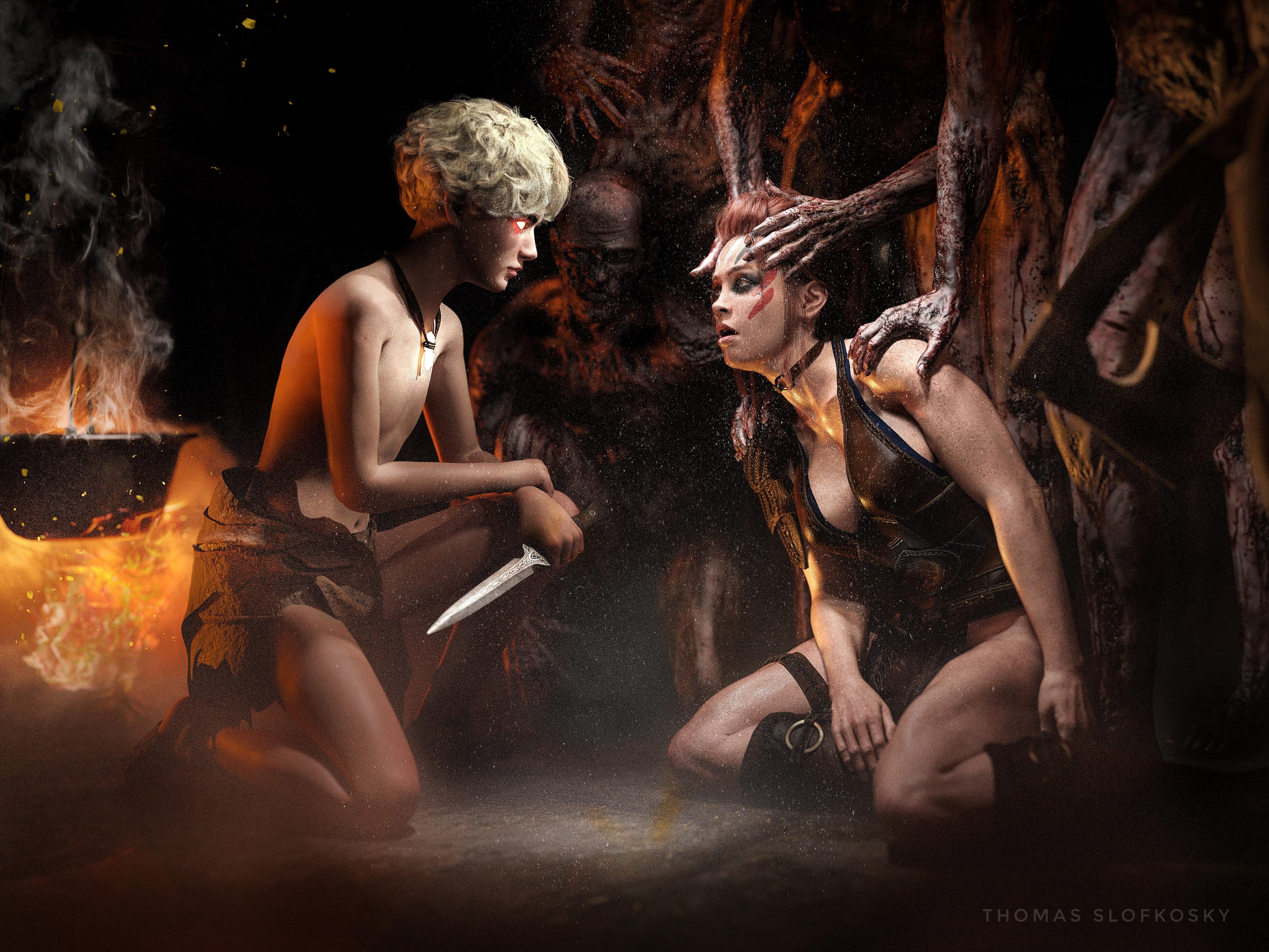
This time I cast MSO Timothy HD for Genesis 9 as a merciless boy, picked on, who one day discovers power. This is actually part #2 of the, hopefully, five or six part mini story.
Where Men Went PT 3 and 4 | NO AI
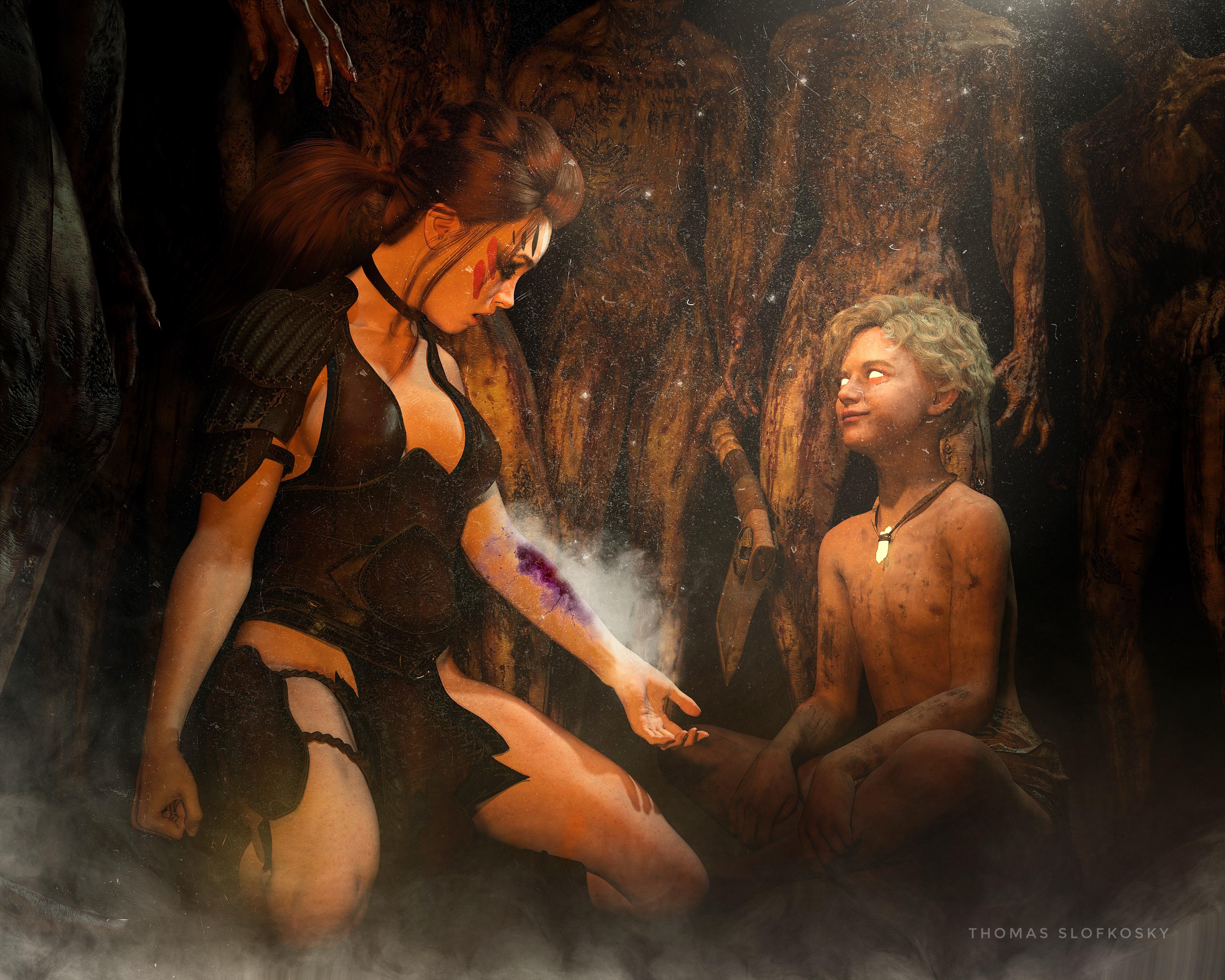
MSO Timothy HD for Genesis 9 still as the merciless boy, picked on, who one day discovers power.
NO AI - It's not a donut day, it's a Pi day!
Used MSO Ivory HD for Genesis 9 Feminine though her back is to us unfortunately.
The lighting is just *chef kiss*
Thank you for providing the raw render: it's alway interesting to see what is possible to do in postwork. One day I'll have the motivation and time to learn more about it.
Hey thank you Elor! When it comes to editing, I try to do my best in render, without needing post-work. It's just that I find I can fix something where the lighting didn't match what I wanted, or I see an angle on something that would have taken much longer in 3D than just brightening it up/down afterwards. Thanks again Elor!
Only today (27 March) did I discover this topic. When I want to depict a story character that readers can easily relate to, Mousso's catalog is always my first stop. I'm working on a sci-fi superheroine story that's closely tied to the real world.
My protagonist was a senior researcher who remembers her student years pursuing her Ph.D. Her attractiveness distracted the men so much 35 years ago that hardly any of them took her seriously, and she had to overcome many barriers of prejudice to gain respect and recognition as a leader in her field, but she did. I tried casting a mature character and modifying her into a younger version, but that fell short. I needed a stunner that would draw the eyes of every guy in the room. I settled on Mousso's Millarose and crafted my own aging modifications. This is my test comparison.
Then the lab accident happened (yeah, you all saw that coming), but I demand a more science-y origin than some mystery super serum or gamma rays or radioactive army ants. Anyway, her appearance is transformed. She's really strong. She's really fast. She's really tough. She's really tireless, and she's outwardly young again. She has no idea where her life is headed now. I immediately chose Mousso's Kira because of that piercing level gaze in the promo image. Then on a whim last week, I wondered what a toy action figure of my heroine would look like. Here's what my experiment produced, details are on my gallery page.
I still haven't broken the seal on the art of postwork. I should at least become familiar with the basics to strengthen the pages of what's growing into a graphic novel.
A grateful salute to @Mousso. Your creations bring my rough concepts to wonderful reality. I'm pleased to see children and men appearing in your catalog (though I wish some of them came in Genesis 8 versions, as that's where the bulk of my compatible DAZ assets live). Live long and prosper, from a longtime fan.
[Edited for images]
Hallelujah!
Disciple
LOVE that doll you created and the story around all of it!
Love the doll, Disciple. She needs a box... Maybe like the one here :
:
But do note the warning on the side of the box:
The box was one I knocked up. If it'd be useful let me know & I'll get it available as a freebie.
Regards,
Richard
Heehee! Shotgun Shelley looks intimidating. Maybe they could be toy market rivals.
The box looks splendid. I'd have to retexture it. (They've released no announcement about Tenaciti yet, not even her name. I'd have to figure out what the counterfeiters would call her... "Miss Muscles"? "Railroad Rhoda"? "Really Strong Masked Girl"?)
Hallelujah!
Disciple
I'll see what I can do about packing it up as a freebie over the next few days.
Regards,
Richard
That's fantastic Richard! Thank you very very much!
Almost Human
Since the Daz Gallery has been down for just under two months, I have been posting over on RenderHub. This particular scene is for a Sexy Robot Contest III going on over there. Everyone is welcome to join so you should throw your hat into the ring.
Here's my latest submission for the contest using MSO Mara HD for Genesis 9 Feminine by Mousso of course!
Story in the link.
Peter is not treating Wendy very well.
You have me busting up! That's hillarious and now all I see is Peter Pan and Wendy now.
Absolutely stunning.
Fantastic composition, the image takes a little work to see everything, and there's a lot to see. You don't really expect to see robots with freckles or looking as if they have deep regrets, and what would the nicotine from a smoking (but apparantly unlit) cigarette do for a robot. There is a lot more to the story than meets the eye.
When I first looked at it in detail, I wasn't convinced by the graininess of the image, but, yes, it works, and works well.
Superb.
I always end up saying that, don't I? It's because your images are so good and I always end up wishing I had the imagination to see an endpoint even one tenth as good to aim for when I start making my images.
Regards,
Richard.
Thanks Richard!
There are technical problems for sure. The qualities of a human such as sweat (which I hope shows through), regret, smoking, sex (the tool for her assasination), are trying to paint a picture of this future place that still is very much like places and imagery of today. Perhaps the body lines are a way of marking future androids as non-human. Lots of questions come up, but in the end I just wanted to make a sexy robot (android in this case) since androids mimic human looks and behavior.
It's almost 3am, I'm tired and rambling.
Thank you again Richard! You are always incredible.
Almost Human (Part 2)

Continuing the story of MSO Mara HD for Genesis 9 Feminine and her developing of human emotions over on RenderHub here.
Almost Human (Part 3)

Continuing part #3 of the story of MSO Mara HD for Genesis 9 Feminine developing human emotions over on RenderHub here.