-
Body morph looks great but messes up the breast
What do you mean by blended? If you exported them as OBJ and then loaded that as a single new morph then you will have broken the links to any joint adjustments or corrective morphs that were making the morphs used play nicely with posing and other (suported) shapes, which may well be some or all of the problem you are seeing.
Body morph looks great but messes up the breastI have a G9F character nearly done but one problem remains that I can't seem to fix with any morph pack I throw at it. I blended multiple bodies together to get a base shape that I liked, but it did something weird to the breasts where they are now a weird shape. The breast itself is warped a little which i CAN fix with the morphs, but the nipples aren't circular anymore and when i try to extend the nipples with any morph they get sharp. I found Shape Splitter on Daz store but it doesnt look like it supports gen9. Is there any other way I omit the breasts from the body morph that's messing it up?
G8 male to female morphs and vice versa?There is a thread "somewhere" in these forums showing how to transfer morphs between M/F G8.
eta; https://www.daz3d.com/forums/discussion/520226/transferring-morphs-from-g8f-to-g8m
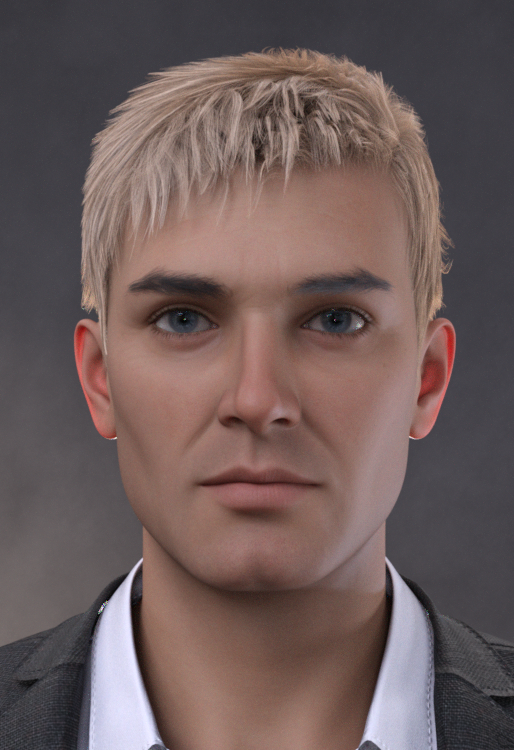
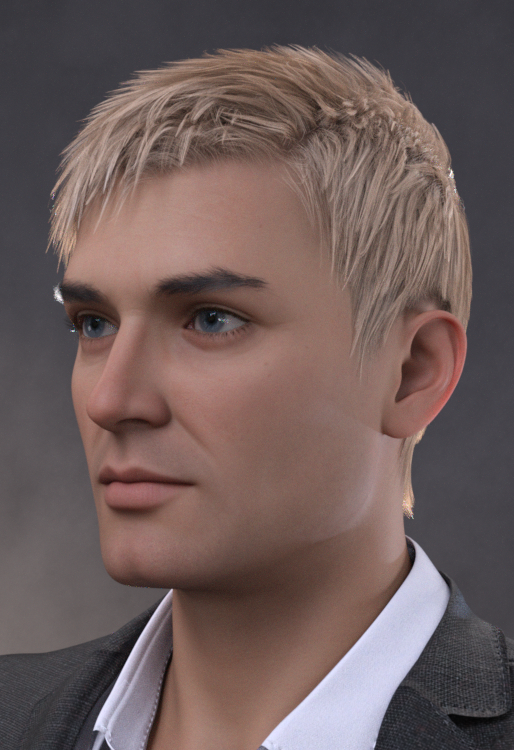
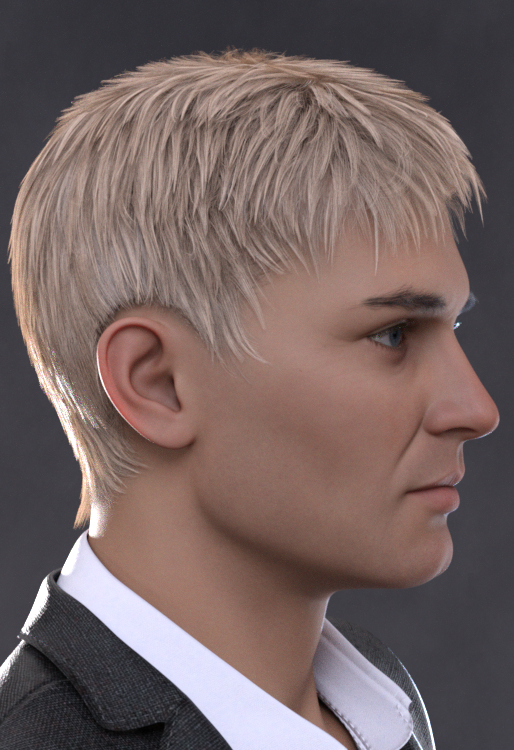
AOBB's head morph Luc G9(M). No material nor textures. Commercial use allowed.I couldn't upload any images nor the file itself, so I am posting a google drive link to the zip file with the head morph. The zip includes images of the morph from three sides, so for now you can download the zip file and check those out before installing. I will try to upload the images to this post later.
https://drive.google.com/file/d/1UD1WFOwQxsLoksAoNEDoylpoTfjk2mzm/view?usp=sharing
Assets used in promos:
Bold Brows II for G8M (Brow 3)
dForce Redz Kaz Hair for G9
Gentleman Style Outfit for G9
Enjoy!
AOBB
Edit ; I could finally upload the images! Hurray!
 Transfer Utility problem
Ideally clothing should be modelled aroound the base shape, with a morph or morphs added for the target shape, but you can set the Source Shape to whatever morph is used (or Current for multiple morphs) and enable reverse Source Shape from Target in the options to get a reasonable result (though the greater the difference from the base shape the more it may struggle).
G8 male to female morphs and vice versa?It can be converted. There are different ways to do that, however you might not like the results depending on exactly what you want to do. Some cartoonish shapes may not convert well, and require additional work to manually tweak them in an external modeler like Blender.
There are clone morphs for Genesis 2, 3, and 8 males in the parameters for G8F. It may be hidden, if it is, make sure "show hidden properties" is checked. They are full body shapes, though. But that might be all you need for what you want.
The easiest thing might be finding a morph pack that has some male shapes for G8F. They do exist, and that would avoid needing to convert anything. There is a transgender morph pack that has some.
https://www.daz3d.com/transgender-shapes-for-genesis-8
Another option would be the male/female UV swap product, which would allow you to use a male skin on G8F, or female skin on G8M. So you could tackle this in a totally different way, using Sakura skin on a G8 male and using the male morphs to get what you want. There are feminine shapes for males, too. So you can do this from either direction.
https://www.daz3d.com/genesis-8-uv-swap-male-and-female-base
Transfer Utility problemI forgot to add - Previously I was able to successfully use Transfer Utility to do this (create a different shirt) with a Genesis 8M. So I think I have the steps down correctly. This is why I am perplexed.
Transfer Utility problemI am following a tutorial on how to make a shirt. I used GoZ to send my Ogre HD from DAZ to ZBrush. I then made a shirt by masking off the shirt location on his body and then converted the mask into polygroups, etc.
After doing some detailing on the shirt, I decided to test it on the Ogre in DAZ (using GoZ). At first it look OK though for some reason there were a few poke-throughs on his upper back (which were not there in ZBrush). But when I did the Transfer Utility on the shirt - it blew up. No matter what I did, it blew up.
I don’t know why but the forum won’t upload my picts. So let me describe the blowup. It is like the Ogre jumped from some place high and the air was caught in the shirt ballooning it up over his head and out from his body. The Ogre’s arms dropped below the arm holes and created two new holes.
What am I doing wrong?
What should I expect migrating from Mac to Windows?Thanks. But now I realize that those Daz files are huge...200 plug MG. Too big to email. Is there another way to transfer files from a Mac hard drive to a PC?
G8 male to female morphs and vice versa?In the case of Sasuke for Sakura, you must convert it into a new morph for G8M.
Mechasar's Characters Catalog: Who's next? (commercial)ioonrxoon said:
Mechasar said:
Now your Divory character should show a list of 10 new morphs in the Parameter pane, each of them with the name you assigned to the fingers. Set them to 100% and, if everything went well, you can see her nails getting shorter. Just remember to save this Divory into a new personal scene to keep these morphs available for a next time :)Took me a while to finally get to it, I dread having to work with morph importing. I did a terrible job matching the fingers, but it worked well enough anyway.
Thanks for the clear and easy to follow tutorial; I ended up learning some new things from it.
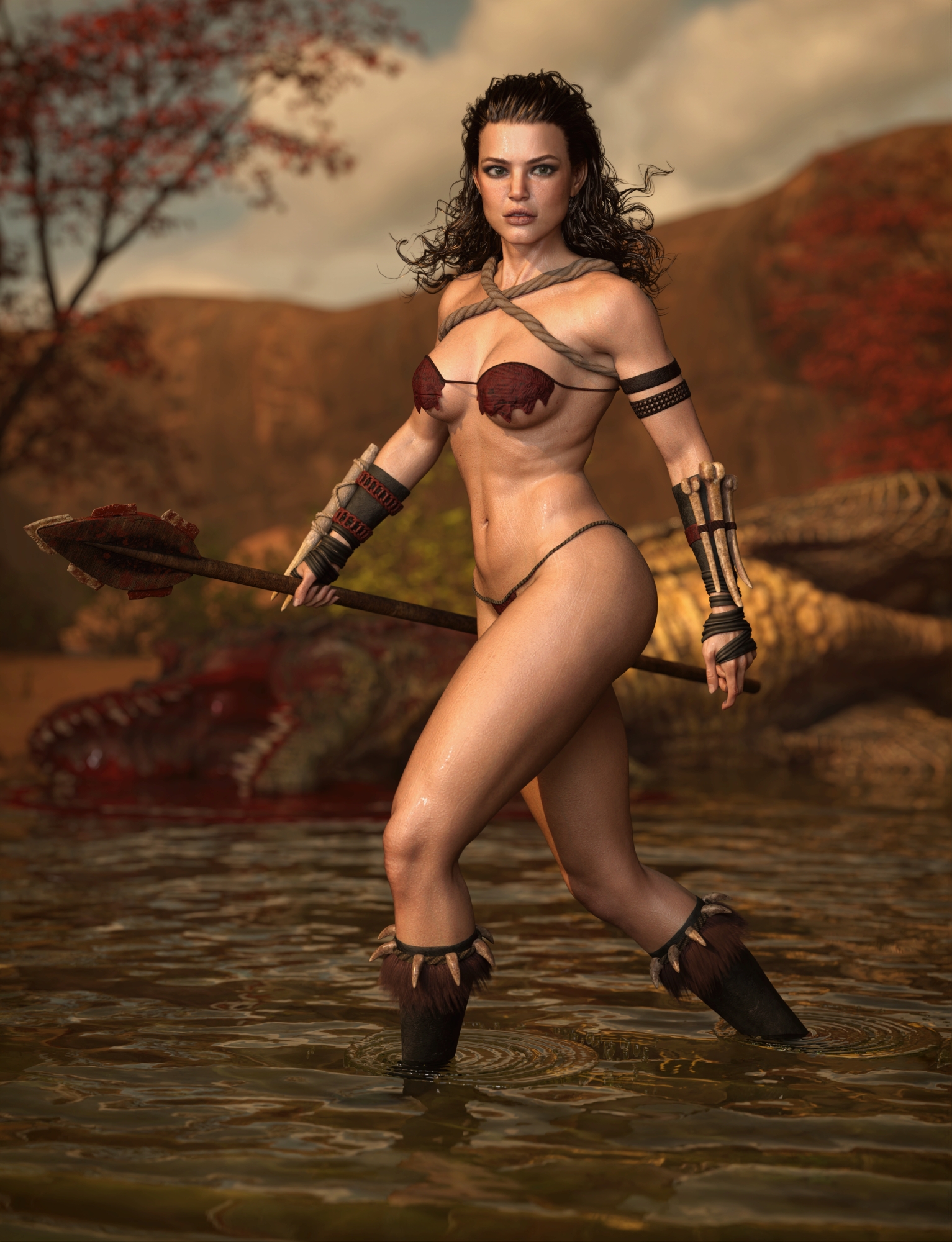
I'm going to try replacing the hands completely too, might be more fitting for using the morph with human characters.Love the new character too, thanks for continuing to support G8.
My pleasure!
Woooow it seems Talia's put on some muscle ;) Amazing composition and character mixing!
March 2024 - DAZ 3D New User Challenge - Posing and Puppeteer/PowerPoseAgitatedRiot said:
Have you tried the matte setting for the fog? Reflections are due to the material used on the floor. You could go into the surface settings and check the floor settings to reduce reflection and metallic, which will also reflect into the fog.
No I hadn't tried anything for it, I hadn't the slighest clue what might be causing it until you mentioned reflections. So thank you for letting me know, I'll make sure to have a go at it later today to see what I can come up with. :)
Sadly I lost a bet for now though, and this is my second submission for the month. I have consent from the person I used Face Transfer 2 on to use this, both of us agree, it doesn't look like him, so he doesn't care about what I do with it. I owe him a case of brew for losing the bet. Anyway, this is more or less a joke, but very much a real submission since I ended up doing the posing by hand.
I used my laptop and kept a pose loaded that I had, one of the ballet poses for Clare G8.1F, and then posed it on G9M Face Transfer 2 character on my desktop. There's a zipfile in my Google Drive that has around 12 files in it, four renders, and eight screenshots (4 of Claire G8.1F, 4 of G9M), if anyone wants to see the exact pose and how closely mirrored it was or wasn't.
Checksum SHA256: 2c8aaf35b50556a8bc89d5d13cf79080ee56056c03f5cb8ee06df11013036cef
Postwork was done to hide a mesh warping issue since G9M was in G3F clothing that I'm fairly certain wasn't meant for someone of his size...lol. G9M's bounding box got all twisted up doing this, so I kept hitting limiters, but managed to do it up without disabling them. You can see how crooked the bounding box is in the screenshots lol, especially compared to G8.1F - also trying to pose the fingers and hands on G9M when your target is a G8.1F with very very slender hands was much harder than I expected. This was the first time I had tried to mirror a female pose to a male by hand, and it took way longer than the five minutes I spent on the first submission. Maybe somewhere between a half an hour to an hour, on just the hands... moving cameras around for better angles, adjusting, moving, adjusting, lol.
EDIT -> The bounding box got messed up because I was sending my friend renders of "his character" wearing and doing really absurd things on the Z Belina Bike.- so I had manually posed him several times already to use that and do some various other things before I started doing the dance studio scene. Never did create a new scene, lol, my usual bad habits still applying.
Challenge: Intermediate
Title: I Feel Pretty
Software: Daz Studio Beta Public 4.22.1.99, Gimp 2.10.36, Caesium Image Compressor
...jpg...
(There is also a no bloom version. This shot needs a little context to understand, it was taken using depth of field on a mirror)
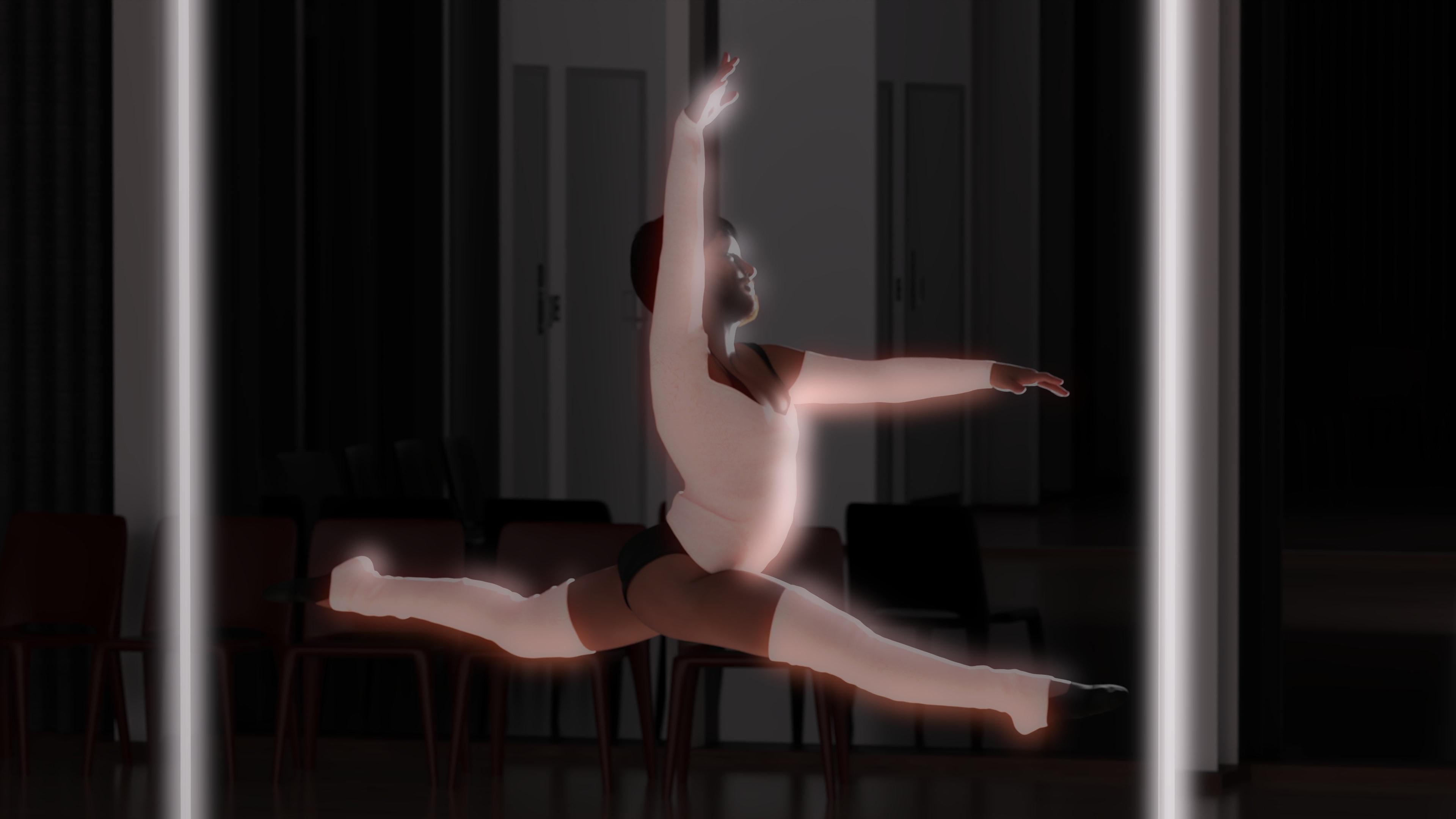
He thought he was alone. But he never was. *queue omnious music, the Among Us theme* Indeed. The Daz House Cat sees all.
He felt left out last month. *shrugs*
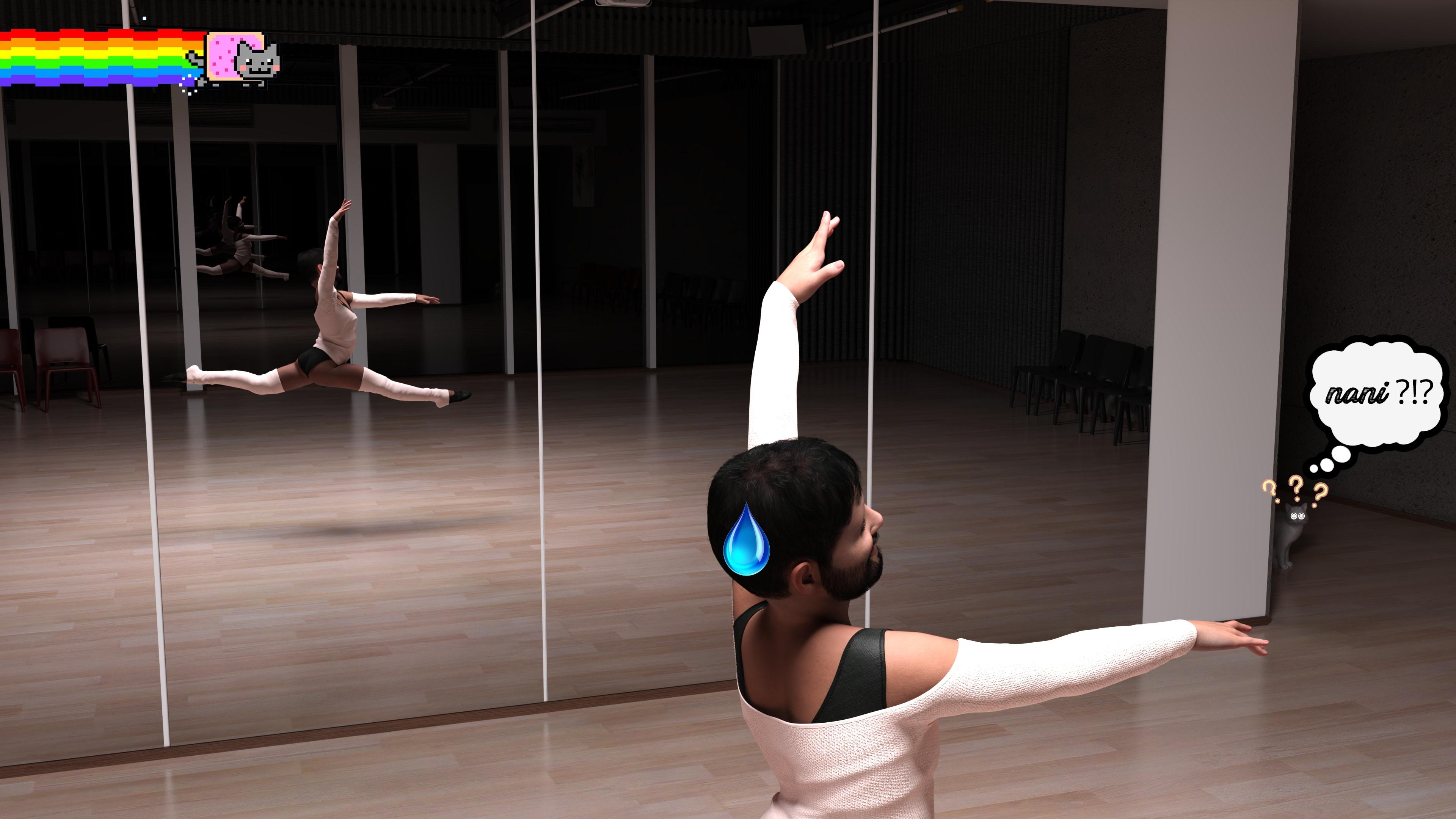
Anyway, here was the original pose.
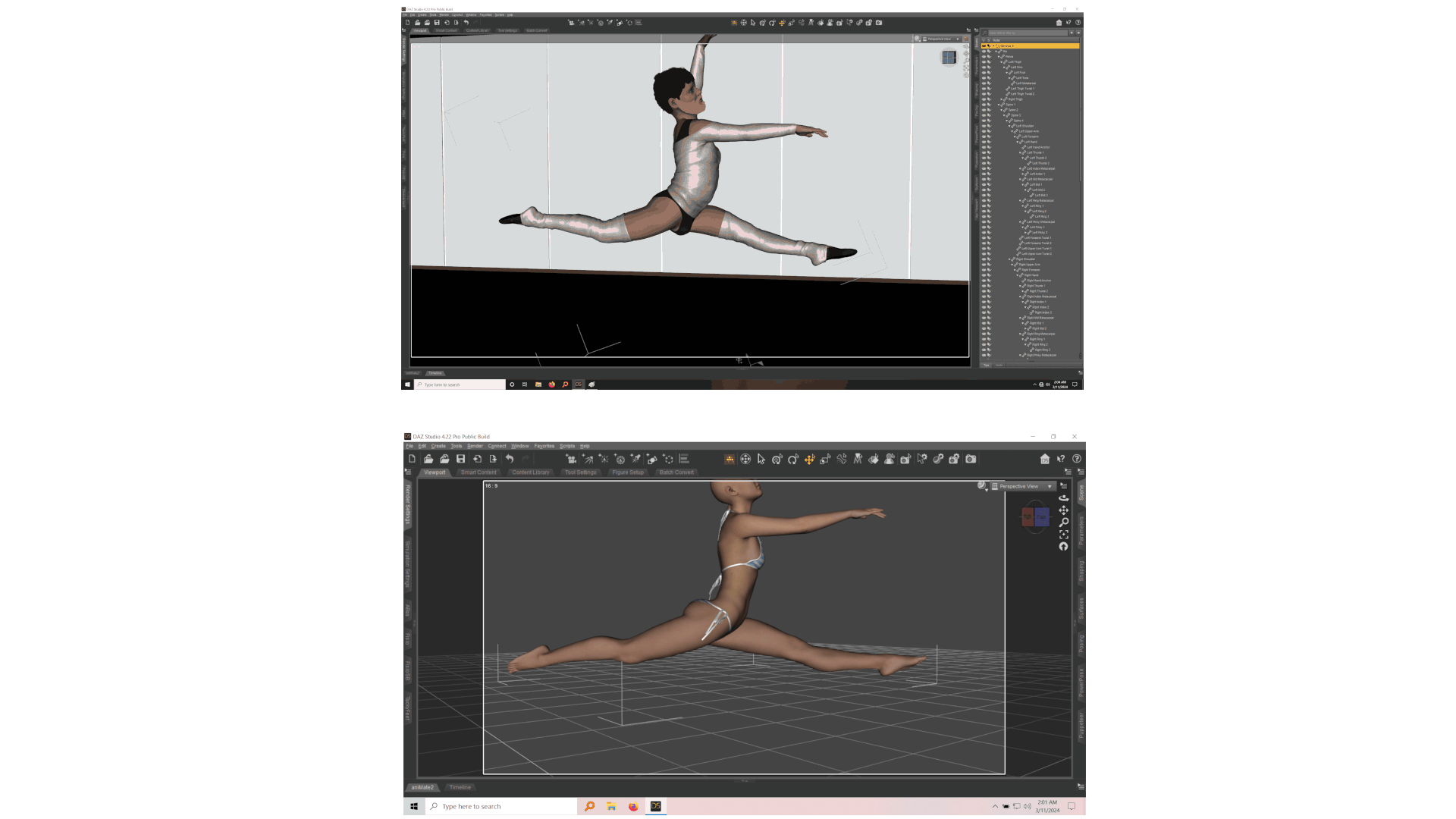
Hope this all amuses someone out there, have a great day. :)
Mechasar's Characters Catalog: Who's next? (commercial)Mechasar said:
Now your Divory character should show a list of 10 new morphs in the Parameter pane, each of them with the name you assigned to the fingers. Set them to 100% and, if everything went well, you can see her nails getting shorter. Just remember to save this Divory into a new personal scene to keep these morphs available for a next time :)Took me a while to finally get to it, I dread having to work with morph importing. I did a terrible job matching the fingers, but it worked well enough anyway.
Thanks for the clear and easy to follow tutorial; I ended up learning some new things from it.
I'm going to try replacing the hands completely too, might be more fitting for using the morph with human characters.Love the new character too, thanks for continuing to support G8.
Can anyone identify the hair used in the TMA Kade Genesis 9 promo images?deepred6502 said:
Speaking of promos, can anyone identify this clothing set?
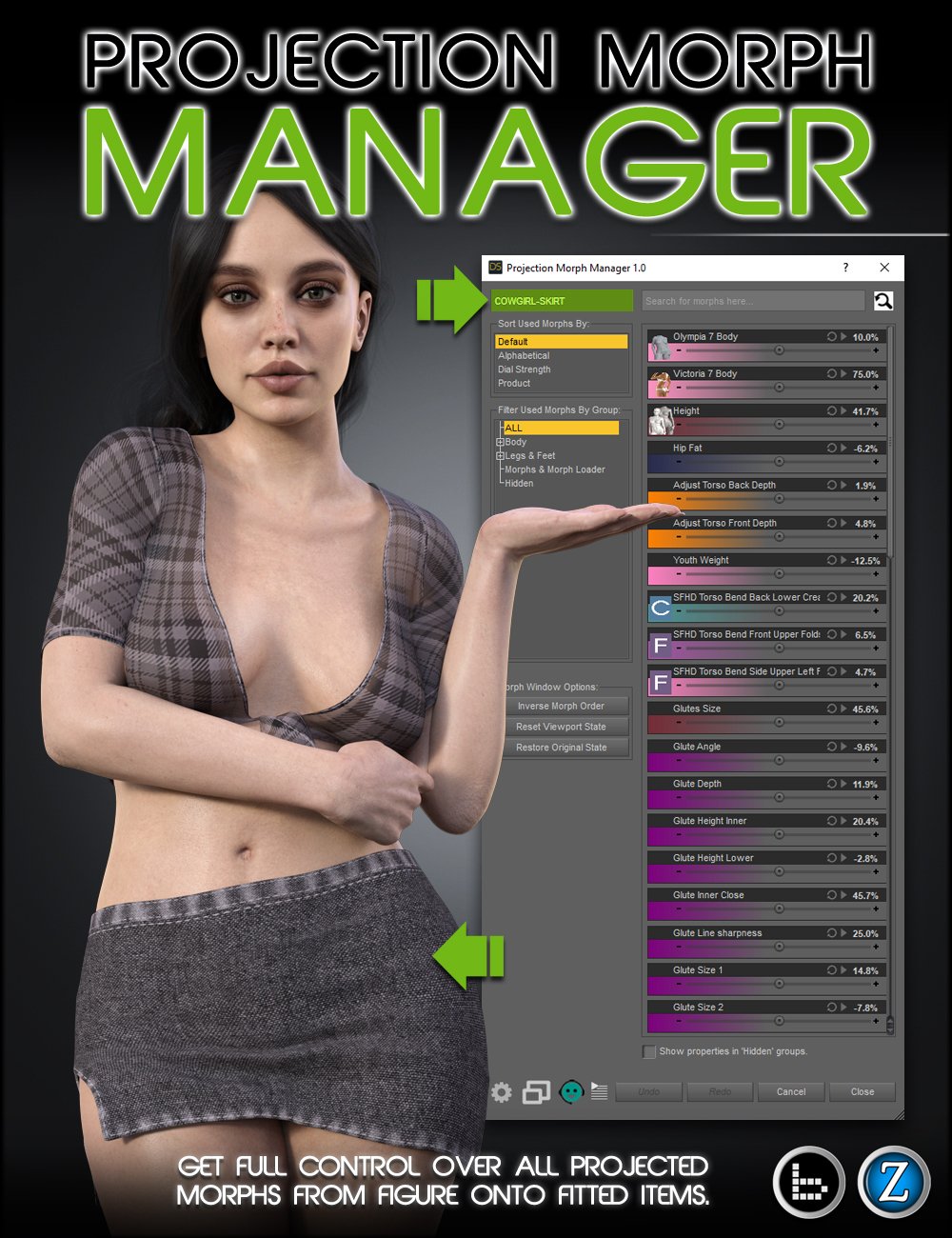
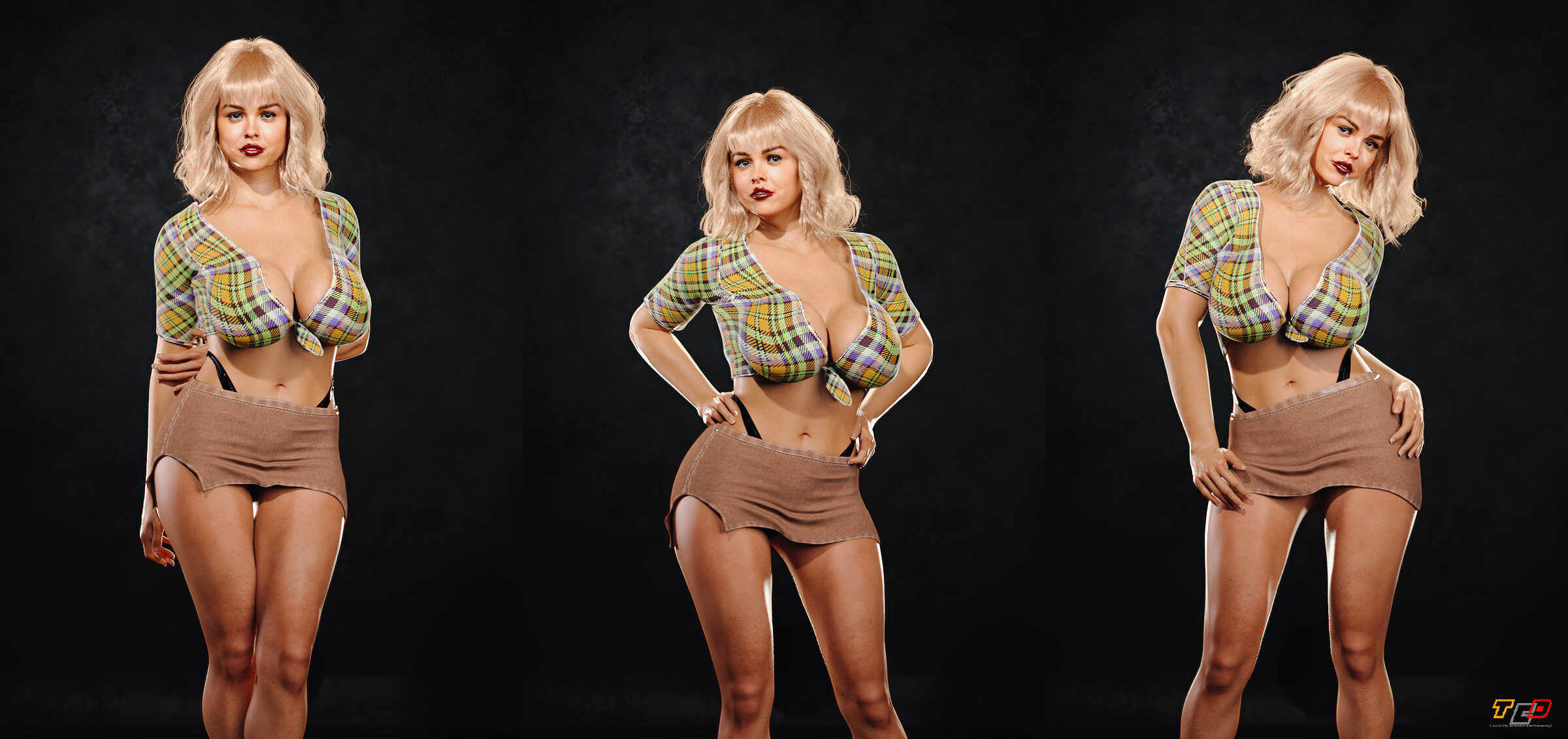
Thanks to outside help, it's Hot Cowgirl Outfit G8F by Matteoio at RH.
Omni Shader Hair Threadpaulawp (marahzen) said:
AlmightyQUEST said:
I know that earlier in the thread people talked about upgrading to the latest version of Studio to have the new shader work. Does anyone know, should it be working in the latest Public Beta version as well? And is there a trick to have it available in the beta? For a few reasons I'm trying to keep my main install on the previous version while I sort some things out, but I'd love to be able to try out the shader myself in the beta until I upgrade the main version. I installed the necessary basics file and see the shader in my hard drive in the data folder, but none of the presets are loading the shader.
I've been testing successfully in the beta version while staying on 4.21 for my main instance. I did have to upgrade the beta version from an earlier 4.22 version I had installed a while back to test Face Transfer 2.
I also have a 4.21 General Release and the 4.22.1.99 Public Build. The OmniHair Shader works fine in that Public Build.
Omni Shader Hair ThreadAlmightyQUEST said:
I know that earlier in the thread people talked about upgrading to the latest version of Studio to have the new shader work. Does anyone know, should it be working in the latest Public Beta version as well? And is there a trick to have it available in the beta? For a few reasons I'm trying to keep my main install on the previous version while I sort some things out, but I'd love to be able to try out the shader myself in the beta until I upgrade the main version. I installed the necessary basics file and see the shader in my hard drive in the data folder, but none of the presets are loading the shader.
I've been testing successfully in the beta version while staying on 4.21 for my main instance. I did have to upgrade the beta version from an earlier 4.22 version I had installed a while back to test Face Transfer 2.
Can anyone identify the hair used in the TMA Kade Genesis 9 promo images?Speaking of promos, can anyone identify this clothing set?
Bake Joint Rotations problem with Genesis 9crosswind said:
You dialed a character morph or sth. before Baking joint rotations ? Try doing it on G9 Base figure before dialing any character morph.
That did it! Once I set the generic shape and applied the "Bake rotations" to that, everything else worked great. Thank you!
Diffeomorphic - persist current JCM value to keyframe?Within Diffeomorphic I have the following settings enabled:
- Make Hidden sliders
- Show Final Morph Values
My figure has JCMs loaded and when I pose it in pose mode, the JCM shapekeys get updated, but not the driver, which is the only thing that can be animated:
As you can see in the image, the JCM (shapekey) value is 0.756 but the driver is at 0, which means I cannot add it to the timeline.
Ultimately I wish to create an animation in Blender and export it as FBX and include appropriate JCMs. This works with non-JCM morphs as I manually apply them.
Is there a setting/workflow that would let me save the currently applid JCM to the timeline? Or even just a way to sync the drivers to the current value so I could than manually add keyframes?AIUTO...CHI CONOSCE L’ITALIANO? PARTE QUATTORDICICrios said:
https://www.daz3d.com/the-hammerhead-x7a-explorer-starship
Molto bello, l'astronave, gli interni, props per il carico e un mezzo terrestre. PErò, sono tutti props, non c'è nulla di riggato. Ne i motori laterali dell'astronave, che sono 2 prop e ll tutto si carica tramite una subset scene; ne le porte degli interni, tutti morph; ne altro. Non c'è un solo ossicino in tutta la struttura. COme dicevo molto bello, bellissimo, ma almeno le ruote che giravano, le potevano fare.... E non costa neanche poco, io l'ho preso con il codice a 5.99 della march madness.
A proposito: avete idea di dove trovare un'astronave grande almeno come l'Enterprise, ma non tratta da qualche serie tv?
Ho tanti ponti comando ma nessuna astronave adatta alle riprese esterne.
Daz 3D is part of

Connect
DAZ Productions, Inc.
7533 S Center View Ct #4664
West Jordan, UT 84084Licensing Agreement | Terms of Service | Privacy Policy | EULA
© 2026 Daz Productions Inc. All Rights Reserved.