-
Data>Cloud
I assume you can update metadata without downloading any products.
But if you update a product from inside Daz Studio, it will be downloaded with Daz Connect, and those are two seperate installation methods, and the Connect takes priority.
Black eyes in blenderAgain, that is not when you import in blender, it's right in daz studio that you get black eyes, thus they are exported to blender. The reason is you miss the sclera material. What you need to ask is how to apply the G9 eyes materials in daz studio, that I explained as well but evidently you need a better explanation than what I can do. So perhaps someone else can explain it better.
Black eyes in blenderHey, anyone could help me ? When i import eyes in blender, the white part is full black...i didn't nkow how fix Capture of my daz scèneProblem with converting pants from Spring Outfit for Genesis 9I don't have them.
But I would suggest to load them onto G9, dial the G8F clone, adjust the legs 6 degrees so they match G8, and export the clothes in base resolution as obj.
Then select the autofitted clothes on G8F, and go to edit Edit > Object > Geometry > Update Base Geometry (from file). Then load the exported G9-obj (make sure your export and import options match) and click. The G8 pants, should now have the correct shape, and you can save.
I will also suggest to check the weightmaps. There might needs some corrections.
New Marvelous Designer update broke morph imports (geometry does not match)?Pinkus said:
I am having similar issues.
What I noted is that if I export from DAZ with "Write UV coordinates", I get an error using Morph Loader Pro "Vertex Count mismatch 11052:12140 (Base:Morph)", I checked that MD sees 11052 vertices in app, thus it is adding the extras during export, not during import (ofc, the count is for a specific example). It seems it is caused by how the vertices are exported with UV information...
If I uncheck "Write UV coordinates", the count remains consistent, but now MD mess up the vertex ordering, and the resulting morph from Morph Loader Pro is useless.
PS: tested with both weld and unweld in the MD export, doesn't change the resulting extras.
Yes, I could reproduce the same result. There's no such an issue with MD 2025 (by checking "Write UV Coordinates" when exporting in DS ~~), so it's a new bug in MD 2026.
We have to wait for the fix ~
New Marvelous Designer update broke morph imports (geometry does not match)?I am having similar issues.
What I noted is that if I export from DAZ with "Write UV coordinates", I get an error using Morph Loader Pro "Vertex Count mismatch 11052:12140 (Base:Morph)", I checked that MD sees 11052 vertices in app, thus it is adding the extras during export, not during import (ofc, the count is for a specific example). It seems it is caused by how the vertices are exported with UV information...
If I uncheck "Write UV coordinates", the count remains consistent, but now MD mess up the vertex ordering, and the resulting morph from Morph Loader Pro is useless.
PS: tested with both weld and unweld in the MD export, doesn't change the resulting extras.
Genesis 9 - How do you work with masculine figures content?Tomhip said:
So recently I have finally started to use some G9 characters, and its has not been a great experience.
The issue: Finding masculine poses and clothing in the vast sea of feminine content. This issue was of course non existent in previous generations as they were a separate figures.
What is everybodys strategy? Self curated library folders? Adding categories in Smart Content? Some way of hacking tags into products?
It is a bit of a problem, as it was with Genesis figures. Problematic for both finding content to load in Daz Studio and for shopping in the store.
I deal with it the same way I deal with all of the issues (a lot of us have thousands of content items installed, names/titles are usually inadequately descriptive, missing metadata and Smart Content errors, etc.) related to finding content : I consult an outside database I maintain of my content. I maintain lists in MS Word. Some people prefer spreadsheets. I just find it much easier than messing with either Content Library or Smart Content. Much easier to add notes and cross-list this way.
So, for Genesis 9 hairs, I just read through the Genesis 9 hair lists--male and female. If it's a unisex hairstyle, then it appears in both lists.
Let's appreciate/discuss today's new releases - more ongoinger threadHavos said:
felis said:
I will normally autofit using the base character, to avoid any influence from character morphs.
Then after autofitting, I will see if there is any noticable issues, like the croth.
And if, set it to base resolution and export as obj, and import to blender. In blender correct the issues - though that of course requires that you know blender or another modeller. After correction export it back to Daz Studio and update geometry Edit > Object > Geometry > Update Base Geometry (from file).
I am pretty sure that autofit works on the clone and target base shapes alone, and creates the dsf files based on those. An morphs or poses on the character you are fitting to are irrelevant to the product created. However both will effect how you view the fit when it is applied to your character, since the fit you see will have been adjusted for morphs using Auto Follow.
That is why I autofit to a base character. To see if the clothing fit in default shape, and if not correct the default shape.
How to Import Complete Animations To blenderAs for fbx, tried 480 frames from daz to blender and works fine here, had no issues with the default settings so no idea what you may have wrong. Blender 4 and 5 are better to handle fbx so you may try them instead, but blender 3 worked fine too.
As for diffeomorphic, you first import the figure in rest pose without animation, then import the daz pose preset with the animation.
https://bitbucket.org/Diffeomorphic/import_daz/wiki/Posing/Import Action
How to Import Complete Animations To blenderI tried exporting my character( basic G8Male cause it's not really for rendering or animating this specific character but to convert the animation to VMD format) with an animation on him to FBX. The Animation was 120+ frames. When i import the FBX, it only has 100 frames. What's going on?
That was just the Daz to FBX Export method.
I hear about Diffeomorphic but that seems even more difficult and i have diffeomorphic but when i have sent a character with animation applied the character just comes in to blender like upside down and there's zero frames of animation.
HOw do you actually get a basic character with animation via Daz FBX import into Blender or Diffeomorphic but get the entire animation and also if Diffeomorphic not have things like the character be upside down or twisted etc?
I have Blender 3.6. And Daz 4.24
Let's appreciate/discuss today's new releases - more ongoinger threadfelis said:
I will normally autofit using the base character, to avoid any influence from character morphs.
Then after autofitting, I will see if there is any noticable issues, like the croth.
And if, set it to base resolution and export as obj, and import to blender. In blender correct the issues - though that of course requires that you know blender or another modeller. After correction export it back to Daz Studio and update geometry Edit > Object > Geometry > Update Base Geometry (from file).
I am pretty sure that autofit works on the clone and target base shapes alone, and creates the dsf files based on those. An morphs or poses on the character you are fitting to are irrelevant to the product created. However both will effect how you view the fit when it is applied to your character, since the fit you see will have been adjusted for morphs using Auto Follow.
Blender Modifiers to Daz3d [Solved]Booleans will typically result in ngons, daz studio is more limited than blender handling ngons, thus not everything will import fine. Below an example that's similar to your scene, where daz studio fails to compute the geometry. One workaround is to triangulate before export, or use the triangulate option in the obj exporter.
Jun Xi is broken and cant use her anymoreok i was able to provide an update so far.....what i did was i did a fresh clean install of the gen 8.1 characters affected and now they are loading fine basically deleted there morphs and cloud folder uninstall them cleared the dson cache and then reinstall the characters and now they load ok, i did something like that for jun xi and her's was different (i did a manual install for her without using the dim and first i updated her metadata and then install and she was able to load fine i dont know what had happen but i think its probably due to the metadata being relied on too much causing these issues so i uncheck the metadata on the login page for now :(
Render your buys! ALL TIME ChallengesThe Fallout image was rendered in Blender using the Cycles render engine. I used the Diffeomorphic script to export from DAZ Studio, then the Diffeomorphic Blender add-on to import into Blender. After that I did manually tweak every Blender material because although Diffeomorphic does a reasonable job I still like to get the best results possible. If the models predate iRay in DAZ Studio I don't think it would be a lot of work to convert the 3D-Lite materials to iRay. Plus you only have to do it once for each model and you can save it to your library for future use.
Blender Modifiers to Daz3d [Solved]aidanthomas77 said:
when I import the Structure into Daz3D the Modifiers Disappear.
This phrasing is odd. What does this acutally mean - "disappear"?
And what is "the modifiers" in this description?
a) The resulting mesh that the boolean modifier produced in Blender?
b) Or you think the modifier should carry over into Daz?
If (a) above, does this mean you cant see any mesh in your scene? If so, click the focus button to focus on it. It probably imported at too large or too small size.
or if (a) above, and the boolean is messed up, it could be because the boolean produced n-gons, and daz will not render n-gons properly. If that's the problem you need to triangulate before import to Daz.
if (b) above, then obviously that is not going to happen.
But yeah, try what mysteristhepoint said (apply within the modifer stack before export rather than applying via the export dialog)
Blender Modifiers to Daz3d [Solved]Hello, I am Prepping a Structure in Blender to export to Daz3d, I have the Boolean Modifier (Difference) Applied to some of the Meshes and when I import the Structure into Daz3D as an Obj the Modifiers Disappear. As a Note I have the Option "Apply Modifiers" Enabled when Exporting From Blender, But the same Problem still Occurs.
Let's appreciate/discuss today's new releases - more ongoinger threadI will normally autofit using the base character, to avoid any influence from character morphs.
Then after autofitting, I will see if there is any noticable issues, like the croth.
And if, set it to base resolution and export as obj, and import to blender. In blender correct the issues - though that of course requires that you know blender or another modeller. After correction export it back to Daz Studio and update geometry Edit > Object > Geometry > Update Base Geometry (from file).
Free Software that Makes Life EasierTugpsx shared this awesome AI BVH generation workflow
need a Nvidia card though
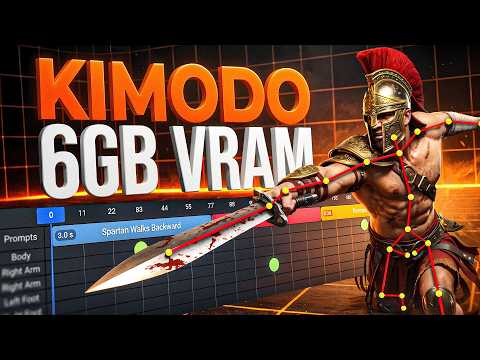
we can just import the BVH, repose and attach skeleton
to whacky cube morphations too

see https://www.daz3d.com/forums/discussion/comment/9512801/#Comment_9512801
Hex GalleryNova said:
Before I forget: please don’t use mirroring in Hexagon, as it breaks the normals. This issue has not been fixed by DAZ.
Thanks for the tip. When modeling cars, spaceships. etc. I depend on mirroring. Perhaps the solution would be model half than import into Blender to use mirroring.
diffeomorpic forearm twist not following hand on mhx ikThat's disabled by default as it interferes when you import daz poses. To enable go to the mhx panel.
mhx > properties > hands and figers > forearm follows
Daz 3D is part of

Connect
DAZ Productions, Inc.
7533 S Center View Ct #4664
West Jordan, UT 84084Licensing Agreement | Terms of Service | Privacy Policy | EULA
© 2026 Daz Productions Inc. All Rights Reserved.