-
Going ape over the AM Gorilla
I do romance covers which never feature gorillas. Werewolves, though... I used the gorilla and took out the morph, added in the Lucan morph, a little dog head, and a bit of Collosus. I need to work on him some though. Longer fur on the head, shorter on the arms.
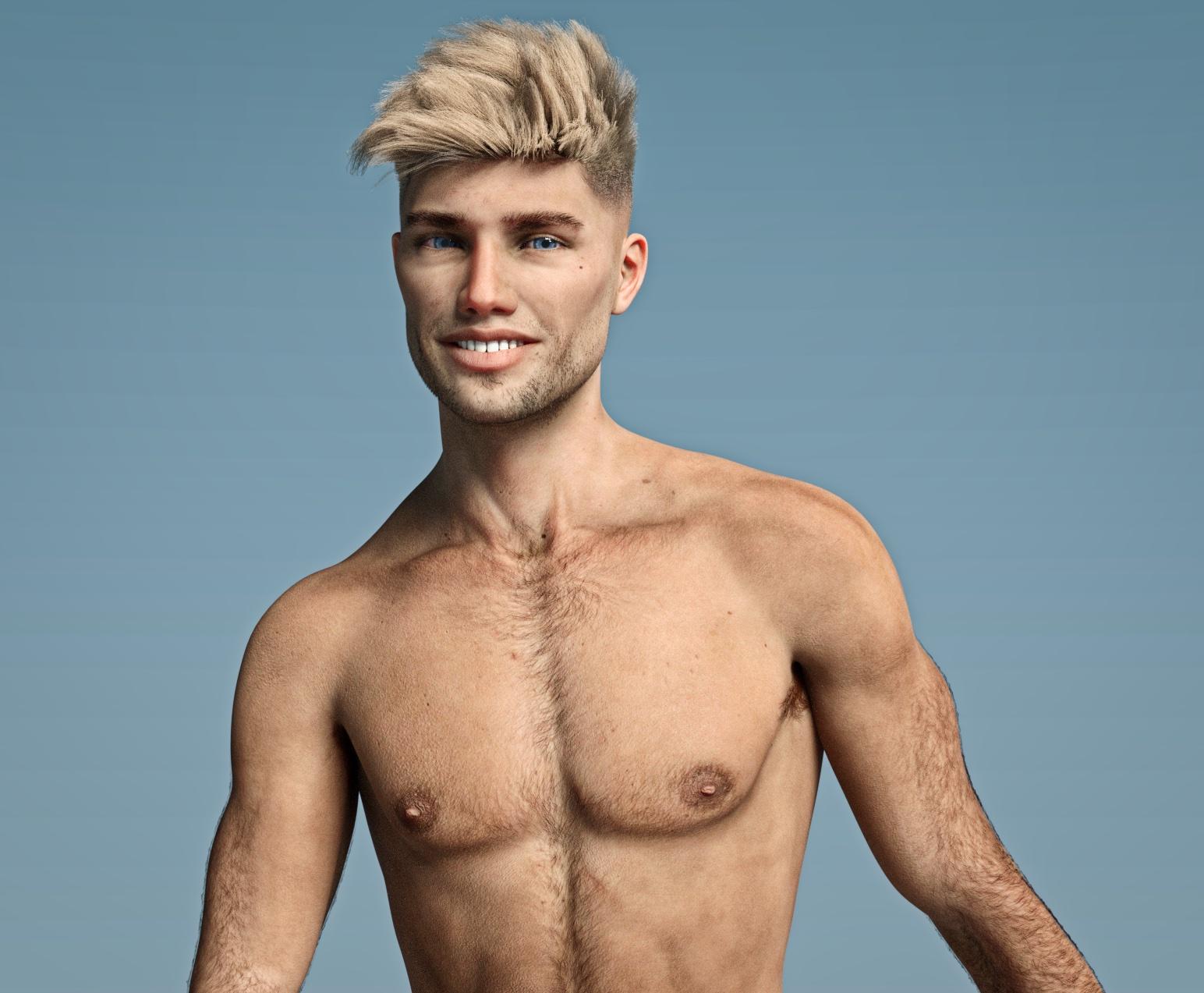
Novica & Forum Members Tips & Product Reviews Pt 12Belated Happy Birthday and a quick render of GypsyAngel's Ren face morph!
 Where are the base figures located in the file directory. (G2, G3)
If the free morphs were properly packaged up, they should contain a Content Library structure as Northof45 stated. However, sometimes they do not. In the latter case it is important to look at the file extensions used. If the morphs are simply supplied as a single file with a .dsf file extension, they belong in the "data" folder of your Content Library. Where within the subfolders of the data folder will depend upon the figure that the morphs are designed for. If they are for G8F, for example, they would go into data/DAZ3D/Genesis8/Female/Morphs/
If, on the other hand, the file is in a .duf format, it is probably a character morph that includes textures that loads everything in one go. That file, if, once again for G8F, would belong in People/Genesis 8 Female/Characters/. If textures are included and not packaged in a Runtime/Textures/ folder, you could open the .duf character file and look for the texture references there to tell you where to put them.
Improperly packaged content can be a real pain when encountered, but, hey, free is free, right? Hard to complain.
Going ape over the AM GorillaMade a quick baby gorilla by dialing in PedroFurtadoArts' Babyfication morph 2 and scaling back the head a little bit. Didn't even attemp to dial back the hair length to make it look younger as I haven't tried any strand hair editing. Trying to render with an adult gorilla was a no go on my old computer.
Shoe distortion issueHello,
I'm not sure if this is a bug or user error. When I apply a morph to the foot the shoe follows that morph. I am unable to correct this. In 4.10 I was able to just simply zero out the foot morph applied to the shoe. If there was poke through on the shoe I would simply add a smoothing modifier to the shoe and the poke through would resolve. Sometimes I don't even see the foot morph in the shoe and when I do its locked (unable to unlock the morph) and I am unable to zero out the morph applied to the shoe. This is no longer possible with 4.11 that I can see. Any ideas or is this a bug?
17 year old charactershttps://www.daz3d.com/teen-princess-leila-for-genesis-3-female-s
Honestly, this is the best teen figure I've seen so far.
You'd have to ask about, but find the Genesis 3 to Genesis 8 morph converter and she looks great as a genesis 8 body.
Or use the manual method (ask around)
I honestly think Josie and Kaylee look kinda terrible in comparison.
They have that big-lipped button-nosed cartoon look that makes them look more like bratz dolls than actual teenagers.
leila on the otherhand looks like a normal human being.
Genesis 3 Male from Genesis Generation X2 Problem?!Because you need to adjust rigging. The easiest way to do this is with the Shape Rigging product, which handles a bunch of stuff you could do, but more slowly, by hand.
When you change the shape of a figure dramatically, the rigging is going to be distorted because it's based around the standard figure. Morph products have a bunch of adjustments to make things bend and move smoothly; when you transffer the shape, you lose all those adjustments.
Note that even after you do adjust rigging (and save it to your new morph), you are still going to encounter problems because there are JCMs that aren't there.
That is, Daz Studio weight mapping tries to bend limbs and so on and shift the mesh to compensate, but a very different mesh is going to often have bends that look terrible. PAs create special morphs that dial in when certain bends happen, to help create a more fluid pleasing change.
For example, the neck area often turns to garbage when changed a lot. For my Otter... oh my. Bending the neck sideways made it fold like canvas. So I had to fold it, create a better looking shape, then add that as a JCM, rinse, repeat.
Shape transfers are great, but users need to understand how much work goes into making a shape work properly.
Alright!!! Thank you so very much Oso3D. I did what you told me to do with the rigging. I used the Shape Rigger Plus from Zevo and it worked!! Now all the poses work perfectly! Oh thank you thank you again I really appreciate your help. Have a great day.
Daz errors (warnings)Hi all
I get an error anytime if i load Genesis 8 and 3.
Base models genesis 2 works good.
2019-06-30 19:32:43.752 *** Scene Cleared ***
2019-06-30 19:33:27.733 WARNING: ..\..\..\..\..\src\sdksource\fileinput\dzassetdaz.cpp(7848): Failed to add user alias property to node.
2019-06-30 19:33:27.733 WARNING: ..\..\..\..\..\src\sdksource\fileinput\dzassetdaz.cpp(1451): Failed to create alias!
2019-06-30 19:36:20.388 Begin Loading Character Addons...
2019-06-30 19:36:20.427 Loaded Morph Deltas in 0 min 0.0 sec.
What i must to do?
I fixed other errors (duplicates and others) but this error still persist.
What i need to do to fix this errors?Genesis 3 Male from Genesis Generation X2 Problem?!Because you need to adjust rigging. The easiest way to do this is with the Shape Rigging product, which handles a bunch of stuff you could do, but more slowly, by hand.
When you change the shape of a figure dramatically, the rigging is going to be distorted because it's based around the standard figure. Morph products have a bunch of adjustments to make things bend and move smoothly; when you transffer the shape, you lose all those adjustments.
Note that even after you do adjust rigging (and save it to your new morph), you are still going to encounter problems because there are JCMs that aren't there.
That is, Daz Studio weight mapping tries to bend limbs and so on and shift the mesh to compensate, but a very different mesh is going to often have bends that look terrible. PAs create special morphs that dial in when certain bends happen, to help create a more fluid pleasing change.
For example, the neck area often turns to garbage when changed a lot. For my Otter... oh my. Bending the neck sideways made it fold like canvas. So I had to fold it, create a better looking shape, then add that as a JCM, rinse, repeat.
Shape transfers are great, but users need to understand how much work goes into making a shape work properly.
Genesis 3 Male from Genesis Generation X2 Problem?!I'm going to keep following this thread. I just had one where I wrote about my journey to get a V4 morph to Gen8 and all was well, UNTIL i tried to move it
Genesis 3 Male from Genesis Generation X2 Problem?!Hello,
I recently transfer morphs from Genesis 2 Apeworld to Genesis 3 Male. But when I tried using some poses the arms, legs and mouth began to mess up. I don't know what or why is this happening. Can someone please help me with this issue? Thank you
Separating the head morph from a clone morph [Solved]Well, most of the work is already done. You’ve already created the morph. The ‘see also’ has the weight maps you’ll need. You just need to follow the directions for splitting a morph into head / body morphs.
I’m not 100% sure this is what you’re asking. Might this help?
See also: https://www.daz3d.com/forums/discussion/comment/2889496/#Comment_2889496
At a first glance this looks like something that fits the bill, but damn, that looks complex, so gonna have to read into it to see if it helps me.
Basically I have a new morph that NEEDS the Vicky4 clone dialed to 100%. A clone changes body and head and I don't want to have the head, since my new morph also only changes the body, so now I'm trying to remove the head morphing from the clone dial.
Thanks, you're my hero. I have no clue about Weight Maps, so would never have looked into that and D-Formers are something I never really understood, but that pdf you linked (with the one splitting the Heavy Morph) described it nicely and following that I now have a kinda Anti-Morph to my V4 clone which let's me -100% dial the head from V4, so I can use G8 heads. Backwards way to do it and there's probably a more elegant solution during the step where I made a V4 clone in the first place, but I also don't want to go back and mess it up potentially, so I'll just use my workaround XD
Afterthought: It was not worth it. Since I now have a clone in use, I JUST realized that I can't even pose my figure correctly anymore, cause now almost all movement distorts the character into a nightmare creature. I bought GenX with 2 add ons, messed up my library cause I had to re-install every figure down to V4, wasted like 6 hours on everything and end up with a good looking T-posed character I can't use. I blame Blackhearted for making a unique styled figure but sticking to poser only.
Separating the head morph from a clone morph [Solved]Well, most of the work is already done. You’ve already created the morph. The ‘see also’ has the weight maps you’ll need. You just need to follow the directions for splitting a morph into head / body morphs.
I’m not 100% sure this is what you’re asking. Might this help?
See also: https://www.daz3d.com/forums/discussion/comment/2889496/#Comment_2889496
At a first glance this looks like something that fits the bill, but damn, that looks complex, so gonna have to read into it to see if it helps me.
Basically I have a new morph that NEEDS the Vicky4 clone dialed to 100%. A clone changes body and head and I don't want to have the head, since my new morph also only changes the body, so now I'm trying to remove the head morphing from the clone dial.
Separating the head morph from a clone morph [Solved]I’m not 100% sure this is what you’re asking. Might this help?
See also: https://www.daz3d.com/forums/discussion/comment/2889496/#Comment_2889496
At a first glance this looks like something that fits the bill, but damn, that looks complex, so gonna have to read into it to see if it helps me.
Basically I have a new morph that NEEDS the Vicky4 clone dialed to 100%. A clone changes body and head and I don't want to have the head, since my new morph also only changes the body, so now I'm trying to remove the head morphing from the clone dial.
Separating the head morph from a clone morph [Solved]I’m not 100% sure this is what you’re asking. Might this help?
See also: https://www.daz3d.com/forums/discussion/comment/2889496/#Comment_2889496
Separating the head morph from a clone morph [Solved]I wanted to use an old V4 morph on G8 and was able to manage that. I have the whole process over in my other thread: https://www.daz3d.com/forums/discussion/336491/gnd4-2-or-other-versions-to-g8-solved
Now as I wrote in my Edit 2, I now have the issue that it only works with a selfmade V4 clone dialed to 100%, but that means that also the head is now V4 shaped, while I would prefer to use my G8 headmorphs.
Before I go down a spiral of madness (again), I want to ask if anyone knows an easy solution to make it so the head can still be G8, while I have the V4 morph dialed in.
Long Load Times - Fixing WarningsUnderstood. I'll check a clean G8 resource folder and see if the same errors are present. I’m not sure what an alias is or is referring to in regards to DAZ. Scanning the G8F Data\\Morph folder I get a bunch of alias_xxxxx.dsf files. It seems to be a common prefix that content creators use. But without something more descriptive in the Log file I’m not sure where to look. I guess I'll start with the clean G8F first.
GND4.2 or other versions to G8 [Solved]Although there are no guarantees with any of the techniques for transferring morphs successfully from earlier generations to Genesis8, you could try the following thread, containing an solution by SingularBlues, called GenNext, as an alternative to SY's approach:
https://www.daz3d.com/forums/discussion/176271/morphs-from-g3-to-g8#latest
(BTW, when you applied your previously-created morph to G8F as shown in your previous post, did you also apply the slider for your V4 clone as well? My usual experience with GenX is that you must fully apply both for the desired results)
Thanks for the link and reply.
I did dial the V4 clone slider too. The picture I attached is with both. Without it's similar, but distorted in a different way. I also tried genesis clone and V4 clone combinations, but also only results in different distortions. gonna try the link tutorial later and also might try to make a V4 clone again, in case something was done wrong, though it looks correct.
Edit: I'VE DONE IT! Not sure if it was a mistake with the original v4 clone making or something other I missed the first time, OR if it was using GenX to transfer from V4 to Gen3 and then to Gen8, instead of going through Gen1 and then to G8 like I tried before.
I had to dish out a lot more money for all 3 GenX parts than GND back then would have costed, but at least I was able to do it!
For anyone interested, the following tutorials helped me:
To make a V4 Clone on G8:
To transfer GND from V4 to G3:

To get the Morph from G3 to G8:
(I had a clone morph from some source I can't remember that let's me pose G8 like G3 with only a slider, so I didn't need this, but honorary mention if you need to make a slider for the A Pose:)
https://www.daz3d.com/forums/discussion/176271/morphs-from-g3-to-g8/p1
Attached is the end product. I did not convert the head, since there are enough good looking ones around, but nothing in the style of the GND Body.
Edit 2: I am dumb...since I thought I'm going to use G8 headmorphs, but the V4 clone is the full body, they look wonky. Now I have to figure out how to make the morph work while still being able to use G8 headmorphs -_-
Edit 2.1: Solved that with weight maps and splitting the clone, BUT I just realized that G8 poses now don't work, so fuck it, I'm just going to try to recreate the GND body with the G8 available morphs.
Anatomical ElementsMale-M3dia, your female model also does have your shapes morphs right?? i means this one:
https://www.daz3d.com/m3d-jessica-hd-for-genesis-8-female
would be good if in future we could get a "hero" version for female too for that stuffs lol
That item only has a genital crease morph. For as much as my female sell, it would have been a waste to create too many morphs beside that, especially since better 3rd party options exist if that's what people want beyond the basic.
so sad
 , i think the problem is because you go oopposite of DAZ focusing more on "males (which itself is good since we lack males products compared to females) , but it's ending making peoples only wanting to buy the "males" since is the most we see on you,
My male products sell way better than the female ones (unless they are teens), which is why I do more of them. I do a female product at the beginning of the generation while I'm waiting on the male figure to release.
Going ape over the AM Gorillamight grab him tomorrow been waiting nearly a year for him to be released too, checked the dates when he was told he'd been released to be released is the baby morph still part of him?
Daz 3D is part of

Connect
DAZ Productions, Inc.
7533 S Center View Ct #4664
West Jordan, UT 84084Licensing Agreement | Terms of Service | Privacy Policy | EULA
© 2026 Daz Productions Inc. All Rights Reserved.