-
[Released] Bone Breaker Fantasy Armor for Genesis 8 Males [Commercial]
@jakiblue I'm glad you liked it.
 It shows of the flexibility of the product, I think, to fit a morph like Tobyn as well as it did.Daz > Hex bridge !!!!!
Just today I am trying to reinstall Daz Studio, content and Hex onto a newer/faster computer.
Everything works - except the transfer of objects between Daz and Hex.
As an example - I create a simple sphere, select the sphere and select send to Hexagon.
Hexagon opens up, but the object is not transfered over. Blank space! After which, trying to return to Daz the Studio program hangs and must be shut down via Windows Task Manager.
I have uninstalled and reinstalled numerous times - using Install Manager, Daz central and manual.
Setting are identical to the ones on my old system.
Any suggestions??
Any help appreciated because I use Hex everyday in my projects.
Thanks
AlanAIUTO...CHI CONOSCE L’ITALIANO? PARTE DODICINon cpaisco come si fanno a vendere degi shape preset a questi prezzi
Body By Sublime Series 8 Female | 3D Models and 3D Software by Daz 3D (daz3d.com)
"Con 10.000 lire il mio falegname la faceva meglio" cit.
Perché $3.26 ti sembra molto?
Io ho finito (tranne rare eccezioni) di installare morph, per non rallentare Daz, ma altrimenti mi sembrerebbe anche molto conveniente!
Anyone done any renders of Hagar?I managed to fix her eyebrows properly my side so that loading the character loads the eyebrows properly as well. (after rerigging with transfer utility, saved as a figure prop asset over the original eyebrows .duf)
attached is vanilla hagar with dforce soft curls hair, which together with that outfit do not fit on my 4gigs of vram.
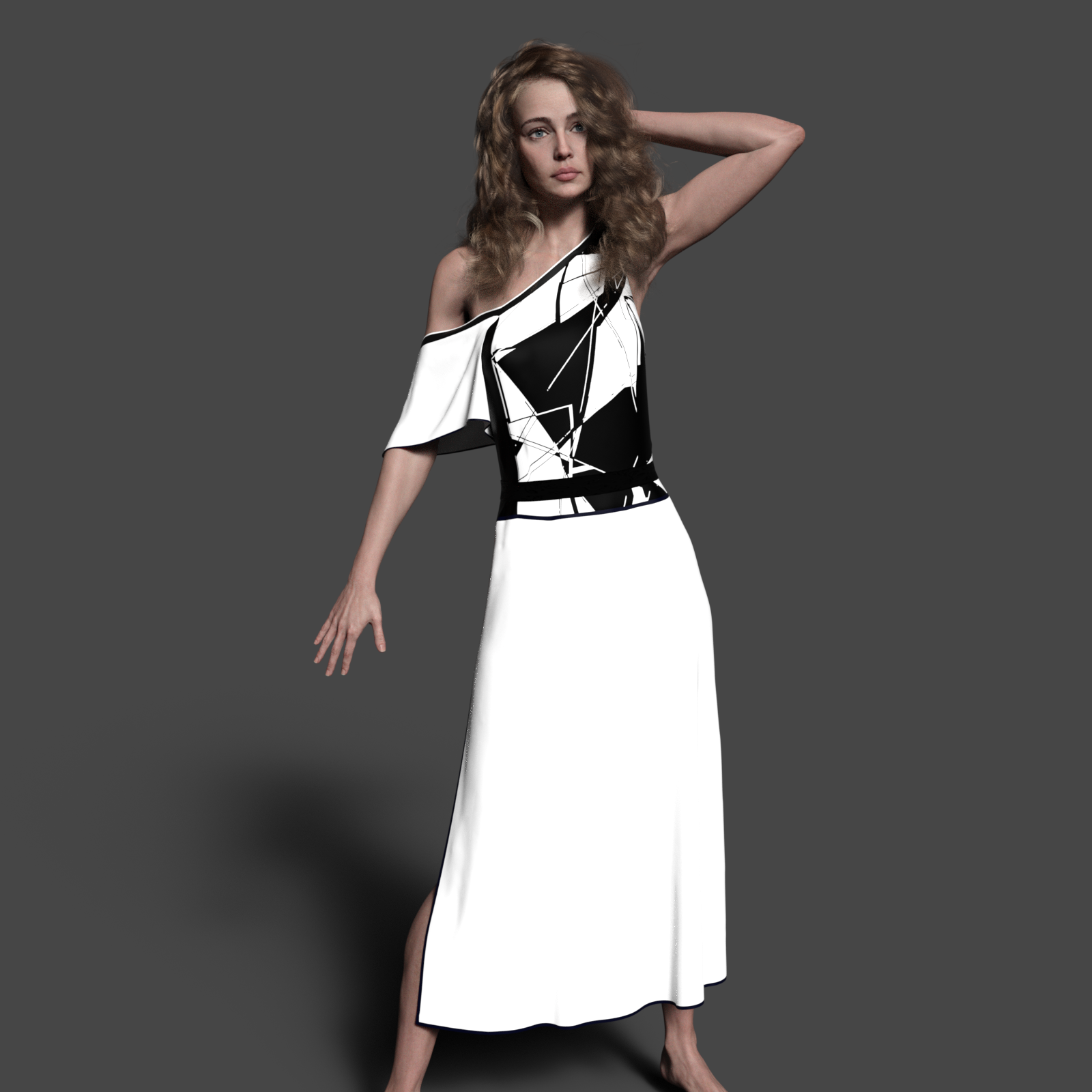 Vampire Morphs - Before G8 ends...!
I wonder how hard it is for DAZ to transfer HD morphs, since the creature ones are DAZ originals and they could resell them
 Anyone done any renders of Hagar?
you can sort of fix the brows yourself, load her in, select the brows, open the transfer utility, set hagar as source and brows as target, set source item shape to current shape, under advanced options tick reverse source shape from target.
file>save as> support asset > save modified assets.
Unfortunately you'll still have to change the eyebrows fit to parameter each time you load Hagar as they load in parented and not fitted.
Edit: assuming update hasn't made any changes to the brows and they load in, in place parented to Hagar but not fitted
It's much easier to delete them and use eyebrows that work properly.
It's much easier to return. It's a product that doesn't work as it should.
Anyone done any renders of Hagar?you can sort of fix the brows yourself, load her in, select the brows, open the transfer utility, set hagar as source and brows as target, set source item shape to current shape, under advanced options tick reverse source shape from target.
file>save as> support asset > save modified assets.
Unfortunately you'll still have to change the eyebrows fit to parameter each time you load Hagar as they load in parented and not fitted.
Edit: assuming update hasn't made any changes to the brows and they load in, in place parented to Hagar but not fitted
It's much easier to delete them and use eyebrows that work properly.
Anyone done any renders of Hagar?you can sort of fix the brows yourself, load her in, select the brows, open the transfer utility, set hagar as source and brows as target, set source item shape to current shape, under advanced options tick reverse source shape from target.
file>save as> support asset > save modified assets.
Unfortunately you'll still have to change the eyebrows fit to parameter each time you load Hagar as they load in parented and not fitted.
Edit: assuming update hasn't made any changes to the brows and they load in, in place parented to Hagar but not fitted
Morph Asset SaveHello,
I have a question concerning custom morphs and the manner they are saved. If I create a custom morph for a genesis character or a random prop, with Zbrush for example, and export it in the scene without saving it as a support asset, does this morph is actually saved in the scene .duf file? For me it seems to be saved in the scene, but I just wonder if in fact the morph is saved in a temp folder somewhere. I hope my question is not too confusing^^
The older generation: Victoria 2/3, Michael 2/3 and their children rendersI have, at last, been able to finish the image I wanted the AS Elvenstrapped bikini for after finally getting a working GV3 Fitting morph earlier this week. This image was partly inspired by recently re-reading Jean M Auel's 'Clan of the Cave Bear'. The invention of the bow didn't occur until possibly 8000 years ago, so that's the sort of vaguely post-glacial period I'm imagining the image is set in.
After getting up before dawn on this crisp autumnal morning, our hunter had finally stalked close enough to the Moose to be able to have a reasonable chance of a kill. There would be enough meat to get her family group through the next month or so so long as the first frosts of the winter came soon enough to freeze the meat before it spoiled. So, slightly crouching down she knocked the arrow and started to draw the bow, keeping the bow horizontal so as not to give a hint to the Moose that she was a danger. This far away - further than she wanted but as close as she dared given the cover - the arc of the arrow was going to be significant so she had to adjust her aim by a great deal.
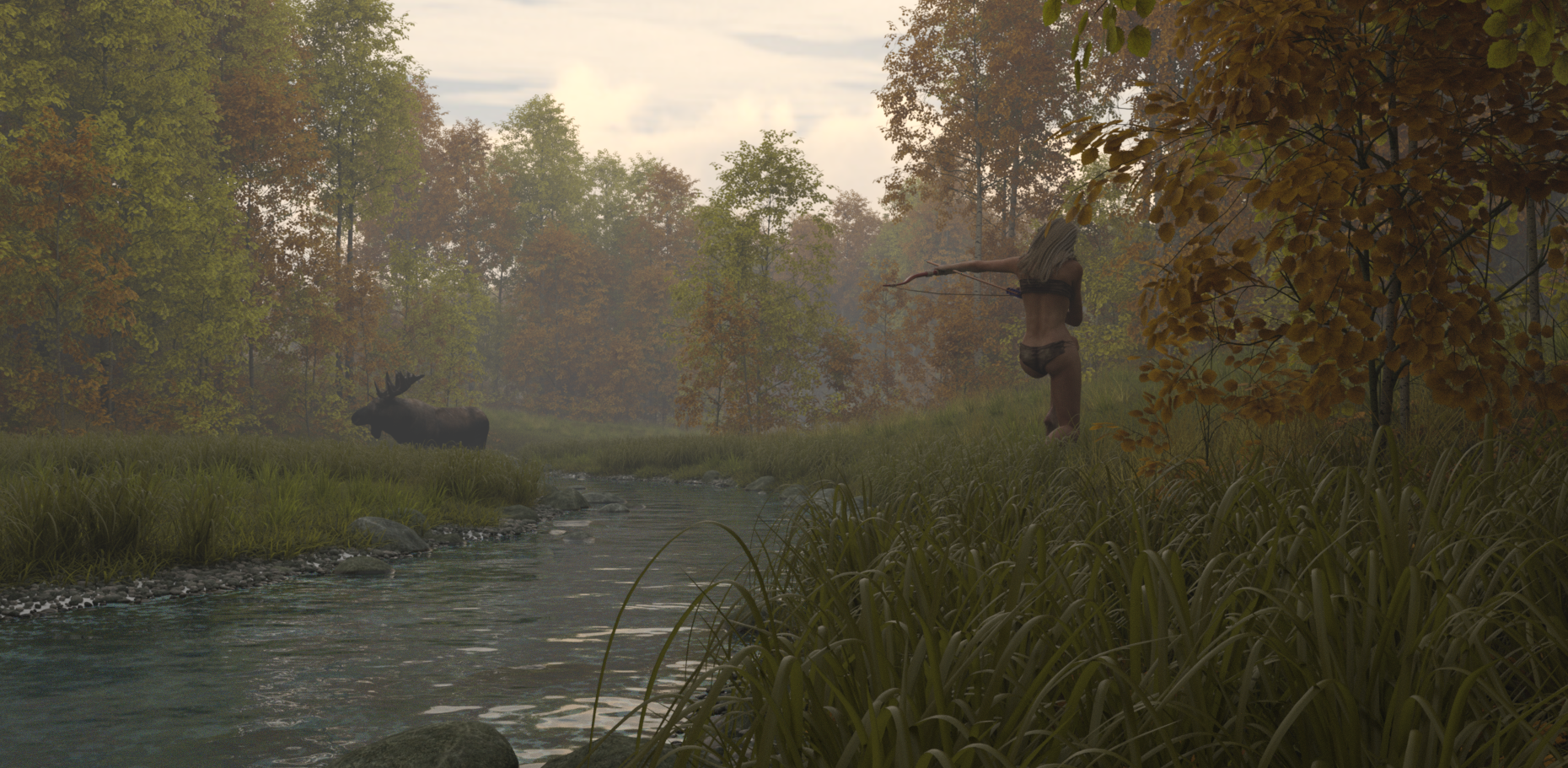
The landscape is UltraScenery with an extended forest and glacial runoff water, the Moose is a prop from MostDigitalCreations. The bow & arrow from Guy91600 Renderosity freestuff. The early morning mist is the iRay fog set to 1000 opacity distance. Lighting by freebie HDRI sky, one of the early morning ones available from .. err, I forget where.Regards,
Richard.
attached bits madnessThose things annoy me as well. I've got some code written to deal with it, it's not done yet though. The problem is they get exported without any skin weights, so I'm trying to just give those surfaces a weight at transfer time.
Star Trek Builders Unite 8: THE REBOOTWIP Vaadwaur M4 using creatue morphs M4++ and custom neck morph
Where to get these soccer outfits in this product?^Those are poses, not textures. Not sure about where to get a soccer uniform (though I'd like one) - last one I've seen is for M4 and V4:
https://www.daz3d.com/soccer-set-for-victoria-4
https://www.daz3d.com/soccer-form-and-shoes
They could be fitted via clones if you have those. Something like: https://www.daz3d.com/wear-them-all-autofitting-clones-and-clothing-smoothers-for-genesis-3-male-s and https://www.daz3d.com/wear-them-all-autofitting-clones-and-clothing-smoothers-for-genesis-3-female-s can transfer clothing to Genesis 3 and after converting to Genesis 3, the outfits can then be auto-fitted to Genesis 8 with DS's built-in clones.
AI is going to be our biggest game changeryes lightweight 3D virtual reality glasses is hopefully the future technology so we can play our games interactivly in the real world.
That's aiming quite low... I'm thinking neural interface...
With the increasing capabilities of computer technology, I would be surpriced if they couldn't decipher the signals between our sensors (senses) and our CPU (brain) within the next 30-40 years and use that to transfer the information from the computer into our brain without intermediate devices like the monitors or speakers.
As far as AI is concerned, in my mind a real AI means real digital lifeform as well.
not in my lifetime
I think if an artificial lifeform style AI comes into creation it'll probably be by accident. One of the things we've learned from self learning machines is once they learn one task, they learn other tasks quicker, easier, and better. People will probably network a bunch of specialist AIs together to assist in machine learning and before we know it an artificial lifeform is born and then probably a singularity.
Unity: Introducing the all-new Daz to Unity Bridge & native Unity File FormatsBring your Daz Library to Unity
Daz 3D is here to help you make photo-realistic and highly functional 3D projects with the Daz to Unity Bridge. The amazing Character features you love in Studio are ready to export to Unity for your animation, app, video game, or other 3D project. And, like our other Bridges, the Daz to Unity Bridge is totally and completely FREE.
This cross-platform port transfers your characters, outfits, hair, props, and more to your Unity project with just a few clicks. Wherever you’re working, bring your favorite morphable and mashable characters with you simply, quickly, and easily.
Advanced Bridge Capability
The Daz to Unity Bridge comes with tons of advanced and enhanced functionality crafted specifically for animators and video game developers. The Unity Bridge includes 3rd party animation capability, advanced Materials transfer and support, and Daz Character functionality, all for FREE.
How it works
This cross-platform port transfers your characters, outfits, hair, props, and more to your Unity project with just a few clicks. Bring your favorite morphable and mashable characters with you simply, quickly, and easily in just a few steps:
-
Download
-
Download Studio for free, and get automatic access to Daz Bridge to Unity (also free!).
-
-
Build
-
Explore over 30,000 items to find your perfect product. Then use Studio’s built-in sliders, morphs, smart content and auto-fit to make your perfect character.
-
-
Transfer
-
Once your character is ready to go, open your Daz Bridge and import your project to your 3D software simply, quickly and easily.
-
-
Finalize
- Put in the finishing touches — watch your character come to life in your animation, game, or other 3D project.
Unity File Formats
Whether you’re working on a quick product or want to add the perfect Daz character to your 3rd party software scene, Daz also offers native Unity File Formats so you can add characters, props, animations and more to your Unity project.
Get the Daz to Unity Bridge today!
Need Help? See the Daz to Unity FAQs and User Guide.
The Daz to Unity Bridge is an Open Source project.
Learn More about Daz Bridges, File Formats, and how you can create amazing 3D artwork. Your 3D Universe is waiting… what will create with tens of thousands of new 3D models at your fingertips?
DAZ freezing on loading scenes, even when I merge them in.I just deleted my Sakura morph transfer. Most of it is stil there but her head is gone. I'll have to bring that back in again when I get this straight.
I'll attach the log as it is growing.
I did update Ruffles recently, actually. She was the last thing I did before I went to other matters for a few days. Mostly I updated her eye colors and changed her outfit. Nothing major. Her body shape and head have been established for a long time now. She's actually a character transfer from Aiko 3 Kioki.
BTW thank you for taking the time to help; me figure this out. Maybe I'll learn something, increase the ol' skill set.
Agh. It won't attach.
attached bits madnessyeah this is why i hate this "daz riggid system", while in daz it is "wonderfull" use it outside daz is a nightmare and even when you use the transfer utility not everything will work fine some stuffs can bug in the mesh when using the transfer, like this:
https://www.daz3d.com/dforce-warrior-of-dusk-outfit-for-genesis-8-females
the gems are "attached" if you try to use the transfer utility the gems will go "inside the mesh" they don't stay in the same place".
some outfits like for exemple this one:
https://www.daz3d.com/dforce-victorian-butler-for-genesis-8-males
where like 70% of the outfit are attachments will be a nightmare and worth the drama to export to unreal due to the ammount of "efforts you have to put to add all the stuffs.
AI is going to be our biggest game changeryes lightweight 3D virtual reality glasses is hopefully the future technology so we can play our games interactivly in the real world.
That's aiming quite low... I'm thinking neural interface...
With the increasing capabilities of computer technology, I would be surpriced if they couldn't decipher the signals between our sensors (senses) and our CPU (brain) within the next 30-40 years and use that to transfer the information from the computer into our brain without intermediate devices like the monitors or speakers.
As far as AI is concerned, in my mind a real AI means real digital lifeform as well.
not in my lifetime
I still have 44 years before hitting three figures, so... Maybe I will see the culmination of the personal quest that started 23 years ago with trying to get sound in and out of the computer
Looking for one vital addonYou have to do that for every individual shader though, don't you (like Face, Fingernails, etc)? The fastest way I've found so far is just to use that other included addon to copy all materials from one that you've already set up to any new ones.
I'm impressed by what Diffeomorphic can do, but I still think trying to pose and morph DAZ figures in Blender is way too slow and tedious compared to Studio (which is not surprising). For now, I still plan on exporting posed and morphed figures from Studio as OBJs and just find some workaround for getting their materials applied.
DAZ freezing on loading scenes, even when I merge them in.Do not copy the log into the post, but attach the log as a file.
All the characters and morphs that you have installed for Genesis 3 Female will be read each time you load any Genesis 3 Female based character into the scene, no matter if they are activated for that character or not - If there are characters and/or morphs that don't like to play together, it takes time for DS to try finding a solution, or if the character/morph comes with errors left by the creator, again it takes time for DS to think about the situation it can't understand, or if you do have tons of characters/morphs there is just too much to read and that takes time, but to my experience the biggest delay in loading a character comes from having those "warnings".
If everything was fine a week ago and you haven't installed any characters or morphs for Genesis 3 Female since then, have you by any chance saved/updated any assets related to Ruffles?
I have had a case when DS updated an asset file and inside the file I did find duplicate formulas that were referring to different things just like the log was telling."I hope didn't break other characters when I deleted things." - What did you delete?
Daz 3D is part of

Connect
DAZ Productions, Inc.
7533 S Center View Ct #4664
West Jordan, UT 84084Licensing Agreement | Terms of Service | Privacy Policy | EULA
© 2026 Daz Productions Inc. All Rights Reserved.