-
Morph Master
barbult said:
I don't understand what your error popup has to do with Morph Master. Are you posting in the right thread?
Matew posted a comment about several of his scripts and I responded without looking at the thread title. Never mind.
Morph MasterI don't understand what your error popup has to do with Morph Master. Are you posting in the right thread?
Morph Masterjmucchiello said:
matew said:
SaveGuard – It has saved me countless hours of work. That feeling when you're suddenly covered in cold sweat after realizing you just accidentally saved a new scene over an old one, knowing it would take an hour to recreate the scene from scratch — it's now a thing of the past.
Wearables Manager – I always use it when positioning a character and need to do something more complex than just slightly moving an arm, especially when working on animations. DAZ flies when your characters aren't weighed down by tons of props and clothing, accesories, geografts, and a couple of geoshells.
FlexiKeys – Honestly, I consider this my most fundamental creation, though for some reason, it’s the least popular. I just can’t imagine adjusting sliders anymore when positioning a character. When you control your character's bones using the keyboard, can rotate multiple ones simultaneously, switch between bones or toggle limits on and off on the fly — it’s just a completely different level of control.
Morph Master – I wouldn’t have even bothered with many things I can now do in just a couple of clicks. It allows you to take your renders to the next level without wasting a massive amount of time.
SaveGuard is better than the premiere autosave. I still see alerts when saving a preset because SaveGuard can't find the png associated with it because Daz doesn't generate an image file for something like a pose preset.
It should, unless it has been told not to in preferences.
I always forget wearables manager and morph master exist. I really need to integrate them into my work flow.
Flexikeys crashes Daz randomly on me.I have no idea what happens, but the flexikeys dialog where you can enter values popup and a second later Daz drops to desktop. So I've never learned the keystrokes. At this point I type numbers directly into the parameters fields. My dream interface would have mapped keys like flexikeys has with direct numeric entry and all presented on the Powerpose panel. But that would be remaking powerpose practically from scratch.
Morph Mastermatew said:
SaveGuard – It has saved me countless hours of work. That feeling when you're suddenly covered in cold sweat after realizing you just accidentally saved a new scene over an old one, knowing it would take an hour to recreate the scene from scratch — it's now a thing of the past.
Wearables Manager – I always use it when positioning a character and need to do something more complex than just slightly moving an arm, especially when working on animations. DAZ flies when your characters aren't weighed down by tons of props and clothing, accesories, geografts, and a couple of geoshells.
FlexiKeys – Honestly, I consider this my most fundamental creation, though for some reason, it’s the least popular. I just can’t imagine adjusting sliders anymore when positioning a character. When you control your character's bones using the keyboard, can rotate multiple ones simultaneously, switch between bones or toggle limits on and off on the fly — it’s just a completely different level of control.
Morph Master – I wouldn’t have even bothered with many things I can now do in just a couple of clicks. It allows you to take your renders to the next level without wasting a massive amount of time.
SaveGuard is better than the premiere autosave. I still see alerts when saving a preset because SaveGuard can't find the png associated with it because Daz doesn't generate an image file for something like a pose preset.
I always forget wearables manager and morph master exist. I really need to integrate them into my work flow.
Flexikeys crashes Daz randomly on me.I have no idea what happens, but the flexikeys dialog where you can enter values popup and a second later Daz drops to desktop. So I've never learned the keystrokes. At this point I type numbers directly into the parameters fields. My dream interface would have mapped keys like flexikeys has with direct numeric entry and all presented on the Powerpose panel. But that would be remaking powerpose practically from scratch.
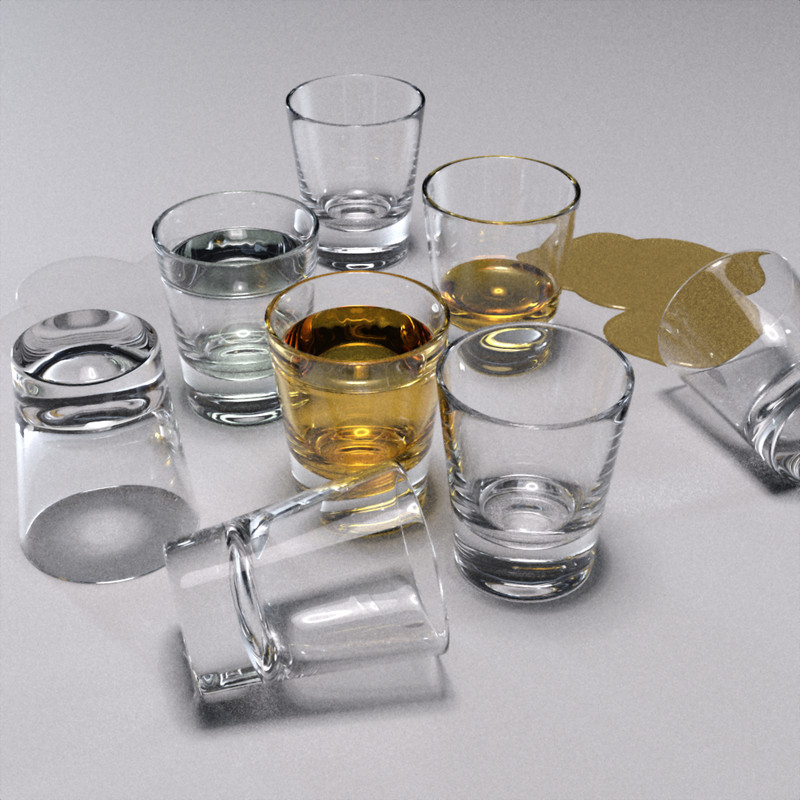
Shot Glasses Props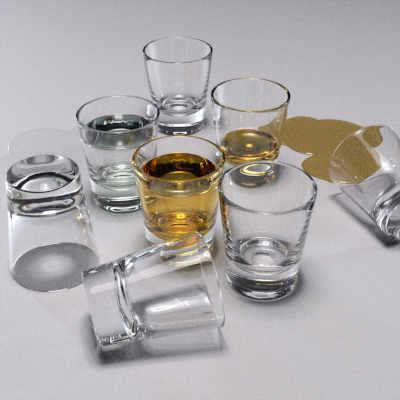
Shot Glass Props, a low poly high quality shot glass prop set up for Daz Studio + Iray rendering. Two versions of the prop are included, an empty one and one with contained drink geometry/materials. The Shot Glass + Drink has a morph to alter the drink level. A couple of material options are included for Whiskey and Vodka.
NB: These are super, extremely dependent on scene and lighting and render quality (REFRACTION, REFLECTION, CAUSTICS), please take this into account when setting up and rendering. The promotional and tip/icon images were done against a simple backdrop and floor with pretty standard HDRI lighting and a single overhead spotlight for the large image; you absolutely must have lighting and surfaces in your scene for the glass materials to react to.
Download: RenderHub (login required)
Download: Google Drive
 Splitting FBMs
VIArts said:
So maybe there’s a better way than splitting the morph just to put her gnarly head on Vicky or some other “secy” figure.
The shape splitter, together with the normal maps and other textures, might get you close enough. I've started with a supermodel character, then replaced her young texture with ones from an aged character, plus HD head detail morphs from two aged characters, and got an acceptable retired supermodel granny.
Hallelujah!
DiscipleGetting "Strength" morphs into Blender? (Genesis 9/Anime)Working on a anime-styled Genesis 9 figure, using (afaik) latest versions of Daz Studio (4.24.0.4) and the Daz to Blender Bridge (2024.2.17.107), using Blender 4.5 LTS for the Bridge step since it throws errors in 5.0.
Is there a way to get a working "Strength" morph into Blender?
I don't know the exact terminology - by "Strength morph" I mean ones like the Base Anime Eye Blink Crescent Strength pose control morph that relies on the Base Anime Eye Blink Crescent (Left/Right) morphs for its actual effect, which is to shape the curve of the already closed eyelids. The Strength morph does get brought into Blender over the Bridge, but it simply does nothing, while all the other presumably "normal" morphs that I've tried work as expected. I am exporting the entire Pose Controls category of morphs with the figure, no others.
I remember seeing a warning message that was related to this at some point previously when doing preliminary pipeline tests with other models months ago, something about making possibly destructive changes to apply these types of morphs before exporting, but that message no longer even shows up when using the Bridge exporter (I'm pretty sure I also answered yes to the changes every time it did show up?).
It seems this type of morph functions in some special way that maybe isn't compatible with Blender (or the Bridge?), but is there something that could be done to get it to work in Blender?
P.S. Also, just to have something that could maybe achieve the same effect, I tried creating a separate custom morph (dev load generic Genesis 9 figure, apply the anime crescent blink with the Strength morph at 100%, save .obj, load as a morph), but some information ends up missing in that process as well. The custom baked morph works identically to the original morphs on the generic figure, but when applied to an actual anime-proportioned figure, it no longer matches up (the eye only closes half-way). Trying to create the custom morph based on an anime figure instead of the generic one includes all the other shape changes (even if loading the morph .obj into the same figure it was created from), effectively doubling up all the sliders to create a horrific mess.
Tips on the custom morph baking front would be appreciated as well, if there's no way to bring the original morph functionality into Blender as-is ...
What is the best GPU i can buy now for Daz ?savagestug said:
If you are planning to get into generative AI, the 5000 series may be a better choice. You will just have to deal with many existing scripts not working with DS 2025
Do scene creation in DS 4, using CPU rendering to preview, then send it over to DS 6 for rendering - the only thing that won't transfer, unless you are a Premier member with Geometry Sculptor installed, is Mesh grabber Modifiers: those will have to be baked down to morphs in DS 4.
Splitting FBMsI don’t have that hag yet, but I really just want it for the unattractiveness of the face. I’m working on an animation where her body has to look like a supermodel’s in silhouette; so her posture has to look like a young woman, not hunched and crooked So maybe there’s a better way than splitting the morph just to put her gnarly head on Vicky or some other “secy” figure.
Splitting FBMsActually the seperate head and body morphs is one of the reasons G8F had such long load times, basically the more formula's DS has to process the longer the load times get.
I make my own characters as a single morph, in my G8F characters there are 1020 formula, yet when I check split characters I regularly find 500+ in the head morph and 900+ in the body, doesn't take a genius to realise that's way more than 1020.
Have a couple of dozen characters like that installed and it was no wonder DS was struggling to load G8F.
Remove JCMHello, sorry if this has been asked before but when I search the forums it just takes me to the daz store.
back when g9 first came out I had a go at making my own arm morph and creating a jcm for it. I now no longer want or need that morph but every time I load any g9, including the base g9 it gets applied. I've tried removing it from the property hierarchy in both the bones and parameters but it reappears every time I load any g9. Do I need to save the base g9 again (how would I do that?) or do I need to refreeze the ERC for the morphs? I also tried just deleting the morph but obviously daz still looks for it when I load in a g9.
thanks
Splitting FBMsElor said:
I could be mistaken, but I think with this kind of characters, Rawart explained that providing a way to have only the head or only the body active lead to problems around the area were the cut was made.
It can lead to some wonky-looking transitions between the morphed and unmorphed part. The more extreme the morph, the harder it is to retain a smooth transition for a separate head morph.
Splitting FBMsVIArts said:
Silent Winter said:
Or there's this: https://www.daz3d.com/shape-splitter
Oh., cool! But down in the notes, It says it doesn't support HD morphs. The morph I want is HD...
Ah, sorry, didn't notice that part.
Splitting FBMsSilent Winter said:
Or there's this: https://www.daz3d.com/shape-splitter
Oh., cool! But down in the notes, It says it doesn't support HD morphs. The morph I want is HD...
Geograft strikes back - SOLVEDHello Richard (Haseltine)
Im back again at this time with a ... missing step. lol.
Well, 1 year ago I released my new alien product HD with Geograft (no ears).
Problem of now is, when I split head (Graft is included in the head Morph) Morph sliding head and body together, like I'd not splitted in free words. I missing one step.
Do you know what step is? I must to complete my product. Thanks and have a great day.
Crooked teeth due to mouth morphsHow do you save this type of "correction" morph?
Splitting FBMshttps://www.daz3d.com/hag-hd-for-genesis-3-female
This doesn't look like it has a head only morph. Is there a way to split it?
I'm trying for some really unattractive women. lol
Why there are not genesis9 female soldier modern outfits out thereFirstBastion said:
felis said:
https://www.daz3d.com/recon-outfit-for-genesis-9
This is a really nice looking outfit. Thanks for mentioning it.
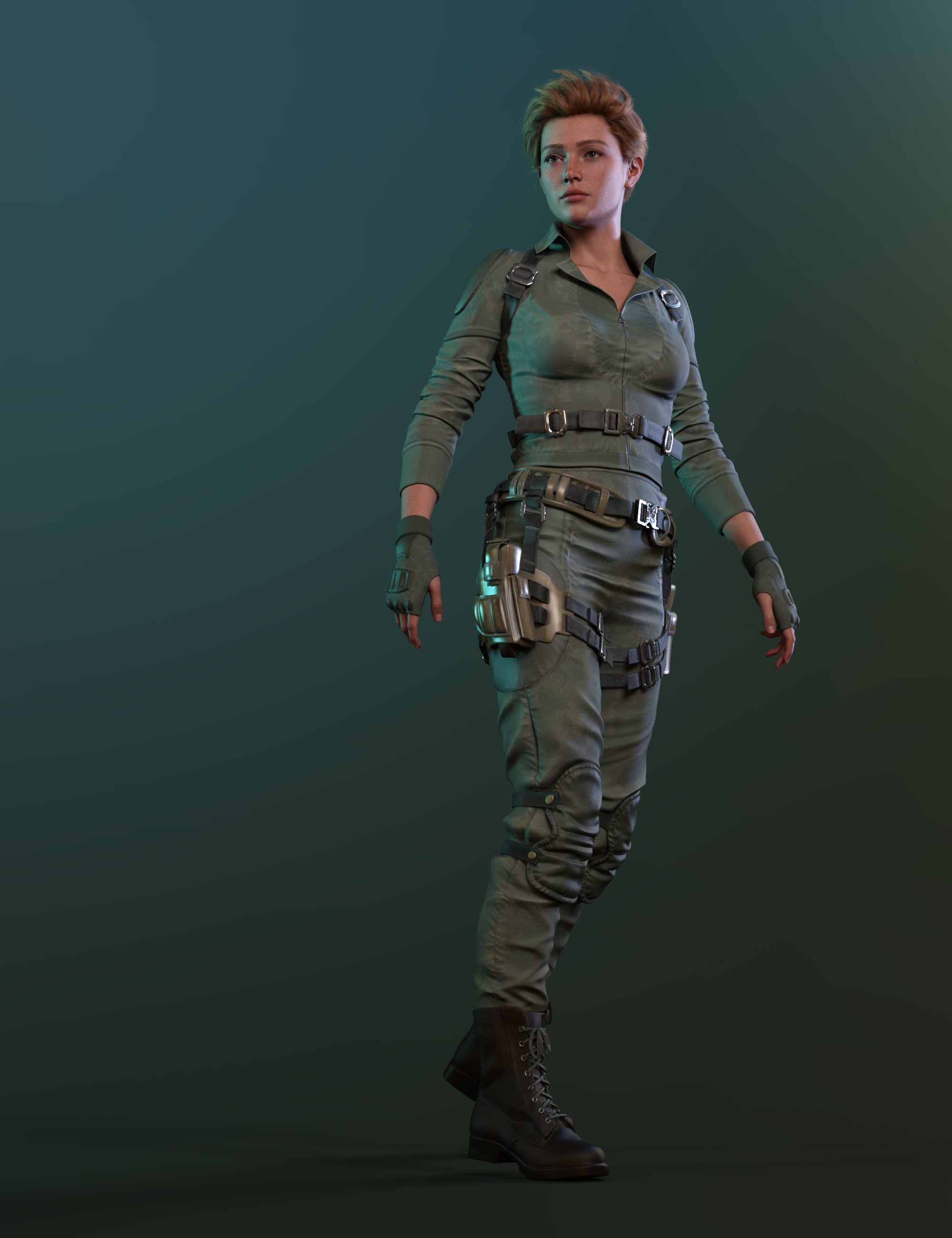
Recon is nice, but:
The top rig doesn't hold anything.
The pistol holster is not with a gun; the holster seems to be bending too much in the pictures.
(3+2) *2 horizontal folds at the crotch might be too much for some people.
It's missing an add-on + morph pack.
ps: lighter, more army office lady options:
https://www.daz3d.com/blitz-girl-uniform-for-genesis-8-females
https://www.daz3d.com/dforce-military-nurse-outfit-bundle-for-genesis-9-8-81-female
add-ons/belts, harnesses
https://www.daz3d.com/colonial-forces-add-on-for-tactical-assault-outfit-for-genesis-8-females ; + https://www.daz3d.com/tactical-assault-outfit-for-genesis-8-males-and-females
https://www.daz3d.com/modern-military-outfit-props-and-accessories
https://www.daz3d.com/rogue-lynx-outfit-for-genesis-8-females
https://www.daz3d.com/evil-shadow-outfit-for-genesis-3-female-s ;
Or just picking a base and adding belts and harnesses could work very well.
Pricing Madness!Cybersox said:
Torquinox said:
@Cybersox Funny thing is, Tima at Rendo (the erstwhile vendor 3D Sublime, and generally a nice person, from the limited contact I've had with her) tried to pass off the deluge of rendo vendors and products that migrated here as a few vendors and some of their products.
We've been flooded, and a some of the products are add-ons for products still at rendo, and there are a few I found for products that don't even exist any more. Or if they do exist, I've no idea where they went. It's a mess!
It's really hard to say how many Vendors were "new" to DAZ in that wave, as 3D artists are rather like hobos and tend to wander from place to place, and many of the ones who were part of that surge had technically been vendors here once before.. even though it may have been years since many of those had last been active here. However, many definitely were new and, more importantly, the absolute number of older product that were previously sold at Rendo was easily the second biggest infusion of catalog items into the store at once since RuntimeDNA shut down. Heck, Anagord alone added over a thousand skus, Valkyrie over 800, and there were qute a few more who each dropped several hundred. That said, as messed up as this transfer of assets was, it's nothing compared to the mess that was the RDNA merging, where there were bundles that included otherrandom bundles, bundles that included items that weren't in the store seperately, and artists who were here at DAZ only long enough to sell off a bunch of items that became D.O., many of which still don't have accurate documentation to this day.
I hear you, @Cybersox . I think a lot of items are going to have inaccurate documentation from now 'til the end of time. Nothing we can do about it. We also have decade-old products with surprisingly recent product numbers, no metadata, etc. Oh well. On we go!
Help, I want to disable the automatic adjustment of the clothing model to a body modelIn Geometry editor.
First select the verteces you want to stay rigid, and create a rigidity group
Next select some faces the rigidity group will follow.
Then when you dial a morph the rigidity group will move as one, determined the the reference faces.
Daz 3D is part of

Connect
DAZ Productions, Inc.
7533 S Center View Ct #4664
West Jordan, UT 84084Licensing Agreement | Terms of Service | Privacy Policy | EULA
© 2026 Daz Productions Inc. All Rights Reserved.