November 2026 - Daz 3D New User Challenge - Materials and Next Level Kitbashing
 ann0314
Posts: 2,916
New User's Challenge – November 2026
Are you new to the 3D World? Are you at the beginning stages of learning 3D rendering? Have you been around for a little bit but feel you could benefit from some feedback or instruction? Have you been around a while and would like to help other members start their creative journey? Well then come and join the fun as we host our newest challenge.
We continue breaking down each month into 2 different challenges. A Beginner Challenge and then also an Intermediate Challenge.
So which "Challenge" should you choose?
Follow the Beginner Challenge if you are:
- New to the New User Challenges
- New to Daz Studio
- Newer to 3D Rendering in General
Follow the Intermediate Challenge if you have:
- Participated in the New User Challenge for awhile
- Know the basics of Daz Studio and would like to learn more in depth topics
- Been using 3D Rendering Applications for awhile and feel comfortable with learning Intermediate Topics
*Please be sure to list in your post which Challenge level you are participating in*
Closing date for both is November 30, 2026
For a list of the current challenge rules, please see this thread: Challenge Rules
They apply for both versions of the challenge.

Daz 3D is part of 
Connect
DAZ Productions, Inc.
7533 S Center View Ct #4664
West Jordan, UT 84084
Licensing Agreement | Terms of Service | Privacy Policy | EULA
© 2026 Daz Productions Inc. All Rights Reserved.
Comments
Beginner Challenge - Materials!
From shiny polished gems to rough bark, and from silk to leather! This month's focus will be on Materials and Surfaces. One of the most important aspects of a great render is the effective use of materials. Effective surface settings can add realism, style, and visual interest to an image. This month we will be concentrating on how to create and manipulate the surfaces on the objects in your scene.
Also, keep in mind all the various items covered over the past several months. They will affect the way your materials look in your final rendered scene.
Helpful Links:
When following tutorials, be cognizant of the different applications (Bryce, Daz Studio, Poser, Carrara and Blender, etc.) and different render engines (3Delight, Iray, Reality, etc). Techniques for one may not apply directly to another. If you have some favorite Materials, Surfaces, and Shader tips, please share them in this thread.
Daz Studio Tutorials:
Daz 101: Surfaces by Daz 3D (video)
Iray Surfaces and What They Mean by Sickleyield
The Iray Uber Base Shader by Daz 3D (video)
Daz 3D Tutorial: Make anything a light source by Daz 3D (video)
Daz 3D Tutorial: Using bump and displacement maps by Daz 3D (video)
Tutorials with Jay Versluis:
In the Studio with Daz 3D - Shaders and Materials by Jay Versluis:
Daz 3d Animation Series: Animation- Filament by Jay Versluis
Surfaces Playlist
Bryce Tutorials:
A compilation of tutorials for Bryce, there is a lot about materials to find there as well by Daz 3D
Other Helpful Places:
3Delight - Uberenvironment made easy!
This is more in depth and experimental for the 3delight renderer: 3Delight Laboratory Thread: tips, questions, experiments
Previous Challenges on this topic:
November 2017
November 2018
November 2019
November 2020
November 2021
November 2022
November 2023
November 2024
November 2025
Intermediate Challenge - Next Level Kitbashing!
Create something new from clothing and/or props you already own, re-texture, and make it look as one again!
So you already know how to change shader presets, and give your character a sweat sheen but you want to combine different outfits and make them look as one? You want this tag on the shirt or a hole in that door or create a whole new building from your Library? Then this challenge is for you.
Some parts of this challenge are easier when using an image manipulation program like (free software) Paint Net, Krita, Gimp or (paid software) Photoshop to prepare the new texture(s).
The tools you might want to use are:
Geometry Editor:
Geometry Editor Tutorial
Removing Geometry from objects in Daz Studio
Fixing Poke through with the Geometry Editor - Daz Masterclass #35
Layered Image Editor (LIE):
Beginners guide to Daz Studio Layered Image Editor
DAZ : LIE Quick How To
DAZ Studio Tutorial - Layered Image Editor - Make your own Tattoos (nudity)
LIEs load FASTER in Daz Studio 4.21 - Introduction to the Layered Image Editor
Understanding UV maps and Surface Creation will also help you with the more advanced use of materials and surfaces:
Unique Fabrics 2 - Creating Surfaces
Tutorial: Adding Surfaces and Striped Texture to a T-Shirt
Daz Studio UV Maps
Fixing UV maps in DAZ Studio (got to say it's not happening in DAZ Studio, it's just used in DAZ Studio)
Painting on Uv Maps for Daz, Different ways to add texture/color to figures
Daz 3D Tutorial: Use "cut and paste" functions for Textures in Iray
Extra Challenge (Just for Fun)
(Not something you have to do, just something to try):
Add 1 Daz Studio Primitive into your scene (or more if you want - or make a whole scene this way) Often people tend to forget the primitives are even there and they can be rather handy when kit bashing...to connect to different props together, to make props, to even add as jewelry like earings etc. So since this is a Kitbash Month, I though it would be fun to add it in.
The beauty about primitives is that they can be so many thing. A sphere can become an eye, a marble, a crystal ball, a connector between two joints. A plane can be a floor, a static special effect, a backdrop, a green screen, a wall, an emissive mesh for lighting effects, it can be a simulated fabic like a table cloth too. There are SO MANY things you can do with just a basic primitive and playing with settings.
If you have never played with the Primitives within Daz Studio, you can find them in the top menus under Create - New Primitive. And then a dialog box will open up. Settings wise, the two main ones are "Label" (if you want to call it something specific like Eye or Floor or something) to find it in the Scene Tab easier and then "Type". And Inside Type you will find multiple different primitives you can play with in your scene. From there you can export it out (if you want to try to texture it. You can also apply shaders or presets or you can play with the surfaces without any of the above.) But those two settings are the main two. The rest has to do with which way it loads in, but you can change that using the translation/scale/rotation dials or the rotation tools etc.
PLEASE NOTE:
If you decide to try this little extra challenge, please let me know what primative you use and then also where you used it
And just to give an idea of their usefulness...the following scene was just made with primitives....(Granted it is not a masterpiece...I just wanted to show how you can piece primitives together to make scenes, backdrops, to use as lighting etc) ...


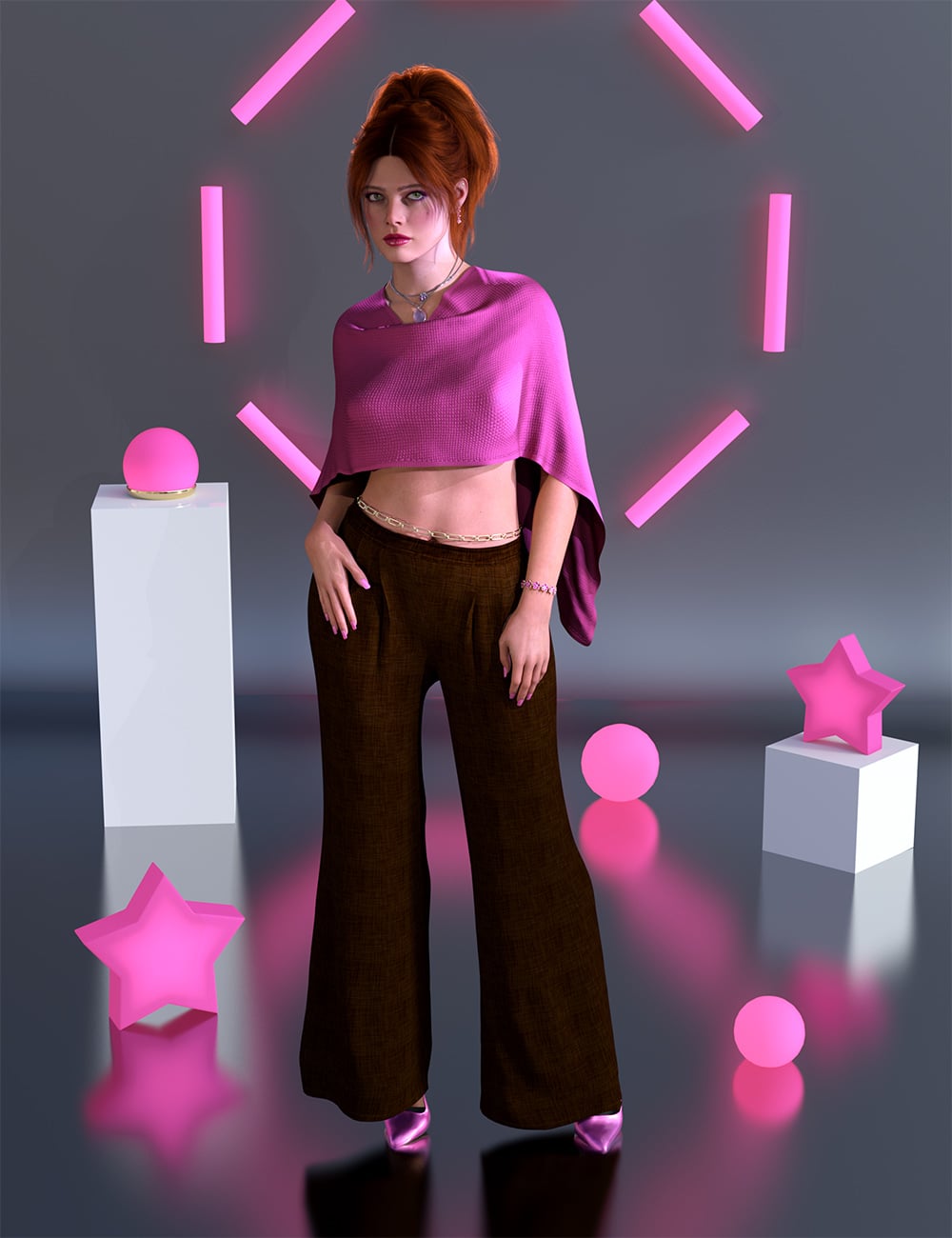
I tend to do it fairly often like here (In the image below I believe the wall bits were primitive cylinders, the cubes were primative squares, the spheres were primatives too. And then I added in some props I had and used surfaces to do all the emissives on all of the glowing ones. And then I used a plane I think for the floor (though you do not have to since you can add a floor from the Render Settings Tab as well (just if you want more control then sometimes a plane can be handy)
almost 5 hours of time shrunk into 1 8m40s video
(2654) Brians Art time Laps video- Episode 1 - YouTube
The video needs an epilepsy warning!! :)
But, more serious: Thank you for the work to shrunk it. I like videos about creation processes. Little question about anagement. Have you all your Daz-stuff installed? At first glance it felt a bit overwhelming (maybe olny because I don't know a lot of it :)).
My first step into this month's beginner's challenge: "A Little Break"
A Golem off the clock. Created with the G9 base figure and a clay material made with maps from ambientCG (and a fictional font, that's obvisously not Hebrew).
The environment is a tunnel from the shop, with a shader made with maps from ambientCG and a color changed fog camera from your tipps last month (by RAW) and turned off lamps.
I also used two large planes outside the camera view to close the tunnel entrances and ban the Hdri-light (but I don't think that counts :)).
Yeah, I keep everything installed. Our daz is getting close to 1tb with a clean install and all the assets.
I hope it isn't as much of a mess as it sounds in inexperienced ears :)
Back to my beginners challenge "A Little Break":
Change: another fog variant.
It's not the topic of the challenge but if anyone has a suggestion for a fog-lighting tutorial, I'd appreciate it.