

Hi, I recently bought the Lowpoly Crowd Creator Bundle and am having a very hard time getting it to work properly. I installed it via DIM and read the manual, but it did not address my issues. Here are problems I'm having so far:
1) the biggest issue is that I can't get the crowds to finish generating....it will generate crowds, figures will appear, but then when it appears to finish, it just hangs, for hours (a spinning circle), and I have to kill Daz Studio to get it to stop. I've tried with 50 figures, then 40, then 20, but get the same result every time. I've got a GForce GTX 3060 and 64 GB of RAM, so I doubt that computer specs are the issue, but dunno.
2) Another major issue is that he crowds it is generating are basically the opposite of what I tried to create: I tried to create a crowd of men in business attire, but got crowds of women in casual attire. Perhaps I'm choosing the wrong set, but I only have three to choose from: FF standing set, FF moving set, and sitting people (I chose FF Standing). I unchecked the boxes for women, children, and unisex in the bottom right. Aslo, when I unchecked all the tags except business in the top right, the program would not let me generate a crowd, saying that it didn't have any sets with the tags I chose--it would only generate a crowd once I'd checked the casual box as well.
Was looking forward to this product but so far am getting pretty frustated, and would appreciate some help.
Hi, I recently bought the Lowpoly Crowd Creator Bundle and am having a very hard time getting it to work properly. I installed it via DIM and read the manual, but it did not address my issues. Here are problems I'm having so far:
1) the biggest issue is that I can't get the crowds to finish generating....it will generate crowds, figures will appear, but then when it appears to finish, it just hangs, for hours (a spinning circle), and I have to kill Daz Studio to get it to stop. I've tried with 50 figures, then 40, then 20, but get the same result every time. I've got a GForce GTX 3060 and 64 GB of RAM, so I doubt that computer specs are the issue, but dunno.
2) Another major issue is that he crowds it is generating are basically the opposite of what I tried to create: I tried to create a crowd of men in business attire, but got crowds of women in casual attire. Perhaps I'm choosing the wrong set, but I only have three to choose from: FF standing set, FF moving set, and sitting people (I chose FF Standing). I unchecked the boxes for women, children, and unisex in the bottom right. Aslo, when I unchecked all the tags except business in the top right, the program would not let me generate a crowd, saying that it didn't have any sets with the tags I chose--it would only generate a crowd once I'd checked the casual box as well.
Was looking forward to this product but so far am getting pretty frustated, and would appreciate some help.
Hi,
First, which version of Studio are you running?
Anyway, follow these steps...
(1) Mark the area
(2) Setup the crowd
Set Causal to 0 if you dont want any causal attire, and go to the LowPi Morphs tab and select your morph random settings
(3) Run it
You will see which LowPi it's working on and the progress
Thanks, but I had done all that; I am using Daz Studio 4.22. If I set Casual to zero and uncheck the Casual tag, I get a message saying that "You don't have any sets that match the active tags." And crowds are generated, but the process never seems to finish and DAZ freezes. Here is the crowd generated and the last message I ever receive about progress. Meanwhile DAZ is frozen and I get a spinning circle, for hours.
DAZ is frozen right now, so I can't give you a version number, but I bought it yesterday from DAZ, so I would imagine it is the latest. Nothing happens when I click on the history button, because DAZ is frozen. I'm not sure what kind of plug-ins would interact with your figures, so it is hard to say whether that could be an issue. Honestly I've spent hours on this already (mainly yesterday) and am running out of patience.
But it it not frozen when generating LowPi, or you have something in your system that dislikes what happens. Can you provide a Studio log (just kill Studio) and grab the log from %APPDATA%/-> DAZ 3D -> Studio4 - log.txt
Won't be at my computer for awhile. There is quite a bit of stuff already in the scene...could that have an effect? Am I supposed to insert your figures before inserting most other objects?
Depends on a lot a lot of things, but I usually populate quite large UltraScenery scenes with LowPis, but it's all about how much resurces you have free for studio to play with.
I see the same error message as @tmreiter23 when I load FF Standing Kit and uncheck the Casual tag. So, instead of unchecking the Casual tag, I tried selecting the FF Standing Kit and set the Casual Clothing Grp Pres to 0. I unchecked Child, Feminine and Unisex, so only Masculine was still checked. The crowd generated, but I still got Women in skirts in the crowd. Something seems to be wrong.
Edit: No, they are not women! I checked the morphs used on each LowPi and they are all Masculine and Head Masculine. But something is still wrong. Why are Masculine LowPi wearing skirts? These are not Unisex. None of the LowPis generated have any Feminine morph dialed in. Something is still not working as expected by the user.
I need to check that. Suppsed to work as Barbult tested it.
Tag are a bit tricky as they disable things on a higher level and if you do not have anything left matching the enabled tags you get that error message.
The problem with Masculine LowPi wearing skirts comes down to the FF Standing Kit setting LPMB Tights compatible with Masculine, and LPMB Tights require item with ID 1007. But both the skirt and loose jeans have the same ID, 1007. I think FF Standing Kit needs to be corrected. I don't know if the duplicate ID is an issue, because they may be in different sections or something, but tights compatible with Masculine seems to me to be the root cause of the men wearing skirts.
@barbult: You don't get the hangs tht the tmreiter23 gets?
@trmreiter: Can you test with the 4.23 public beta, there are some things updated in Studio that might be the problem in 4.22, and also, what plugins do you have installed like animations tools, that likes to build their own list of nodes in the scene?
@barbult: You don't get the hangs tht the tmreiter23 gets?
@trmreiter: Can you test with the 4.23 public beta, there are some things updated in Studio that might be the problem in 4.22, and also, what plugins do you have installed like animations tools, that likes to build their own list of nodes in the scene?
No, it doesn't hang for me. But you know how the Crowd Generator gets slower and slower the more you do in DS. I usually try to save a scene and close DS and start fresh before generating a crowd. A crowd generates much faster that way. I am using DS 4.23 public build, like you recommended.
Updated original WearKits and LowPiSets
Copy the files to the folders in this tree into you Library folder and replace those that are there (dont replace the whole folders, only these files)
Update will be in the next Crowdgen update but I drop them here as that update might still take a wjile to be done., (more stuff coming)
Are there any plans to add a bit more detailed textures for the figures so they would better blend into a scene with Genesis characters? For scenes which involve just a few LowPi characters a texture file of 1MB would not hurt performance that much. It would definitely make the product even more versatile.
Hi and thank you!
There are plans, still on the drawing board, for a medium resolution version of LowPi, that can be placed closer to the camera, with more detailed meshes and textures. Nothing decided yet and there will be a lof of work to get it done, but the plan is to add a LOD (Level Of Details) kind of handling to the LowP CrowdGenerator toolkit to automatically place medium resolution figures or low resolution figures depending on the distance to the camera.
I posted this in technical help. Hopefully Richard doesn't move that copy here, too. :)
Oh, since I'm here... I have an idea for a "power user" script but my script.fu is insufficient: The user creates a plane and places it in the scene. Run the script and it automatically creates LowPi Border Markers at the four corners of the plane.
Is it normal for 100 lowpi figures to take this long to generate a crowd?
Product: LM Lowpi Lowpoly Figure
Configuration was just FF Moving Set and FF Standing Set 100 figure, 50% instances.
There is nothing be the viewport unlock and the Iray comment kicking in. The progress screen only runs for 2 minutes and 15 seconds. But the elapsed time is about 55 minutes.
1) the biggest issue is that I can't get the crowds to finish generating....it will generate crowds, figures will appear, but then when it appears to finish, it just hangs, for hours (a spinning circle), and I have to kill Daz Studio to get it to stop. I've tried with 50 figures, then 40, then 20, but get the same result every time. I've got a GForce GTX 3060 and 64 GB of RAM, so I doubt that computer specs are the issue, but dunno.
I'm running into the same issue and found the problem, it's the popup to confirm the process after the script has finished. The script runs perfectly fine till the end, but the popup in the end(I don't remember it's exakt message, but the popup that tells you that everything was generated) is locked beneath the DS interface. You can't tab to the popup and there's no way to click the confirm button, so DS acts like it's frozen. The only way to get out of it is to shut down DS via taskmanager. When I do that, I can see the popup on my desktop for a brief moment.
1) the biggest issue is that I can't get the crowds to finish generating....it will generate crowds, figures will appear, but then when it appears to finish, it just hangs, for hours (a spinning circle), and I have to kill Daz Studio to get it to stop. I've tried with 50 figures, then 40, then 20, but get the same result every time. I've got a GForce GTX 3060 and 64 GB of RAM, so I doubt that computer specs are the issue, but dunno.
I'm running into the same issue and found the problem, it's the popup to confirm the process after the script has finished. The script runs perfectly fine till the end, but the popup in the end(I don't remember it's exakt message, but the popup that tells you that everything was generated) is locked beneath the DS interface. You can't tab to the popup and there's no way to click the confirm button, so DS acts like it's frozen. The only way to get out of it is to shut down DS via taskmanager. When I do that, I can see the popup on my desktop for a brief moment.
Sorry, nothing I can control. That's a typical "Windows bug", letting dialogs ending up behind the main Window.
I think you need to refrain from putting DS out of focus when working to prevent this.
1) the biggest issue is that I can't get the crowds to finish generating....it will generate crowds, figures will appear, but then when it appears to finish, it just hangs, for hours (a spinning circle), and I have to kill Daz Studio to get it to stop. I've tried with 50 figures, then 40, then 20, but get the same result every time. I've got a GForce GTX 3060 and 64 GB of RAM, so I doubt that computer specs are the issue, but dunno.
I'm running into the same issue and found the problem, it's the popup to confirm the process after the script has finished. The script runs perfectly fine till the end, but the popup in the end(I don't remember it's exakt message, but the popup that tells you that everything was generated) is locked beneath the DS interface. You can't tab to the popup and there's no way to click the confirm button, so DS acts like it's frozen. The only way to get out of it is to shut down DS via taskmanager. When I do that, I can see the popup on my desktop for a brief moment.
That's an interesting discovery. I've generated dozens and dozens of crowds of small and large sizes, (PC Windows 10) and that has never happened to me. Did you switch to a different application while DS was generating the crowd, and then come back to DS? I wonder if that could confuse it. What would happen if you make the DS interface small (not full screen) and put it up in a corner of the screen, before clicking the button to generate the crowd, Would the popup be visible then in the center of the screen? Or would it still be hidden behind the center of the small DS window?
1) the biggest issue is that I can't get the crowds to finish generating....it will generate crowds, figures will appear, but then when it appears to finish, it just hangs, for hours (a spinning circle), and I have to kill Daz Studio to get it to stop. I've tried with 50 figures, then 40, then 20, but get the same result every time. I've got a GForce GTX 3060 and 64 GB of RAM, so I doubt that computer specs are the issue, but dunno.
I'm running into the same issue and found the problem, it's the popup to confirm the process after the script has finished. The script runs perfectly fine till the end, but the popup in the end(I don't remember it's exakt message, but the popup that tells you that everything was generated) is locked beneath the DS interface. You can't tab to the popup and there's no way to click the confirm button, so DS acts like it's frozen. The only way to get out of it is to shut down DS via taskmanager. When I do that, I can see the popup on my desktop for a brief moment.
Sorry, nothing I can control. That's a typical "Windows bug", letting dialogs ending up behind the main Window.
I think you need to refrain from putting DS out of focus when working to prevent this.
Is this also my problem? Because it comes back eventually as I showed above. When the dialog box to exit the script pops up (created 50 low pi figures and 50 instances in 55 minutes) with the actual time, even thought the script progress dialog says 2:15 was the time. Something is happening during that time. Whent he dialog displays, it beeps. I have left the screen fullscreen and not tasked away. There is still this dead wait time after the script stop putting out traces and then it unlocks the viewport.
Comments
LowPi Area and Slope is now in the store
https://www.daz3d.com/lowpi-area-and-slope
A perfect addition for the Winter Wonderland skiers and sledders.
Looks great.
Thanks barbult and Artini!
I like the Area feature, that has a lot of potential uses.
It has indeed, you can really create scenes with different crowds in different places, making crowds even more plausible.
So now I am upto 57 of 73 Code 66 products. Who says three's a crowd? You need a lot more than that!!!
What can I say? Thank you!
Hi, I recently bought the Lowpoly Crowd Creator Bundle and am having a very hard time getting it to work properly. I installed it via DIM and read the manual, but it did not address my issues. Here are problems I'm having so far:
1) the biggest issue is that I can't get the crowds to finish generating....it will generate crowds, figures will appear, but then when it appears to finish, it just hangs, for hours (a spinning circle), and I have to kill Daz Studio to get it to stop. I've tried with 50 figures, then 40, then 20, but get the same result every time. I've got a GForce GTX 3060 and 64 GB of RAM, so I doubt that computer specs are the issue, but dunno.
2) Another major issue is that he crowds it is generating are basically the opposite of what I tried to create: I tried to create a crowd of men in business attire, but got crowds of women in casual attire. Perhaps I'm choosing the wrong set, but I only have three to choose from: FF standing set, FF moving set, and sitting people (I chose FF Standing). I unchecked the boxes for women, children, and unisex in the bottom right. Aslo, when I unchecked all the tags except business in the top right, the program would not let me generate a crowd, saying that it didn't have any sets with the tags I chose--it would only generate a crowd once I'd checked the casual box as well.
Was looking forward to this product but so far am getting pretty frustated, and would appreciate some help.
Hi,
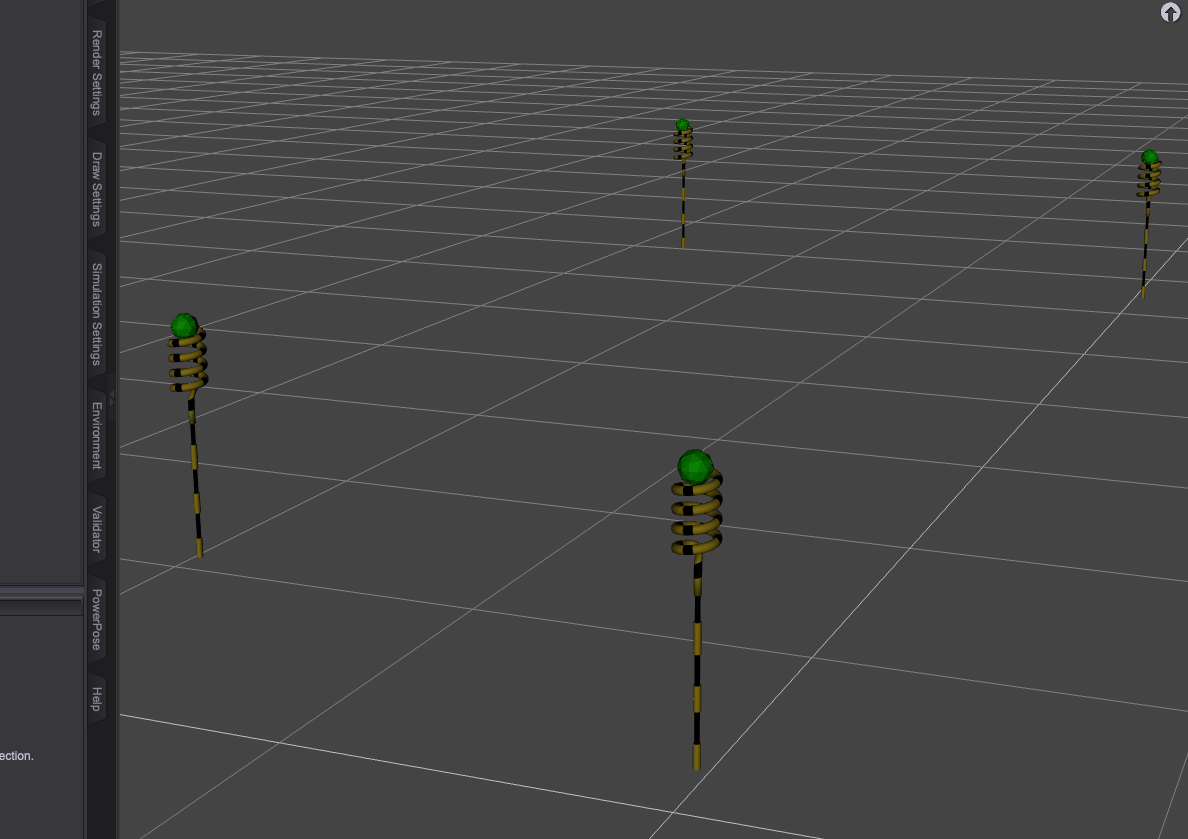


First, which version of Studio are you running?
Anyway, follow these steps...
(1) Mark the area
(2) Setup the crowd
Set Causal to 0 if you dont want any causal attire, and go to the LowPi Morphs tab and select your morph random settings
(3) Run it
You will see which LowPi it's working on and the progress
(4) Done
Thanks, but I had done all that; I am using Daz Studio 4.22. If I set Casual to zero and uncheck the Casual tag, I get a message saying that "You don't have any sets that match the active tags." And crowds are generated, but the process never seems to finish and DAZ freezes. Here is the crowd generated and the last message I ever receive about progress. Meanwhile DAZ is frozen and I get a spinning circle, for hours.
Which version of LP Crowd Generator?
And you you have any special plugins installed, that might act on figure insert into the scene?
If you click on the "History Button" to open the progress window history list, do you seen anything there at all?
DAZ is frozen right now, so I can't give you a version number, but I bought it yesterday from DAZ, so I would imagine it is the latest. Nothing happens when I click on the history button, because DAZ is frozen. I'm not sure what kind of plug-ins would interact with your figures, so it is hard to say whether that could be an issue. Honestly I've spent hours on this already (mainly yesterday) and am running out of patience.
But it it not frozen when generating LowPi, or you have something in your system that dislikes what happens. Can you provide a Studio log (just kill Studio) and grab the log from %APPDATA%/-> DAZ 3D -> Studio4 - log.txt
Won't be at my computer for awhile. There is quite a bit of stuff already in the scene...could that have an effect? Am I supposed to insert your figures before inserting most other objects?
Depends on a lot a lot of things, but I usually populate quite large UltraScenery scenes with LowPis, but it's all about how much resurces you have free for studio to play with.
I see the same error message as @tmreiter23 when I load FF Standing Kit and uncheck the Casual tag. So, instead of unchecking the Casual tag, I tried selecting the FF Standing Kit and set the Casual Clothing Grp Pres to 0. I unchecked Child, Feminine and Unisex, so only Masculine was still checked. The crowd generated, but I still got Women in skirts in the crowd. Something seems to be wrong.
Edit: No, they are not women! I checked the morphs used on each LowPi and they are all Masculine and Head Masculine. But something is still wrong. Why are Masculine LowPi wearing skirts? These are not Unisex. None of the LowPis generated have any Feminine morph dialed in. Something is still not working as expected by the user.
I need to check that. Suppsed to work as Barbult tested it.
Tag are a bit tricky as they disable things on a higher level and if you do not have anything left matching the enabled tags you get that error message.
The problem with Masculine LowPi wearing skirts comes down to the FF Standing Kit setting LPMB Tights compatible with Masculine, and LPMB Tights require item with ID 1007. But both the skirt and loose jeans have the same ID, 1007. I think FF Standing Kit needs to be corrected. I don't know if the duplicate ID is an issue, because they may be in different sections or something, but tights compatible with Masculine seems to me to be the root cause of the men wearing skirts.
@barbult: You don't get the hangs tht the tmreiter23 gets?
@trmreiter: Can you test with the 4.23 public beta, there are some things updated in Studio that might be the problem in 4.22, and also, what plugins do you have installed like animations tools, that likes to build their own list of nodes in the scene?
No, it doesn't hang for me. But you know how the Crowd Generator gets slower and slower the more you do in DS. I usually try to save a scene and close DS and start fresh before generating a crowd. A crowd generates much faster that way. I am using DS 4.23 public build, like you recommended.
Updated original WearKits and LowPiSets
Copy the files to the folders in this tree into you Library folder and replace those that are there (dont replace the whole folders, only these files)
Update will be in the next Crowdgen update but I drop them here as that update might still take a wjile to be done., (more stuff coming)
Great product!
Are there any plans to add a bit more detailed textures for the figures so they would better blend into a scene with Genesis characters? For scenes which involve just a few LowPi characters a texture file of 1MB would not hurt performance that much. It would definitely make the product even more versatile.
Hi and thank you!
There are plans, still on the drawing board, for a medium resolution version of LowPi, that can be placed closer to the camera, with more detailed meshes and textures. Nothing decided yet and there will be a lof of work to get it done, but the plan is to add a LOD (Level Of Details) kind of handling to the LowP CrowdGenerator toolkit to automatically place medium resolution figures or low resolution figures depending on the distance to the camera.
I posted this in technical help. Hopefully Richard doesn't move that copy here, too. :)
Oh, since I'm here... I have an idea for a "power user" script but my script.fu is insufficient: The user creates a plane and places it in the scene. Run the script and it automatically creates LowPi Border Markers at the four corners of the plane.
Is it normal for 100 lowpi figures to take this long to generate a crowd?
Product: LM Lowpi Lowpoly Figure
Configuration was just FF Moving Set and FF Standing Set 100 figure, 50% instances.
The log shows no activity for most of that time:
2025-03-27 04:04:15.163 [INFO] :: Loading script: D:/Daz3D/People/LM Low Poly Person/Scripts/LP Crowd Generator.dse
2025-03-27 04:06:24.337 [DEBUG] :: PopEngine version:1.2.2.2.9
2025-03-27 04:06:24.430 [INFO] :: Prepare asset load (merge): /People/LM Low Poly Person/LM LowPi.duf
2025-03-27 04:06:24.430 [INFO] :: Locking viewport redraw...
2025-03-27 04:06:24.430 [INFO] :: Viewport redraw locked.
26,725 lines of lowpi generator code later.....
2025-03-27 04:08:40.267 [INFO] :: Unlocking viewport redraw...
2025-03-27 04:08:40.267 [INFO] :: Viewport redraw unlocked.
2025-03-27 05:01:00.239 Iray [INFO] - IMAGE:IO :: 1.0 IMAGE io info : Loading image "D:\Daz3D\Runtime\Textures\Lyrra Madril\LowPi\skinbase.jpg", no selector, pixel type "Rgb", 1024x1024x1 pixels, 1 miplevel.
There is nothing be the viewport unlock and the Iray comment kicking in. The progress screen only runs for 2 minutes and 15 seconds. But the elapsed time is about 55 minutes.
I'm running into the same issue and found the problem, it's the popup to confirm the process after the script has finished. The script runs perfectly fine till the end, but the popup in the end(I don't remember it's exakt message, but the popup that tells you that everything was generated) is locked beneath the DS interface. You can't tab to the popup and there's no way to click the confirm button, so DS acts like it's frozen. The only way to get out of it is to shut down DS via taskmanager. When I do that, I can see the popup on my desktop for a brief moment.
Sorry, nothing I can control. That's a typical "Windows bug", letting dialogs ending up behind the main Window.
I think you need to refrain from putting DS out of focus when working to prevent this.
That's an interesting discovery. I've generated dozens and dozens of crowds of small and large sizes, (PC Windows 10) and that has never happened to me. Did you switch to a different application while DS was generating the crowd, and then come back to DS? I wonder if that could confuse it. What would happen if you make the DS interface small (not full screen) and put it up in a corner of the screen, before clicking the button to generate the crowd, Would the popup be visible then in the center of the screen? Or would it still be hidden behind the center of the small DS window?
Is this also my problem? Because it comes back eventually as I showed above. When the dialog box to exit the script pops up (created 50 low pi figures and 50 instances in 55 minutes) with the actual time, even thought the script progress dialog says 2:15 was the time. Something is happening during that time. Whent he dialog displays, it beeps. I have left the screen fullscreen and not tasked away. There is still this dead wait time after the script stop putting out traces and then it unlocks the viewport.