• Daz 3D
  • Shop
  • 3D Software
    • Daz Studio Premier
    • Daz Studio
    • Install Manager
    • Partnerships
    • AI Training data
    • Exporters
    • Daz to Roblox
    • Daz to Maya
    • Daz to Blender
    • Daz to Unreal
    • Daz to Unity
    • Daz to 3ds Max
    • Daz to Cinema 4D
  • 3D Models
    • Genesis 9
    • Genesis 8.1
    • Free 3D Models
  • Community
    • Gallery
    • Forums
    • Blog
    • Press
    • Help
  • Memberships
    • Daz Premier
    • Daz Plus
    • Daz Base
    • Compare
  • Download Studio
ADVANCED SEARCH
  • Menu
  • Daz 3D
ADVANCED SEARCH
Add image
  • Shop
  • 3d Software
    • Daz Studio Premier
    • Daz Studio
    • Install Manager
    • Partnerships
    • AI Training data
    • Exporters
    • Daz to Roblox
    • Daz to Maya
    • Daz to Blender
    • Daz to Unreal
    • Daz to Unity
    • Daz to 3ds Max
    • Daz to Cinema 4D
  • 3D Models
    • Genesis 9
    • Genesis 8.1
    • Free 3D Models
  • Community
    • Our Community
    • Gallery
    • Forums
    • Blog
    • Press
    • Help
  • Memberships
    • Daz Premier
    • Daz Plus
    • Daz Base
    • Compare

Notifications

You currently have no notifications.

Loading...
    • Categories
    • Recent Discussions
Daz 3D Forums > 3rd Party Software > Blender Discussion

DazToBlender messing up the scales of Blender

Hurdy3DHurdy3D Posts: 1,076
August 2020 in Blender Discussion

Hey,

I've some Blender addons like Traffiq which gave me access to some props like cars.

If I add a car in a new scene everything is fine.
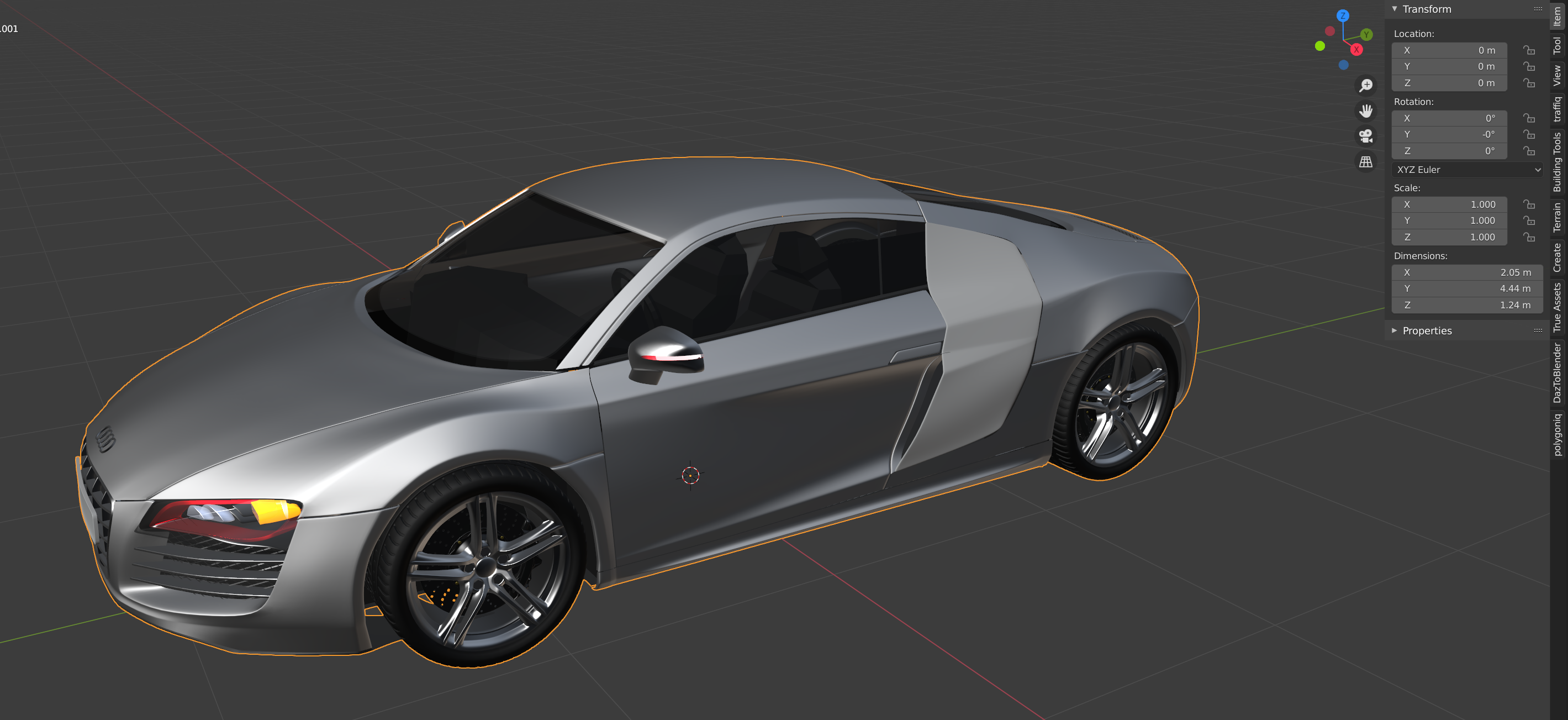
 

The size of the car as it should be.

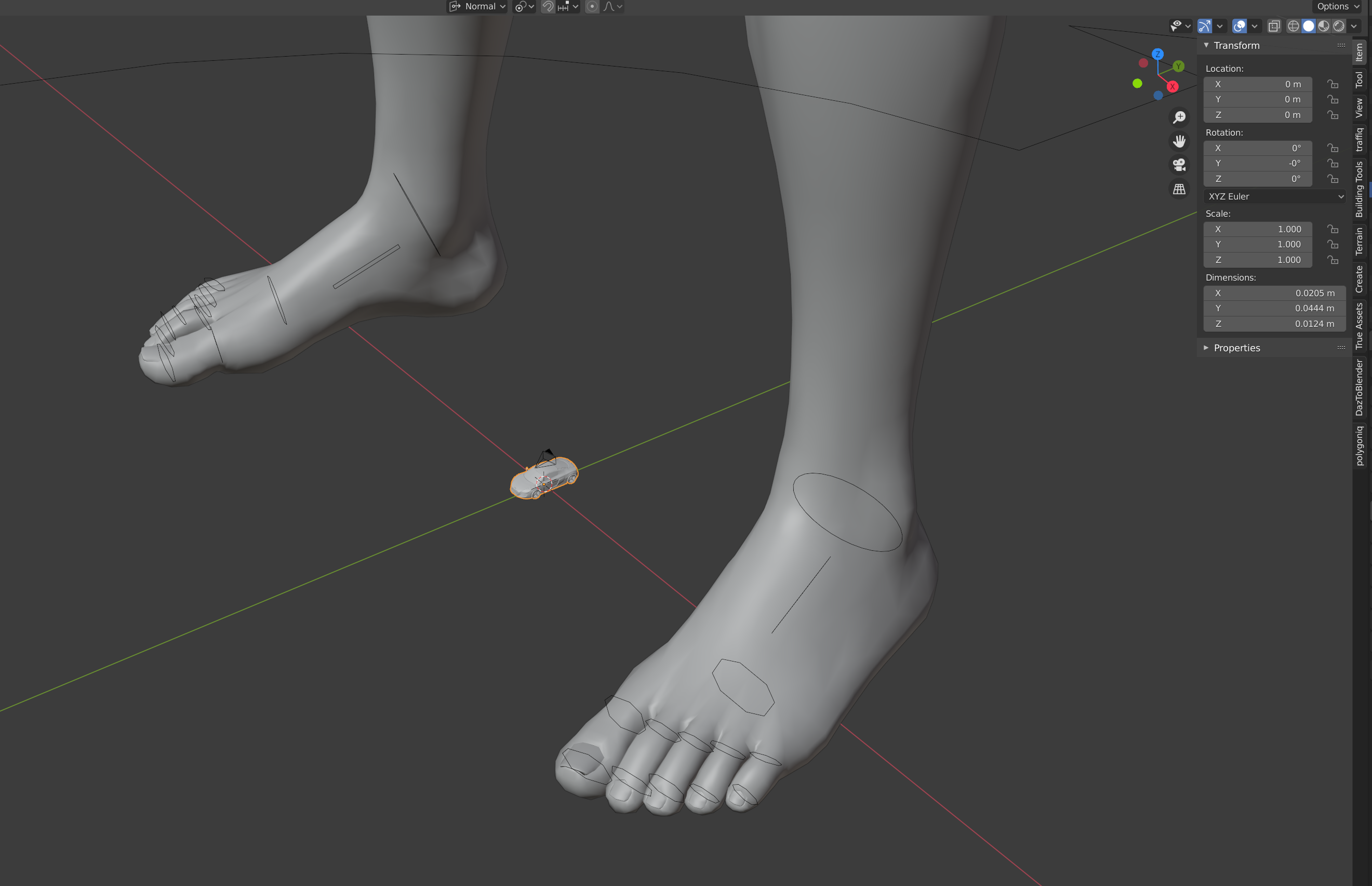
But as soon I import into a fresh scene a Genesis Character with the DazToBlender too, the scale no longer works fine.

It start with that I have to zoom out, to see the importet character.

If I import a Traffiq prop or any other prop from other addons they size is much much to small:
While the Genesis Figure looks fine:
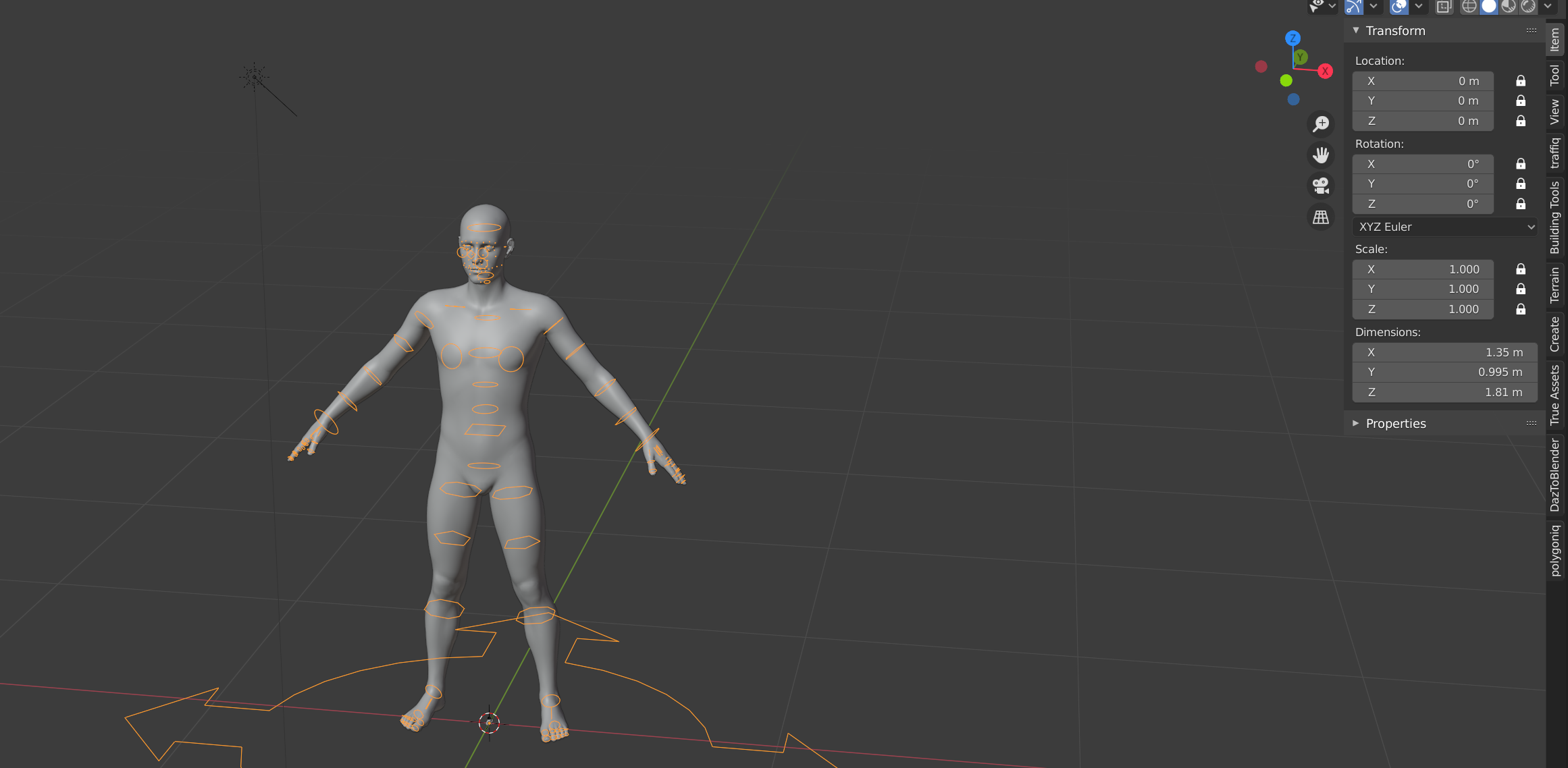
I think the DazToBlender plugin changes somehow the internal size calculation of the Blender scene.

Anyone else expierenced this, too?

Any ideas how to fix this (yes, I could scale up the car, but that a nasty workaround).

Comments

  • Krys KryngleKrys Kryngle Posts: 315
    August 2020

    I had the same problem when I imported some hair that I had previously made.  This worked for me (from the manual, you have to manually enter the command) -

    Capture.JPG
    1327 x 704 - 103K
  • Hurdy3DHurdy3D Posts: 1,076
    August 2020 edited August 2020

    ah thank you.

    is the real size command a part of the daztoblender plugin? 

    where do I find this command?

    Post edited by Hurdy3D on August 2020
  • Hurdy3DHurdy3D Posts: 1,076
    August 2020

    ok found it:


    It has to be entered into the DazToBlender Command field.

    But I don't understand why this is necessary. Why can't it import from the beginning with the correct scale?

    fix.png
    739 x 426 - 14K
  • PadonePadone Posts: 4,082
    August 2020

    @gerster https://www.daz3d.com/forums/discussion/424776/daz-to-blender-bugs

  • jcowb1jcowb1 Posts: 57
    August 2020

    Where do I find the "real size" command The command button itself is there but the real size is blank and I can't enter anything.

    Many thanks in advance for help.

  • PadonePadone Posts: 4,082
    August 2020

    Actually you have to type commands, it's not a drop down if this is what you mean. If you mean you can't type in the command box then this is odd. It works here.

  • jcowb1jcowb1 Posts: 57
    August 2020

    Thanks for info Padone, I tried typing in real size but it wouldn't accept it.  Will try again.

  • Cris PalominoCris Palomino Posts: 12,699
    August 2020
    jcowb1 said:

    Thanks for info Padone, I tried typing in real size but it wouldn't accept it.  Will try again.

    The example shows #real size. Is that what you used?

  • jcowb1jcowb1 Posts: 57
    August 2020

    Solved, forgot to add # key.

    Many thanks for your help.

  • ben7digitalben7digital Posts: 0
    August 2020

    I am very new, so where i can get the list of command, example i want rescale to 20%

    thank you

  • brainmuffinbrainmuffin Posts: 1,282
    August 2020
    Cris Palomino said:
    jcowb1 said:

    Thanks for info Padone, I tried typing in real size but it wouldn't accept it.  Will try again.

    The example shows #real size. Is that what you used?

    That did nothing for me.

Sign In or Register to comment.
Adding to Cart…

Daz 3D is part of Tafi

Connect

DAZ Productions, Inc.
7533 S Center View Ct #4664
West Jordan, UT 84084

HELP

Contact Us

Tutorials

Help Center

Sell Your 3D Content

Affiliate Program

Documentation Center

Open Source

Consent Preferences

JOIN DAZ

Memberships

Blog

About Us

Press

Careers

Bridges

Community

In the Studio

Gallery

Forum

DAZ STORE

Shop

Freebies

Published Artists

Licensing Agreement | Terms of Service | Privacy Policy | EULA

© 2026 Daz Productions Inc. All Rights Reserved.
