Water props not wavy in DAZ 4.12
 Hera
Posts: 1,972
Hera
Posts: 1,972
in The Commons
I tried to use the water props that come for instance in Lakeside Folly https://www.daz3d.com/lakeside-folly and Escape https://www.daz3d.com/escape in DAZ 4.12. Only to note that the water is not wavy anymore in DAZ 4.12, it only renders as an even surface, like a large, shiny floor.
In DAZ 4.10 it still works fine.
Is that a known error? And if so, is there a plan for fix it? And is there another kind of water prop that works in DAZ 4.12?

Daz 3D is part of 
Connect
DAZ Productions, Inc.
7533 S Center View Ct #4664
West Jordan, UT 84084
Licensing Agreement | Terms of Service | Privacy Policy | EULA
© 2026 Daz Productions Inc. All Rights Reserved.
Comments
I don't own those products, but I just checked a couple I do have and they seem okay? This is from Cave Island.
What usually makes them wavy is the normal map, so i'd check to see if there is one first.
Hmm. a test shows the OP is correct.. Looking at the surfaces, I see no normal maps, but the 3dl surface has "lacunarity" and "octaves" settings, which control the amount and size of the waviness... The Iray material has no nornal map, either..
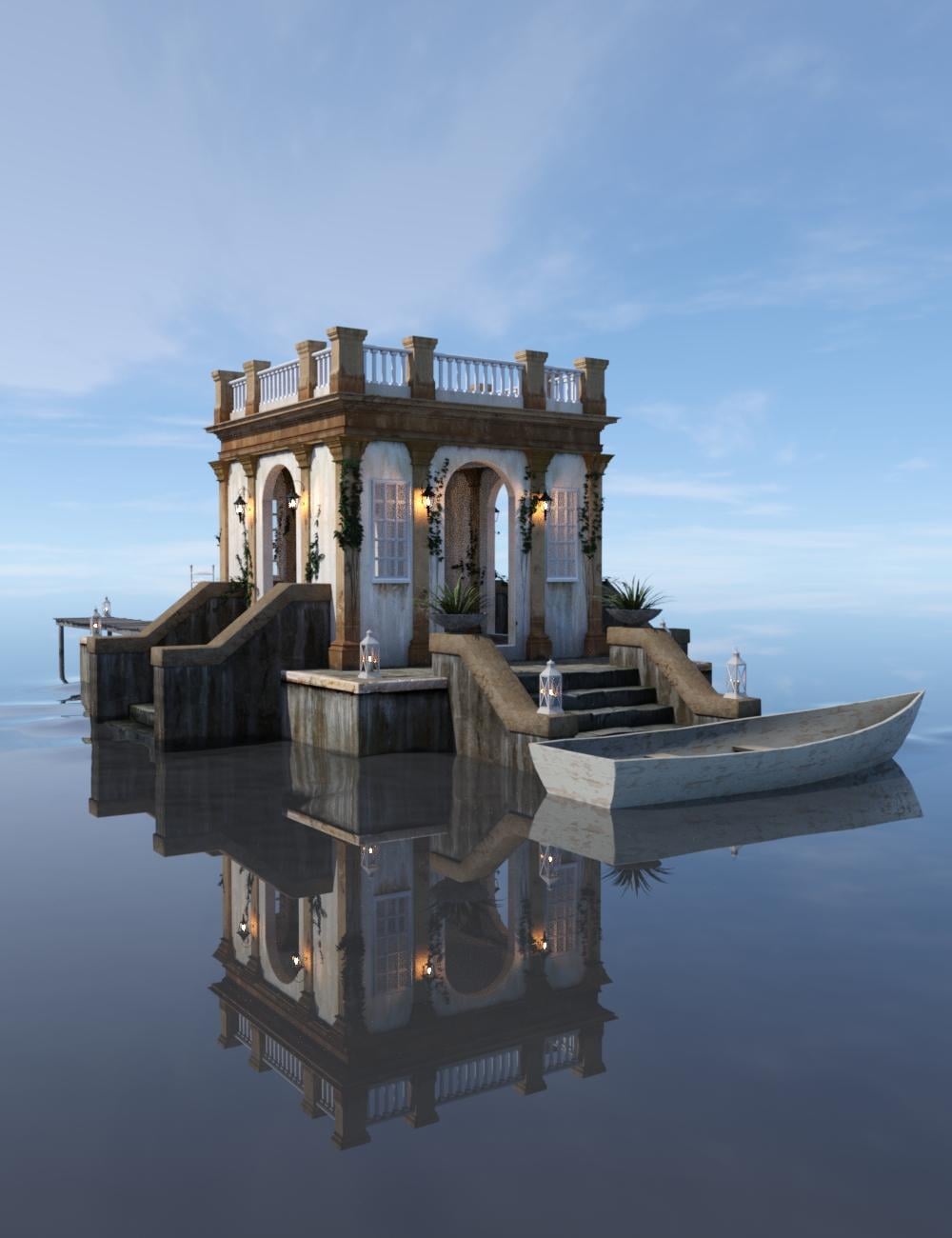
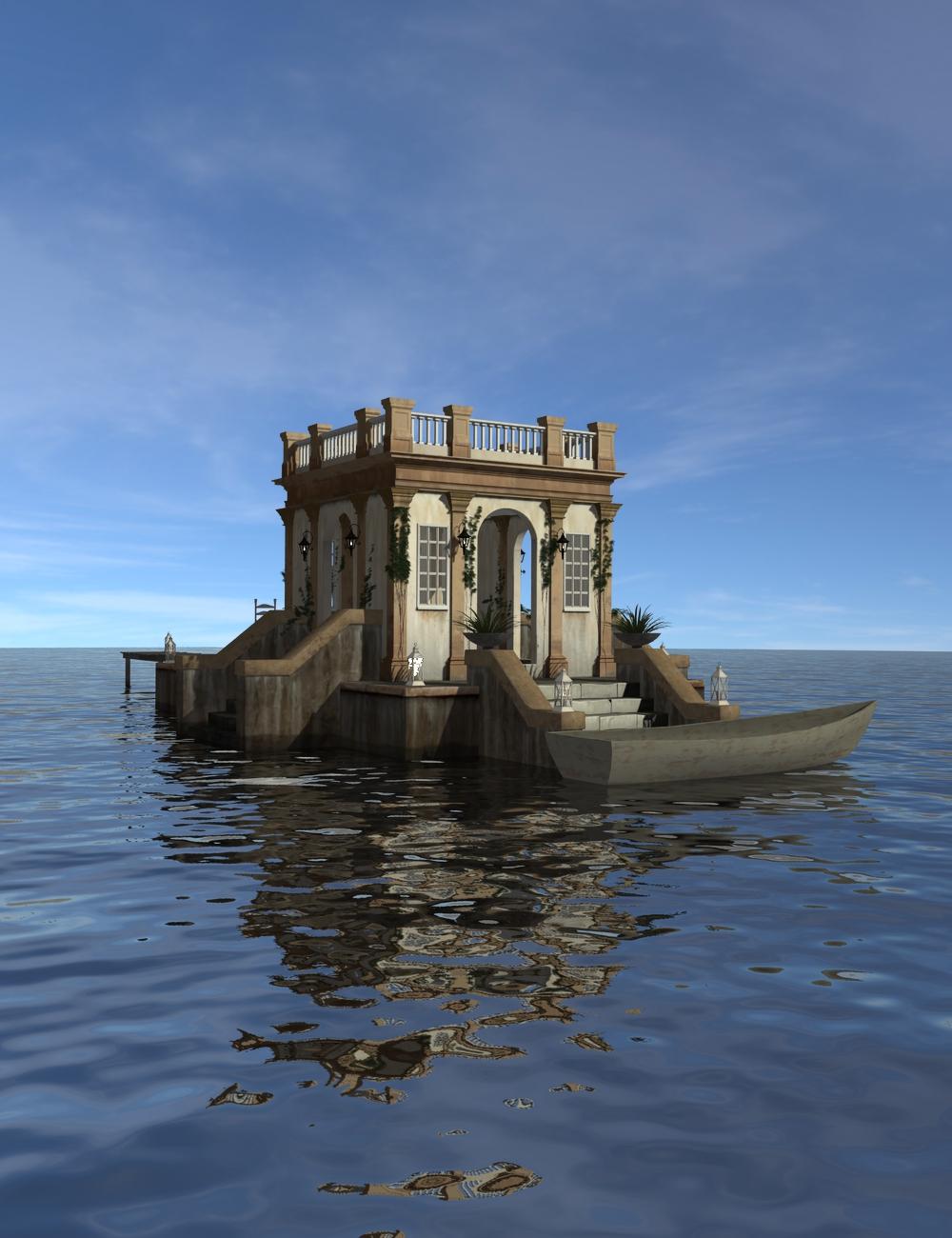
Stock scenes -
Iray:
3DL:
I have Escape and just tested it, and the OP is correct, the water is not wavy at all. There are user parameter settings in the surfaces tab, and I changed several but it didn't help.
This doesn't seem to be a Daz problem.
It seems to be a problem with the product itself. The iray material doesn't seem to be set up the right way.
These are not standard shaders for either version. The 3DL version works okay, but the Iray version might have been broken with the Iray update that was used for the recent update to Studio. Maybe someone with 4.11 or 4.12.0.86 could verify...?
DS 4.12 changed and deleted some MDL bricks (according to the change log) because of changes in Nvidia Iray. That could affect custom Iray shaders. Maybe this product's custom shader relied on one of those bricks. I imagine we'll start to identify other custom shaders that no longer work with the 4.12 update.
Submit a help request. Probably the only way to fix it is to have the artist rebuild the shader for 4.12.
4.12.086 also does not render Lakeside Folly correctly in Iray on my sysstem.
hmmm, 4.11.0.231beta also doesn't render correctly in iray.... so it's not the result from a recent change. 4.10.0.123beta did render it correctly as far as i can tell. added 2 images: 4.10.0.123beta and 4.12.0.86 (not beta)
edit to add; filed a support ticket for this. Now just wait and see if there's something that can/will be done.....
The shader problems were addressed with a recent public (beta) build. Try downloading the beta alongside your regular release and see if the issue persists.
Are you sure? There has only been one beta release since the 4.12.1.117 release version. That is 4.12.2.6. The change log says nothing about shader changes in 4.12.2.6.
Daz tech support? Wait for it...
Where do I find that beta?
AFAIK it can only be installed with DIM (which will always list the latest beta under Updates (your DIM settings must be set to show DS Public Builds I think)). This will overwrite any previous beta version installed, so if you want the option to revert back, you should save the installer files for the currently installed beta first (are in the DIM Downloads folder).