Alembic? Should I?
 marble
Posts: 7,500
marble
Posts: 7,500
Not being well versed in these matters, I'm seeking advice. At the moment, the Alembic Exporter is on sale at 40% discount and I have it wishlisted. On the other hand, I already have AniMate2 which includes MDD export. Can someone advise whether it is worth getting the Alembic Exporter too? I'm not clear on what the difference is and I don't want to spend a bundle (quite expensive even at 40% off) if I don't need to.
Of interest to me would be to export to both Marvelous Designer and Blender 2.8, probably with animations at some stage.

Daz 3D is part of 
Connect
DAZ Productions, Inc.
7533 S Center View Ct #4664
West Jordan, UT 84084
Licensing Agreement | Terms of Service | Privacy Policy | EULA
© 2026 Daz Productions Inc. All Rights Reserved.
Comments
I picked the Alembic Exporter a few months back (on sale too) but was pretty much unimpressed, but it think it depends on what your bringing it into. You still have to export an OBJ or sequence for it which is somewhat standard, but texturing then depends on what's supported at the other end it seems.
For MD, it's quite happy with Collada. Can't speak for Blender, but I'd explore FBX options. I've been having really good luck with ~ 95% of things these days, bringing them into Lightwave from Daz FBX exports. I get an FK rig & I'm getting better at exporting the correct morphs. Think I finally have the proper 3rd party tools to now to re-weight map & re-rig with switchable IK/FK abilities.
I'm pretty sure that's what wolf359 uses (Alembic) because he said it does a better job. I might be wrong though. I bought it for $3 a couple of years ago but have never used it myself.
I thought it was Wolf359 who mentioned that he prefers MDD to Alembic. I might be wrong though. Maybe I should wait for another $3 special.
Yes, the Wolf prefers MDD.
I confess that I briefly tried MDD and it did not immediately work the way my intuition said it should, importing into Blender. I tried Alembic, and it really was as simple as importing the Alembic file, and done. I am just so tired of worrying about JCMs and whatever instead of my production. With Alembic, it is as dead simple as someone who doesn't know how poorly animation apps interoperate would think it would be, like I did a little over a year ago :)
There are a few more steps exporting Alembic from Daz, true, but they are trivial if not quick. But that's actually not a bad thing; I think about my shots a lot more carefully.
Having to re-texture is no big deal because Alembic preserves all the material groups and UV coordinates. And you'll probably want to use native materials, anyway... the materials from Poliigon are out of this world good.
Something to think about, though, is that relatively soon, it's going to be a USD world and all of these problems are going to go away. FBX cannot disappear fast enough.
The workflow I've settled on is to export just a plain old FBX of just the character. Just the character, so there's no need to even merge all the armatures. Import this into Blender to animate, not even setting up IK most of the time (and this is not so hard, anyway, there are lots of Youtube tutorials), and then exporting BVH back into Daz. I let Daz do all the JCMs natively, and then finally export Alembic back to Blender to simulate hair, cloth, other physics, and finally to render.
They key misconception under which I was laboring for more than a year, that pdr0 set straight for me, is that FBX preserves all the armature information, it just doesn't automatically set up JCMs. The epiphany for me was that if you just want Blender, at that stage, to clean up mocap and perfect the animation, YOU DON'T NEED THE JCMs.
Daz to Blender via FBX, Blender back to Daz via BVH, and Daz finally to Blender via Alembic is the workflow I had been trying to figure out for over a year. I finally have models exactly how I painstakingly morphed them, vertex exact, in Blender.
One thing that should be said about Alembic, is that if you want vertex exactness, you should not use subd (at least for Blender). The algorithms are different, and the models will look slightly different in a few but important areas. The solution, for me, was to export the already subdivided model. This results, if you've got something like dForce Long Curly Hair, in 60-70 megabytes PER FRAME for the exported OBJs. Alembic does an amazing job of shrinking that, but for me 300 frames still resulted in a 64 gigabyte Alembic file. Alembic allows, and Blender does an amazing job of lazy loading, and so it is remarkably fast and not as tedious as it could be. This has really made getting particle based hair working a priority for me.
I also forgot to mention that Blender FBX import is pretty badly broken, as they can't use the official Autodesk SDK, but the addon that worked perfectly,
https://blendermarket.com/products/better-fbx-importer--exporter
is $25 bucks.
Do you know if this better fbx importer/exporter will help with importing FBX to Daz Studio
so the models in Daz Studio will remain poseable?
Or maybe you know a better way to import to Daz Studio poseable characters from different programs, Blender included.
Hi I render in C4D not blender
I use MDD because 64 gigabytes for for a single Character is not an acceptable Data size for my pipeline.
Also All of My UV information is retained with .obj/MDD from Daz studio thus my textures load into C4D upon import.
And I can send over a Daz G3 figure at ZERO SubD and Subdivide him at render time in C4D while only having to deal with a 326 megabyte .MDD file for a 300 frame animation!!!
Note how good this Zero subd exported Ivan 7 looks in the attached image.
I can Also grow C4D Spline based dynamic hair from the vertices of a .obj file that is driven by MDD

Every genesis Figure in My feature length film is a .obj file inC4D driven by an MDD data file exported from Daz studio.

All of these opinions are educational for me but I'm still not at the point where I would be willing to pay the $50 (on sale) price for the Alembic Exporter especially as I already have MDD export capability. Of course, I still have no experience with either which is why I hope to see more comments here. One thing I seem to remember reading was that Alembic can export a whole scene wheras MDD is restricted to a single character - is this the case? I'd hate to speculate on the size of the Alembic file though.
Not true My good fellow....not true
With MDD you can export your entire scene as one .obj file
and export the MDD data (Via animate2 full version)
to make the static meshes move in your external rendering application.
However from my perspective, it makes no sense to export MDD or Alembic Data for background props/sets furniture etc.
those can be easily handled or animated in Blender,Lightwave ,C4D etc.
Most people resort to MDD or Alembic because they want some
"Specialized animated element" ,in their final rendering package, that was created in another package that handles that element much better.
For example a moving speaking Daz genesis figure with JCMs
is a bit "challenging" to faithfully duplicate natively in many programs even as FBX imports, without alot work.. yes?
And there is Dynamic cloth or fluid simulation that is better handled by some programs than it is by others

For example Maxon Cinema4D today still cannot solve dynamic cloth on a moving Character
However Daz studio can do so fairly easily

BTW I am not here to Advocate for MDD over Alembic as I have experimented with the Alembic export from Iclone pro
to Lightwave 3D 2015 and found Alembic very easy to use but for the ridiculous Data sizes.
You will have to decide how often you will find Alembic or MDD import useful to what you are frequently creating/rendering in some other application like blender etc.
I'm looking to export static scenes to Blender (with HD details) and I'm finding .obj filesizes are way too bloated (800 MB for 1 subd4 character). Will alembic export HD characters with reduced file sizes? Again, I don't need armatures/rigging...just the mesh with UV and material groups intact.
Ahh - good question. HD/UV/Materials/Textures ... all important considerations.
I don't have the DS plugin, but Alembic is a better format in general... if it works. I use alembic in other programs. Yes there are compression options, but I don't know if DS's exporter has them. The documentation is sparse in terms of specs, SDK version
http://docs.daz3d.com/doku.php/public/software/dazstudio/4/referenceguide/plugins/alembic/start
If you search this forum, apparently DS's alembic exporter implementation is buggy
That last post was more recent , June 2019, so I don't know if they are planning on fixing things or just abandoning it
Alembic - the offical format - has fairly frequent updates, bugfixes, more options such as compression, multithreaded parsing for ogawa alembic (faster reading in programs, including blender, at least the alembic exported from other programs...) . It's more advanced because it supports things like particles, nurbs, subd, splines/curves, cameras (not that any of that matters exporting out of with DS... ok maybe cameras ) . When it works, it's better, faster, smaller filesizes, supports more features. Better in every way by a long shot
https://github.com/alembic/alembic/releases
But in the past - alembic has had potential compatibility issues in between programs. In theory it should have been perfect (DAE was supposed to be too...), but in reality you can encounter many issues. And some don't import at all because of compression , or if the SDK importer version is below what you are using for the file format. It should be mostly ok by now in 2019 , with newer versions of programs. (For sure it works ok in blender 2.8 and MD8, with the ogawa alembic exported from other programs)
OBJ/MDD has no options at all. It's a very basic format - but that's the same reason it's been so stable for >10 years . UVs, Normals that's it . No crashing, no aborted operation after "x" frames - everything is exported from DS properly in terms of the mesh, and in the correct order (jcm's, jcj's, mcm's , proper subd, hd, smoothing modifiers) . No bugginess in various programs . The only issue sometimes is if one program uses different scales or axis by default (usually you can set those on obj import)
All intermediate interchange formats require relinking textures . Every program, every renderer does it slightly differently anyways. You almost always have to customize your nodes or layers.
I would add that your experience with these mesh cache transfers will vary greatly depending on the features supported by the exporting program and the importing program.
I have not used Blender 2.8 but as of 2.79B the import features of blender are frankly abysmal compared to the options I have with my Riptide pro plugin that I use for handling My MDD imports to C4D which finds applies
Daz exported the textures for me.
And the native MDD importer for lightwave3D is quite excellent IMHO
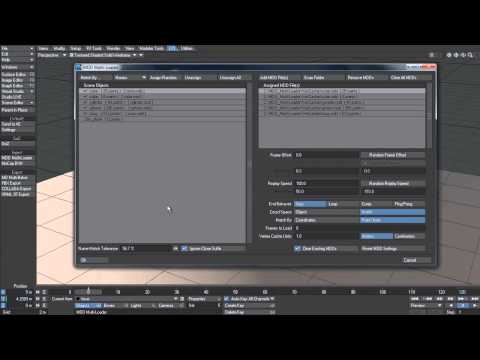
In general ,establishing an external,Daz content rendering pipeline typically requires more than a hobbiest/tinkerers level of knowledge about the importing /rendering app.
This is why most people prefer to just keep everything inside Daz studio or poser.
So before scampering off and buying all sorts of export plugins from the Daz store you should be sure that you want to committ to this kind of rendering work flow particularly for animation renders.
Just checked importing FBX file from iClone 7 pipeline to Blender 2.8 and the import has worked quite ok.
Even animations backed up in FBX has played nicely in Blender.
It was Oaklyn - https://www.daz3d.com/oaklyn-for-genesis-8-female-centaur
dressed in some clothes and hair in Character Creator 3 and exported to iClone.
So even, if somebody complains about broken FBX in Blender 2.8, if the other program knows about its limitations, it could work.
My point is - if the other programs would know about limitations of alembic implementation in Daz Studio, the conversions would be much easier.
I have also bought https://www.daz3d.com/alembic-exporter-for-daz-studio
in 2016 on deep sale, but have not used it at all.
Looks like, it is a good time, to make some tests with it.
It does seem too have a 200 frame limit though and textures have to all be reapplied
at least that was my experience using abc with Octane Standalone
I have not found mdd terribly good but not exported to many things, an obj series actually works best for software that will import it, Casual has a script
.
Oh, well I had it backwards but you can bet Wolf359 is the one person that has used both products the most that actually posts in the DAZ forums.
What is this "USD world"? US dollar? ???
USD, in this context, means "Universal Scene Description"
https://graphics.pixar.com/usd/docs/api/index.html
To be honest, I have never tried to get a character back into Daz that did not originate in Daz, so it was just a matter of importing the BVH, something that works well now. Send me an FBX and I'll try to load it in Blender and export it to Daz.
I don't think anyone can argue with that, Wolf... Ivan in particular is absolutely gorgeous. But it's not that I couldn't have exported at base resolution, or subd 0, it's that I didn't want to. Anyone with a lesser case of OCD than mine would probably not have even noticed. But I don't think even Alembic's black magic would have gotten the file size down to what you got for 300 frames, though, probably an order of magnitude larger at least.
But, then again, my other point is that Alembic is incredibly efficient and Blender only loads the part of the scene it needs. Working with Alembic does not feel like you're loading 64 gigs :)
But I do have a question about the hair demo you posted: I think you said it starts with the hair from your mesh? Then if my character has curly hair, then it would convert it to curly hair?
I'm curious about that. I've never tried to even export an HD via OBJ. My guess, from what I know about the official Alembic library is that if Daz exports the additional mesh, then Alembic will encode it. If your OBJ filesizes are that big, then it sounds like it does.
That's absolutely my case. I got fed up with trying to get dForce to work on a kind of difficult case, and wanted to try the physics in Blender. It turned out better than I could have imagined because it's so easy to Google specific cases and trouble that you're having.
Apart from HD, which I honestly don't know (although it is theory should), Alembic supports all of those.
I was so frustrated with it that I wrote my own. It requires you to export the series of OBJs that my program processes and generates the .abc file from them. Since I did the exporting with a script, I could control ever detail. The problem was that exporting like that, while encoding the .abc file is very fast, was itself very slow. And I wrote the program for Linux because that's the environment I know, and the official Alembic library is notoriously difficult to build under Windows.
But I was researching just today how to build Blender on Windows and I discovered that they include a pre-compiled Alembic library that theoretically I could use to port my Alembic exporter to Windows, which other users might be more interested in. I'm going to try it tonight.
Ah thanks, that format would be good for DAZ Studio too as one of the aniMate2 - DAZ Timeline bugs i just reported to the Help Desk is being caused I think by multiple nested DAZ Studio Groups I created to organize my scene to be not so messy and to make it easy to hide & show models in the scene.
I am using the Native Maxon Spline based dynamic hair system to grow hair on the scalp vertcies of an MDD driven Character that was exported over without any Daz hair, so there is no converting of hair involved.
Of course the Maxon hair system can create curly styles
if so desired
Yes Alembic does HD morphs, I have used it to render animated stuff with them in Octane standalone
Thanks, could you please try on the fbx included in this zip file.