RELEASED: Sandy Shore (Formerly, something something beach waves)
 Those Things
Posts: 1,175
Those Things
Posts: 1,175
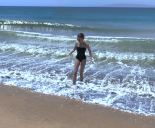
This is still very much a work in progress, but I thought some of you might find an early preview interesting. I've created a single tileable block of beach with rolling waves, spray, foam, etc. This single slice of beach can be instanced to create an unbroken shoreline as long as you need it to be. Here in this test image you're seeing one block with four tiled instances. It renders suuuuper quick, too. I think this render took just over a minute on my RTX 4090. And I did one with ten instances that took just about a minute more. Eventually I'll add the actual beach sand (this one is just a placeholder) and get the materials in line, but you can already see how it's going to be in this test.
And the best part is that the only texture map for the water is a single 4k normal map, (UPDATE: I added a few more 4k maps before it was all said and done, and a single 8k texture map. You're going to love the way it looks now even more) Everything else is just materials, so you'll be able to edit the the look of the water to your heart's content. So, if you've ever wanted to put your models right into the waves at the beach instead of just standing on a shore, you'll soon be able to. I'll post more updates as the project progresses.
ETA: I've finished the modeling, and have started on the materials and textures today, so I thought I'd show the progress so far. Here's an in-progress render showing the render speed on a RTX 4090. For this image, I just put the "Maui" HDRI background that comes with Daz Studio as the only light source (as well as the background image):
ETA: It's done! Sandy Shore | Daz 3D
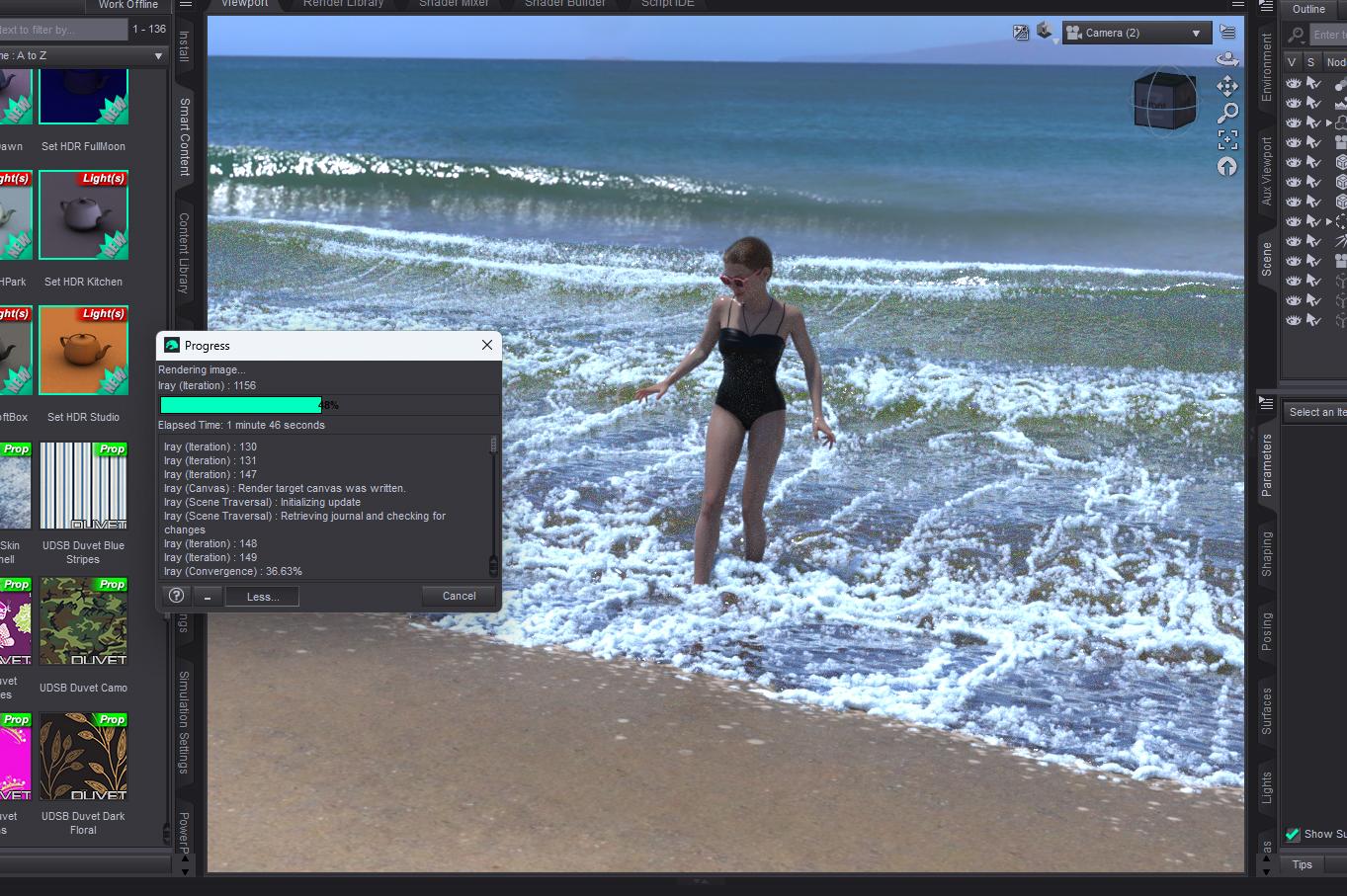
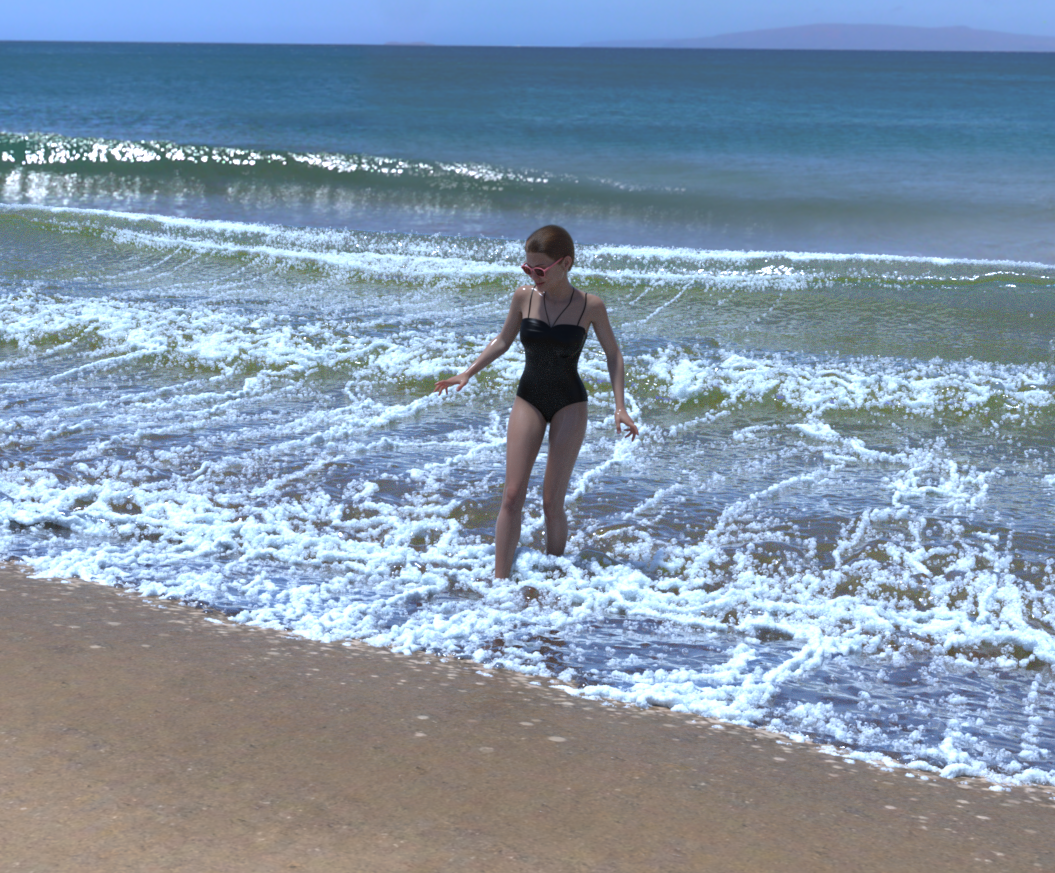
I didn't really line things up too well, but it works as a proof of concept anyway, ha ha. And here is the finished render. Took about six minutes with two blocks total. Not too shabby.

Daz 3D is part of 
Connect
DAZ Productions, Inc.
7533 S Center View Ct #4664
West Jordan, UT 84084
Licensing Agreement | Terms of Service | Privacy Policy | EULA
© 2026 Daz Productions Inc. All Rights Reserved.
Comments
That's something I've needed in the recent past and wished I had. I can't wait to see it finished!
Thank you!
OOhhh this is singing to me! Will be watching this space very much!!!
nice
Yay!
Thank you!
I would 100% use this regularly
Hello beautiful people. The base materials are done. Going to make a few variations, then I'll start packing it up after that. The render time tests are just fantastic, too. This image is one block with six instances, volumetric fog, Joan 9 with hair, and even a dog. 1900x936 in just under six minutes. You could throw in some palm trees, and even a few more figures, and it would still be nice and speedy.
I'm really excited for this! It looks gorgeous!
I feel the same as richardandtracy. I've wanted something like this for a long time. I can't wait to get it in my cart!
Taketh mine shillings!
Yay the updates are much appreciated!!! I am so eager for when it will arrive...Love anything beachy
Thank you, everyone! The encouraging comments are so very much appreciated. I've had to pause this project briefly while I attend to some client work (3D industrial product animations), but once I finish those up, I'll be right back at it. On the plus side, this is 98% finished, so you should be seeing it very soon!
That's looking great!
Very nice, are thete going to be larger waves? Curly Waves for Surfing
UPDATE: It's all finished, and is now going through the inspection process. Since the last update, I reworked the materials and the shore model to increase its resolution, and added a simple ocean background to extend the view to the horizon (which you can see in these images). Obviously, this is just a background device and the shoreline is the real star, so I kept it simple and spent the geometry budget on the waves and foam. I tried out several configurations, and finally arrived at 10 instances in a row being about the maximum you could get away with before the tiling gets too noticeable, so I added some rocks at either end of the beach to cap it off. You can, if you wish, remove the rocks and add as many additional instances as you see fit. I tested it with every beach (and non-beach) HDRI I could get my hands on, and the materials behaved perfectly. All parts are moveable/scalable/hideable and everything loads with one click. It's also quite easy to lighten or darken the sand, and I included the sun/sky presets I used for testing, so you can use those if you don't have an HDRI you like.
It looks great!
OOhh this looks soo amazing!!! Can't wait!
@those_things
off topic: I really enjoyed your G3 biometric expressions. Have you ever considered to make a G9 version for them?
More handsculpted expressions would be a great thing for G9.
looks really good. will there be any morphs to change the shape of the waves at all? not a dealbreaker by any means, just wondering. Like a morph to have a tube would be great for a surfing shot.
I did originally intend to include larger surfable waves, but doing so would have required extending the wave physics simulation dimensions to at least three times the size I ultimately used, because--in real life--surfable waves are never right next to the shoreline they're further out to sea. That would have broken the geometry budget without heavy optimization, which would have ruined the realism, and would have added months to the time it took to get this done.
But I intend to do a follow up to this, a not-so-gentle shoreline where the waves crash against rocks, and it's possible that I'll figure out a way to do a single curling wave in isolation that can be used as an add-on. Stay tuned!
Thank you! I get that a lot, as well as people asking when I'm going to return to making poses. I haven't really given a deep dive into the facial posing that's possible for G9 yet, but your suggestion is intriguing. I didn't make Biometric Expressions for G8 because universal expressions just didn't work for G8. I find that's a problem with most universal expressions sets, you move the slider that says "smile" and it looks fine on one figure, but horrifying on the next. After G3, the increased complexity of the figures made it so that you really needed a set of expressions that was tailor-made for each figure individually. I really need to look under the hood for G9 and see if this is still the case.
well, somehow it seems to work
https://www.daz3d.com/enhanced-facial-expressions-hd-for-genesis-9
of course, sometimes it's look off if you put the slider to 100% - but in general it's working fine.
if you so ever again expressions, it would be great i% they would split up in bottom and top.
Here's a few more test/promo images. In the last one I replaced the ocean in JeffersonAF's lovely "My Beach" product, and it looked great. Really love his clouds and atmospheric effects, and those palm trees are gorgeous.
Ooh, I'm going to keep an eye on this. Looks ideal for a future episode of my VN
This is amazing!
I can feel the waves crashing onto the shore and receding at the same time.
It's almost as if I can hear the sound of the waves!
I am looking forward to this as I have so many props/sets that are for a beach but never include the actual beach water. The few I do have get used to death.
Thanks for taking the time on this project.
And expressions, I never use any full strength. If I move it more that a tiny bit on one slider, a bit more on another, and then another, I find I can combine them to get what I want for my character, along with using PowerPose or specific changes by the facial sliders. Delicacy and patience is needed. I love your work.
I am so excited about this!!
I hope my renders can look anywhere close to the promos.
I love beach renders and I have done very few.
I would love to have had your product to enhance my work.
This was putting a bunch of Fabiana's Morphing sand together, Fabiana's Heavens product, the water was from another of her products, the chairs from a product from Daz3d and the Sun...I cannot remember how I made that. This took forever!!!