Render your buys! 1, 2, 3 Testing!!
 SapphireBlue
Posts: 1,426
SapphireBlue
Posts: 1,426
Feel like the main Render your buys! thread is looking too polished and nice, but you need a space for all your more random product tests?
This is the thread for you! Feel free to flood it! Make yourself test whatever you buy or haven't used yet and share your notes.
You can post viewport captures or partial renders or whatever. You can have the new dinosaur, kitchen appliances, halloween environment, and party lighting you bought today all in the same scene - we don't care.
This is the testing thread after all!! If your render is finished and all nice, just go ahead and post it in the main Render your buys! or the Render your buys! All time challenges threads. 
Rules / Guidelines:
1) Link to the product, so we can find it and those with DAZ Deals can find info on it here.
2) List any issues you happen to find, and any solutions you might have found for minor things.
3) Gush all you want about the things you like.
4) Be respectful of the PAs.

Daz 3D is part of 
Connect
DAZ Productions, Inc.
7533 S Center View Ct #4664
West Jordan, UT 84084
Licensing Agreement | Terms of Service | Privacy Policy | EULA
© 2026 Daz Productions Inc. All Rights Reserved.
Comments
Ha! We needed this. I have lots of products to test ...
Same here, plus I like to post WIP. Thanks so much!
OK, I'll go first ..
So I picked up most of the recent gothic/medieval/historic stuff because that's the sort of thing that interests me. Anyway, this represents a quick test of:
https://www.daz3d.com/gothic-vignette-construction-kit
https://www.daz3d.com/gothic-vignette-construction-kit-addon-textures
https://www.daz3d.com/the-alchemist-workshop-props--barrels-and-baskets
https://www.daz3d.com/chloe-9
https://www.daz3d.com/ashley-bun-for-genesis-9
https://www.daz3d.com/dforce-18th-century-corset-for-genesis-9-and-genesis-8-female
https://www.daz3d.com/dforce-cb-bryn-clothing-set-for-genesis-9
https://www.daz3d.com/dforce-cb-bryn-clothing-set-texture-expansion
(Of course, this being something done by me, this isn't Chloe 9, but it does use, in part, the Chloe 9 skin, and I actually do have a smidge of Chloe dialed in.)
All of these, except the hair and the basket, were bought in the last few days.
Anyway, on first impression, I'm pretty happy with these things. This is just one of the vignette presets out of the box, with some texture changes from the add-on. As the promo says, the doors, like on this wardrobe, open. The slip and corset didn't give me any undue dForcing issues and are nicely detailed. (I opted against the texture add-on. I might get it later, but stylistically, the colors and designs just weren't my thing.) I borrowed the necklace from the Bryn set, which I picked up the other day when almost all of the CB items could be had for a steal.
And we're off. Great idea SapphireBlue !
A quick repost from the other thread. Bought the Sue Yee jeans outfit and the hair at the same time.
https://www.daz3d.com/dforce-su-autumn-day-clothes-for-genesis-9-81-and-8-female
https://www.daz3d.com/annabelle-hair-for-genesis-8-female-s
There was a discussion thread in Product suggestions on finding a nice pair of jeans for female characters that fit well.
This is what I wrote there. "It is very surprising how difficult it is to find a nice pair of female jeans that fit right and follow the gentle curves of the female form. Add to that finding realistic belt-loops, a proper standard leather belt with a typical buckle, and modelled front and back pockets that actually look like they could accept a wallet or the fingers of a hand. The finding the natural wrinkles that are common with cotton denim, and the correct realistic raised stitching and the appropriate fading that comes from regular washing. Definitely hard to find. "
Then I stumbled on these in the store and they checked most of the boxes. I might tweak the displacement maps at some point, and might even morph those belt loops to accept a nice leather belt. All in all, a very nice pair of jeans. And we get the cool long sleeve top too. As for the hair. Can never have enough hair styles. With lots of morphs for adjustment, windblow and shaping.
[EDIT]
I reloaded the image using the Attach option here in the forum. As SapphireBlue mentioned the main gallery links are now broken.
paulawp (marahzen) Love how you're able to squeeze so many new things in to test! Yup, I also got a bunch of CB products that weekend at some crazy prices.
miladyderyni_173d399f47 Get testing and posting, and have fun!
FirstBastion I have that hair and outfit, but haven't yet tried them out of course...
And to push things along a little more, I decided to sit down and actually test something. I gave myself 5 minutes and no trying to actually get a scene set up for a render. This was super freeing!!
Used Stonemason's abandoned temple and Dreamlight's light set for it, as I wanted to see if that environment would suit a story setting. The light set comes with lots of great cameras. Since I was just testing, I actually explored stuff rather than keep my focus too narrow as I might for a planned out scene. Also, this made me quickly delete the scene and test a few more environments to see what I had to work with - some really old, some newer. This quick testing method rocks!
The first image is the abandoned temple out of the box. There are no render settings that come with it. Second is with the lights from Dreamlight's set. Third one adds the render settings from Dreamlight's set. Looks good! I have to work this environment into a setting where I've already got the lighting set up, so I have to see if I can use some of the light settings from this set to help it along.
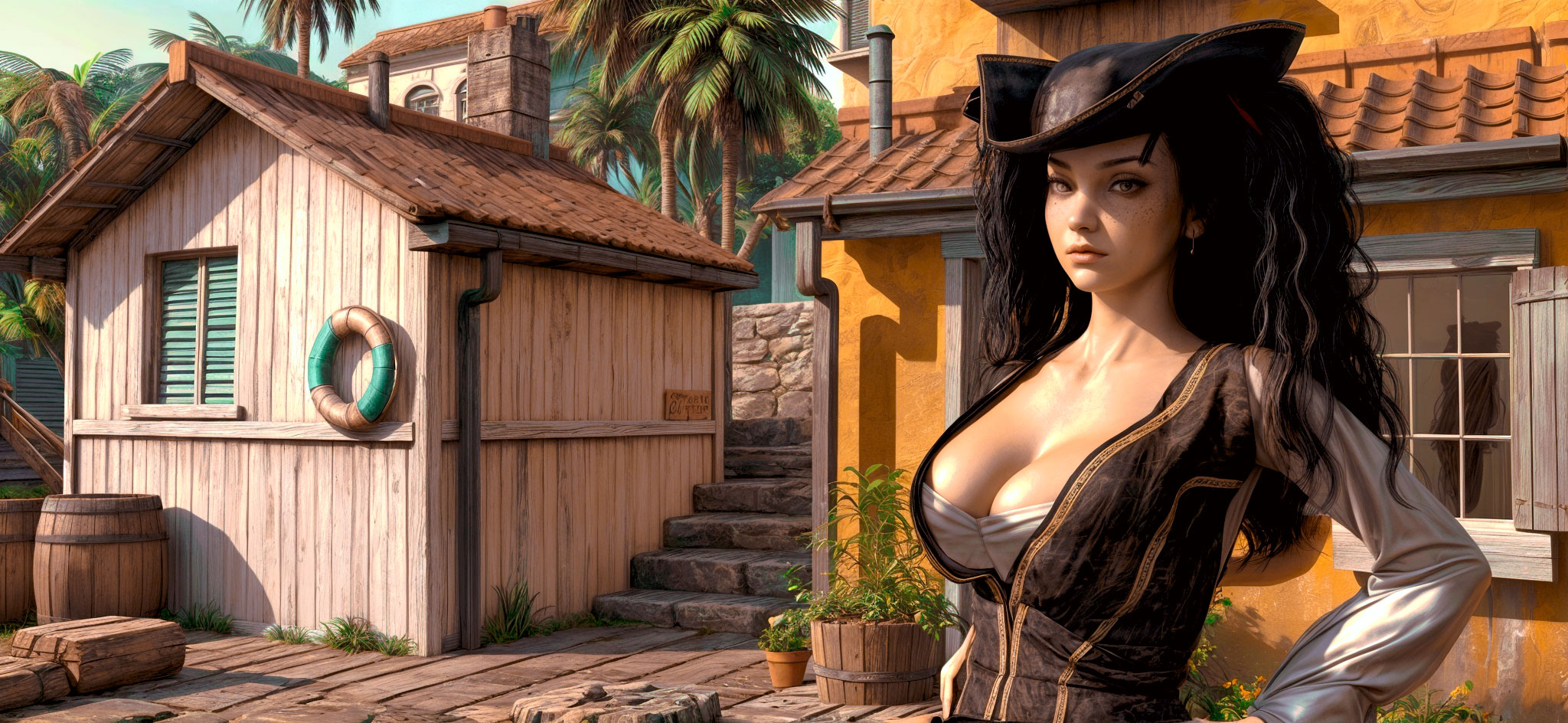
A Village By The Sea
Typical Stonemason quality. Very easy to move around in due to it being primarily instances. Looks amazing. Presets work just fine. Talk about an instant buy.
@SapphireBlue
I have been! Just yesterday was a Very Horrible Workday & today was Very Important Errands. But I have a character I made Monday to post tonight. Will also post a scene I've been working on off & on for a while; there's a glitch I can't figure out. This afternoon I am enjoying the posts.
This is a great thread, thanks everyone for sharing your experiences!
As promised. :) Here is my first attempt at a certain Logical Alien Species, in Filatoon. I used the half-elf character https://www.daz3d.com/cc-talan-for-genesis-9, wearing https://www.daz3d.com/worker-uniform-outfit-for-genesis-9. Can't recall which hair I used. Environment is https://www.daz3d.com/sci-fi-surveillance-room, one of the recent Daz+ freebies. I need to do a lot more work on the character, probably after I pick up the Willow add-on (which will hopefully be this weekend).
The Surveillance Room was also easy to convert with Easy Filatoon. I've started saving my converted sets so I won't have as much work when I want to use it again. Once I am ready to render the completed scene, I remove all items outside the viewport, as 3Diva suggests. Not doing this WILL slow your rendering.
This is the picture giving me problems. She's a G9 version of the Cool Queen, my cold themed superheroine. The environment is https://www.daz3d.com/1stb-old-steel-bridge-on-a-desolate-road. Where I run into problems is trying to use the snow camera from https://www.daz3d.com/iray-winter-light-kit. I end up with this big white area. Maybe I don't know how to use the snow cam, but from the description it doesn't include a ground plane. Any help will be appreciated.
I have that, haven't played with it lately.
I'm finishing up a (not-art) project over the next few days but will check it out when I get things wrapped up if the question is still out there.
What could have happened is the camera somehow turned on the ground plane visible in the environment tab for the HDRI. Check in render settings.
Edited to add: Yes, that was the problem. I found & turned off Draw Ground & it wasn't in the next test render. Next step: add more snow.
That might be it, thanks.
At the end of my day, I was able to work on a render with some new and older products:
Chloe 9 | Daz 3D and her HD turned on too.
Zarah Hair for Genesis 3 & 8 Female(s) | Daz 3D - it worked like a dream on Chloe 9. And it had a feather that worked lovely with the dress.
dForce 1920s Vintage Outfit for Genesis 9, 8 and 8.1 | Daz 3D - The dress worked real nice with simulation, but the shoes had to be posed again afterwards.
Beauty Blend - Digital Makeup | Daz 3D - I had to research 1920/30s makeup styles.
Art Deco Dreams | Daz 3D
Perfect Portrait Lights | Daz 3D
I have about a year and a half of backlogged characters and things to test because I have been setting up two new computers. But other than the lights, all of the other items were recent purchases.
Mary
I am preoccupied for several months through the winter every year with a sidejob but it's done and now i finally have some time to play with some of the stuff I've bought since ... um ... last fall.
https://www.daz3d.com/a-village-by-the-sea
https://www.daz3d.com/hs-everyday-high-updo-hair-for-genesis-9
https://www.daz3d.com/dforce-pulp-safari-outfit-for-genesis-9-and-8-female
https://www.daz3d.com/dforce-christian-hair-for-genesis-9
https://www.daz3d.com/cxk-suspender-pants-outfit-for-genesis-9
You can't see enough of the figures to justify listing it, but I was also testing skin mat files from Doya and Charlie here.
Not that I have any expectation of being disappointed by Stonemason, but I really do like this new "Village by the Sea" from an initial glance at it.
However, I really need to take a moment to learn how to tinker with dForce settings. Both of these outfits dForced in these positions without explosions or issues like that, but I would just like them to drape more softly than they seem to out of the box. I've been around Dazland long enough that I should have learned these things by now, but though I put in the time to learn how to use dForce to fit primitive planes to use on Ultrascenery ground and drop fruit down a ramped plane into a crate, I kinda shirked on learning anything beyond the obvious to dforce cloth and clothing.
If you have the dForce Bohemian Style Outfit for Genesis 9, dForce simulation presets for cloth are included in it and you can try them to see if you find ones you like. I have yet to play with them, but it could be a good way to learn what the various dForce settings do.
I have that. I'll check it out.
I was installing and loading up Willow 9 to answer a question on her thread and thought I should just test her out with a few other FilaToon things, like Mirai hair, the Princess Petra maid outfit, the Tree Swing Garden, and a second try today of the Illustrative Skybox Collection which is very pretty. Willow is morphed a bit with some other characters here.
I had some issues loading up the garden with Willow and the Skybox already in the scene - DAZ just kept crashing and I don't know what it was. I could load it fine on its own in an empty scene. Finally, I gave up trying to figure it out and just loaded it up first before merging it with the Willow 9 scene.
Another surprising retro outcome. I'm testing new characters and hairs and was playing with VYK Fennel (https://www.daz3d.com/vyk-fennel-for-genesis-9) and CS Florence Hair (https://www.daz3d.com/cs-florence-hair-for-genesis-9). I love Fennel, her skin is so soft and, dunno, kind of English looking. The hair is great too, but just a bit unwieldy. There are no pre-made poses that really seem to do much, and the braid links just have the normal move parameters which sometimes tear the hair apart. It also doesn't seem to simulate much. It's still so pretty that I'm willing to put up with its antics. In the end, I thought the braid in front looked like it was moving, like she was just after turning, and I liked it and so left it at that. She seems to be enjoying herself anyways !
Putting everything with links in the gallery as usual.
Edit: I forgot, there was this business with the linking of images, right - should I upload differently now? If so, how? Will the picture linked in the post disappear after a while?
It's related to the gallery, so if you were using it before, now you must upload the picture through the 'Attach a file' system from the forum.
If you always attached a file to your message to share pictures, AFAIK, no change happened to the it, so you can continue to use it as you did.
Nice picture: what umbrella did you use ?
Thanks for the explanation, it seems I can just do things as before then. I've also noticed that in DAZDealz, although the thumbs of related images to a product appear broken, you can still click on them and be taken to the correct image. Has this been documented already? Interesting I thought.
Ah, the umbrella is part of the BRZ set of poses, link is in gallery!
Today's Daz Plus for a Day item, CHB dForce Essential Sweatsuit for Genesis 9, looks nice enough if you can get it to work,
However, the problem is the "getting it to work" part.
The weightmaps and joint correctives are atrocious, forcing it to be dForce only (something that is *not* specified in its description) ...
... and many shapes it says it has a fit for have clipping issues:
This is Tara 9 specifically, but I found at least these shapes that had issues, mostly on the breasts or collarbone:
Breasts: Large, Natural, and Shapes 1, 2, 4 & 5
Standard Body Shapes: Muscular
Core G9 figure body shapes: Amelia, Angela, Base Anime Feminine, Freja, Hanako, Jennie, Minerva, Olivia, Olympia, Sophia, Tara, Walter
A ticket has been submitted, but if anyone else catches other issues, they should submit their own reports.
I figured that if you stripped away the leather straps from Iron Lace Lingerie and swapped the opacity map into translucency (it would need to be inverted, of course, the channels have reversed effects), there was actually a decent basic underwear set in there - something that's not in big supply on the store (most stuff is lacy bedroom wear, and the stuff that's trying to be "normal" is often under-detailed).
As I said, I've swapped around the materials to make it more opaque, and I've also reshaped it somewhat with Fit Control to increase the coverage on the breasts, but I'm fairly happy.
I'm also glad that unlike a lot of Xtrart's past stuff, it seems like these days there's at least a cursory effort on many of the sets to model something that vaguely resembles a back clasp on the top; a lot of their older sets I skipped over because it didn't actually look like there was any way for characters to take them on or off.
I'm only now seeing this, thanks for posting your results! That's really not good. Has the outfit been fixed in the meantime? - I do love what you did with it, though, it looks so cozy on that sweet little devil. Are the socks included with that nice fuzzy material? Anyways, really nice render, makes me want to grab a mug and join in.
That was a regular chunter of mine when reviewing the store New Releases.
While I put in a ticket the day it was released and about 12 hours later got a response from customer support that it had been sent for a fix... no, no fix has yet arrived.
No, the socks are from https://www.daz3d.com/ng-dforce-maternity-clothing-for-genesis-9-and-olivia-9 (currently with outlet prices, but apparently affected by the categorisation issue that's not showing loads of things in the outlet category), but I'd originally started/done this to be a moderately complete image, and the test and review came as I realised how many flaws there were in the set. The socks ended up in there because I felt they rounded out the image, but I probably should have been clearer they weren't part of the set in question.
In the end, there were only so many times I could tell myself "ah, I can remodel that if I need to".
They're still not spectacular, but there's now enough there that I can show a character from the back without it feeling off.
I'm not sure why the wheels have come off lately, but I have hardly created anything this whole summer. (That didn't stop me buying stuff, or even from testing new stuff - just never composing a real scene and never being happy with anything.) I'm dusting off this neglected thread to post this basic product testing render as I try to get back in the saddle.
https://www.daz3d.com/ng-portrait-studio
https://www.daz3d.com/dforce-strand-based-fe-french-short-hair-for-genesis-9
https://www.daz3d.com/ng-freckles-for-genesis-9-and-merchant-resource
https://www.daz3d.com/8-in-1-90s-style-fashion-wardrobe-for-genesis-9
https://www.daz3d.com/dforce-adoring-necklaces-for-genesis-9
https://www.daz3d.com/matchmakers-shader-system-volume-1
The latter is just lending the cute fabric color for this shirt. I didn't test the overall bundle at great length but it does what I expected it to do.
Although this, like all of my characters, is fundamentally a Face Transfer custom character (using the shape and skin created by FT2), this particular incarnation of her makes use of some underlying Milly skin:
https://www.daz3d.com/cs-milly-for-genesis-9
As well as smidges of shaping from several characters.
I got DAZ Horse 2 earlier this year and this is only the second time I've used it, and from the outlet store a few days ago I got the Western Saddle. I also wanted to test out the dry version of Linday's wet & dry G8F shirt which I got a while back, and I needed to test a recent purchase of one of Akhelloos' hairs. The only place to test everything was in a Pacific Northwest or Desert scenery, and as I feel happier in the woods, woods it was. I should possibly have swapped the arm poses, as the character's left arm is hiding most of her bandeau top under the open shirt, and despite the looks in this view, she isn't flashing.
Regards,
Richard
A very beautiful render paulawp (marahzen)! Nice to see some of my recent products being used and hopefully helping you get inspired! Also a very beatiful character. Added Milly to my wishist.
I think it's "summer." To me, it's always the least productive season.
Hope you get back to rendering soon!
Nice test! I got the hair too, so I'm happy to see it works nicely.