
Daz 3D is part of 
Connect
DAZ Productions, Inc.
7533 S Center View Ct #4664
West Jordan, UT 84084
Licensing Agreement | Terms of Service | Privacy Policy | EULA
© 2026 Daz Productions Inc. All Rights Reserved.
Comments
What's the difference between Full Body and Full Set in the Wearkit?
Basically, the difference is only how you use it when setting up a WearKit, the interpretation is purely textural ( as from the Crowd Genetators point of view, it will take "one of each available clothing type".
But Full Set usually has, headwear, clothes and footwear, while Full Body doesnt include head- and footwear, but it is what you set it up to be, and you can create your own WearKit Tags as well.
So the "Picker" checks "What different WearKit tags does this WearKit have", then picks one item from each category, which is a reason why it's a good practice to have many WearKits instead of one super complicated with many requires and incompatible rules, as those often starts to conflict and cause all kind of weird issues.
"it's a good practice to have many WearKits instead of one super complicated with many requires and incompatible rules, as those often starts to conflict and cause all kind of weird issues."
Holy Crap this idea never occured to me. I have a bunch of custom stuff that was giving me all kinds of problems. By breaking it up into seperate WearKits it fixed some stuff and allowed me to easily figure out the rest. Now everything works and looks good. Thanks!
I had the same reaction, when Totte explainded the scheme to me.
Full Body looks more useful for me. Otherwise how could we have LowPi fully dressed with headwear and footwear.
If you have several items, hair, shoes, top, pants, gloves as separate items, you need one of each setup in the WearKit. It's also good to remember that if you have a "full wear set", you will need a Post Load script setup to randomize the colours unless you have HMAT settings for the whole set ( which works for for example smokings, where you have a fully matching set of colours), but for jeans, tshirt, hair and sneakers, you want to load each of them separately so you can randomize the materials.
There are Pros and Cons with the different approaches, I prefer having separate items in the WearKit, one or two different types per position and then different mat files for each of them, but sometimes it very good to have a full set, specially in the case where you want uniform looking soldiers, where they all look similar, just the actual LowPI skin and morphs are different.
I hope this helps
Thank you very much for the explanation. Now it makes more sense.
Feature Request (or explanation if it exists): Take a "group" of existing lowpi figures, pass in the construction json file, and a script rerandomize their location and pose without generating all new figures. If I add 50 figures (and instances) to a beach scene, is there an easy way to shuffle them around with going through the part of the script that generates the figure.
I think you will be happy to know that "RePopPlus" is coming, move a growd or parts of a crowd and recollide with the ground.<
But a crowd shuffle is a grea idea, the problems I do see is when you shuffle them around , the markers effecting them and setting poses ( like speed poses for Attention Markers will suddenly become pretty weird, but I add this to my ever growing list of LowPi ideas.
Thanks!
The reposition portion could only work if there are markers in the scene file, just like the normal creation script requires markers in the scene file.
Oh, and thanks for all the attention you pay to your customers here.
The issue is that markers like attention marker calls for poses, if you have an attention marker with repel and speed 3 (at the place of the big monster), those close to it will run away, if you repostion, you will get random running folks and then folks standing relaxed 3 feet from the monster, or you also need to rerun the poses, which then requires knowledge of which poses where connected to which sets when the crowd was generated... kind of a "can of worms" issue, once you open it up, there are a myriad of different things that needs to be handled, But, if you just move the crowds and even individual lowpis, then run RePopPlus on it, they will all nicely collide to the uneven ground again. So keep your eyes open, but there are more fun stuff coming for LowPi before that....
How is this not a pose set that is selected?
Can be that Causal tag is together with Walk ( I didnt make those sets, FeralFey did) so as Walk is disabled, all poses with walk is disabled, which causes Causal to be ignored as Walk already is inactive, so all poses with walk is disabled.
The tag handling quite delicate, dont switch too many off, specially not "common ones", Switching specific off is usually not a problem.
And also, to do run the latest update 1.4.0.1? There has been some fixes to tags in that version.
I've tried casual only; casual and walk; business only, business and walk; walk only; casual and business; and casual, business and walk. All of them result in this popup. Finally I selected all of the tags. And it still gives the error.
As for turning them off, I really hate the umbrellas, 80s phone, etc. And this scene is supposed to involve "prisoners". So any props make no sense.
Which version? Turning umbrellas and luggage off I do all the time, so that isn't the problem, must be something else.
I said I turned on all tags and still get the error. I turned off extensions, it still doesn't work.
Last time I generated a crowd was Jan 6. But it used the mideval set. I switched to the Medieval Life peasant and it worked just fine.
Edit: I started from scratch and it worked fine with all tags and FF Moving Set. Must be something weird in the json file I was using earlier.
LowPi expansion idea: Event Crowds
Probably with two "skins" One for Sports Arena events and one for Concert Festival events. The set would come with bleachers in stand alone and arena variants. The scipt would have fields for setting the color scheme for the visiting and home teams which make it easier for large areas of the seating occupied by "home team red and white" with some percentage of "visiting team black and orange" and some percentage of "casual fans". Another slider would shift between "nothing exciting", "excitement for a home team favored event", and "excitment for a visiting team event." This would chose reaction poses for the lowpis based on which clothing set they have. (For a concert, you would just a low percentage of "home" team to represent fans wearing merch, no visiting percentage, and the rest as casual.) Other settings would be good for linking bleacher and setting instances to appears high or low in the bleachers and "left" or "right" in the line of bleacher objects.
The bleachers would automatically setup seating so you wouldn't need to setup1000 seating indicator props. And there could be a setting for home many people are on the stairs coming and going. Props for food, drink, and little flags to wave would be appropriate.
Sample Sets for a sequence of bleachers (rounded corner bleacher might be a bleacher variant prop) would be a good bonus.
I'm sure other ideas would flow easily from this. And i wouldn't be surprised to hear this suggestion already exists. All the bits with stuff like hedgerow means the bones of the idea exist. The specific Asset would add customizable wardrobe and poses to help with the illusion.
Bleacher building you do have here already; https://www.daz3d.com/have-a-seat
You can build your own set and have LP Seatmarkers attached to the bencher props and then populate a crowd using it.
Good with ideas though!
I think this is a great suggestion. It would be nice to be able to apply these event crowds to existing auditoriums and things like that, which are sold in the Daz Store, to fill the venue.
Or include a few sliders on the bleacher prop that controls the spacing of the seating and just place the prop invisibly on top of the other asset.
I'm finding that often the crowd generation script makes DS 4.24 get almost entirely unresponsive after running it, to the point that I often have to battle to try to save the scene and then be able to restart DS to actually continue.
Is there anything I can do to address this?
For full disclosure, when I run the script, I'm getting an error message about Hedgemaker being absent for the Path Tool (I have purchased Hedgemaker as a product, but I cannot get that product to work, even on its own - it claims the engine plug-in is not installed when I try to run the Hedgemaker script, and I suspect it may relate to me having a non-standard library location, but there are no instructions in the manual or demonstration video about what to do in that situation), but the log file itself doesn't seem to contain anything relevant that is flagged as an Error.
I have also mucked around with the LowPi figure (adding morphs that override its shape to make it more closely resemble my normal character figures) and have saved over many of the product's material presets (again, with materials that better match my general style), although I'm not certain how those changes would cause the script to lag.
How many LowPis are you generating in your crowd? Daz Studio gets slower and slower with each LowPi character added to the scene. Also it seems that every clothing/prop item adeed makes it get slower.
This has happened with "crowds" of only 20 - and of those, some were instances. And as the system spec in my signature says, I'm not running a complete potato.
It does not seem to anything to do with DS being naturally laggy with however many models are in the scene; assuming I can save and reload, DS will then handle those models fine. But the scene does lag after the script is run, even if I then delete the crowd, so it seems to be relating to the script rather than the crowd.
(It doesn't necessarily nearly lock up DS every time; the worst cases seem to have been when there's a large quantity of other assets in the scene, but I've not used it enough times to categorically say that's a factor).
Totte will probably have to weigh in on this. I don't have a problem with 20 LowPis, and my computer is far older and far less capable than yours. At about 50 LowPis with clothes and hair, mine gets bogged down generating the crowd, but I don't notice a slowness after the crowd is done generating. I don't often have a lot of other stuff in the scene, but I might have an environment like UltraScenery or something.
One "trick" I found helpful was to create a nude LowPi geoshell to use for the WearKit and generate my crowds nude like that. It goes very fast and you can evaluate the placement of LowPis and regenerate the crowd if it doesn't satisfy you. Then I use the ReDresser to put clothes and hair on the nude LowPis.
What PopPlus requires is the Hedgemaker plugin ( and most other new expansions requires PopPlus ), not the actual script product. If it cannot find it, it's not installed ( Check your installed plugins menu under DS, it do require DS 64 bit ( if anyone still runs DS 32 bit from sometimes just before the construction of the chinese wall ).
If you add complex morphs and texture heavy materials, DS will use more RAM for each LowPi loaded, and each LowPi loaded and dressed will take more time that the previous, that is just how DS internlly work, but I can run 50 without mucbh promblems at all. Allthrough, after the popluation has been done, depending on your current machine load, the time DS will take to "build up the internal viewport hierachies" will vary. This is the main difference from when using for example Ultra Scenery where the iterms are props, not figures, as figures are internally in DS arranged in a multitude of levels more complex structure, which takes time for DS to "fix", after the crowd has been generated.
But, as it complains about HedgeMaker Plugin, look there first, it needs to be correctly installed, be visible in the About Installed Plugins etc. And which version of Studio are you running on, and which build channel ( Release, Public Beta for example ). Some things, DIM just do nit install anywhere else than the Release channel, then you need to manually copy the plugin into builds for the other channels..
Some teasing of what is coming soon for the LowPi Crowd Generation,
Formations for LowPi Crowd Generation and Formations Builder.
And PhilW has something wonderful coming too for this...
Wow! Very nice.
As Totte has done some teasing, here are a few preview images of my set LowPi Mediaval Army which will be released at the same time as Totte's Formations set. Very excited to see everyone's reactions to this, it's been great fun to work on it.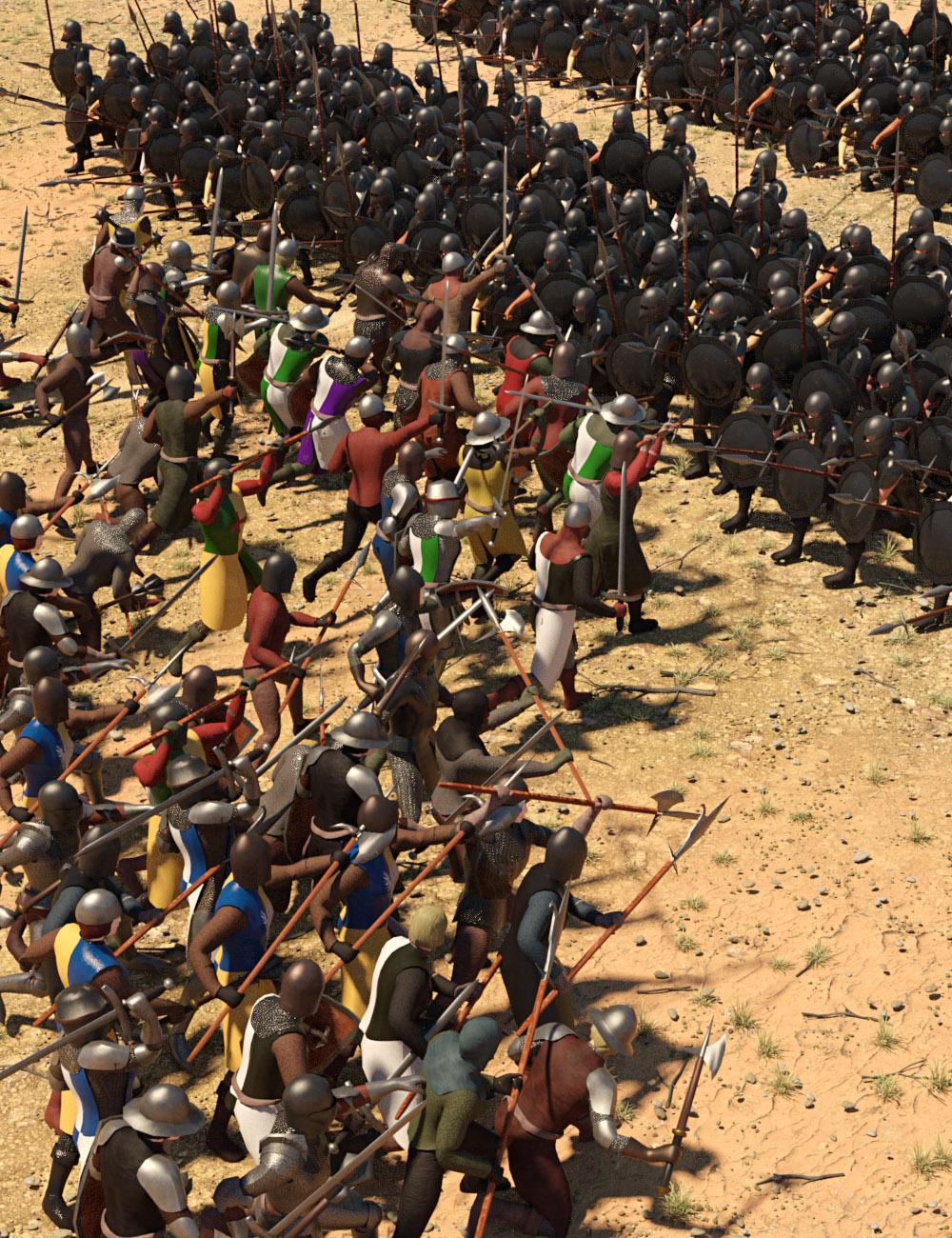
Looks great. What about the horses visible in Totte's previews?
Now we just need a Bayeux or Lutterell shader to apply to our rendering.