
Daz 3D is part of 
Connect
DAZ Productions, Inc.
7533 S Center View Ct #4664
West Jordan, UT 84084
Licensing Agreement | Terms of Service | Privacy Policy | EULA
© 2026 Daz Productions Inc. All Rights Reserved.
Comments
well, before I used the internet, I didn't know,
Mum's Eddy finished off all our bolognaise, stews etc full of garlic and onions and he lived to 18 when I finally had him euthanased a year after mum's passing.
he was very fragile by then and had kidney disease but didn't get it until 16 at least
Prompt Camera Assistant is availabel using Comfy Manager node installer. Search for "Camera"
If you are using the portable, there is a folder called update that has tools to quickly reset comfy to a working version. Try the update stable to get you back to a stable version quickly.
ComfyUI-Prompt-Camera-Assistant
A year ago, I dabbled in using Stable Diffusion to generate AI images. I tried a couple of WebUI's with Stable Diffusion: Automatic 1111 and Comfy Desktop. There was a bit of a learning curve and was getting all sorts of weird images because didn't take the time to learn prompting techniques. I've been using Krita (Krita.org) as a Photoshop replacement and found there was Stable Diffusion plugin and taps into a ComfyUI Server. It integrates AI functionality into Krita. It comes with a selection of checkpoints (models) you can install. I add free checkpoints and loras from Civitai.com. All of this is free you can run on your own PC. Go to Krita.org for the paint program then install the Krita AI Plugin (search for its installer). It all very easy to download and install. When you install the Krita AI plugin you're giving the option of creating a ComfyUI server that is run locally and controlled within Krita, or you can connect to an existing ComfyUI server that is externally managed. The AI plugin can modify your DAZ renders by controlling the strength of applying a checkpoint. One can even select parts of a DAZ image and render in-fills/modifications or render a 100% AI image.
I'm suprised how you can enter a very generalized idea of an image and perform a sequence of renders. I found the prompt shown on the Krita screenshot on the internet. I've attached three pictures. One of the Krita screen with the AI "docker", and two images I picked out from a set of consecutive renders from the prompt. Rendered the images at 3840 x 2160 to make desktop backgrounds. Many checkpoints for realistic renders look best in quite smaller resolutions due to the images they are trained on. I used a digital image checkpoint that was installed with the Krita AI plugin that seem to render ok in a large size renders.
Tip: To display the AI Plugin in Krita if you don't see it, go to Settings>Dockers> and enable the AI Image Generation check box. On the AI docker, select the gear box upper right, then select Connection to setup a local ComfyUI Server controlled within Krita or connect to existing ComfyUI server (didn't try that).
Might be one of those things that breaks down when cooked.
idk. I know that my Taffy seemed to treat the raw ones as toxic waste, I felt so sorry for her the day my friend and I were cutting vegetables and one of us dropped a bit of onion (I think it was a scrap of dry peel) and she fled.
Thanks for the heads up.
These are pretty old videos (8-9 months old). The one below is more recent.
@Lindsey, 3DIO:
Thanks for the Krita-AI-Diffusion endorsement. I saw the plugin in Krita but didn't have much time for it. I too have an AMD GPU and the idea of running ComfyUI server locally intrigues me. I'll give this a shot; if not, then I'll try the external server.
Cheers!
Thanks for the further explanation. I were used Cubase in the past, but it was too advanced for me.
Good for you.
Have you heard about Melody Assistant?
https://www.myriad-online.com/en/products/melody.htm
That one is very nice. I have used it long time ago and were very happy with it.
Harmony Assistant is even better:
https://www.myriad-online.com/en/products/harmony.htm
Interesting, That explains well different preferences of music programs and why there are so many of them.
Actually I have already purchased a music program from Unity Asset store,
which generates music from prompts and also lyrics/text or one can choose random generation.
All of these is done locally on the Nvidia RTX card with at least 12 GB of VRAM.
The demo of it shows more than half an hour of music already created with it.
My main interest is in creating videos for YouTube and I enjoy a lot creating graphics by myself,
so having possibility of easy creation of music automatically fit me best.
I have been using Melody Assistant for years but I do read music and cannot work with piano roll interfaces
I should really upgrade to Harmony assistant one day but now is not a good time, need better hardware etc too, none of its happening
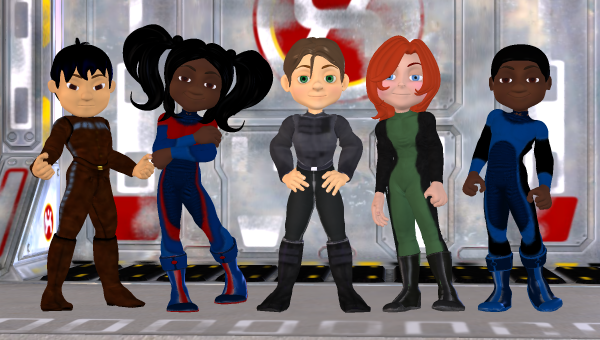
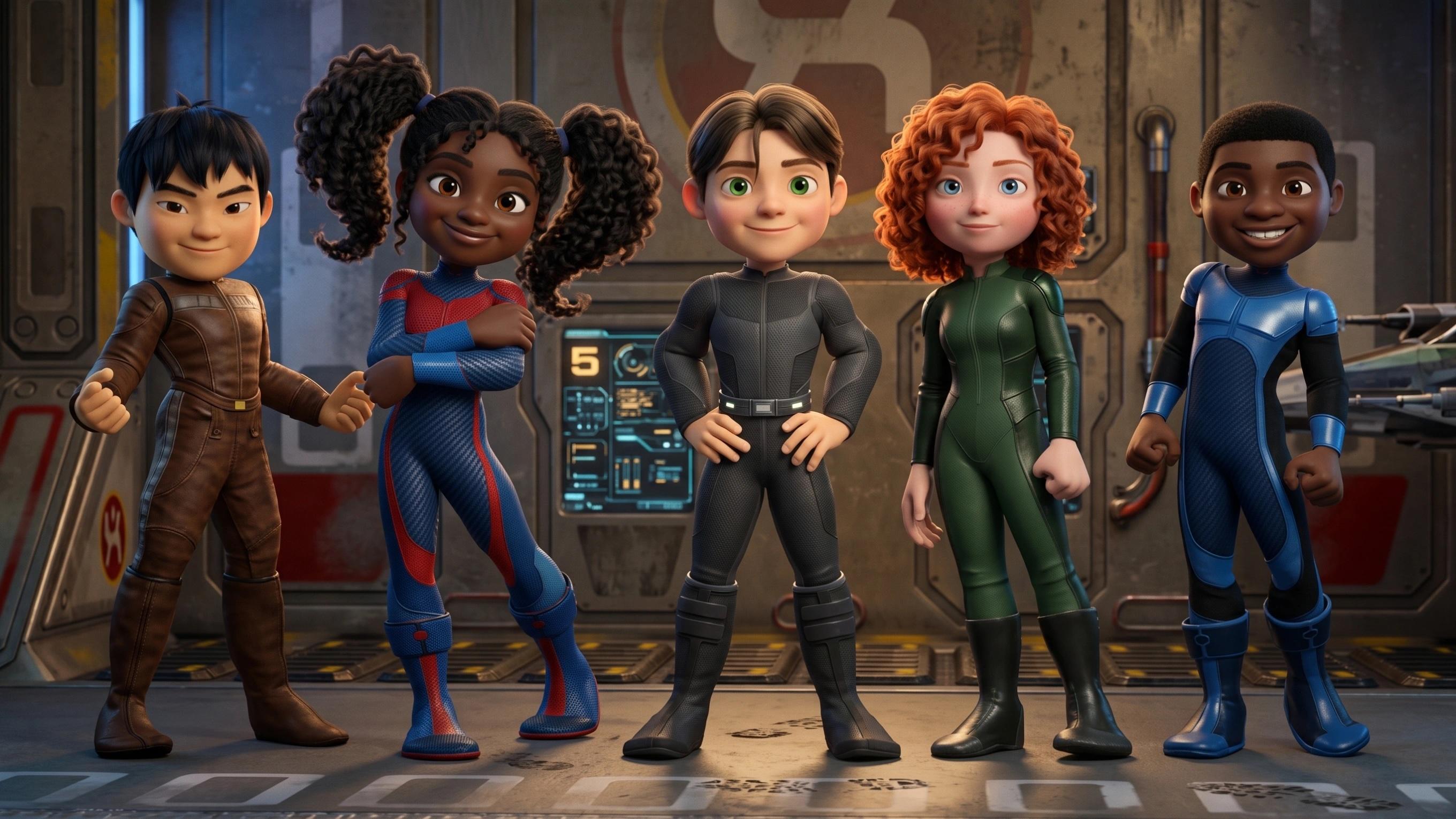
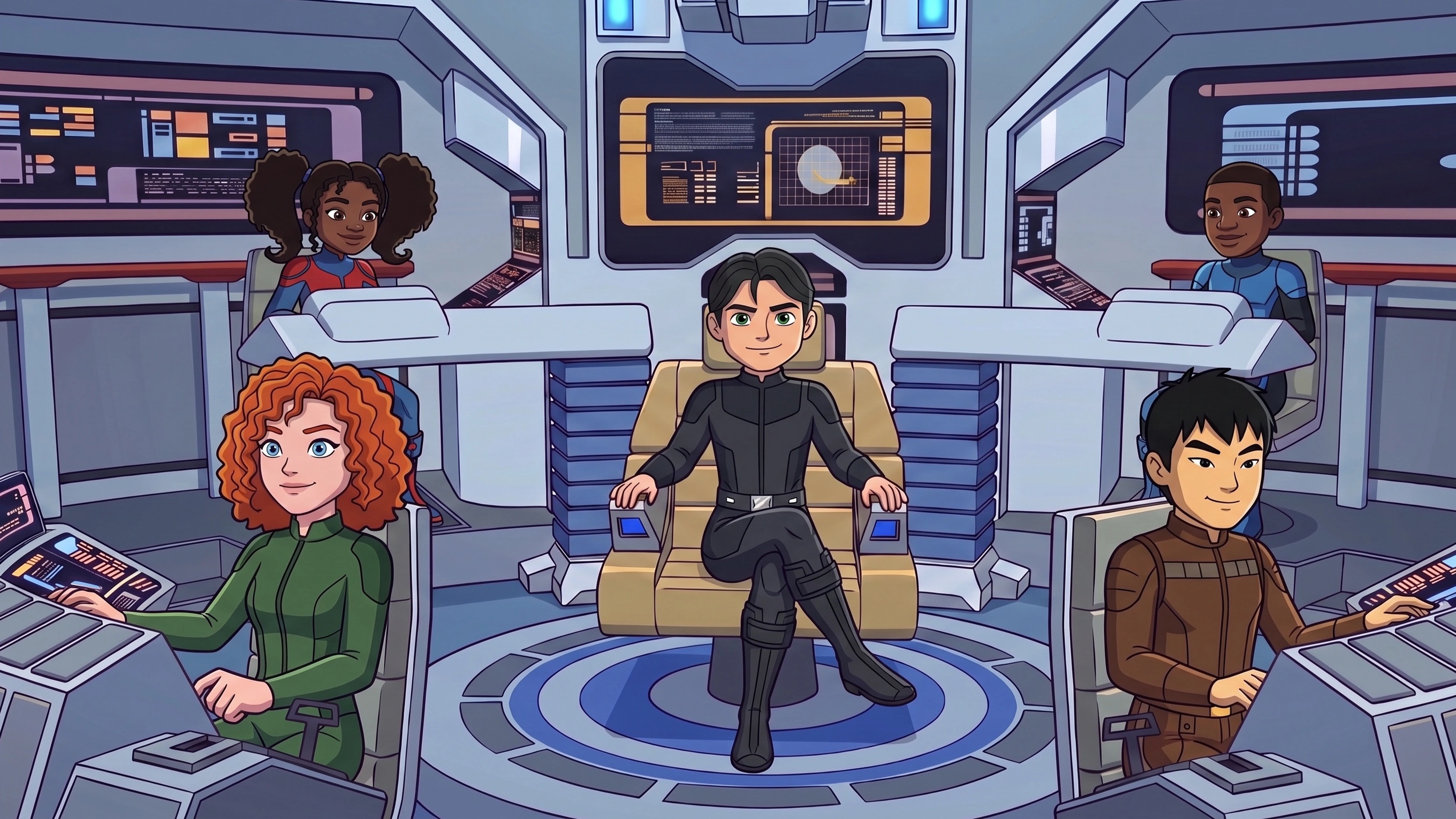
A quick AI-filtered upgrade to a 2008 DAZ Studio render using Dennis, some morphs, and a range of bodysuits and texture sets. AI, used as a graphics/render filter, exponentially widens the use for even decades-old DAZ Studio renders.
All of my AI work starts in one way or another with DAZ Studio.
2008:
2026:
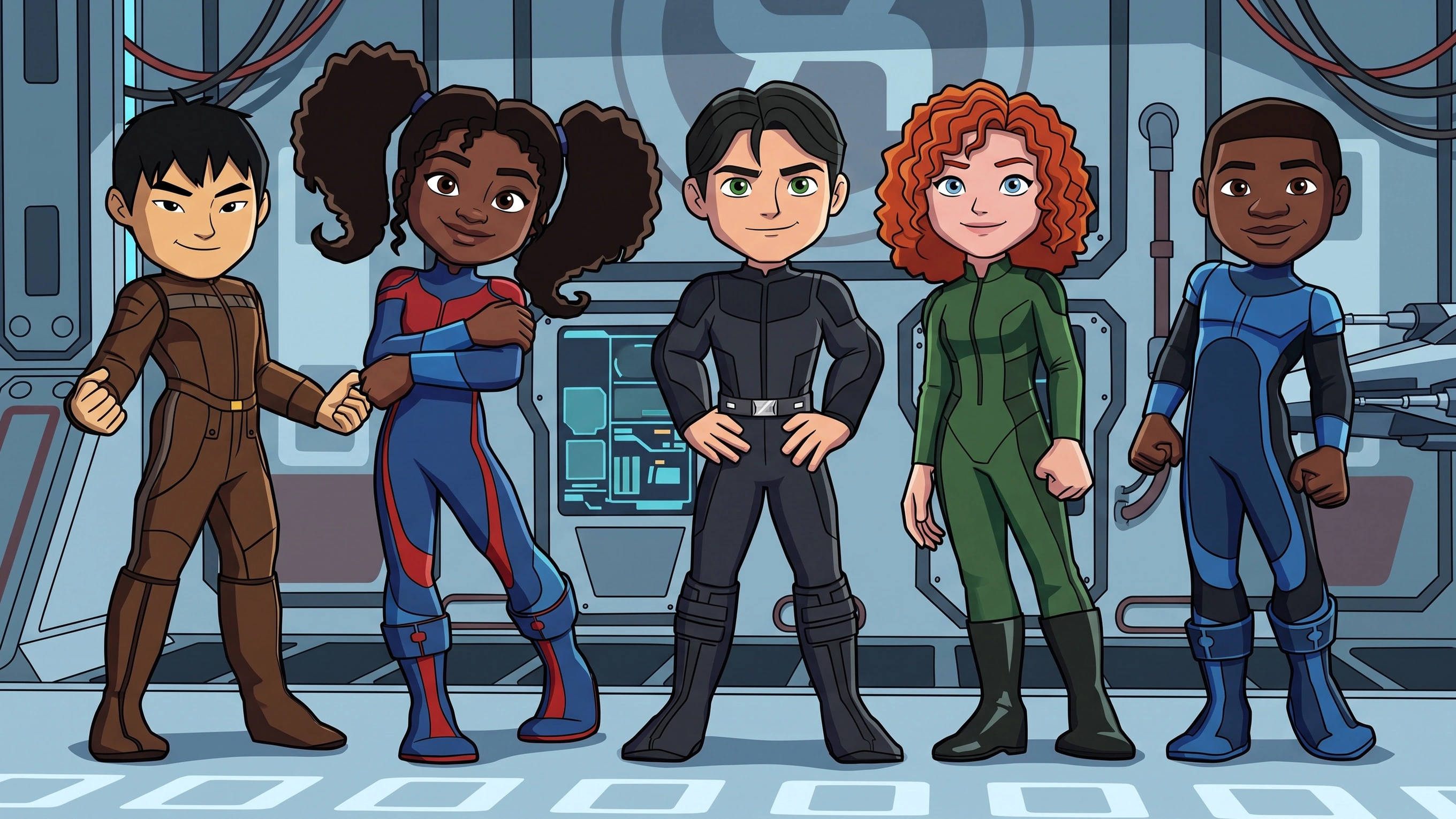
2026 2D filtered:
2026 Put on the O'Bannon starship bridge by Vanishingpoint:
Hello people! I tried to get infos about video2video AI solutions, but it seems there is always a problem : chatGPT/Claude/Gemini and YT/google mislead me to inaccurate or unsatisfying results with comfyUI. What I aim for : simply converting/polishing my 3D animated videos into photorealistic videos. Keeping the animation itself, camera angles, lighting... but with "photorealistic" textures.
Great results. Clever use of AI.
Thanks, having a lot of fun with many of my older models and renders, all given a new breath of life thanks to AI.
So, starting with the one, 2008 render of 3D Universe's Dennis (and some add-on morphs) I used AI to change my 2D renders above to 3D, and then to "age" them:
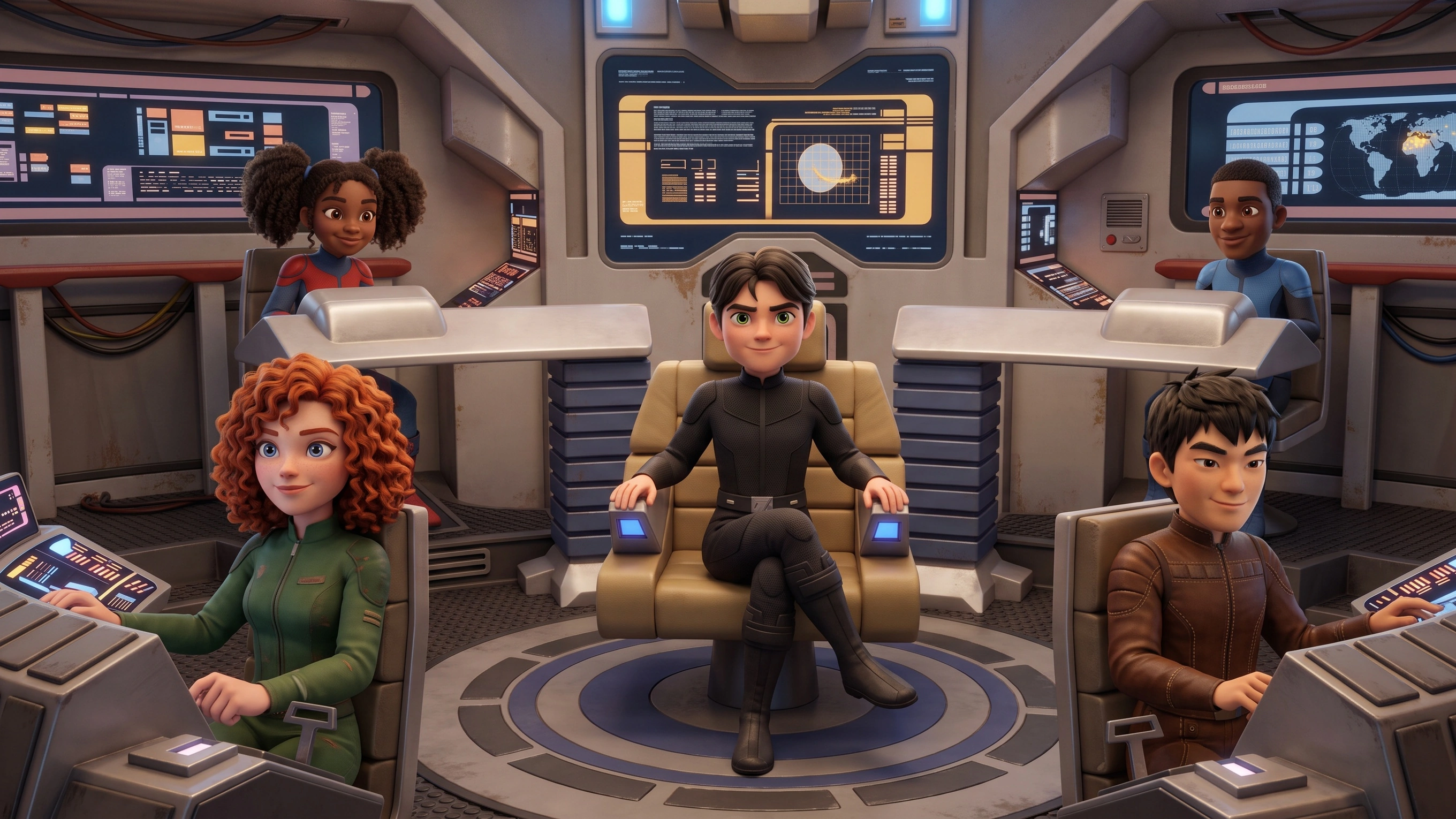
This is something I can't easily do with an 18-year-old character model. As you might guess, there's not a lot of new morphs, clothing or anything for 2008's Dennis.
Instead of re-rendering my Dennis characters to again make use of plug-ins like PWToon, then through Photoshop to use some of my filters, plug-ins or actions, or sending Dennis through bridges to get to Blender, Unreal, Maya, 3DS Max, Cinema 4D or Unity to then use their tools and engines to animate and render, I send Dennis to AI to make and edit my AI-Dennis and crew and then use an AI engine.
After making my AI Dennis and crew, I made two quick test animations as proof-of-concepts.
First, a quick test of general animation using Dennis and his crew:
Then, for a bit of fun, a Blooper reel (if you're watching it, stay until the end):
If they don't open by clicking on them, here's the manual links:
https://www.deviantart.com/waltsterdan/art/Blooper---Big-and-Dangerous-1381317623
https://www.deviantart.com/waltsterdan/art/Dennis-and-Crew-Test-1380929255
I'm mostly using older purchases because they're not being used by anyone else these days, and I've used them more in the last six months than in the last sixteen years… and having more fun than ever.
As I've stated before, almost everything I do with AI startes with DAZ 3D Studio assets.
I also created the original soundtrack myself, but I didn't use AI. I played the music on some online instrument websites, like this online piano: https://vocalrangetest.org/online-piano , and then mixed everything together using mixing software. Isn't that cool? I'd love some praise!
Could you post a link to your work? I'd love to hear it, but it's hard to offer praise without hearing anything...
Another example, not so much of remixing my art with AI but of taking my DAZ characters and renders and re-rendering/re-imagining them wtih AI, where AI is the rendering engine, the animation engine, the lip sync engine and the special effects engine.
In this still image, all characters and clothing items started as 3D assets, mostly from the DAZ store.
From left to right:
Rawart's original Pealette character:
https://www.daz3d.com/pearlette-for-genesis-81-female
She's wearing one of the uniforms in Uzilite's The New Adventure:
https://www.daz3d.com/the-new-adventure
The next is Rawart's original character Garrick:
https://www.daz3d.com/garrick-for-genesis-9
He's wearing Michael 2's bodysuit using Gorodon's Concord Navy texture (no longer available).
The pink-haired cadet is Rawart's Oinkomi:
https://www.daz3d.com/oinkomi-for-genesis-9
She's also wearing clothing from Uzilite's The New Adventure:
https://www.daz3d.com/the-new-adventure
And lastly, the scaly alien with her is from Synty's Polygon Sci-Fi Space Pack, imported into DAZ Studio and rendered out to make an AI character:
https://syntystore.com/products/polygon-sci-fi-space-pack
Great results, @wsterdan
Thanks very much, Artini, much appreciated.