
Daz 3D is part of 
Connect
DAZ Productions, Inc.
7533 S Center View Ct #4664
West Jordan, UT 84084
Licensing Agreement | Terms of Service | Privacy Policy | EULA
© 2026 Daz Productions Inc. All Rights Reserved.
Comments
wsterdan,
Wow, thanks! That certainly helps. Let me see how far I can run with this.
Cheers!
Nano Banana Pro (and Gemini) handles things this way as well; if I say, "redraw the image showing character xxx..." there's a chance background might be altered, but if I say, "show character xxx..." the background is usually intact.
Because I like to do a lot of "bridge on a starship" type images (inspired by Trek) I've worked out a method to generate a single high-res image of the bridge and the main characters. Once that's done, I'll use that image as my starting point for bridge interations and advice NB Pro to "show the captain turning his head and talking to science" and I'll get an image of just those changes.
The second part of my system – once the base image is set – is to name the characters and use those names going forward by copy/pasting the naming section.
For example, here's an old Smay/Chibi verson of some Justice League members:
I asked NB Pro to "redraw the characters in a modern, 2d animated film style;" and got this:
Now, I name the characters and use the names to change *some* of their poses leaving the others intact:
"For reference, the names of the characters can be used for instructions: the male character in green on the far left is "Hal"; the male character second from the left in red is "Barry"; the female in the centre is "Diana"; the fourth charcter from the left wearing grey an blue is "Bruce" and the character on the far frght is "Clark".
With the five characters, show "Dianna", "Bruce" and "Clark" laughing at a joke; no word balloons"
And get this:
Then, have the other two changing while the first three remain intact:
"For reference, the names of the characters can be used for instructions: the male character in green on the far left is "Hal"; the male character second from the left in red is "Barry"; the female in the centre is "Diana"; the fourth character from the left wearing grey and blue is "Bruce" and the character on the far right is "Clark".
with the five characters, show "Hal", and "Barry" talking to each other; no word balloons"
and get this:
Finally, to show that the backgrounds remain intact I make a very youth-oriented version of the guys sitting around a table in a futuristic meeting hall:
and prompt: "
For reference, the names of the characters can be used for instructions: the male character in green on the far left is "Hal"; the male character second from the left in red is "Barry"; the female in the centre is "Diana"; the fourth charcter from the left wearing grey an blue is "Bruce" and the character on the far right is "Clark".
with the five characters, show "Dianna", "Bruce" and "Clark" laughing at a joke; no word balloons"
and get this:
You might notice that when some of the characters are asked to perform, the others might show slight reaction to them like eyes turning or slight smiles.
Of note: I started to try this using Gemini but was told, "There are a lot of people I can help with, but I can't depict some public figures. Do you have anyone else in mind?", no doubt in response to trademarked characters like Clark, Bruce and Diana.
This is an awesome workflow. Thanks for sharing your adventures.
I am a bit curious about compute cost per image, if i recall some NB images can be upto 0.15c /image. It may take a few images to get the right template so I was wondering how well this is adaptable.
You can shop around as I think prices are all over the place, and they vary depending on whether you're subscribing monthly or annually. I just subscribed annually to OpenArt.ai for their "Infinity" level. It works out to $28 US a month for 24,000 credits ($28 a month is a small fraction of what I used to spend here); NB Pro costs 40 credits a render, so 600 renders a month with Pro, or 4.7¢ an image. If all you do is use Nano Banana Pro, that's 600 images a month, but there's ways to work around this. For example, I'm sometimes using Gemini (Nano Banana 2) a few times a day for free; this allows me to test ideas at no cost, and the quality is almost identical to Pro, so I'll often use the results as part of my final images.
As well, with any subscription there's usually "add-ons". If I go overboard having waaaay too much fun and don't watch my credits, I might run out early (I'm a bad boy, no question) but if I have a ways to go to the end of the month, I can purchase additional add-on packs of 5,000 credits for $15 US.
As well, I might run a few variations on my NB Pro version using the base Nano Banana; it's not as good, but it's only 15 credits per image instead of 40. The quality and consistency might not be as good, but often they're "good enough".
At the end of the day, developing an efficient workflow should help bring costs down. I find that taking ten minutes to set up proxies in DAZ Studio for tricky scenes can save me a mess of trial-and-error NB Pro renders, for example. I'm sure there's many methods others use that I haven't thought of yet, it's still very much a learning process for me.
Thanks
Dartanbeck has been busy with an awesome project of Using Daz Study with ComfyUI 2026 remixing art with AI. Check it out over at YouTube.
Will do, thanks!
another mixed media video
Wow, lots of stuff happening here, love the soundtrack.
How long are the clips you generate? Most of the video generators I've been looking at only make 15- or 30-second clips.
Quick toon remix of Luthbel's Cthulhu https://www.daz3d.com/cthulhu-rising and The Antfarm's Never Dry https://www.daz3d.com/neverdry.
4 seconds, I queue them usually 30 videos in one go
121 frames 30fps takes 25mins on my PC 1280x730 pixels and 2X upscaling
its considerably faster than rendering the images I animate, in DAZ studio
I simply do poses along the timeline in D|S with some camera movement
a different pose each second and render a series 30 of them with the default timeline
the fps is irrelevant
playing it back would look ridiculous but that's not the intention as I am actually letting the AI decide how to get from one pose to the next over 121 frames
the AI also adds camera movement whether I want it or not, if I don't have any it's actually worse
adding subtle movement between my frames reigns it in a bit
OMG, now I want to see how the AI animates Cthulhu's tentacles
Thanks very much for the valuable info, much appreciated. I've been avoiding AI-base animation so far (only because I'm enjoing toon stills so much), but I know I'll eventually have to give it a go.
Wow that turned out great. Lots of potential thanks for sharing.
Some AI conversions.
My OC.
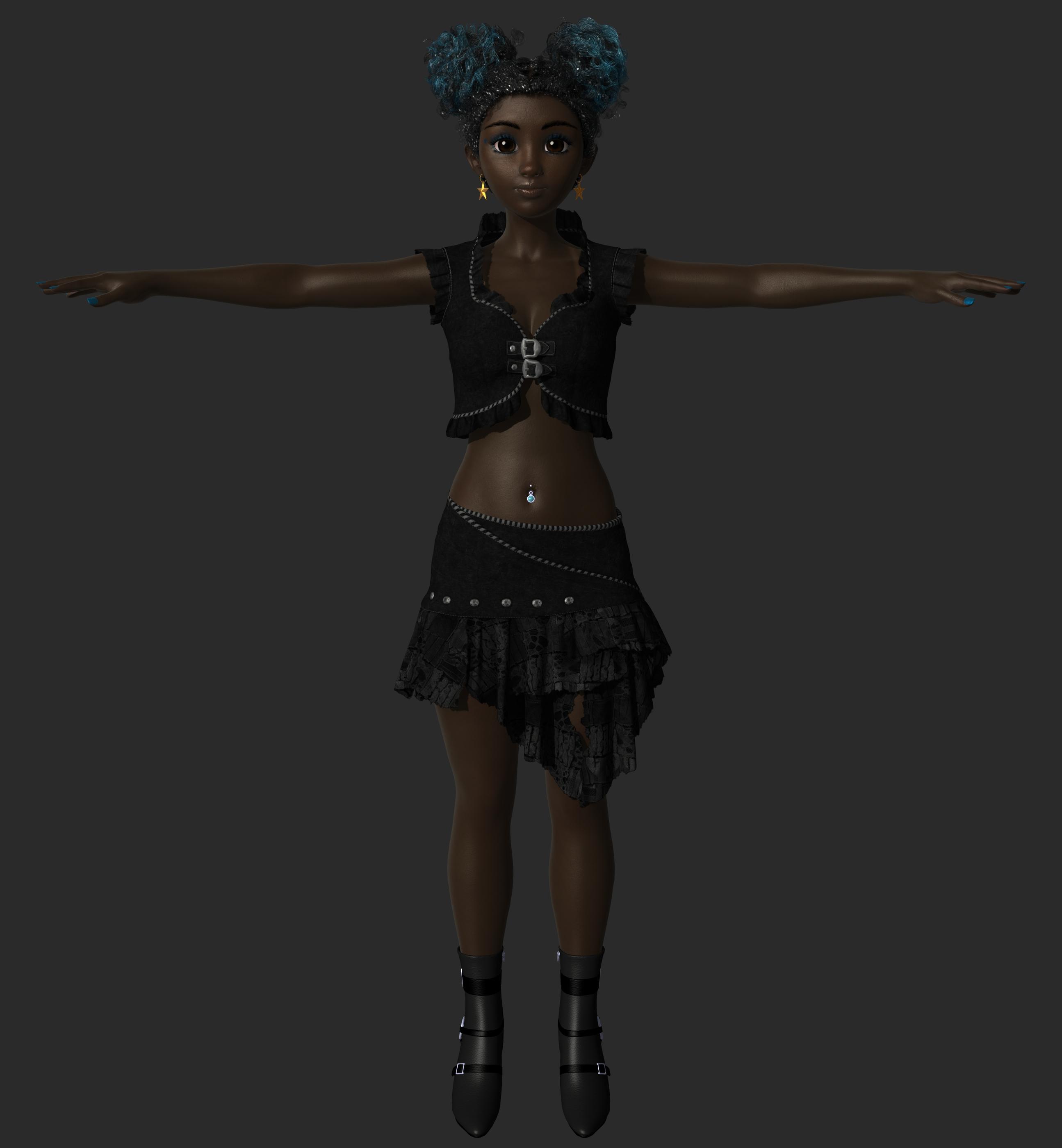
AI reimagine.
My OC.
AI reimagine.
My OC.
AI reimagine.
Totally wild and totally awesome! I love 'em!
Thanks for sharing, it's always a blast to see creative people being creative!
I spent an hour or so going back and forth between Grok and Photoshop to create and refine the character, and then another hour or so to create and refine the backdrop with Grok and Photoshop. Composite and refinement of final image, all done in Photoshop.
Had ChatGPT give me a basic prompt to build on. Animations were created on civitai's platform using Kling v2.5 Turbo.
Fun stuff! Looking forward to seeing more.
Thanks! Your more than welcome.
.
.
Fun stuff, Ethin! Very cute, looks like you're having a blast!
I am really enjoying these. This so much the way I think hobby art is going. I'd love to see DS find a way to stay in the mix because, A. I've spent years learning it and B. It really offers a leg up on specificity given the depth of the products library.
I agree 100%. I mean, generate a starting frame and an ending frame, then telll your AI to animate from start to finish, with or without lip sync, for one example.
The amazing thing is that despite what we can do today, it really feels like it's just the beginning...
the DAZ Studio pose sequence is really a series of dforce animated drapes, I mostly only render the posed frames for AI animation.,as you can see, the cloth drapes poorly, hence my using AI.
It also took many more hours to render.
I thought both parts were pretty impressive, but I can only imagine how long the DAZ renders took when compared to the AI. I just don't have a good eye for it or maybe because it was in constant motion, but I thought the cloth draped fairly well. I guess I was watching the dance and just not concentrating on the cloth sim.
It was nice to see the comparison, thanks for sharing!
she doesn't dance at all in the cloth sim and I obviously skipped any frames where it pulled and stuck, instead of the actual keyframed posed one for those, I used an earlier or later unstuck draped one instead
this is just the DAZ render
Thanks! It’s been a fun little experiment. I still get more satisfaction out of actually building renders in Daz, and I definitely prefer the level of detail and control that 3D gives me, but it’s neat seeing my characters interpreted in different styles.
I’d love AI tools that complement the DAZ Studio workflow (generating 3D meshes like hair, clothing, or props, or helping with rigging) instead of just replacing it.
A couple more anime interpretations of my old images with the help of Grok and Photoshop.