

Remixing your art with AI

12526272931

Comments

  • RAMWolffRAMWolff Posts: 10,373

    They are but even after clearing my cache the blank boxes are there too so it's a very long scroll. 

    Image, blank box, image, blank box, image, blank box is what I'm now seeing.  

  • wsterdanwsterdan Posts: 3,297

    RAMWolff said:

    wsterdan said:

    Artini said:

    Interesting approach.

    By the way the images from this post does not show up. They are just empty rectangles.

    Thanks. Not sure why you're not seeing the images, they show up on my laptop, iPhone and iPad; they're the same .jpg format I always use. 

    I'm on Windows desktop, 11 Pro and same issue.  The boxes are blank but the thumbnails open up in a new tab fully.  Weird software DAZ Forums are at times.   

    Scrubbing through my late-night memory, I think it was a combination of the Forum and my actions. I'd posted the first one with the three images and it appeared fine. I then attempted to add a post – not quote nor edit the first  – and I was presented with an empty comment box, to which I typed in my comment; when I went to add the new image, it showed the previous post's three images in the "Attach a file" area. Again, new comment, not an edit or quote. I deleted them and added my new image but for some reason the images were deleted from my previous post.

    So, *I* deleted the images from my new post which deleted the images from my previous post. I'm willing to split the blame with the forum software.

  • wsterdanwsterdan Posts: 3,297

    RAMWolff said:

    They are but even after clearing my cache the blank boxes are there too so it's a very long scroll. 

    Image, blank box, image, blank box, image, blank box is what I'm now seeing.  

    Thanks for letting me know; I tried editing it normally but can't see any issues, but I switched to source code view and I could see the duplicate image calls; I deleted them all and re-linked them, hopefully that's solved now. Whew! 

  • RAMWolffRAMWolff Posts: 10,373

    Yes, looks correct now!  

  • wsterdanwsterdan Posts: 3,297
    edited March 25

    RAMWolff said:

    Yes, looks correct now!  

    Thanks for checking, I'll relax a bit now. For the record, it took waaaay longer to upload the images and fix the upload than it did to make the images in the first place. laugh

    Post edited by wsterdan on
  • Richard HaseltineRichard Haseltine Posts: 109,683

    wsterdan said:

    RAMWolff said:

    wsterdan said:

    Artini said:

    Interesting approach.

    By the way the images from this post does not show up. They are just empty rectangles.

    Thanks. Not sure why you're not seeing the images, they show up on my laptop, iPhone and iPad; they're the same .jpg format I always use. 

    I'm on Windows desktop, 11 Pro and same issue.  The boxes are blank but the thumbnails open up in a new tab fully.  Weird software DAZ Forums are at times.   

    Scrubbing through my late-night memory, I think it was a combination of the Forum and my actions. I'd posted the first one with the three images and it appeared fine. I then attempted to add a post – not quote nor edit the first  – and I was presented with an empty comment box, to which I typed in my comment; when I went to add the new image, it showed the previous post's three images in the "Attach a file" area. Again, new comment, not an edit or quote. I deleted them and added my new image but for some reason the images were deleted from my previous post.

    So, *I* deleted the images from my new post which deleted the images from my previous post. I'm willing to split the blame with the forum software.

    Yes, this is an issue with the forum - I recommend refehing the page between posts if you are making consecutive posts on the page (going through the quote window should avpid that issue, but if it hangs and you refresh that is likely to give duplicate posts).

  • wsterdanwsterdan Posts: 3,297

    Richard Haseltine said:

    wsterdan said:

    Scrubbing through my late-night memory, I think it was a combination of the Forum and my actions. I'd posted the first one with the three images and it appeared fine. I then attempted to add a post – not quote nor edit the first  – and I was presented with an empty comment box, to which I typed in my comment; when I went to add the new image, it showed the previous post's three images in the "Attach a file" area. Again, new comment, not an edit or quote. I deleted them and added my new image but for some reason the images were deleted from my previous post.

    So, *I* deleted the images from my new post which deleted the images from my previous post. I'm willing to split the blame with the forum software.

    Yes, this is an issue with the forum - I recommend refehing the page between posts if you are making consecutive posts on the page (going through the quote window should avpid that issue, but if it hangs and you refresh that is likely to give duplicate posts).

    Thanks for the confirmation Richard, it's always nice to be correct about *something*. laugh 

  • DiomedeDiomede Posts: 15,410
    edited March 26

    wsterdan said:

    RAMWolff said:

    wsterdan said:

    Artini said:

    Interesting approach.

    By the way the images from this post does not show up. They are just empty rectangles.

    Thanks. Not sure why you're not seeing the images, they show up on my laptop, iPhone and iPad; they're the same .jpg format I always use. 

    I'm on Windows desktop, 11 Pro and same issue.  The boxes are blank but the thumbnails open up in a new tab fully.  Weird software DAZ Forums are at times.   

    Hopefully they should be there now... if they are, you can tell me how the Legionnaires look to you.

    Very cool work flow. The visuals remind me of the style of 1960s TV Hanna Barbera animations (I mean that in the best possible way). 

    Post edited by Diomede on
  • wsterdanwsterdan Posts: 3,297

    Diomede said:

    wsterdan said:

    RAMWolff said:

    wsterdan said:

    Artini said:

    Interesting approach.

    By the way the images from this post does not show up. They are just empty rectangles.

    Thanks. Not sure why you're not seeing the images, they show up on my laptop, iPhone and iPad; they're the same .jpg format I always use. 

    I'm on Windows desktop, 11 Pro and same issue.  The boxes are blank but the thumbnails open up in a new tab fully.  Weird software DAZ Forums are at times.   

    Hopefully they should be there now... if they are, you can tell me how the Legionnaires look to you.

    Very cool work flow. The visuals remind me of the style of 1960s TV Hanna Barbera animations (I mean that in the best possible way). 

    Thanks, I can't see the comparison as anything other than a compliment, very much appreciated. I'm actually having more fun now than young Walt did watching them way back then. The thought that any one us here – without a full production team – could now make those cartoons on our own still boggles my mind, even though I've watched the technologies advance daily over the last 30 or 40 years.

  • WendyLuvsCatzWendyLuvsCatz Posts: 40,665

    https://research.nvidia.com/labs/sil/projects/kimodo/

    Apache license 

    looks interesting for a possible D|S plugin enlightened

  • ArtiniArtini Posts: 10,621

    WendyLuvsCatz said:

    https://research.nvidia.com/labs/sil/projects/kimodo/

    Apache license 

    looks interesting for a possible D|S plugin enlightened

    Interesting. Thanks for sharing the link.


  • wsterdanwsterdan Posts: 3,297

    WendyLuvsCatz said:

    https://research.nvidia.com/labs/sil/projects/kimodo/

    Apache license 

    looks interesting for a possible D|S plugin enlightened

    Wow, *that* would be an incredible plug-in! 

  • TugpsxTugpsx Posts: 852
    edited March 30

    WendyLuvsCatz said:

    https://research.nvidia.com/labs/sil/projects/kimodo/

    Apache license 

    looks interesting for a possible D|S plugin enlightened

    In the works! ;) 
    Sorry for the double post. This is in the works. The framework is underway the GPU requirement may be a problem for most users, checking on a way to reduce the overhead.

    Post edited by Tugpsx on
  • WendyLuvsCatzWendyLuvsCatz Posts: 40,665

    Tugpsx said:

    WendyLuvsCatz said:

    https://research.nvidia.com/labs/sil/projects/kimodo/

    Apache license 

    looks interesting for a possible D|S plugin enlightened

    In the works! ;) 
    Sorry for the double post. This is in the works. The framework is underway the GPU requirement may be a problem for most users, checking on a way to reduce the overhead.

    wow, that is awesome heartyes 

  • ArtiniArtini Posts: 10,621

    Tugpsx said:

    WendyLuvsCatz said:

    https://research.nvidia.com/labs/sil/projects/kimodo/

    Apache license 

    looks interesting for a possible D|S plugin enlightened

    In the works! ;) 
    Sorry for the double post. This is in the works. The framework is underway the GPU requirement may be a problem for most users, checking on a way to reduce the overhead.

    Great. Right now Kimodo requires 17 GB of VRAM for local installation.


  • WendyLuvsCatzWendyLuvsCatz Posts: 40,665

    Artini said:

    Tugpsx said:

    WendyLuvsCatz said:

    https://research.nvidia.com/labs/sil/projects/kimodo/

    Apache license 

    looks interesting for a possible D|S plugin enlightened

    In the works! ;) 
    Sorry for the double post. This is in the works. The framework is underway the GPU requirement may be a problem for most users, checking on a way to reduce the overhead.

    Great. Right now Kimodo requires 17 GB of VRAM for local installation.


    I have 11 blush 

  • TugpsxTugpsx Posts: 852

    Others are working on reducing it to 8GB there is a lot of information that can be adjusted and possible language split to produce different versions. 

  • ArtiniArtini Posts: 10,621

    Tugpsx said:

    Others are working on reducing it to 8GB there is a lot of information that can be adjusted and possible language split to produce different versions. 

    That would be great. My Nvidia graphic card has 8 GB of VRAM.


  • Jan_ScrapperJan_Scrapper Posts: 655
    edited April 1

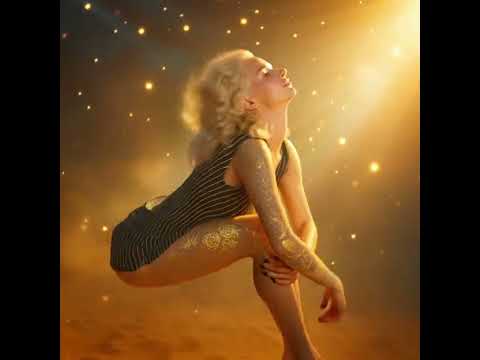
    I had a quick render I did last year that I need to complete.

    I was playing with Meta AI and did this:

    <iframe width="643" height="643" src=" title="Soak up the sun" frameborder="0" allow="accelerometer; autoplay; clipboard-write; encrypted-media; gyroscope; picture-in-picture; web-share" referrerpolicy="strict-origin-when-cross-origin" allowfullscreen></iframe>
    Post edited by Jan_Scrapper on
  • wsterdanwsterdan Posts: 3,297

    Very nice, I'd love to see a longer version if it's possible.

  • Jan_ScrapperJan_Scrapper Posts: 655

    wsterdan said:

    Very nice, I'd love to see a longer version if it's possible.

    Thank you!!  Me, too!!

    I am trying to find an easy, inexpensive AI app.  I would, also, like to be able to see other peoples art to get used to the promt words.

    Please recommend some that apps to me!!  I love adding AI to my art. 

  • csaacsaa Posts: 982
    edited April 1

    I've been working on an image I had in my mind but couldn't get the concept clear. I got as far as rendering a solo figure sitting on a floor and uploaded it to Gemini 3. Here's the prompt.

    I uploaded an image of a woman sitting on the floor. It is cropped around her waist. Please make the following changes. (1) Increase the height of the image by twice. (2) Place a fruit tree in the background,  behind the woman to her left of camera facing the image. The tree grows yellow apples and has leaves that a mix of dark purple and mint green colors. The woman does not obscure the tree, and the leaves and branches of the tree form a canopy above her head. Thanks.

    And here's the output. All in all, not bad. 

    Cheers!

    Inez_APose00D_004-gemini-960px.jpg
    803 x 960 - 132K
    Post edited by csaa on
  • wsterdanwsterdan Posts: 3,297

    Very nice image!

    If I'm not mistaken, Gemini 3 is using Nano Banana 2, a great engine. I find I'm using NB 2 for quick, free tests in Gemini and doing most of my final work using Nano Banana Pro in OpenArt.ai.

    Thanks for sharing your image, it came out very well; is it how you'd envisioned it?


  • wsterdanwsterdan Posts: 3,297
    edited April 1

    Besides providing 20+ years of 3D assets to my images, I find I'm also using DAZ Studio to help nail an exact pose or – more often – the correct proportions.
    If I drop a 3D render of a ship want to add a character I occasionally (not always) have a hard time getting an AI to put the two together correctly, proportionally.
    Dropping my female engineer and 3-d-c's Hero Ship and having her walking up the rear ramp, for example, was frustrating because I couldn't get the scale of the ship correct by prompt alone.

    Rather than get too frustrated, I just dropped the ship and a blank V4 and did a quick render (no quality required, as it's just for the character pose) and feeding it the quick render with the prompt to replace the pink character with my engineer character got me a render with the correct size for the ship.

    As to poses, a lot of my assets come with poses to fit the environment. I needed a pose for my character to be standing in the side hatch of The Hero Ship, holding it open for my characters to enter while it hovers outside another ship's airlock.

    Pose my generic pink V4 in The Hero Ship hatch, drop in Davorama's Sci-Fi Construction Kit wall, quick render, and then use that to replace my V4 with my feline character, then add my extraction team to the shot. Done, without any significant trial and error.

    Proportions off.jpg
    1024 x 768 - 567K
    Female entering rear ramp.jpg
    2048 x 2048 - 3M
    Scale Final 02.jpg
    1200 x 896 - 727K
    Open hatch with V4.jpg
    1920 x 1080 - 2M
    Pose 01.jpg
    1200 x 896 - 650K
    Pose 02.jpg
    1200 x 896 - 623K
    Pose 03.jpg
    1200 x 896 - 758K
    Pose 04.jpg
    1200 x 896 - 798K
    Post edited by wsterdan on
  • csaacsaa Posts: 982
    edited April 3

    wsterdan said:

    Besides providing 20+ years of 3D assets to my images, I find I'm also using DAZ Studio to help nail an exact pose or – more often – the correct proportions.
    If I drop a 3D render of a ship want to add a character I occasionally (not always) have a hard time getting an AI to put the two together correctly, proportionally.
    Dropping my female engineer and 3-d-c's Hero Ship and having her walking up the rear ramp, for example, was frustrating because I couldn't get the scale of the ship correct by prompt alone. wsterdan

    wsterdan,

    That's certainly a very clever way of creating comic book panels! I've only been using Gemini for less than a year and I can't imagine how I'd accomplish the same workflow. Thanks for sharing that.

    I suppose you use a tool that has features specific for image generation. With the little I've learned about Gemini Pro, it strikes me as primarily as a chat tool, with a rather clunky way of requiring natural language to edit or update an image. Still, using Gemini calls for a fair amount of ideation - seeing with the mind's eye -- and expressiveness. I find that without the right concepts and context, Gemini does stumble on creating the image described to it.

    As to the image above that I tried out with Gemini, the output topped my expecatations. I'm particularly pleased with the hues it chose for the leaves and the apples. I could simply takes these and sample their RGB values and reuse in my work. I also appreciate how it retained the illustration-style aesthetic, very important as I only implied a non-photorealistic look.

    If there's something I'd try to change, it's with the line art for the tree. As it is, it's too sharp, drawing attention away from the woman. I'd ask Gemini to adapt the speckled or dithered style of shading the woman has, just to soften the shades on the tree. To be honest though ... that involves a fair number of words to instruct Gemini and I don't think I'm up to that task. frown

    Cheers!


    Post edited by csaa on
  • wsterdanwsterdan Posts: 3,297
    edited April 3

    csaa said:

    I suppose you use a tool that has features specific for image generation. With the little I've learned about Gemini Pro, it strikes me as primarily as a chat tool, with a rather clunky way of requiring natural language to edit or update an image. Still, using Gemini calls for a fair amount of ideation - seeing with the mind's eye -- and expressiveness. I find that without the right concepts and context, Gemini does stumble on creating the image described to it.

    Actually, I use Gemini too for some quick tests – I've also used it to create some baseline character styles – but I mostly use Nano Banana Pro for my main images; Gemini uses Nano Banana 2, a version that's faster than Nano Banana Pro but still able to handle most of what Nano Banana Pro uses. I could probably use Gemini to do everything, but I'd have to subscribe to the paid version. Here's an article explaining the main differences:

     https://www.dzine.ai/blog/nano-banana-2-vs-nano-banana-pro/?gad_source=1&gad_campaignid=23719991887&gbraid=0AAAAAquVD_ph57SsmyhEsKgE3MYJiYcbw&gclid=Cj0KCQjwyr3OBhD0ARIsALlo-On4FWVZLLIU90CeSQxVBg501Q39k6pW4eNEoRxlwCLGsSOaJmrgBfMaAo4KEALw_wcB 

    Post edited by wsterdan on
  • wsterdanwsterdan Posts: 3,297
    edited April 3

    Another quick example of using DAZ Studio to help remix my art. This afternoon I wanted to do a quick panel showing some of my characters chatting in the cockpit of Charlie's Interplanetary Spaceship: https://www.daz3d.com/interplanetary-spaceship.

    Rather than spend a number of prompts to try and get it "right", I dropped some placeholder characters into the cockpit in DAZ Studio, rendered out a quick image (total turnaround under 10 minutes):

    and then told Nano Banana Pro to replace the placeholder images with my characters (I place the DAZ Studio image as the first Reference Image and my three charactes as the second, third and fourth reference images) by telling it to "replace the pink character with the alien character in the second reference image; replace the blue character with the male character in the third reference image; replace the green character with the character in the fourth reference image." When rendered, NBPro added an empty chair to balance the other two chairs, so I added in the science officer as there was an extra chair with an extra prompt..

    I get this:


    Drop it into Comic Life, size and crop, add some word balloons and we get this for my first draft:

    NOTE: The poses are not exactly as in the source render, for it to do that I'd need to tell it specifically to match the poses as exactly as possible. Unless it's important, I normally I like to see what minor changes it will give me, as it did with the example above.

    Interstellar Interior 01.jpg
    1920 x 1080 - 359K
    Rendered cockpit.jpg
    1674 x 1118 - 565K
    Hrimfaxi Adventures p03.jpg
    1875 x 1319 - 885K
    Post edited by wsterdan on
  • wsterdanwsterdan Posts: 3,297
    edited April 4

    csaa said:


    I suppose you use a tool that has features specific for image generation. With the little I've learned about Gemini Pro, it strikes me as primarily as a chat tool, with a rather clunky way of requiring natural language to edit or update an image. Still, using Gemini calls for a fair amount of ideation - seeing with the mind's eye -- and expressiveness. I find that without the right concepts and context, Gemini does stumble on creating the image described to i

    I'm not sure if this will help, but here's the same procedure shown above, but using Gemini for free. I upload the four images I need (interior cockpit render and three character guides) and give it the first prompt:

    and get this:

    Looks pretty good, but I need the people interacting so I prompt it to "show the characters talking to the alien on the left" and get:

    Ha! I should have said, "... talking to the alien on the left, no word balloons" but you get the idea. I could give it one or two more prompts to tighten it up, but for this example I hope this is enough. Let me know if you have any questions.

    Gemini Prompt.jpg
    1469 x 644 - 260K
    Gemini_Generated_Image_1.jpg
    1200 x 895 - 293K
    Gemini_Generated_Image_2.jpg
    1200 x 895 - 326K
    Post edited by wsterdan on
  • WendyLuvsCatzWendyLuvsCatz Posts: 40,665

    Gemini followed the poses better

  • wsterdanwsterdan Posts: 3,297

    WendyLuvsCatz said:

    Gemini followed the poses better

    They're actually both very close but not identical, both being versions of Nano Banana and both adding a little "creativity"; the problem is that in my first example I only showed you the second iteration, after I told NB Pro to show the characters talking to the alien. I didn't post the *first* iteration, as I did with the Gemini example, so I can see where it looked that way, my bad.


Sign In or Register to comment.