-
Diffeomorphic not merging geo grafts correctly
I have a problem when using Golden Palace and STX nipples & navel on my genesis 9 character (victoria 9 skin) and trying to import into Blender via Diffeomorphic. I can't figure out why the grafts don't merge correctly. They seem to both leave a seam as well as have slightly off colors on the grafts.
This is how I set them up in Daz:
- Added Golden Palace "Smart Vanilla"
- Clicked Golden Palace "copy material script" now it has skin and looks correct
- Added STX navel and nipples (independently)
- Clicked STX Copy materials script (which doesn't work because Golden Palace messes it up).
- Took me a while but I fixed all materials by selecting the majora and minor SHELLS as well as the navel and nipples OBJECTS in scene then clicked the fix shell Omni script in Golden Palace
- Everything looks correct in Daz now
Things I've tried to get it into Blender via diffeo:
- Selecting "Merge Geografts" through the Easy Importer dialog and additionally selecting "Merge UV Layers."
- Selecting "Merge Geografts" through the Easy Importer dialog and additionally de-selecting "Merge UV Layers."
- De-selecting "Merge Geografts" through the Easy Importer dialog and then going to the finalize tab and trying to merge after import
What's going wrong? and is there a way to just bake the grafts into the mesh in daz before hand?
Update:
I tried creating a new project and only loaded Golden Palace this time. I used material script from golden palace and it is correct in Daz. Diffeomorphic did that exact same thing to the graft.
Diffeomorphic version 1.7.3
Blender Version 4.0.2
Picking brains about a pose convertorDaz3d created Victoria4 to work in both Poser and DazStudio natively, and V4 has always worked in DazStudio since release day. Same for M4, they were Daz Studio flagship characters, long before Genesis even existed.
Not sure why your customized version of V4 is not working, but perhaps something to do with custom morphs.
If you have V4 but didn't buy it in the store here, where it has been sold for over a decade and a half, that may be the issue.
I messed up my skin and I don't know how to fix itI've been building my first character in Daz and tried moving it over to diffeomorphic for the first time to find that the skin looked really strange and plasticy (see first picture). I've been at this now for 6 hours. I originally though it was an issue with Diffeo but I created a new basic gen 9 female with the same skin and upon import to blender it looks correct and the same as Daz (see second picture). I snooped around the sufface editors and the node trees look the same. I can't figure out what I did to my character that could have caused this or how to undo it. the whites of my characters eyes are also not right, they seem to be grey-ish, and her hair is suppost to be brown not black (see third picture for how she is supposed to look).
I've ensured the enviroment settings are the same between my test character and real character (so my eyes arent just playing tricks on me). I've tried re-applying the Victoria 9 skin (which should undo any makeup). I had played around with Skin Effects Adventure acouple days ago and had applied Daz Uber Base to get it to work over my other geoshell/graffs (stx navel/nipples and Golden Palace) as per the recomendation of a tutorial i watched on the matter. I thought maybe THAT could have been what messed it up, but after applying dzDefault shader it didn't fix it. Not sure what else to do. Please help! thank you
There's Always Another Sale Thread -- Discussions Only Pt 2WendyLuvsCatz said:
I could buy the Thimor bundle for $20 in Lightning Deals, only problem is I already own more than half the individual items

guess I am to greedy to buy the rest at that price including Thimor himself
At least, not owning half the items is better than owning all the items but not the bundle, which happened at least two times: I bought the Victoria 9 Mega Bundle during her birthday sale, since then I had one of her medieval bundle as a LD
(possibly costlier than the price I paid for the Mega Bundle).Exaggerated one-click expressions for G8 femaleFor certain products, when I apply a one-click facial expression, it results in an awfully ugly exaggerated version of the expression. Same thing happens if I crank the expression's dial to 100%. There's also a problem with the tongue when it is part of the expression. Cranking the dial to only 50% does not fix the problem. For example, for the Wink expression in Z Reckless, 100% makes the mouth hugely opened, while 50% is a better mouth but the winking eye is only halfway shut. This has happened with at least 3 products from different vendors:
Vintage Glamour Poses for Genesis 8 Female - 3D Sugar
Playful Pin-Up Posed and Expressions for Genesis 8 Female - Capsces Digital Inc
Z Reckless - Dialable and One-Click Expressions for Victoria 8 - Zeddicus
Victoria 9 InRealLife?I agree, I at first was thinking "no" but that was because I was thinking of the earlier versions of Victoria, but for Victoria 9 she is very similar. It shows how good the Victoria 9 sculpt is & how good the shader materials are too.
Genesis doing the strangeIt does same thing on my end, here is a tep fix
1. Go to parameters tab
2. Set both limits for Victoria 6 to zero and apply
3. Go to parameters tab right click and select memorize
4. Save as ---> suport asset ----> save modified assets
Note this is only a temp fix but will work indefinitely until someone finds a way to fix the issue.
There's Always Another Sale Thread -- Discussions Only Pt 2I got the Sophia 9 bundle because A) I had a bunch of expiring tokens, B) I personally need more sci-fi stuff in general and C) I like the overall look of Sophia and what the bundle offers.
However, I agree that the recent releases are looking mostly the same. It's very similar to the Kara 9 Bundle (which was pretty cool). And when you add that plus the recent Star Trek bundles, it's a bit too much Sci-Fi in a short period. If another comes along like this, I might just get the character and that's it. I would have loved a Lady Luck bundle with Celtic fantasy assets and magical effects. I'd love for it to include:
Character-A dainty, Celtic look to rival Victoria (way too many characters look the same, too). Hair-A long flowing D-force with an addon that include magical effects. Makeup-Colorful makeup and also a golden skin variant of the character(just like Snow Queen). Outfits-Something trickster or magician themed. Unicorn-an addon to the Daz horse 3 with pegasus wings. Lucky special effects and magic weapons.
It would be strange (eh, maybe not for DAZ) but at least different. Come on, Daz, it's still March; It's not too late to make this kind of bundle!
Face Transfer 2 ErrorJust started getting the attached error message when using Face Transfer 2. Prior to this is worked perfectly. I tried using it with a Genesis 9 figure and Victoria 9 as well as different pictures. I get the same error message twice, click ok, and the face loads in.
I did install a Daz update for the Genesis starter pack prior to this so I'm not sure if that has something to do with it. Anyone else having this problem?
Victoria 9 InRealLife?NewGuy said:
Maybe Venomisbeauty has been playing in DAZ Studio for too long? Just kidding! I do see a resemblance in the second picture. Interesting.
I suppose since I don't deal much with Genesis 9 / Victoria 9 at all, I have never really taken notice of how Victoria 9 looks. lol
Victoria 9 InRealLife?Venomisbeauty said:
Ghosty12 said:
What makes you think that this is not a real person? All I see is a young person eating chicken nuggets.
I mean, this real person is very similar to Victoria 9....or not?

Ahh okay, sorry about my previous post, did not understand what was meant in the OP.
 Must be these old eyes of mine and being late, in that can't really see it. lolVictoria 9 InRealLife?
Ghosty12 said:
What makes you think that this is not a real person? All I see is a young person eating chicken nuggets.
I mean, this real person is very similar to Victoria 9....or not?
Victoria 9 InRealLife?Just noticed her in an italian TV ad
 Pretty impressive, in my opinion
 Texture Booster (Commercial)
Elor said:
Hello,
I played with it a bit, and I have some questions

Nails color doesn't seem to survive the script, at least with Tara 2 (technically, a G8.1F figure with Tara 2 morphs applied) and preset 3. Here a couple of renders to show the problem (the no color renders are just here as a reference):
Is it normal ?I also have questions regarding the detail settings. For Genesis 2, 3 and 8 figures (I didn't test with a Genesis figure or a Genesis 9 one), the tiling settings of all surfaces are set to 1, which produced poor results when I borrowed the micro-details maps from Victoria 8.1
, but it's fixable with a bit of patience.But if I'm using a Genesis 8.1 figure, apply an Uberskin skin, then use the script (preset 3 like in the previous test), the tiling settings of each surface seems to be the same as what Daz set for Victoria 8.1 which means not spending a couple of minutes to check each surface
A couple questions here:
- Does the script set the tiling settings for each surface when converting from Uberskin to PBRskin on a Genesis 8.1 figure or is it something Daz does by itself ?
- If it does, could it do it with older figures too ? Because it's a bit tedious to check every surface and change each setting by hand
Hi, thanks for those good questions :
1. For the nails, what you see is totally normal. The shader conversion will make the Base Color associated color uniform on all the skin/lips/nails surfaces, and will apply "standard" values of gloss on Skin/lips, and Fingernails/toenails.
This behavior is used because it is a very good way to have robust results (safe, reproducible). When I did this, I supposed that most users would be able to "re-tweak" the nails colors or gloss, and remove maps if necessary (using, if they wanted to the booster/gloss for selected surfaces, the selected surfaces being the nails).
So, no, this is not a bug but an expected behavior. What you showed as your second image (the almost white nails) is because you started from red nails where some image maps were probably removed when the nail shader/material was applied. After conversion, you have the same 'lack of map' which explains what you see. If you want a similar look, set up the base color to red, kill translucency weight (both can be done with the booster), and adjust the gloss.
2. I did not expect people to use other generations normal details maps on previous (old) generations, because old generations already come with bump and normal maps "roughly doing the job". This is why the tiles of the normal details were not set up during the conversion step for old generations. This is not fixed by Daz Studio but it loaded with the material preset initially used by the conversion script (one material for each generation, and each shader).
This can be possible to re-save the materials with this information (detail tile) included, but I must admit that for now I would not know which tile to use(the size relationship between the tile of the different surfaces is easy to determine, but the absolute value for thesetiles is not easy to set up, since it depends on the maps "detail size", the question being, does it vary a lot from one content creator to another? I don't know what to do with that... I am going to think about it... In the meantime, what you can do is save a material preset after you make the detail tile operation, but you save only (using the save filters), the details information. This way, after conversion, you can reload your details whenever you want in a single double click.
Do you have an idea if, between different details maps the tile changes a lot. I think I remember I had issues with that (not being the same for any figure) when I developed some of my old products...
Texture Booster (Commercial)Hello,
I played with it a bit, and I have some questions
Nails color doesn't seem to survive the script, at least with Tara 2 (technically, a G8.1F figure with Tara 2 morphs applied) and preset 3. Here a couple of renders to show the problem (the no color renders are just here as a reference):
Uber (no color):
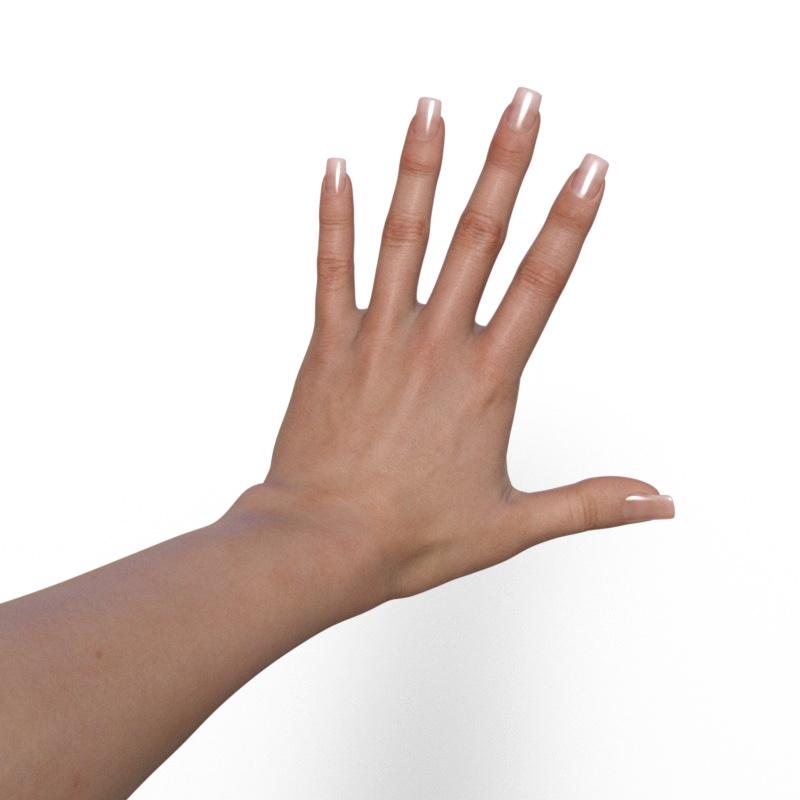
PBR (no color):
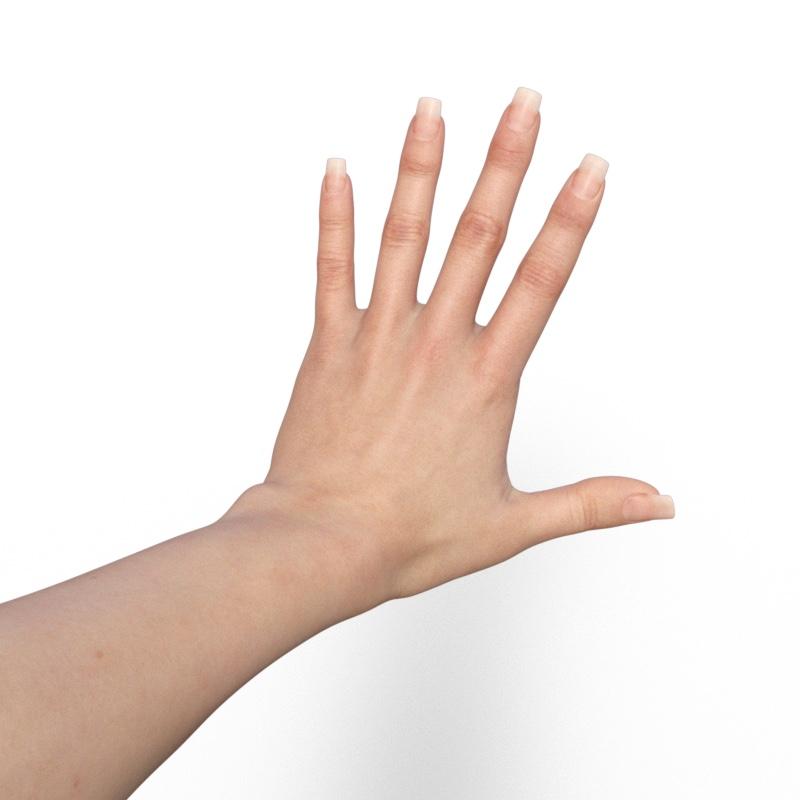
Uber (color):
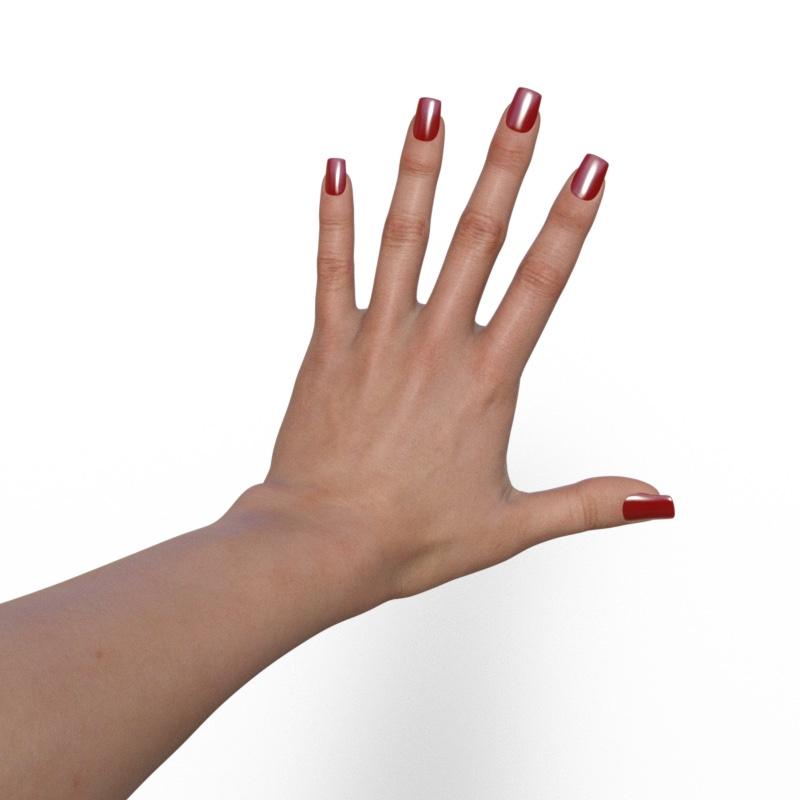
PBR (color):
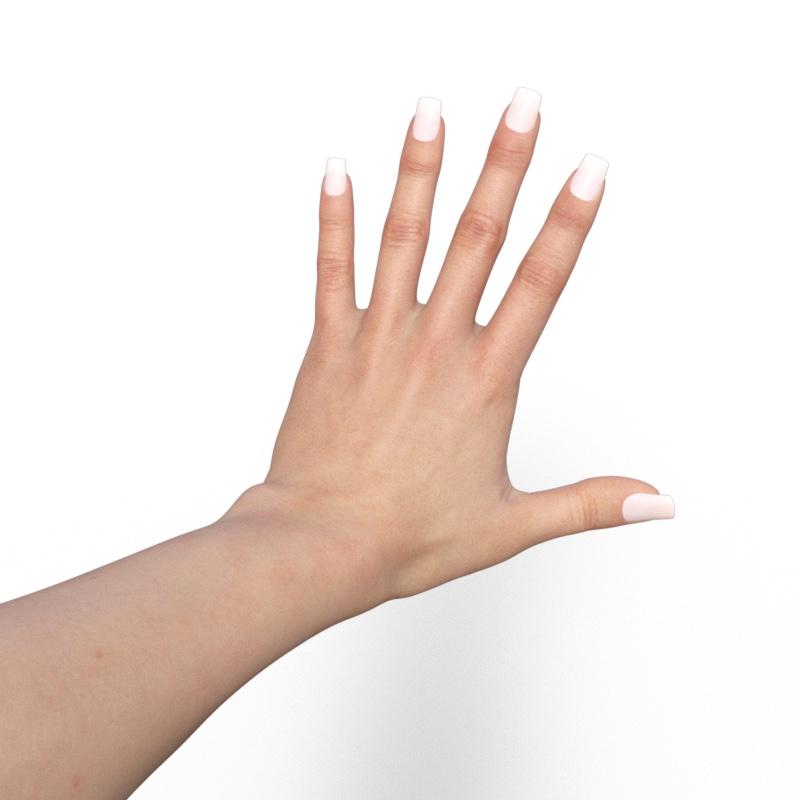
Is it normal ?
I also have questions regarding the detail settings. For Genesis 2, 3 and 8 figures (I didn't test with a Genesis figure or a Genesis 9 one), the tiling settings of all surfaces are set to 1, which produced poor results when I borrowed the micro-details maps from Victoria 8.1
, but it's fixable with a bit of patience.But if I'm using a Genesis 8.1 figure, apply an Uberskin skin, then use the script (preset 3 like in the previous test), the tiling settings of each surface seems to be the same as what Daz set for Victoria 8.1 which means not spending a couple of minutes to check each surface
A couple questions here:
- Does the script set the tiling settings for each surface when converting from Uberskin to PBRskin on a Genesis 8.1 figure or is it something Daz does by itself ?
- If it does, could it do it with older figures too ? Because it's a bit tedious to check every surface and change each setting by hand
Genesis 9 Victoria ) can't select body part by clickingSudden change after loading genesis 9 updates - when posing I can't select a body part by clicking on it. I tried a workaround posted here 5 years ago but this didnt work
[Released] LIE Makeup Manager [Commercial]LIE Makeup Manager (LMM) has been designed to add diversity and flexibility to your Genesis 9 makeup collection, natively supporting Daz Original LIE makeup products that have been released alongside new characters such as Victoria 9 HD, Olympia 9 HD, Ally 9 HD, and many others. These makeup products utilize a standard naming system for layers, so products following this standard are compatible with LMM.
Other Genesis 9 makeups that aren't baked into the skin (i.e. have separate layers with transparent backgrounds) can be manually converted to work with LMM and we've provided an LIE template to make this easier for you.
Don't have any Genesis 9 makeup products? No problem, we've included several presets so you can still create beautiful makeup with this product alone - they can also be mixed 'n' matched with supported or converted makeups!
Also included with each preset is an innovative post-load script that auto-detects supported LIE layers, activates required properties, sorts layers, removes duplicates, and supports layer deletion.
With LMM, you can:
- Change/add color to makeup layers (foundation, lips, blush, eyeshadow, eyeliner, and extra)
- Change opacity/weight of makeup layers
- Change/add metallicity to makeup layers
- Invert color, weight, and metallicity textures for even more effects
- Preview changes in real-time with Iray - no more hanging around for LIE to update or need to refresh manually
A truly versatile product that allows you to edit LIE makeup with ease and speed - Grab your copy today!
Store link: https://www.daz3d.com/lie-makeup-manager
March 2024 - DAZ 3D New User Challenge - Posing and Puppeteer/PowerPoseAgitatedRiot said:
Have you tried the matte setting for the fog? Reflections are due to the material used on the floor. You could go into the surface settings and check the floor settings to reduce reflection and metallic, which will also reflect into the fog.
No I hadn't tried anything for it, I hadn't the slighest clue what might be causing it until you mentioned reflections. So thank you for letting me know, I'll make sure to have a go at it later today to see what I can come up with. :)
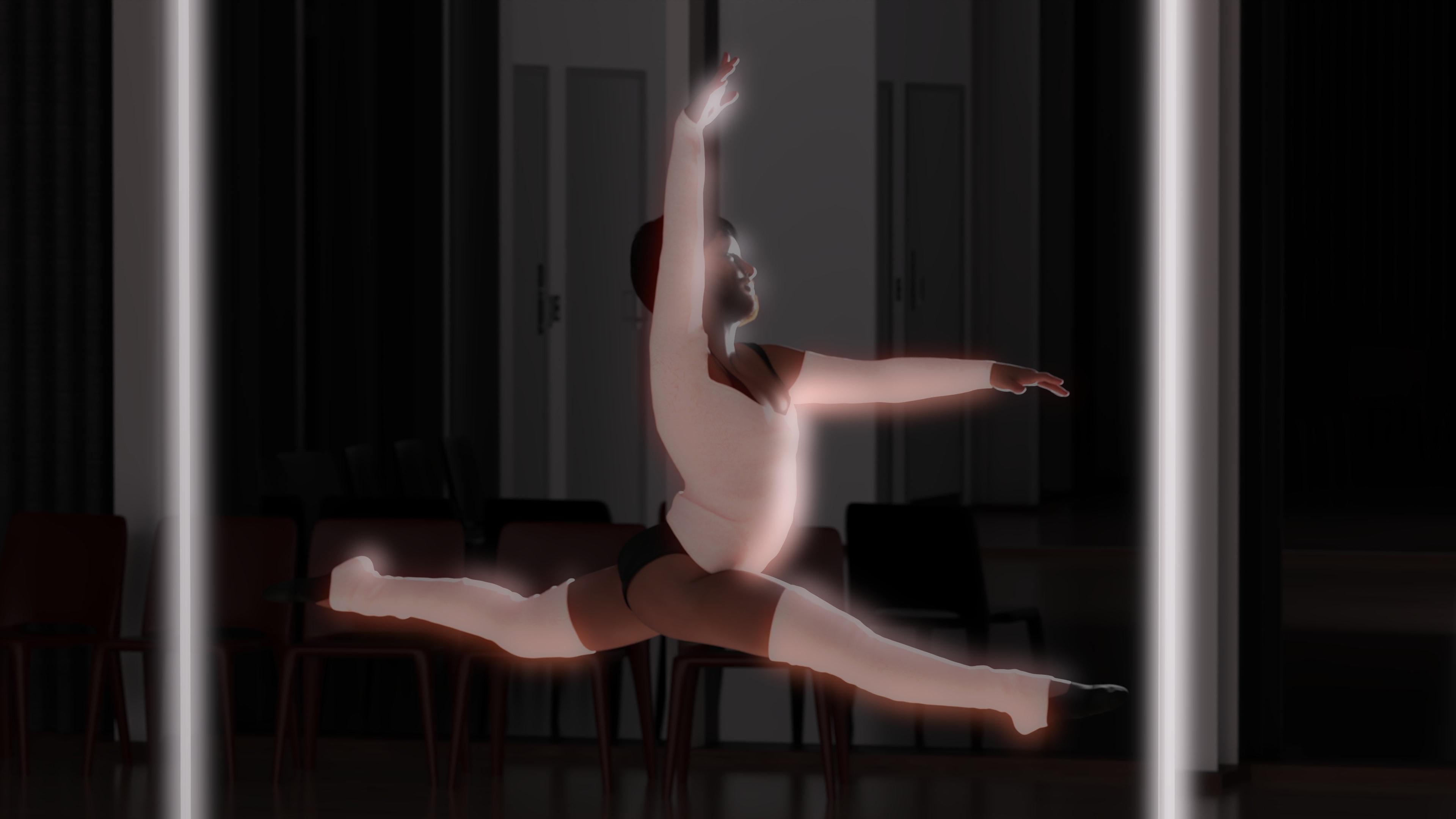
Sadly I lost a bet for now though, and this is my second submission for the month. I have consent from the person I used Face Transfer 2 on to use this, both of us agree, it doesn't look like him, so he doesn't care about what I do with it. I owe him a case of brew for losing the bet. Anyway, this is more or less a joke, but very much a real submission since I ended up doing the posing by hand.
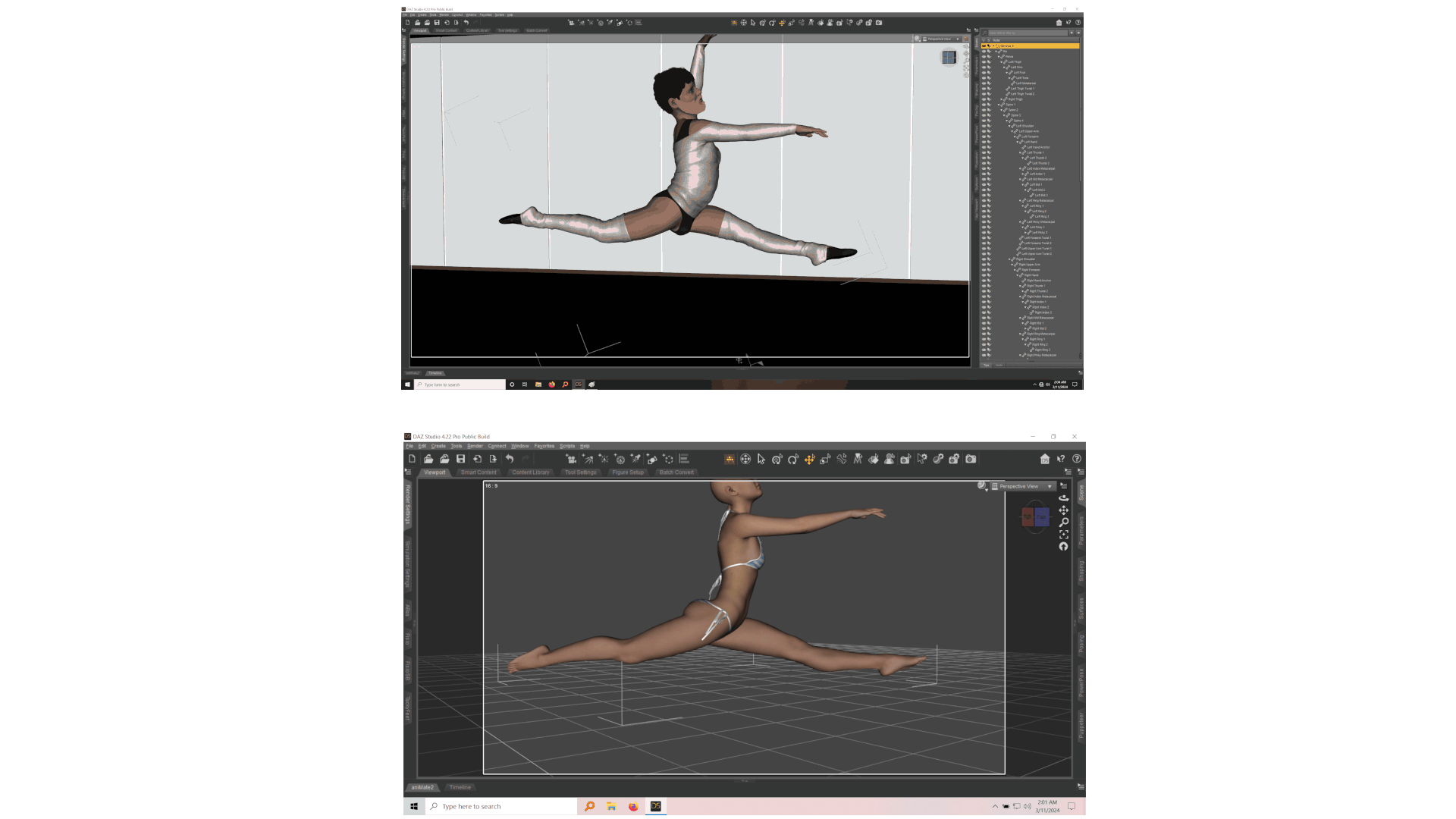
I used my laptop and kept a pose loaded that I had, one of the ballet poses for Clare G8.1F, and then posed it on G9M Face Transfer 2 character on my desktop. There's a zipfile in my Google Drive that has around 12 files in it, four renders, and eight screenshots (4 of Claire G8.1F, 4 of G9M), if anyone wants to see the exact pose and how closely mirrored it was or wasn't.
Checksum SHA256: 2c8aaf35b50556a8bc89d5d13cf79080ee56056c03f5cb8ee06df11013036cef
Postwork was done to hide a mesh warping issue since G9M was in G3F clothing that I'm fairly certain wasn't meant for someone of his size...lol. G9M's bounding box got all twisted up doing this, so I kept hitting limiters, but managed to do it up without disabling them. You can see how crooked the bounding box is in the screenshots lol, especially compared to G8.1F - also trying to pose the fingers and hands on G9M when your target is a G8.1F with very very slender hands was much harder than I expected. This was the first time I had tried to mirror a female pose to a male by hand, and it took way longer than the five minutes I spent on the first submission. Maybe somewhere between a half an hour to an hour, on just the hands... moving cameras around for better angles, adjusting, moving, adjusting, lol.
EDIT -> The bounding box got messed up because I was sending my friend renders of "his character" wearing and doing really absurd things on the Z Belina Bike.- so I had manually posed him several times already to use that and do some various other things before I started doing the dance studio scene. Never did create a new scene, lol, my usual bad habits still applying.
Challenge: Intermediate
Title: I Feel Pretty
Software: Daz Studio Beta Public 4.22.1.99, Gimp 2.10.36, Caesium Image Compressor
...jpg...
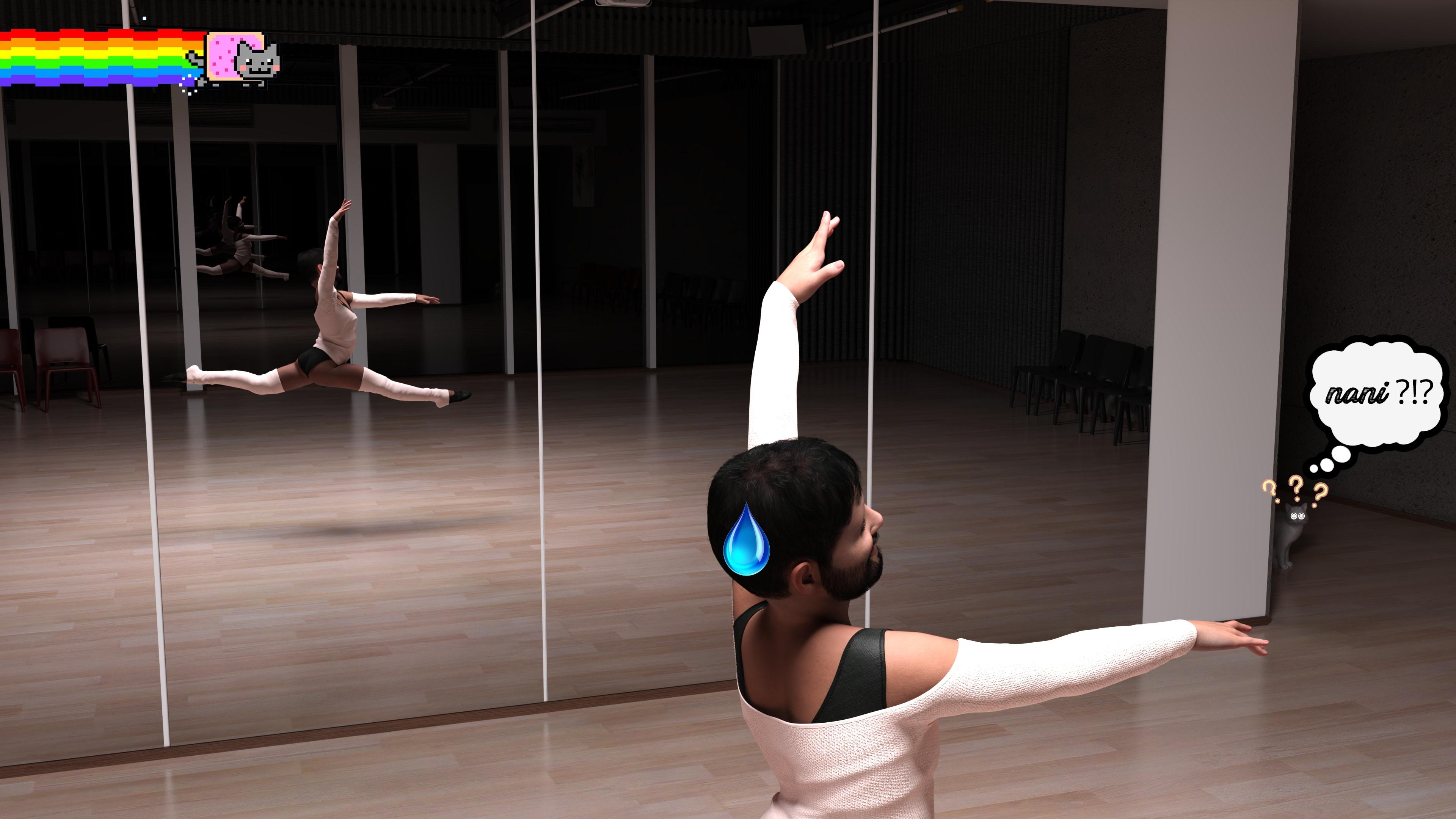
(There is also a no bloom version. This shot needs a little context to understand, it was taken using depth of field on a mirror)
He thought he was alone. But he never was. *queue omnious music, the Among Us theme* Indeed. The Daz House Cat sees all.
He felt left out last month. *shrugs*
Anyway, here was the original pose.
Hope this all amuses someone out there, have a great day. :)
Back to DAZ3D! Some questions regarding Genesis 9I am back. So, some quick questions regarding Genesis 9:
1. Which are the best bundles for Genesis 9 regarding Michael and Victoria?
- Michael 9 HD Fantasy Mega Bundle
- Victoria 9 HD Mega Bundle
2. Is the “Genesis 9 Essential Shapes Bundle” included in the bundles above or is it a separate one?
Thank you!
Remixing your art with AIDiomede said:
Here is a side by side of the final image with the 3D renders used. I am using Stable Diffusion with Controlnet while I am learning.
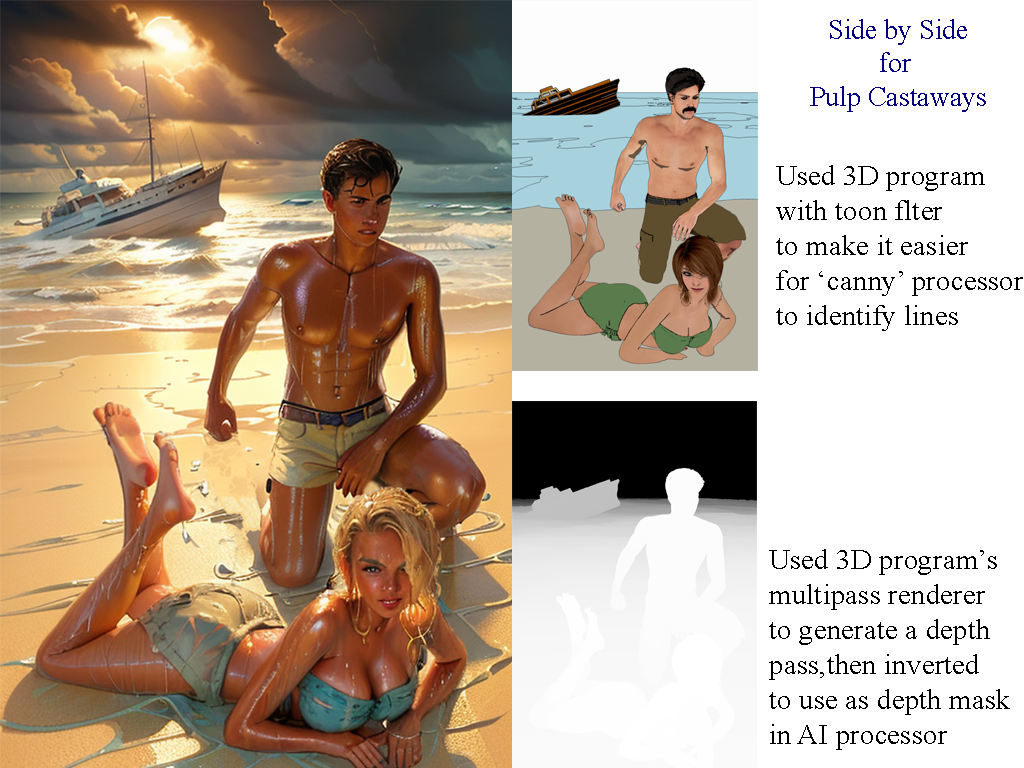
Very cool, @Diomede! I've done a lot of img2img and controlNet processing in Stable Diffusion as well. Tons of fun!
3Diva said:
A subtle enhancement with Victoria 9. Before and after:
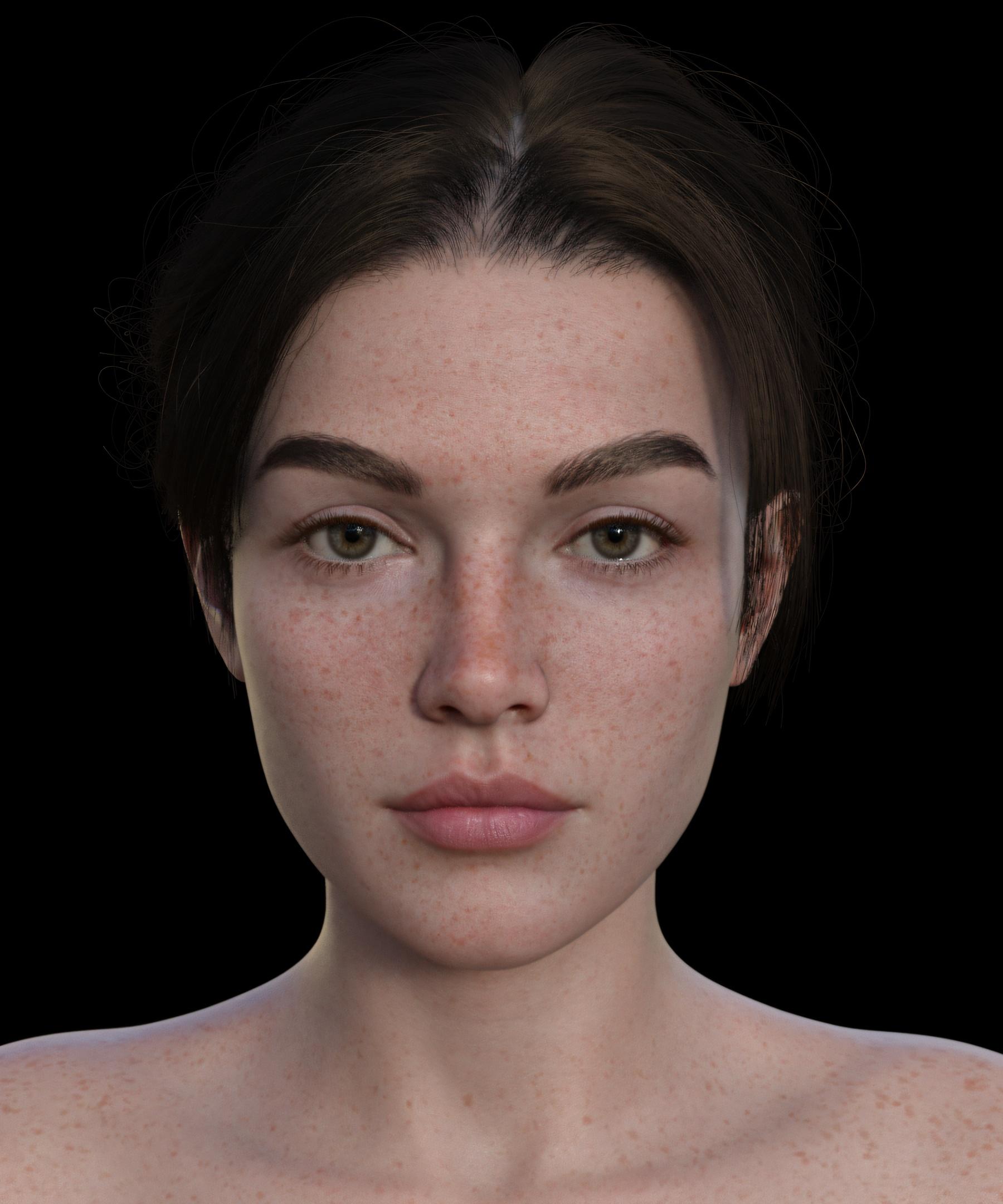
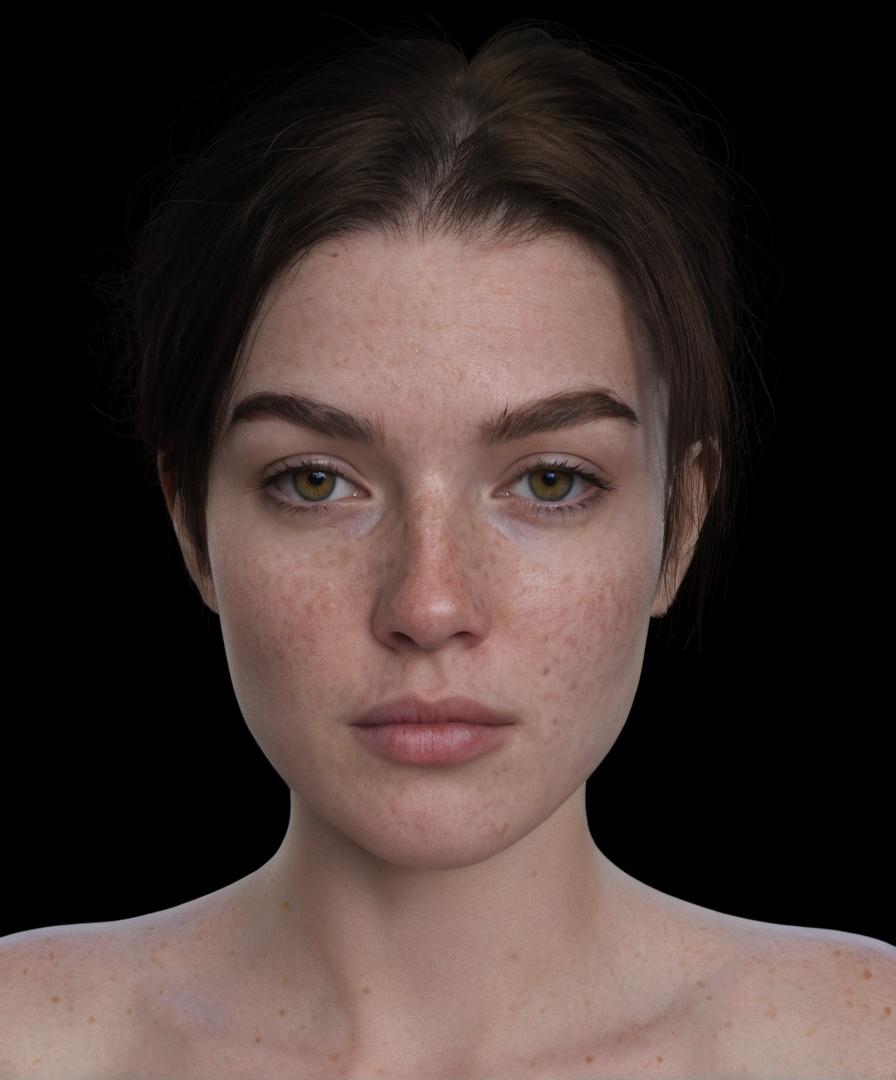
I think Daz Studio was already able to get it pretty close to "realism", the slight push with Stable Diffusion turned out cool, IMO.
The changes may be subtle, but they're a definite improvement. The eyes, eyebrows, hair and shadows on the nose definitely look better, and most importantly, the likeness is still there. Great job, @3Diva!
- Greg
Daz 3D is part of

Connect
DAZ Productions, Inc.
7533 S Center View Ct #4664
West Jordan, UT 84084Licensing Agreement | Terms of Service | Privacy Policy | EULA
© 2026 Daz Productions Inc. All Rights Reserved.