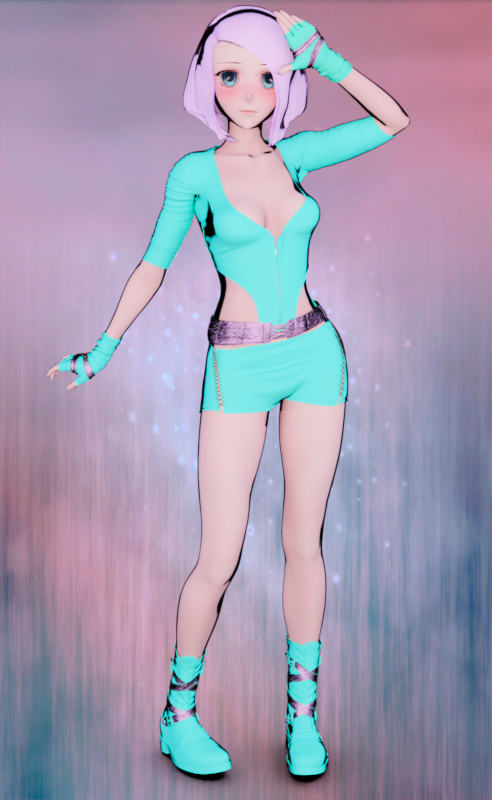
-
Rigging via transfer utility & other licensing questions
Yes, you can distribute products you rigged with Transfer Utility from the base figure. The templates exist for ease of rigging with extra bones, not for licensing reasons (although it's fine to redistribute things you make with those, too). You're still going to have to do JCMs and FBMs yourself to make the outfit really functional, but you're fine on the base rig.
If you just bought material settings you're probably okay, because those are just dial values in Surfaces tab. You will find, for instance, that many skin artists are using dial values based on Daz3d's materials settings for their own skin materials for Michael and Victoria 8.
If you bought a shader then no, you cannot redistribute it unless it is specifically licensed for that use (most are not; if they are they should indicate somewhere in their docs that they're a merchant resource). A shader is different from a material in that it changes the building blocks that appear in Surfaces tab, not just the dial values in the original Uber Iray shader.
You are allowed to release a product based on or requiring another product, but it's usually not a good idea because fewer people will buy a product with a prerequisite. Most of the time you're going to have to create your own textures and materials entirely.
Where is my Victoria 8?"She should show up as her own character and not just a setting that gets applied to the genesis 8 female, correct?"
Both, actually. Once placed correctly within your product library, Victoria 8 should appear automatically as a set of morph sliders under the Parameters tab whenever Genesis 8 Female is loaded. Moving the sliders (one for the head, one for the body, and one for both) will change G8F to the V8 shape. You will still need to apply the V8 textures manually if desired, however. That option is found under the Content Library tab as Tom Dowd indicated. There you can find her under My Library/People/Genesis 8 Female/Characters. Double-clicking on the V8 icon found there with G8F selected, will load the full V8 shape onto your figure and apply the base V8 materials as well. If you wish to change makeup, eye colour, etc., you will find these options under My Library/People/Genesis 8 Female/Materials/Victoria 8.
Can I use "Male face morphs" on Female faces ?I am hesitant to say anything is impossible, but with the advent of the Genesis series of DAZ figures all morphs are loaded automatically with the figure and, to quote DAZ, "there are no user-facing files". In other words, there is no way to load the morphs manually. Even back before the Genesis series, when morphs could be loaded or "injected' into a figure after it was loaded, attempting to inject, for example, Michael 4 morphs into Victoria 4, would fail, with no indication that anything had even happened. So, again, although I am unable to say it is impossible, it would certainly require some very serious jiggery-pokery.
Future of Daz StudioFunny you should mention this... I just returned from the future and it's really stupid.
I don't want to give anything away, but let's just say don't be mean to cats and buy several panini presses and invest heavily in parachute pants if you can... You'll understand by next year.
You'll thank me for this later.
DAZ on the other hand will continue as usual for the next few years, eventually getting a bit more into game models and 3D printed figures... By the time Genesis 12 comes out they will have gone from (3D printed) desktop action figures to fully articulated, life sized... Umm... "Companion" figures and eventually fully sentient companion robots... But by then DAZ3D as we know it will no longer exist, having become DAZ-A-Dyne4D after their merger with RoboDyne Cybenetics and Neurological Augmentations.
Oh I forgot... For a brief period, Pringles potato chips will be an hot form of alternate currency...
By Genesis 16 (three months after G12), a small group Victoriabots (V94s)-(Victoria numbers got a bit muddled after 62) decided humans were not peverted enough (turns out that robots are actually remarkably kinky, contrary to their portrayal in most science fiction) and decide to eliminate the humans. Being that almost all of the 197,000 humans still living on earth have either a V94 or M94 model it gets pretty ugly fast and the humans take a real beating until DAZ-A-Dyne4D (aka DAZAD4D) which is actually a sentient mainframe feels pity and remorse, for having been responsible for this situation (and as a few historians have pointed out, fearing a loss of its robo-thong market) decides to help humanity. A huge battle ensues and... To be honest I'm not sure what happened because I just skipped all that and fast forwarded a couple thousand years and the world was ruled by a race of giant green ferrets dressed in Victorian theater garb... I felt a little out of place, not having a nice top hat or being a green ferret, so I got bored and came back to the present.
To be honest, it's not all that better here, now... But at least I can still afford Pringles and chocolate is still available to the common folk.
I hope that helps... I'd also like to point out that the future is prone to change and nothing is written in stone... Except for stone tablets and tombstones and stuff like that... Anything we do here and now could affect that future... Hell, I just stomped on a pile of butterflies because they were bugging me, so who really knows what the future holds?

Love it.

Hey, McGyver? Will you just come in a write us a story every day?
LOL!!! (Just kidding)
Novica & Forum Members Tips & Product Reviews Pt 10AGENT UNAWARES' I GOT BACK INTO THIS IN SEPTEMBER SO I ONLY HAVE A TOP 7 FOR 2017
1. 100%, hands down, Singular Blues' G3 to G8 Morph Transfer Scripts. So much less involved than Transfer Utility. By enabling me to easily convert all my G3 characters and utility morphs, these scripts have had an impact on nearly every. image. here.
2. I can't deny the character morph that showed up the most in my 2017 renders was Raiya's Brooklyn. Not alone, but at full strength which is very unusual for me to do with a character morph. An absolutely stunning shape, I used her like a base figure and don't regret it. Toga Dress | Sundress | Suit Dress
3. Alessandro Mastronardi's Great White Shark. The model didn't last long in store here, but without it I wouldn't have been able to create one of my favorite renders. Dance
4. Slosh's Genesis 8 UV Swap sent me on a lengthy streak of seeing how all the Genesis 8 flagship girls would look as men. (Spoilers, great.) Brothers | Looking | Stefan 8
5. Which brings me to a model I didn't expect to like: Charlotte 8. Though I wish she came with fibermesh brows, the skin is beyond gorgeous. Charles 8
6. Raiya's Lainey was the first G8 model that really made me stare. The new eyes, lashes, and fibermesh brows alone are worth it. I feel every generation this PA makes incredible steps forward. Lainey
7. Again with Raiya, Dylan is stunning, with an excellent fibermesh beard in addition to his new brows, eyes, and lashes. Dylan
Problems with Genesis figure after loading a saved scene[snipped]
2018-01-04 09:45:29.458 *** Scene Cleared ***
2018-01-04 09:45:31.052 WARNING: fileinput\dzassetdaz.cpp(1904): Could not find geometry definition: /data/DAZ%203D/Genesis/Base/Genesis.dsf#geometry.
2018-01-04 09:45:31.067 WARNING: fileinput\dzassetdaz.cpp(1349): Failed to create uv set!
2018-01-04 09:45:31.067 WARNING: fileinput\dzassetdaz.cpp(1349): Failed to create uv set!
2018-01-04 09:45:31.067 WARNING: fileinput\dzassetdaz.cpp(1349): Failed to create uv set!
2018-01-04 09:45:31.067 WARNING: fileinput\dzassetdaz.cpp(1349): Failed to create uv set!
2018-01-04 09:45:31.099 WARNING: fileinput\dzassetdaz.cpp(4817): Could not find geometry for the material instance.m_uri.
2018-01-04 09:45:31.099 WARNING: fileinput\dzassetdaz.cpp(1368): Failed to create material!
2018-01-04 09:45:31.099 WARNING: fileinput\dzassetdaz.cpp(4817): Could not find geometry for the material instance.m_uri.
2018-01-04 09:45:31.099 WARNING: fileinput\dzassetdaz.cpp(1368): Failed to create material!
2018-01-04 09:45:31.099 WARNING: fileinput\dzassetdaz.cpp(4817): Could not find geometry for the material instance.m_uri.
2018-01-04 09:45:31.099 WARNING: fileinput\dzassetdaz.cpp(1368): Failed to create material!
2018-01-04 09:45:31.099 WARNING: fileinput\dzassetdaz.cpp(4817): Could not find geometry for the material instance.m_uri.
2018-01-04 09:45:31.099 WARNING: fileinput\dzassetdaz.cpp(1368): Failed to create material!
2018-01-04 09:45:31.099 WARNING: fileinput\dzassetdaz.cpp(4817): Could not find geometry for the material instance.m_uri.
2018-01-04 09:45:31.099 WARNING: fileinput\dzassetdaz.cpp(1368): Failed to create material!
2018-01-04 09:45:31.099 WARNING: fileinput\dzassetdaz.cpp(4817): Could not find geometry for the material instance.m_uri.
2018-01-04 09:45:31.099 WARNING: fileinput\dzassetdaz.cpp(1368): Failed to create material!
2018-01-04 09:45:31.099 WARNING: fileinput\dzassetdaz.cpp(4817): Could not find geometry for the material instance.m_uri.
2018-01-04 09:45:31.099 WARNING: fileinput\dzassetdaz.cpp(1368): Failed to create material!
2018-01-04 09:45:31.099 WARNING: fileinput\dzassetdaz.cpp(4817): Could not find geometry for the material instance.m_uri.
2018-01-04 09:45:31.099 WARNING: fileinput\dzassetdaz.cpp(1368): Failed to create material!
2018-01-04 09:45:31.099 WARNING: fileinput\dzassetdaz.cpp(4817): Could not find geometry for the material instance.m_uri.
2018-01-04 09:45:31.114 WARNING: fileinput\dzassetdaz.cpp(1368): Failed to create material!
2018-01-04 09:45:31.114 WARNING: fileinput\dzassetdaz.cpp(4817): Could not find geometry for the material instance.m_uri.
2018-01-04 09:45:31.114 WARNING: fileinput\dzassetdaz.cpp(1368): Failed to create material!
2018-01-04 09:45:31.114 WARNING: fileinput\dzassetdaz.cpp(4817): Could not find geometry for the material instance.m_uri.
2018-01-04 09:45:31.114 WARNING: fileinput\dzassetdaz.cpp(1368): Failed to create material![snip]
2018-01-04 09:45:31.114 WARNING: fileinput\dzassetdaz.cpp(4817): Could not find geometry for the material instance.m_uri.
2018-01-04 09:45:31.114 WARNING: fileinput\dzassetdaz.cpp(1368): Failed to create material!
2018-01-04 09:45:31.114 WARNING: fileinput\dzassetdaz.cpp(4817): Could not find geometry for the material instance.m_uri.
2018-01-04 09:45:31.114 WARNING: fileinput\dzassetdaz.cpp(1368): Failed to create material!
2018-01-04 09:45:31.114 WARNING: fileinput\dzassetdaz.cpp(4817): Could not find geometry for the material instance.m_uri.
2018-01-04 09:45:31.114 WARNING: fileinput\dzassetdaz.cpp(1368): Failed to create material!
2018-01-04 09:45:31.114 WARNING: fileinput\dzassetdaz.cpp(4817): Could not find geometry for the material instance.m_uri.
2018-01-04 09:45:31.114 WARNING: fileinput\dzassetdaz.cpp(1368): Failed to create material!
2018-01-04 09:45:31.224 WARNING: fileinput\dzassetdaz.cpp(4908): Could not find parent for modifier: MCMV4HdEyesClosedR.
2018-01-04 09:45:31.224 WARNING: fileinput\dzassetdaz.cpp(1427): Failed to prepare modifier: MCMV4HdEyesClosedR!
2018-01-04 09:45:31.224 WARNING: fileinput\dzassetdaz.cpp(4908): Could not find parent for modifier: MCMV4HdEyesClosedL.
2018-01-04 09:45:31.224 WARNING: fileinput\dzassetdaz.cpp(1427): Failed to prepare modifier: MCMV4HdEyesClosedL!
2018-01-04 09:45:31.224 WARNING: fileinput\dzassetdaz.cpp(4908): Could not find parent for modifier: MCMV4EyesClosedR.
2018-01-04 09:45:31.239 WARNING: fileinput\dzassetdaz.cpp(1427): Failed to prepare modifier: MCMV4EyesClosedR!
2018-01-04 09:45:31.239 WARNING: fileinput\dzassetdaz.cpp(4908): Could not find parent for modifier: MCMV4EyesClosedL.
2018-01-04 09:45:31.239 WARNING: fileinput\dzassetdaz.cpp(1427): Failed to prepare modifier: MCMV4EyesClosedL!
2018-01-04 09:45:31.239 WARNING: fileinput\dzassetdaz.cpp(4908): Could not find parent for modifier: FHMVictoria4.
2018-01-04 09:45:31.239 WARNING: fileinput\dzassetdaz.cpp(1427): Failed to prepare modifier: FHMVictoria4!
[snip]
2018-01-04 09:45:31.489 WARNING: fileinput\dzassetdaz.cpp(4908): Could not find parent for modifier: PBMThighsVolume.
2018-01-04 09:45:31.489 WARNING: fileinput\dzassetdaz.cpp(1427): Failed to prepare modifier: PBMThighsVolume!
2018-01-04 09:45:31.489 WARNING: fileinput\dzassetdaz.cpp(4908): Could not find parent for modifier: PBMShouldersVolume.
2018-01-04 09:45:31.489 WARNING: fileinput\dzassetdaz.cpp(1427): Failed to prepare modifier: PBMShouldersVolume!
2018-01-04 09:45:31.489 WARNING: fileinput\dzassetdaz.cpp(4908): Could not find parent for modifier: PBMShinsVolume.
2018-01-04 09:45:31.489 WARNING: fileinput\dzassetdaz.cpp(1427): Failed to prepare modifier: PBMShinsVolume!
2018-01-04 09:45:31.489 WARNING: fileinput\dzassetdaz.cpp(4908): Could not find parent for modifier: PBMRibcageVolume.
2018-01-04 09:45:31.489 WARNING: fileinput\dzassetdaz.cpp(1427): Failed to prepare modifier: PBMRibcageVolume!
2018-01-04 09:45:31.489 WARNING: fileinput\dzassetdaz.cpp(4908): Could not find parent for modifier: PBMNeckSize.
2018-01-04 09:45:31.489 WARNING: fileinput\dzassetdaz.cpp(1427): Failed to prepare modifier: PBMNeckSize!
2018-01-04 09:45:31.489 WARNING: fileinput\dzassetdaz.cpp(4908): Could not find parent for modifier: PBMNavel.
2018-01-04 09:45:31.489 WARNING: fileinput\dzassetdaz.cpp(1427): Failed to prepare modifier: PBMNavel!
2018-01-04 09:45:31.489 WARNING: fileinput\dzassetdaz.cpp(4908): Could not find parent for modifier: PBMLatsVolume.
2018-01-04 09:45:31.489 WARNING: fileinput\dzassetdaz.cpp(1427): Failed to prepare modifier: PBMLatsVolume!
2018-01-04 09:45:31.489 WARNING: fileinput\dzassetdaz.cpp(4908): Could not find parent for modifier: PBMKneeBonesVolume.
2018-01-04 09:45:31.489 WARNING: fileinput\dzassetdaz.cpp(1427): Failed to prepare modifier: PBMKneeBonesVolume!
2018-01-04 09:45:31.505 WARNING: fileinput\dzassetdaz.cpp(4908): Could not find parent for modifier: PBMHipVolume.
2018-01-04 09:45:31.505 WARNING: fileinput\dzassetdaz.cpp(1427): Failed to prepare modifier: PBMHipVolume!
2018-01-04 09:45:31.505 WARNING: fileinput\dzassetdaz.cpp(4908): Could not find parent for modifier: PBMHipBoneVolume.
2018-01-04 09:45:31.505 WARNING: fileinput\dzassetdaz.cpp(1427): Failed to prepare modifier: PBMHipBoneVolume!
2018-01-04 09:45:31.505 WARNING: fileinput\dzassetdaz.cpp(4908): Could not find parent for modifier: PBMHandsThick.
2018-01-04 09:45:31.505 WARNING: fileinput\dzassetdaz.cpp(1427): Failed to prepare modifier: PBMHandsThick!
2018-01-04 09:45:31.505 WARNING: fileinput\dzassetdaz.cpp(4908): Could not find parent for modifier: PBMGlutesVolume.
2018-01-04 09:45:31.505 WARNING: fileinput\dzassetdaz.cpp(1427): Failed to prepare modifier: PBMGlutesVolume!
2018-01-04 09:45:31.505 WARNING: fileinput\dzassetdaz.cpp(4908): Could not find parent for modifier: PBMForearmsVolume.
2018-01-04 09:45:31.505 WARNING: fileinput\dzassetdaz.cpp(1427): Failed to prepare modifier: PBMForearmsVolume!
2018-01-04 09:45:31.505 WARNING: fileinput\dzassetdaz.cpp(4908): Could not find parent for modifier: PBMFeetThick.
2018-01-04 09:45:31.505 WARNING: fileinput\dzassetdaz.cpp(1427): Failed to prepare modifier: PBMFeetThick!
2018-01-04 09:45:31.505 WARNING: fileinput\dzassetdaz.cpp(4908): Could not find parent for modifier: MCMChildEyesClosedR.
2018-01-04 09:45:31.505 WARNING: fileinput\dzassetdaz.cpp(1427): Failed to prepare modifier: MCMChildEyesClosedR!
2018-01-04 09:45:31.505 WARNING: fileinput\dzassetdaz.cpp(4908): Could not find parent for modifier: MCMChildEyesClosedL.
2018-01-04 09:45:31.505 WARNING: fileinput\dzassetdaz.cpp(1427): Failed to prepare modifier: MCMChildEyesClosedL!
2018-01-04 09:45:31.505 WARNING: fileinput\dzassetdaz.cpp(4908): Could not find parent for modifier: JCMrFingersClosed.
2018-01-04 09:45:31.505 WARNING: fileinput\dzassetdaz.cpp(1427): Failed to prepare modifier: JCMrFingersClosed!
2018-01-04 09:45:31.505 WARNING: fileinput\dzassetdaz.cpp(4908): Could not find parent for modifier: JCMlFingersClosed.
2018-01-04 09:45:31.505 WARNING: fileinput\dzassetdaz.cpp(1427): Failed to prepare modifier: JCMlFingersClosed!
2018-01-04 09:45:31.505 WARNING: fileinput\dzassetdaz.cpp(4908): Could not find parent for modifier: FHMBasicMale.
2018-01-04 09:45:31.505 WARNING: fileinput\dzassetdaz.cpp(1427): Failed to prepare modifier: FHMBasicMale!
2018-01-04 09:45:31.505 WARNING: fileinput\dzassetdaz.cpp(4908): Could not find parent for modifier: FHMBasicFemale.
2018-01-04 09:45:31.505 WARNING: fileinput\dzassetdaz.cpp(1427): Failed to prepare modifier: FHMBasicFemale!
2018-01-04 09:45:31.505 WARNING: fileinput\dzassetdaz.cpp(4908): Could not find parent for modifier: FHMAlienHumanoid.
2018-01-04 09:45:31.505 WARNING: fileinput\dzassetdaz.cpp(1427): Failed to prepare modifier: FHMAlienHumanoid!
2018-01-04 09:45:31.505 WARNING: fileinput\dzassetdaz.cpp(4908): Could not find parent for modifier: FBMThin.
2018-01-04 09:45:31.505 WARNING: fileinput\dzassetdaz.cpp(1427): Failed to prepare modifier: FBMThin!
2018-01-04 09:45:31.505 WARNING: fileinput\dzassetdaz.cpp(4908): Could not find parent for modifier: FBMPotBellied.
2018-01-04 09:45:31.505 WARNING: fileinput\dzassetdaz.cpp(1427): Failed to prepare modifier: FBMPotBellied!
2018-01-04 09:45:31.505 WARNING: fileinput\dzassetdaz.cpp(4908): Could not find parent for modifier: FBMPearFigure.
2018-01-04 09:45:31.505 WARNING: fileinput\dzassetdaz.cpp(1427): Failed to prepare modifier: FBMPearFigure!
2018-01-04 09:45:31.505 WARNING: fileinput\dzassetdaz.cpp(4908): Could not find parent for modifier: FBMHeavy.
2018-01-04 09:45:31.505 WARNING: fileinput\dzassetdaz.cpp(1427): Failed to prepare modifier: FBMHeavy!
2018-01-04 09:45:31.505 WARNING: fileinput\dzassetdaz.cpp(4908): Could not find parent for modifier: FBMBodyVolume.
2018-01-04 09:45:31.521 WARNING: fileinput\dzassetdaz.cpp(1427): Failed to prepare modifier: FBMBodyVolume!
2018-01-04 09:45:31.521 WARNING: fileinput\dzassetdaz.cpp(4908): Could not find parent for modifier: FBMBodybuilder.
2018-01-04 09:45:31.521 WARNING: fileinput\dzassetdaz.cpp(1427): Failed to prepare modifier: FBMBodybuilder!
2018-01-04 09:45:31.521 WARNING: fileinput\dzassetdaz.cpp(4908): Could not find parent for modifier: FBMBasicMale.
2018-01-04 09:45:31.521 WARNING: fileinput\dzassetdaz.cpp(1427): Failed to prepare modifier: FBMBasicMale!
2018-01-04 09:45:31.521 WARNING: fileinput\dzassetdaz.cpp(4908): Could not find parent for modifier: FBMBasicFemale.
2018-01-04 09:45:31.521 WARNING: fileinput\dzassetdaz.cpp(1427): Failed to prepare modifier: FBMBasicFemale!
2018-01-04 09:45:31.521 WARNING: fileinput\dzassetdaz.cpp(4908): Could not find parent for modifier: FBMBasicChild.
2018-01-04 09:45:31.521 WARNING: fileinput\dzassetdaz.cpp(1427): Failed to prepare modifier: FBMBasicChild!
2018-01-04 09:45:31.521 WARNING: fileinput\dzassetdaz.cpp(4908): Could not find parent for modifier: CloneVictoria4.
2018-01-04 09:45:31.521 WARNING: fileinput\dzassetdaz.cpp(1427): Failed to prepare modifier: CloneVictoria4!
[snip]
2018-01-04 09:45:31.521 WARNING: fileinput\dzassetdaz.cpp(4908): Could not find parent for modifier: CloneAiko4.
2018-01-04 09:45:31.521 WARNING: fileinput\dzassetdaz.cpp(1427): Failed to prepare modifier: CloneAiko4!
2018-01-04 09:45:31.536 WARNING: fileinput\dzassetdaz.cpp(1438): Failed to create modifier: MCMV4HdEyesClosedR!
2018-01-04 09:45:31.536 WARNING: fileinput\dzassetdaz.cpp(1438): Failed to create modifier: MCMV4HdEyesClosedL!
2018-01-04 09:45:31.536 WARNING: fileinput\dzassetdaz.cpp(1438): Failed to create modifier: MCMV4EyesClosedR!
2018-01-04 09:45:31.536 WARNING: fileinput\dzassetdaz.cpp(1438): Failed to create modifier: MCMV4EyesClosedL!
2018-01-04 09:45:31.536 WARNING: fileinput\dzassetdaz.cpp(1438): Failed to create modifier: FHMVictoria4!
2018-01-04 09:45:31.536 WARNING: fileinput\dzassetdaz.cpp(1438): Failed to create modifier: MCMM4HdEyesClosedR!
2018-01-04 09:45:31.536 WARNING: fileinput\dzassetdaz.cpp(1438): Failed to create modifier: MCMM4HdEyesClosedL!
2018-01-04 09:45:31.536 WARNING: fileinput\dzassetdaz.cpp(1438): Failed to create modifier: MCMM4EyesClosedR!
2018-01-04 09:45:31.536 WARNING: fileinput\dzassetdaz.cpp(1438): Failed to create modifier: MCMM4EyesClosedL!
2018-01-04 09:45:31.536 WARNING: fileinput\dzassetdaz.cpp(1438): Failed to create modifier: FHMMichael4!
2018-01-04 09:45:31.536 WARNING: fileinput\dzassetdaz.cpp(1438): Failed to create modifier: FBMMichael4!
[snip]
2018-01-04 09:45:31.927 WARNING: fileinput\dzassetdaz.cpp(5737): Could not find output property for formula: Genesis:/data/DAZ%203D/Genesis/Base/Genesis.dsf#SkinBinding?joints/rFoot/bulge_weights/x/negative-right in file : /data/DAZ%203D/Genesis/Base/Morphs/DAZ%203D/Victoria%204/FBMVictoria4.dsf#FBMVictoria4
2018-01-04 09:45:31.927 WARNING: fileinput\dzassetdaz.cpp(5737): Could not find output property for formula: Genesis:/data/DAZ%203D/Genesis/Base/Genesis.dsf#SkinBinding?joints/neck/bulge_weights/x/positive-left in file : /data/DAZ%203D/Genesis/Base/Morphs/DAZ%203D/Victoria%204/FBMVictoria4.dsf#FBMVictoria4
2018-01-04 09:45:31.927 WARNING: fileinput\dzassetdaz.cpp(5737): Could not find output property for formula: Genesis:/data/DAZ%203D/Genesis/Base/Genesis.dsf#SkinBinding?joints/neck/bulge_weights/x/positive-right in file : /data/DAZ%203D/Genesis/Base/Morphs/DAZ%203D/Victoria%204/FBMVictoria4.dsf#FBMVictoria4
2018-01-04 09:45:31.942 WARNING: fileinput\dzassetdaz.cpp(5737): Could not find output property for formula: Genesis:/data/DAZ%203D/Genesis/Base/Genesis.dsf#SkinBinding?joints/rCollar/bulge_weights/z/positive-left in file : /data/DAZ%203D/Genesis/Base/Morphs/DAZ%203D/Victoria%204/FBMVictoria4.dsf#FBMVictoria4
2018-01-04 09:45:31.942 WARNING: fileinput\dzassetdaz.cpp(5737): Could not find output property for formula: Genesis:/data/DAZ%203D/Genesis/Base/Genesis.dsf#SkinBinding?joints/rCollar/bulge_weights/z/positive-right in file : /data/DAZ%203D/Genesis/Base/Morphs/DAZ%203D/Victoria%204/FBMVictoria4.dsf#FBMVictoria4
2018-01-04 09:45:31.942 WARNING: fileinput\dzassetdaz.cpp(5737): Could not find output property for formula: Genesis:/data/DAZ%203D/Genesis/Base/Genesis.dsf#SkinBinding?joints/rCollar/bulge_weights/z/negative-left in file : /data/DAZ%203D/Genesis/Base/Morphs/DAZ%203D/Victoria%204/FBMVictoria4.dsf#FBMVictoria4
2018-01-04 09:45:31.942 WARNING: fileinput\dzassetdaz.cpp(5737): Could not find output property for formula: Genesis:/data/DAZ%203D/Genesis/Base/Genesis.dsf#SkinBinding?joints/rCollar/bulge_weights/z/negative-right in file : /data/DAZ%203D/Genesis/Base/Morphs/DAZ%203D/Victoria%204/FBMVictoria4.dsf#FBMVictoria4
2018-01-04 09:45:31.942 WARNING: fileinput\dzassetdaz.cpp(5737): Could not find output property for formula: Genesis:/data/DAZ%203D/Genesis/Base/Genesis.dsf#SkinBinding?joints/lCollar/bulge_weights/z/positive-left in file : /data/DAZ%203D/Genesis/Base/Morphs/DAZ%203D/Victoria%204/FBMVictoria4.dsf#FBMVictoria4
2018-01-04 09:45:31.942 WARNING: fileinput\dzassetdaz.cpp(5737): Could not find output property for formula: Genesis:/data/DAZ%203D/Genesis/Base/Genesis.dsf#SkinBinding?joints/lCollar/bulge_weights/z/positive-right in file : /data/DAZ%203D/Genesis/Base/Morphs/DAZ%203D/Victoria%204/FBMVictoria4.dsf#FBMVictoria4
2018-01-04 09:45:31.942 WARNING: fileinput\dzassetdaz.cpp(5737): Could not find output property for formula: Genesis:/data/DAZ%203D/Genesis/Base/Genesis.dsf#SkinBinding?joints/lCollar/bulge_weights/z/negative-left in file : /data/DAZ%203D/Genesis/Base/Morphs/DAZ%203D/Victoria%204/FBMVictoria4.dsf#FBMVictoria4
2018-01-04 09:45:31.942 WARNING: fileinput\dzassetdaz.cpp(5737): Could not find output property for formula: Genesis:/data/DAZ%203D/Genesis/Base/Genesis.dsf#SkinBinding?joints/lCollar/bulge_weights/z/negative-right in file : /data/DAZ%203D/Genesis/Base/Morphs/DAZ%203D/Victoria%204/FBMVictoria4.dsf#FBMVictoria4
2018-01-04 09:45:31.942 WARNING: fileinput\dzassetdaz.cpp(5737): Could not find output property for formula: Genesis:/data/DAZ%203D/Genesis/Base/Genesis.dsf#SkinBinding?joints/rPectoral/bulge_weights/y/positive-right in file : /data/DAZ%203D/Genesis/Base/Morphs/DAZ%203D/Victoria%204/FBMVictoria4.dsf#FBMVictoria4
2018-01-04 09:45:31.942 WARNING: fileinput\dzassetdaz.cpp(5737): Could not find output property for formula: Genesis:/data/DAZ%203D/Genesis/Base/Genesis.dsf#SkinBinding?joints/lPectoral/bulge_weights/y/negative-left in file : /data/DAZ%203D/Genesis/Base/Morphs/DAZ%203D/Victoria%204/FBMVictoria4.dsf#FBMVictoria4
2018-01-04 09:45:31.942 WARNING: fileinput\dzassetdaz.cpp(5737): Could not find output property for formula: Genesis:/data/DAZ%203D/Genesis/Base/Genesis.dsf#SkinBinding?joints/lShin/bulge_weights/x/positive-left in file : /data/DAZ%203D/Genesis/Base/Morphs/DAZ%203D/Victoria%204/FBMVictoria4.dsf#FBMVictoria4
2018-01-04 09:45:31.942 WARNING: fileinput\dzassetdaz.cpp(5737): Could not find output property for formula: Genesis:/data/DAZ%203D/Genesis/Base/Genesis.dsf#SkinBinding?joints/rShin/bulge_weights/x/positive-left in file : /data/DAZ%203D/Genesis/Base/Morphs/DAZ%203D/Victoria%204/FBMVictoria4.dsf#FBMVictoria4
2018-01-04 09:45:31.942 WARNING: fileinput\dzassetdaz.cpp(5737): Could not find output property for formula: Genesis:/data/DAZ%203D/Genesis/Base/Genesis.dsf#SkinBinding?joints/chest/bulge_weights/z/positive-right in file : /data/DAZ%203D/Genesis/Base/Morphs/DAZ%203D/Victoria%204/FBMVictoria4.dsf#FBMVictoria4
2018-01-04 09:45:31.942 WARNING: fileinput\dzassetdaz.cpp(5737): Could not find output property for formula: Genesis:/data/DAZ%203D/Genesis/Base/Genesis.dsf#SkinBinding?joints/chest/bulge_weights/z/negative-left in file : /data/DAZ%203D/Genesis/Base/Morphs/DAZ%203D/Victoria%204/FBMVictoria4.dsf#FBMVictoria4
2018-01-04 09:45:31.958 WARNING: fileinput\dzassetdaz.cpp(5737): Could not find output property for formula: Genesis:/data/DAZ%203D/Genesis/Base/Genesis.dsf#SkinBinding?joints/lThigh/bulge_weights/x/positive-left in file : /data/DAZ%203D/Genesis/Base/Morphs/DAZ%203D/Victoria%204/FBMVictoria4.dsf#FBMVictoria4
2018-01-04 09:45:31.958 WARNING: fileinput\dzassetdaz.cpp(5737): Could not find output property for formula: Genesis:/data/DAZ%203D/Genesis/Base/Genesis.dsf#SkinBinding?joints/lThigh/bulge_weights/x/positive-right in file : /data/DAZ%203D/Genesis/Base/Morphs/DAZ%203D/Victoria%204/FBMVictoria4.dsf#FBMVictoria4
2018-01-04 09:45:31.958 WARNING: fileinput\dzassetdaz.cpp(5737): Could not find output property for formula: Genesis:/data/DAZ%203D/Genesis/Base/Genesis.dsf#SkinBinding?joints/lThigh/bulge_weights/x/negative-left in file : /data/DAZ%203D/Genesis/Base/Morphs/DAZ%203D/Victoria%204/FBMVictoria4.dsf#FBMVictoria4
2018-01-04 09:45:31.958 WARNING: fileinput\dzassetdaz.cpp(5737): Could not find output property for formula: Genesis:/data/DAZ%203D/Genesis/Base/Genesis.dsf#SkinBinding?joints/lThigh/bulge_weights/x/negative-right in file : /data/DAZ%203D/Genesis/Base/Morphs/DAZ%203D/Victoria%204/FBMVictoria4.dsf#FBMVictoria4
2018-01-04 09:45:31.958 WARNING: fileinput\dzassetdaz.cpp(5737): Could not find output property for formula: Genesis:/data/DAZ%203D/Genesis/Base/Genesis.dsf#SkinBinding?joints/lThigh/bulge_weights/z/positive-left in file : /data/DAZ%203D/Genesis/Base/Morphs/DAZ%203D/Victoria%204/FBMVictoria4.dsf#FBMVictoria4
2018-01-04 09:45:31.958 WARNING: fileinput\dzassetdaz.cpp(5737): Could not find output property for formula: Genesis:/data/DAZ%203D/Genesis/Base/Genesis.dsf#SkinBinding?joints/lThigh/bulge_weights/z/positive-right in file : /data/DAZ%203D/Genesis/Base/Morphs/DAZ%203D/Victoria%204/FBMVictoria4.dsf#FBMVictoria4
2018-01-04 09:45:31.958 WARNING: fileinput\dzassetdaz.cpp(5737): Could not find output property for formula: Genesis:/data/DAZ%203D/Genesis/Base/Genesis.dsf#SkinBinding?joints/lThigh/bulge_weights/z/negative-right in file : /data/DAZ%203D/Genesis/Base/Morphs/DAZ%203D/Victoria%204/FBMVictoria4.dsf#FBMVictoria4
2018-01-04 09:45:31.958 WARNING: fileinput\dzassetdaz.cpp(5737): Could not find output property for formula: Genesis:/data/DAZ%203D/Genesis/Base/Genesis.dsf#SkinBinding?joints/rThigh/bulge_weights/x/positive-left in file : /data/DAZ%203D/Genesis/Base/Morphs/DAZ%203D/Victoria%204/FBMVictoria4.dsf#FBMVictoria4
2018-01-04 09:45:31.958 WARNING: fileinput\dzassetdaz.cpp(5737): Could not find output property for formula: Genesis:/data/DAZ%203D/Genesis/Base/Genesis.dsf#SkinBinding?joints/rThigh/bulge_weights/x/positive-right in file : /data/DAZ%203D/Genesis/Base/Morphs/DAZ%203D/Victoria%204/FBMVictoria4.dsf#FBMVictoria4
2018-01-04 09:45:31.958 WARNING: fileinput\dzassetdaz.cpp(5737): Could not find output property for formula: Genesis:/data/DAZ%203D/Genesis/Base/Genesis.dsf#SkinBinding?joints/rThigh/bulge_weights/x/negative-left in file : /data/DAZ%203D/Genesis/Base/Morphs/DAZ%203D/Victoria%204/FBMVictoria4.dsf#FBMVictoria4
2018-01-04 09:45:31.958 WARNING: fileinput\dzassetdaz.cpp(5737): Could not find output property for formula: Genesis:/data/DAZ%203D/Genesis/Base/Genesis.dsf#SkinBinding?joints/rThigh/bulge_weights/x/negative-right in file : /data/DAZ%203D/Genesis/Base/Morphs/DAZ%203D/Victoria%204/FBMVictoria4.dsf#FBMVictoria4
2018-01-04 09:45:31.958 WARNING: fileinput\dzassetdaz.cpp(5737): Could not find output property for formula: Genesis:/data/DAZ%203D/Genesis/Base/Genesis.dsf#SkinBinding?joints/rThigh/bulge_weights/z/positive-left in file : /data/DAZ%203D/Genesis/Base/Morphs/DAZ%203D/Victoria%204/FBMVictoria4.dsf#FBMVictoria4
2018-01-04 09:45:31.958 WARNING: fileinput\dzassetdaz.cpp(5737): Could not find output property for formula: Genesis:/data/DAZ%203D/Genesis/Base/Genesis.dsf#SkinBinding?joints/rThigh/bulge_weights/z/negative-left in file : /data/DAZ%203D/Genesis/Base/Morphs/DAZ%203D/Victoria%204/FBMVictoria4.dsf#FBMVictoria4
2018-01-04 09:45:31.958 WARNING: fileinput\dzassetdaz.cpp(5737): Could not find output property for formula: Genesis:/data/DAZ%203D/Genesis/Base/Genesis.dsf#SkinBinding?joints/rThigh/bulge_weights/z/negative-right in file : /data/DAZ%203D/Genesis/Base/Morphs/DAZ%203D/Victoria%204/FBMVictoria4.dsf#FBMVictoria4
2018-01-04 09:45:31.958 WARNING: fileinput\dzassetdaz.cpp(5737): Could not find output property for formula: Genesis:/data/DAZ%203D/Genesis/Base/Genesis.dsf#SkinBinding?joints/abdomen2/bulge_weights/x/positive-right in file : /data/DAZ%203D/Genesis/Base/Morphs/DAZ%203D/Victoria%204/FBMVictoria4.dsf#FBMVictoria4
2018-01-04 09:45:31.958 WARNING: fileinput\dzassetdaz.cpp(5737): Could not find output property for formula: Genesis:/data/DAZ%203D/Genesis/Base/Genesis.dsf#SkinBinding?joints/abdomen2/bulge_weights/x/negative-right in file : /data/DAZ%203D/Genesis/Base/Morphs/DAZ%203D/Victoria%204/FBMVictoria4.dsf#FBMVictoria4
2018-01-04 09:45:31.974 WARNING: fileinput\dzassetdaz.cpp(5737): Could not find output property for formula: Genesis:/data/DAZ%203D/Genesis/Base/Genesis.dsf#SkinBinding?joints/abdomen/bulge_weights/z/positive-right in file : /data/DAZ%203D/Genesis/Base/Morphs/DAZ%203D/Victoria%204/FBMVictoria4.dsf#FBMVictoria4
2018-01-04 09:45:31.974 WARNING: fileinput\dzassetdaz.cpp(5737): Could not find output property for formula: Genesis:/data/DAZ%203D/Genesis/Base/Genesis.dsf#SkinBinding?joints/abdomen/bulge_weights/z/negative-left in file : /data/DAZ%203D/Genesis/Base/Morphs/DAZ%203D/Victoria%204/FBMVictoria4.dsf#FBMVictoria4
2018-01-04 09:45:31.974 WARNING: fileinput\dzassetdaz.cpp(7190): Could not find geometry for applying UV Set!
2018-01-04 09:45:31.974 WARNING: fileinput\dzassetdaz.cpp(7190): Could not find geometry for applying UV Set!
2018-01-04 09:45:31.974 WARNING: fileinput\dzassetdaz.cpp(7190): Could not find geometry for applying UV Set!
2018-01-04 09:45:31.974 WARNING: fileinput\dzassetdaz.cpp(7190): Could not find geometry for applying UV Set!
2018-01-04 09:45:31.974 WARNING: fileinput\dzassetdaz.cpp(7190): Could not find geometry for applying UV Set!
2018-01-04 09:45:31.974 WARNING: fileinput\dzassetdaz.cpp(7190): Could not find geometry for applying UV Set!
2018-01-04 09:45:31.974 WARNING: fileinput\dzassetdaz.cpp(7190): Could not find geometry for applying UV Set!
2018-01-04 09:45:31.974 WARNING: fileinput\dzassetdaz.cpp(7190): Could not find geometry for applying UV Set!
2018-01-04 09:45:31.974 WARNING: fileinput\dzassetdaz.cpp(7190): Could not find geometry for applying UV Set!
2018-01-04 09:45:31.974 WARNING: fileinput\dzassetdaz.cpp(7190): Could not find geometry for applying UV Set!
2018-01-04 09:45:31.974 WARNING: fileinput\dzassetdaz.cpp(7190): Could not find geometry for applying UV Set!
2018-01-04 09:45:31.974 WARNING: fileinput\dzassetdaz.cpp(7190): Could not find geometry for applying UV Set!
2018-01-04 09:45:31.974 WARNING: fileinput\dzassetdaz.cpp(7190): Could not find geometry for applying UV Set!
2018-01-04 09:45:31.974 WARNING: fileinput\dzassetdaz.cpp(7190): Could not find geometry for applying UV Set!
2018-01-04 09:45:31.974 WARNING: fileinput\dzassetdaz.cpp(7190): Could not find geometry for applying UV Set!
2018-01-04 09:45:31.989 WARNING: fileinput\dzassetdaz.cpp(7190): Could not find geometry for applying UV Set!
2018-01-04 09:45:31.989 WARNING: fileinput\dzassetdaz.cpp(7190): Could not find geometry for applying UV Set!
2018-01-04 09:45:31.989 WARNING: fileinput\dzassetdaz.cpp(7190): Could not find geometry for applying UV Set!
2018-01-04 09:45:31.989 WARNING: fileinput\dzassetdaz.cpp(7190): Could not find geometry for applying UV Set!
2018-01-04 09:45:31.989 WARNING: fileinput\dzassetdaz.cpp(7190): Could not find geometry for applying UV Set!
2018-01-04 09:45:31.989 WARNING: fileinput\dzassetdaz.cpp(7190): Could not find geometry for applying UV Set!
2018-01-04 09:45:31.989 WARNING: fileinput\dzassetdaz.cpp(7190): Could not find geometry for applying UV Set!
2018-01-04 09:45:31.989 WARNING: fileinput\dzassetdaz.cpp(7190): Could not find geometry for applying UV Set!
2018-01-04 09:45:31.989 WARNING: fileinput\dzassetdaz.cpp(7190): Could not find geometry for applying UV Set!
2018-01-04 09:45:31.989 WARNING: fileinput\dzassetdaz.cpp(7190): Could not find geometry for applying UV Set!
2018-01-04 09:45:31.989 WARNING: fileinput\dzassetdaz.cpp(7190): Could not find geometry for applying UV Set!
2018-01-04 09:45:32.005 File loaded in 0 min 6.2 sec.
2018-01-04 09:45:32.005 Loaded file: Gazebo Caitlyn handles off.dufLooking for itemsGday everyone ,Happy new year to you all.I am having trouble finding a particular set of items for Victoria 4.The set is called Cowboy Sweetheart,in the store at the moment is advertised a pose set called Cow Girl,the items she is wearing are what I,m after but i cannot find them in the store no matter what search words i use.The set includes a cowboy hat,guns and gunbelt boots and spurs.If anyone can help me find them it will be greatly appreciated.My operating system is windows 10 64 bit and I'm using Daz 3d 10
How do I convert female poses to male?I'm not interested in the females at all but, I want to use their items like their clothes, hair, and shoes. I want to feminize my males to make them look more girly like the anime guys. I want to make yaoi couples (gay couples).
I understand that, but there's stopping you from using a female model with male morphs and skin. People do that, I've done that. I made Dr. Frank-N-Furter for that reason, to wear a dress and heels. Just because the base is male or female does not limit you in any way from using them as the opposite sex. Its only a mesh, you can define that mesh as male or female as you like. You just need the right tool for the job. Genesis 1 is good for this, but the amount of content available for Genesis 1 is much more limited compared to more recent models. All am I trying to do is give you more options.
I forgot to mention there are male-to-female UV swaps for Genesis 2 and 3 as well. Some free, some paid. So again, you can use Genesis 2 or 3 female, but with male morphs and skin, meaning nobody would know the difference.
Like this, this lets you use Genesis 3 male skin on Genesis 3 female: https://www.daz3d.com/genesis-3-uv-swap-male-and-female-base
Additionally, you could use GenX to transfer shape morphs between sexes (and between generations.) So if you don't see a shape that makes you happy, you could actually use GenX to transfer a male shape you do like over to that female base. Then you could use the UV swap to use a male skin on that model as well. So this is a good option, because with this option you now have a Genesis 3 male, who can wear all G3M content, and a Genesis 3 female version of this character who wear all the female content. The benefit to this is that you gain all of the advances that Genesis 3 has over Genesis 1...better posing, Iray out of the box, and a much larger content library to pull from. There are also great products that allow Genesis 3 to wear clothing from previous generations much easier, like "Wear Them All."
https://www.daz3d.com/wear-them-all-autofitting-clones-and-clothing-smoothers-for-genesis-3-female-s
Take note of the description in that product, it adds male and female autofit clones for Victoria 4, Michael 4, Genesis 1, Genesis 2 Male and Female all to the Genesis 3 Female. This product quite literally lets you "wear them all." (Though high heels can still be a pain, it just depends on the particular high heel.) There is also a version of this for Genesis 3 Male.
And that is yet another option. You could try the "Wear them All" for Genesis 3 Male and see how well that works for you. However, I believe high heels will still pose a problem sometimes.
And one last thing, Daz has a generous 30 day return policy, so if you invest on some of these and they just don't work for you can return them and try something else.
Alright, thank you. That was very informative and helpful. I'm really interested in "Wear Them All" product.
Genesis 8 Female has a male shape (the clone that's needed for clothes to fit) you have her free, download Genesis 8 Female starter essentials from your product library. It's a hidden morph but perfectly usable, you'll need to show hidden in the hamburger menu (the three little lines) in the upper corner of the parameters tab for it to be visible. I don't have it open right now, someone who does figure out where it's located for the OP. If you use that then all clothes, shoes, painted faces, etc, for Genesis 8 Female will work nearly perfectly on "him". You might need to increase smoothing itteration on shirts/dresses to account for the flat chest, or if you want you could buy the genesis 8 female body morphs and dial up some breasts size/implants to give him breasts again. Sorry I don't have time to do a demonstration at the moment, but hopefully someone hanging around will.
Oh wow! I didn't know Genesis 8 female has a male shape. That's cool. That might come in handy. Since there aren't that many male stuff in the market. The females have way more items than their male counterparts.
I'm not interested in the females at all but, I want to use their items like their clothes, hair, and shoes. I want to feminize my males to make them look more girly like the anime guys. I want to make yaoi couples (gay couples).
Okay, I'm a great fan of yaoi (I'm writing a novel and have two gay couples in it), I definetely wanto to see your works! I think good model bases for that kind of images could be Teen Jayden 6, Kenji 7 and Elijah 7. I made some renders of one my couples, if you want I can send you them, just to have an idea of the effect it turns out to with 3D graphics
Awesome! Glad to know I'm not the only one that is a fan of yaoi. I do really like those guys Teen Jayden 6, Kenji 7, and Elijah 7. They're really cute guys. They will be perfect for my kind of art style! And yeah, I would like to see your renders!
Novica & Forum Members Tips & Product Reviews Pt 10Divamakeup's TOP 10 FOR 2017
- While it's not a "product" I used it BY FAR the most of anything else in Daz Studio this past year - dForce!
- Giovanni for Genesis 3 and 8 Male by @DarwinsMishap
- Kallisto for Genesis 3 and Genesis 8 Female by @Mousso
- Charlotte 8
- Sakura 8
- https://orig00.deviantart.net/89c4/f/2017/360/d/e/shy_flower___sakura___shy_girl_2_by_divamakeup-dbxv693.png
- https://orig00.deviantart.net/4b33/f/2017/360/3/6/shy_flower_sakura_poses_4_by_divamakeup-dbxv4g9.png
- https://orig00.deviantart.net/59e4/f/2017/359/7/9/shy_flower___sakura_expression_1_by_divamakeup-dbxv3o2.png
- Facegen Artist Pro - While I don't have the full product yet, I used the demo and it's AWESOME. I'm looking forward to buying the full product.
- Victoria 8
- https://orig00.deviantart.net/2d9a/f/2017/181/9/7/g8f___victoria_8___with_my_shader_by_divamakeup-dbelxsv.png
- https://orig00.deviantart.net/1447/f/2017/194/b/1/g8f___v8_w_red_hair_by_divamakeup-dbg7owx.png
- https://orig00.deviantart.net/3cf3/f/2017/238/3/7/v8_skin_w_light_and_render_settings_adjustment_by_divamakeup-dblg5oo.png
- Lee 6 - One of my all time favorite male characters.
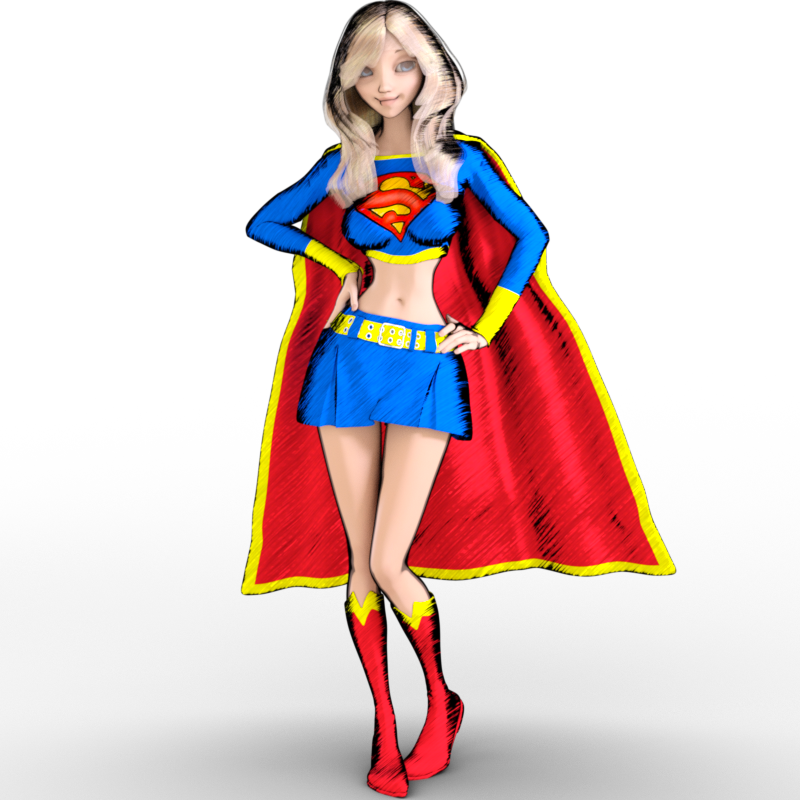
- Sketchy - Toon Edge and Art Style Shaders for Iray
- https://orig00.deviantart.net/7879/f/2017/360/7/c/g8f___sakura_8___w_dms_toony_shader_2_by_divamakeup-dbxxw2c.png
- https://orig00.deviantart.net/be94/f/2017/063/f/8/g3f___atg___toon_supergirl_by_divamakeup-db17iwa.png
- https://orig00.deviantart.net/c910/f/2017/360/b/1/g8f___sakura_8___w_dms_toony_shader_3_by_divamakeup-dbxy33g.png
- This space reserved for a character I created that should be out soon. I LOVE HER! lol She's adorable (am I allowed to say that about my own character? lol). So I'll try to remember to come back and update this space once she's been released in the Daz store.
Where is my Victoria 8?Note that Victoria 8 Base does not include the anatomical elements (it just has textures for them). To get the anatomical elements you need the Pro Bundle.
Where is my Victoria 8?I’m new to Daz, and I am using it to create poses for illustrations. I wanted characters that had full anatomy and had clothing options. I figured the newest versions of Victoria and Michael (8) would work. I acquired Victoria 8 and installed her manually, but she doesn’t show up as a Person, character, etc. I can see my Genesis 2,3 and 8 male and female people, but no Victoria. I assume there must be a specific location she needs to go, but I must have gotten it wrong. I’m on a Mac running the latest version of High Sierra.
I've added a few other download (body builder for either genesis 2 or 3. Can’t remember right now) and it works. I assumed Victoria and Michael would show up with the other Genesis characters.
Thank you!
anyone have any suggestions here?Content Library pane, Daz Studio Formats>My Daz 3D Library>People>Victoria 4>Materials>V4 Hi-Res (or V4 Sample-Res if you don't have the hi-res maps) and apply !All_Natural or !All_Natural_NG as desired (which will also remove the painted on bikini, so you'll have to give her some clothes)..
Is there a way to get autofit options for Victoria 4 for Genesis 3 female?Whenever I try to fit an old piece of clothing on a Genesis 3 female, it only gives me the option for Genesis 3 male or Genesis 2 female, which doesn't really work that well. Is there a way to get the V4 options for autofit? I was thinking that it was like that in the past, but now I cannot for some reason.
How do I convert female poses to male?I'm not interested in the females at all but, I want to use their items like their clothes, hair, and shoes. I want to feminize my males to make them look more girly like the anime guys. I want to make yaoi couples (gay couples).
I understand that, but there's stopping you from using a female model with male morphs and skin. People do that, I've done that. I made Dr. Frank-N-Furter for that reason, to wear a dress and heels. Just because the base is male or female does not limit you in any way from using them as the opposite sex. Its only a mesh, you can define that mesh as male or female as you like. You just need the right tool for the job. Genesis 1 is good for this, but the amount of content available for Genesis 1 is much more limited compared to more recent models. All am I trying to do is give you more options.
I forgot to mention there are male-to-female UV swaps for Genesis 2 and 3 as well. Some free, some paid. So again, you can use Genesis 2 or 3 female, but with male morphs and skin, meaning nobody would know the difference.
Like this, this lets you use Genesis 3 male skin on Genesis 3 female: https://www.daz3d.com/genesis-3-uv-swap-male-and-female-base
Additionally, you could use GenX to transfer shape morphs between sexes (and between generations.) So if you don't see a shape that makes you happy, you could actually use GenX to transfer a male shape you do like over to that female base. Then you could use the UV swap to use a male skin on that model as well. So this is a good option, because with this option you now have a Genesis 3 male, who can wear all G3M content, and a Genesis 3 female version of this character who wear all the female content. The benefit to this is that you gain all of the advances that Genesis 3 has over Genesis 1...better posing, Iray out of the box, and a much larger content library to pull from. There are also great products that allow Genesis 3 to wear clothing from previous generations much easier, like "Wear Them All."
https://www.daz3d.com/wear-them-all-autofitting-clones-and-clothing-smoothers-for-genesis-3-female-s
Take note of the description in that product, it adds male and female autofit clones for Victoria 4, Michael 4, Genesis 1, Genesis 2 Male and Female all to the Genesis 3 Female. This product quite literally lets you "wear them all." (Though high heels can still be a pain, it just depends on the particular high heel.) There is also a version of this for Genesis 3 Male.
And that is yet another option. You could try the "Wear them All" for Genesis 3 Male and see how well that works for you. However, I believe high heels will still pose a problem sometimes.
And one last thing, Daz has a generous 30 day return policy, so if you invest on some of these and they just don't work for you can return them and try something else.
Content directories and mass confusion. Really need helpDonnect is the system for installing within DS, the fils for each product - as you've found - end up in the /data/cloud/1_SKU folder, so each is entirely separate (which is why ExP products can't be installed with Connect yet).
DIM (by default) uses the public My Daz 3D Library.
The non-public \Daz 3d\Studio\My Library folder is the original DS 4 default location, and is still the default for user-created files.
Content does not, in general, need to be in a single content location - the exception being ExP figures (Victoria 4 etc.) where each base figure and its morph expansions must be in the same directory.
so theoritcally , at least, i should be able to combine most of the directories into the My Library folder.
If I use other directories, would I need to add them to the preferences content manager ?Growing Up for Genesis 8 (Commercial)Hi
I got your product some time ago, but it's doing weird things to the hair used. I appolagise if it's something that has a commonly known fix, but it is troubling me for a while now. I attached some pic samples for your view. Figure used is Victoria 8 and the age 9-10 preset. If you noticed on the preset pic, the hair seems to be bend inwards.
Thank you
Hair and clothes will pick up the changes to the figure to which they are fitted. That's how clothes follow the shape, but it can produce odd results in some cases. You may find the only fix is to use a dForm to gently straighten the hair.
Content directories and mass confusion. Really need helpDonnect is the system for installing within DS, the fils for each product - as you've found - end up in the /data/cloud/1_SKU folder, so each is entirely separate (which is why ExP products can't be installed with Connect yet).
DIM (by default) uses the public My Daz 3D Library.
The non-public \Daz 3d\Studio\My Library folder is the original DS 4 default location, and is still the default for user-created files.
Content does not, in general, need to be in a single content location - the exception being ExP figures (Victoria 4 etc.) where each base figure and its morph expansions must be in the same directory.
Growing Up for Genesis 8 (Commercial)Hi
I got your product some time ago, but it's doing weird things to the hair used. I appolagise if it's something that has a commonly known fix, but it is troubling me for a while now. I attached some pic samples for your view. Figure used is Victoria 8 and the age 9-10 preset. If you noticed on the preset pic, the hair seems to be bend inwards.
Thank you
Sakura 8Evidently I feel oposite of a lot of folks here, I like making the nose even pointier and more triagle-y :)
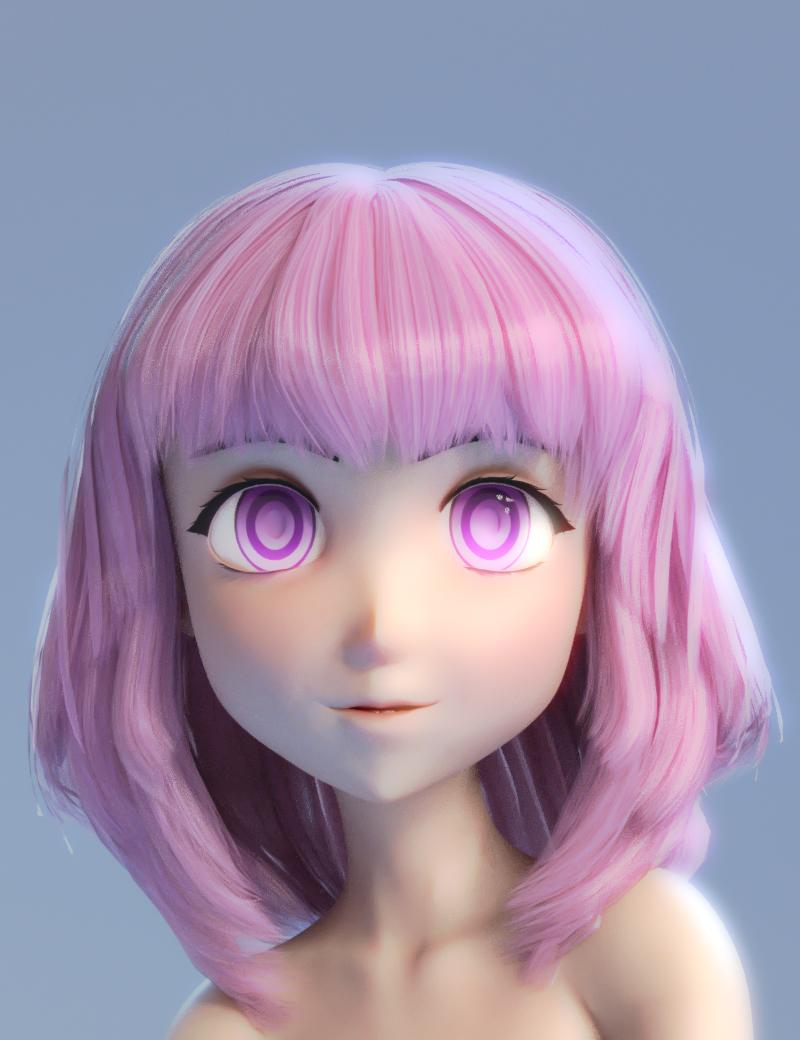
Moar of my using my Sakura eye morph helper. the character has the sakura head morph dialed in 72% a transferred Aiko 7 about 45% Tofusan's really great anime head morph about 12% plus a bunch of other morphs.
Also featuring another thing I whipped up which is a very, very basic geograft to remove the nostrils, a geograft works way better for this than a morph if you're wondering, morphs have way more difficulty blending smoothly
This is another thing I probably should release, but ugh, packaging it up. If I do stick it up somewhere It will probably be as is, no smart content, nothing to apply textures (its really simple to get the textures)
Darling, so cute. Is this the hair you used? https://www.daz3d.com/janna-hair-for-genesis-2-female-s-and-victoria-4
Show us your 3Delight rendersThat turned really nice!
Thanks, much appreciated. I only purchased the Victoria 4 character in the render 2 days ago, and felt a V4 'flapper' outfit suited her well.

Daz 3D is part of

Connect
DAZ Productions, Inc.
7533 S Center View Ct #4664
West Jordan, UT 84084Licensing Agreement | Terms of Service | Privacy Policy | EULA
© 2026 Daz Productions Inc. All Rights Reserved.