-
Diffeomorphic: custom strand based beard imported -> does not follow facial expression
The second try:same as above with no deform
Result: the hair is looking right but the hair does not follow when the mouth is open.
Here I've tried the above: clear parent and apply transforms (for the hair curves!?), added "Attach hair curves to surface" -> the beard is totally misplaced and Blender is heavily calculating as soon as I change the morph value or the pose. The surface deform modifier is completely lost here and I cannot add it - it's not listed in the modifier list
There's Always Another Sale Thread -- Discussions Only Pt 5It's a Daz Originals: on top of the %50 discount applied on all items from that selection, as a Daz+ member, you'll get an extra 30% discount.
I won't bore you with the maths (I can explain them if you wish) but an extra 30% discount applied on an item with a 50% discount means that item will have a 65% discount (before other discounts like tokens, coupons, and so on).
So to answer your question, you'll have a 65% discount on Lucas 9 HD Add-On Bundle. You can also use the MORPH-ME coupon to get a better discount (you should get something around 75% I think, with the Morph-me coupon).
Just a warning in case you missed it, but it's an Add-on Bundle for Lucas 9: if you don't have Lucas 9, 'Lucas 9 Portly HD Shape Add-On' will not give you the intended shape and you won't have access to Lucas 9 textures which are only provided by Lucas 9. The four other items will work without Lucas 9 though.
How to solve a problem on the legs of the G9 version of CHB Pleated Pants ?That's definitely an issue of wrong weight transfer... which usually happens to the wearables with a short or very close distance in between inner thighs (let alone these pants have an asymmetrical shape around the inner thighs....).
If I were the vendor, I would rig the pants with a tailor-made projection template with more precise weight mapping.
If you want to fix it, I would like to suggest a quick way as below:
1) With Node Weight Brush, select the bone: Left Thigh Twist 1, then Shift + L, select the polygons that have wrong weight on right thigh. Then Fill Selected with 0 Weight from right-click menu. (screenshot 1). Fix the weight mapping on Left Thigh Twist 2, Right Thigh Twist 1 and Right Tight Twist 2 in the same way ~~
2) Fix the Base Mesh of inner thigh on the right side... with Blender or Mesh Grabber. Export / Import OBJ to Update Base Geometry of the pants via Edit > Figure > Geometry... (screenshot 2)
3) Test figure's thighs Side-Side rotations, there should be no big issue (screenshot 3). Fix cbs on the pants if needed. Then save them as a Wearable Preset or a user's Figure Asset.Looking for feedback on products prior to purchasingThanks for the runthru of your workflow. Great idea to have a scene set up ready to go. Just reading thru this I'm guessing it's similar to my process for transferring injection file morphs from poser to DS. And yes, if there are a lot of morphs to transfer it can take lots of time.
IIRC I already have Gen X. So I already have part of the process. Your process sounds really good.
I don't use autofit if I'm transferring something to save. Generally I take it into Zbrush manually fit it and have the original fitted to the new character and then send the manually fitted item back to DS and chose update base mesh. That way I get to keep the original morphs and surfaces and don't have to transfer them across manually, also mat poses and style poses generally continue to work. I have come across the odd one that doesn't but that was originally a prop and think it might have some setting that only allows it to be used with the original.
Thanks again for the info.
Pen
Looking for feedback on products prior to purchasingMy workflow is exactly the same as the automated workflow you get with the Premier shape transfer feature. That plugin is itself an automation of the steps you'll find in many shape transfer tutorials on YouTube (for example, Jay Versluis' tutorials).
I used to do shape transfers completely manually and from scratch before the plugin existed (formerly Man Friday's plugin before Daz bought it). I switched to the plugin when it came out. Then I realised the time consuming part of the plugin were when it was loading the Genesis figures, exporting the target figure as an obj to import it/transfer it to the source figure, and reloading the target figure at the end. And that it does that each time for each morph transferred. I've simply created a scene that contains the target figure and the donor figure already set up with the imported fit suit object from the target figure. I Then 'batch' my exports by running through a few morphs in turn on the donor figure, before importing them in turn on the target figure to save them out as morphs. The steps to do those things end up being relatively quick to do - even when done manually - once you've learned the process from the tutorials. Once the file I've created is loaded - the most time consuming part - I can get shapes from the source figure to the target figure in a minute or two. I even can go from V/M4 to G9 in a minute or two longer than that (GenX transfer to G1, GenX G1 to G3 then onto G9 using one of my files).
The bone minion bundles have helped me pose the source figures to match the target figures in the scene subsets I've created. I was doing that manually previously and my efforts on any transfer from non G8 characters weren't great. On G3, it required me to overwrite the base G3 resources that meant I had to switch back and forth between G3 versions depending on whether I was using G3 as a figure or as a morph source. Now my prepped scene subsets have a bone minions saved in them, which is useful for something else I use them for - wearing clothes across generations. I don't auto fit clothes if I can avoid it - instead, I wear them on the intended generation, to which I have transferred my target figures' shape. I set a timeline of the poses I'll render on my target figures, mirroring that timeline on my source figure using bone minion. Not always perfect, but a lot better than what I was doing previously, which was transferring a full morph from the target figure to the source figure each time I changed the pose.
I don't know what - if anything - Daz has done with Man Friday's plugin recently, but as they are allowed to distribute objs exported from Genesis figures, they could probably speed the process up likewise in a way plugin developers can't. And they could probably automate a batch workflow like mine by giving the user the option to run the plugin automation in steps rather than having it run start to finish each time.
Stop shoes from conforming to foot shapeHow about
- Selecting the shoes in the scene
- Go to the Parameters Tab, "Show Hidden"
- In Parameter's Tab> Currently Used, slowly zero each morph until the shape of the shoes suits you
This is the same method used to remove elf ears deformation in hair.
Looking for feedback on products prior to purchasingThanks for the info MIladyderyni, that's very useful.
Thanks Omvendt, I'd forgotten I had ShareCGin my footer. I haven't posted that much over here since I've been back.
Thanks for the info Cybersox, I have noticed some wonkiness when converting hair to Genesis 9 from 8 things that I would have expected to be really easy have done very strange things. I am able to manually convert hair and clothing though and would imagine using the transfer utility won't have the same issues.
Interesting that poses can cause so many issues. You would think that the issue with the helper morph should have been picked up during testing.
Thanks for your input Ainm, I'm very interested in the idea of converting previous morphs that was actually the next step in my journeyof sorting out my runtime. Is there any chance that you will be sharing your workflow? I have seen a video tutorial about quicksuits but I've still not had chance to have a go at doing it.
Thanks kpr, I will keep that in mind. It's often useful to be able to reverse the process. I've done that in the past when I needed to get things on to an older character and then get them onto a non daz character.
Thanks so much for the info everyone it's been really helpful. I'm in the process of organising an engagement party for my son and his partner but I will certainly look at picking these products up on Monday after it's all over.
As someone who has over 7000 products from Daz and many others from other stores I hate the idea of all those items I've previously bought going unused.
(Released) - dForce Bombshell Hair for Genesis 9 [Commercial]franky85 said:
nakamuram002 said:
Is there a morph to move the front left hair behind the shoulder? Is there a morph to move the front right hair (if any) in front of the shoulder? In other words mirror the default view.
I mean you could put the X Scale to -100% on the "dForce Bombshell Hair Base" and it will mirror the hair.. I just tried it. Trick as old as time.
Thanks franky85! What about moving BOTH the front Left and Right hairs behind the shoulder?
Looking for feedback on products prior to purchasingOverall, Riversoft's Bone Minion products are excellent. That being said, when it comes to posing... let's just say that Genesis 9 can be problematic when compared to the previous three generations, so while you may be able to put a G3 or G8 pose on G9 without issue, you may get some pretty weird effects... and please note that is not a comment specific to Riversoft's Products, it's just Genesis 9. Breast poses from earlier generations, for example, can look rather wonky when applied to G9, and I had a nasty bit for a while where bending the legs too far caused the the backs of the thighs to go concave, though that problem finally went away after I deleted all of a certain vendor's figures from my normal runtimes as the issue seemed to be partly due to a very unhelpful helper morph.
Render your buys! ALL TIME ChallengesElor said:
Matt_Castle said:
Was the 'sparklings' something done in Daz Studio or in postwork?
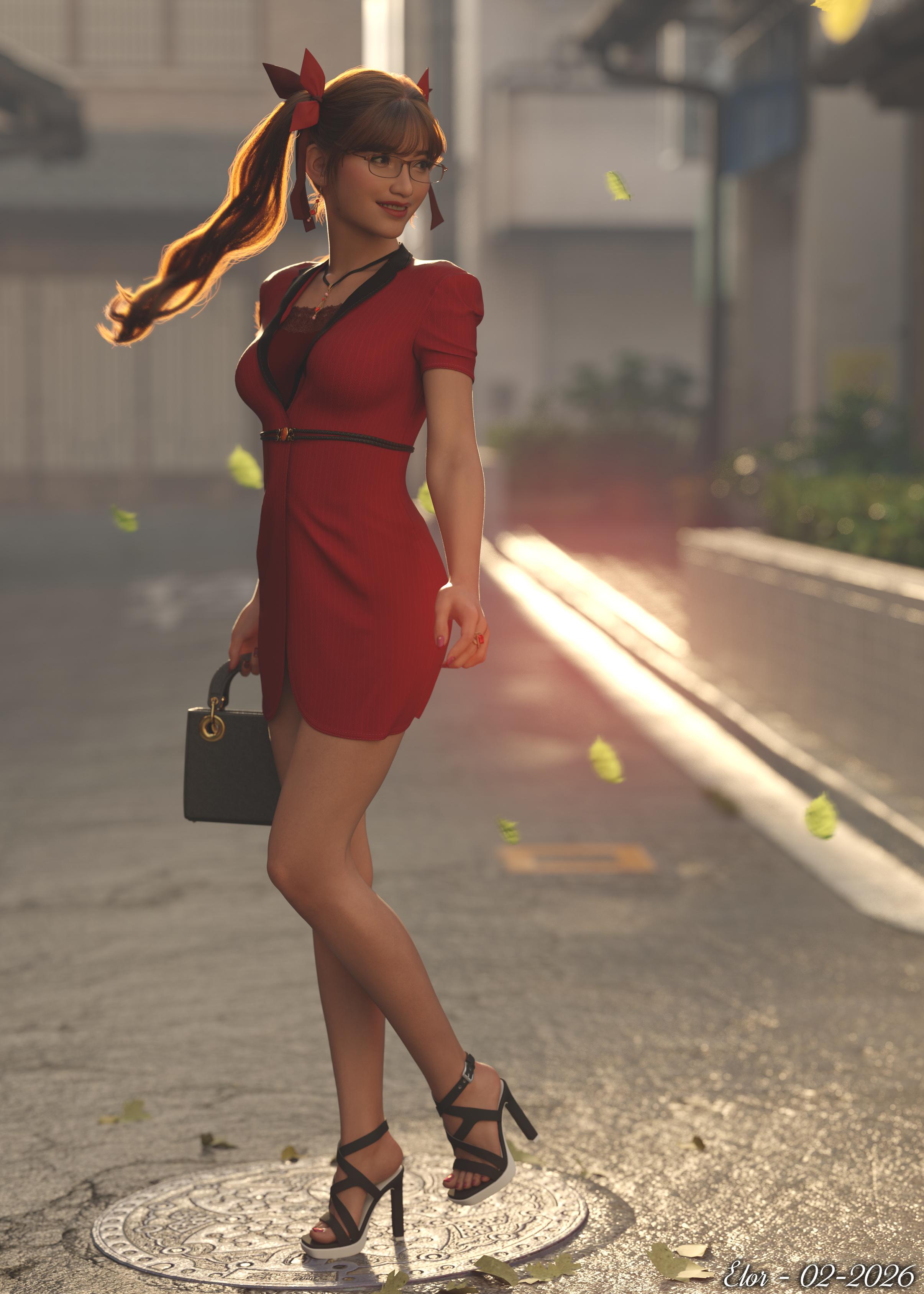
I did a bit of postwork, trying to add movements on a leaves and the end of Hanako's tails. Raw render in the gallery if you want to play Spot the differences (I tried to keep it subtle to not overdone it).
New items used:
- dForce Midweek Dress for Genesis 9 and 8, 8.1 Female with a top from dForce Formal Wardrobe Mega Pack for Genesis 9 (lots of polygons hidden to remove pokethroughs). I tried to do what @tsroemi did wonderfully with Breeze's belted dress (using it as a coat in 'Excuse me Miss?'), but Ididn't find something fitting under it without too much fidling and I don't think I'm there yet to make a morph for that purpose in Blender (one that would not butcher the dress at least).
- HL Mabel Strappy Sandals for Genesis 9, 8 and 8.1 Female, nothing particular to say, like other shoes by Havanalibere, they are simply working as they are suppose to, which is a nice thing on its own

- FK Cathya Jewelry Set, very nice, as usual with Fabiana's products, and unlike some olders ones, the hearrings are rigged (not sure I posed them as they should though).
- Collection of Classic Bags for Genesis 9 Feminine, very nice too, with some poses (I didn't use them). A small nitpick: it it would have been nice to have a wearable preset loading the bags parented to the correct hand (instead, they are parented to the figure itself, so it's best to load them in the default pose, to parent the bag to the hand before posing the figure).
- FK Manicure Muse Morphs and Materials for Genesis 9 MR Bundle (edit: I though I have used it before but didn't initially see it in Daz Deals
 , still a nice product with lots of possibility if you want to tweak Genesis 9's nails): I played a bit with the various settings to understand how they worked, but I would not call myself an expert. Both products are really nice and easy to use (it can be a bit dauting at first: lots of options are available).
 - Glasses set 2 for Genesis 8 and 8.1: it's a simple prop, so easy to use on other generations, with morphs to adjust them to the face of a character.
Very nice render and display of the products. I am left to wonder what she is looking back at. Maybe a guy walking into a pole? Regarding the sandals. What I noticed in your render and makes them noteworthy is the actual buckle on the ankle strap. I see so many sandals that have a strap/chain around the ankle but no apparent way to open or close it, so you could put the shoes on. That is a nice real world touch.
Mary
Diffeomorphic: custom strand based beard imported -> does not follow facial expressionThank you for your response....but I am still confused maybe you can help me to understand!? You say I don't need tubes...to be honest it was not a decision I've made because somehow I thought I need it :-D It was simply working and it was said in a documentation about the plugin that "Tubes" should be chosen for strand based hair. As I need to choose something under the "Create" section - what else should I choose? Additionally I am so confused about the "Create" and "Output" section in general: what does it mean in this plugin / context, "create" and "output"? For me by the words it's the same. I bet it has somethng to do with guides and additional hair per guide or something?
Then you write: "As for hair curves, if you don't need to animate the hair then you can choose the "curves" deform method, which will follow the mesh." - but it doesn't. When I pose the head rig it follows but when I open the mouth - it doesn't matter if by bone or morph - it does not follow the mesh.
Render your buys! ALL TIME ChallengesMatt_Castle said:
Was the 'sparklings' something done in Daz Studio or in postwork?
I did a bit of postwork, trying to add movements on a leaves and the end of Hanako's tails. Raw render in the gallery if you want to play Spot the differences (I tried to keep it subtle to not overdone it).
New items used:
- dForce Midweek Dress for Genesis 9 and 8, 8.1 Female with a top from dForce Formal Wardrobe Mega Pack for Genesis 9 (lots of polygons hidden to remove pokethroughs). I tried to do what @tsroemi did wonderfully with Breeze's belted dress (using it as a coat in 'Excuse me Miss?'), but Ididn't find something fitting under it without too much fidling and I don't think I'm there yet to make a morph for that purpose in Blender (one that would not butcher the dress at least).
- HL Mabel Strappy Sandals for Genesis 9, 8 and 8.1 Female, nothing particular to say, like other shoes by Havanalibere, they are simply working as they are suppose to, which is a nice thing on its own
- FK Cathya Jewelry Set, very nice, as usual with Fabiana's products, and unlike some olders ones, the hearrings are rigged (not sure I posed them as they should though).
- Collection of Classic Bags for Genesis 9 Feminine, very nice too, with some poses (I didn't use them). A small nitpick: it it would have been nice to have a wearable preset loading the bags parented to the correct hand (instead, they are parented to the figure itself, so it's best to load them in the default pose, to parent the bag to the hand before posing the figure).
- FK Manicure Muse Morphs and Materials for Genesis 9 MR Bundle (edit: I though I have used it before but didn't initially see it in Daz Deals , still a nice product with lots of possibility if you want to tweak Genesis 9's nails): I played a bit with the various settings to understand how they worked, but I would not call myself an expert. Both products are really nice and easy to use (it can be a bit dauting at first: lots of options are available).
- Glasses set 2 for Genesis 8 and 8.1: it's a simple prop, so easy to use on other generations, with morphs to adjust them to the face of a character.
(Released) - dForce Bombshell Hair for Genesis 9 [Commercial]nakamuram002 said:
Is there a morph to move the front left hair behind the shoulder? Is there a morph to move the front right hair (if any) in front of the shoulder? In other words mirror the default view.
I mean you could put the X Scale to -100% on the "dForce Bombshell Hair Base" and it will mirror the hair.. I just tried it. Trick as old as time.
(Released) FK Sibilant Grace Jewelry Set Volume 1 - Genesis 9, Genesis 8 FemaleI ran into some morphs that seem to be in the wrong place (didn't get put into Actors, but got left in Morphs/Morph Loader). This example was on the left earring used in the render, but the corresponding right earring (not used in this render) had the same issue. I don't know if any of the other accessories have similar problems.
Sue Yee Appreciation Postbarbult said:
This is the new dForce SU Shirt Dress for Genesis 9, 8.1, and 8 Female and the older SU Medium Length Hair for Genesis 8 and 8.1 Females
I used the "longer" morph on the dress. It's still pretty short.
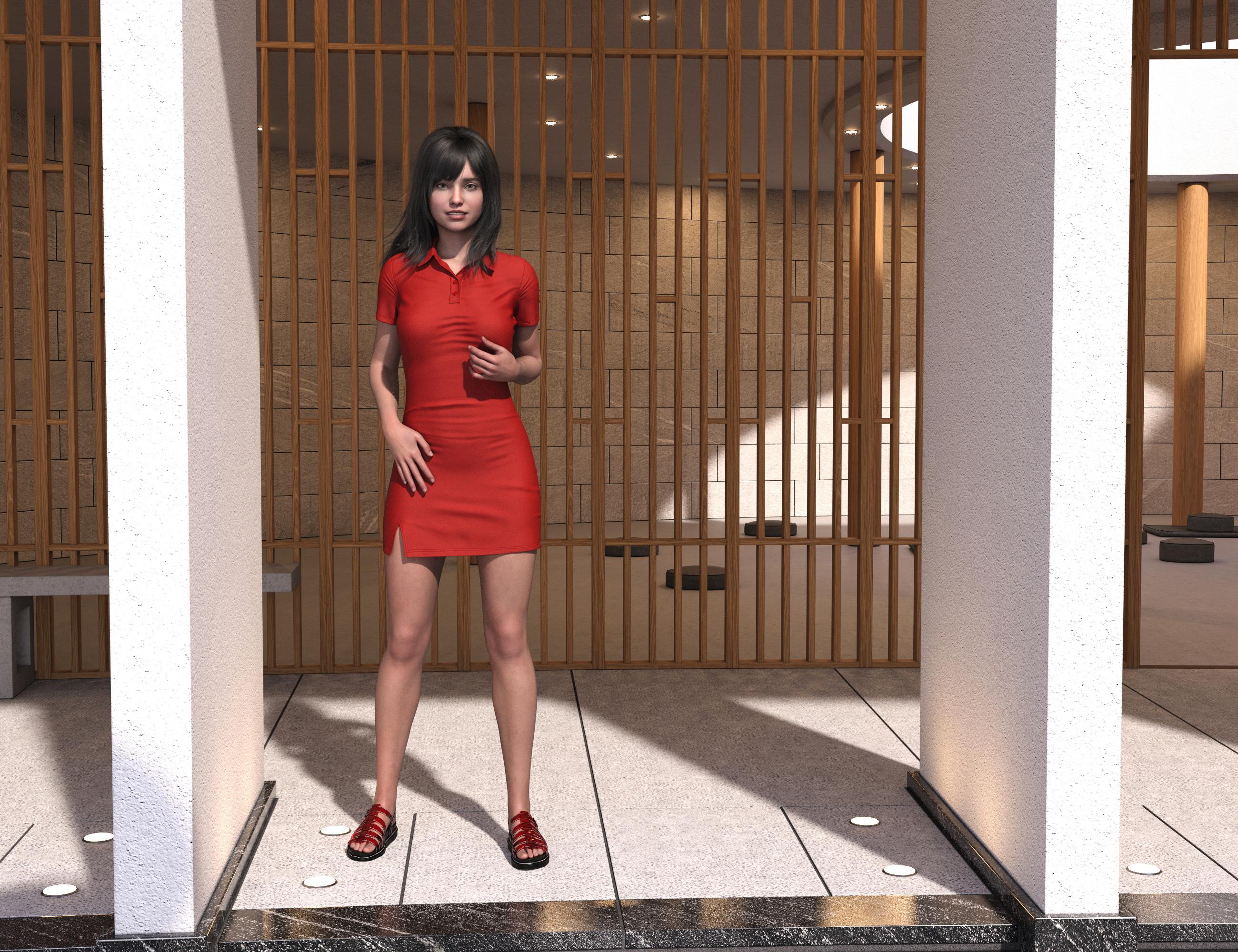
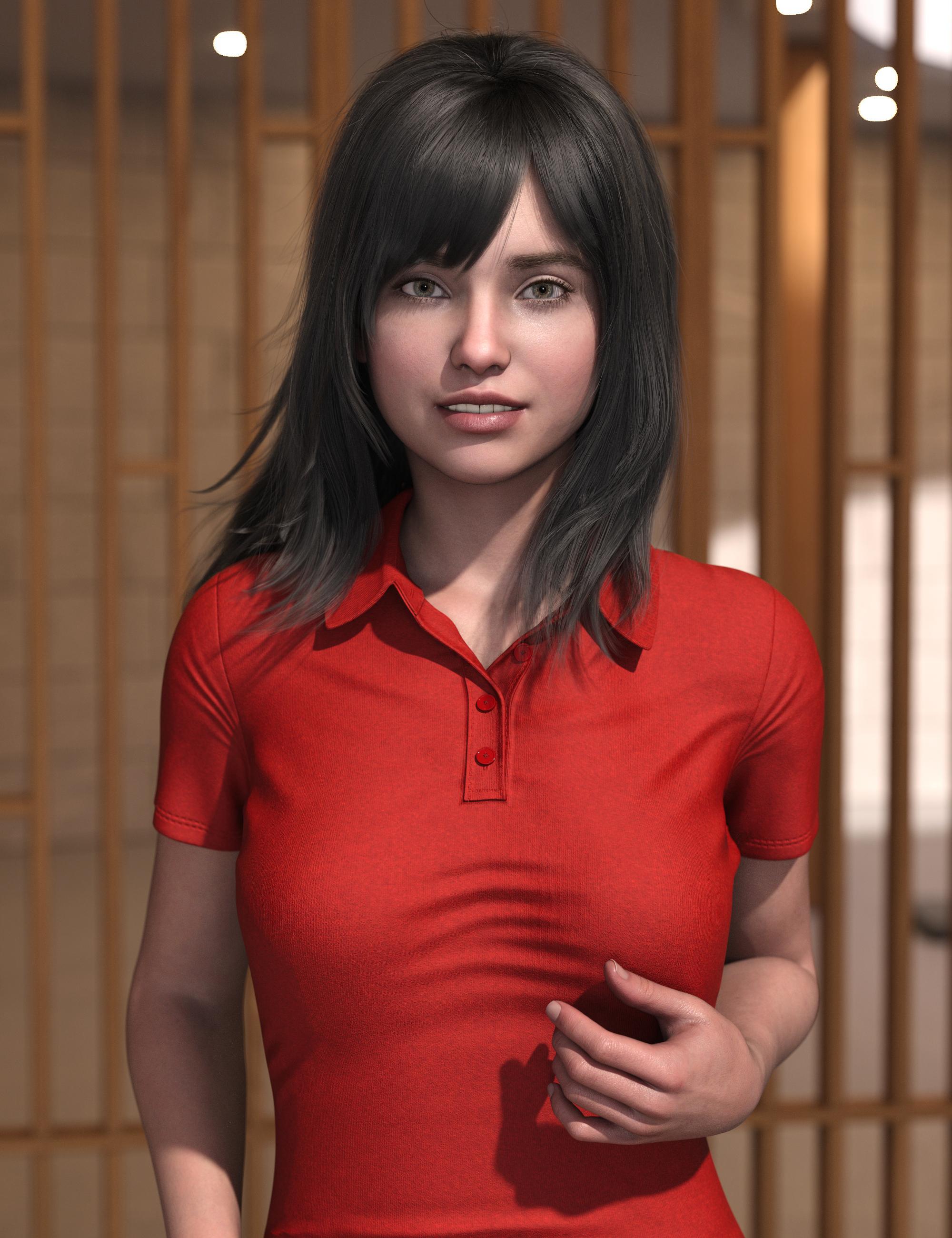
Since you are using a solid colour, you can adjust the Min and Max Values in the parameters dialog to lengthen the shirt dress. It might cause distortion of the texture if you are using a pattern.
Diffeomorphic: custom strand based beard imported -> does not follow facial expressionAs the subject says: when I import a figure with a beard using Diffeomorphic I struggle to get the beard working with morphs and rig posing around the mouth: The beard does not adjust to the movement of lips, cheeks, chin and so on - whether I try it by using the rig or by using the FACS expression morphs for example.
- I've created a beard with strand based hair system within Daz and imported the figure into Blender with Diffeomorphic including the FACS Expressions morphs.
- After import I used the "Make hair" tool with following settings:
- Create = Tube, Output = Hair Curves. Whatever I try under the "deform" section - the beard does not adjust to any mesh movement. When I use a proxy the beard adjusts but the hair curves are stretched - it's not only that the beard moves with the mesh but also the curves themselves get adjusted.
- Create = tube, output = Particles, under "deform" is "Parent to Head" checked -> here the beard moves accordingly to morph and rig changes
- Create = tube, output = Curves, under "deform" is "Parent to Head" checked -> here the beard DOES NOT move accordingly to morph and rig changes
Attached you can see what I mean - when the mouth is open the hairs remain their position. I'm a little bit confused by all the possibilities how to create hair in Daz and Blender and might miss something very basic - sorry for that in advance.
Can someone tell me what I'm doing wrong? Maybe I'll stick with Blender's particle system as this seems to work best with daz strand based hair but at least I'd like to understand what's going on here.
Daz Studio and LinuxI'm going to guess you ran the upgrade from the terminal rather than nuking your current installation and starting from scratch with a new ISO? I did not see the menu and lag problems you are experiencing with Mint 22 (Cinnamon desktop) with a fresh install so my suspicion is you have some libraries that are causing problems which aren't part of the kernel. Obviously, I don't know how your system is set up and how easy/disastrous it would be for you to start with a clean slate (and our hardware will undoubtedly differ) but if it's becoming a real annoyance it might be something worth considering.
Anyway, a person with your experience should be on Arch! Everything Daz-related works 100% with zero glitches and with the Diffeomorphic Blender add-on to transfer your assets you really can go 100% Linux and use Daz. And you'll also get to enjoy the rolling updates and rolling update catastrophes :)
On a more serious note, if you haven't seen it, Diffeomorphic is a superb free add-on for Blender with an accompanying script for Studio that makes light work out of transferring characters, expressions, poses (including JCMs and other morphs), environments and props. It's not really set up for any figures older than G3 due to weight-mapping issues (it will transfer them but.... messy) so if the bulk of your work uses G2 or older this won't really help you much but if you're using the more modern figures in your renders it's indispensable.
---
The real answer to running Daz on Linux for every user, beginner or expert regardless of distro without too much development effort, is a Flatpak. It would have to come from Daz because it would include their proprietary code but it wouldn't be time-consuming to build. Even a Steam package would work. If I had to put money on it I think they will at some indeterminate point in the future start supporting Linux. It's still a bit niche, but it's growing rapidly and I believe a lot of companies will start to see that being on the platform is beneficial to their bottom line. Not yet, though, sadly. Not yet.
Did anyone do a Clothing Converter from V3,V4,M3,M4 to Genesis 3,8,9 M&Frichardandtracy said:
Yeah, I agree. I have tried, but GV3 doesn't seem to transfer well from Gen3 with GenX2.
I did it many years ago and as I recall the trick was to make a GenX clone of the base Victoria 3 and then a seperate Genx clone of the full Glamous Vicki verson, then remix the resulting morphs along with the commecial V3 to Genesis clone on the target figure.... a lot of tweeaking and side by side comparisons. That said, the issue I mainly recall running into was that the old V3 clothing wasn't built to genesis specs and had a tendency to come apart at the seems when autofitted.
Freebie Challenge February 2026 - "Stronger Than You Think" - Main Thread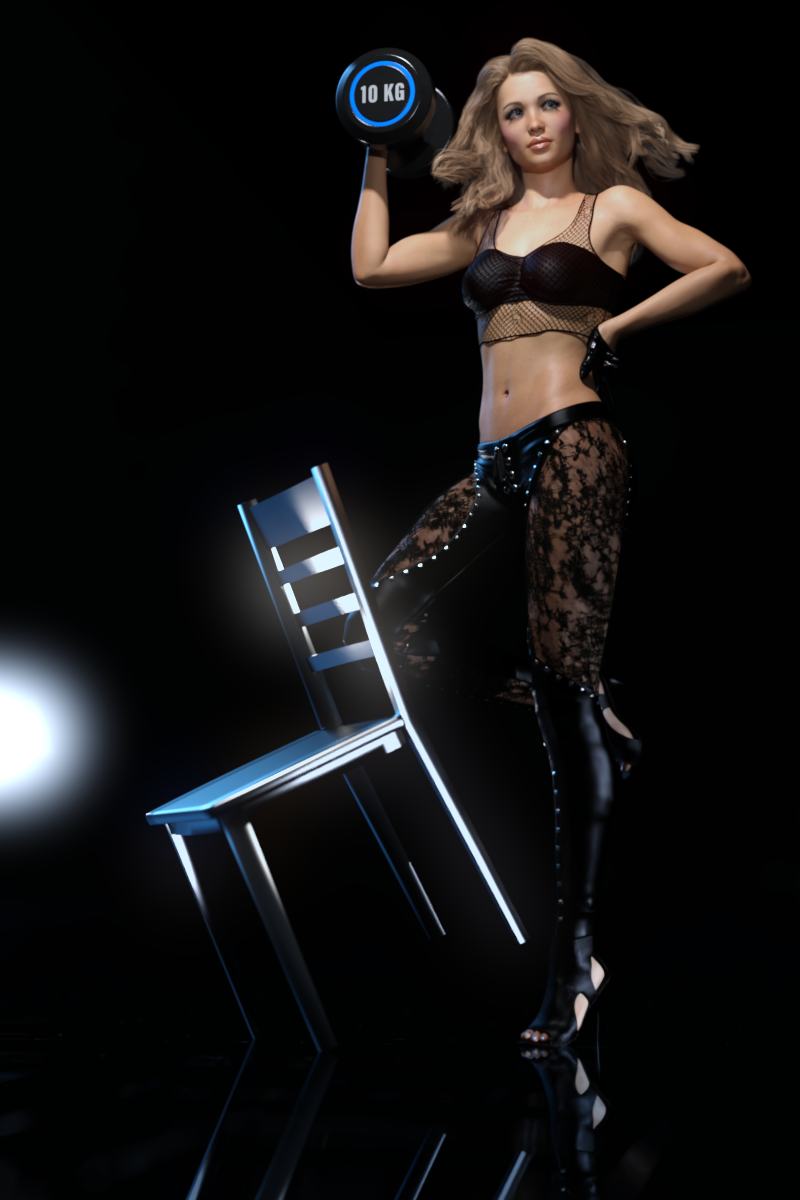
Are you feeling sad and powerless? Chin up, you got this - you're stronger than you think!
Do you need help carrying this up the stairs? No, it's ok, I'm stronger than you think!
Do you think she's going to get the position? Do not discount her - she's a stronger candidate than you think!
Do you think you can handle this Russian liqor? Be careful, it's stronger than you think!
Tell us a story about someone or something that showed unexpected strength.
Do you have what it takes to win 1st place in this challenge? Of course you do - you're stronger than you think!Some freebie suggestions to get you started. No obligation to use them, but perhaps you find them helpful!
https://lab108.x0.com/lab108/sports.html
https://www.renderosity.com/freestuff/items/75730/posable-punching-bag
https://www.renderosity.com/freestuff/items/64475/carnival-test-your-strength-game
https://www.renderosity.com/freestuff/items/79046/clothing-morphs-and-poses-fantasy-amazon-bundle-for-g8f
https://www.renderosity.com/freestuff/items/65400/20ft-easy-pose-chain
https://www.renderosity.com/freestuff/items/71281/kettlebell
https://www.most-digital-creations.com/g8f_warrior_outfit.php
https://www.patreon.com/posts/wonder-woman-for-47331825
https://www.patreon.com/posts/superman-for-g8m-49236362
https://3dshards.com/product/yara-flor-cosplay-outfit-for-genesis-8-8-1-female/
https://polyhaven.com/a/gym_01
https://www.deviantart.com/sedartonfokcaj/art/Mila-s-Headgear-for-Genesis-441118753
https://www.deviantart.com/sedartonfokcaj/art/Freebie-Crowd-Background-569639918
https://www.deviantart.com/sedartonfokcaj/art/Wrestling-Title-Belt-for-DAZ-Studio-516278782
https://www.renderosity.com/freestuff/items/69884/the-wrestling-set
https://www.renderosity.com/freestuff/items/73748/academy-in-the-roundBONUS RULE FOR FEBRUARY: You may use one of these six items and count it as a freebie:
https://www.daz3d.com/pyromantix--volumetric-infernos
https://www.daz3d.com/sci-fi-doomsday-device
https://www.daz3d.com/sci-fi-small-explosive
https://www.daz3d.com/sci-fi-explosives
https://www.daz3d.com/fireworks_19727
https://www.daz3d.com/explosives-packThe rules of the contest are:
-
Your entry must be a new render, especially made for this challenge.
-
Your entry must follow the DAZ TOS.
-
You may enter a maximum of 4 entries.
-
A minimum of five (5) Freebies must be included in your image
-
All Daz Bi-Weekly Freebies are allowed throughout the entire month in which they are free, as well as the following month (for a total of 2 months).
-
You may use a maximum of 5 paid items.
-
Base figures (Genesis 9, Genesis 8, etc.) as well as their basic morph packs may be used as needed. They do not count as either paid items or freebies.
-
DAZ Studio, Poser, Bryce, Carrara, Hexagon, and Blender are allowed.
-
DAZ AI Studio is not allowed. The use of image generating AI technology (midjourney, stable diffusion, etc.) is not allowed in any form.
-
Postwork is allowed. You must also include the raw render (before postwork) of your entry.
-
For a more detailed version of the rules see the PDF attached to this post; or ask your question in this thread, we're always happy to clarify!
-
Let's have fun and be creative with all the amazing resources that are available for free!
This contest ends on February 28th 2026.
Post your images and freebie links in this thread for link verification.
Once the links are verified, you can post your image and links in Entries Thread for judging.First Place: $15 store credit from KindredArts
Second Place: $10 store credit from KindredArts
Third Place: $5 store credit from KindredArtsPast Freebie Contests:
January 2022 - Around and around and around...
February 2022 - Mysteries of the heart
March 2022- Luck Of The Draw
April 2022 - New Beginnings
May 2022 - Cozy Corner
June/July 2022 - The Secret Life Of...
August 2022- Sniff, sniff... what's that smell?
September 2022-Cars Cars and More Cars
October 2022 - Horror Movies
November 2022 - Thieves, Robbers, and Fraudsters all around!
December 2022 - The Night is Darkest...
January 2023 Speed Demons and Slowpokes
February 2023- I See Red
March / April 2023 Magical
May 2023 - Sweet Music
June/July 2023 Holes, Gaps, Caves, Tunnels
August 2023 Fabulous Pink
September 2023 Gardening
October 2023 Hallowed Night
November 2023 Wobble, jiggle, sway, and shake
December 2023 / January 2024 Driving Home For...
February 2024 The Glow Up
March 2024 Power Source
April/Mai 2024 Soft as Plush, Smooth as Silk
June 2024 An Octopus' Garden
July/August 2024 Take A Break
September 2024 Fake Smiles and Real Joy
October 2024 "Monster Mash '24!"
November 2024 - Dreams
December 2024 - A Curious Christmas
January 2025 - Thank you, Saphirewild!
February 2025 - My Hallowed Valentine
March 2025 - Pride, Prejudice and other Shenanigans
April 2025 - The Little Ball of Calm
May 2025 - To Be Beautiful
June 2025 - Summer and Piracy
July 2025 - Design a Book Cover
August 2025 - Pure Cinema
September 2025 - Holiday Memories
October 2025 - Monster Mash!
November 2025 - The Winter Witch
December 2025 - Christmas!
January 2026 - When One Door Closes, Another Opens
g9 pupil size adjustment? in base essentials or require extra morph pakfelis said:
Parameters > Pose Controls > Head > Eyes
my bad, not path to look for the pupil morph to use.
Where should it be installed?
I install all items like that to the default location but lucky me at some time in the past daz decided I needed two "my daz libraries" One under user name Bard and the other in Public
I have no idea how dim chooses which one to use.
---
Ok, apparently duplicating the libraries into each other has allowed daz to post the morph so I now have matching pupils.
In appreciation of that fact and thankfulness for all help.
I will not rant about the fact that pupil size is in parameters and iris size is in shaping.
But I'm sure it will irritate me at some future time perhaps when I convert all the other g8s to g9s.
Now I'll just have to grab premier for a month somewhere.
The character head was created by headshop from a photo and the skin was done in skinbuilder
and since the prem trans doesn't do surface had to get the geoshell stuff working.
But overall working very well. The character thinks her nose has changed a little but I assured her it wouldn't show except in extreme closeups.Daz 3D is part of

Connect
DAZ Productions, Inc.
7533 S Center View Ct #4664
West Jordan, UT 84084Licensing Agreement | Terms of Service | Privacy Policy | EULA
© 2026 Daz Productions Inc. All Rights Reserved.













