-
Off Topic Thread #2
there are 15 links to your models from the forum available...
to make it easy to find, in your browser on the page use <ctrl F>
and enter diomede in the field and you can jump to each one that's there

~ Links to Carrara Wacky Models to download ~ - Daz 3D Forums
Buy Something That Doesn't Work in Carrara? Post your Questions and Workarounds here. (please)ok.. I thought that was a duf
is there an easy way to apply poses in Carrara with fBX?
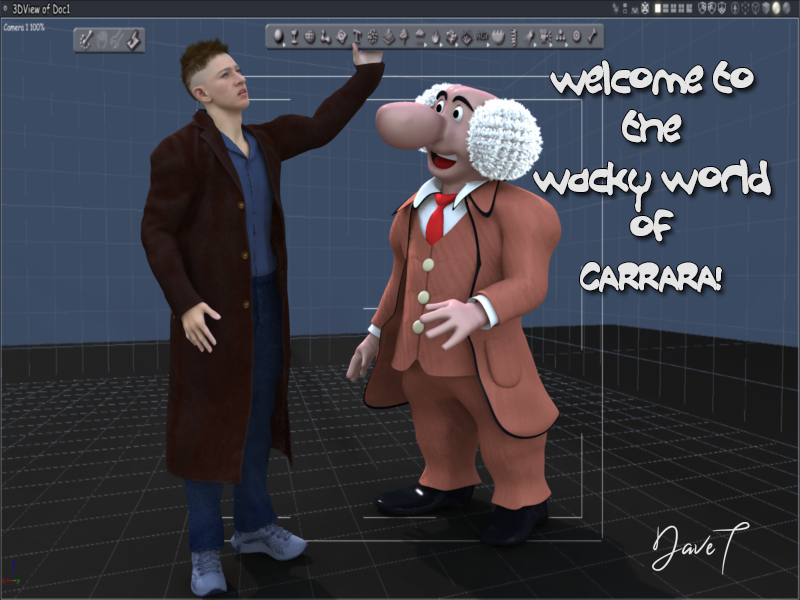
I got this one as the freebie. .... just needs materials adjusted and had to shrink the hair cap down
 Liking the new Site look
The version of filters panel in the store is missing software filter. It was great was to filter out outdated products or old assets made for Carrara etc. Can you bring it back?
New Year, New Sales Thread: Report Issues Here 4 "Reporting Only"The new items are missing "Compatible Software" information on their product pages. This is a significant loss of important data. I'm leery of using Studio 6 yet -- I'm on a Mac and I'm hearing mixed things about its compatibility with the scripts I already own and need for my work -- and now I can't tell by looking whether the products I might buy are going to work on 4.24. I got burned a few times during my early days by items that only work with Bryce or Carrara. Why can't we see software compatibility anymore? I get that now that Daz is launching into new file suffixes, they want to highlight that, but does it have to be at the expense of critical information? Not knowing will be a blockade against me actually pulling the trigger on purchasing newer products.
Microsoft broke renderingI hadn't updated my driver in a while and did last week with the Nvidia app
D|S survived but it broke Octane Render 4 Carrara
it took me 4 tries to find a legacy one that worked
so won't be doing that again in a hurry
I am likely stuck on D|S4.27 anyway so not needing updates
Liking the new Site lookHaving filters in the product library is indeed nice.
There are many things that aren't exactly an improvement though IMO

No "Daz+ only" filters on the main store page anymore (it's still there in the search results)
I hoped they at least fixed the category filters not appearing on featured artist store pages, but it still disappears.
Not a fan of the huge product thumbnails for the new releases on the sale page. Sure, you see the products better, but you have to scroll and scroll if you want to see all the releases.
The "file format" filter is confusing. You'd expect that "DUF" will give you all things related to DS (though it's not exactly the best choice of tag for poser-format content), but for example many plugins don't appear when you select it, you have to remove the filter to see them.
There's no "compatible software" tag anymore, so there's no way to see which content is for Poser, Bryce or Carrara, or which plugins are compatible with DS6 and which are not (yes, I know most are not for now). Some people were already confused when it was litteraly written on the product page, but now there's no information at all!
And of course now the additional filters from the bookmarklet don't work anymore...
Edited to add: actually there's a new versions of the advanced files which do work
 What actually IS new in DAZ Studio 6?
ajrf said:
Well... the only thing remarkably new (apart from the A"I" bot) is the RTX 50 support. And regarding the render times, with a RTX 4070 Super, I can relate that I can render faster and in a more stable way than in 4.24.
Yes, as a Carrara user wanting faster DS renders using iRay for background images on the new nVidia GPU's, this is the point. Can you provide more on the stability? DS 4.24 has been fairly stable for me. Thanks.
I'm back(again)WendyLuvsCatz said:
try downloading them manually into the folder DIM uses (downloads by default)
then opening DIM
I suspect it's a download issue, something interupting it
in my case was a 5G phone tower they keep fixing that's in line of sight of my 5G router and the 4G it resorts to timing out
could be at any point, maybe not even local or something like your antivirus flagging DAZ as not a trusted site
I know I had a lot of trouble with Windows not liking DAZ installers for example in the past and have only recently stopped it deleting PostGreSQL
Carrara gets flagged and deleted by Windows too if I don't add it to trusted programs
after one update last year, it deleted the exe file in the middle of a render!
i didnt have issues with the 1060 i had, some are hidden becuase they dont work or are out of date as you said, they're free so i dont mind but these, i paid for. Ive never manually downloaded something from the Daz store. Can you provide steps on how to do it? Maybe that can help.
I'm back(again)try downloading them manually into the folder DIM uses (downloads by default)
then opening DIM
I suspect it's a download issue, something interupting it
in my case was a 5G phone tower they keep fixing that's in line of sight of my 5G router and the 4G it resorts to timing out
could be at any point, maybe not even local or something like your antivirus flagging DAZ as not a trusted site
I know I had a lot of trouble with Windows not liking DAZ installers for example in the past and have only recently stopped it deleting PostGreSQL
Carrara gets flagged and deleted by Windows too if I don't add it to trusted programs
after one update last year, it deleted the exe file in the middle of a render!
Stereoscopic display in viewportif you are keen, you can have a split viewport, offset one and focus your eyes to merge the images into a 3D view

can parent 2 cameras to a null and manipulate the null to move around
not an answer I know
I am certain someone could build an actual plugin but nobody has
I have it in Octane 4 Carrara (split view or red/cyan for glasses) but don't use it
Carrara Folks Opinion On The New Daz Studio?you can install D|S4 as well and indeed should for the plugins and render the saved scenes in 6
you also need 4 to convert stuff to blended weight for Carrara
Filament still works in it too
Carrara Folks Opinion On The New Daz Studio?I have been doing Carrara short animations for a long time, and more recently getting into DAZ Studio for those spectacular renders with iRay for backgrounds, since they can take an hour +/- on my best machine with only 2GB VRAM.
So I've been waiting to get a new machine with, say, 32GB VRAM and an nVidia 5000 series GPU. So ... is it time to do this? I'm seeing negative comments in the DS Forums.
 The Torquinox Carrara Thread
Carrara doesn't seem to have an analog for Blender Grid Fill. Is that true or is there some download somewhere that provides the functionality? I didn't find anything when I looked.
One cool thing: Carrara seems happy to load old Lightwave lwo models, as well as 3ds and obj. Blender can do obj models but nothing for lwo and chokes hard on 3ds.
In the "how did I miss that?" department, Carrara has a load of cool environmental capabilities - Clouds, fog, fire, ocean... Seems like there are a lot of possibilities there. Old not obsolete!
Off Topic Thread #2Headwax said:
Easy to dislike other humans ! Thats why i avoid them :)
I asked ai to generate a carrara file with a firest, it gave me this, and asked me if i want the python code for it...
Interesting prompt!
Off Topic Thread #2Stezza said:
Stezza, what was the formula?
I didn't save it as it didn't work
but I wanted a celtic rope loop thingy.
but it did end up giving me code to create a model using Python that would import into Carrara. Messy!

You ghot me enthused and i ended up with a plane.... and a whole lot of scalectric cars
Some of the reasons I use AI to enhance my Daz Studio renders:WendyLuvsCatz said:
in DAZ studio itself with the geometry editor tool selected you can select polygons and assign a new surface, and add more selected polygons to that surface
you can also use it to cut up props
as for UV mapping
I cannot do it in just one program
I use at least 3, none of them Blender which is likely my problem

my 3 are Zbrush, Carrara and Ultimate Unwrap3D
am continually jumping between them as each can do different things the others cannot
again, if I had the patience to learn to do it in Blender, it likely would be better
I did NOT know I could do things in Daz Studio like that!! I will research and try them!
ALL I know how to do in Blender IS to deceminate. All I know how to do in Carrara is remove parts of an obj.
Ok, to create a texture map, I need to make a UV map...is that correct? I can afford $60 to learn Ultimate unwrap3d. I have a feeling it's not easy. :(
I really don't understand uv-mapping and then un-wrap.
I just Googled it:
Relationship
-
UV unwrapping is the creation of the UV map.
- UV mapping is the application of that map to textures in materials Blender Stack Exchange.
-
In short:
-
Unwrap → create the 2D layout.
-
Map → apply the layout to textures
-
***************************************************************************
To apply shaders to something I make, I need to assign material zones...is that correct. Are you saying that Daz Studio can do that? Ok, I just found a tutorial. I will try that!!
Off Topic Thread #2Stezza, what was the formula?
I didn't save it as it didn't work
but I wanted a celtic rope loop thingy.
but it did end up giving me code to create a model using Python that would import into Carrara. Messy!
Some of the reasons I use AI to enhance my Daz Studio renders:in DAZ studio itself with the geometry editor tool selected you can select polygons and assign a new surface, and add more selected polygons to that surface
you can also use it to cut up props
as for UV mapping
I cannot do it in just one program
I use at least 3, none of them Blender which is likely my problem
my 3 are Zbrush, Carrara and Ultimate Unwrap3D
am continually jumping between them as each can do different things the others cannot
again, if I had the patience to learn to do it in Blender, it likely would be better
Meshy3D and Hunyuan models, Zproject is my friend after creating a better UV for the mesh, any UV is a better one than the AI generated UV
I just let Zbrush's UV master unwrap it most of the time
you could also use MapTransfer in DAZ studio to create the new texture
Off Topic Thread #2Stezza said:
ok that's weird, I was getting AI to do some python code for the Carrara Formula yesterday!

ended up a total failure
scary jaws music
yes Wendy, we have firests here :0 hard to get they are.
I need ai to remember my passwords for me :)
Stezza, what was the formula?
I asked ai to design me a surfboard fin with a spiroid winglet, it says 'n0o worries, what format? obj stl 3mf etc?"
'Oh stl,' says I.
Ai gives me a triangle with a donut perched on the tip!!
Some of the reasons I use AI to enhance my Daz Studio renders:Sometimes, after working 2 weeks on something, I get tired. This is one of those things.
I decided enough was enough.
You can see the final after Chat GPT corrected some things, the final render I did for 5 hours, and the front view of the Daz Studio scene.
There are SO MANY things wrong in the final. I want to go on to something else!!!
My process of making the dolls, signs, various nic-naks, etc was getting ideas in Chat GPT, then have Meshy AI make it. Sometimes the props were done well and sometimes not. Then, to texture them.
Then, I used Blender to disseminate each prop. I use a percentage of 15 for everything. Then, if there are more than one item I had Meshy AI make at one time, I use Carrara to cut the props apart.
I do not know how to create UV maps nor do I know how to assign material zones. I DO know how to make textures, but not if the items just mentioned have not been done.
I wish I did.
***************************************************************************************
Broken Doll Repair Shop- Items Used:
Phyrra for G3F-Daz3d
Broken Doll for Genesis 3 Female(s) - Daz3d
Iselind Hair for Genesis 3 and 8 Females - Daz3d
Leyton Hair for Genesis 3 Female(s) and Genesis 2 Female(s)-Daz3d
The Watchmaker and the Automaton - Daz3d
Gothic Crow Accessories-Daz3d
Vintage Lamps Iray-Daz3d
Light the Way-Daz3d
Render Studio Iray-Daz3d
Pd Iray Shader Kit 1-Daz3d (This is fantastic for non-Iray
textures-You can add a sheen or a mat effect. I use this with
render I do.)Sewing Notions - free by Ness Period Reproductions
Book Stand - free - FK Design-Can barely be seen on lower left. I did not have my
camera right.
Steampunk box-On left cabinet-Free KALHH
Kaleidoscope-free by Ness Period Reproducts
Magnifying Glass-Free-Allen ArtBackdrops for Daz Studio by Lully-Renderosity
Sewing Notions By: DivabugDesigns-RenderosityAll dolls and doll parts were made by me in Meshy AI
All trophies and misc Nic-Nacs were made by me in Meshy AI
Paint Bottles were made by me in Meshy AI
Sign made by me in Meshy AI-It was mis-spelled, however you can
see it spelled correctly in the Final.
Bookcases made by me in Meshy AI
Chat GPT made various corrections with items I did not like in my
render...such as the hair going through the hat.
When I asked Chat GPT to correct the hair and make the girl's and the mannequin's hat and clothes look prettier, I feel in love with the outcome!!!Daz 3D is part of

Connect
DAZ Productions, Inc.
7533 S Center View Ct #4664
West Jordan, UT 84084Licensing Agreement | Terms of Service | Privacy Policy | EULA
© 2026 Daz Productions Inc. All Rights Reserved.