DIM - Product Install Issues
 Climberboy50
Posts: 15
Climberboy50
Posts: 15
Hi All -
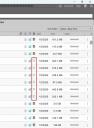
I recently performed a clean install of DIM (Windows 11 system), for the purpose of installing all my DAZ content on a dedicated External SSD (new drive). After performing the clean install (see steps below), DIM began experiencing issues (failed installs, DIM crashing, etc.) during DAZ product installations. Additionally, when product are installed, some are showing up as "package has no additional metadata" (see screenshot) I have had DAZ for +3 years and have never had issues like this before; they only seem to have cropped up after upgrading my OS to Windows 11 (via a clean install).
In terms of DIM failed product installs, it's occurring for roughly 15% of the products. The logs consistently show a "[WARNING] :: Extract File Failed - CRC mismatch, data likely corrupted.: F:/Daz/Users/Public/Documents/My DAZ 3D Library....." error for each failed product install.
When DIM crashes, it appears that the External SSD connection is also being affected, as the system appears to be making the typical Windows USB connect/disconnect alert sound. Based on my observation, DIM is only crashing when it's downloading and installing 200+ queued products. DIM only crashes when installing products, and doesn't crash if I just download the products.
I also have seen several "[WARNING] :: Remote Name Collision:" messages in the logs. I know that Logs will inheritantly contain warning messages, even when the issues get resolved, so this may not be related.
I have taken the following steps to resolve the issue(s), with no luck:
- Tried installing DAZ products (via DIM) with all firewalls, AV, and Windows Security disabled.
- Installed the GoDaddy Certificate
- Whitelisted all the DIM, Daz, & CMS apps in the Windows Firewall
- Created AV Scan Folder Exceptions for the DIM, Daz, PostgreSQL CMS, Carrara, & Hexagon
- Deleted the & the External Drive Daz folders
I took the following steps when clean installing DIM, with no luck:
- Uninstalled all Daz products via DIM
- Uninstalled DIM, Daz, PostgreSQL CMS, Carrara, & Hexagon
- Deleted leftover folder for DIM, Daz, PostgreSQL CMS, Carrara, & Hexagon
- Reformatted the External Drive
- Deleted the Daz Registry Key
- Restarted the Computer, prior to reinstalling DIM
- Upon initially opening the DIM (Reinstalled), I used the work offline feature to configure the Daz & DIM folder paths for:
- F:\Daz\Users\Public\Documents\DAZ 3D\InstallManager\Downloads
- F:\Daz\Users\Public\Documents\DAZ 3D\InstallManager\ManifestFiles
- F:\Daz\Users\Public\Documents\DAZ 3D\InstallManager\Thumbnails
- F:\Daz\Users\Public\Documents\My DAZ 3D Library
- F:\Daz\Users\[MyUserName]\Documents

Daz 3D is part of 
Connect
DAZ Productions, Inc.
7533 S Center View Ct #4664
West Jordan, UT 84084
Licensing Agreement | Terms of Service | Privacy Policy | EULA
© 2026 Daz Productions Inc. All Rights Reserved.
Comments
I assume the "new drive" is actually new and not a second hand one that might have been donated due to being a bit broken? And hopefully built by a semi-decent manufacturer and not something dirt cheap? Have you got a different USB cable you can try and also maybe try a different USB socket - ideally one plugged into a separate connector on the motherboard if possible. Also, you could try making sure your motherboard drivers are all up-to-date.
Not sure if those will help but the things you describe could be due to hardware not being able to keep up with the demand rather than a software issue.
All good questions.
I have a WD_Black SN850X 8TB NVMe SSD enclosed in a CENMATE Hybrid Enclosure, which is connected via USB Type-C 3.2 to my computer's USB Type-C 10Gbps port. I'm not using any USB adapters/converters for the connection between the enclosure and the system. Both the enclosure and the SSD are brand new.
The SSD, enclosure, cable, and computer should "theoretically" have no issue processing large quantities of Daz files, unless there is a hardware fault. I scanned my system's hardware (CPU, drives, memory, system ports, etc.) using 'Dell SupportAssist', and no hardware faults were detected. I also ran the Windows 'Error Checking' on the SSD, and no issues were detected. The system Drivers are also up-to-date.
Unfortunately, I can't test the NVMe SSD, enclosure, USB Type-C cable, or USB Type-C system port individually, as I only have 1 of each.
External Drive: WD_Black SN850X 8TB NVMe SSD with Heatsink
Drive Enclosure: CENMATE Hybrid Enclosure - Hybrid 2.5/3.5" SATA HDD/SSD+3* M / B+M Key M.2 NVMe Enclosure with Cooling Fan and USB A/C 3.2 Gen 2 (10Gbps)
It sounds like it shouldn't be hardware then although you can never fully rule out some bad luck there.
You have said that it's only failing when you try to download 200+ products which I admit I have never (yet) needed to do as I usually download purchases soon after making them and have been fortunate that the only hardware failure I have had on either Daz machine is a PSU. I can't see why but it could be the case that it's just a little too much for USB, especially if you are downloading several files, whilst also installing products and writing manifest files to three locations on the same drive simultaneously. So, if no-one has better ideas you could try and ease up the load on the drive to see if it then behaves? Within DIM there is a setting to throttle the maximum number of downloads it attempts at once, you could try reducing that to see if maybe doing less concurrently helps. Also, perhaps try downloading the package archives to a different drive (if you can) within DIM to see if that has any effect (you can always manually move the ZIPs to your preferred location after). Other than that you might just have to download/install in batches of 50 or so.
Sounds like a power supply issue related to your Type-C 3.2... is it on the rear panel or front panel of your PC case ? In some cases, the port on the front panel may be lack of power supply, especially when handling multiple read/write tasks ~~
Then if you have no way to really test it, you at least can try: 1) Set Package Archive folder in DIM to another non-F drive; 2) Uncheck Install After Download in DIM > Ready to Download tab, i.e. Download firstly, then Install.
See what'll happen ~~
The problem was either a faulty USB Type-C cable or USB Type-C port on the computer.
I resolved the issue by replacing the USB Type-C cable with a USB Type-C to USB cable.
Thanks for everyone's help! I greatly appreciate it!