-
Blender to DAZ
Not reliably - Daz Studio should import Motion Build FBX fiels, but unfortunately most other applications are a bit off and so do not product good results. Only morphs, or an OBJ and Transfer Utility if the overall shape is more-or-less unchanged, will get a rigged result.
Mechasar's Characters Catalog: Who's next? (commercial)Fae3D said:
I have a question about "Cathy for Yvalanore". Will the fur and materials only work on Yvalanore specifically, or can I use them on other G8F if I don't have Yvalanore? Same thing with Hitoshi Sensei, do I have to have him specifically to make the tree work, if I'd rather use a different face? I have several of your products, and am especially interested in the morphs for Caryn and Tobyn, as I use them very often, but I don't have all of them.
Well, Cathy’s dForce hair is designed to match her shape. Without the Yvalanore character maybe you'll get some fiber distortions, especially on her face and ears. But other than that I should discourage you from installing any add-ons if you’re not going to install the related basic character first, that’s because there could be some hidden auto-corrective morphs included which are connected in glove with the new character shape. That means that, if the auto-corrective morph can’t find its linked shape, it will be activated in any case for every shape you use, causing mesh distortions for every character. So, you can give it a try, but I can not guarantee in this case, and if you notice any distortion on meshes be sure to uninstall the add-on.
I think the only add-ons you can use alone without incurring problems are the SlimeAttack and Hitoshi Sensei.
Face Transfer on Genesis 9It works pretty well but you will have to tweak it and add details into the morph, much like FaceTransfer. It relies heavily on the texture map that gets created.
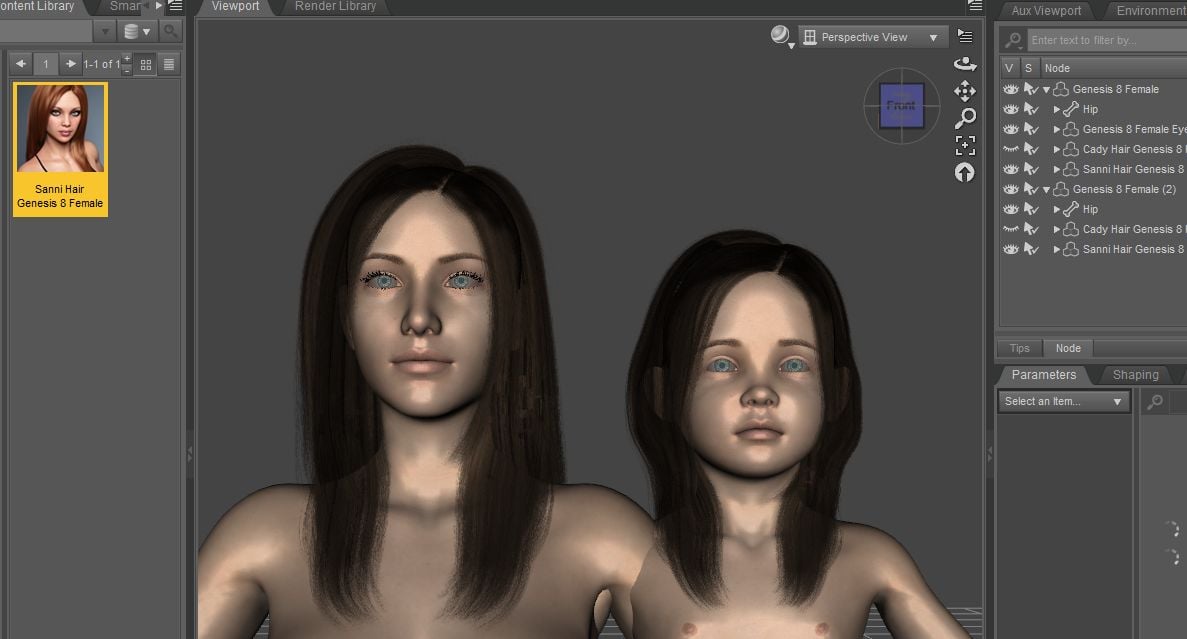
Hair does not work with Growing Up scaled-down figuresWhenever I apply a hair plugin to a Growing Up scaled character, is hair clipped on and usable with the associated morph nit? what could be the reason??
 [Released] dForce2Morph [Commercial]
MrRogerSmith said:
Unfortunately the script did not work on this strand-based hair:
https://www.daz3d.com/dforce-fringe-theory-hair-for-genesis-8-81-and-3-females
It saves as a new morph the morph-dial adjustments I have activated, but it does not save the dforce simulation results.
I don't know what is different about that hair (and I don't own it), but I will try and look into it.
Converting Genesis 9 clothing to Genesis 8Exactly. If using an ERC Freezed clone, you even can directly transfer the cbs (JCM) morphs from G9's garment to the converted one on G8. No need to fix them with external applications.
Getting on the 9 train, or notCaetlyn said:
I've only just started using G9 for my characters. While the transition works fine for the most part, I find the face looks a bit strange when trying to create a male character. It still looks very feminine despite morphing the body and head base. I'm hoping to purchase the G9 face morph kit in the near future to compensate for that ...
If the face looks too feminine to you, try taking the Base Feminine Head slider in the negative direction a little. Sometimes that works.
Is there a way to make a character sit flat on a plane?rosseliani said:
My answer is: Yeah, you have to do each hand and each foot individually.
IMHO there is no magic trick to creating precise poses, just a little patience and hard work.
Or buy well-made poses. (Which will have to be adjusted according to the character's morph)
A good idea is to use orthographic views (Front view, left, right and back view) in Texture Shaded mode to place the hands and feet and butt accurately on the floor.
Hope this helps a bit...Yeah, I can try orthographic view. Usually I just fly around in perspective view, which can be a bit chaotic. Every bit helps. Thanks rosseliani.
Getting on the 9 train, or notI've only just started using G9 for my characters. While the transition works fine for the most part, I find the face looks a bit strange when trying to create a male character. It still looks very feminine despite morphing the body and head base. I'm hoping to purchase the G9 face morph kit in the near future to compensate for that ...
baked morphsFSMCDesigns said:
If there is even a remote chance you used someone elses work in the morph, you should redo it.
I would do that in the first place, but its was a project that was lost to HDD failer. All I have left is the OBJ files,1 for sure was made right and the other "may" have some base G8 dials in it. The files are the same shape but differ slightly but I can't tell which is the right one. Hence the question of some kind of program or file reader that would show this information.
baked morphsIf there is even a remote chance you used someone elses work in the morph, you should redo it.
[RELEASED!!!] Dynamic Character Animation in Daz Studio [commercial]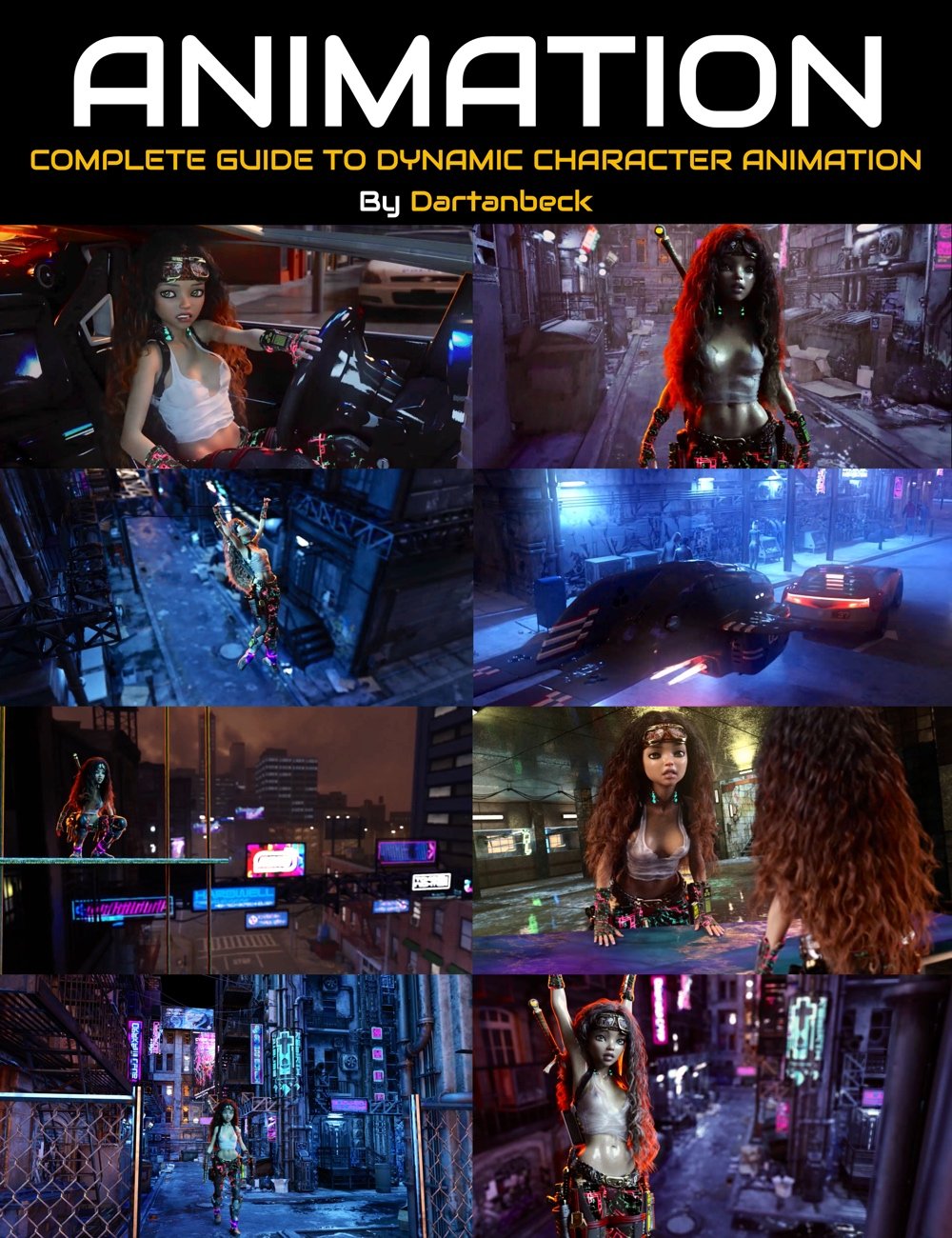 An in-depth course by Dartanbeck through Digital Art Live and Daz 3d!
This system works with any articulate figure in Daz Studio as the tools are not specific to any specific figure or generation. It's very flexible and very fast and easy to build and then use.
The course is a bit unique, I think, in that Part 1 is a complete work through of myself creating an animation in Daz Studio from scratch, all the way through simulating cloth and hair in dForce, rendering, and then doing a basic composite in DaVinci Resolve.
Going through the entire workflow like this gave me the opportunity to recognize parts of the animation process that might hinder artists from achieving the goal they might be after, so I can explain how I resolve these situations - so it's very fluid in that respect.
Part 2 is where I demonstrate the major differences between a character that doesn't have the system and my Rosie 7 character who does.
The next video covers in detail how we make these tools. The first one we take our time looking at the entire process in detail. As we make more we start to get up to the speed at which we can make these things, so you can see how quick and easy it can be to make these for your own figures.
For Rosie 7, being a Genesis 3 Female, I made my system using the Genesis 3 Female base figure. Now the system works for all G3F characters - even if they were saved before I made these new changes!
Instead of repeating the process for Genesis 3 Male, I simply used Genesis Generations X2 (GenX2) to transfer the new controls over - worked like a charm!
Part 2 also includes:
* An Animator's Base Scene
* Creating Custom Wearables
* Creating Partial aniBlocks (as used in Part 1)
* Converting animations from other Daz Figure Generations - Zaz's Script and Bone Minion by Riversoft Art at Daz 3d
Other Bonus videos included in the course include:
* Matching the animated Backplate (moving backdrop) to the camera used on the character in the opening reveal of Rosie 7
** A complete "Behind the Scenes" look at the making of the Car Chase scene. What a trip!
This is an edited version of "Rosie 7 Animation Tests A 2023" which will come as a 1080p HD bonus video with the Dynamic Character Animation for Daz Studio course at Daz 3d - coming soon.
The video itself was created to gain experience in DaVinci Resolve's Fusion and other aspects of Resolve.
It is comprised of test renders of the new Rosie 7 character - testing the dForce hair and clothing along with the new Animation Helper system I've started to deploy in Genesis 1 and 8, but perfected for Genesis 3.
I have a basic Custom Animation (Genesis 1 MorphForms +) Dial setup for Genesis available for free. If you use Genesis in animations, this is a handy little batch of extra pose dials that I've designed for adjusting and completely altering the end results of aniBlocks, but they are also really handy for just perfecting a pose to the differences your character has from the base figure.
These are an early Genesis 1 version of what I've made for Genesis 3 Female - and are the results we get from the major part of this course. The setup isn't nearly as massive as what I demonstrate on Rosie 7 simply because, once I got really used to making them, I made new ones every time I had the need.
For Genesis 1, this is an excellent start to your custom pose dial collection!
Anyways, it's on my site HERE, if anyone's interested.
Included dials for Genesis 1:
Genesis parameters pane > Pose:
Arms
-
Arms Twist - twists both arms
Torso
-
Neck Bend - bends only the neck
-
Chest Bend
-
Abdomen Bend
-
Abdomen 2 Bend
-
Torso Slump - bends chest and abdomen 2 opposite each other
Is there a way to make a character sit flat on a plane?My answer is: Yeah, you have to do each hand and each foot individually.
IMHO there is no magic trick to creating precise poses, just a little patience and hard work.
Or buy well-made poses. (Which will have to be adjusted according to the character's morph)
A good idea is to use orthographic views (Front view, left, right and back view) in Texture Shaded mode to place the hands and feet and butt accurately on the floor.
Hope this helps a bit...What can we do to improve the long load times of characters?tonyjas46_1cccd9144e said:
There is a script called "Turbo Loader" that handles genesis 8 morph loading problems. It works just fine but requires a lot of fiddling to set up base and custom loading sets. Plus you have to open DAZ first and load the custom morph sets before you can load your desired character.
As someone else has said, Daz is about selling product and the current setup up is woefull. Loading times become even more of a nightmare with Genesis 9 male an female morphs all in the one directory.
When I tested the basic Studio load of G8F in September 2021 (so 2 months after the message you replied to was posted) the basic G8F load times with my product set were:
NO (deleted) cache: 118s
WITH (pre-existing) cache: 103s
Now, June 15, 2023 running Studio 4.21.1.48 with significantly more G8 products the timings are:NO (deleted) cache: 90s
WITH (pre-existing) cache: 34sSo, yes, the basic time to load a character is still comparable but the caching is much better. Some of this improvement seems to come at the cost of a longer start-up time for DAZ Studio itself and having lots of morphs plugged in to the character might slow down on-screen posing but those are separate problems. I'd rate that as pretty good improvement.
baked morphsI have a creation that I want to sell. Problem is that 1 of the 2 OBJ files created might have baked in morphs from G8. So what I am wondering, is there a way to tell via the OBJ file or the Dsf/duf files if there is any baked in morphs that shouldn't be there.
I remember using Note pad at one point and tried that, there is only cords for the mesh I am assuming. There is no text. I do remember once doing the same and removing any text that said it used G8 dials. Saved the OBJ again and when I loaded it in via import I was able to see the changes by doing so.
Any helpful hints would be great as this is the first release and I don't want to muck it up.
Note* niether morph is registering an error in the Daz log file for duplicate errors.
Cheers
What can we do to improve the long load times of characters?There is a script called "Turbo Loader" that handles genesis 8 morph loading problems. It works just fine but requires a lot of fiddling to set up base and custom loading sets. Plus you have to open DAZ first and load the custom morph sets before you can load your desired character.
As someone else has said, Daz is about selling product and the current setup up is woefull. Loading times become even more of a nightmare with Genesis 9 male an female morphs all in the one directory.
I now have 2 directories for each figure (i.e morphs and morphsxxx) this allows me to copy morphs from the morphsxxx directory (which contains all morphs but is not loaded into menory) to the working morphs directory which contains only the basic figure morphs and the ones for my custom, or character from the Daz store.
I agree, Power morphs should come back so that we can choose which morphs we want loaded.
[Released] dForce2Morph [Commercial]Unfortunately the script did not work on this strand-based hair:
https://www.daz3d.com/dforce-fringe-theory-hair-for-genesis-8-81-and-3-females
It saves as a new morph the morph-dial adjustments I have activated, but it does not save the dforce simulation results.
Freebie Challenge JUN/JUL 2023 - Holes, Gaps, Caves, Tunnels - Entries Thread OnlySpace At The Beach
A couple goes to a beach that has a beach house on it. To their surprise there is an astronaut cutout prop to take pics in.
Freebies used in this are:
1. Primitive w a round hole primitive: https://www.renderosity.com/freestuff/items/84484/plane-with-a-round-hole-primitive
2. Smartphone prop: https://www.renderosity.com/freestuff/items/87343/smartphone-prop
3.Round Windows Minikit: https://www.renderosity.com/freestuff/items/88401/round-windows-minikit-dufobj
4.Boyifier Face morph from Sy's 200 Free Morphs: https://sharecg.com/v/99782/browse/21/DAZ-Studio/SY-200-Free-Morphs-Merchant-Resource-G9
5. Astronaut Image: https://image.freepik.com/free-vector/hand-drawn-astronaut-character-space_23-2147923607.jpg
[Released] RSSY Character And Material Conversion Bundle Genesis 8 to Genesis 9 [Commercial]RiverSoftArt said:
necroscension said:
RiverSoftArt said:
aaráribel caađo said:
I'm having a very frustrating time converting my character via the Fit Clone method that I think underlies this product. Does it create morphs that can be combined, or just single characters? I want the flexibility of converting G8 morphs and character presets that I can combine together. I've seen somebody combined G9 and G8 characters, but don't know if that works with multiple G8 characters. If this can solve my problem, it's an insta purchase :)
The product converts each used morph individually. It does not combine the used G8 morphs into one combined morph before converting. (I thought about it after seeing all the issues people had. I still may add that feature if I end up doing the G3-G9 conversion but right now I need a break from Character Conversion).
On this note, just a question: I noticed when I converted PedroFurtadoArts Alistair that a secondary morph, something like Alistair Chin Correction, and it didn't "break" the head/body morphs (it doesn't appear to also contain the G8M head shape baked in). I believe I noticed that it had PHM in the name, is the script not baking the body/head morphs for these PHM/PBM morphs? I'm not complaining, just noticing, especially since this character didn't use the FHM/FBM naming conventions for the head/body morphs.
It is not converting it, or converting it but it is no problem? The script doesn't differentiate between morphs except when saving the head/body morphs it restricts their area of affect to the appropriate body part.
Converting it and it is no problem. But ifyou're not looking at PHM/PBMs, I guess it was a fluke. Anyway, it was an observation, I thought it odd that it converted the way it did. I was getting ready to resave the preset without that morph.
Freebie Challenge JUN/JUL 2023 - Holes, Gaps, Caves, Tunnels - Main Threadmindseye5 said:
A couple goes to a beach that has a beach house on it. To their surprise there is an astronaut cutout prop to take pics in.
Freebies used in this are:
1. Primitive w a round hole primitive: https://www.renderosity.com/freestuff/items/84484/plane-with-a-round-hole-primitive
2. Smartphone prop: https://www.renderosity.com/freestuff/items/87343/smartphone-prop
3.Round Windows Minikit: https://www.renderosity.com/freestuff/items/88401/round-windows-minikit-dufobj
4.Boyifier Face morph from Sy's 200 Free Morphs: https://sharecg.com/v/99782/browse/21/DAZ-Studio/SY-200-Free-Morphs-Merchant-Resource-G9
5. Astronaut Image: https://image.freepik.com/free-vector/hand-drawn-astronaut-character-space_23-2147923607.jpg
Entry is approved, please move to Entries Thread! Also, please add a title!
Daz 3D is part of

Connect
DAZ Productions, Inc.
7533 S Center View Ct #4664
West Jordan, UT 84084Licensing Agreement | Terms of Service | Privacy Policy | EULA
© 2026 Daz Productions Inc. All Rights Reserved.