-
Is this hair really supossed to look like this?
lilweep said:
if it's a dforce SBH, can you animate to the morph over timeline? Perhaps could work until fixed?
That is an excellent idea. I am going to try that and see what happens.
Oso3D, so, no tail or kitty feet?sazzyazzca said:
Redfern said:
sazzyazzca said:
Perhaps this will work?
https://www.renderhub.com/r19-studio/digifeet-digitigrade-shape-and-poses-for-genesis-9
Iit looks odd without a morph for the toes to look more "paw"-like, but at least it elongates the arch of the foot. Certainly an item to keep in mind.
I agree. There's a morph in this set:
wishlisted
 thanks
I actually mix morphs anyway so prefer separate ones
Adjust a model to certain parametersWrap3D employs sort of a combination of Shrinkwrapping projection on Steroids and yelds the best results when the intended Shape has a similar pose and proportions to those of your target for the morph.
Ideally you would either try to pose and shape a DAZ figure close to what your model is or if the model is rigged try to pose it (in Blender for example) closer to one of the DAZ figures default pose.
Of your goal is making a morph of your model to a DAZ figure, your best bet is R3DS Wrap3D (they have a trial period which I believe would give you enough time to achieve your goal)
How can I replace fitted clothing geometry?If the geometry fixes haven't changed the figures polycount, the Update Base Geometry option could work. Otherwise, the best option is likely using the original figure as a "rig donor" with the Transfer Utility
Alt Darcy 8The product is just morphs that combined with the darcy morph and skin, create new figures. The poses, clothes and hair are just for the promos and not meant to be part of the package as is usual. Make sure you read the decription before buying to know what is included
Partner for Helena?Faeryl Womyn said:
You could dial down the female morph and add the male morph, then use the no lipstick option and see if that works.
It's Genesis 8 so I am not sure how to dial down or up female or male morphs. I thought that was only a feature of Genesis 9.
Are the female and male morph dials in the parameters tab?
Oso3D, so, no tail or kitty feet?Redfern said:
sazzyazzca said:
Perhaps this will work?
https://www.renderhub.com/r19-studio/digifeet-digitigrade-shape-and-poses-for-genesis-9
Iit looks odd without a morph for the toes to look more "paw"-like, but at least it elongates the arch of the foot. Certainly an item to keep in mind.
I agree. There's a morph in this set:
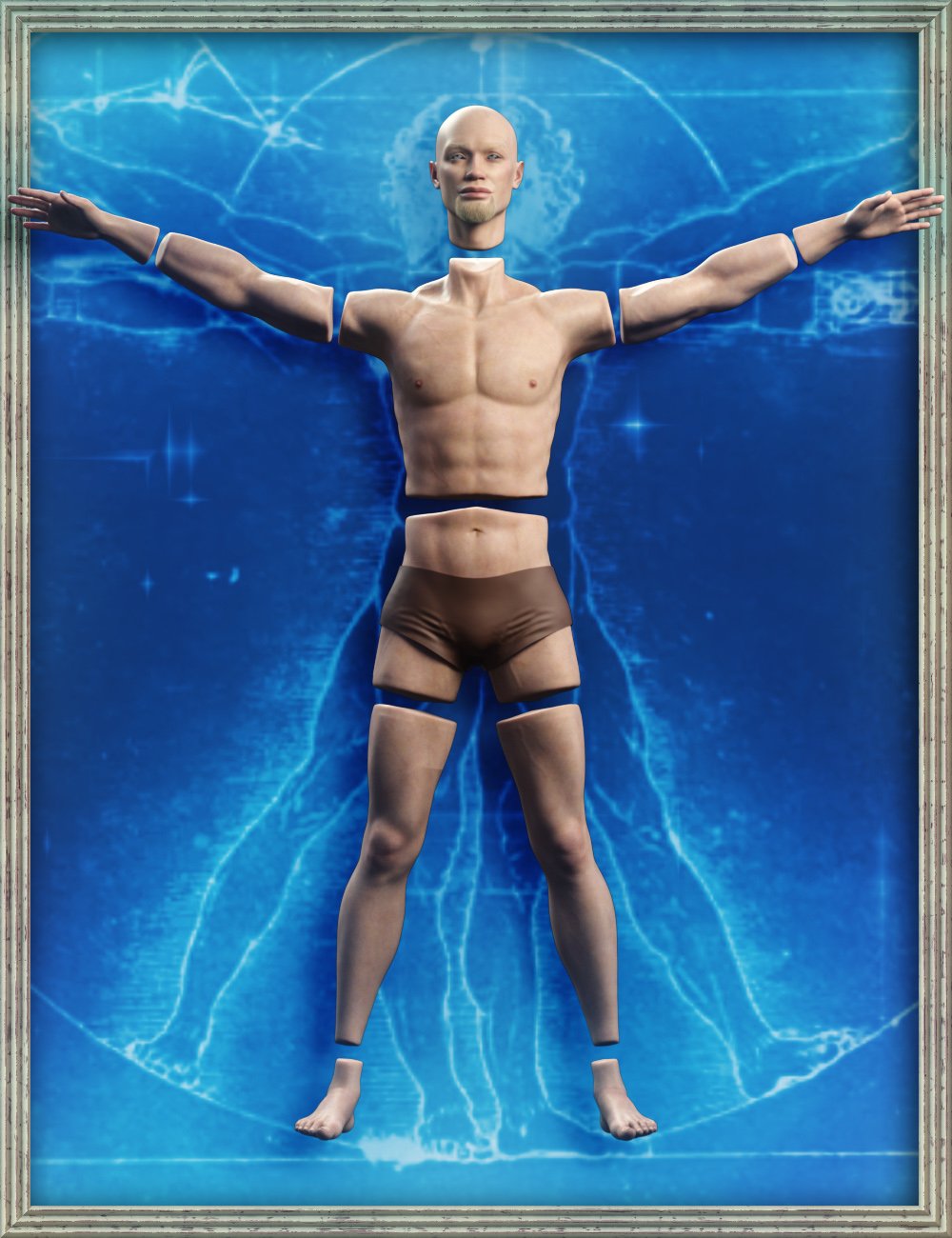
Severed man for G9 [commercial]Severed Man for G9
https://www.daz3d.com/severed-man-for-genesis-9
Details
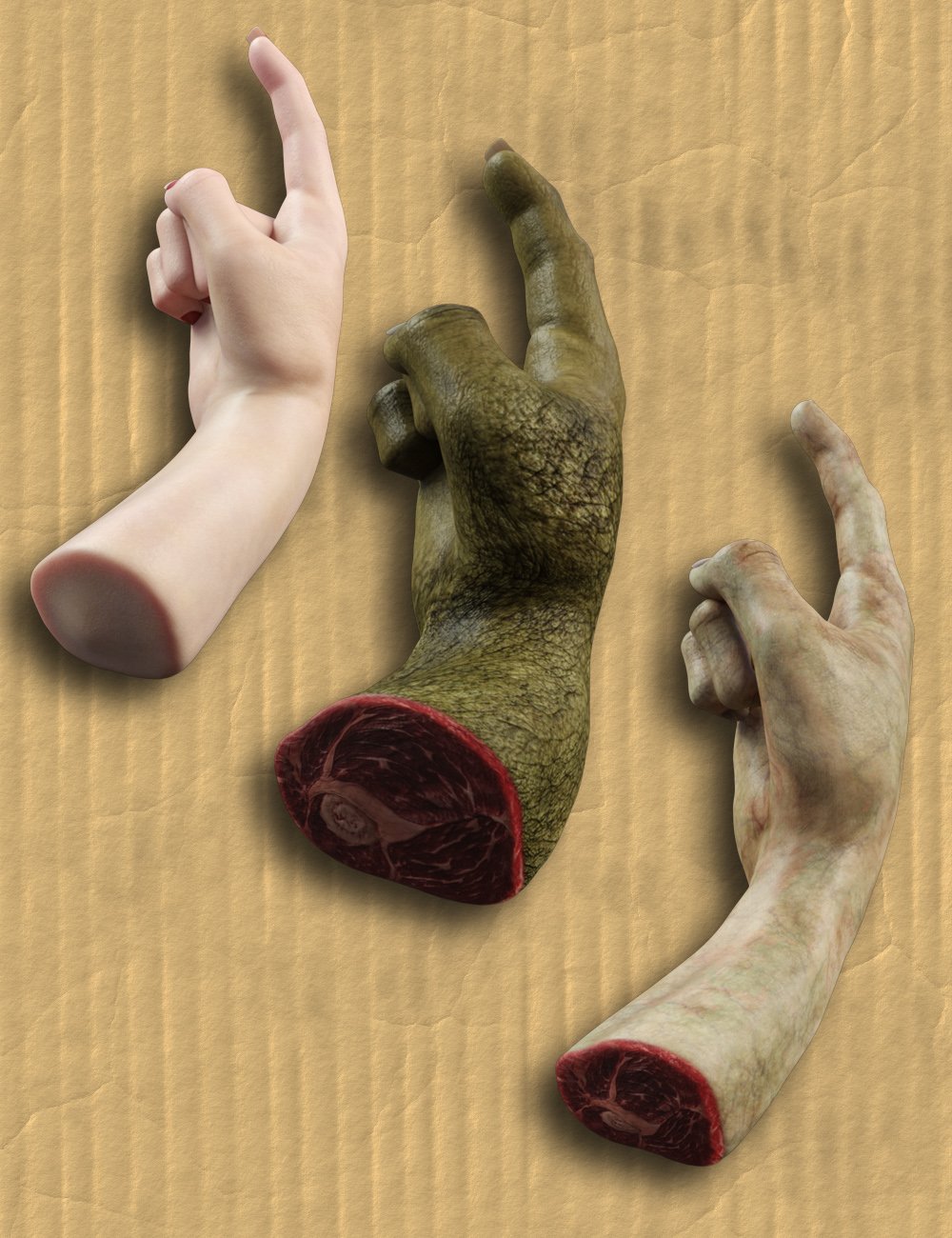
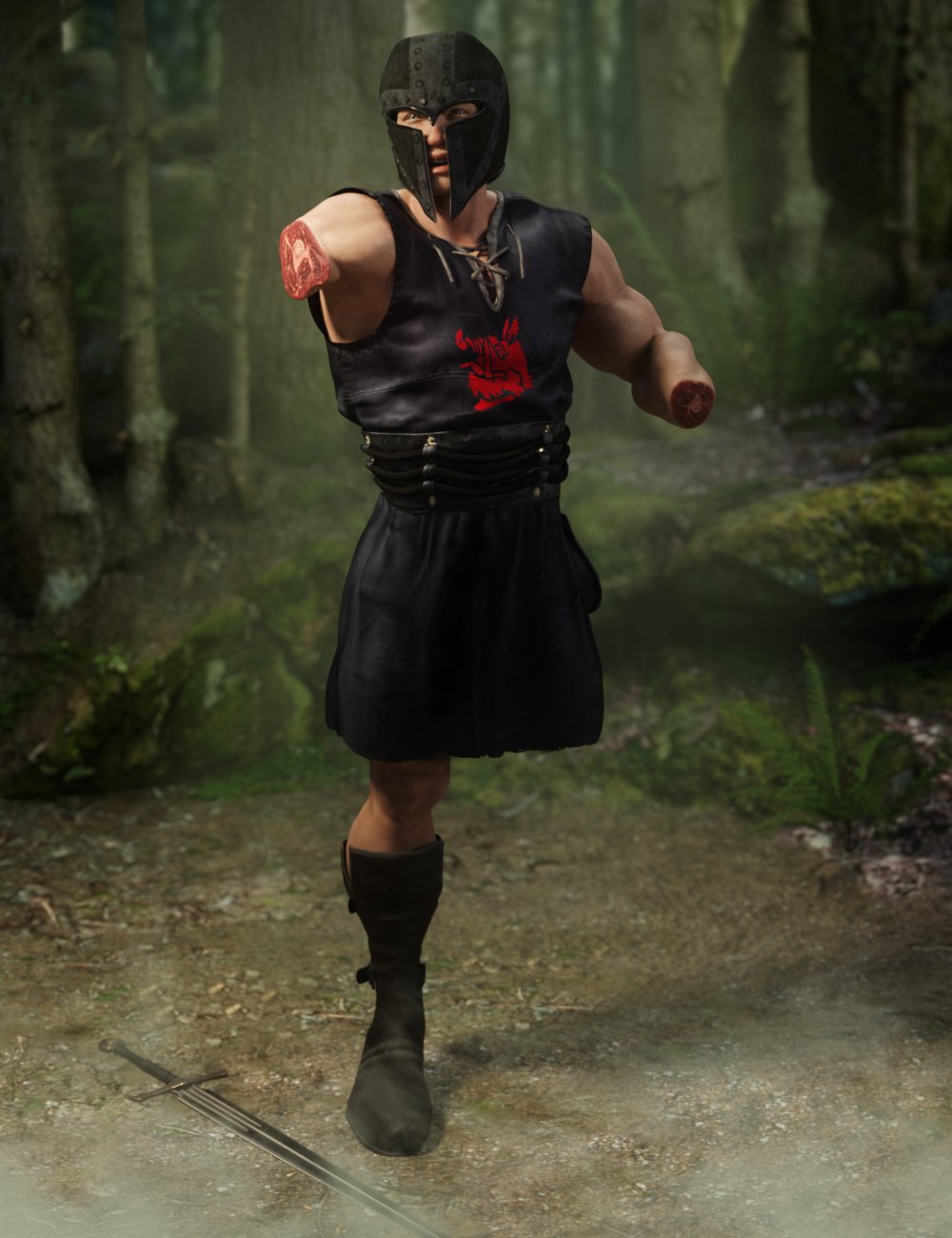
The sum of its parts is sometimes greater than its whole. Whether you have a knight who believes he only has a flesh wound, or your clone factory is making spare parts, this set can break Genesis 9 Characters into their individual pieces.
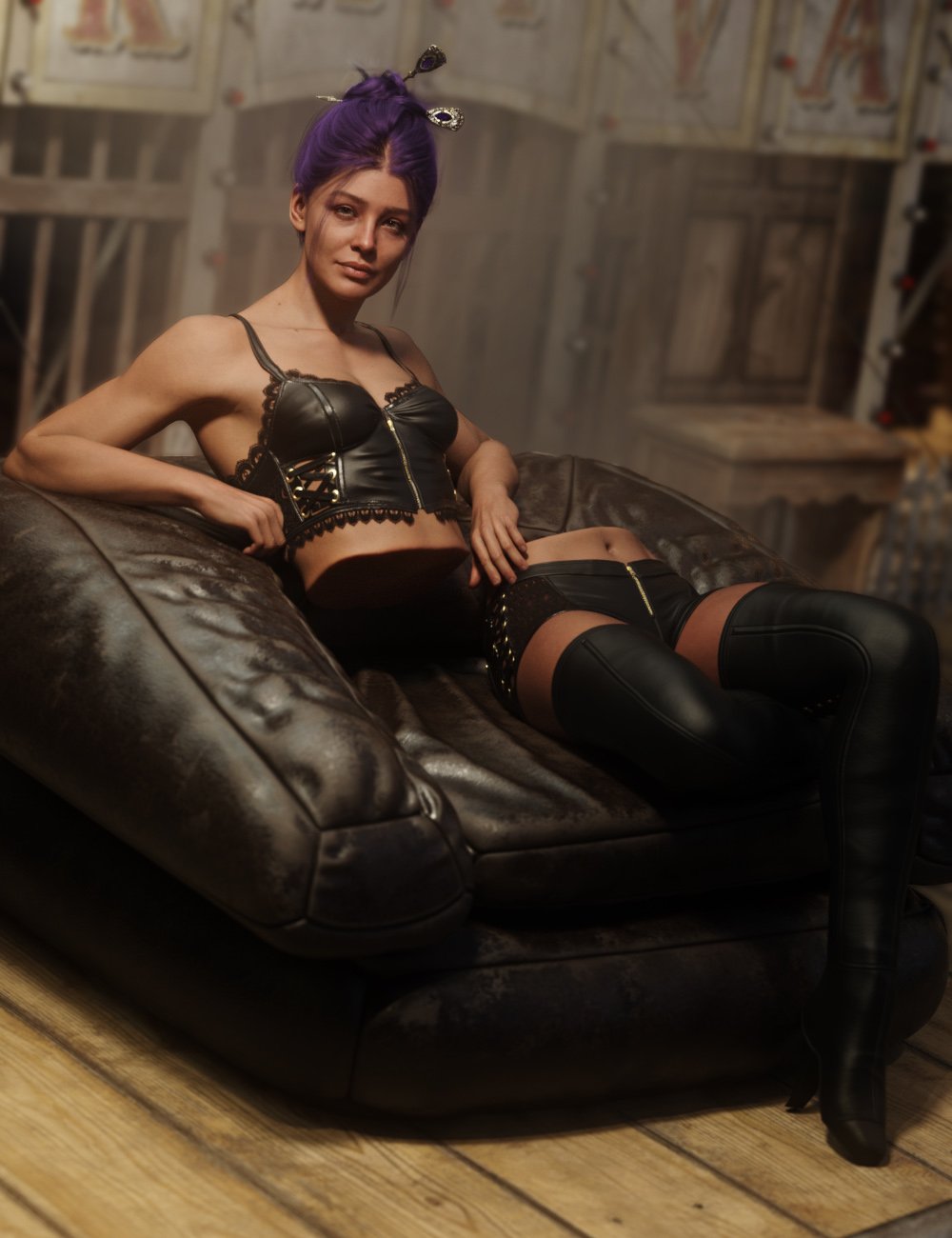
This set is designed to be used with any texture that can be applied to Genesis 9 and can be used with ANY morph (to varying degrees), for maximum usability!
Built off of Genesis 9, this set can be used on both masculine and feminine options using any character you like.
Note: Minor seams may be evident on edges of grafts
What's Included and Features
- Severed Man for Genesis 9: (.DUF)
- 00 Severed Instruction
- 01 Grafts:
- 01 Graft Instruction
- Copy G9 Materials To Grafts Script
- Raw Severed Head
- Raw Severed Left Arm
- Raw Severed Left Foot
- Raw Severed Left Hand
- Raw Severed Left Leg
- Raw Severed Left Shin
- Raw Severed Left Shoulder
- Raw Severed Left Thigh
- Raw Severed Left Wrist
- Raw Severed Low Torso
- Raw Severed Neck
- Raw Severed Right Arm
- Raw Severed Right Foot
- Raw Severed Right Hand
- Raw Severed Right Leg
- Raw Severed Right Shin
- Raw Severed Right Shoulder
- Raw Severed Right Thigh
- Raw Severed Right Wrist
- Raw Severed Upper Torso
- End Cap Shells:
- 02 Attach End Caps
- Raw Severed Head Shel
- Raw Severed Left Arm Shell
- Raw Severed Left Foot Shell
- Raw Severed Left Hand Shell
- Raw Severed Left Leg Shell
- Raw Severed Left Shin Shell
- Raw Severed Left Shoulder Shell
- Raw Severed Left Thigh Shell
- Raw Severed Left Wrist Shell
- Raw Severed Low Torso Shell
- Raw Severed Neck Shell
- Raw Severed Right Arm Shell
- Raw Severed Right Foot Shell
- Raw Severed Right Hand Shell
- Raw Severed Right Leg Shell
- Raw Severed Right Shin Shell
- Raw Severed Right Shoulder Shell
- Raw Severed Right Thigh Shell
- Raw Severed Right Wrist Shell
- Raw Severed Upper Torso Shell
 Why My Iray Render is Different from my Iray in Viewport?
It happens from time to time...AFAIK, the mechanism of handling smoothing/collision with Draw Style - NVIDIA Iray preview in Viewport is different from the final rendering... You may try to switch options in Instancing Optimization or give more smoothing iterations / collision values, or tweak values of the relevant morph dials on the garments... if there's any
Is this hair really supossed to look like this?if it's a dforce SBH, can you animate to the morph over timeline? Perhaps could work until fixed?
Make a dForce plane primitve stretch over objects: simulation parametersI love dForce and use it a lot but TBH it's not an optimal option for such a case in terms of cost-effectiveness...(experimented before), dForce is not all mighty... So firstly recommend just using Smoothing Modifier + Collision...and you can well shape the size, pose, paces etc. of the "footprints object" to make various subtle changes, even plus Morph Loader Pro and Mesh Grabber to further manipulate and shape the footprints.... Done in 10 mins as below:
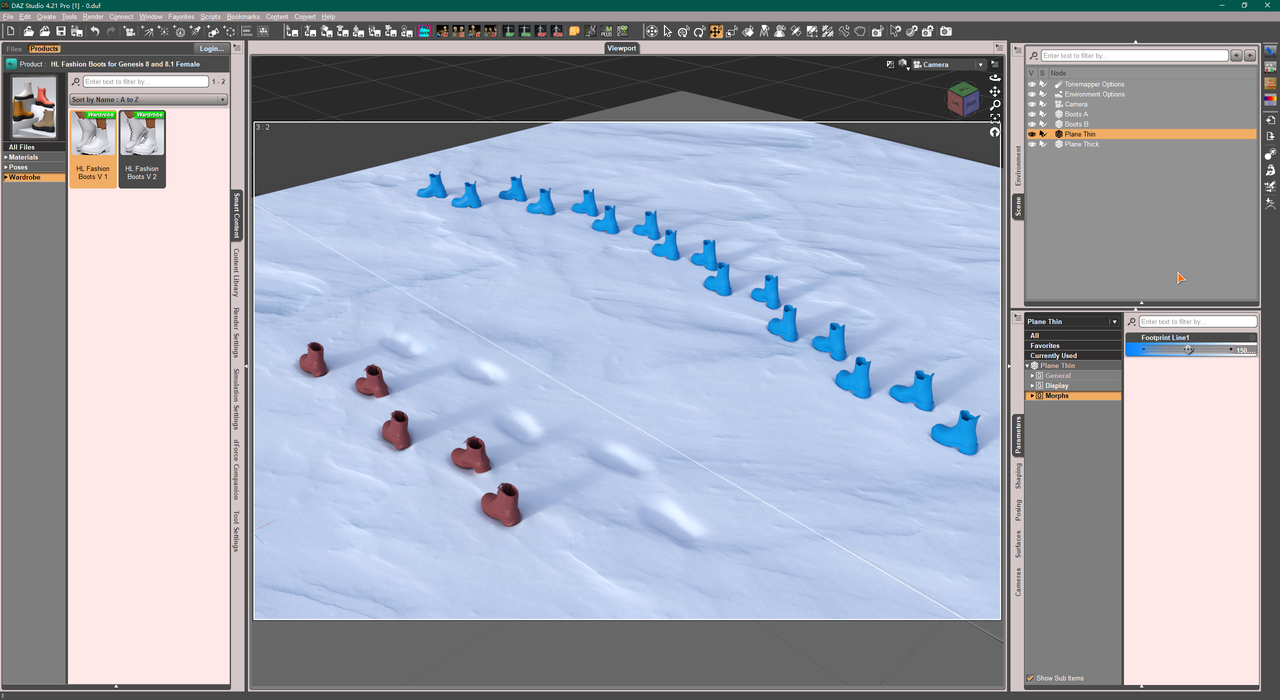
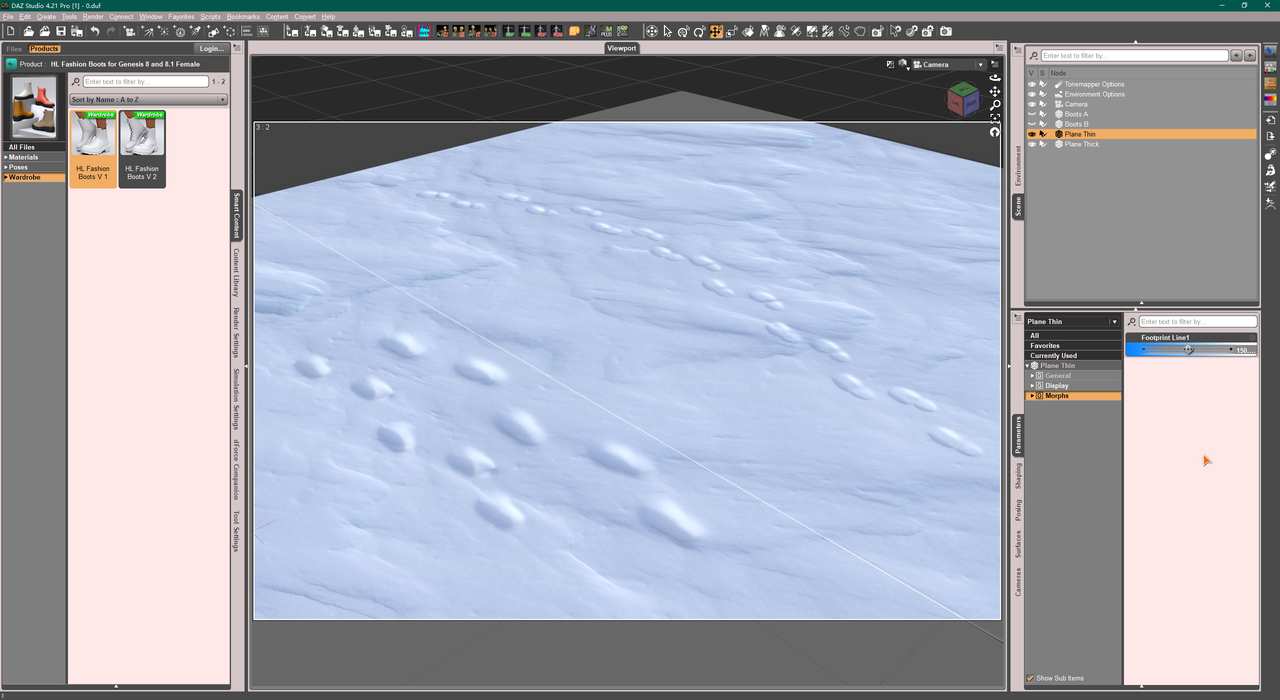
In your simulation case, if you set a high Collision Offset value on that hi-Def. plane, I think it'll take a long time to simulate... Well, those wrinkles might've come from the dynamic surface settings and the collision with the existing land... Perhaps you may try 'negative gravity' + dForce weight node. But still, I suppose dForce won't bring you good and natural results...
Oso3D, so, no tail or kitty feet?sazzyazzca said:
Perhaps this will work?
https://www.renderhub.com/r19-studio/digifeet-digitigrade-shape-and-poses-for-genesis-9
Iit looks odd without a morph for the toes to look more "paw"-like, but at least it elongates the arch of the foot. Certainly an item to keep in mind.
How to achieve Margot Robbie's Barbie?Not sure if you'll find a morph specifically for G2 but this thread is the best place to search for Celebrity look-a-likes. There are a few listed there although probably for G8F.
This product has a necklace with white flowers across it, along with matching earrings and rings, although not quite the same look and also for G8F again.
There is this dress which is not a great match but is for G2F. There is probably a much better match out there that I have not spotted yet tho.
For the dress pattern I was hoping you could use either this or this, but while they do include the Gingham pattern neither shows the extreme pink option you'd really want. I do have both so I can double-check after work if either has options not listed in the promos. If not then they would atleast give you a starting point to modifiy in Photoshop or whatever.
For all the items in the background you can use either this or this to turn everything pink and plasticy.
Not so good at reverse-matching hair and so will leave that for someone else to suggest.
Help: Genesis 9 Morph Packages Ethnicity etc.Shimrian said:
If you want to create your own custom morphs, be sure to grab Genesis 9 Essential Shapes Bundle. Vinme Morphs for Genesis 9 also adds a lot of dials. It's not as simple as dialing an Ethnicity dial, but you can do quite a bit with G9.
Check out the thread called head games for some of the potential on what you can create with just the basic morph packages or dialing in a mix of different characters. AllenArt posted a bunch of great characters in that thread!
I can only agree with this. The 'ethnicity' morphs I have tried so far were all more or less stereotypes, some of them even very questionable. I had much better results when I took a good (!) 'ethnic' character (e.g. Darius, Mei Lin etc.) and then modified it with the Basic Morphs and others. The same certainly applies to the Genesis 9 figures.
Help: Genesis 9 Morph Packages Ethnicity etc.
Do GenX and GenX2 run on DS 4.21? If so at least you can transfer G1 up to G3, and then use the various RiverSoft converters to up G3 to G9. It's a shame that my copies of GenX and GenX2 cannot run on my DS 4.15Rashad Carter said:So its been a while since I jumped onto a new figure bandwagon. So far I am loving a lot of things about Genesis 9. My question is, does anyone know of a set of morphs for G9 that include ethnicity, monsters, etc? I had become somewhat dependent on the ability to create faces from different races, but when I search the store I don't find any means aside from individual characters, which isnt as useful to me as generalized ethnic and creature morphs. I am also hoping that maybe I could find a way to convert Genesis 1 morphs to Genesis 9, as this would provide me with the much needed ethnicity and creature morphs I seek. All feedback is greatly appreciated. Thanks!
July 2023 - Daz 3D New User Challenge - Portrait Rendering and L.I.E.Intermediate Submission #2
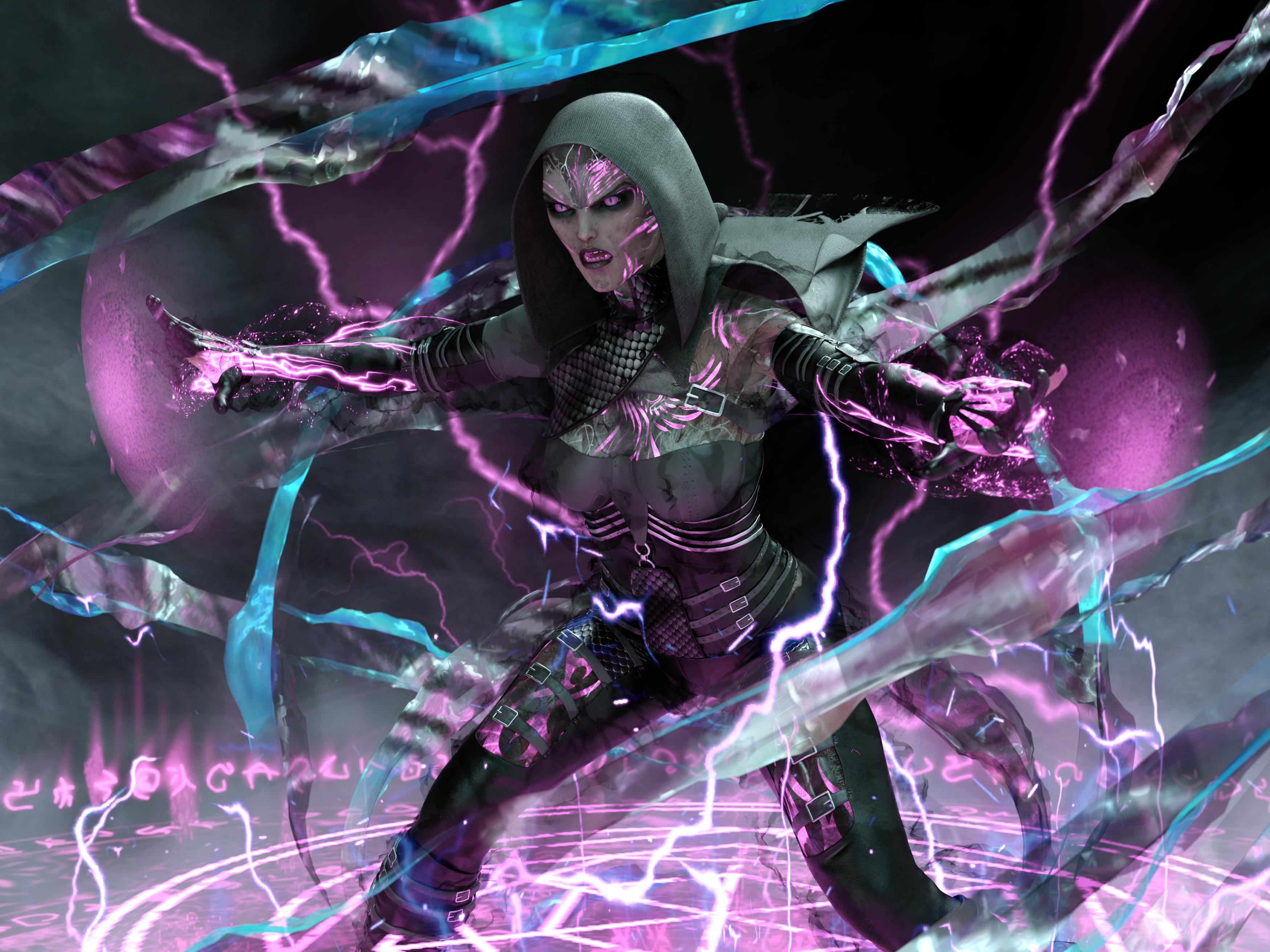
Title: Chaotic Protection
About: In a bustling city named Eloria, an extraordinary elven woman named Lireth possesses the gift of lightning. Working as a healer in the grand castle, she keeps her powers hidden. But when an ancient artifact falls into the wrong hands, chaos threatens the city. Lireth must embrace her true self, wielding her lightning powers to protect Eloria from darkness and becoming a beacon of hope for its people.
———————
I used the L.I.E. for the tattoos on the chest, face, neck, and legs.These tattoos came from Leolani for Gen 8 Female. I moved them around, edited them, grouped them together, and gave them an emittable light. The character is Qabbalah HD (with an elven morph), and I also used the Qabbalah HD Addon for the areas that are transparent. I can't remember where I got the eyes from, sorry. They were a morph from deep within my library. I used the MDBD Blood 'n Dirt - Geoshell Manager to add a bit a grunge to her face and clothing. The clothing is dforce Crimsoneye Outfit. The spiral effect around the character is a rapier (weapon) from the Drow Weapons Megapack A. I added a texture to the weapon, made the texture massive, then noted how the smooth lines of the rapier were now jagged and missing. This was a happy little accident. The majority of the lightning effects were from FSL Elements of Magic. I played around a lot with settings, opacity, and hid parts of objects to get this outcome.
———————
 Is this hair really supossed to look like this?
jd641 said:
I've noticed the same problem with this hair. I keep meaning to file a ticket to support or just return it but every time I go for it my damn ADD kicks in and I do something else...
Ha ha, I had the same experience earlier today. I hate that big drop down menu banner so much, I just said the heck with it, they probably wouldn't fix it anyway, and aborted my attempt to contact Customer Service. However, now that I have been off of the Daz website for a few hours, I have the energy to try submitting a help request again.
Done - I submitted
Request #441158
Emberlynn Hair has bald spots and thin spots
I included the attached images:
1) G9B Platinum Blonde - no character morphs
2) G9B Mermaid - no character morphs
3) G9B Platinum Blonde - Proportion Head Size 100% morph applied to G9BTransfer Daz to a new computer?Hi,
I'm sure that this has been asked many times...
How do I transfer DAZ files and my user files to a new computer?
Bill Stanley
Is this hair really supossed to look like this?There are some morphs in the hair object, which is parented to the scalp. The morphs can help cover the bald spots somewhat, depending on the character morph you are using. There is still something inherently wrong with this hair product, though. I am going to submit a help request.
chevybabe25, when do we get another hair from you, like the lovely Feisty Bun?
Partner for Helena?You could dial down the female morph and add the male morph, then use the no lipstick option and see if that works.
Daz 3D is part of

Connect
DAZ Productions, Inc.
7533 S Center View Ct #4664
West Jordan, UT 84084Licensing Agreement | Terms of Service | Privacy Policy | EULA
© 2026 Daz Productions Inc. All Rights Reserved.