-
I am beginner to Daz Studio, I have tried my luck in vain...
@Halcon Bluesky, well you should keep going at it and eventually you will get better at things. Practice makes perfect. It is a bit frustrating when your renders do not turn out as you wish but sometimes you can still learn from them so not always a completely bad thing. Plus you can always go back and change something - either straight away or maybe come back to them a bit later - and make them better.
There is nothing wrong at all with rendering something with a transparent background and then completing the image that you want to make in a 2D editing package. Daz Studio and GIMP are just tools - it is the final image that is the important thing and how you get there is up to you.
I havn't used anything other than Daz Studio for renders so far. I mean I have done some texture/graphic work in Photoshop and Illustrator on things that I have then brought into Daz to apply to surfaces and I have used Blender to import/export a few things. I am far too clueless to do anything of note in Blender and also not smart enough to look at a render and figure out how to improve it with Photoshop filters. Perhaps that will come in time.
As for your troubles, I am not sure you should be re-installing Daz yet again. Most solutions do not require such a drastic measure. For example, your posing issue - if you grab a limb and move it about to do the posing then you do need a very steady hand or need to make use of the pinning feature to lock other limbs in place. It would probably be more beneficial for you to look into some posing videos to learn how to pose using the sliders and PowerPose - and perhaps Puppeteer to create a pose that is a mixture of several stock poses.
For the hair, you should check again that it is indeed parented to the head as that would be the first place to check.
For the background missing, is it the HDRI or a backdrop? If it is the HDRI then check that "Draw Dome" is enabled in the Environment section of the Render Settings. Some assets apply their own Environment Settings and so even if you have it turned on once it may get switched off by something you have loaded since.
It's always worth looking for answers to specific questions as there is often a simple explanation. You should not look to keep re-installing Daz constantly otherwise you'll have no time left to actually work on any renders :)
[Released] Environment Set Splitter * Commercial *Totte said:
Charlie Judge said:
If I import and save an obj (such as from Kitbash3D) as a scene that is composed of many individual buildings will I then be able to use this to split out the individual buildings?
As long as the scene is inside a DS mounted Library structure it should work (I don't have any sets from Kitbash3D so I cannot test that case).
no, they are one obj (at least in DAZ
other softwares it varies as to how split they are, some over split them
[Released] Environment Set Splitter * Commercial *Charlie Judge said:
If I import and save an obj (such as from Kitbash3D) as a scene that is composed of many individual buildings will I then be able to use this to split out the individual buildings?
As long as the scene is inside a DS mounted Library structure it should work (I don't have any sets from Kitbash3D so I cannot test that case).
Question about a new computerMy point was that if there is any custom data (user's own files or recategroisations of content for which metadata was imported) then that neds to be exported before trasnferring the content to the new system. Subject to that it is a simple copy and paste job, but without it may have undesirable outcomes.
[Released] Environment Set Splitter * Commercial *If I import and save an obj (such as from Kitbash3D) as a scene that is composed of many individual buildings will I then be able to use this to split out the individual buildings?
Question about a new computerRichard Haseltine said:
PerttiA said:
If one uses manual installation, moving and/or copying the content library from one drive to another or to an other computer is as easy as moving and/or copying whatever files in windows. Afterwards one just needs to tell DS, where the content library is located.
Manual installation does not preclude the use of metadata and the Content Management System.
I don't think I was saying it did.
I use manual installation only and the metadata dependent functions work just fine.
If one uses the Installers, moving stuff around or copying to another computer becomes more complicated as the installers keep track of what has been installed and where and that information should also be copied and/or changed to make the installers see what has been done.
Question about a new computerPerttiA said:
If one uses manual installation, moving and/or copying the content library from one drive to another or to an other computer is as easy as moving and/or copying whatever files in windows. Afterwards one just needs to tell DS, where the content library is located.
Manual installation does not preclude the use of metadata and the Content Management System.
Problem with imported UV mapI created and imported and UV map from blender, why I'm getting those white patches or artifacts?
The process I used was:
- Import pants to blender as .obj
- Make new UV map
- Export .obj with new UV map
- Load UV map in daz (right clic on surfaces tab, load UV set
My new template and UV map seem to work, I can edit the template and the changes in the texture works except for those white patches
What I did wrong?UV mapping in blender
Keeping Diffeo up to dateYes it's recommended to morph the characters inside Blender, heavily morphed genesis characters are very slow to respond in Daz and not easy to export.
Use Daz to generate the assets -> morph and animate them in Blender -> Import back the animations to Daz -> Render the animations in DazThere's another method to optimize the morphs in Daz studio:
Export original morphed character as .obj -> Load the .obj as full body morph -> Adjust rigging to shape -> ERC(Enhanced Remote Control) freeze the new rigging to the morph -> Save the full body morph as new morph asset. After that the new full body morph can be used instead of loading lots of morphs.
How to combine Genesis Morphs into a single slider with DAZ Studio and Morph Loader Pro:
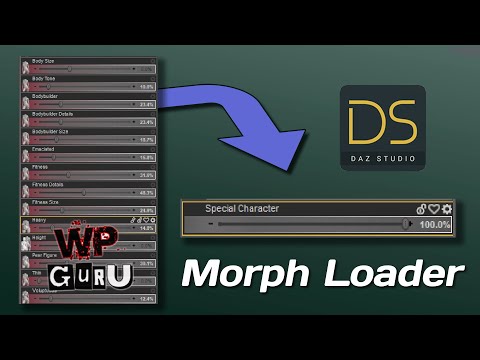
Adjusting skeletons for custom characters in DAZ Studio:
 Call me slow but can someone please...
do i need cc4? my intention is to animate and be able to import with minimal hassle so can animate...
Has anyone made a movie with DAZ3d?For the clothes, I exported an animated Alembic out of C4D into MD, simulated the clothing, then exported Alembic back into C4D. dForce hair can be exported as OBJ, and will import as splines into C4D (and presumably other programs, but that's the one I use). From there, you can convert to hair and simulate. However, that character has incredibly complicated hair, so the dForce hair just forms the static base of it, while the dynamics parts I had to create myself.
a using DAZ content in UE4 threadEllessarr said:
looks like I didn't complete the process, yes I painted the cloth with that brush but not all that stuff afterwards
that was what i was thinking you missed, the part to apply the data to the mesh, because on that point what you did was "create the data info" not really added the effect to the hair, you just told the engine where you want to have the effect in the mesh then you would still need to make the engine "apply" it now, well now with that turorial more peoples can try to "play with it.
Another thing which i also forget to say is which since i think it was version 4.18 or something close to that they added a new type of collision capsule, called "cloth capsule or cloth collision capsule or something like that, in general that "new capsule opton work pretty much like the "regular capsule" the difference is which that "new capsule" can be "morphed in better shapes, normally in the regular capsule it don't allow you for exemple scale down one side of the capsule alone or scale one side down and the other side up, that "new capsule allow it, she is much better which allow you make the capsule deform in a much more "precise form for legs and arms to help you, to enable that capsule you must delete the regular one then when trying to add the new capsules you must look to add a capsule with that "new name" if i'm not wrong it have a different color than the regular one, so far i only tried one time to use that capsule but i was not sure if she was good because based on her name it's looked like she only work for cloths and maybe others thing which needs that collision capsules could not work(if it'not the "regular capsule" that is why i stopped to test on it and already a good times since the last time i touched it then i don't know if they improved it or not, then any one wanting can give a try on it and see if you liked.
Is there any well detailed tutorial on how to import Daz3D character with anatomical elements and geoshells into UE5?
Diffeomorphic DAZ Importer Version 1.5.1Am i blind or does the diffeo blog site not have an overview/description of what diffeo is and summary what the basic workflow looks like
It just kind of like jumps into the minutia of installing it and starting the setup and import.
a description of the use case and capabilities would probably not be unwarranted to include in pride of place on website i would think?
edit: i realise everyone already knows generally in broad strokes what it does, but its my first time installing it finally, and i guess it would just be cool to know up front before going through whole process that it aligns with needs.
Has anyone made a movie with DAZ3d?WendyLuvsCatz said:
I just went with using DAZ content
the stuff I shared was 90% rendered in iClone, some Carrara and Twinmotion... and a bit of UE4 too
I almost exclusively used DAZ mesh as iC6 I import FBX not port to Character Creator like iC7 users can
Rosa used DAZ content in Blender AFAIK as well as DAZ studio
Definetely would love to see who else used the content. :
Asset attribution in PublicationsSofaCitizen said:
barbult said:
The script works pretty much. I writes results to the log file or shows them in the script IDE, if you run it from there. It doesn't catch everything, like poses, shaders, expressions.
Are you running it on 4.20? The script I tried says it's for 4.9.2.27 so when it didn't work I assumed it just needed to be updated for more recent changes. I haven't dug into the script to try and understand what it is actually doing but did test it again and it's still not working right for me: It is either returning multiple copies of one product plus random other products, just "LOCAL USER" or an empty list - sometimes different results with the same scene depending on the OS and whether it's newly created or saved & reopened.
4.9.2.27 is the minimum version, not the required version.
The script queries the database, so its results depend on the metadata assigned to the items - if that changes or differs then so will the results.
Animation mesh distortion when scaling model down to 1%Hi, I'm scaling down my character to 1% so I can use it animated in a specific game map, but the mesh gets totally deformed when I bend/twist any body part or even when I apply a pose.
I already followed this procedure but no luck:
1) export as obj
2) import obj as morph and apply to zeroed character
3) apply morph, adjust rigging to shape, freeze erc
Any idea how to fix this?
No deltas for morph, skipping node.I've tried several times to create this morph, going back to the source mesh and confirming that there is geometry there, and repeatedly end up getting this message on import. I'm not sure what I'm getting wrong, or even what the message is really telling me. An explanation or solution would really be helpful here.
Loading morph Avonlea G3F-7+ FHM Base...
No deltas for morph, skipping node.
Created morph successfully.
Keeping Diffeo up to dateI noticed there's a big update in the most recent Diffeomorphic version 1.6.2.1155: http://diffeomorphic.blogspot.com/2022/08/import-morph-and-scanned-morph-database.html
This new version requires scanning Daz morph database beforehand for some features to work e.g. import actions. The scanned Daz morph database is stored as json files for use, this feature is supposed to boost the loading speed for heavily morphed Daz characters in Blender, however I got python errors after scanning Daz morph database and then import actions from Daz pose presets. Reversed back to previous version 1.6.2.1108, suggest Diffeomorphic to put a stable 1.6.2 version for use with Blender 3.2, the stable version 1.6.1 on the Diffeomorphic website is outdated and lack some features.
Keeping Diffeo up to dateThere's a link for the most recent Diffeomorphic release: https://bitbucket.org/Diffeomorphic/import_daz/downloads/
The commits show the Diffeomorphic plugin is under intensive development:
https://bitbucket.org/Diffeomorphic/import_daz/commits/Diffeomorphic could put a donate link on its website, this free plugin is more useful than any other paid plugin that I've used.
I use Diffeomorphic extensively for game development with another plugin Skkeeper - The Shapekey Keeper to bake HD meshes with morphs for Unreal engine.
https://github.com/smokejohn/SKkeeper/releases
https://blendermarket.com/products/skkeeperDiffeomorphic is the optimal method as the bridge goes directly from DAZ native to Blender native, it also can import back poses and animations from Blender native to DAZ native, without an intermediate format like FBX which does not preserve full data in translation.
To Update Diffeomorphic copy new files to DAZ 3D Library Scripts folder and reinstall Diffeomorphic Blender addon using the zip file, and click the menu script again in Daz studio. (Attached images showing the update process) Instructions: http://diffeomorphic.blogspot.com/p/daz-importer-version-16.html
Backup the Blender 3.2 folder and %AppData%\Blender Foundation folder before installing or updating any plugin. ( and create a partition image for the whole disk and store it in a backup computer which I've learned after my Unreal project crashed for unknown reason, high velocity particles from space could hit the computer and make weird effects. )
Has anyone made a movie with DAZ3d?I just went with using DAZ content
the stuff I shared was 90% rendered in iClone, some Carrara and Twinmotion... and a bit of UE4 too
I almost exclusively used DAZ mesh as iC6 I import FBX not port to Character Creator like iC7 users can
Rosa used DAZ content in Blender AFAIK as well as DAZ studio
Daz 3D is part of

Connect
DAZ Productions, Inc.
7533 S Center View Ct #4664
West Jordan, UT 84084Licensing Agreement | Terms of Service | Privacy Policy | EULA
© 2026 Daz Productions Inc. All Rights Reserved.