-
Metadata problems - (Reason found)
It's now twenty-five days after DAS support acknowledged the metaddata collision in the downloaded metadata. And although the person who received my ticket seems friendly and willing enough to help, there was no further reaction from the DAZ Support team responsible for solving the ticket. Even after additional metadata conflicts, there were no requests for more information, or any advice how to solve the problem. If you're from DAZ let me tell you, I think that's not very user friendly.
Although I promised myself to wait for them to come up with a solution I lost my patience today and investigated myself. I think I caused the additional conflicts myself. Previously I made heavy use of custom categories. The default categories just did not seem to be concise to me. In order to save me some work I reimported those metadata into the new metadata db. I might have not had all my content reinstalled, so when I imported my custom categories (no other metadata, since I had wiped them from disk keeping only the user data) the program did not skip those entries it could not associate with an installed product, but created a dummy product, which led to conflicts with the metadata update. It's probably the same situation as if you install the same product twice using different installation methods.
Since I am no DAZ developer, this is only an assumption, which I am trying to verify now. I exported all metadata from the db and then did a reset. That was 4 hours ago, it's still working. When it's done I will reimport the saved metadata minus those of the offending products. If my assumption is correct, this should solve the additional conflicts.
So in the end for the additional conflicts the problem might sit between my chair and my monitor. Although I might claim, the software does make it quite too easy to cause metadata problems (and offers not enough to solve them) .
Now for the initial metadata conflict, this seems to be in the downloaded metadata, and even if I might be responsible for the collision somehow, I can't think of a way to solve it myself. I would have expected it to be quite easy to assign a new metadata id to the metadata associated with my account. And if it is not that easy, an explanation and any advice how to procede might be welcome and soothe my annoyance. Even a statement like cut your losses would be better than no response.
Smart Content Categories Missingtnkr95 said:
Just installed some new products. Now, under the smart content tab for both files and products, the only categories that appear are all files, default, and anatomy. The new character, Moyen, has the brows appear under anatomy. Is there some kind of problem with metadata? Can't seem to restore my smart content to show the different categories. tried apply context to filter on and off. New scene, character in scene, empty scene. No effect. Reloaded the app several times.
Anyone else having this problem? And is there a setting or switch to adjust to make the smart content go back to its standard categories?
UPDATE: Uninstalled the Moryen HD character through DAZ Central and the categories were back to normal when I reopened studio. So, maybe something is wrong with the metadata included with the character?
Yes, I've had this happen with a number of products recently.
I thought the Smart Content data was lost, it actually drops into a sub-folder when the "bad" product is installed.
Check the sub-folders that are left, one will have all your data in it.
Smart Content Categories MissingJust installed some new products. Now, under the smart content tab for both files and products, the only categories that appear are all files, default, and anatomy. The new character, Moyen, has the brows appear under anatomy. Is there some kind of problem with metadata? Can't seem to restore my smart content to show the different categories. tried apply context to filter on and off. New scene, character in scene, empty scene. No effect. Reloaded the app several times.
Anyone else having this problem? And is there a setting or switch to adjust to make the smart content go back to its standard categories?
UPDATE: Uninstalled the Moryen HD character through DAZ Central and the categories were back to normal when I reopened studio. So, maybe something is wrong with the metadata included with the character?
Exporting terrain height maps...hello all. i was using bryces terrain generator to make landscapes in ue5. process was going great and i was getting good results, but then all of a sudden it started exporting the maps at 8 bits. or was it always exporting in 8 bits and something happened in ue5? i only noticed that on import i started getting warnings that the terrain maps were not greyscale, and just prior everything was going fine, no warning on import. ive always exported at the gigantic resolution setting, no clue why the way the maps are generated changed, there arent any settings or options that could have been adjusted to make this happen.
Problems with Morph LoaderA dragon cutting steel with a grinder... What's the problem?
You have to check in the import/export settings that the vertex order is not changed (both in DS and Blender)
Daz Arcane - Ready to make your own movies in DAZ?wolf359 said:
SasquatchIsCool said:
My pipeline becomes more “Blender centric” every day
Now, if only If I can figure out how to merge a diffeo rigified face rig with and auto rig pro body and keep my ability to import Facial animation from Anilip/Daz etc. I will be complete.
So does CC4 and Iclone not rig it properly or something? I'm just curious.
No, the rigs work fine for animation but there are no automatic Joint control morphs and you lose alot of the clothing details when you shape project a genesis figure onto an Iclone avatar in CC3/4.
Given all of the advances that Diffeo has made with retaining the fidelity of all imported daz content,
and the fact that I can retarget ALL of my various mocap sources directly inside of blender to rigified G8 figures,
I have no need to actually export a genesis to iclone/CC anymore.
That is so awesome! Yeah pretty much whatt I"m gonig to be using. Been playing alot with sttyle and such. Using Mocap, Blender , AI, etc.
Hey have you used some of the NVidia Ominverse tools like the Voice2Face?
[Released] OBJ Companion [Commercial]If you could make some automated script to import rigged characters to Daz Studio,
that will be awsome.
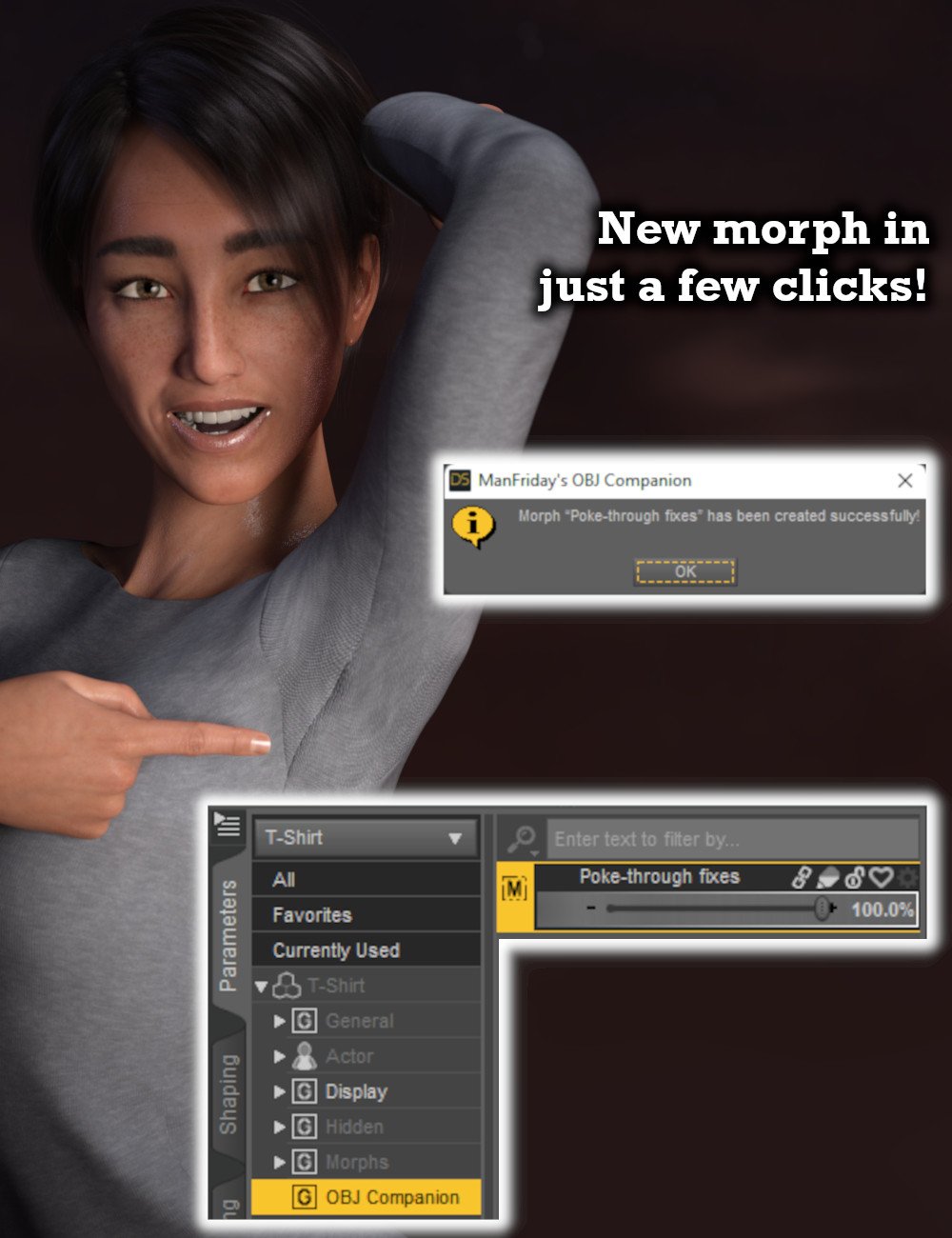
I have bought your OBJ Companion and count on it to fix a pokethrough in the areas
where many clothes from Daz store miss.
It is especially obvious, when one starts to animate Daz characters in Unity.
[Released] OBJ Companion [Commercial]thebest_ea48bde06a said:
Just got it and it works great with Modo.
I do have wish for a 1 button "Freeze smooth" also. We all know the problems when the figure intersect with clothes and other stuff when smooth is on. What I do now is export with smooth on. The turn it off and import the smooth OBJ and then I can pose the limbs without hands and feet get tangled with the clothes.
Would it be posible to add that?
Thank you for the purchase! That's a good idea, I'll add it to the list for the next release. Can't make promises when that's going to happen though!
DAZtoUnreal can't import mesh,only materials and texturesmessage log shows "Unable to triangulate mesh'...':it will be omitted"
some meshes can't import to Unreal,I had selected the Environment and Static Mesh,can't work.
I have no idea the reason of this,please help :(
Daz Arcane - Ready to make your own movies in DAZ?SasquatchIsCool said:
My pipeline becomes more “Blender centric” every day
Now, if only If I can figure out how to merge a diffeo rigified face rig with and auto rig pro body and keep my ability to import Facial animation from Anilip/Daz etc. I will be complete.
So does CC4 and Iclone not rig it properly or something? I'm just curious.
No, the rigs work fine for animation but there are no automatic Joint control morphs and you lose alot of the clothing details when you shape project a genesis figure onto an Iclone avatar in CC3/4.
Given all of the advances that Diffeo has made with retaining the fidelity of all imported daz content,
and the fact that I can retarget ALL of my various mocap sources directly inside of blender to rigified G8 figures,
I have no need to actually export a genesis to iclone/CC anymore.
[Released] OBJ Companion [Commercial]Just got it and it works great with Modo.
I do have wish for a 1 button "Freeze smooth" also. We all know the problems when the figure intersect with clothes and other stuff when smooth is on. What I do now is export with smooth on. The turn it off and import the smooth OBJ and then I can pose the limbs without hands and feet get tangled with the clothes.
Would it be posible to add that?
Daz Arcane - Ready to make your own movies in DAZ?My pipeline becomes more “Blender centric” every day
Now, if only If I can figure out how to merge a diffeo rigified face rig with and auto rig pro body and keep my ability to import Facial animation from Anilip/Daz etc. I will be complete.
So does CC4 and Iclone not rig it properly or something? I'm just curious.
Transferring Vertex Groups (Hair Particle System workflow)Make your particle hair on a separate mesh and then wrap/parent that mesh to the character. This is pretty common practice. Many hair styles that you import will already have the hair attached to a separate mesh, often called the 'scalp' for head hair. You can then import the 'scalp' mesh into another project and it will bring the particle system along.
[Released] OBJ Companion [Commercial]Very nice, seen and bought! I make my (few) morphs in Hexagon until now because the fiddle-iness of the DAZ/Blender import has kept me away from really getting to know Blender, although I'm aware its features are far superior. So hopefully, this'll help me change over!
[Released] OBJ Companion [Commercial]nicstt said:
I move back and forth a lot to and from Blender, so trying to decide if this will be worth it for me.
I wrote it for that scenario mainly, so I would recommend it. But I'm slightly biased. :-)
It's useful for any scenario that involves OBJ export or import with Morph Loader Pro or both. It doesn't require Blender, but it's useful with it.
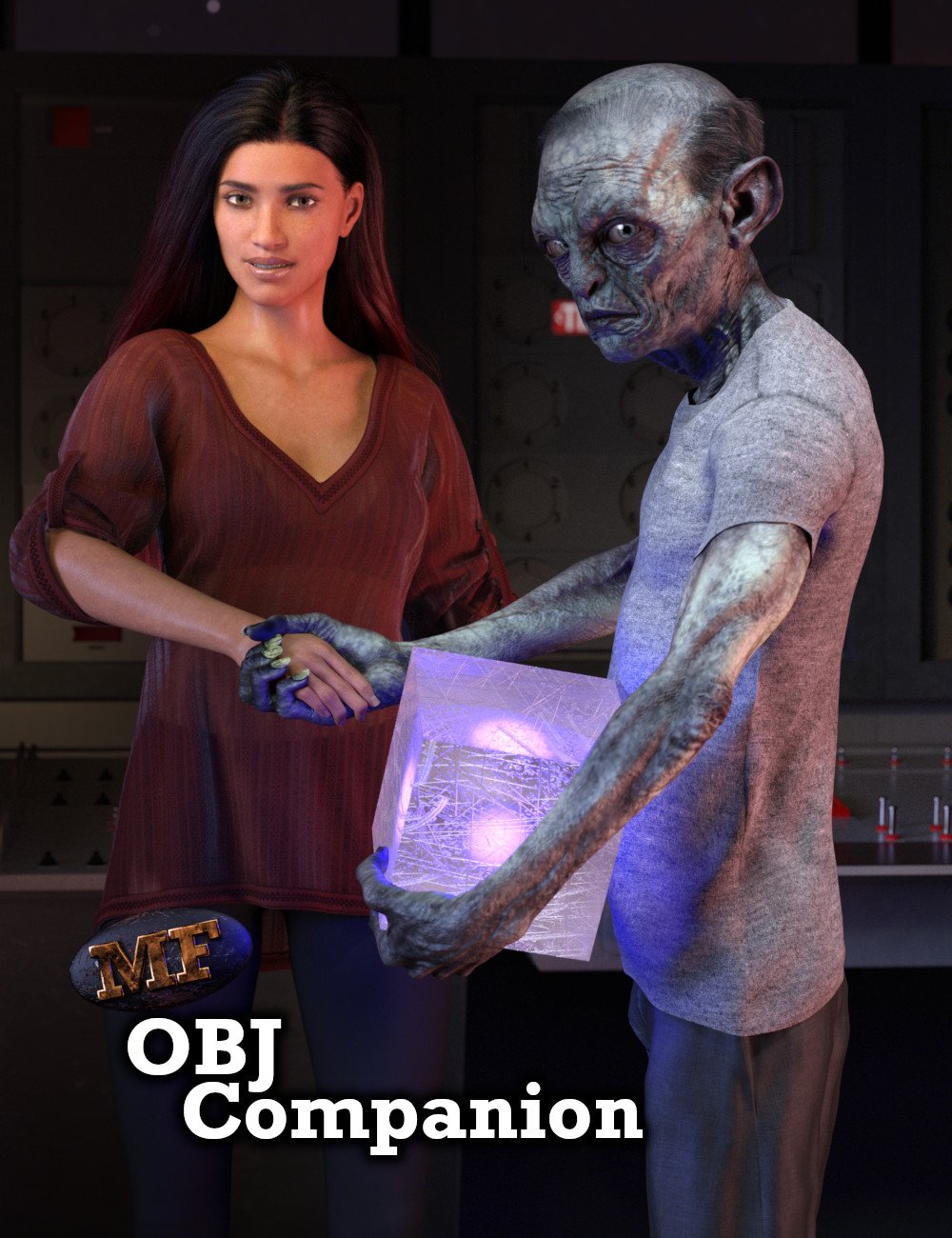
[Released] OBJ Companion [Commercial]Hello everybody, I'm back with a new product!
The OBJ Companion is a plugin for Daz Studio 4.15 and above that makes creating morphs using OBJ files easier.
https://www.daz3d.com/obj-companion
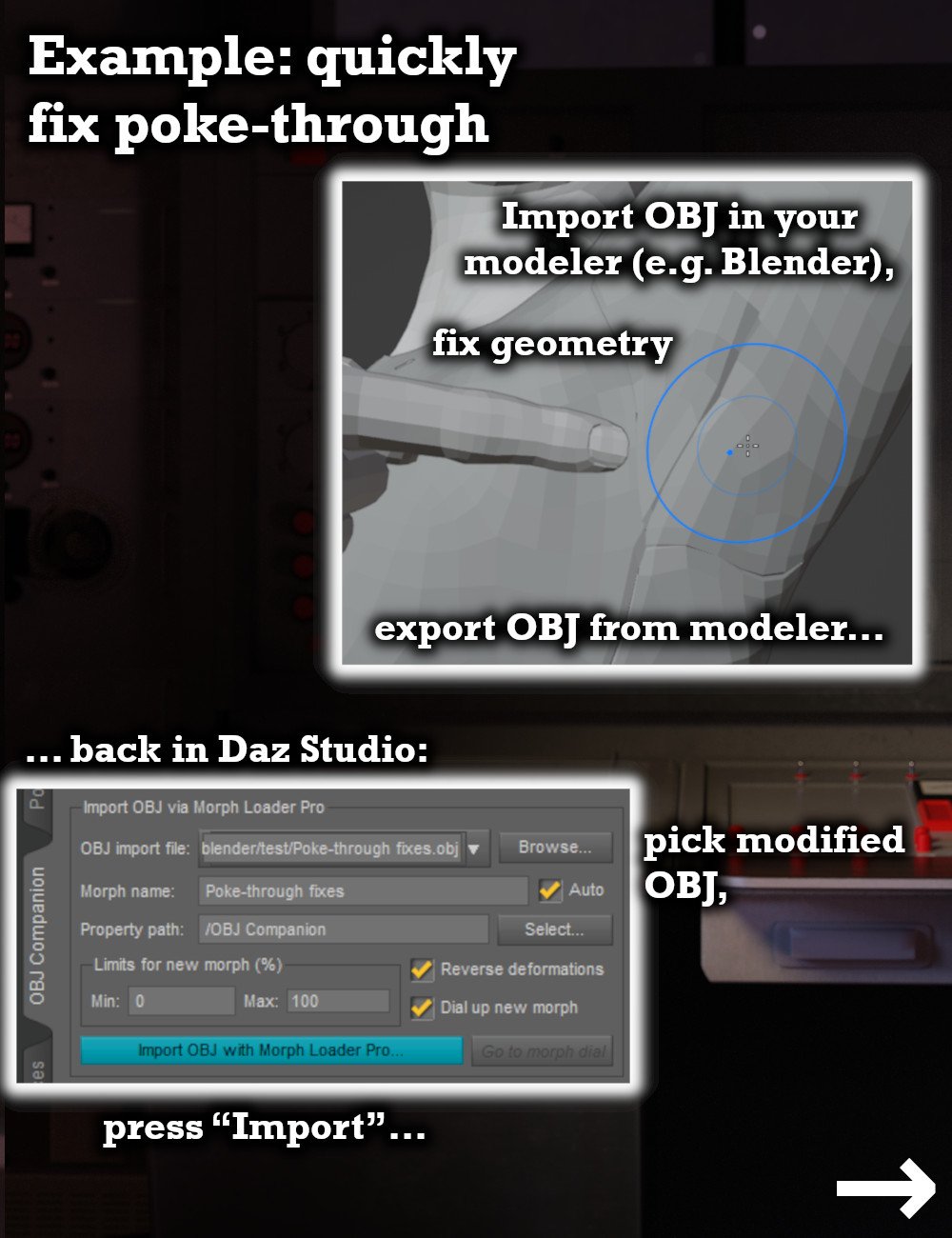
If your favorite modeling software (e.g. Blender) does not have an import/export bridge, exporting from Daz Studio and importing using Morph Loader Pro involves a lot of clicks. And if you get one of these clicks wrong, Morph Loader Pro will tell you "geometry did not match" on import. In the worst case, this can mean that hours of modeling work have been wasted.
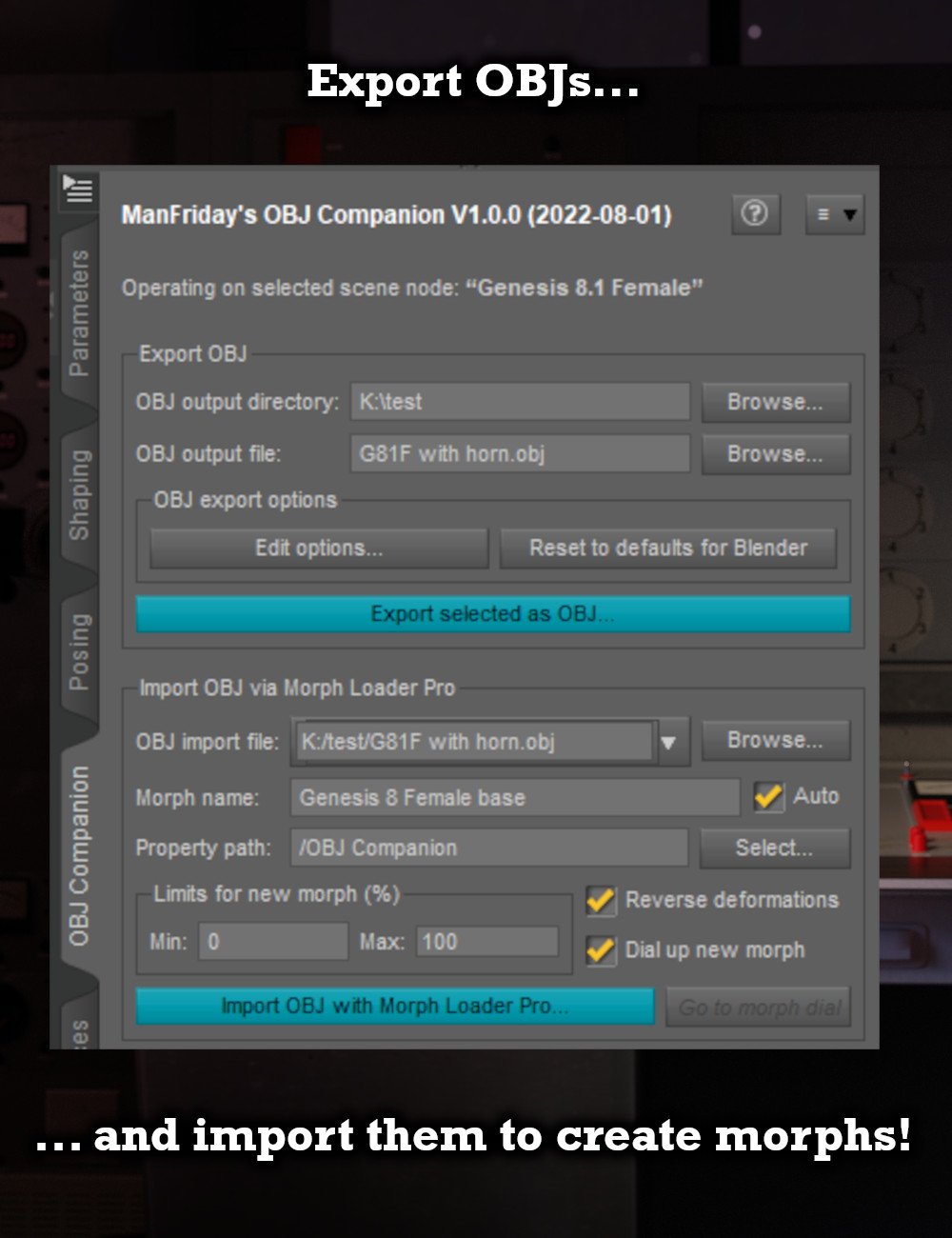
The OBJ Companion adds a new pane to Daz Studio with two big buttons for "export" and "import", which can reduce the number of required clicks by a factor of 10 or more and greatly reduce the potential of getting one of the settings wrong. The workflow becomes very simple:
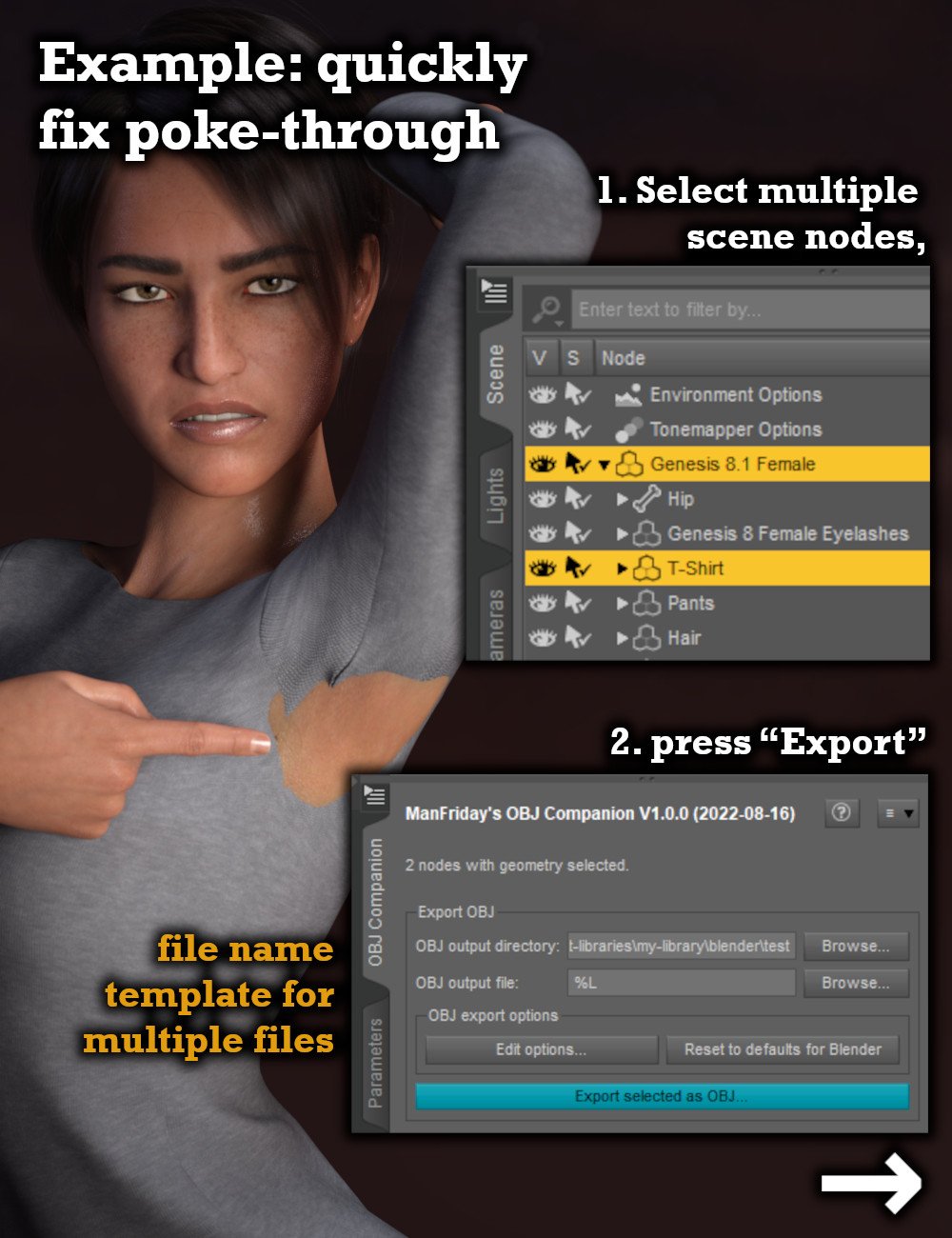
- Select scene nodes to be exported
- Press "export" button on "OBJ Companion" pane and adjust default options if necessary
- Work on the exported OBJ in your modeler (e.g. Blender) and export modified OBJ
- Pick modified OBJ in OBJ Companion again and press "import" - Done!
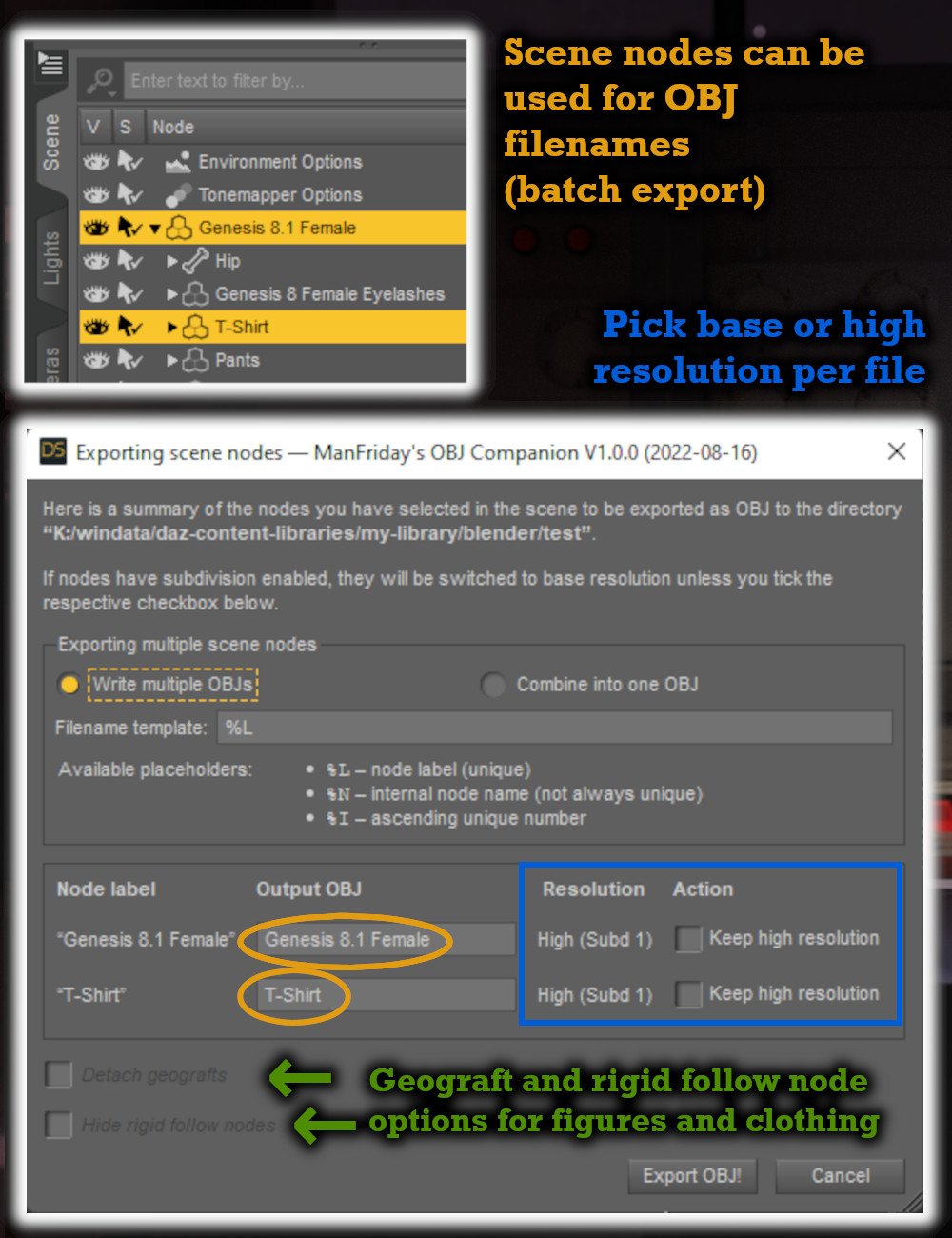
The OBJ Companion eliminates typical export errors that can cause import to fail later by switching to base resolution; hiding the Genesis "eyelashes" and "tear" nodes; hiding rigid follow nodes on clothing; hiding geometry shells and geografts. It also temporarily unparents the selected nodes.
You can even export multiple OBJs in one go with automatic naming by using naming templates.
This will make creating morphs for Daz Studio a lot more fun!
 Import Scene?
Is there anyway to import a saved scene into a scene you are working on? If so I cant find where to go to do that.
Any guidance will be greatly appreciated! Thank you :)
Transferring Daz Content To New PC: Can I Essentially Just Copy & PasteRichard Haseltine said:
bevdog896_d08d9c913a said:
Richard Haseltine said:
You will lose any metadata until you reimport, and any custom metadata unless you open Content DB Maintenenance on the old machine (the Content Library option menu) and select Export user data before copying the folders from the old machine. Groups, such as the New flag, will be lost unless you copy the whole database across.
Dime stoes the list of installed files in - by default - the manifests folder in its Public Documents folder. Those do record the exact location of the files, so unless you are using exactly the same location on both machines it will not be able to uninstall the old files if you need to (unless you use a text editor to edit them)
Hey thanks for the info.
Out of interest, what would be the downside of losing metadata?
You'd lose files showing in Smart Content, Presets tabs of property panes, Categories and Products in the content Library pane, at least some functionaility in AutoFit, and probably other things that I am not recalling right now.
Also I do plan on copying over the manifest folder from my old machine to the new one (to the same location etc). Will things work as intended if I do that properly?
The question is whether the content iss till in the same place on the old machine as it was on the old. It would be if you used the default location in the public Documents folder, but might not be for a custom location.
Cheers :)
Thanks for clearing that up for me mate, really appreciate it! Okie dokie, I'll definitely try to export the metadata then :)
In regard to locations, everthing is in the default locations on my current machine so I'll definitely keep that the same for the new one.
Thanks again :)
Daz Arcane - Ready to make your own movies in DAZ?$900 USD initial buying for new users of IClone 8 &CC4( Both are needed for genesis "import"& animation)
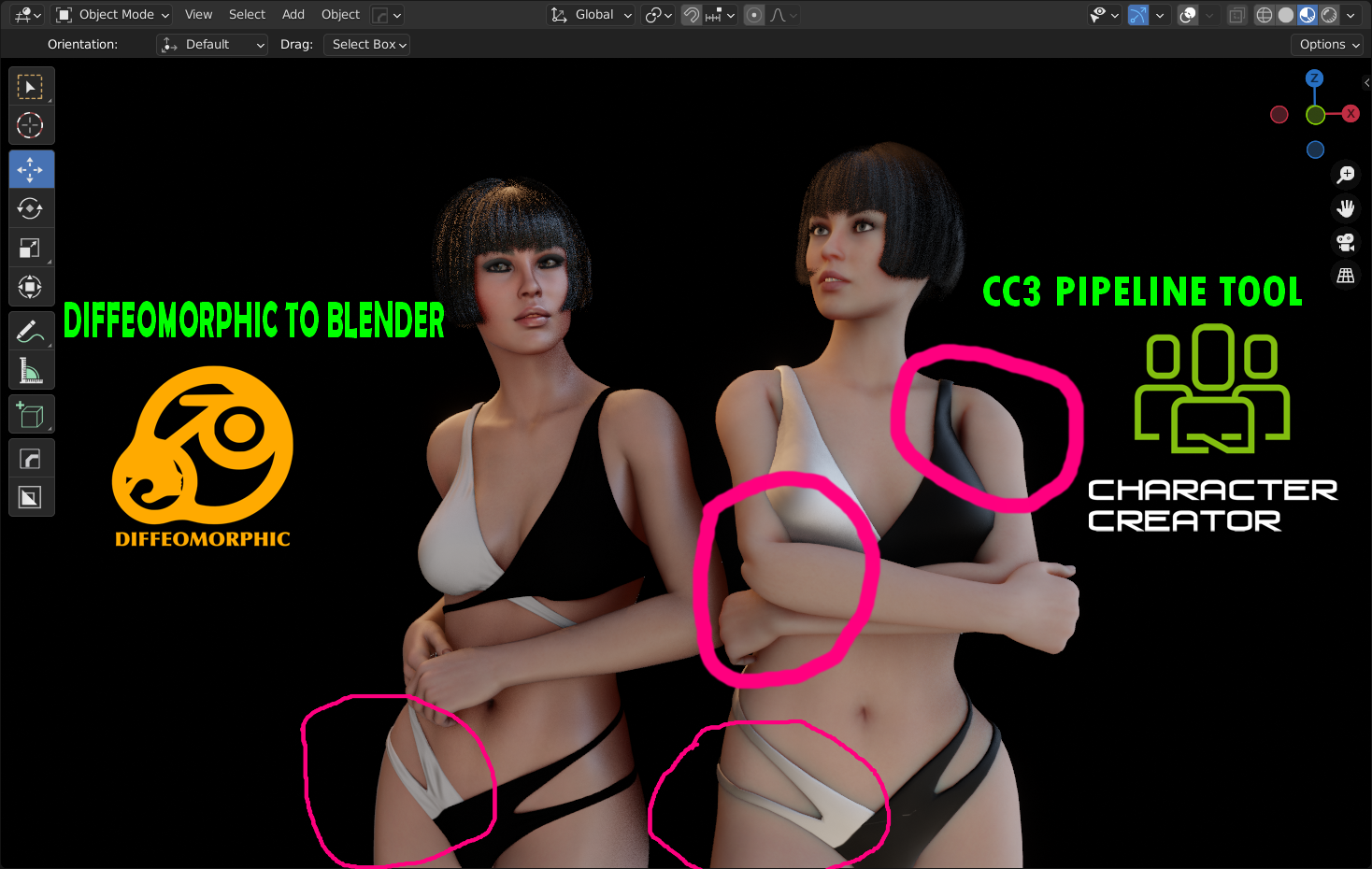
And this is what you get with a Diffeo import to Blender verses an Iclone CC3/4 imported via the Blender pipeline tool.

My pipeline becomes more “Blender centric” every day
Now, if only If I can figure out how to merge a diffeo rigified face rig with and auto rig pro body and keep my ability to import Facial animation from Anilip/Daz etc. I will be complete.
 File locations?
PerttiA said:
Are you still logging in to DS? If you are, DS is calling home on it's own, "updating" metadata on the products you have bought and judging by the amount of posts and problems, new users are easily tricked into installing the products the second time within DS => The DIM installation do not matter or work, as any installation done within DS overrides all the other installation methods, even when the installations done within DS are corrupted (happens quite often) and don't work.
Set your startup options as in the attachment, and if you have installed anything within DS, uninstall them all within DS.DS eats 2 terabytes as an appetizer

YOU DID IT! going in and changing those wee settings did it! THANK YOU SO MUCH
Daz 3D is part of

Connect
DAZ Productions, Inc.
7533 S Center View Ct #4664
West Jordan, UT 84084Licensing Agreement | Terms of Service | Privacy Policy | EULA
© 2026 Daz Productions Inc. All Rights Reserved.