DAZ to Blender - Python error
 ferdinandbusch13
Posts: 9
ferdinandbusch13
Posts: 9
Hey guys,
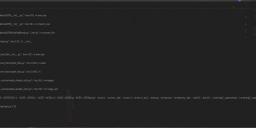
I'm trying to import a character from DAZ Studio into Blender (this is just a test, so I'm using the bog standard Gen8 male), using the Blender Bridge script. The DAZ add-on in Blender is installed and seems to work as expected, but when I click on the "Import New Genesis 3/8" button (in the "DazToBlender" tab), I get an error log with a bunch of python script issues (see the screenshot attached).
The character is then imported, but the materials are messed up and the animation handles seem to be missing.
I'm using Blender 2.92 and DAZ Studio 4.15. Just wanted to check, if anybody came across the same problem and might know a fix for this :-)

Daz 3D is part of 
Connect
DAZ Productions, Inc.
7533 S Center View Ct #4664
West Jordan, UT 84084
Licensing Agreement | Terms of Service | Privacy Policy | EULA
© 2026 Daz Productions Inc. All Rights Reserved.
Comments
Tested just now and I don't get any error. I'm with 2.3.0.6 beta. What version do you use ? What export options ?
https://github.com/daz3d/DazToBlender/tags
Hi Padone, thanks for getting back to me. I'm using the "DAZ to Blender" script (the top one) inside DAZ Studio and then select "Subdivision Level 0" and "Include animation data", plus "Include minimal morphs". Everything seems to export normally. I then just click the import button inside Blender, before the errors pop up.
I have installed everything on my notebook as well by the way and the entire process runs without any problems. But that doesn't help me on my main machine :-D I've uninstalled and re-installed both Blender and DAZ a bunch of times today, now even using the DAZ Installation Manager instead of DAZ Central, but the results are still the same. I'm really stumped as to what the problem is here.
It sounds like you're using a old version. Get 2.3.0.6 beta and just overwrite the daz and blender files to install it. Keep a backup just in case.
C:\Users\..\Documents\DAZ 3D\Studio\My Library\Scripts
C:\Users\..\AppData\Roaming\Blender Foundation\Blender\2.92\scripts\addons
Hi Padone, just followed your suggestions, but the result is still the same. I'm getting that same error message. Is it possible that there is the wrong version of Python at work on my machine or something like that?
It looks like an error from the fbx importer itself. I haven't seen that error before but, looks like its having error with one of the materials during the basic import of the fbx. What I would recommend is to try to import an FBX in first and see if u get the same error. Unfortunately blenders compatibility with fbx has a mix of problems.
Thanks DAZ_sam. I'll try that now. Where would I find the FBX of the character I exported from DAZ Studio?
Just as a heads up, the process works flawlessly on my notebook, which is using more or less the same software and the same versions of this software. So something isn't working right on my machine. But I've tried all kinds of versions of Blender and installing DAZ using the DIM instead of DC, to no avail...
Hi DAZ_sam, I receive the same error when importing an FBX of my test character that was exported directly from DAZ Studio (i.e. without using the Bridge to Blender). Where does this leave us?
It sounds like you already found it but, just in case the exported files from DazToBlender store here:
C:\Users\USERNAME\Documents\DAZ 3D\Bridges\Daz To Blender\Exports
Assuming you are on pc.
So it would help to know which character you are using. I have found that sometimes when you have clothing attached to the bones directly in daz it causes an fbx error but, not the one you are seeing. Your's seems to be something to do with the materials in the default fbx materials. What I can recommend is if u share the export files and the duf I file I can look at it as soon as I can.
Unfortunately, though there is no guarantee but, working on your notebook was it the same scene?
Anyway, I know this is a lot of questions so if it's easier we can always look at opening up a ticket and one of the CS Support members can make sure its brought to me if you share this post.
Hi Sam, thanks a lot for your continued support. Yes, I'm on a PC and I added the files to the directory as you suggested (please take a look at the screenshot - hope I did the right thing there), but the error persists, so unfortunately this solution isn't working.
Clothing on the character doesn't seem to be the problem, since at this point I'm literally exporting a naked Gen8 male or female :-D I'd love to share the export files with you, but where would I find them? I've looked all over my drive and there are half a dozen DAZ 3D folders, but none of them contain anything looking like the bridge exports.
Working on my notebook it was exactly the same scene (i.e. opening DAZ Studio, creating a naked Gen8 male/female, then exporting it to Blender), which is why I'm so stumped my custom PC is throwing up those errors.
I already created a ticket (373034) with the DAZ Tech Support team, but something tells me that you're the one that can solve this mystery :-D
Looking forward to hearing your thoughts!
Hi Sam,
Sorry, I think I found the temp files. Are they stored in the "C:\Users\Username\Documents\DTB\FIG\FIG0" directory? If so, I uploaded all the files here now: https://www.dropbox.com/sh/26gv3rrsumel40i/AADTeiiahbs_peJCBqPBL3DDa?dl=0
Something tells me that the problem lies somewhere on the Blender side of things, but then again, I'm using the same version of Blender on my notebook and there are no problems.
Just as a heads up, I tried to import the FBX directly into Blender and it looks like the same error shows up, plus the limbs are completely distorted, when imported this way.
Let me know, what you think :-)
@ferdinandbusch13 first off so sorry the path I gave you is actually for the next update coming out so, yes that's the path thankfully you found it.
Second I tried your export with the bridge and imported fine with the version currently on the Daz Store. There isn't any way for you to be using the wrong python version unless you updated it yourself as blender comes with it preinstalled.
The only thing I can think of that the release you have of 2.9.2 has an issue did you try another version or reinstalled it? This is the version I have on my PC. All I can recommend if that doesn't help is to work with the CS Team that they can make time for me to give you some better one on one support.
@DAZ_sam, hey I tried uninstalling and reinstalling every Blender version from 2.90 to 2.92, but the error persisted no matter what. I am currently back on 2.92.0. Having some one to one support to fix this would be great. Maybe we could go on Google Hangouts or something and I could share my screen?
One last thing that just came to mind. As you may know, Windows lately puts the Documents folder inside OneDrive. Since my boot disk (C:\) is notoriously crammed with other software I set up my OneDrive (and therefore also the Documents folder), to live on my "D:\" drive. Now there still is a "Documents" folder living under "C:\Users\Username\". I set up the Bridge files identically in each Documents folder, so whichever one DAZ or Blender are trying to access, the files are there. Just wanted to mention this, in case this might cause problems as well.
Looking forward to hearing from you :-)
Yeah, I would recommend working with your current ticket holder to get that setup he is on my team so we can get the gears turning on this fairly quickly. Ah ok so changing your document folder can cause the error (in the future are looking to let you choose your export path)
So I don't think this is the issue but, when you open blender and go toggle system console you should see where Blender is looking for the files and we need to make Daz Exporting to that location.
It should read as:
Files Should be Exporting to : C:\Users\ username \Documents\DAZ 3D\Bridges\Daz To Blender\Exports (if you are using 2.3.0.6)
Fyi I am updating the Install-Package later today with the update so we will use that one for testing to help you out. (will be 2.3.1)
Hi Sam, thanks for that. I've installed version 2.3.1 of the bridge now, but unfortunately the problem persists. I toggled the system console in Blender and saved the output, just in case you'd like to have a look. The problem starts to occur once it says "FBX import: Assign textures..." Once this happens, Blender tries to look into all of the python files inside the "scripts/addons/" directory, finding problems in the individual lines of code (for whatever reason).
So, shall I check with your colleague Ryan via email then to set up the next steps? Thanks for letting me know.
Yep! He will be able to help from there. :)
This happens because you installed ACES therefore the colorspace in materials called Non Color can't be applied. I had the same issue and fixed it by installing the old colormanagement from Blender (the sRGB one)
LOL you must be joking
how the [purple striped aardvark] would anyone think of this?
and where are the instructions?
This Daz to Blender bridge must the the most BUGGED OUT addon i have ever seen
after one [annoying] hour i managed to get the Daz to blender tab inside blender to show up now i get the PYTON ERROR LOOOOOOOOOOOOL
whats next?
How many ERROR steps must you take before you can import your character?
What does thy phyton error say maybe I can help? Because after installing the old color management as well and fixing my ACES colorspace problem, I got a python error too. After googling what matrix_world means I found out my default startup scene was lacking a camera, so after adding a camera to the empty scene in Blender and then clicking import it worked. I am fine with a few bugs here and there, it seems like the bridge got overhauled so it's likely that people like us, who uses different colorspace cause such problems. The camera issue however was a bit weird, morphs worked, but the rig itself didn't, so I was unable to pose the model, adding a camera and import again fixed it.
So in case anyone gets the following message:
Python: Traceback (most recent call last):
File "C:\Users\Shiroi\AppData\Roaming\Blender Foundation\Blender\2.92\scripts\addons\DTB\DtbOperators.py", line 112, in invoke
return self.execute(context)
File "C:\Users\Shiroi\AppData\Roaming\Blender Foundation\Blender\2.92\scripts\addons\DTB\DtbOperators.py", line 275, in execute
self.import_one(fbx_adr)
File "C:\Users\Shiroi\AppData\Roaming\Blender Foundation\Blender\2.92\scripts\addons\DTB\DtbOperators.py", line 248, in import_one
drb.finishjob()
File "C:\Users\Shiroi\AppData\Roaming\Blender Foundation\Blender\2.92\scripts\addons\DTB\DazRigBlend.py", line 485, in finishjob
Global.scale_settings()
File "C:\Users\Shiroi\AppData\Roaming\Blender Foundation\Blender\2.92\scripts\addons\DTB\Global.py", line 1047, in scale_settings
bpy.context.scene.camera.matrix_world = rv3d.view_matrix
AttributeError: 'NoneType' object has no attribute 'matrix_world'
location: :-1
It's because you have a completly empty scene in Blender just add a camera and this error should not appear. And the rig should work.
I am sure they gonna fix it over time.
@VanillaStuff
Thank you vanilla!
Here is the fix for the camera issue going to push it later today
https://github.com/daz3d/DazToBlender/tree/develop
Now with the ACES colorspace is it an addon or just adding the config?
Edit: Nvm figured out how to add ACES
Usually, it's hard to control how compatibility will work especially if the error is coming from the fbx importer but, I should be able to bypass the error if I know how to test it myself.
@fedinandbusch13
I hope this sounds like your error :)
So my system use to be fine, but for a couple weeks now I've had nothign but problems. I've updated both Daz and Blender to the most recent versions and this is the error I'm receiving now.
coll_parents.length()= 2
coll_parents.length()= 2
coll_parents.length()= 2
coll_parents.length()= 2
coll_parents.length()= 2
Python: Traceback (most recent call last):
File "C:\Users\x\AppData\Roaming\Blender Foundation\Blender\2.92\scripts\addons\DTB\DtbOperators.py", line 275, in execute
self.import_one(fbx_adr)
File "C:\Users\x\AppData\Roaming\Blender Foundation\Blender\2.92\scripts\addons\DTB\DtbOperators.py", line 147, in import_one
pose = Poses.Posing("FIG")
File "C:\Users\x\AppData\Roaming\Blender Foundation\Blender\2.92\scripts\addons\DTB\Poses.py", line 27, in __init__
self.get_pose_data(asset)
File "C:\Users\x\AppData\Roaming\Blender Foundation\Blender\2.92\scripts\addons\DTB\Poses.py", line 299, in get_pose_data
for key in data:
RuntimeError: dictionary changed size during iteration
location: <unknown location>:-1
Error: Python: Traceback (most recent call last):
File "C:\Users\x\AppData\Roaming\Blender Foundation\Blender\2.92\scripts\addons\DTB\DtbOperators.py", line 275, in execute
self.import_one(fbx_adr)
File "C:\Users\x\AppData\Roaming\Blender Foundation\Blender\2.92\scripts\addons\DTB\DtbOperators.py", line 147, in import_one
pose = Poses.Posing("FIG")
File "C:\Users\x\AppData\Roaming\Blender Foundation\Blender\2.92\scripts\addons\DTB\Poses.py", line 27, in __init__
self.get_pose_data(asset)
File "C:\Users\x\AppData\Roaming\Blender Foundation\Blender\2.92\scripts\addons\DTB\Poses.py", line 299, in get_pose_data
for key in data:
RuntimeError: dictionary changed size during iteration
location: <unknown location>:-1
@DAZ_sam
So with the latest version with a Daz 8 Rig
Read prefs: C:\Users\x\AppData\Roaming\Blender Foundation\Blender\2.90\config\userpref.blend
found bundled python: C:\Program Files\Blender Foundation\Blender 2.90\2.90\python
WARN (bpy.rna): C:\b\buildbot-worker-windows\windows_290\blender.git\source\blender\python\intern\bpy_rna.c:1479 pyrna_enum_to_py: current value '0' matches no enum in 'BlenderCloudProjectGroup', '', 'project'
Registered Carver
Files Should be Exporting to : C:\Users\x\Documents\DAZ 3D\Bridges\Daz To Blender\Exports
coll_parents.length()= 2
coll_parents.length()= 2
coll_parents.length()= 2
coll_parents.length()= 2
coll_parents.length()= 2
FBX Import: start importing C:\Users\x\Documents\DAZ 3D\Bridges\Daz To Blender\Exports\FIG\FIG0\B_FIG.fbx
FBX version: 7400
FBX import: Prepare...
Done (0.000000 sec)
FBX import: Templates...
Done (0.000000 sec)
FBX import: Nodes...
Done (0.000000 sec)
FBX import: Connections...
Done (0.000000 sec)
FBX import: Meshes...
Done (4.000000 sec)
FBX import: Materials & Textures...
Done (0.015625 sec)
FBX import: Cameras & Lamps...
Done (0.015625 sec)
FBX import: Objects & Armatures...
Done (0.406250 sec)
FBX import: ShapeKeys...
Done (0.000000 sec)
FBX import: Animations...
Done (0.250000 sec)
FBX import: Assign materials...
Done (0.000000 sec)
FBX import: Assign textures...
Done (1.312500 sec)
FBX import: Cycles z-offset workaround...
Done (0.000000 sec)
Done (6.406250 sec)
Import finished.
Traceback (most recent call last):
File "C:\Users\x\AppData\Roaming\Blender Foundation\Blender\2.90\scripts\addons\DTB\DtbOperators.py", line 112, in invoke
return self.execute(context)
File "C:\Users\x\AppData\Roaming\Blender Foundation\Blender\2.90\scripts\addons\DTB\DtbOperators.py", line 275, in execute
self.import_one(fbx_adr)
File "C:\Users\x\AppData\Roaming\Blender Foundation\Blender\2.90\scripts\addons\DTB\DtbOperators.py", line 177, in import_one
anim.clean_animations()
File "C:\Users\x\AppData\Roaming\Blender Foundation\Blender\2.90\scripts\addons\DTB\Animations.py", line 199, in clean_animations
skeleton_scale = skeleton_data["skeletonScale"]
KeyError: 'skeletonScale'
location: <unknown location>:-1
location: <unknown location>:-1
Error: Traceback (most recent call last):
File "C:\Users\x\AppData\Roaming\Blender Foundation\Blender\2.90\scripts\addons\DTB\DtbOperators.py", line 112, in invoke
return self.execute(context)
File "C:\Users\x\AppData\Roaming\Blender Foundation\Blender\2.90\scripts\addons\DTB\DtbOperators.py", line 275, in execute
self.import_one(fbx_adr)
File "C:\Users\x\AppData\Roaming\Blender Foundation\Blender\2.90\scripts\addons\DTB\DtbOperators.py", line 177, in import_one
anim.clean_animations()
File "C:\Users\x\AppData\Roaming\Blender Foundation\Blender\2.90\scripts\addons\DTB\Animations.py", line 199, in clean_animations
skeleton_scale = skeleton_data["skeletonScale"]
KeyError: 'skeletonScale'
location: <unknown location>:-1
the model loads, is rigged, but the it's also missing textures for the eyes.
Ive experienced the same problem too. That's weird.
Python: Traceback (most recent call last):
File "C:\Users\admin\AppData\Roaming\Blender Foundation\Blender\3.6\scripts\addons\DTB\DtbOperators.py", line 385, in execute
self.import_one(fbx_adr)
File "C:\Users\admin\AppData\Roaming\Blender Foundation\Blender\3.6\scripts\addons\DTB\DtbOperators.py", line 227, in import_one
dtb_shaders.setup_materials(body)
File "C:\Users\admin\AppData\Roaming\Blender Foundation\Blender\3.6\scripts\addons\DTB\DtbMaterial.py", line 470, in setup_materials
self.create_texture_input(property_info, tex_image_node)
File "C:\Users\admin\AppData\Roaming\Blender Foundation\Blender\3.6\scripts\addons\DTB\DtbMaterial.py", line 363, in create_texture_input
Versions.to_color_space_non(tex_image_node)
File "C:\Users\admin\AppData\Roaming\Blender Foundation\Blender\3.6\scripts\addons\DTB\Versions.py", line 279, in to_color_space_non
bpy.data.images[node.image.name].colorspace_settings.name = "Non-Color"
TypeError: bpy_struct: item.attr = val: enum "Non-Color" not found in ('Linear', 'sRGB')o