-
more....Wacky Modelling ~ In Carrara ~
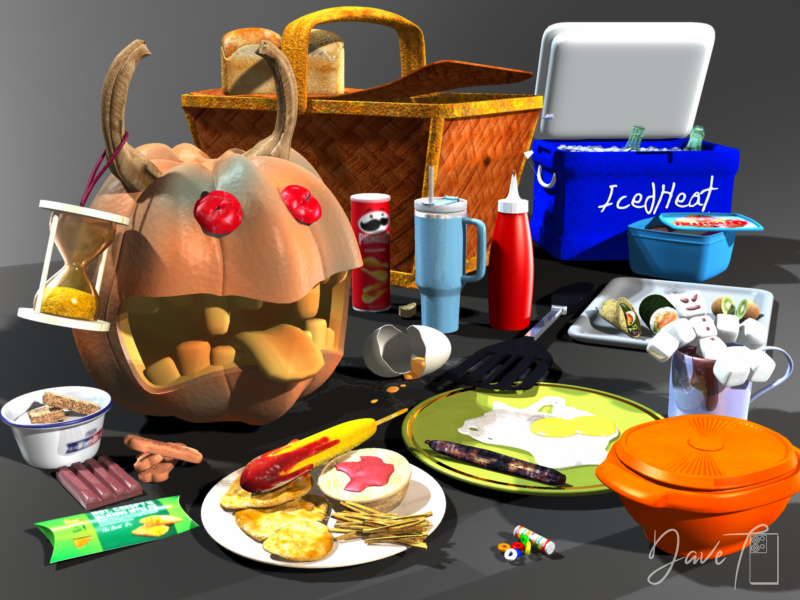
Food up Friday
all modelled in Carrara

 Using Carrara PreSets in a Render
I use a number of Carrara presets in short animations, one example is the candle (see attached).
 more....Wacky Modelling ~ In Carrara ~
Stezza said:
Foodfighters

I only came across them the other day whilst searching for something and they caught my eye...

we never had them in Australia really, though apparently some were imported and sold at $2 shops but were never advertised.
so from the cube came ShortStack.... you got it @Bunyip02 though I think Wendy put you on the right path

Good to see that Carrarians are continually giving inspiration to others


Page 51 more....Wacky Modelling ~ In Carrara ~ - Page 51 - Daz 3D Forums
July 2026 - Daz 3D New User Challenge - Portrait Rendering and L.I.E.Beginner Challenge - July, 2026
"Portrait Rendering (Expressions and Lighting)"
This month's focus will be Portrait Rendering, with an emphasis on the character's expression and lighting. Portraits are the way we show off the unique aspects of each individual. Expressions should convey their personality. Good lighting will enhance your portrait and set the mood. Portraits don't have to look like yearbook headshots. Get creative, hone your skills, and have some fun in this months contest.
A portrait is a representation of a person, group of people, or even a pet, that displays the expression, personality, and mood of the subject. The focus of a portrait is usually the subject's face, although the entire body and the background or context may be included. Depth of Field is often used to blur the surrounding environment to draw the eye to the subject.
Inspiration:
Portrait Tips and Examples:
Google Search - Portrait Expressions
Beginner's Guide to Portrait Composition
Foundations of Portrait Composition Part I: Framing Your Model
Lighting:
Mastering Lighting in Blender (The first 25 minutes of the video are basic lighting theory and insights.)
Other Helpful Links:
When following tutorials, be cognizant of the different applications (Bryce, Daz Studio, Poser, Carrara, Blender, etc.) and different render engines (3Delight, Iray, Reality, etc). Techniques for one may not apply directly to another. If you have some favorite portrait lighting and composition tips, please share them in this thread.
Composition Golden Ratio helpers:
Bryce
DAZ Studio (DS has a built in Rule of Thirds guide; just select Show Thirds Guide in the Viewport context menu)
Lighting Tutorials:
Tutorials by Szark (Credit is given to Szark for this wonderful thread with links to many tutorials.)
Creating And Lighting A Scene With Iray In DAZ Studio
Great Lighting for Dark Backgrounds
High Key Portraits: Take and Make Great Photography with Gavin Hoey
Low Key Portraits: Take and Make Great Photography with Gavin Hoey
Laws of Light: 5 Portrait Lighting Setups
How to Set-Up Camera, Lights, & Displacement in Daz Studio Octane
How to Create the Perfect 3D Scene Lighting with Daz3D
Portrait Tutorials:
Let's Make a Character Portrait - In the Studio with Daz 3D (live streamed in February, 2022 – tutorial starts approximately 14:45)
Daz3D Portrait Tutorial ( magazine article )
Create a realistic portrait in Daz Studio 03: setting up the scene
Some good information on useful portrait cropping
https://digital-photography-school.com/good-crop-bad-crop-how-to-crop-portraits/
The Rule of Thirds in 5 minutes | Creating More Dynamic Framing
Gallery "Under Construction"I think the gallery should be limited to show artwork that used Daz assets from Bryce, Carrara Hexagon and Studio - using additional assets from other sources may be OK if they are additional and not the main thing.
More important seems to me that a functional gallery will appear. Meanwhile, we have been waiting since mid April without any comment from Daz.Freebie Challenge July 2026 - "Summer holidays" - Main Thread
Summer holidays are here. Where are you, where are you heading, what places do you dream of? Do you think of the sea, beach lazing in the sun or going on adventurous diving?
Do you long for the cool of the mountains, hiking through the countryside and peaks to climb? A desert safari? A cruise on a luxury ship or an adventure on a sailboat? Do you dream of going to the Moon or Mars? Tell us about the vacations you're taking, will take, or dream of with your renders.Some useful links for the Contest
The KindredArts Free Resource Repo Here are the KindredsArt freebies and a rich list of sites that host freebies
Free 3D Models Link to DAZ's bi-weekly freebies
Limited Time Freebies Discussion Thread A thread under the Commons section of the forum, where DAZ's biweekly freebies are announced and, recently, even listed. It's useful for remembering which freebies were added and when.
The rules of the contest are:
-
Your entry must be a new render, especially made for this challenge.
-
Your entry must follow the DAZ TOS.
-
You may enter a maximum of 4 entries.
-
A minimum of five (5) Freebies must be included in your image
-
All Daz Bi-Weekly Freebies are allowed throughout the entire month in which they are free, as well as the following month (for a total of 2 months).
-
You may use a maximum of 5 paid items.
-
Base figures (Genesis 9, Genesis 8, etc.) as well as their basic morph packs may be used as needed. They do not count as either paid items or freebies.
-
DAZ Studio, Poser, Bryce, Carrara, Hexagon, and Blender are allowed.
-
DAZ AI Studio is not allowed. The use of image generating AI technology (midjourney, stable diffusion, etc.) is not allowed in any form.
-
Postwork is allowed. You must also include the raw render (before postwork) of your entry.
-
For a more detailed version of the rules see the PDF attached to this post; or ask your question in this thread, we're always happy to clarify!
-
Let's have fun and be creative with all the amazing resources that are available for free!
This contest ends on July 31st 2026.
Post your images and freebie links in this thread for link verification.
Once the links are verified, you can post your image and links in Entries Thread for judging.First Place: $15 store credit from KindredArts
Second Place: $10 store credit from KindredArts
Third Place: $5 store credit from KindredArtsPast Freebie Contests:
January 2022 - Around and around and around...
February 2022 - Mysteries of the heart
March 2022- Luck Of The Draw
April 2022 - New Beginnings
May 2022 - Cozy Corner
June/July 2022 - The Secret Life Of...
August 2022- Sniff, sniff... what's that smell?
September 2022-Cars Cars and More Cars
October 2022 - Horror Movies
November 2022 - Thieves, Robbers, and Fraudsters all around!
December 2022 - The Night is Darkest...
January 2023 Speed Demons and Slowpokes
February 2023- I See Red
March / April 2023 Magical
May 2023 - Sweet Music
June/July 2023 Holes, Gaps, Caves, Tunnels
August 2023 Fabulous Pink
September 2023 Gardening
October 2023 Hallowed Night
November 2023 Wobble, jiggle, sway, and shake
December 2023 / January 2024 Driving Home For...
February 2024 The Glow Up
March 2024 Power Source
April/Mai 2024 Soft as Plush, Smooth as Silk
June 2024 An Octopus' Garden
July/August 2024 Take A Break
September 2024 Fake Smiles and Real Joy
October 2024 "Monster Mash '24!"
November 2024 - Dreams
December 2024 - A Curious Christmas
January 2025 - Thank you, Saphirewild!
February 2025 - My Hallowed Valentine
March 2025 - Pride, Prejudice and other Shenanigans
April 2025 - The Little Ball of Calm
May 2025 - To Be Beautiful
June 2025 - Summer and Piracy
July 2025 - Design a Book Cover
August 2025 - Pure Cinema
September 2025 - Holiday Memories
October 2025 - Monster Mash!
November 2025 - The Winter Witch
December 2025 - Christmas!
January 2026 - When One Door Closes, Another Opens
February 2026 - Stronger Than You Think
March 2026 - The big blue
April 2026 - Free for All
May 2026 - Lies and Truth
June 2026 - Invasion
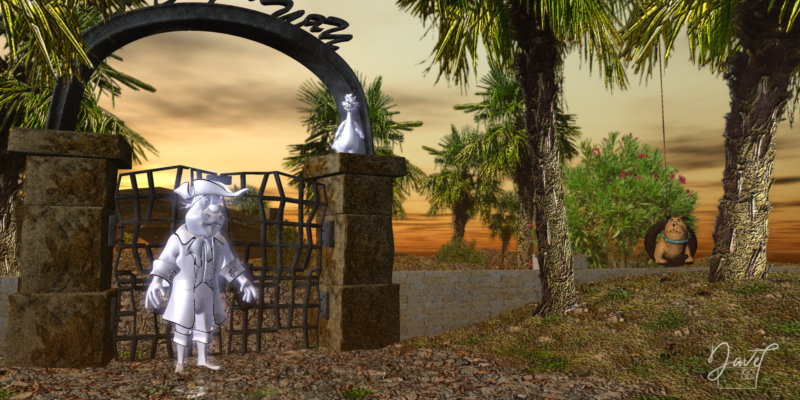
Using Carrara PreSets in a RenderLots of PreSet Scenes come with Carrara.... Show us your renders using a Carrara PreSet Scene
I used the Palm Tree Preset for this render.
 more....Wacky Modelling ~ In Carrara ~
Model up Tuesday ( MuT )

school's in NSW go on holidays end of this week...

everything in the render was modelled in Carrara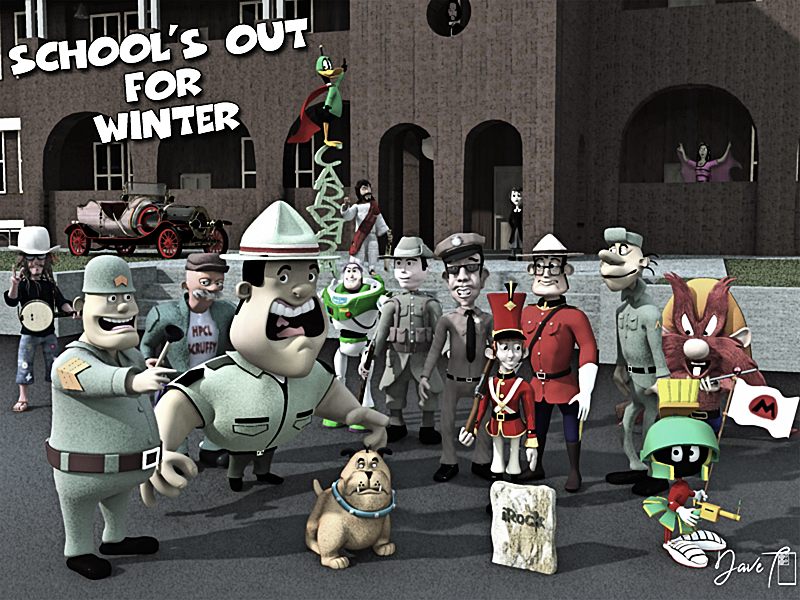 more....Wacky Modelling ~ In Carrara ~
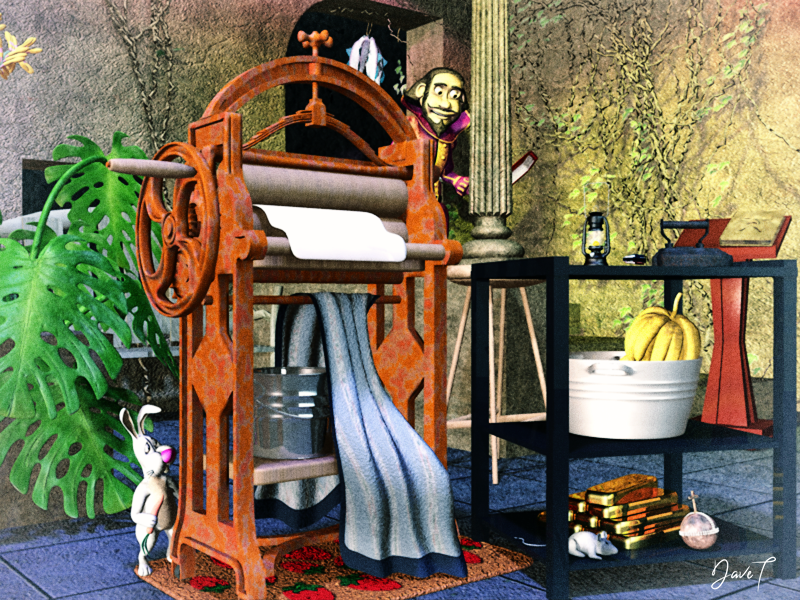
Model Up Monday ( MuM )
everything in the render was modelled in Carrara
 DAZ Studio 6 and Plugins
I pretty much gave up on paying for DAZ software years ago.
First I paid for DAZ Studio Advanced, then it was free. I bought Mimic, Carrara, Hexagon, etc only to see them abandoned.
I recently got some new plugins or programs... but they're already outdated with DAZ Studio 6.
New Store and Features Discussion ThreadShop is still horribly white, seems even worse since the change to my eyes. Slow slow slow (how many time writting slow will give an idea to Daz to finally do something?) shop page to come. I'm on a comp, but I saw someone on the forum talking of 87 seconds to load on the tablet. Congrats Daz! That's a record not ready to be broken.
And like it was already said since the beginning: for those looking for Bryce and Carrara, how are they able to do? I don't care, but others do, and I see that someone else asked AGAIN above.
It's not an improvement concerning the shop, far from that in the other direction. And it's totally horrible also for the product library. Not giving envy to jump into anything.
New Store and Features Discussion ThreadWendyLuvsCatz said:
as a Carrara user, I often fear they will eventually just remove those products and Carrara too
acts like this are not reassuring at all
I occasionally buy a Bryce product or 2 as well because of this fear, because I occasionally render a Bryce scene and they too are endangered
Yeah, how do we find Carrara and Bryce products now? I only see FBX, GLB, DUF, OBJ and POSER in "File Formats" filter.
more....Wacky Modelling ~ In Carrara ~I am fairly round

I have actually rendered a few things in Carrara recently but sadly put in much longer videos with not Carrara renders so can't post anywhere but YouTube
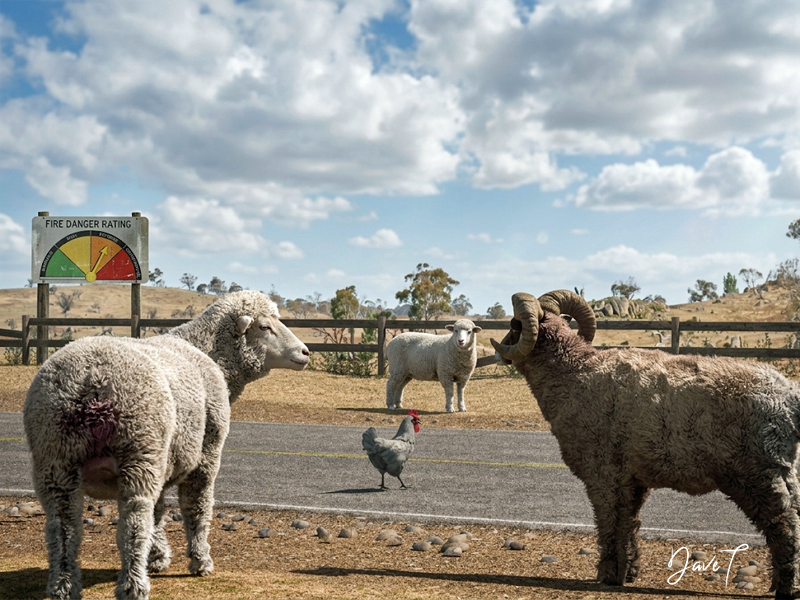
Carrara Community Art Gallery - Show us your Renders!!!was going to post this one in the rendo challenge but missed the cutoff by that much!
Used - Daz Sheep and Poser Ram both with Carrara fur, noggins chook and Road to Nowhere ( edited ) from the daz store
 New Store and Features Discussion Thread
Past as Future said:
Why removed "software compatibility" filter? It was extremely helpful to filter products aimed for e.g. Carrara.
as a Carrara user, I often fear they will eventually just remove those products and Carrara too
acts like this are not reassuring at all
I occasionally buy a Bryce product or 2 as well because of this fear, because I occasionally render a Bryce scene and they too are endangered
New Store and Features Discussion ThreadWhy removed "software compatibility" filter? It was extremely helpful to filter products aimed for e.g. Carrara.
Buy Something That Doesn't Work in Carrara? Post your Questions and Workarounds here. (please)Failure.
The full Space Road Stop, https://www.daz3d.com/space-road-stop ,never completed its loading in Carrara. The program eventually crashed, although it did not freeze my computer. I don't know exactly how long it took to crash, or how much progress it ultimately made in loading. I had been doing other chores around the house.
Buy Something That Doesn't Work in Carrara? Post your Questions and Workarounds here. (please)WendyLuvsCatz said:
Diomede said:
The quick answer is 'No. I did not arrange or render the scene in Carrara.'
To be honest, I did not remember doing that. Then I noticed that I had put in the description 'Daz+ PC Club Anniversary Sale.' By itself, that didn't mean I did it in Daz Studio, but it gave me a hint of where I would find my old drafts. My project files are in Daz Studio DUF format.
thanks
I also since discovered there is an exterior prop version of it which you likely used
the creator does have a warning about loading the full figures after all
No problem. And now you got me curious so I am trying to load it in Carrara while I do other stuff around the house, and occasionally checking in.
Buy Something That Doesn't Work in Carrara? Post your Questions and Workarounds here. (please)So I tried. And my test to load it in Carrara did not go well. Load hung up at 56.8%.
Buy Something That Doesn't Work in Carrara? Post your Questions and Workarounds here. (please)Diomede said:
The quick answer is 'No. I did not arrange or render the scene in Carrara.'
To be honest, I did not remember doing that. Then I noticed that I had put in the description 'Daz+ PC Club Anniversary Sale.' By itself, that didn't mean I did it in Daz Studio, but it gave me a hint of where I would find my old drafts. My project files are in Daz Studio DUF format.
thanks
I also since discovered there is an exterior prop version of it which you likely used
the creator does have a warning about loading the full figures after all
Daz 3D is part of

Connect
DAZ Productions, Inc.
7533 S Center View Ct #4664
West Jordan, UT 84084Licensing Agreement | Terms of Service | Privacy Policy | EULA
© 2026 Daz Productions Inc. All Rights Reserved.