• Daz 3D
  • Shop
  • 3D Software
    • Daz Studio Premier
    • Daz Studio
    • Install Manager
    • Partnerships
    • AI Training data
    • Exporters
    • Daz to Roblox
    • Daz to Maya
    • Daz to Blender
    • Daz to Unreal
    • Daz to Unity
    • Daz to 3ds Max
    • Daz to Cinema 4D
  • 3D Models
    • Genesis 9
    • Genesis 8.1
    • Free 3D Models
  • Community
    • Gallery
    • Forums
    • Blog
    • Press
    • Help
  • Memberships
    • Daz Premier
    • Daz Plus
    • Daz Base
    • Compare
  • Download Studio
ADVANCED SEARCH
  • Menu
  • Daz 3D
ADVANCED SEARCH
Add image
  • Shop
  • 3d Software
    • Daz Studio Premier
    • Daz Studio
    • Install Manager
    • Partnerships
    • AI Training data
    • Exporters
    • Daz to Roblox
    • Daz to Maya
    • Daz to Blender
    • Daz to Unreal
    • Daz to Unity
    • Daz to 3ds Max
    • Daz to Cinema 4D
  • 3D Models
    • Genesis 9
    • Genesis 8.1
    • Free 3D Models
  • Community
    • Our Community
    • Gallery
    • Forums
    • Blog
    • Press
    • Help
  • Memberships
    • Daz Premier
    • Daz Plus
    • Daz Base
    • Compare

Notifications

You currently have no notifications.

Loading...
Daz 3D Forums > Search
  • Transfer Utility

    Hi all,

    After looking at every single tutorial on youtube im still no closer to fixing my problem so here we are....

    i exported a figure and modelled this headgear to fit (not concerned with ears visible will just hide at later point) see pic 1

    Used transfer utility and used those settings  see pic 2

    Result see pic 3 

    Ive tried every different combination i can think of and seem to end up with the same result, the main problem i have is the "crease" above the ears,

    ive tried to redo the weight maps and it does absolutely nothing , smoothing modifier nothing. What i have noticed just before i posted this is 

    that it seems to be to do with the head morph, as you dial it up it becomes more pronounced and using different head morphs seem to 

    produce the same effect. I have tried the transfer utility on a figure direct from characters AND just loading gen 9 and applying the morph then running

    the utility. same out come.


    By

    Perilous7 Perilous7 December 2023 in Daz Studio Discussion
  • Diffeomorphic DAZ Importer version 1.7.0 released

    I tried the epic eyes and they seem to work fine here with ERC morphs. Blender 3.6.5 and diffeomorphic 1.7.3.

    my steps:

    1. in daz studio load and autofit the epic eyes to g8f
    2. export to blender
    3. in blender import as dbz
    4. import the victoria 8 fbm as custom morph
    5. morph armature, the epic eyes follow fine

    Then unreal doesn't support morphing armatures, that is a feature unique to daz studio you will not find it in any other software. So I doubt the daz bridge exports them, probably you are confused. Also unreal doesn't support dual quaternion so the daz deformations will not be exported fine.

    p.s. As for distinguishing ERCs there's no easy way that I know of. Usually most actor morphs are ERC and most pose morphs aren't, but this also depends on the PAs who unfortunately tend to mix the two.

    By

    Padone Padone December 2023 in Blender Discussion
  • more....Wacky Modelling ~ In Carrara ~

    we have that naughty elf you can buy from the $ shop ( actual image of elf in image ) and he comes out each christmas to be his mischevious self ... so I modelled him from my body and boned and morphed him and stuck him in the zip file ( with a face texture ) so he can plunder and cause mayhem in your Carrara Runtime.... devil

    (plunger not included, unless you want it )

    Morph him, texture him or flush him down the dunny... the choice is yours angel

    By

    Stezza Stezza December 2023 in Carrara Discussion
  • Face Transfer 2

    Richard Haseltine said:

    carrie58 said:

    So if I don't want to use the BETA ,I have to wait until the next public build of DS to come out before I can use Face Transfer 2?

    Yes, though I imagine they want to get to that point as soon as possible - for which people testing it will be helpful.

    Thank you Richard .

    By

    carrie58 carrie58 December 2023 in The Commons
  • Is G8 being neglected?

    kyoto kid said:

    ...whenever a new Genesis generation was released content for the previous one almost immediately disappeared. This was frustrating when the "shelf life was around 2 years and made me hesitant to dump hundreds into a new generation on a tight budget. to get the versatility I needed for character design. I will admit Genesis 8 sort of broke that mould, not only lasting more than twice as long as previous generations (not counting 8.1 which changed the UV map) meaning a larger selection of content, but also introduced a number of new and interesting characters aside from just another rehash of the same ones again. 

    As mentioned, G3 and G8 are probably the most cross compatible generations as they share the same basic body mesh and UV map. which makes fitting clothing and even mixing shapes between the two possible, the latter through Zev0's XTransfer. (it even accommodates transfer older Genesis morphs/shapes to G8, provided they were originally converted to G3 via GenX2). That makes for providing an extensive  "gene pool" for custom character design (I basically  have over a decade worth of material to work with). 

    The main reason I decided not to adopt G9 is that I no longer am in a financial position to drop a pile of zlotys into a entirely new generation to support the level of the character development I do.  That said, I actually do like the fact that G9 returned to the androgynous base figure which makes cross fitting clothing and even mixing shapes/morphs between genders simple Also certain resource content (likeZev0's Skin Builder) now accommodates both genders..  The downside Is the single base figure limits cross compatibility with older generations.  True, there are fit clones and a few conversion tools (primarily clothing and poses)  but mixing shapes and morphs along with adapting skins based on the older UV maps

    is a more difficult process.

    That's my situation, too. My disposable income changed shortly after Victoria 8 was released, so I haven't spent much on new content, but using my G3 content on G8/8.1 has worked fine for my needs. The only thing keeping me from using G9 much is not having much content for it, but autofit works well, and converting morphs from earlier generations is pretty simple. My ancient computer doesn't handle iRay well, and DAZ won't load on my machine at all if the DForce plugin is installed, so I'm fine with the content I have. 

    And I'm thrilled that G9 went back to a unified base, which was one of the things I liked about the original Genesis. At some point, I'll get a new computer, and be able to do more with the newer features. 

    By

    riftwitch riftwitch December 2023 in The Commons
  • Face Transfer 2

    carrie58 said:

    So if I don't want to use the BETA ,I have to wait until the next public build of DS to come out before I can use Face Transfer 2?

    Yes, though I imagine they want to get to that point as soon as possible - for which people testing it will be helpful.

    By

    Richard Haseltine Richard Haseltine December 2023 in The Commons
  • Face Transfer 2

    So if I don't want to use the BETA ,I have to wait until the next public build of DS to come out before I can use Face Transfer 2?

    By

    carrie58 carrie58 December 2023 in The Commons
  • Having an error with daz when I try to export characters

    2023-12-04 20:38:57.382 [WARNING] :: D:\DAZDevel\Hudson\HUDSON_HOME\jobs\NB_Studio_Trunk\workspace\src\sdksource\fileinput\dzassetdaz.cpp(673): Node for formula property not found:

    URI: lHeel:/data/DAZ%203D/Genesis%208/Male/Genesis8Male.dsf#lHeel?orientation/y

    2023-12-04 20:38:57.383 [WARNING] :: D:\DAZDevel\Hudson\HUDSON_HOME\jobs\NB_Studio_Trunk\workspace\src\sdksource\fileinput\dzassetdaz.cpp(697): Formula output property not found:

    File: /data/DAZ 3D/Genesis 8/Male/Morphs/smay/Santa/FBMSantaHDLv4.dsf

    URI: lHeel:/data/DAZ%203D/Genesis%208/Male/Genesis8Male.dsf#lHeel?orientation/y

    2023-12-04 20:38:57.383 [WARNING] :: D:\DAZDevel\Hudson\HUDSON_HOME\jobs\NB_Studio_Trunk\workspace\src\sdksource\fileinput\dzassetdaz.cpp(673): Node for formula property not found:

    URI: lHeel:/data/DAZ%203D/Genesis%208/Male/Genesis8Male.dsf#lHeel?orientation/z

    2023-12-04 20:38:57.383 [WARNING] :: D:\DAZDevel\Hudson\HUDSON_HOME\jobs\NB_Studio_Trunk\workspace\src\sdksource\fileinput\dzassetdaz.cpp(697): Formula output property not found:

    File: /data/DAZ 3D/Genesis 8/Male/Morphs/smay/Santa/FBMSantaHDLv4.dsf

    URI: lHeel:/data/DAZ%203D/Genesis%208/Male/Genesis8Male.dsf#lHeel?orientation/z

    2023-12-04 20:38:57.383 [WARNING] :: D:\DAZDevel\Hudson\HUDSON_HOME\jobs\NB_Studio_Trunk\workspace\src\sdksource\fileinput\dzassetdaz.cpp(673): Node for formula property not found:

    URI: rHeel:/data/DAZ%203D/Genesis%208/Male/Genesis8Male.dsf#rHeel?center_point/x

    2023-12-04 20:38:57.384 [WARNING] :: D:\DAZDevel\Hudson\HUDSON_HOME\jobs\NB_Studio_Trunk\workspace\src\sdksource\fileinput\dzassetdaz.cpp(697): Formula output property not found:

    File: /data/DAZ 3D/Genesis 8/Male/Morphs/smay/Santa/FBMSantaHDLv4.dsf

    URI: rHeel:/data/DAZ%203D/Genesis%208/Male/Genesis8Male.dsf#rHeel?center_point/x

    2023-12-04 20:38:57.384 [WARNING] :: D:\DAZDevel\Hudson\HUDSON_HOME\jobs\NB_Studio_Trunk\workspace\src\sdksource\fileinput\dzassetdaz.cpp(673): Node for formula property not found:

    URI: rHeel:/data/DAZ%203D/Genesis%208/Male/Genesis8Male.dsf#rHeel?center_point/y

    2023-12-04 20:38:57.384 [WARNING] :: D:\DAZDevel\Hudson\HUDSON_HOME\jobs\NB_Studio_Trunk\workspace\src\sdksource\fileinput\dzassetdaz.cpp(697): Formula output property not found:

    File: /data/DAZ 3D/Genesis 8/Male/Morphs/smay/Santa/FBMSantaHDLv4.dsf

    URI: rHeel:/data/DAZ%203D/Genesis%208/Male/Genesis8Male.dsf#rHeel?center_point/y

    2023-12-04 20:38:57.384 [WARNING] :: D:\DAZDevel\Hudson\HUDSON_HOME\jobs\NB_Studio_Trunk\workspace\src\sdksource\fileinput\dzassetdaz.cpp(673): Node for formula property not found:

    URI: rHeel:/data/DAZ%203D/Genesis%208/Male/Genesis8Male.dsf#rHeel?center_point/z

    2023-12-04 20:38:57.384 [WARNING] :: D:\DAZDevel\Hudson\HUDSON_HOME\jobs\NB_Studio_Trunk\workspace\src\sdksource\fileinput\dzassetdaz.cpp(697): Formula output property not found:

    File: /data/DAZ 3D/Genesis 8/Male/Morphs/smay/Santa/FBMSantaHDLv4.dsf

    URI: rHeel:/data/DAZ%203D/Genesis%208/Male/Genesis8Male.dsf#rHeel?center_point/z

    2023-12-04 20:38:57.384 [WARNING] :: D:\DAZDevel\Hudson\HUDSON_HOME\jobs\NB_Studio_Trunk\workspace\src\sdksource\fileinput\dzassetdaz.cpp(673): Node for formula property not found:

    URI: rHeel:/data/DAZ%203D/Genesis%208/Male/Genesis8Male.dsf#rHeel?end_point/x

    2023-12-04 20:38:57.384 [WARNING] :: D:\DAZDevel\Hudson\HUDSON_HOME\jobs\NB_Studio_Trunk\workspace\src\sdksource\fileinput\dzassetdaz.cpp(697): Formula output property not found:

    File: /data/DAZ 3D/Genesis 8/Male/Morphs/smay/Santa/FBMSantaHDLv4.dsf

    URI: rHeel:/data/DAZ%203D/Genesis%208/Male/Genesis8Male.dsf#rHeel?end_point/x

    2023-12-04 20:38:57.384 [WARNING] :: D:\DAZDevel\Hudson\HUDSON_HOME\jobs\NB_Studio_Trunk\workspace\src\sdksource\fileinput\dzassetdaz.cpp(673): Node for formula property not found:

    URI: rHeel:/data/DAZ%203D/Genesis%208/Male/Genesis8Male.dsf#rHeel?end_point/y

    2023-12-04 20:38:57.384 [WARNING] :: D:\DAZDevel\Hudson\HUDSON_HOME\jobs\NB_Studio_Trunk\workspace\src\sdksource\fileinput\dzassetdaz.cpp(697): Formula output property not found:

    File: /data/DAZ 3D/Genesis 8/Male/Morphs/smay/Santa/FBMSantaHDLv4.dsf

    URI: rHeel:/data/DAZ%203D/Genesis%208/Male/Genesis8Male.dsf#rHeel?end_point/y

    2023-12-04 20:38:57.384 [WARNING] :: D:\DAZDevel\Hudson\HUDSON_HOME\jobs\NB_Studio_Trunk\workspace\src\sdksource\fileinput\dzassetdaz.cpp(673): Node for formula property not found:

    URI: rHeel:/data/DAZ%203D/Genesis%208/Male/Genesis8Male.dsf#rHeel?end_point/z

    2023-12-04 20:38:57.385 [WARNING] :: D:\DAZDevel\Hudson\HUDSON_HOME\jobs\NB_Studio_Trunk\workspace\src\sdksource\fileinput\dzassetdaz.cpp(697): Formula output property not found:

    File: /data/DAZ 3D/Genesis 8/Male/Morphs/smay/Santa/FBMSantaHDLv4.dsf

    URI: rHeel:/data/DAZ%203D/Genesis%208/Male/Genesis8Male.dsf#rHeel?end_point/z

    2023-12-04 20:38:57.385 [WARNING] :: D:\DAZDevel\Hudson\HUDSON_HOME\jobs\NB_Studio_Trunk\workspace\src\sdksource\fileinput\dzassetdaz.cpp(673): Node for formula property not found:

    URI: rHeel:/data/DAZ%203D/Genesis%208/Male/Genesis8Male.dsf#rHeel?orientation/x

    2023-12-04 20:38:57.385 [WARNING] :: D:\DAZDevel\Hudson\HUDSON_HOME\jobs\NB_Studio_Trunk\workspace\src\sdksource\fileinput\dzassetdaz.cpp(697): Formula output property not found:

    File: /data/DAZ 3D/Genesis 8/Male/Morphs/smay/Santa/FBMSantaHDLv4.dsf

    URI: rHeel:/data/DAZ%203D/Genesis%208/Male/Genesis8Male.dsf#rHeel?orientation/x

    2023-12-04 20:38:57.385 [WARNING] :: D:\DAZDevel\Hudson\HUDSON_HOME\jobs\NB_Studio_Trunk\workspace\src\sdksource\fileinput\dzassetdaz.cpp(673): Node for formula property not found:

    URI: rHeel:/data/DAZ%203D/Genesis%208/Male/Genesis8Male.dsf#rHeel?orientation/y

    2023-12-04 20:38:57.385 [WARNING] :: D:\DAZDevel\Hudson\HUDSON_HOME\jobs\NB_Studio_Trunk\workspace\src\sdksource\fileinput\dzassetdaz.cpp(697): Formula output property not found:

    File: /data/DAZ 3D/Genesis 8/Male/Morphs/smay/Santa/FBMSantaHDLv4.dsf

    URI: rHeel:/data/DAZ%203D/Genesis%208/Male/Genesis8Male.dsf#rHeel?orientation/y

    2023-12-04 20:38:57.385 [WARNING] :: D:\DAZDevel\Hudson\HUDSON_HOME\jobs\NB_Studio_Trunk\workspace\src\sdksource\fileinput\dzassetdaz.cpp(673): Node for formula property not found:

    URI: rHeel:/data/DAZ%203D/Genesis%208/Male/Genesis8Male.dsf#rHeel?orientation/z

    2023-12-04 20:38:57.385 [WARNING] :: D:\DAZDevel\Hudson\HUDSON_HOME\jobs\NB_Studio_Trunk\workspace\src\sdksource\fileinput\dzassetdaz.cpp(697): Formula output property not found:

    File: /data/DAZ 3D/Genesis 8/Male/Morphs/smay/Santa/FBMSantaHDLv4.dsf

    URI: rHeel:/data/DAZ%203D/Genesis%208/Male/Genesis8Male.dsf#rHeel?orientation/z

    2023-12-04 20:38:57.386 [WARNING] :: D:\DAZDevel\Hudson\HUDSON_HOME\jobs\NB_Studio_Trunk\workspace\src\sdksource\fileinput\dzassetdaz.cpp(748): Formula target property not found:

    File: /data/DAZ 3D/Genesis 8/Male/Morphs/Zev0/Aging Morphs 8/BendFixShoulderLbendbackSH1&2.dsf

    URI: lShldr:/data/DAZ%203D/Genesis%208/Male/Morphs/Zev0/Growing%20Up/lShldrBend_CTRLMD_N_YRotate_40.dsf#CTRLMD_N_YRotate_40?value

    2023-12-04 20:38:57.387 [WARNING] :: D:\DAZDevel\Hudson\HUDSON_HOME\jobs\NB_Studio_Trunk\workspace\src\sdksource\fileinput\dzassetdaz.cpp(748): Formula target property not found:

    File: /data/DAZ 3D/Genesis 8/Male/Morphs/Zev0/Aging Morphs 8/BendfixShoulderbackLSH2.dsf

    URI: lShldr:/data/DAZ%203D/Genesis%208/Male/Morphs/Zev0/Growing%20Up/lShldrBend_CTRLMD_N_YRotate_40.dsf#CTRLMD_N_YRotate_40?value

    2023-12-04 20:38:57.387 [WARNING] :: D:\DAZDevel\Hudson\HUDSON_HOME\jobs\NB_Studio_Trunk\workspace\src\sdksource\fileinput\dzassetdaz.cpp(748): Formula target property not found:

    File: /data/DAZ 3D/Genesis 8/Male/Morphs/Zev0/Aging Morphs 8/BendfixShoulderbackLSH1.dsf

    URI: lShldr:/data/DAZ%203D/Genesis%208/Male/Morphs/Zev0/Growing%20Up/lShldrBend_CTRLMD_N_YRotate_40.dsf#CTRLMD_N_YRotate_40?value

    2023-12-04 20:38:57.387 [WARNING] :: D:\DAZDevel\Hudson\HUDSON_HOME\jobs\NB_Studio_Trunk\workspace\src\sdksource\fileinput\dzassetdaz.cpp(748): Formula target property not found:

    File: /data/DAZ 3D/Genesis 8/Male/Morphs/Zev0/Aging Morphs 8/BendfixShoulderbackBendBackLSH2.dsf

    URI: lShldr:/data/DAZ%203D/Genesis%208/Male/Morphs/Zev0/Growing%20Up/lShldrBend_CTRLMD_N_YRotate_40.dsf#CTRLMD_N_YRotate_40?value

    2023-12-04 20:38:57.387 [WARNING] :: D:\DAZDevel\Hudson\HUDSON_HOME\jobs\NB_Studio_Trunk\workspace\src\sdksource\fileinput\dzassetdaz.cpp(748): Formula target property not found:

    File: /data/DAZ 3D/Genesis 8/Male/Morphs/Zev0/Aging Morphs 8/BendfixShoulderbackBendBackLSH1.dsf

    URI: lShldr:/data/DAZ%203D/Genesis%208/Male/Morphs/Zev0/Growing%20Up/lShldrBend_CTRLMD_N_YRotate_40.dsf#CTRLMD_N_YRotate_40?value

    2023-12-04 20:38:57.387 [WARNING] :: D:\DAZDevel\Hudson\HUDSON_HOME\jobs\NB_Studio_Trunk\workspace\src\sdksource\fileinput\dzassetdaz.cpp(748): Formula target property not found:

    File: /data/DAZ 3D/Genesis 8/Male/Morphs/DAZ 3D/Drutherson 8/eJCM_Drutherson8_Happy_HD_div2.dsf

    URI: Genesis8Male:/data/DAZ%203D/Genesis%208/Male/Morphs/DAZ%203D/Expressions/eCTRLHappy_HD.dsf#eCTRLHappy?value

    2023-12-04 20:38:57.387 [WARNING] :: D:\DAZDevel\Hudson\HUDSON_HOME\jobs\NB_Studio_Trunk\workspace\src\sdksource\fileinput\dzassetdaz.cpp(697): Formula output property not found:

    File: /data/DAZ 3D/Genesis 8/Male/Morphs/Neikdian/Drutherson Expressive/Drutherson Expressive 11.dsf

    URI: Genesis8Male:/data/DAZ%203D/Genesis%208/Male/Morphs/D.Master/AFE%20Expressions/eCTRL015_Brows%20Up.dsf#eCTRL015_Brows%20Up?value

    2023-12-04 20:38:57.388 [WARNING] :: D:\DAZDevel\Hudson\HUDSON_HOME\jobs\NB_Studio_Trunk\workspace\src\sdksource\fileinput\dzassetdaz.cpp(748): Formula target property not found:

    File: /data/DAZ 3D/Genesis 8/Male/Morphs/DAZ 3D/Drutherson 8/eJCM_Drutherson8_Fear_HD_div2.dsf

    URI: Genesis8Male:/data/DAZ%203D/Genesis%208/Male/Morphs/DAZ%203D/Expressions/eCTRLFear_HD.dsf#eCTRLFear?value

    2023-12-04 20:38:57.388 [INFO] :: Sorting formula properties...

    2023-12-04 20:38:57.389 [INFO] :: Creating ERC Links...

    2023-12-04 20:38:57.661 [INFO] :: Finished resolving formulas.

    2023-12-04 20:38:57.663 [INFO] :: Processing scene data...

    2023-12-04 20:38:57.663 [INFO] :: Finalizing modifiers...

    2023-12-04 20:38:57.663 [INFO] :: Finalizing channels...

    2023-12-04 20:38:57.663 [INFO] :: Finalizing materials...

    2023-12-04 20:38:57.663 [INFO] :: Sorting property groups...

    2023-12-04 20:38:57.664 [INFO] :: Finalizing scene data...

    2023-12-04 20:38:57.679 [INFO] :: Begin Loading Character Addons...

    2023-12-04 20:38:57.687 [INFO] :: Prepare asset load (merge): /data/DAZ 3D/Genesis 8/Male Eyelashes/Tools/Script Loads/Genesis 8 Male Eyelashes.duf

    2023-12-04 20:38:57.687 [INFO] :: Locking viewport redraw...

    2023-12-04 20:38:57.687 [INFO] :: Viewport redraw locked.

    2023-12-04 20:38:57.688 [VERBOSE] :: Native format content directories: 2

    2023-12-04 20:38:57.688 [VERBOSE] :: Poser format content directories: 2

    2023-12-04 20:38:57.688 [VERBOSE] :: Other import format content directories: 0

    2023-12-04 20:38:57.688 [INFO] :: Begin asset load (merge): /data/DAZ 3D/Genesis 8/Male Eyelashes/Tools/Script Loads/Genesis 8 Male Eyelashes.duf

    2023-12-04 20:38:57.693 [INFO] :: Determining missing assets...

    2023-12-04 20:38:57.715 [INFO] :: Setting textures...

    2023-12-04 20:38:57.737 [INFO] :: Scanning for addons...

    2023-12-04 20:38:57.742 [INFO] :: Creating node geometry...

    2023-12-04 20:38:57.743 [INFO] :: Creating UV sets...

    2023-12-04 20:38:57.743 [INFO] :: Creating materials...

    2023-12-04 20:38:57.747 [INFO] :: Resolving legacy figures...

    2023-12-04 20:38:57.747 [INFO] :: Preparing modifiers...

    2023-12-04 20:38:57.747 [INFO] :: Creating modifiers...

    2023-12-04 20:38:57.747 [INFO] :: Finalizing modifiers...

    2023-12-04 20:38:57.747 [INFO] :: Sorting property groups...

    2023-12-04 20:38:57.747 [INFO] :: Setting up follow targets...

    2023-12-04 20:38:57.747 [INFO] :: Start following: Genesis 8 Male << Genesis 8 Male Eyelashes

    2023-12-04 20:38:57.750 [INFO] :: Following started: Genesis 8 Male << Genesis 8 Male Eyelashes

    2023-12-04 20:38:57.750 [INFO] :: Connect base morphs: Genesis 8 Male << Genesis 8 Male Eyelashes

    2023-12-04 20:38:57.751 [INFO] :: Base morphs connected: Genesis 8 Male << Genesis 8 Male Eyelashes

    2023-12-04 20:38:57.756 [INFO] :: Creating morph projection map: Genesis 8 Male << Genesis 8 Male Eyelashes

    2023-12-04 20:38:57.758 [INFO] :: Finished asset load (merge): 0m 0.69s - /data/DAZ 3D/Genesis 8/Male Eyelashes/Tools/Script Loads/Genesis 8 Male Eyelashes.duf

    This all the recent log files that happened when I tried to export fbx so that I could animate in blender anyways I hope you guys can help me fix this issue it just happened last night

    By

    tomascolt12 tomascolt12 December 2023 in Technical Help (nuts n bolts)
  • Fixing auto follow for custom body without morphs

    My favorite method is to export your figure (on Base Resolution) to an OBJ file. Import that into Marvelous Designer and use their much-better-than-dForce-engine to make a morph specific to your character. Open the clothing in Daz, apply the new OBJ as a morph to the clothing, then replace the auto-follow path with the morph info. There's a great (older) video here:  Of course, this does require Marvelous Designer, but it is well worth it. This workflow has so many applications.

    By

    vaysheth vaysheth December 2023 in Daz Studio Discussion
  • Face Transfer 2

    Artini said:

    Another Face Transfer 2 experiment


    Thanks, pretty good start with those two. I have the FT2 demo on my other PC but not sure if I need to buy it (yet) to try it out. I will try it with some of the more toon type AI caricatures that NightCafe can generate.

    By

    nonesuch00 nonesuch00 December 2023 in The Commons
  • Face Transfer 2

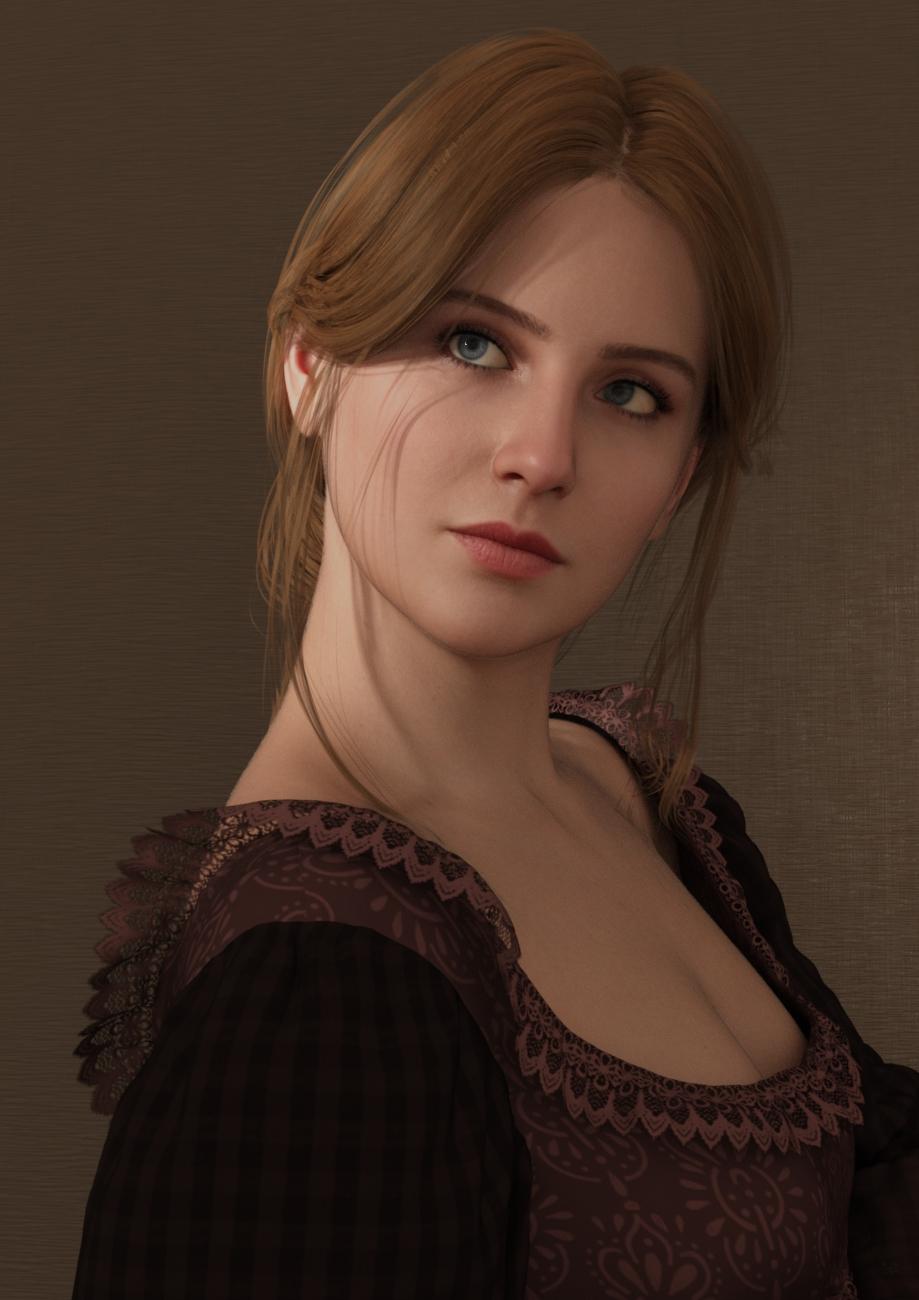
    Yet another creation with Face Transfer 2...

    By

    Artini Artini December 2023 in The Commons
  • Face Transfer 2

    Another Face Transfer 2 experiment

    By

    Artini Artini December 2023 in The Commons
  • Face Transfer 2

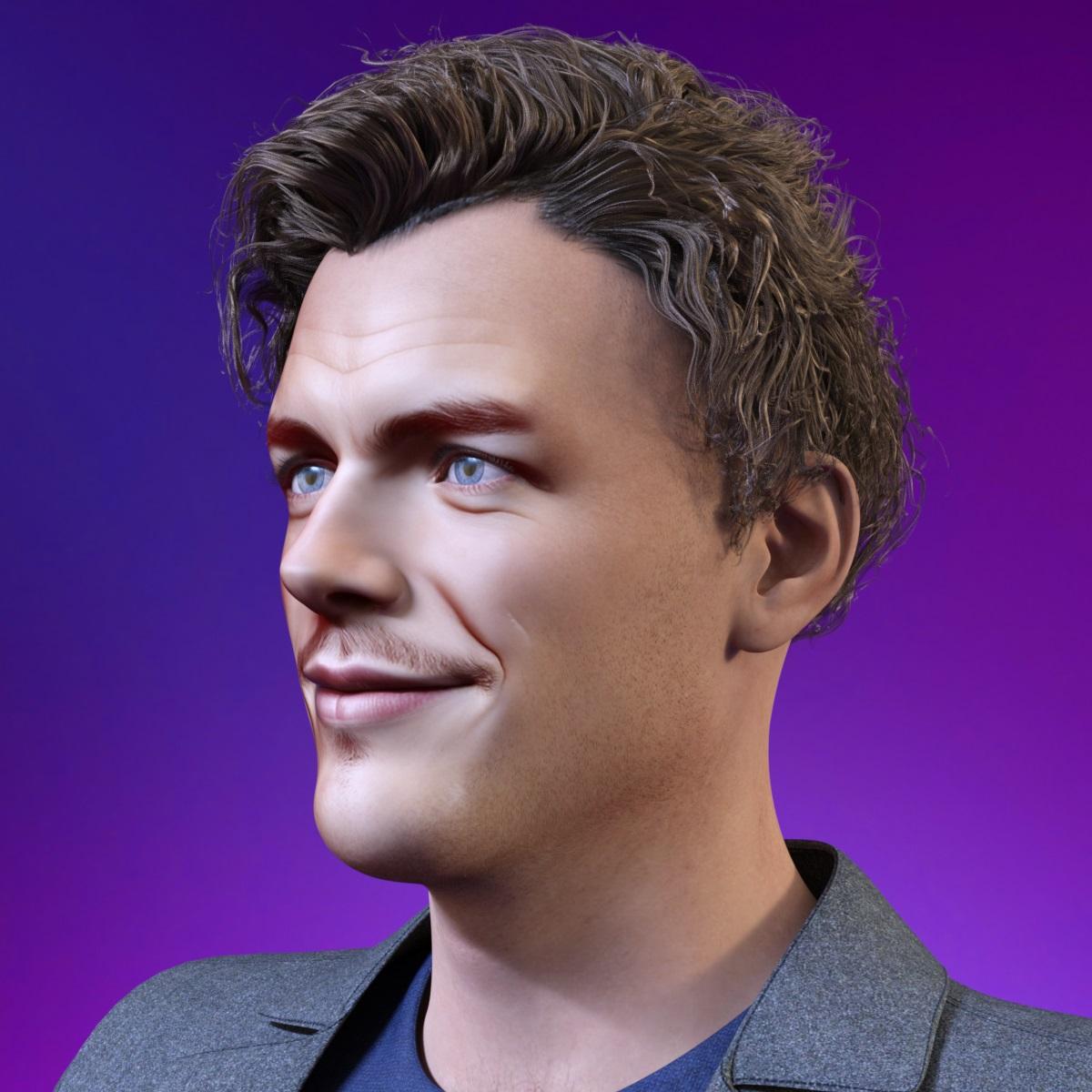
    Maybe toon created with Face Transfer 2

    image

    By

    Artini Artini December 2023 in The Commons
  • Diffeomorphic DAZ Importer version 1.7.0 released

    Thanks for your reply

    ERCs should work in this case,

    Unfortunately I couldn't get them to work. I checked "ERC Morphs" in the Global Settings, then imported the character.
    I set the morph value to 1 (deformation occurs) then clicked on "Morph Armature": the face bones move and seem to match the new face shape.
    However, the epic eyes mesh is still deformed in the same way.


    the drawback is you can't rig the figure since ERCs don't work fine with IK. As long as you use the daz rig it should be fine.

    So I guess I'm stuck. My goal was to switch from DazToUnreal to Diffeomorphic to have more control over my character's customization, but also to take advantage of Diffeomorphic's ability to add IKs.
    I'd already done some animations with SimpleIK using Diffeomorphic, but until now I'd used a different mesh for each character.
    Even if I can share the same animation once in Unreal Engine because the 2 meshes will share a similar skeleton, it's difficult to maintain in the long term.
    For example, simply forgetting to add a morph means having to export all the characters again from Blender to add the morph, instead of just having one mesh to modify.


    However, importing ERCs morphs in blender will not export to game engines and it only works in blender because of a "dirty trick" where the addon continuously goes in and out of edit mode while rendering, that's not ideal.

    I see. I guess that's why there's this limitation with Diffeomorphic but not with DazToUnreal. It's going through Blender that means ERCs aren't supported.


    Blender doesn't natively support ERCs so it is strongly advised to stay out of it unless really necessary for your purpose.

    I think you're right, I'll try to avoid ERC morphs as much as possible if that's a problem, as I'd like to continue using Blender and Diffeomorphic.
    Is there any way to tell if a morph is an ERC inside Daz, to avoid exporting it? At the moment, I activate Joint Editor and I activate the morph to see if the bones move, but maybe there's a simpler solution?

    However, I really need to use this morph so if there really isn't a solution, I'll activate the morph in Daz before exporting, and use this "baked" mesh specifically for this character, even if it means more work for morph (and code) management.


    If your use of ERCs is limited, you can try to import as a custom morph instead, that will not change the bones but ony the geometry shape.

    I'm not sure I understand.
    I don't know if this is what you mean, but I tried to reimport the character without morph.
    Then I use "Import custom morphs" on the character mesh and choose the morph for the head. I leave the default import options.
    I get this popup message when importing: "Daz Importer : Found morphs that want to change the rest pose."

    The morph seems to have been imported. I transfer it to the epic eyes with "Transfer Shapekeys"
    Then if I activate the morph in "Daz Runtime", the deformation of the eyes still occurs.

    By

    LazyBear LazyBear December 2023 in Blender Discussion
  • Diffeomorphic DAZ Importer version 1.7.0 released

    ERCs should work in this case, the drawback is you can't rig the figure since ERCs don't work fine with IK. As long as you use the daz rig it should be fine. However, importing ERCs morphs in blender will not export to game engines and it only works in blender because of a "dirty trick" where the addon continuously goes in and out of edit mode while rendering, that's not ideal. Blender doesn't natively support ERCs so it is strongly advised to stay out of it unless really necessary for your purpose.

    If your use of ERCs is limited, you can try to import as a custom morph instead, that will not change the bones but ony the geometry shape.

    By

    Padone Padone December 2023 in Blender Discussion
  • facetransfer 2 problems

    Hi Thankyou all for your help

    My content dir is on a different drive, it used to be in c: user/ public/ documents, I have completely uninstalled everything again, this time i deleted the content dir and reinstalled. This time I unpacked the zip file into the content dir and it's started working

    I still have postgre SQL CMS public build showing as uninstalled, it refuses to install, also GOZ for daz studio 4.22 not installed,

    What a pain this turned out to be

    Im just re importing the meta data again  to recover the content

    It looks a lot better than face transfer 1, It however hasn't transfered the shape of the face very well the textures look good

    I tried a test figure with a bumpy nose and eyeslids with a slight slant 


    By

    Keiron Keiron December 2023 in Daz Studio Discussion
  • Importing Files for Rigging: Best File Formats?

    Tynkere said:

    Attempt at humor aside, written tutorials for rigging?   For example, not sure how people have one morph control steering wheel + both front tires.  

    Turn both wheels and steering wheel to the desired position with the vehicle otherwise zeroed. Right-click in the Parameters pane and select edit mode, if it isn't already checked. Right-click on the rotation control for the steering wheel and select ERC Freeze. Make sure that the whel turns are the only thingss elected as subv-components in the dialogue box, deselect any interlopers, then click Acept. You steering wheel should now control the car wheels.

    By

    Richard Haseltine Richard Haseltine December 2023 in New Users
  • Importing Files for Rigging: Best File Formats?

    Thanks.  Looks like I'll have my choice or might be a moot point.  Product is licensed by a big corporation, so its purchase must be approved.  : 0 !

    "Dear Sir.  How do you intend to use our Acme licensed product?"

    "The Acme tow truck is really an ancient alien space ship that wakes up at night, tries to run over people, chases cats, and eats car batteries"  Uhm... no.

    "I want to use it to render scenes featuring roadside assistance?  Towing?"  Yes, that sounds better.

    ---

    Dear Mr Customer,

    Your intended use for towing with a tow truck implies that Acme might not have made reliable vehicles.  We regret to inform you your application for licensed use has been denied.  Next time just tell us you want to use it like a posessed Plymouth from a Stephen King novel.  

    ---

    Attempt at humor aside, written tutorials for rigging?   For example, not sure how people have one morph control steering wheel + both front tires.  


    By

    Tynkere Tynkere December 2023 in New Users
  • Face Transfer 2

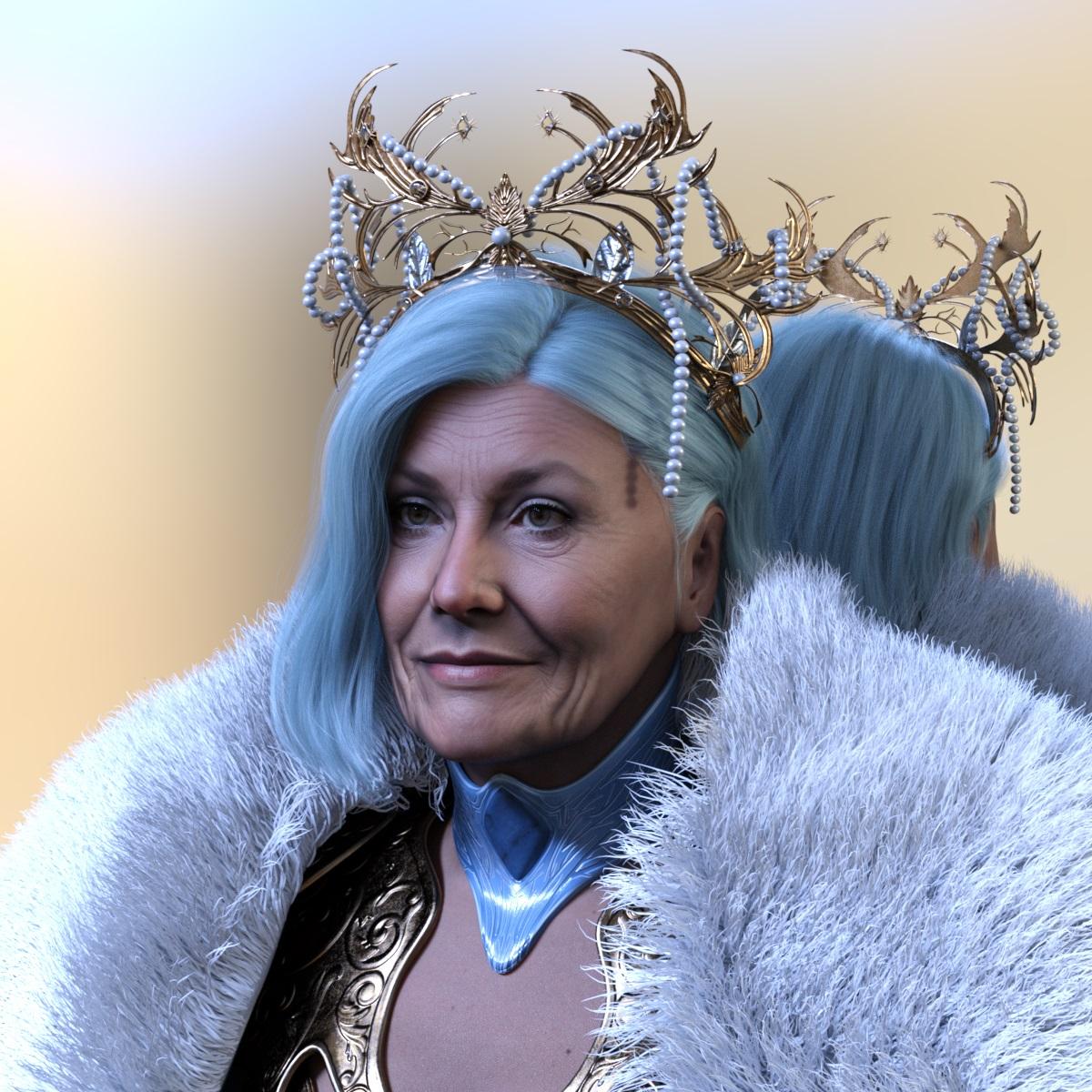
    Yet another Face Transfer 2 creation

    image

    By

    Artini Artini December 2023 in The Commons
  • Face Transfer 2

    Another Face Transfer 2 creation.

    image

    By

    Artini Artini December 2023 in The Commons
Previous Next
Adding to Cart…

Daz 3D is part of Tafi

Connect

DAZ Productions, Inc.
7533 S Center View Ct #4664
West Jordan, UT 84084

HELP

Contact Us

Tutorials

Help Center

Sell Your 3D Content

Affiliate Program

Documentation Center

Open Source

Consent Preferences

JOIN DAZ

Memberships

Blog

About Us

Press

Careers

Bridges

Community

In the Studio

Gallery

Forum

DAZ STORE

Shop

Freebies

Published Artists

Licensing Agreement | Terms of Service | Privacy Policy | EULA

© 2026 Daz Productions Inc. All Rights Reserved.