-
Do you know a website that can generate reference posing?
Lots of life drawing websites (there also used to be lots of lifedrawing videos on youtube, but you might have to sign in to find them or they've been all tidied up)
https://www.posespace.com/posetool/default.aspx - is my favourite. (NSFW once search results come up). Round table shots. Free to look at low-res
https://www.vogue.com/fashion-shows - can be good, some season you get a lot more 'lookbook' collections, so it's not all runway shots
HDR notification not displaying from 4K UHD HDR on YTThank you for that clarification @Richard Haseltine
I am definitely not re-rendering this entire movie (one hour twenty eight minutes twenty seven seconds and one frame) but I do want to learn for future references.
As a result, I created a simple scene with the "beauty" canvas and when I finished rendering, the program did create an exr file, along with the png file. Now when I open the exr file in Gimp, it is almost all white - I followed some instructions via the net to use levels and turn down the gamma, which showed the image, but most of the things that I found online where for compositing the exr file with the png file inside of After Effects.
Does anyone have any insight on how I can do this in Gimp - the compositing idea - the png file on it's own looks pretty good except for these white specs here and there, but I have a feeling that this is coming from the LAMH plugin in Daz3d - if anyone has a fix for that, then I would also appreciate the help
Once again, I tried to upload the image, but I received a notification of "No file data could be found in your post" As a result, I resized it in paint to twenty five percent and it uploaded
EDIT: update to the white spots - found the answer on a post in the forums - search for spots and there is the answer - remove the glossiness - still rendering, will post when done https://www.daz3d.com/forums/discussion/14818/look-at-my-hair-lamh-official-thread-update-1-6-0-1-released/p63
Render your buys! Use buys from the current month and the previous month of salesReposting from DAZ+ forum. I'm trying to render all the stuff I got this month, and I'm not even halfway through...
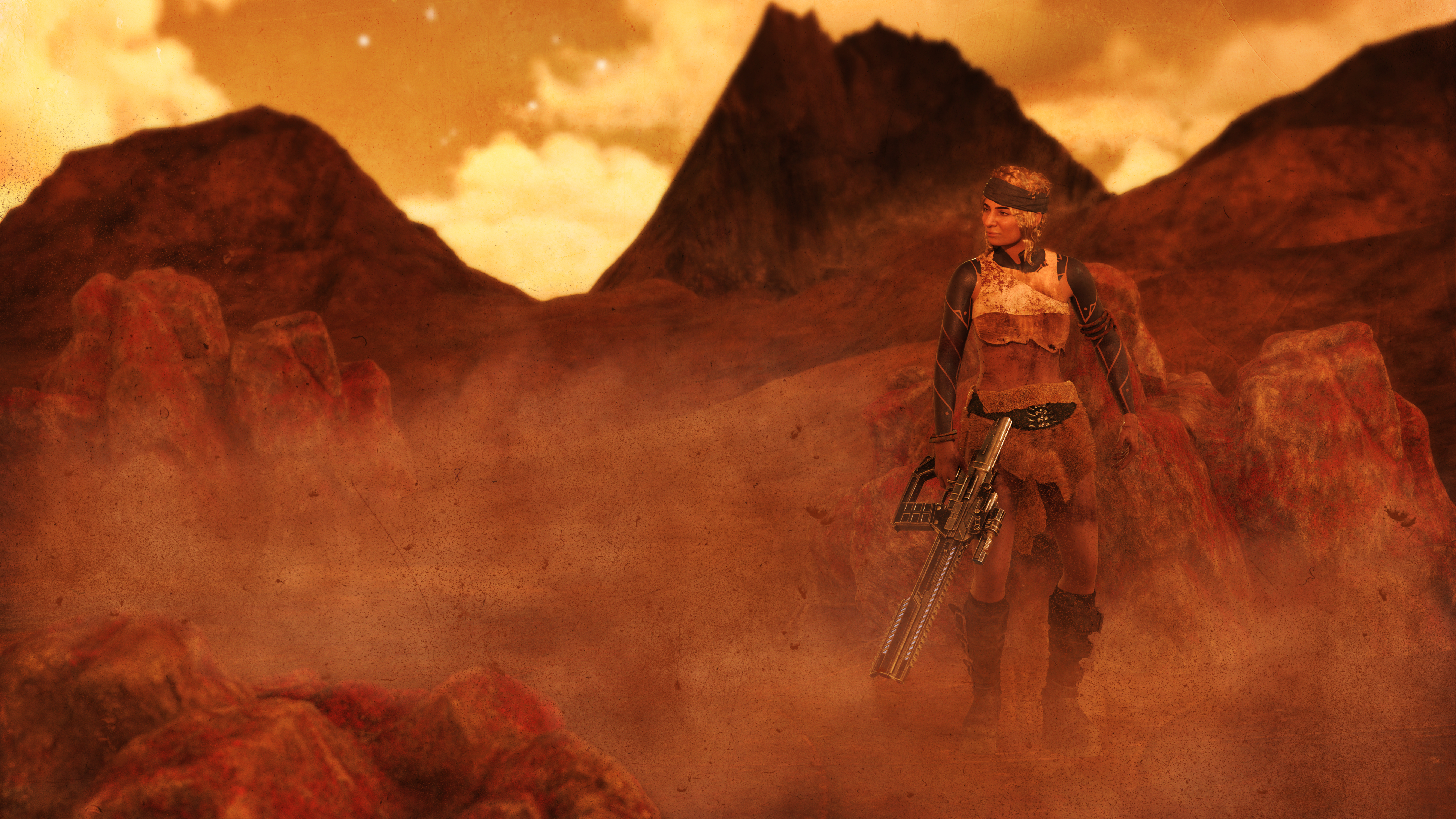
The Lone Survivor
New items used: Red Range Terrain, KOO Yaelle for G9, Zeeba Outfit for G9, Faber Inks, Stones HR and Materials for them. Bonus from last month, Mirage Strands for G9F. The rest of the items and the no-postwork render in the gallery (I had to add all the dust and sand in postwork, because my graphics card doesn't like VDBs much).
 No one asked me - Diomede screenshots on whatever - Warning AI Discussion OK
Diomede said:
@Bunyip02 great examples! Thanks for posting them.
.
Carrara is much, much, much better of a partner with AI than Daz Studio Iray. In my opinion. I tried to put together a series of screenshots in a tutorial for people to use Daz Studio to create the blockouts the way I am using Carrara. It is so much faster to insert a Carrara terrain modeler and get the basic shape of desired background terrain than to search one's content collection hoping you have something roughly close to what is in mind. Or insert a vertex object or spline object and get the rough shape of a desired object. And the built in Toon!!! creates lines without having to go in and mess with the material IDs of lots of objects. I gave up on the Daz Studio screenshot tutorial because the entire point is to save time, and it takes too much time to mimic Carrara. No modeler!
Thanks !!!
I am planning on using the AI two ways in Carrara.
First of all is to generate a number of iterations on subjects that interest me, then I will use those images as a guide for setting up a scene in Carrara with my content library.
Second is to use Diomede's method of exporting a scene from Carrara into the AI to generate an image of it.
Also I am keen to get back into 3D modeling, will use the AI images as inspiration for the models. Have been doing a series of start/stops with the modeling largely as I have too much fun rendering.
No one asked me - Diomede screenshots on whatever - Warning AI Discussion OK@Bunyip02 great examples! Thanks for posting them.
.
Carrara is much, much, much better of a partner with AI than Daz Studio Iray. In my opinion. I tried to put together a series of screenshots in a tutorial for people to use Daz Studio to create the blockouts the way I am using Carrara. It is so much faster to insert a Carrara terrain modeler and get the basic shape of desired background terrain than to search one's content collection hoping you have something roughly close to what is in mind. Or insert a vertex object or spline object and get the rough shape of a desired object. And the built in Toon!!! creates lines without having to go in and mess with the material IDs of lots of objects. I gave up on the Daz Studio screenshot tutorial because the entire point is to save time, and it takes too much time to mimic Carrara. No modeler!
[Released] Mirror Geometry for Genesis 9 [Commercial]RiverSoft Art said:
Silent Winter said:
Ghosty12 said:
JonnyBravo2010 said:
What are some practical uses for Mirror Geometry? Does it save time and effort? If so please explain.
I am thinking the same thing, not sure what practical uses there are for it.
1) You have an outfit with a shoulder pad on the left but not the right and you want it the other way round.
2) You have a hair with a left parting and you want a right parting (without wanting to flip the whole image)
3) You have a set of pants with one long leg and one short and want them flipped
4) You have an asymmetrical hat you want the other way round
etc.
The promo pictures give a pretty good overview of some use cases: https://www.daz3d.com/mirror-geometry ;
Thanks for the help @Silent Winter. Your link had extra characters though: https://www.daz3d.com/mirror-geometry
No worries. And Doh! I don't know why the forum does that - I paste the link, but if I hit space instead of just enter, it adds the semi-colon in the text, and then in the link there appears all the %c&A% stuff
JonnyBravo2010 - You're welcome :)
[SOLVED by PerttiA] Possible sources for "Interface Lag"?@crosswind: I see; it's always a bit tricky to find all the corners and pockets in programs you just started to use. (Kick-)Started to use Daz this year, so I'm very thankful for you guys sharing your experience here! I found the error log location around there, bc I needed it before, but didn't find that one yet before!
Wished there was a "Thank you" function in this forum though, it would really spice things up for everyone in the very end.
@PerttiA: I did a long term test run and the interface lag issue was fixed after uninstalling Heat. Thank you very much, this just made the whole workflow bearable again!
Thank you both !
 Where did comments go?
What comments and gallery images? Daz Deals inserts gallery and forum links, I think so have you uninstalled or otherwise lost the use of that? The vanilla stroe does not link to galleries or forums.
Where did comments go?The comments and 9 gallery pics seem to be missing from the store. I got the promo pics but not the others. Honestly, I do search forums for hese things but I find nothing.
Sharing my experience of customising my favourite Stonemason sets.Silent Winter said:
Fire Angel said:
OK, it will be hard to even visit this forum for a few days, and making anything worth posting will be essentially impossible. I have a temporary near-complete paralysis of my right hand, and I am (very) right-handed. Typing this is taking an age, so using Blender is just out of the question until this heals.
Good news is that I am told to expect full fuction of my right hand to return within a week, so I should be back soon.
Sorry to hear that FA. Hope you recover soon.
Thank you!
The doctor was excessively optimistic so there is no way I will recover full function in my right hand in as little time as she stated, though it is slowly but steadily improving. So despite the struggle I am now doing odd bits of 3D to keep from going crazy. As I am right handed it is a real struggle to get anything done with even a partially paralysed right hand, but as there is little else to do I just take longer than usual to get things done.
Diomede's Notepad, Sketchpad, and Chilling PadYou know what does a really cool depth pass?
Carrara! :)
If all you're after is a depth pass, you can have everything in the scene using only a single, ultra-fast-to-render shader, and just go for the depth pass! :)
I haven't gotten into the Iray canvasses much more than looking to see how to access them. However, since then I've seen talk in the Daz Studio Discussion Forum that there is a new feature for... is it line rendering or is it toon? I don't remember. But there's a pretty decent thread with instructions.
Being one of those who has and loves Carrara, and being a fan of taking the path of least resistance, that's what I would go for - but, like you... I'd still investigate for sure!
For Carrara, if I wanted to use more modern character shapes, I'd start with a conversion to Genesis or Genesis 2 - then set myself up a library of conversions that are specifically made for my work in Carrara, yet it would still all work for DS, so it's a win either way.
The coolest solution I can think of is to have Daz 3D sharpen their pencils and update Carrara to include compatibility with all Daz! Although some might disagree, I wouldn't even ask for a newer render engine - already loving the ones it already has. For me, it was dForce (rather, a product that I NEED that absolutely requires it) that forced my hand to use Daz Studio - for which I'm grateful. I find myself having a Lot more power having both!
Renders All Blankanaximanes_2000 said:
crosswind said:
anaximanes_2000 said:
I do not know how, I went to Render Settings and in the search typed "Buffer" but nothing showed up.
Press F2 in DS, Interface tab. Turn it on.
Darn, turned it on, but nothing changes.
Right... I didn't think it was relevant to the issue you have.
Renders All Blankcrosswind said:
anaximanes_2000 said:
I do not know how, I went to Render Settings and in the search typed "Buffer" but nothing showed up.
Press F2 in DS, Interface tab. Turn it on.
Darn, turned it on, but nothing changes.
Diffeomorphic: How did I get all these custom morphs into Blender?Ah... that's it. I think I might understand how that happend though I'm not 100% sure as I've never used that way....
I presume that Affect Morphs / Load Missing Morphs options search the linked morphs of the propertie dials within the Pose Presets, for instance, a joint rotation, a pJCM... even if you just gave the figure a simple pose...
But I just did a couple of tests, the imported morphs seemed not accurate and complete. Anyway it needs the confirmation from Thomas and Padone...
http://diffeomorphic.blogspot.com/2022/08/import-morph-and-scanned-morph-database.html
The [Disco Chives] Misplaced Parrot Complaint ThreadErr. There was me thinking phones were used to talk with.
I also have problems reading the forum on my living room phone, which is one of these:

And I ain't kidding.
Regards,
Richard
Render your buys! Use buys from the current month and the previous month of salesjoanna said:
Crossposting from Daz+ forum.
On Her Turf
New items used: Hinate for Genesis 9, Salvage Tech Outfit for G9, and Natural Curly Hair for G9. Gallery entry here. As a bonus, an "almost new item" used was Sci-Fi Reactor Room which I got back in January and haven't tried out yet.
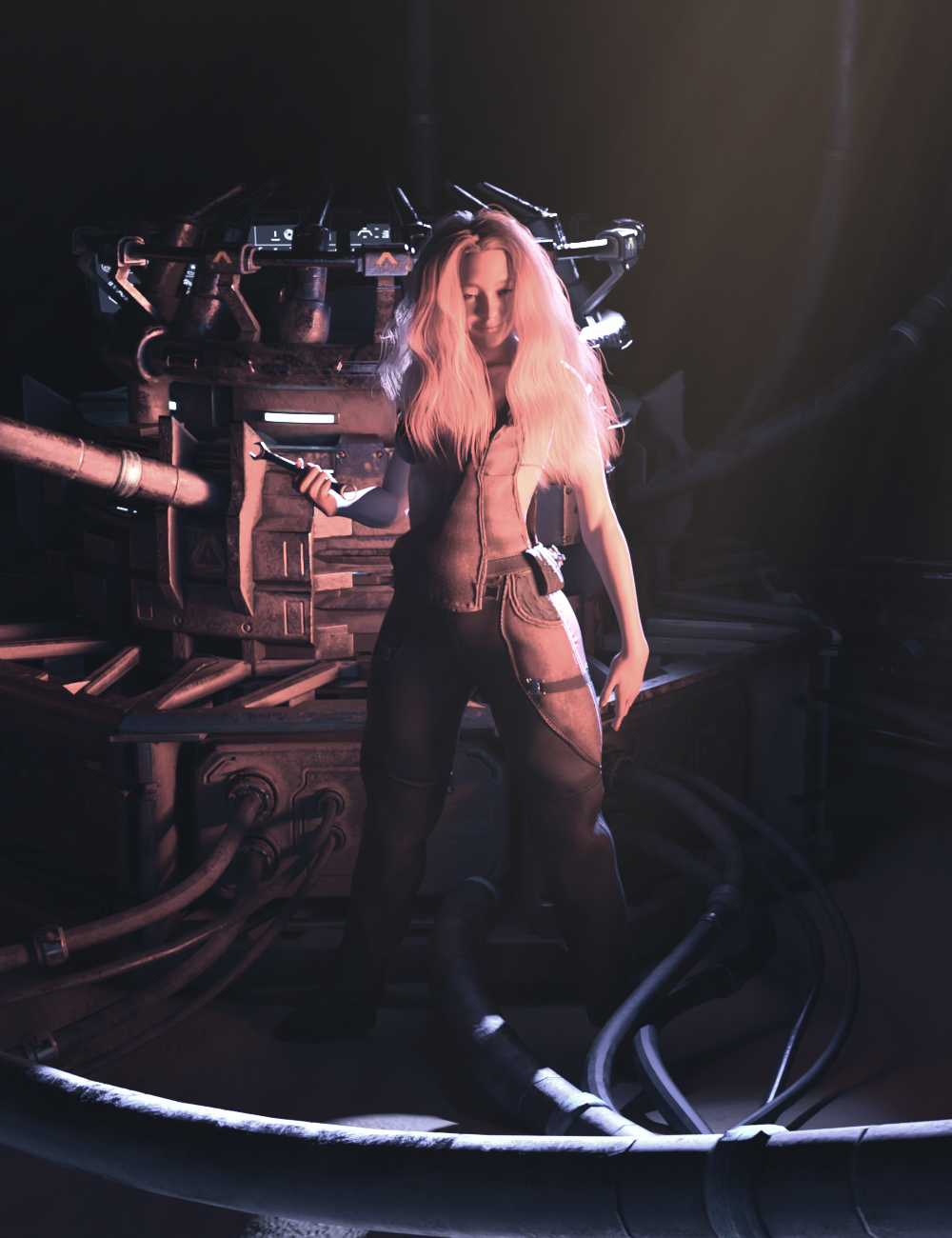
Nice lighting!
How do we make sunrays?In Daz terminology those would be called "godrays." (Oddly enough, I was just researching those yesterday and this morning, because I was wanting to create a visible "spotlight beam" effect - I'll try to make one tomorrow and see what happens.)
The theory is that light has to bounce off something to be visible, so the usual trick is to create a prop object to stand in for the dust / haze/ atmosphere. So that when the light from the spotlight hits the prop, the light will be visible. The prop has to have a bunch of surface settings changed for this to work.
There are products in the store if you search for "godrays" but it would be best to understand how to use them.
Here's a links to a classic tutorial by Sickleyield, plus a couple more: I found on youtube:
https://www.youtube.com/watch?v=NQuaK-ft0I8
https://www.youtube.com/watch?v=sHQpHdvZeMg
https://www.youtube.com/watch?v=taK2QYkha_o
Renders All Blankanaximanes_2000 said:
I do not know how, I went to Render Settings and in the search typed "Buffer" but nothing showed up.
Press F2 in DS, Interface tab. Turn it on.
Renders All BlankI do not know how, I went to Render Settings and in the search typed "Buffer" but nothing showed up.
Its 2024, whats your stance on UBER vs PBR shader?And, with that in mind, I would ask that you not add this to the list of threads that get derailed and closed because someone tried to turn it into yet another "this is why G9 is awful" thread.
@Matt_Castle - There's no hidden message in what I wrote, and I never said that. Nor was I aware that the forum was having such a problem, I don't visit "The Commons." If anyone took it that way I apologize.
Actually using a G9 right now for a scene because I did what I said I would in my previous post...
Daz 3D is part of

Connect
DAZ Productions, Inc.
7533 S Center View Ct #4664
West Jordan, UT 84084Licensing Agreement | Terms of Service | Privacy Policy | EULA
© 2026 Daz Productions Inc. All Rights Reserved.