-
AIUTO...CHI CONOSCE L’ITALIANO? PARTE UNDICI
No ma io non dico l'esterno, io intendo l'interno, mi sono spiegato? Tutto l'ambaradan, non mi far entrare nei dettagli.
Quando un ape vola e va sul fiore, insomma, capito no?
Ah, ok!
 Ma tu apri argomenti tricologici con la moglie del ciuffo, come speri che non capisca male?
Sul quel sito che non si fa troppe remore riguardo la quantità di tessuto indossato dai modelli poligonali ci sono dei prodotti completi... Non so dove sei andato a frugare, ma credo che qualcosa di specifico e non dipendente da altri prodotti ci sia.
Altrimenti puoi dare un occhio qui:https://www.most-digital-creations.com e cerca ACE, Anatomically Correct Evolution per Genesis2. E' un pacchetto di texture che grazie a tutta una serie di trucchetti fanno apparire quella zona molto delicata come fosse vera e "completa".
Poi in ShareCG, ci dovrebbe essere un morph che aggiunge "la forma visibile" a Genesis2 e il resto lo puoi fare con un morph aggiuntivo!current best practices for buttons?When creating custom conforming clothing for G8F and G8M, what is the current best practices for buttons? Here is an old post by the great and generous SickleYield. Are these still the best options? Other suggestions?
SickleYield said:
With buttons and FBM distortion there are basically three things you can try.
1. Rigidity mapping. This bears repeating because people keep using the wrong definition on the forums here: rigidity controls how much the mesh is affected by a generated FBM (it is overriden by customs).
2. Custom FBMs for each morph that distorts the buttons. Nobody wants to do this because late in a figure's cycle this can be dozens of morphs.
3. Remove the buttons from the base mesh (you would have to rerig, and I'm sorry about that) and set them up as rigid follow nodes. To do this you select the polys on the vest where the button will go, go to Polygon Group Editor, right-click in the main window, and find it from the Assign options ("Create Rigid Follow Node"). It will create a node in the Scene Tab, which you can drag onto the appropriate bone (one of the chests or abdomens, presumably) and then import your button and drag it onto the node. You have to save out the button geometry as a prop and then delete the library entry but leave the data files for this to work in a product, but you can use the same geometry for all the buttons and just translate it, saving polys.
A rigid follow node will translate away from the mesh with morphs.
formerly male content creation threadWith buttons and FBM distortion there are basically three things you can try.
1. Rigidity mapping. This bears repeating because people keep using the wrong definition on the forums here: rigidity controls how much the mesh is affected by a generated FBM (it is overriden by customs).
2. Custom FBMs for each morph that distorts the buttons. Nobody wants to do this because late in a figure's cycle this can be dozens of morphs.
3. Remove the buttons from the base mesh (you would have to rerig, and I'm sorry about that) and set them up as rigid follow nodes. To do this you select the polys on the vest where the button will go, go to Polygon Group Editor, right-click in the main window, and find it from the Assign options ("Create Rigid Follow Node"). It will create a node in the Scene Tab, which you can drag onto the appropriate bone (one of the chests or abdomens, presumably) and then import your button and drag it onto the node. You have to save out the button geometry as a prop and then delete the library entry but leave the data files for this to work in a product, but you can use the same geometry for all the buttons and just translate it, saving polys.
A rigid follow node will translate away from the mesh with morphs.
I resurrected this old post by SickleYield because of the dang buttons.
SimonWM Forum Name?Sorry, I didn't read your initial post properly and missed the part about already having submitted a ticket. One week is really not a long time; it might be another wek before you hear back from them, as they need to contact the PA, the PA has to verify and test, and then come back to DAZ about the issue.
As Taoz said, if you mean this product: https://www.daz3d.com/genesis-8-alive
It has three required additional products that you need so that everything works:
- https://www.daz3d.com/muscularity-morphs-for-genesis-8-female-s
- https://www.daz3d.com/muscularity-morphs-for-genesis-8-males
- https://www.daz3d.com/add-some-veins-hd-for-genesis-8
Can you please check if you own these three products and have installed them? If you do not have these products installed, the movements that depend on these morph packs will not happen.
You'll find required products for a product next to the main promo image.
If you already have the morph packs installed, it could be an installation issue.
 SimonWM Forum Name?
If this is not a problem of installation...
While some PAs visit the forum, not all of them do, and they do not have an obligation to come here.
Did CS not forward the ticket to the PA?
What you could do is, let us know the product, and maybe the forumites here can help you.
I posted in the "nuts and bolts section" a while ago but got no reply.
It's the "Genesis 8 Alive" aniblocks that I'm having an issue with. Some of the aniblocks work and others dont.
The main ones I'm concerned about is the Breath Aniblocks for Gensis 8 Female. The "Belly Only" and "Breath 3" don't work, but the rest of the breath blocks work ok.
Do you have the required morph packages installed?
I can't believe how much more powerful DAZ Studio is over Poser 11.I admit to having a soft spot for Poser. It was the programme which introduced me to the world of 3D artistry, and one of the very first figures I ever bought is still one of my favourites today. Poser might not have fully embraced the same technologies as Daz Studio (even though full compatability was on the cards at one point), but it still has a few points of interest which are, in my experience, better than Daz Studio.
The first is the cloth room. It cannot be denied that the new DForce clothing is a massive step forwards for Daz Studio. I love it, and I love being able to finally introduce dynamics into my work properly. The older Optitex dynamic was far too constrained for the user and exclusive to the point of requiring a multi-thousand dollar programme to create dynamic clothing. It meant we didn't see many PA's utilizing it, and those outfits we did get were pretty much only useful for the character they were made for, since the clothes don't morph with the figure. DForce however is still an uncut jewel. It's great as long as your scene is behaving itself nicely, but DForce deals with intersecting polygons rather poorly. Whatever calculations it runs can go completey haywire when this happens, causing the entire outfit to explode in a cascade of micro polygons. Not a pretty sight.
Poser's cloth room is sleek and the result of many years of perfecting their art. You can 'clothify' just about anything and drape it nicely. You can alter all kinds of settings on the fly for every surface of the material and very quickly and easily set rigid sections. DForce can only go from strength to strength from here, but Poser's cloth room is still the leader of the two.
The second is the firefly engine. Every engine has their pros and cons, so at face value there's nothing particularly special about what it can do visually. However, it is fast and gives some very impressive results if you know how to use it properly. The material editor allows you to create some incredibly complex surfaces and effectively build your own shaders from the ground up by combining different effects. Daz Studio's shaders are much simpler for the end-user, but are well designed for a specific task. Both are fantastic, but a bigger toolbox is never a bad thing.
Having worked extensively with both Poser and Daz Studio I still prefer the latter, but both are very powerful in uniquely different ways.
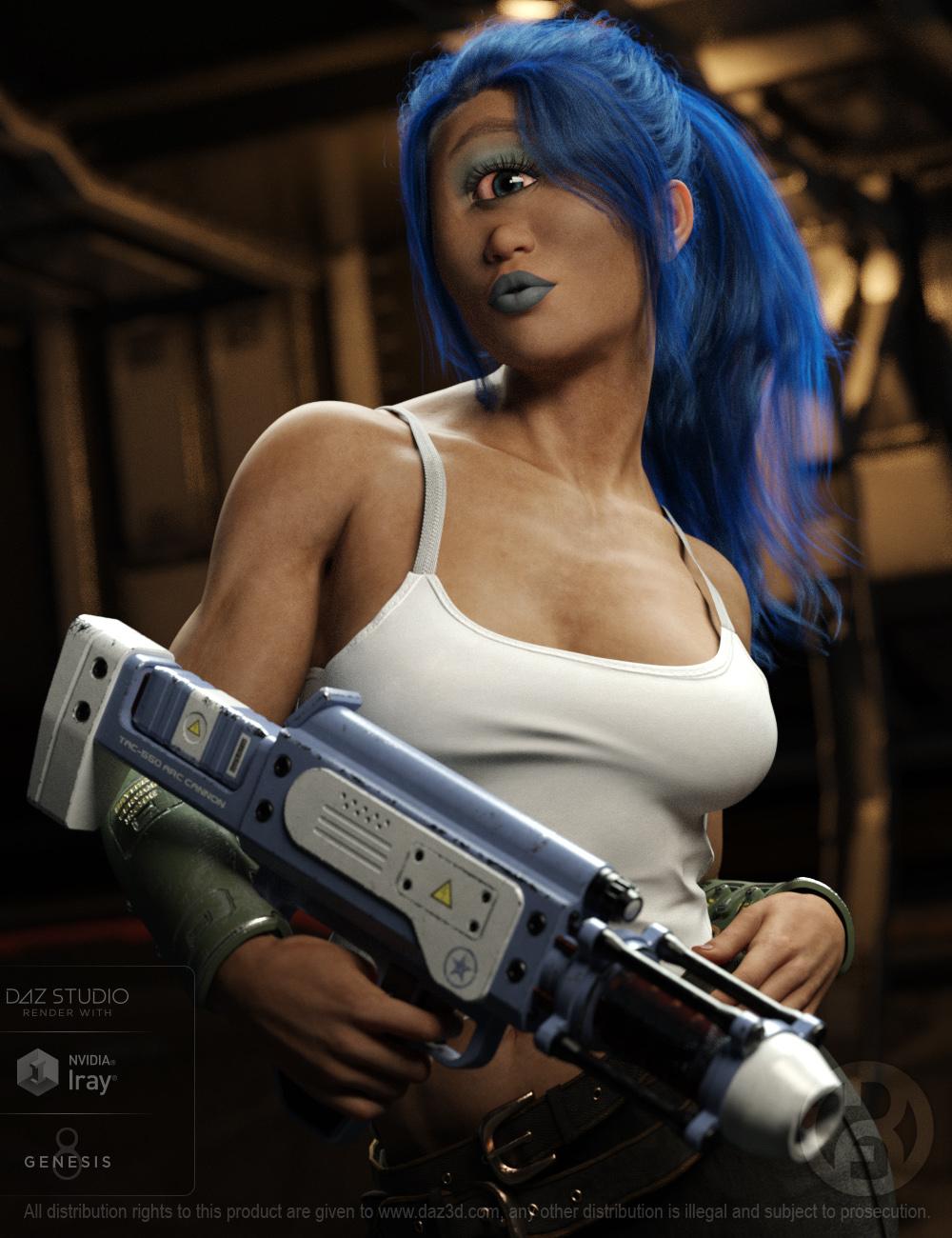
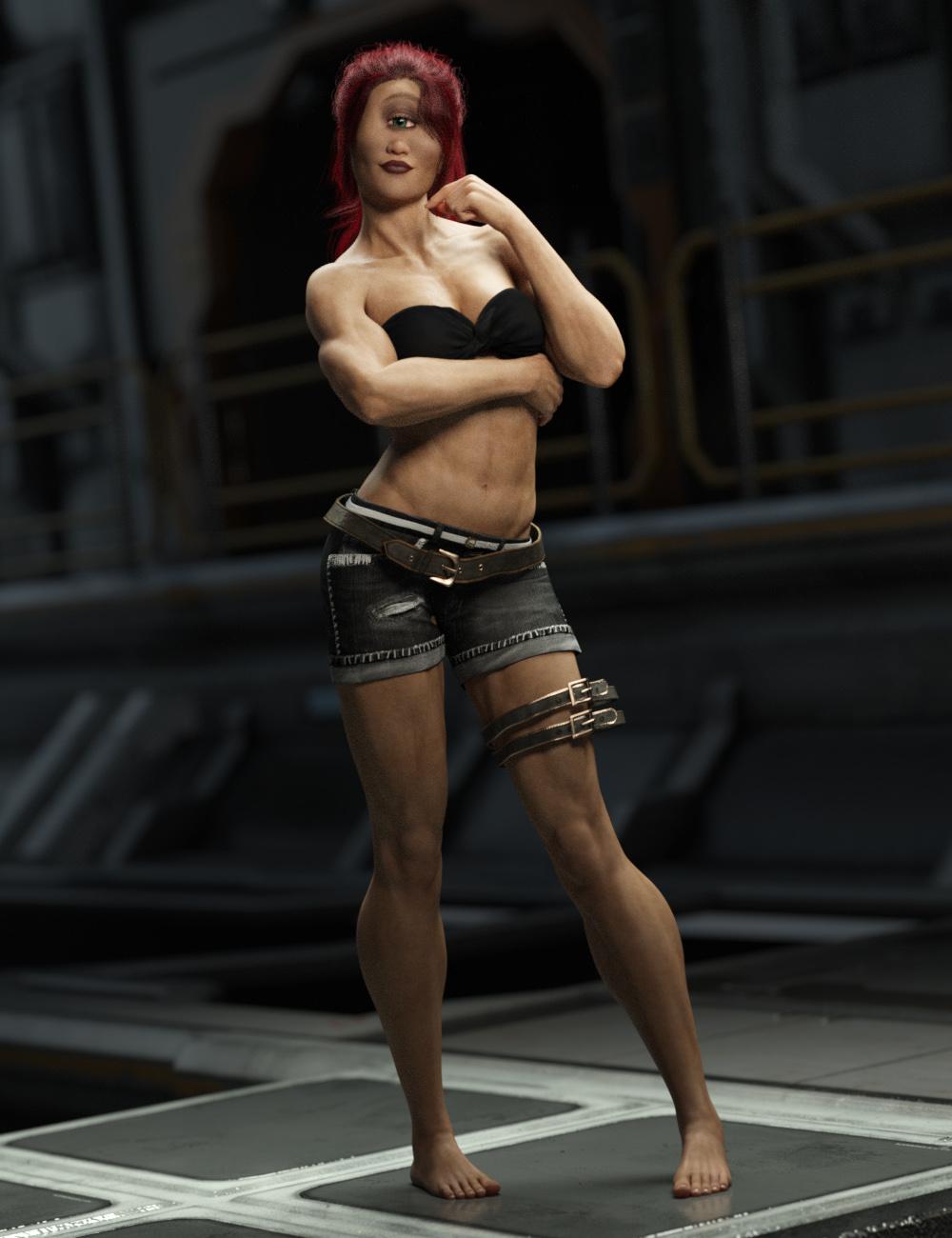
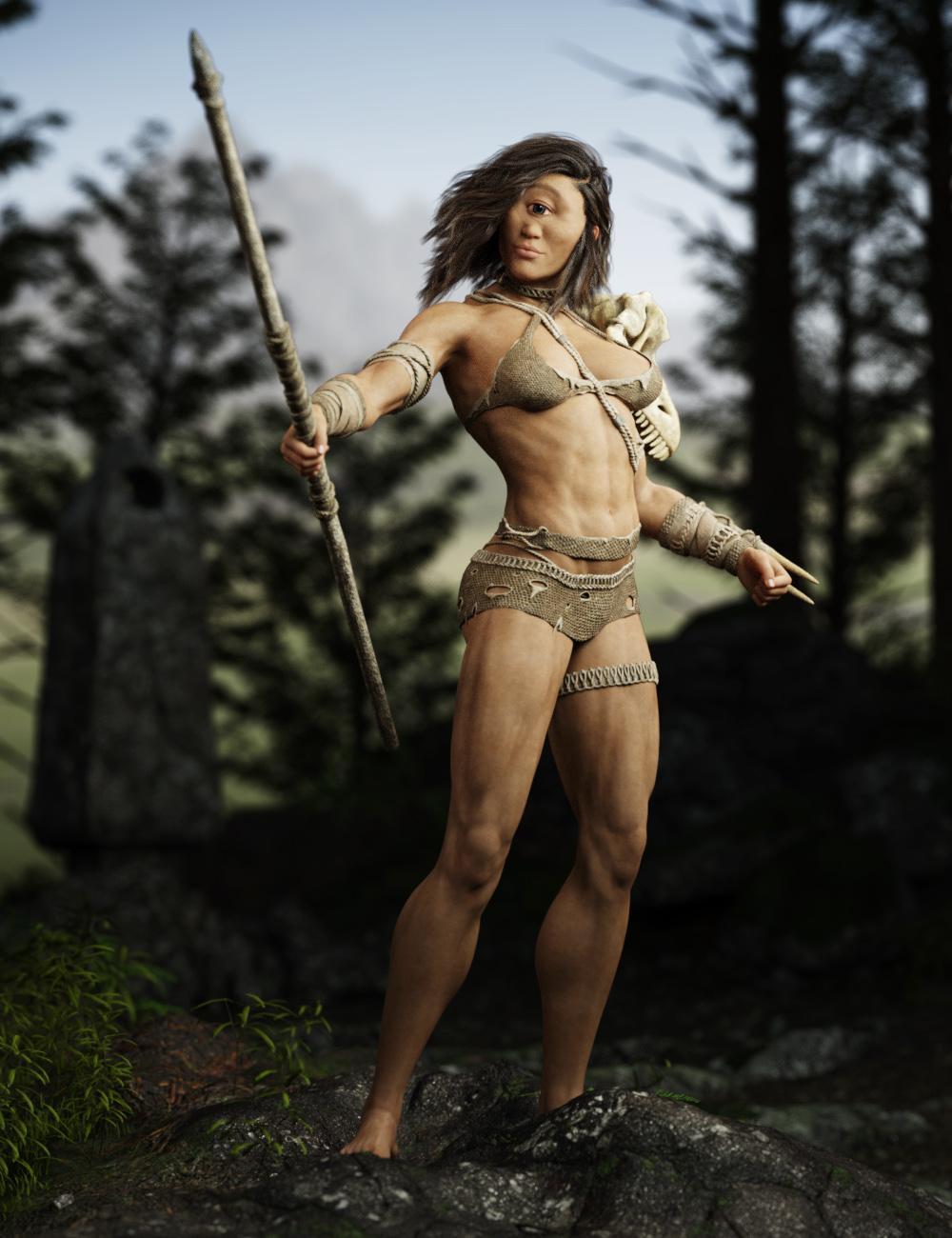
Cyclops Thea for G8F [commercial]Cyclops Thea for Genesis 8 Female
https://www.daz3d.com/cyclops-thea-for-genesis-8-female
The Cyclops is a classic creature of myth and horror. Although it’s single eye may not allow it to have great depth perception, many an unwary sailor has lost their lives to this hungry and savage creature.
Yet in the distant future, she may hold new and strange allures.
The set comes complete with custom crafted High Definition Morphs, and Highly detailed Textures for the utmost realism.
- Product Includes
- One Cyclops Character Preset
- One Cyclops Full Body HD Morph
- One Cyclops Shaping Morph
- One Eyelashes Long Morph
- One Cyclops Full Body Material Preset
- Five Face Material Presets
- Four Eye Material Presets
- One Eyebrow Geoshell
- Three Brow Material Presets
- Includes both Iray and 3Delight Material Presets
 Free Hair and Hair related Items List
Hair
elmenu1
PHair + Morph
''pubic hair'' it's a test I did with cinema4d. It is still in prop mode. so you can use it with any genesis. No textures.
https://sharecg.com/v/91822/phonetic expressions productHello
I was searching for phonetic talking morph like ( M, O, E. ... etc), but I could only found face morph/expressions like ( anger, happy .... etc ) for Genisis 3 ,8.
is there any product for this type of face morphs that I've missed?
thank you
Anyone having this G3 Female Problem?Thanks so much for this info. I was going nuts trying to figure out why all my Gen 3 Females had chipmunk cheeks : ) It was the Kaitana morph causing the problem. I uninstalled, but plan to re-install and try the text editor zero out trick. Thanks again!
[RELEASED] CC Foster for Genesis 8 Male [Commercial]He's no angel... at least, not anymore.
CC Foster is an HD character with several charming aspects. He can serve as an angel, an elf, or even a vampire with a selection of custom morphs for the ears, eyes, fangs, and fingernails (including a custom dilate and constrict morph for slit pupils). He comes with custom Fibermesh body hair for the chest, arms, legs, and anatomical elements. He also comes with his own fibermesh brows and eyelashes (all compatible with CC Beard Boss and CC Shave This materials).
Foster can sport 16 base eye colors and additionally, he has a black iris and sclera option. In addition, one of 8 eye flames or 6 eye glows can be added to any eye color (though the glow may limit how much of the eye color shows). He also has 6 eye makeup options from subtle to stark, and 5 sheens that can be added to his face with or without the other makeup for that angelic (or vampiric) touch. Aside from his natural lips, he has 6 colors he can wear either in full or just a kiss, as well as 5 lip shimmers which can be used with the colors or alone. Likewise his ears can be tipped in black and either shimmer or not in 5 colors, and his fingernails are similarly adorned.
Hell Princess HD for Genesis 8 FemaleJoLab the figure that you Demon Princess started cutting in half is that a morph or photoshop? If a morph is that character available as well? Great work!The gore effect is a combination of photoshop and a custom morph I made for the image. The character; The Aberration is available here: https://www.daz3d.com/the-aberration-for-genesis-3-male but the “gore morph” is not included.
I have already purchased that morph set Character, have you thought about releasing for sale that morph as part of an add on pack?The morph I made for the image is useless on its own. It requires Photoshop paint trick to look good.
I thought about making a sweet gore effect pack for genesis but it was way too complex to make and quite frankly did not look very good so I gave up.
Issue Converting G8 to G3 (dforce)I'm pretty heavily invested into characters and poses for G3, so for the time being, I'm just picking up G8 clothing I absolutely have to have, and converting it to G3 using SickleYield's tutorial. Last thing I picked up was the Wizard HD set. Conversion went beautifully for everything, until I came to the outer tunic. Now, after I've changed the Scene Identification and properly transfering the rigging (careful to select the figure first, then the article), when I actually fit the article to the figure, this is what I get:
Any clue as to what might be screwing this up for me? The outer cloak, which also drapes along the arms similarly to this article, made the transfer flawlessly.Hell Princess HD for Genesis 8 Female
I have already purchased that morph set Character, have you thought about releasing for sale that morph as part of an add on pack?JoLab the figure that you Demon Princess started cutting in half is that a morph or photoshop? If a morph is that character available as well? Great work!The gore effect is a combination of photoshop and a custom morph I made for the image. The character; The Aberration is available here: https://www.daz3d.com/the-aberration-for-genesis-3-male but the “gore morph” is not included.
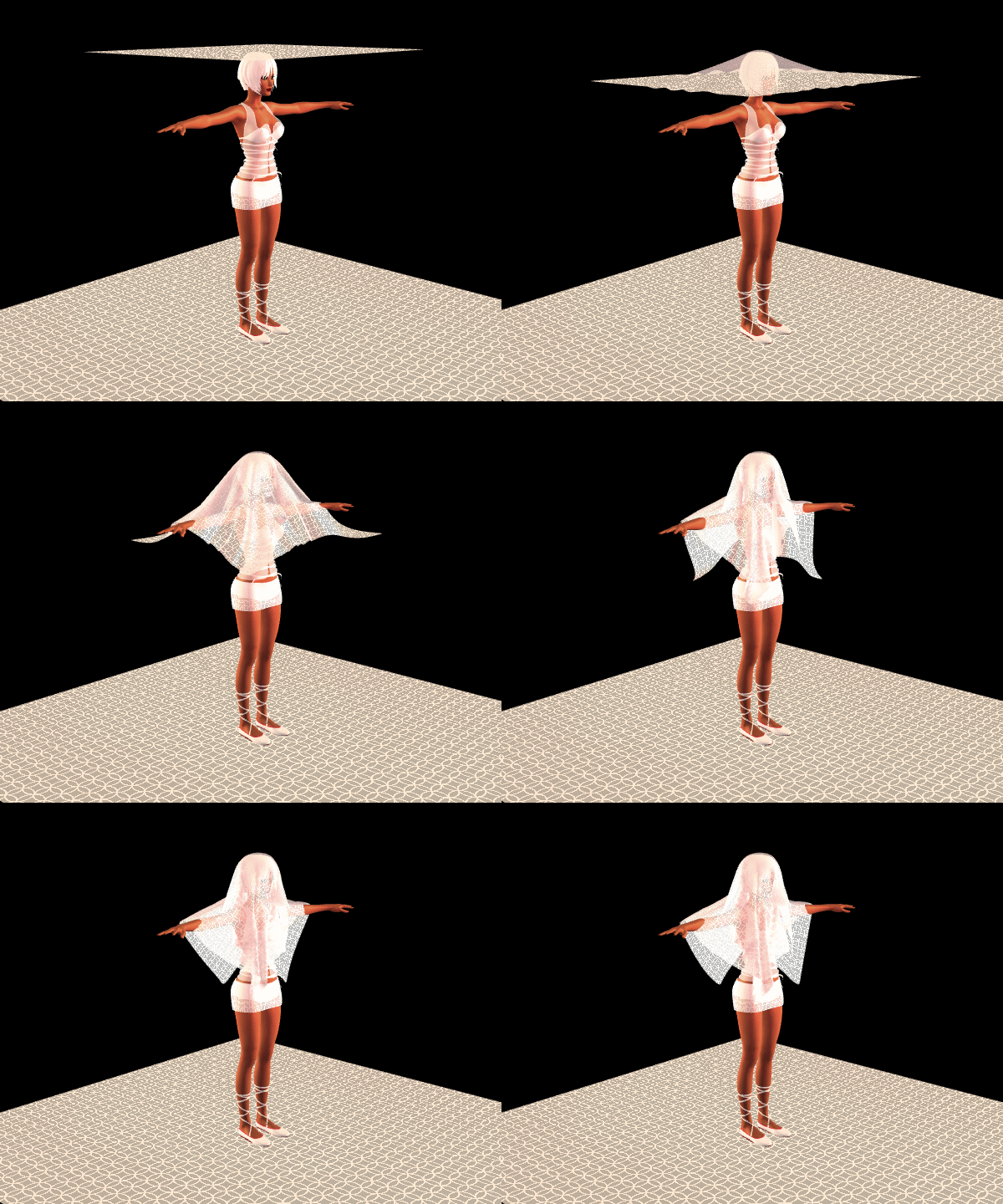
mcjTeleBlender:Daz Studio scenes/animations w/Blender's Cycles Enginethe animation above this post was done with mcjObjsToMorphingProp
you load frame000.obj
then mcjObjsToMorphingProp imports the 105 other objs as morphs into the frame000 object
then there's a button to animate the 105 morphs one after the other
i simulated the cloth ising DynCreator at 100fps
then i rendered the animation at 30fps
I sincerely appreciate your review of the script. I guess it was a couple of letters in the code, but it saves me a lot of time.
On "mcjObjsToMorphingProp", it only loads the first .obj, and the morphs, but in the animation, there is only the first .obj. It is not a question of a different scale. I think Daz's "Morph Loader Pro" works better ...
This only happens with dynamic clothing. In the same way, when you export, for example, genesis 3 with those clothes, to Fbx format, genesis is brutally deformed. I solve it with two fbx.
My case is quite particular, since I transfer from Daz to Blender to generate the glTF file, and there is no way to correctly accept the geometry, apart from a file size of about 100/200 Mb, totally unusable on the web with Three. js, etc ...
Anyway, thanks again. I'll tell you when I do the tests.Male equivalent of Victoria 8?Thank you all for chipping in.
Michael 8 it is then. According to the bible Adam is the basefigure and Eve is just a morph, Daz3d is heresy!
Hee-hee. According to that same bible we should also have a slithery one. Where's our Daz Snake 8?
Well, if you want to be Kabbalistic about it, the snake is actually Lilith, with is someone we DO have. ;)
Male equivalent of Victoria 8?Previously Victoria 3 and 4 brought a Male morph before Michael 3 and 4 were released.
Ice Dragon Art A Glimpse Into My WorldGreat updates. Thanks for the info on how you use old DM fantasy sets. I have a number that I sort of have been ignoring but you make it seem so easy to use in Iray.
congrats on your anniversary. Beautiful sentiment about the challenges and makeups. Wishing you at least 30 more.
hey, I installed using DIM but did not know about the second checkbox to delete installation files. When I uninstall, things just go to the middle DIM tab. If I uninstall and reinstall with that checkbox chosen, will it clear up some space? That would be great.
Yes if you uninstall and re install they will delete the install files as long as the box is checked.
Thank you for the anniversary wishes, I am hoping for another 30 as well lol.
And yes most sets transfer well. I can't find the thread that details how to improve some of the ones that don't convert well but as soon as I come across it again, I will post it.
Male equivalent of Victoria 8?Thank you all for chipping in.
Michael 8 it is then. According to the bible Adam is the basefigure and Eve is just a morph, Daz3d is heresy!
Hee-hee. According to that same bible we should also have a slithery one. Where's our Daz Snake 8?
Exporting anatomical elements for G3F; G8FI can't check, but if you use Morph Loader pro and look at the Import Morphs For button there should be a grafts otpion. I'm not sure if the GoZ dialogue has that or not.
Daz 3D is part of

Connect
DAZ Productions, Inc.
7533 S Center View Ct #4664
West Jordan, UT 84084Licensing Agreement | Terms of Service | Privacy Policy | EULA
© 2026 Daz Productions Inc. All Rights Reserved.