-
New possible product / freebie
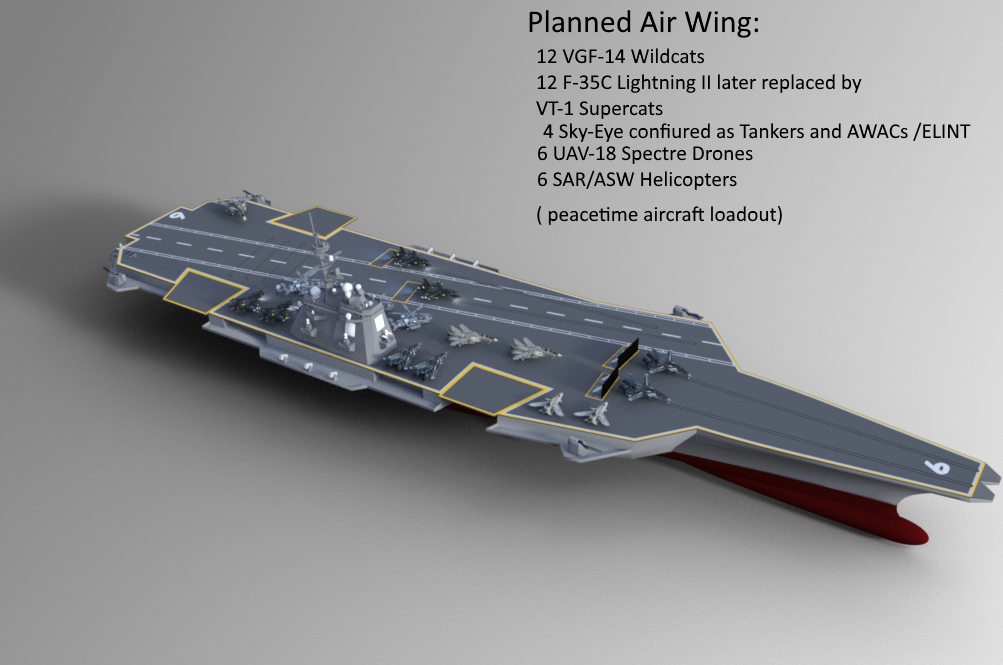
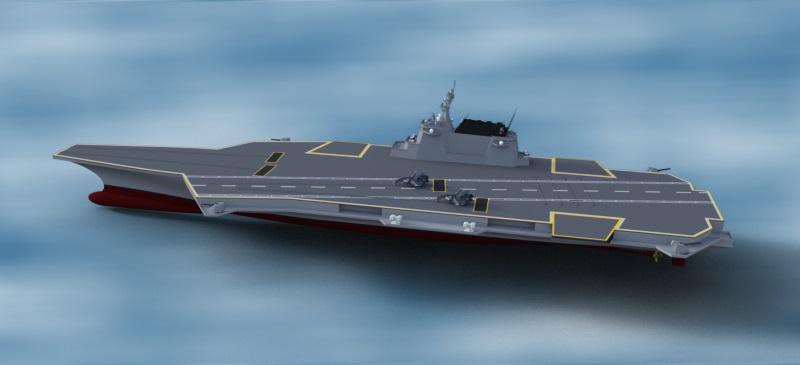
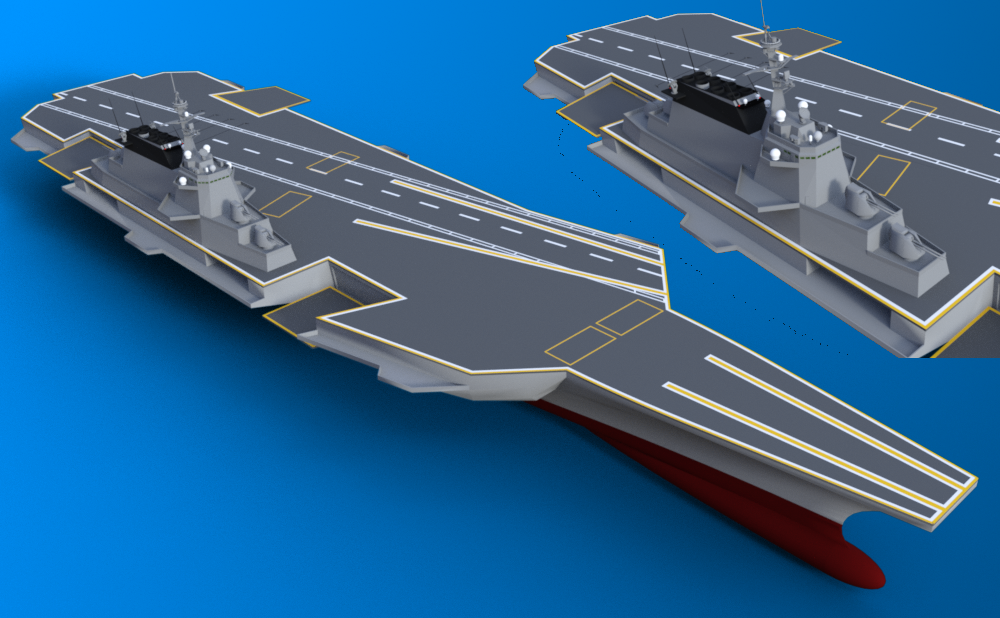
OK I was needing feedback on something I have been modeling in sketchup and converting over to use in Daz. At the moment on the border on whether to make it a new product or a freebie. Right now it is in the early stages and yes I have been adding moving parts. I started this to go with a good friend of mine's alternative history Macross/Robotech. And since I also make textures for his aircraft designs I wanted something for them to fly off of. Not sure I have it in the right forum so would appreciate letting me know if I need to fix it.
A bit of a progress render on moving parts and such. Still a non uv mapped version.
Update.. Ok as can be seen drastic changes lol. She is fully built now just the rigging and mapping left. She is actually useable now as is with more moving parts than I had planned. Aircraft from Polish and Chris Schell. And yes everything is to scale.
Looking for a large English country estateGoogling I was surprised no Turbosquid jaw dropping priced version of thd Burghley House, in fact none anywhere even though they have virtual tours, countless drone videos and no shortage of images, even the floor plans.
No 3D warehouse model even, and streeview does not get near it to make one in Sketchup.
Looking I don't think it would be too hard to knock up the facia though from castle bits and add some of those various DAZ original spires and roof toppers
Most probably none have been authorized by the owners - Using a recognizable building without permission is pretty much the same as using a recognizable person without their permission. But, just like other recognizable things, you can make something closely "inspired by" the thing in question.
Commodore Amiga 500A freebie in sketchup format: https://3dwarehouse.sketchup.com/legacymodel.html?id=3e67063ed8fa5adbc2fbfa4bf3252b56&legacyredirect=backend
Need lightning bolts (free) or tutorial to make suchI have got some lightning bolts at Sketchup Warehouse but those I have download and tested, all appear with block around it - not only lightning bolt alone.
Do anyone know where I can get a lightning bolt to use in Bryce, or a tutorial to make one's own?
Surface pane missingI am trying to add a texture to a Daz object. I tried using a Sketchup import, then creating a primitive (from a tutorial) but in both cases all instruction leads to the 'Surface pane'.
I don't have one.
I looked through all the menus, drop downs, etc. Where is the surface pane?Running Track scene/prop?https://www.turbosquid.com/3d-models/set-track-max/680549
https://www.turbosquid.com/3d-models/football-stadium-3d-max/202471
https://www.turbosquid.com/3d-models/soccer-field-3d-model/284648
https://www.turbosquid.com/3d-models/max-us-football-field/284009
Theer are a bunch of sports tracks at the 3dwarehouse, but you will have to do some of the work converting and applying textures
https://3dwarehouse.sketchup.com/search/?q=sports track&searchTab=model
Bryce can't handle this town scene and crashes :( [ADD new buildings]Slepalex, as far as I remember the conversation we had was all about the terrain height map generator and World Machine, etc. I am not using either in this scene. Roads are a low-poly model from Sketchup Warehouse which I have pasted on terrain. I am not familiar with Bryce in the sense of reducing the textures. Bryce textures are very limited, especially for using on clothing materials (fabrics). Should I do this reducing of textures in the native programs beforehand, i.e. Daz Studio or Sketchup? Daz Studio's textures on characters are quite HD, but Sketchup's are very low.
We are talking about raster textures that come with characters, buildings, etc.
You go to the texture editor in Bryce, copy the texture (the "copy" button), open the free IrfanView viewer, paste the texture (Ctrl + V) and see that the texture is 2048x2048, reduce it (Ctrl + R) by entering the numeric width (256x256 or 128x128), height decreases proportionally. You copy the reduced texture in IrfanView (or photoshop or what do you use?) Ctrl + C, return to the Bryce texture editor and paste the reduced texture. Enter, Enter, Enter, Ctrl + S - save the Bryce scene.
This procedure takes much less time than I write, edit and translate these lines into English.
_______
And I wrote about it here on the forum several times. Get yourself a digital notebook and copy all the interesting offers and read them at night. :-)Bryce can't handle this town scene and crashes :( [ADD new buildings]Slepalex, as far as I remember the conversation we had was all about the terrain height map generator and World Machine, etc. I am not using either in this scene. Roads are a low-poly model from Sketchup Warehouse which I have pasted on terrain. I am not familiar with Bryce in the sense of reducing the textures. Bryce textures are very limited, especially for using on clothing materials (fabrics). Should I do this reducing of textures in the native programs beforehand, i.e. Daz Studio or Sketchup? Daz Studio's textures on characters are quite HD, but Sketchup's are very low.
Bryce can't handle this town scene and crashes :( [ADD new buildings]I am quite disappointed but there is nothing that I can do working on this scene of a town.
 I have used LAA but it does not help in this event.
Although the objects I am using from Sketchup Warehouse are quite low detailed it seems the textures play a big role in crashing or let Bryce run out of memory! The attached scene I can't complete due to this. The moment I am trying to add another building or object it run out of memory. I have only the few buildings in foreground and an incomplete town!
I was thinking of another solution to add some simple buildings in the far background and render that. Then on another scene delete the first buildings and add more buildings a bit closer and render that. Then afterwards, in Photoshop, doing some cutting copy and paste the second set onto the 1st render and repeating this procedure to complete it piece by piece. Such a schlep way I think it will be! I can't think of another way to complete the town. I have done something similar on a render some time back which actually worked but the scene was not so complex as a whole town scene.
Or are there more ways to do so?
F/A-37 Talon (Stealth)?It's a basic design and probably not good for closeups and you'd have to convert it to a format DS can import, but here you go
https://3dwarehouse.sketchup.com/model/5612415a1018638375d604ebf734887e/FA-37-Talon
Proper old pub?Sketchup Warehouse has some traditional beer pump models as well.
Show Us Your Bryce Renders Part 10launok : thanks. I have those plants for ages, I cannot remember where they came from. Download lots of stuff, sometimes worthless, put them in a file (categorized) and leave them until I need one of them. I like the diner and the shop. I don't know how to use Sketchup, I tried but gave up. It's a good idea though to use it to download their models.
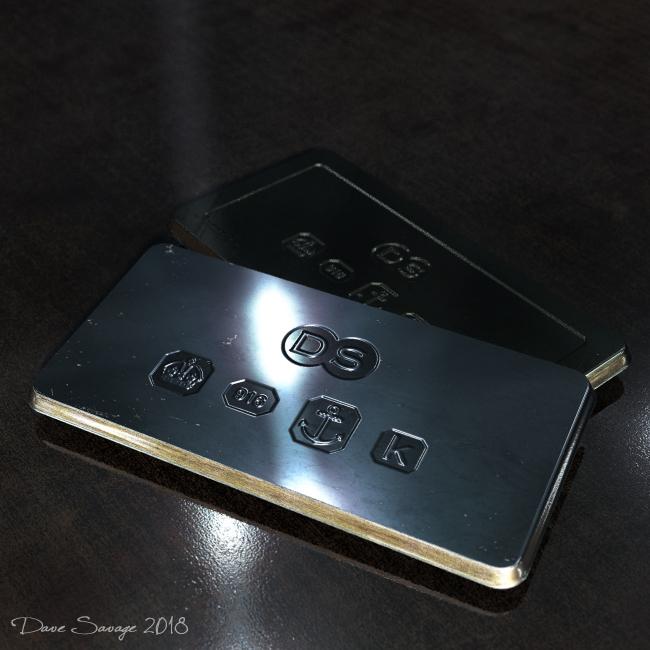
Dave Savage : Those last renders are just photographs, awesome.
Show Us Your Bryce Renders Part 10Launok: You could have just made your own crossing in Bryce. Either using the 2D square for a simple one or the Additional Primitives if you wanted a bit more detail.
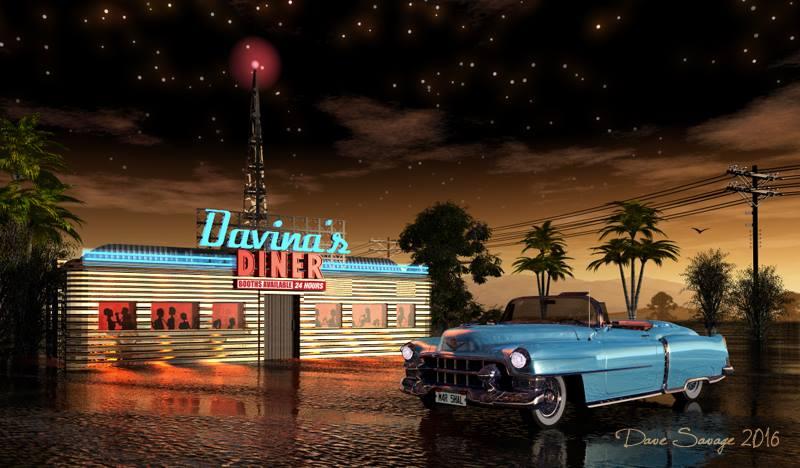
Sketchup is actually great piece of software, though I don't use it much, I find it's also great for getting 3D text into Bryce though sometimes it generates some odd geometry... I made the sign on the diner picture below in Sketchup.
adbc: Nice desert scene.
My latesy started in the terrain editor, but in the end the effect was better done just using the bump channel... So the background one is Terrain Editor and the front one is done in the Mat Lab.
 Show Us Your Bryce Renders Part 10
launok : Great scenes, you certainly know your way around in Sketchup.
Thank you for the compliment but Sketchup I am only using for open the models which I have downloaded from the Sketchup Warehouse. My knowledge of the program is almost zero, though I have built 3 simple models in that - a fashion shop, a diner and diner signage. I then export models as .obj to use in Bryce. Some work, some doesn't. But most do work with textures and all which is really great. But the scene outlays you see is what I actually plan in Bryce. Gosh, I have to try a scene with the diner. Can't think why I have never done that!
The fashion shop I have completed a scene in Bryce. Only fashion shop is my model in street scene, rest Sketchup's.The Diner interior is not my work - it's from Johnny's Diner which is part of a game DOA5. And shop interior is various Sketchup models too. I have built only the building part.
Show Us Your Bryce Renders Part 10Dave Savage : amazing maze.
Horo : beautiful landscape and anaglyph.
launok : Great scenes, you certainly know your way around in Sketchup.
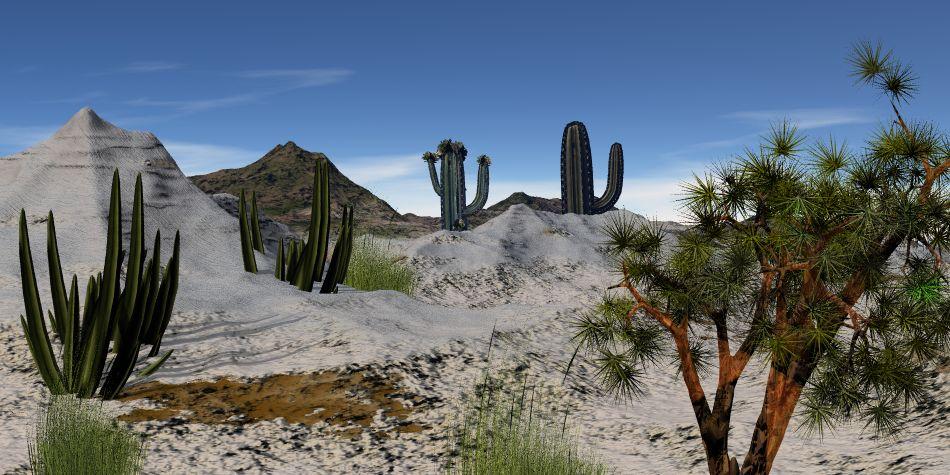
Just made a desert landscape, nothing special only using the Bryce terrain editor. Still trying to understand how world machine works, it looks fairly good but once imported in Bryce they are quite horrible.
 How do I scroll through multitude objects in a scene?
Yes, that is the problem with some imported models... I tend to rename each one as I tweak it's materials to make it Bryce friendly... It's time consuming and Sketchup models are the worst for it as sometimes each individual component is made up from 24 mesh objects, like you say, all with the same name making a complex model hundreds of different bits of mesh.
I also try to give each material it's own family colour so that future editing is much easier.
Show Us Your Bryce Renders Part 10@ everyone - all your work are just amazing!
 I am not online regularly and thus not as active as I would like to be, not in the forums or working in Bryce.
But I have tried another street scene in Bryce. You will notice the night scene is not finished, i.e. still lack of trees, etc. Also had to do some bit of changing of road by moving somewhat to not show road end as seen on night seen to right side. I have completed the day scene only this afternoon. The original Sketchup road model show the crossing walk lines but somehow when importing into Bryce it do not appear though the other line marks does
. I have found a model of such crossing lines which I have put on top of the road parts in Bryce, but it looks horrible! So, I am leaving those lines out for now.EDIT TO ADD NEW RENDER: Today search for another set of crosswalk lines and added it to scene. Not great but much better than the previous model I used yesterday. The left crosswalk lines are a bit skew compared to right side crosswalk lines.
Strange thing I am noticing, the word "solo" on road sign lack letter in the new render.
The Great Waryes been after a good WWI British uniform for ages (and other nationalities would be good)
There are a few tanks about. I just did an image of a WW1 British tank and a German one. quite happy with the result.
The German one was a Sketchup model I exported and added more details.Terrain Editor and Heightmap Generators for BryceSlepalex, It looks great for buildings but not quite what had in mind. I was just now searching more for street layout in Sketchup Warehouse and got this one and tested it out quickly in Bryce. There was some buildings which I have removed in Bryce but this is what I was somehow needed. In this instance I can just add buildings, houses, trees, plants, etc. Even the sidewalks/pavements are already in the Sketchup model. I can't believe I have missed this one earlier on searching and now I got something so quick! It's a whole town!

I will give TerraBrush also a try as it is creating nice images looking at yours.
I thought you needed something like this.
Try dragging your texture from Sketchup to TE as a height map.Terrain Editor and Heightmap Generators for BryceSlepalex, It looks great for buildings but not quite what had in mind. I was just now searching more for street layout in Sketchup Warehouse and got this one and tested it out quickly in Bryce. There was some buildings which I have removed in Bryce but this is what I was somehow needed. In this instance I can just add buildings, houses, trees, plants, etc. Even the sidewalks/pavements are already in the Sketchup model. I can't believe I have missed this one earlier on searching and now I got something so quick! It's a whole town!
I will give TerraBrush also a try as it is creating nice images looking at yours.
Daz 3D is part of

Connect
DAZ Productions, Inc.
7533 S Center View Ct #4664
West Jordan, UT 84084Licensing Agreement | Terms of Service | Privacy Policy | EULA
© 2026 Daz Productions Inc. All Rights Reserved.