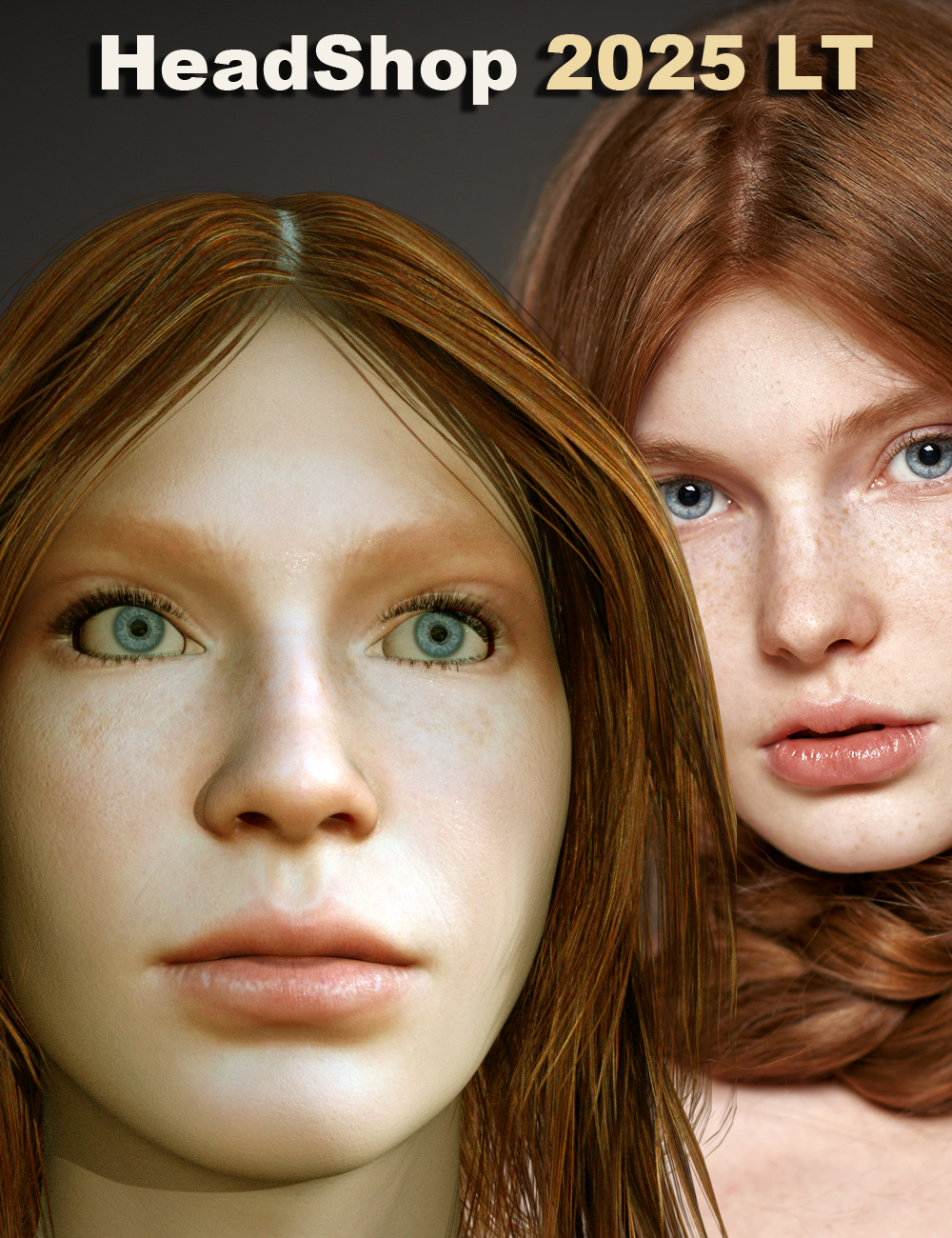
-
Noob Question - Headshop 14 doesn't work?
vasiliypoebayko said:
info_b3470fa520 said:
Throwawaytales has had a skype/screen share session and we were able to find a solution in 5 minutes flat. He also forgot to mention, that he installed HeadShop via DAZ Central and IM - neither of which can be used with HeadShop. As the README clearly states, HeadShop has its own installer that, when used, installs on the correct location.
Good afternoon!
How did you solve this problem?
I have the same situation. I would be very grateful for your help
It is always install issue. To solve install please visit the following tut:

Follow steos carefully, don't skip! If still no luck, we can have a skype screen share - works 100% of the time.
Let me know: [email protected]
HeadShop QuestionsI might give HeadShop 2024 a try as it's at about $30 right now with tokens and such. Stay tuned...
HeadShop QuestionsThe line of HeadShop products has seemlingly exploded in the last few years. There are 2023, 2024, and 2025 versions. Some are titled "HeadShop" and others "HeadShop Pro" or "HeadShop LT".
Normally that would be great news! More things! And it probably is good news. The trouble for me is that even after reading the various product descriptions I can't tell one from the other. There seems to be a lot of overlap. But different products come witrh different prices and come on sale at different times, so I have no idea when to pull the trigger and what to buy.
I own Face Transfer and Face Transfer Shapes (I work mostly with Genesis 8), and I've been looking for a HeadShop product that is essentially the same as that, but I've become lost in the maze of options.
Noob Question - Headshop 14 doesn't work?info_b3470fa520 said:
Throwawaytales has had a skype/screen share session and we were able to find a solution in 5 minutes flat. He also forgot to mention, that he installed HeadShop via DAZ Central and IM - neither of which can be used with HeadShop. As the README clearly states, HeadShop has its own installer that, when used, installs on the correct location.
Good afternoon!
How did you solve this problem?
I have the same situation. I would be very grateful for your help
Generation 3 Aiko and Hiro Appreciation ThreadDisciple said:
I don't lurk much, but this discussion drew my attention.
I was hired to provide media for a STEM education project, where high schoolers themselves were developing curricula tools for engaging a broader diversity of students in STEM courses. Then I was asked to design promotional materials, banners highlighting the various study topics, and could I create a CGI version of the student team? DAZ tools aren't really suited to mimicing random people. Headshop's performance, quality photos, and parental permission were all obstacles to that approach, so I turned to Capsces' morphs for AikoToon and HiroToon, my meager library of A3+H3 wearables and complexion painting tools, and lots of force-fitted hair.
I'd say the attempt worked. The kids enjoyed finding their faces. The budget managed to allow printing of some of the banners, and other school systems are starting to show interest. Thanks, Capsces Digital Ink.
Hallelujah!
Disciple[Edited to combat typos]
Wow! That's awesome! Those turned out SO COOL! I'm impressed with the work you've done. And I'm sure the kids loved seeing character versions of themselves! Wonderful work!
Generation 3 Aiko and Hiro Appreciation ThreadI don't lurk much, but this discussion drew my attention.
I was hired to provide media for a STEM education project, where high schoolers themselves were developing curricula tools for engaging a broader diversity of students in STEM courses. Then I was asked to design promotional materials, banners highlighting the various study topics, and could I create a CGI version of the student team? DAZ tools aren't really suited to mimicing random people. Headshop's performance, quality photos, and parental permission were all obstacles to that approach, so I turned to Capsces' morphs for AikoToon and HiroToon, my meager library of A3+H3 wearables and complexion painting tools, and lots of force-fitted hair.
I'd say the attempt worked. The kids enjoyed finding their faces. The budget managed to allow printing of some of the banners, and other school systems are starting to show interest. Thanks, Capsces Digital Ink.
Hallelujah!
Disciple[Edited to combat typos]
HeadShop 2025 LT at DAZ this Friday (9/13)Thanks for the quick reply. As well as HeadShop 2025 I already own Police Artist for Genisis 9, Police Artist for Genesis 8, and PhotoPrep which are the remainder of the Headshop 2025 Full bundle. So if there is nothing new in HeadShop 2025 itself (not the Full bundle) I can't see any reason for purchasing it.
HeadShop 2025 LT at DAZ this Friday (9/13)Charlie, HeadShop 2025 Full Bundle has a completely new Police Artist 1 and 2, which are new DSF libraries (as opposed to old OBJ) and they also supports FaceTRansfer and FaceGen.
In addition, there is the allnew PhotoPrep, also in support of non-HeadShop products.
HeadShop 2025 LT at DAZ this Friday (9/13)I already own full Headshop 2024. What features (if any) does HeadshopLT 2025 include that I do not already have with Headshop 2024?
HeadShop 2025 Full BundleHeadShop, a leading photo-to-3D application for Genesis 3, 8 and 9 has been around for almost 18 years and we added features and capabilities along the way. As HeadShop grew, so did its price. We found that we were offering many features in a single package that our customers may or may not use. To address our artists needs better, for 2025 we have reworked our entire product line into modules, enabling our users to pick and purchase only the features they really need. Full Bundle combines all essentials into one package. Full Bundle Intro $98.95 MSRP ($129.80 when purchased separately).
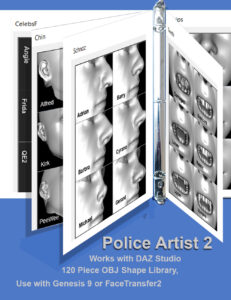
What is included in HeadShop 2025 FULL BUNDLE?
- 2025 LT – the Core Product. A DAZ plugin that converts photo-to-3D with auto point recognition, auto gender detection, auto smile detection. Rotates heads into frontal, allows texture mirroring, texture retouch.Also: Choose add-ons as needed:
- PoliceArtist 1 is a library of 120 shapes (noses, creases, etc.) that are DSF shape morphs, adding topographic details to any Genesis 8 figure. It also works with FaceTransfer1 and FaceGen.
- PoliceArtist 2 is a library of 70 shapes (noses, creases, etc.) that are DSF shape morphs, adding topographic details to any Genesis 9 figure. It also works with FaceTransfer2 and FaceGen.
- PhotoPrep is a standalone app that converts photos with rotated heads or open smile into frontal “passport style” photos that can be used with FaceTransfer1 and 2 and FaceGen. It also includes LoveChild to morph 2 photos into one.
__________________________________________________________
There's Always Another Sale Thread -- Discussions Only Pt 3Robert Freise said:
rokkr said:
What was the name of a script (or plugin or standalone program -- I don't remember quite well...) that could turn a not-so-frontal picture into a frontal portrait to make it easier to use in Facegen and similar programs? I'm trying to find it but I can't locate it...
You may be thinking of Headshop
ainm.sloinneadh said:
Robert Freise said:
rokkr said:
What was the name of a script (or plugin or standalone program -- I don't remember quite well...) that could turn a not-so-frontal picture into a frontal portrait to make it easier to use in Facegen and similar programs? I'm trying to find it but I can't locate it...
You may be thinking of Headshop
Photoprep too (https://www.daz3d.com/photoprep-with-lovechild)
Thanks!
There's Always Another Sale Thread -- Discussions Only Pt 3Robert Freise said:
rokkr said:
What was the name of a script (or plugin or standalone program -- I don't remember quite well...) that could turn a not-so-frontal picture into a frontal portrait to make it easier to use in Facegen and similar programs? I'm trying to find it but I can't locate it...
You may be thinking of Headshop
Photoprep too (https://www.daz3d.com/photoprep-with-lovechild)
There's Always Another Sale Thread -- Discussions Only Pt 3rokkr said:
What was the name of a script (or plugin or standalone program -- I don't remember quite well...) that could turn a not-so-frontal picture into a frontal portrait to make it easier to use in Facegen and similar programs? I'm trying to find it but I can't locate it...
You may be thinking of Headshop
HeadShop 2025 LT at DAZ this Friday (9/13)On Friday I purchased Headshop Lt, from Daz.
Details:
Order: #DA24-0914-2C56-4F4E-67BF – 2024-09-14 7:15:40 AM
- Standard License
View Product Page
Product Sku: 103006Serial Number: [Serial number removed]
Before installing watched video, read PDf, Found address on computer
for plug in (C drive)
Installed program.
About 10 seconds before end of installation received two error messages
1. can't copy file 'abaloneHeadopLoader.dll
2. can't copy file "fsconfig.dsx
Tried over 10 times during three hour period.
Wild guess: Won't install
copy of this message sent three times
Vacation perhaps?
HeadShop 2025 LT at DAZ this Friday (9/13)..or more accurately; "unlike many others I cannot install HeadShop 2025 LT". To remedy, please always email for Abalone Tech Support as instructed at [email protected].
Remember, as stated, HeadShop will not install with IM or DAZ Central but uses its own installer. To use installer, watch https://youtu.be/v3mtkh3-mrk
HeadShop 2025 LT at DAZ this Friday (9/13)HeadShop 2025 LT will not install
HeadShop 2025 LT at DAZ this Friday (9/13)To address our artists needs better, for 2025 we have reworked our entire product line into modules, enabling our users to pick and purchase only the features they really need.
-
- HeadShop 2025 LT – the Core Product. A DAZ plugin that converts photo-to-3D with auto point recognition, auto gender detection, auto smile detection. Rotates heads into frontal, allows texture mirroring, texture retouch.Also: Choose add-ons as needed:
- PoliceArtist 1 is a library of 120 shapes (noses, creases, etc.) that are DSF shape morphs, adding topographic details to any Genesis 8 figure. It also works with FaceTransfer1 and FaceGen.
- PoliceArtist 2 is a library of 70 shapes (noses, creases, etc.) that are DSF shape morphs, adding topographic details to any Genesis 9 figure. It also works with FaceTransfer2 and FaceGen.
- PhotoPrep is a standalone app that converts photos with rotated heads or open smile into frontal “passport style” photos that can be used with FaceTransfer1 and 2 and FaceGen. It also includes LoveChild to morph 2 photos into one.
- https://youtu.be/0KZuzlJTZdc
Creating characters that look like real peopleHeadshop is still available but there is a new version so the link in that post doesn't work anymore. Current version is this one: https://www.daz3d.com/headshop-2024-win
Regarding face transfer, the link provided is for the version which works with Genesis 8 figures. If you want to use it with Genesis 9 you need Face Transfer 2: https://www.daz3d.com/face-transfer-2
Not sure about Facegen artist pro.
Creating characters that look like real peopleFSMCDesigns said:
Not sure why you think one click solutions aren't any good, but there are 3 options using Daz Studio and the Genesis figures. One is facegen artist pro, the other is headshop and then you have the builtin face transfer option in DS. All results depend of quality input images though, the better the source files, the better the morph
https://www.daz3d.com/facegen-artist-pro
https://www.daz3d.com/headshop-14-with-autosculpt-win
https://www.daz3d.com/face-transfer-unlimited
The two first links are dead. Are this programs not avalible anymore?
PhotoPrep coming Soon (Commercial)Are you running in 4k?
Looking at your image of the interface it looks like text scaling is too large for the app and the text does not fit. My interface says "Single Image" and has more text at the bottom next to the "Male" and "Female" icons.
I think the scaling might be why your imported image is zoomed in too.
I used ImageMagick "Mogrify" to convert my png portraits to jpg into another folder.
I open the app, after the splash screen, it disappears for a few seconds then the interface appears.
I click "Browse or drag jpg file", open the folder, select my file, click Open.
I then see the image with blue dots marking facial features. ( They can't be edited or moved )
I click "Apply" and i get a "Please Wait" box with a green bar.
Then i get an app window with my image on the left and the created face mesh on the right.
I save the "front", "Left" and "right" views as seperate images e.g. "Face-F-001.jpg", "Face-F-001-L.jpg" and "Face-F-001-R.jpg" in a named folder somewhere.
I then go to "C:\Users\USERNAME\AppData\Roaming\Abalone\HeadShop" and copy the "TempProject" folder into the same folder i saved the images above.
The Temp Folder contains folders with the obj and mtl files and textures, i assume i can use them in other apps.
"No Smile" will close the mouth.
I haven't worked out how to get "Retouch" to work for me.
The two icons next to "Retouch" mirror the left and right sides on the final mesh if needed.
"Smooth" changes the mesh in the viewport.
"Hand" lets you move the generated mesh around in the viewport.
"Arrow" lets you rotate the generated mesh around in the viewport.
"Magnifying Glass" with up and down mouse movement zooms in and out.
"Magnifying Glass" with frame and arrows resets the mesh size and rotation etc in the viewport.
I have had some crashes and as far as i can tell you have to close the app and reopen it for a new project which is why i have a desktop shortcut.Daz 3D is part of

Connect
DAZ Productions, Inc.
7533 S Center View Ct #4664
West Jordan, UT 84084Licensing Agreement | Terms of Service | Privacy Policy | EULA
© 2026 Daz Productions Inc. All Rights Reserved.