HeadShop 2025 Full Bundle
 info_b3470fa520
Posts: 901
info_b3470fa520
Posts: 901
HeadShop, a leading photo-to-3D application for Genesis 3, 8 and 9 has been around for almost 18 years and we added features and capabilities along the way. As HeadShop grew, so did its price. We found that we were offering many features in a single package that our customers may or may not use. To address our artists needs better, for 2025 we have reworked our entire product line into modules, enabling our users to pick and purchase only the features they really need. Full Bundle combines all essentials into one package. Full Bundle Intro $98.95 MSRP ($129.80 when purchased separately).
What is included in HeadShop 2025 FULL BUNDLE?
- 2025 LT – the Core Product. A DAZ plugin that converts photo-to-3D with auto point recognition, auto gender detection, auto smile detection. Rotates heads into frontal, allows texture mirroring, texture retouch.Also: Choose add-ons as needed:
- PoliceArtist 1 is a library of 120 shapes (noses, creases, etc.) that are DSF shape morphs, adding topographic details to any Genesis 8 figure. It also works with FaceTransfer1 and FaceGen.
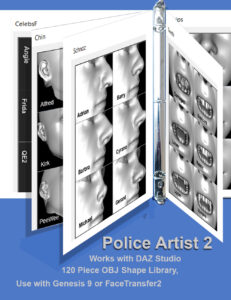
- PoliceArtist 2 is a library of 70 shapes (noses, creases, etc.) that are DSF shape morphs, adding topographic details to any Genesis 9 figure. It also works with FaceTransfer2 and FaceGen.
- PhotoPrep is a standalone app that converts photos with rotated heads or open smile into frontal “passport style” photos that can be used with FaceTransfer1 and 2 and FaceGen. It also includes LoveChild to morph 2 photos into one.
__________________________________________________________

Daz 3D is part of 
Connect
DAZ Productions, Inc.
7533 S Center View Ct #4664
West Jordan, UT 84084
Licensing Agreement | Terms of Service | Privacy Policy | EULA
© 2026 Daz Productions Inc. All Rights Reserved.
Comments
I bought it, but I can't find it. It's not in the location shown in the video; I can't find it anywhere.
The product page made no mention of needing to download and install it myself. I went through a very difficult process (frantically searching for the product in the studio, searching online for how to launch it, and finally finding the installation instructions only after downloading the compressed file...).
After finally installing it, the plugin interface was different from the video tutorial, forcing me to choose between "surface" and "geometry." Which one should I choose? Neither the video nor the PDF mentioned this... After randomly clicking around, the face photo I entered had a serious discrepancy with the model; the face texture wasn't on the face but on the entire head, and the eye texture was on the back of the head...
Searching online yielded absolutely no helpful articles. I've never had such a terrible shopping experience with Daz.