-
BJ Cycles - Cycles Renderer in Daz Studio
I would like to see more options for rendering for Daz Studio. I still wish Daz Studio was Open Source but people who own things have a hard time letting things go. They think >>>Maybe I can sell it later<<< When software does not make any more money >> they don't invest in programmers to update the software because closed source means the owners are the only one's who can. They think holding on to this will make them money later, and maybe it will but the problem is the Open Source 3D software is not the best but it is free and this drives people from spending money on very expensive software. I have not renewed my LightWave, and a bunch of other expensive software I used to work with because it was too expensive, and there are free alternatives. So, No money = no development. >>Catch 22<< This is killing Adobe (Krita, Gimp), Microsoft (Linux,LiberOffice) and 3D software (Blender I use this alot but the fork Blender for Artists). Now we have AI and this is giving people tools that does not need to render to create images. This is like Publishers not realizing that print was dying because the creation of the E-Reader. Daz sould Open Source their Software and just sell 3D models that work in everything. Valve learned that writing software is expensive >> So they stopped making games and decided >> we will just host games and sell other peoples creations. Consequently, we will never get Half Life 3. LOL Oh as a side note >>Dreamlight has a plugin that lets you use a limited but easy to use version of ComfyUI inside of Daz Studio. The plugin script uses OpenGL or Filament (fast render) for original render and then sends it to CompyUI {slower render} to do a Qwen Image Edit AI alteration of the render locally. I should mention that ComfyUI locally needs a 16gb RTX Nvidia at least to do your AI renders locally on your own metal. I purchased it from render hub because I use Comphy all the time. You can do this for free if you want to, by just rendering a simple Opengl render and setting up Comphy and using the Qwen Image Edit template for free, the script just makes it easy and convienent to use in Daz Studio for those that don't want to run Iray.The script is called AIRE - AI Render Engine DAZ Studio it is being sold on RenderHub. I should also mention I bought the script because. I don't rent software. Good luck to all the developers it is a jungle out there.
Colors bleeding on one another with Iray.Hi,
I have a color bleeding problem under Iray.
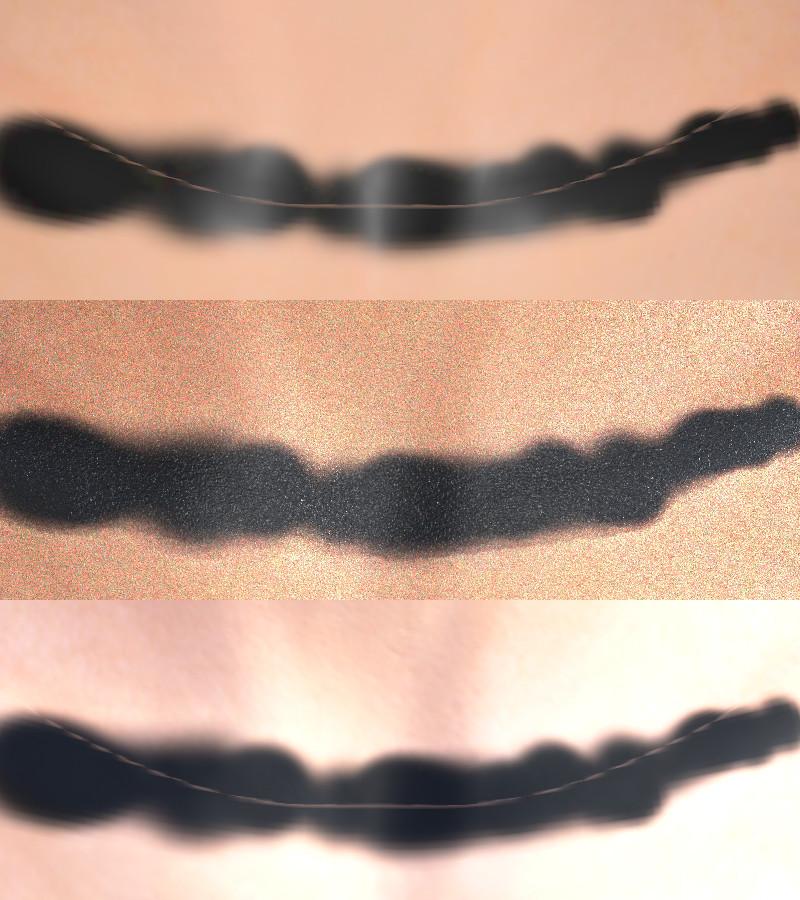
See the joined (montage) picture :
First, on top, Iray preview (the problem)
Second, in the middle, Filament preview (much better, but not quite OK)
Third, on the bottom, Blender Cycles preview (same source images for the texture, that's how it should look)
Can someone explain to me why this happens and how to tweek the settings to get a better result ?
Thanks
DNNew Year, New Sales Thread: Report Issues Here 4 "Reporting Only"barbult said:
jjoyner said:
Hello. Your post above is from a thread that was closed quite a while ago so I could not quote copy it to ask whether your issues with Kindred Arts’ Iray Interior Speed Lights (https://www.daz3d.com/iray-interior-speed-lights) were ever resolved. Iray Interior Speed Lights is in a group of products that can be discounted today with code LOVE-ARTISTS.
Thanks.
I submitted a help request about the problem three years ago. Six months later, after pestering them for update info, I finally was told that the product was performing as designed, and my request was closed and marked solved. I got no information about how to invoke the "cuilling". So, I'd say no, my problem was not solved.
I don't have that particular product, so I don't know how much help it'll be, but I do have a culling camera from another product of KindredArts: Interior Light Pro for Filament and Iray, and the culling camera setting is in the camera section.
best daz version performance wise?I'm actually using 4.23 and didn't notice any bug so far. Of course for any previous daz studio version you must have the installer as only the last version is available in the shop. The default resources in 4.23 include the toon shaders for filament, which are not available in previous versions. 4.24 adds the spot render and extra filters for asset management, that I don't want, plus it removes 3delight, that I want. So the choice is easy for me.
Figure is not visibledorotheewittstock said:
Or did I miss something in the settings?
In the upper right of what is called the "viewport" is this thingy:
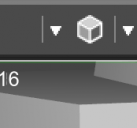
That's your second example, in the first example it appears thus:
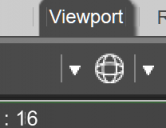
Find that thing and, using the left mouse button, click on the inverted equilateral triangle to the left of the thing that changes between your two screen shots. You will see a "pop-up-menu":
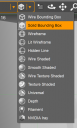
These are the various settings for how the viewport displays. I think you are using "Premium" DAZStudio so the menu might not be quite like that (I don't know, but I've never seen the cyan outline). Choose "filament", or, if you have a powerful computer "NVidia Iray".
It is a _very_ _very_ good idea to go through the tutorials, somewhere at the bottom left. They are quite entertaining in their way but they certainly give a very good introduction to the idiosyncracies of the DAZ Studio user interface; i.e. how we can use it.
There's Always Another Sale Thread -- Discussions Only Pt 6SilverGirl said:
memcneil70 said:
If you are a Mac user and want to use Filament, DS6 is your only choice. In DIM I am seeing more and more products being updated weekly now that DS6 is more stable. I also can start projects in DS4 and then save and open in DS6 when I am ready for a faster render.
Does DS6 render faster for Iray too? My CPU is newish (2023) but not exactly top of the line, and it struggles with some scenes.
ETA (now that I'm on my computer and can look):
graphics card: NVIDIA GeForce RTX 3060 (12 GB)
processor: 3th Gen Intel(R) Core(TM) i7-13700 (2.10 GHz)
installed RAM: 16.0 GB (15.7 GB usable)
OS: Win11
-- if that's relevantI have to be honest that my main computer is my MacMini M4 64GB. My Win11 with an RTX 4090 is to keep me relevant after my Win10s with GTX1060 and GTX1060Ti and no longer supported by anyone. (I hate that because the Win10 laptop is the only one that allows me to fully correct my metadata when it is totally screwed up.)
During summer I only run one computer at a time due to heat build-up in my room. So other than keeping the Win11 updated with Windows update and DIM, I am not using it.
But Window users seem to get good performance. Best idea is to create your render in DS4 if you need plug-ins/scripts not yet updated, save, close and then close DS and reboot your computer. Reopen, open the file in DS6, immediately go to render, making sure your set-up is still correct and start.
Depending on complexity of scene it can take as little as a few seconds or as long as hours (Macs). If you can depreciate any unnecessary textures that might be stressing your system, do so. Me, I just eat the time and do something else in the meantime. I have tested some of my renders in both DS4 and DS6 on the Mac and sometimes not seen much difference, but have not done so on the latest DS6 Beta that came out this past week.
Hardware Requirements for a PC to run only DAZ3dI expect Line means the wireframe Drawstyles, only one (Hidden Line) mentions lines as such. However, I am not sure how much beenfit in choosing one OpenGL mode over another - they all reduce the load on the GPU compared to Iray or even Filament.
There's Always Another Sale Thread -- Discussions Only Pt 6memcneil70 said:
If you are a Mac user and want to use Filament, DS6 is your only choice. In DIM I am seeing more and more products being updated weekly now that DS6 is more stable. I also can start projects in DS4 and then save and open in DS6 when I am ready for a faster render.
Does DS6 render faster for Iray too? My CPU is newish (2023) but not exactly top of the line, and it struggles with some scenes.
ETA (now that I'm on my computer and can look):
graphics card: NVIDIA GeForce RTX 3060 (12 GB)
processor: 3th Gen Intel(R) Core(TM) i7-13700 (2.10 GHz)
installed RAM: 16.0 GB (15.7 GB usable)
OS: Win11
-- if that's relevantThere's Always Another Sale Thread -- Discussions Only Pt 6If you are a Mac user and want to use Filament, DS6 is your only choice. In DIM I am seeing more and more products being updated weekly now that DS6 is more stable. I also can start projects in DS4 and then save and open in DS6 when I am ready for a faster render.
Anime Muscle & Face Sketch Lines Like DBZ.WendyLuvsCatz said:
jmucchiello said:
WendyLuvsCatz said:
I often use Filament myself for speed reasons, and not keen on Filatoon so understand where FenixPhoenix is coming from
most people want the opposite, more realistic or they trace or postwork their renders
This is a thread about adding an anime feel and there's a thread nearby about anime teeth. Non-realistic rendering isn't completely dead.
and I do some myself
just not with Filatoon, I use postwork
anyway, I was simply agreeing with FenixPhoenix about using Filatoon, NOT Anime
My point was is this because filatoon doesn't have enough support? Because what I love about filatoon is you hit render.... And it's done. Any toon-work I do, I do in filatoon. And it would save even more time if there was more shader support for it. Sadly, most of my work is photorealistic.
Anime Muscle & Face Sketch Lines Like DBZ.jmucchiello said:
WendyLuvsCatz said:
I often use Filament myself for speed reasons, and not keen on Filatoon so understand where FenixPhoenix is coming from
most people want the opposite, more realistic or they trace or postwork their renders
This is a thread about adding an anime feel and there's a thread nearby about anime teeth. Non-realistic rendering isn't completely dead.
and I do some myself
just not with Filatoon, I use postwork
anyway, I was simply agreeing with FenixPhoenix about using Filatoon, NOT Anime
Anime Muscle & Face Sketch Lines Like DBZ.WendyLuvsCatz said:
I often use Filament myself for speed reasons, and not keen on Filatoon so understand where FenixPhoenix is coming from
most people want the opposite, more realistic or they trace or postwork their renders
This is a thread about adding an anime feel and there's a thread nearby about anime teeth. Non-realistic rendering isn't completely dead.
Anime Muscle & Face Sketch Lines Like DBZ.I often use Filament myself for speed reasons, and not keen on Filatoon so understand where FenixPhoenix is coming from
most people want the opposite, more realistic or they trace or postwork their renders
or use AI as a filter but I understand the reluctance for that too
Is there a way to fix a texture showing a strange line on a G8.1F character?Turn out I saved the maps with the black 'line', using a unique name so I didn't replace them:
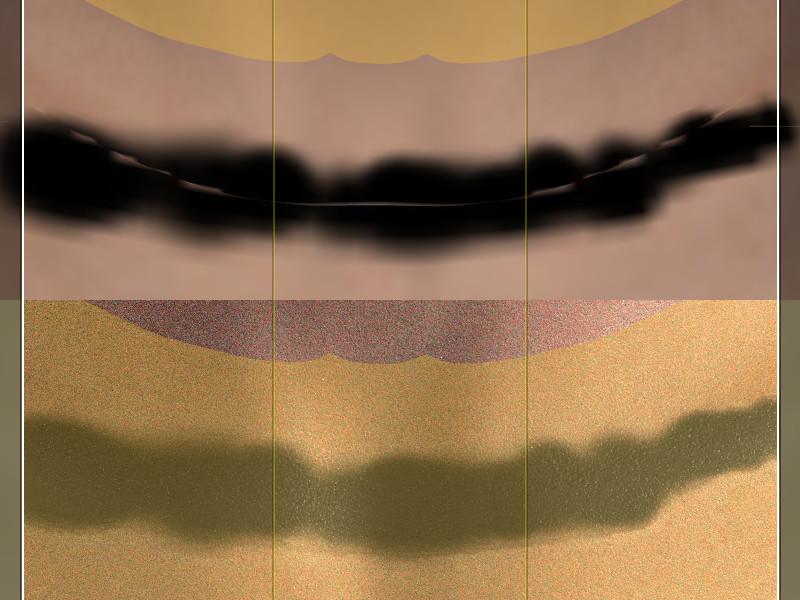
It's with the same character morph as the previous picture (using MSO Rory textures). The line around the seam is visible in Textured Mode, but not in Iray preview.
I also did the test in Daz Studio 6: first picture is texture shaded, then Iray Preview, then Filament:
Like with Daz Studio 4, the line around the seam is visible in Texture Shaded not in Iray but is back in Filament.
I also did a render in Iray with Daz Studio 6 (not all the way to the end though):
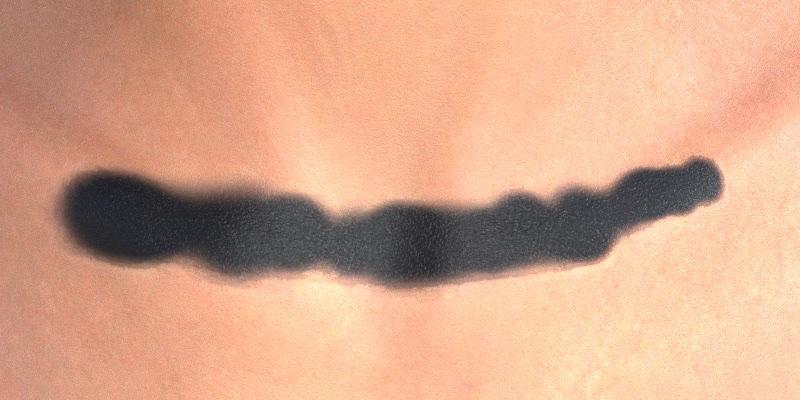
I have no idea what could cause that problem, but the test with the black line shows that it's apparently a visual bug on any mode except when using Iray.
Feedback on my PA Application for Resubmission?Haven't done promos for her yet, and I'll still finalize some stuff tomorrow before I do, but here's the 4th character. [different eye variation in each render]
Also, I did find something that can significantly improve some (maybe all) of the character promo renders by the time I want to resubmit. So, I had already planned to add a light makeup variant for each character, but I specifically hadn't done it for the application promos because I wanted the emphasis to be on the facial structure, but after testing with the 4th character, even very light make up makes a much bigger difference than I thought it would without detracting from the facial features at all.
I also did notice a clipping mistake in one of the promos I posted earlier, I'll be sure to fix it.
donniekeidic said:
My personal opinion on the characters is that since they are toon style, you might consider offering them with Filament ready Filatoon shader presets. Maybe offer more than one style for even greater appeal. You could offer iray (which you already have), and 2 filament/filatoon styles: cel shaded, and painterly styles for example. I think your product would stand out since there is a limited offering of filatoon characters in the store, and anytime I see toon style offered in the store I always see people wondering why there are no filatoon presets for them. It might be enough to get your product the green light. In any case, Good luck.
Thank you for the kind wishes ^-^ I experimented a decent bit with filatoon earlier this year, I personally didn't like it :( I can see the appeal, it's just very different from my style. I haven't looked into it, but I thought I saw filatoon shaders and converter tools around, if people wanna use characters that don't come with filatoon options?
For my characters, while I'll make improvements whereever I can, my overall style for character products is finalized, I'm not going to make big changes or overhauls, I can't guess how much appeal it has to others, but I personally love my style a lot a lot
Feedback on my PA Application for Resubmission?My personal opinion on the characters is that since they are toon style, you might consider offering them with Filament ready Filatoon shader presets. Maybe offer more than one style for even greater appeal. You could offer iray (which you already have), and 2 filament/filatoon styles: cel shaded, and painterly styles for example. I think your product would stand out since there is a limited offering of filatoon characters in the store, and anytime I see toon style offered in the store I always see people wondering why there are no filatoon presets for them. It might be enough to get your product the green light. In any case, Good luck.
Daz Studio 4.24[.0.x], General Release!Unsure if this has been reported before, but the latest NVIDIA studio drivers (610.62) cause major viewport lag while using filament. With this update, NVIDIA retired the old control panel and in the app not all of the old optimization options are available which I assume is causing these issues. I can barelly move in viewport on this driver. Reverting to previous one clears these issues, but makes the Iray preview slightly slower but it's not a big issue. However in the future, if not fixed this will cause major problems. Might want to coordinate with NVIDIA to put ALL custom settings from the old control panel into the app
Will there be a "Filament to Iray" converter?There are very few products made for Filament / Filatoon so far, and the majority of them either are add-ons for an Iray product or also have an Iray version available.
Beside the Filatoon effect uses a combination of shaders and a geoshell.
So we're talking about a product which has little potential use / market for now and which would not be easy to make. I personnaly doubt such a converter will be relased - unless things change drastically and Daz starts releasing Filatoon-only products en masse, at which point it might become commercially viable to produce one.
Will there be a "Filament to Iray" converter?RSSY's "3Delight to Iray" and "Iray to 3Delight" coverters were a Godsend.
With so many of my purchases being one or the other, being able to convert both ways was essential. Of course, with the demise of 3Delight, that will only be going in 1 direction now.
Naturally, back when they came up with the "3Delight & Iray to Filament", I snagged that utility right up!
But I'm wondering when they'll be making the "Filament to Iray" converter... I've noticed we're starting to get more and more products that are only in Filament
 RSSY 3Delight and Iray to Filament
Need some help here... 3Delight and Iray to Filament won't load in Daz 4.24. It gives the "An error ocurred while reading the file" message. Here's the log file. Thanks in advance.
2026-07-11 22:56:57.510 [INFO] :: Loading script: D:/Daz Connect Data/data/cloud/1_80055/scripts/riversoft art/rssy 3delight and iray to filament/rssy 3dl and iray to filament.dse.enc
2026-07-11 22:56:57.510 [WARNING] :: \src\sdksource\cloud\dzcloudtasknotifier.cpp(203): Invalid file header for encrypted file: "D:/Daz Connect Data/data/cloud/1_80055/scripts/riversoft art/rssy 3delight and iray to filament/rssy 3dl and iray to filament.dse.enc"
2026-07-11 22:56:57.510 [WARNING] :: \src\sdksource\general\dzscript.cpp(2735): No stream from CloudFile D:/Daz Connect Data/data/cloud/1_80055/scripts/riversoft art/rssy 3delight and iray to filament/rssy 3dl and iray to filament.dse.encDaz 3D is part of

Connect
DAZ Productions, Inc.
7533 S Center View Ct #4664
West Jordan, UT 84084Licensing Agreement | Terms of Service | Privacy Policy | EULA
© 2026 Daz Productions Inc. All Rights Reserved.